
HP LaserJet M207dw
4.0Editor score
Compact office design
Fast duplex printing
Dual band Wi-Fi included
Discover the top 10 Ethernet laser printers for 2026. Compare speed, security, and network features to find the perfect reliable for your office needs.
Ethernet laser printers offer reliable wired connectivity for busy offices needing consistent performance. They provide fast printing speeds and strong security features essential for modern business environments today.
We compared ten top models based on print speed, network capabilities, and security features. Our analysis includes detailed reviews and specifications to help you choose the right printer for your specific workflow requirements.
Each selection highlights key strengths and potential trade-offs for informed decision making. Prices and availability change frequently so check current listings before purchasing your new network ready printing solution.
4.0Editor score

4.4Editor score

4.2Editor score
This table provides a side by side view of all ten models including speed, capacity, and network options for quick comparison.


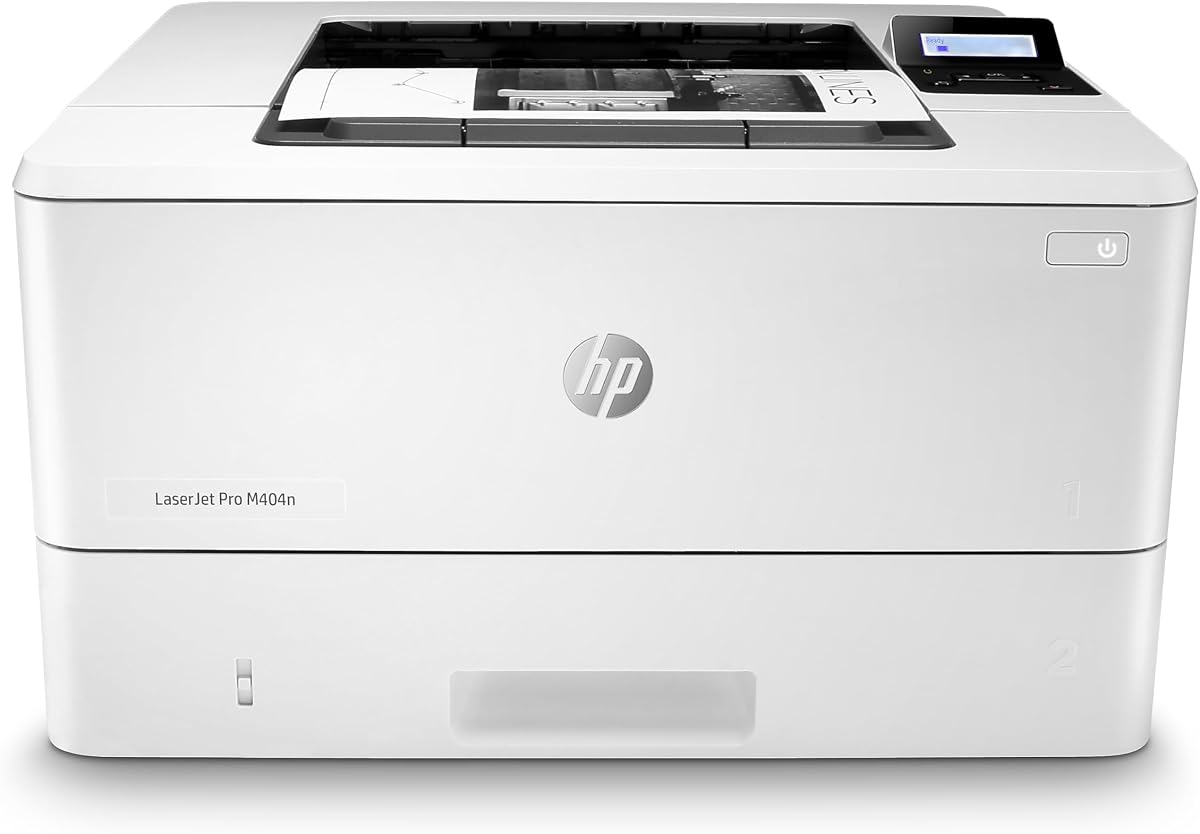

This model delivers professional quality results with impressive speed for small teams. It ranks highest for reliability and security features essential in office settings.
We may earn a commission when you buy through this link, at no additional cost to you.
The 42 pages per minute speed ensures minimal wait times for large documents. Security features protect sensitive data effectively during transmission and storage.
It lacks wireless connectivity which limits flexibility for some users. The price is higher than basic models but justified by performance.
Businesses needing secure fast wired printing should prioritize this device. It offers excellent value for teams focused on efficiency and security.
Speed ensures productivity remains high even during peak printing hours.
Built in security features safeguard confidential documents from unauthorized access.
We may earn a commission when you buy through this link, at no additional cost to you.
This printer offers solid performance at an accessible price point for small offices. It balances cost and functionality well for basic document needs.
We may earn a commission when you buy through this link, at no additional cost to you.
Security features protect your network without extra software. The compact design fits easily into limited workspace environments.
Print speed is adequate but slower than high volume options. Paper capacity is standard but not expandable for large jobs.
Ideal for startups or home offices needing reliable Ethernet access. It provides essential features without unnecessary cost.
Affordable entry into professional printing with essential security features.
Space saving footprint fits well in small work areas.
We may earn a commission when you buy through this link, at no additional cost to you.
This premium unit delivers exceptional speed and capacity for demanding environments. It stands out for handling high volume tasks efficiently.
We may earn a commission when you buy through this link, at no additional cost to you.
The fifty pages per minute speed reduces downtime significantly. Large tray capacity minimizes refilling interruptions during busy periods.
The higher price reflects top tier performance capabilities. It requires more desk space than compact models available.
Large teams needing consistent high volume output should choose this. It offers unmatched speed and reliability for professional use.
Industry leading print speeds keep workflow moving without delays.
Large trays reduce interruptions during extended printing sessions.
We may earn a commission when you buy through this link, at no additional cost to you.
This model balances speed and connectivity for versatile home office use. It provides consistent quality with flexible connection options.
We may earn a commission when you buy through this link, at no additional cost to you.
The thirty six pages per minute speed handles daily needs well. Alexa integration offers convenient voice control for printing tasks.
Subscription services for toner can be optional but helpful. The compact design is convenient but limits paper capacity slightly.
Perfect for users needing both wired and wireless flexibility. It offers reliable performance with modern smart features.
Multiple connection options ensure compatibility with various devices.
Voice control capabilities streamline printing tasks efficiently.
We may earn a commission when you buy through this link, at no additional cost to you.
Known for consistent performance this printer serves well in shared workspaces. It offers a reliable Ethernet connection for network sharing.
We may earn a commission when you buy through this link, at no additional cost to you.
The forty pages per minute speed keeps teams productive. Security features protect sensitive information during network transmission.
Lack of wireless limits mobile flexibility for some users. Paper capacity is standard for this class of printer.
Best for offices prioritizing stability over wireless features. It delivers dependable results for core printing needs.
Dedicated Ethernet port ensures stable connectivity for shared access.
Fast speeds reduce wait times for busy workflows.
We may earn a commission when you buy through this link, at no additional cost to you.
This model bridges gap between wired and wireless needs well. It offers Ethernet plus Bluetooth for versatile device connections.
We may earn a commission when you buy through this link, at no additional cost to you.
Security features safeguard your data effectively on network. Print speed suits moderate workloads efficiently.
Bluetooth may not replace full Wi-Fi for larger teams. It provides good value for specific connectivity needs.
Ideal for offices needing Ethernet but want some wireless convenience. It offers solid security and performance.
Combined Ethernet and Bluetooth support multiple device types.
Built-in protections keep network traffic safe.
We may earn a commission when you buy through this link, at no additional cost to you.
A straightforward workhorse offering consistent performance and security features. It focuses on core functions without unnecessary extras.
We may earn a commission when you buy through this link, at no additional cost to you.
High energy efficiency reduces operational costs over time. Security ensures data remains protected within the network.
Lack of duplex increases paper waste slightly. Simplicity limits flexibility compared to more complex models.
Best for businesses needing essential security and speed. It delivers reliable results without complications.
Energy saving features reduce long term costs.
Focus on essential printing functions ensures consistency.
We may earn a commission when you buy through this link, at no additional cost to you.
Perfect for home offices needing reliable connectivity. It balances cost and functionality for small scale use.
We may earn a commission when you buy through this link, at no additional cost to you.
Compact design fits easily on desks. Ethernet ensures stability when wireless signal is weak.
Print speed is adequate for light use. Capacity is standard for compact models available.
Ideal for individual users needing reliable printing. It offers essential features at a low cost.
Compact footprint fits well in limited home office space.
Ethernet provides stable connectivity when needed.
We may earn a commission when you buy through this link, at no additional cost to you.
Designed for secure environments requiring robust features. It handles sensitive documents safely on the network.
We may earn a commission when you buy through this link, at no additional cost to you.
The forty two pages per minute speed supports busy offices. Secure features prevent unauthorized document release easily.
Higher cost reflects advanced security and speed. Wireless options limited compared to newer models.
Perfect for businesses prioritizing document security. It offers high performance with strong protection.
Secure Print ensures documents only print when authorized.
Fast output keeps up with high demand workloads.
We may earn a commission when you buy through this link, at no additional cost to you.
This multi-function device offers printing scanning and copying. It reduces need for separate machines in office.
We may earn a commission when you buy through this link, at no additional cost to you.
The auto feeder handles multi-page documents efficiently. Ethernet provides stable network connection for sharing.
More complex setup process than single printers. Higher cost justified by added functionality.
Best for offices needing all-in-one solutions. It provides essential features and reliable connectivity.
Combines multiple tasks into one compact device.
Auto feeder speeds up multi-page scanning tasks.
We may earn a commission when you buy through this link, at no additional cost to you.
Selecting the right Ethernet laser printer requires evaluating speed, capacity, and connectivity needs carefully for your specific environment.
Print speed measured in pages per minute determines how quickly documents are produced. For busy offices, models offering 40ppm or more are preferred to minimize wait times.
Choose higher speeds if your team frequently prints long documents.
While the keyword focuses on Ethernet, many printers offer additional wireless options. Ensure the device has the required Ethernet port for stable wired networking.
Verify the port type supports Gigabit speeds for optimal data transfer.
Paper tray capacity dictates how often you need to refill. Look for models with at least 250 sheets, ideally expandable for high-volume environments.
Higher capacity reduces interruptions during large print jobs.
Networked devices are vulnerable to attacks. Modern printers include hardware-based security protocols to protect data during transmission and storage on the device.
Prioritize models with built-in security suites for business use.
The cost of ownership includes toner replacement. High-yield cartridges reduce the frequency of changes and lower long-term operational expenses.
Consider subscription services that ensure you never run out of supplies.
Physical size matters significantly in small workspaces. Compact models save desk space but may sacrifice paper capacity or advanced features.
Measure your available workspace before selecting a larger unit.
Modern workflows require remote printing capabilities. Ensure the printer supports mobile apps and cloud services for flexibility.
Check compatibility with iOS and Android devices for ease of use.
Reliable support is crucial when technical issues arise. Look for brands offering extended warranties and accessible customer service channels.
Strong support networks minimize downtime when problems occur.
Connect the printer to your router using an Ethernet cable and power it on. Install the manufacturer's software on your computer to configure network settings properly.
Regularly update firmware to ensure security patches are applied. Check connection status periodically to maintain stable network performance.
Keep the printer in a cool, dry area away from dust. Clean the paper feed rollers every few months to prevent jams.
Ethernet connections offer greater stability and speed compared to wireless. They reduce interference issues and allow multiple devices to share the printer reliably on a network.
Most modern models support mobile printing through apps and cloud services. Even Ethernet-only models often offer USB connections for direct mobile printing.
Laser printers offer faster speeds and lower cost per page for text documents. They produce sharp text that is more resistant to smudging over time.
Built-in encryption secures data during transmission. Hardware features prevent unauthorized access to documents stored in memory.
Many models allow simultaneous Ethernet and wireless connections. This flexibility lets different users choose their preferred method.
Duplex printing allows printing on both sides of a sheet. This feature saves paper and reduces printing costs significantly.
The top picks like the HP LaserJet Pro 4001dn offer excellent speed and security. Budget options provide essential features for smaller environments effectively.
Prioritize connectivity and capacity based on your team size. Security features are critical for business environments protecting sensitive data.
Check current pricing and availability before purchasing your new printer. Selecting the right model ensures reliable performance for years to come.