
Newmen GM326 Mechanical Keyboard
4.4Editor score
Affordable price point
RGB backlight modes
Multi-function volume knob
This expert guide compares the top 75 percent mechanical keyboards for gaming and typing, evaluating switches, build quality, and features.
Finding the right keyboard can transform your workspace and gaming setup. A 75 percent mechanical keyboard offers a perfect balance between compactness and functionality. It keeps essential keys while freeing up valuable desk space for smoother mouse movement.
We analyzed ten top models based on build quality, switch performance, and connectivity. Each product was evaluated for comfort, durability, and customization options. Our goal is to help you find the ideal match for your specific needs without confusion.
Each pick highlights unique strengths and potential trade-offs for informed decisions. Prices and availability change frequently so check current listings before buying. This guide ensures you invest in a reliable tool that enhances productivity and enjoyment daily.
4.4Editor score

4.6Editor score

4.7Editor score
This table provides a side-by-side look at the ten featured keyboards. It highlights key specifications like connectivity, switch type, and special features to help you compare at a glance.

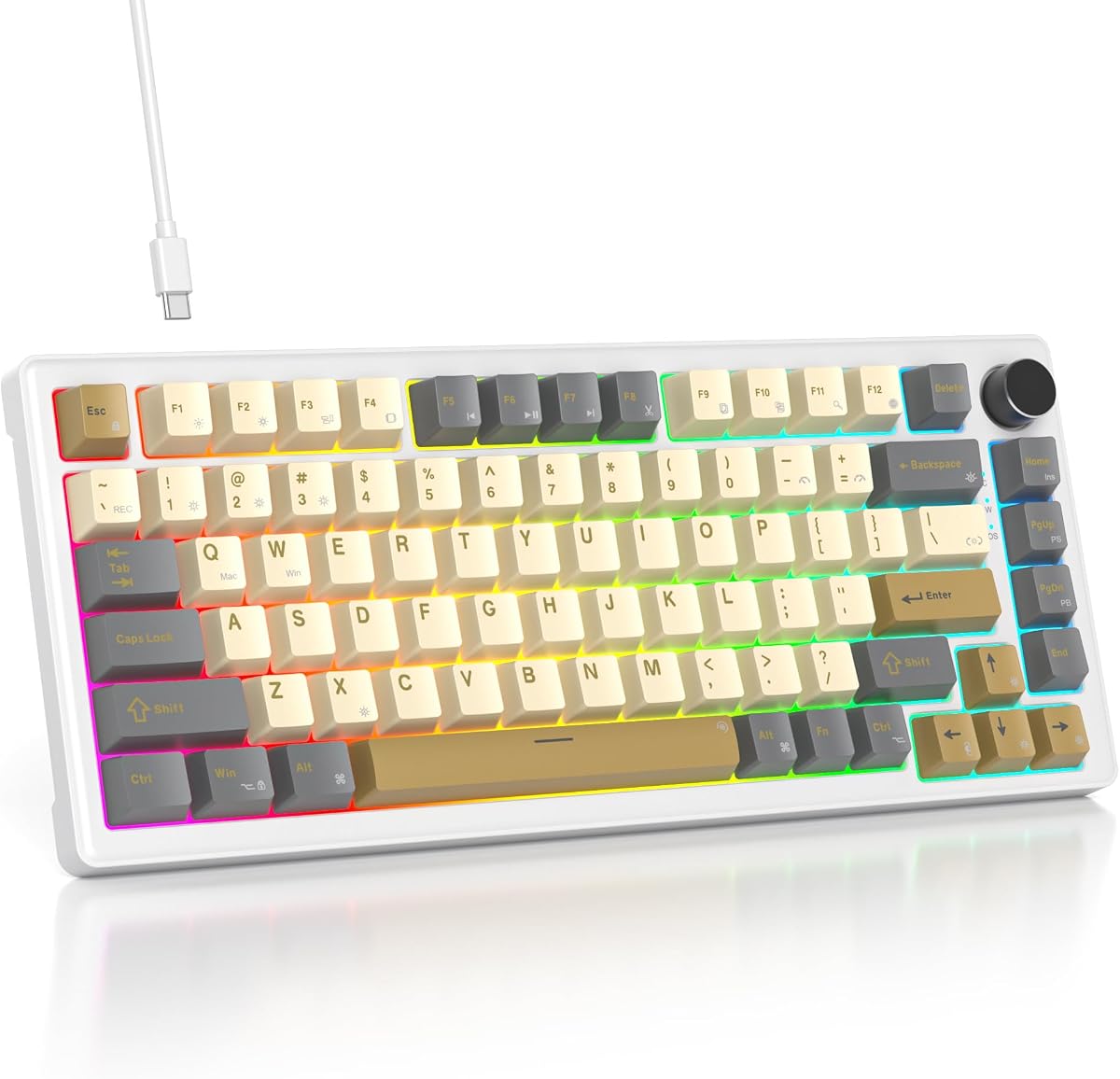


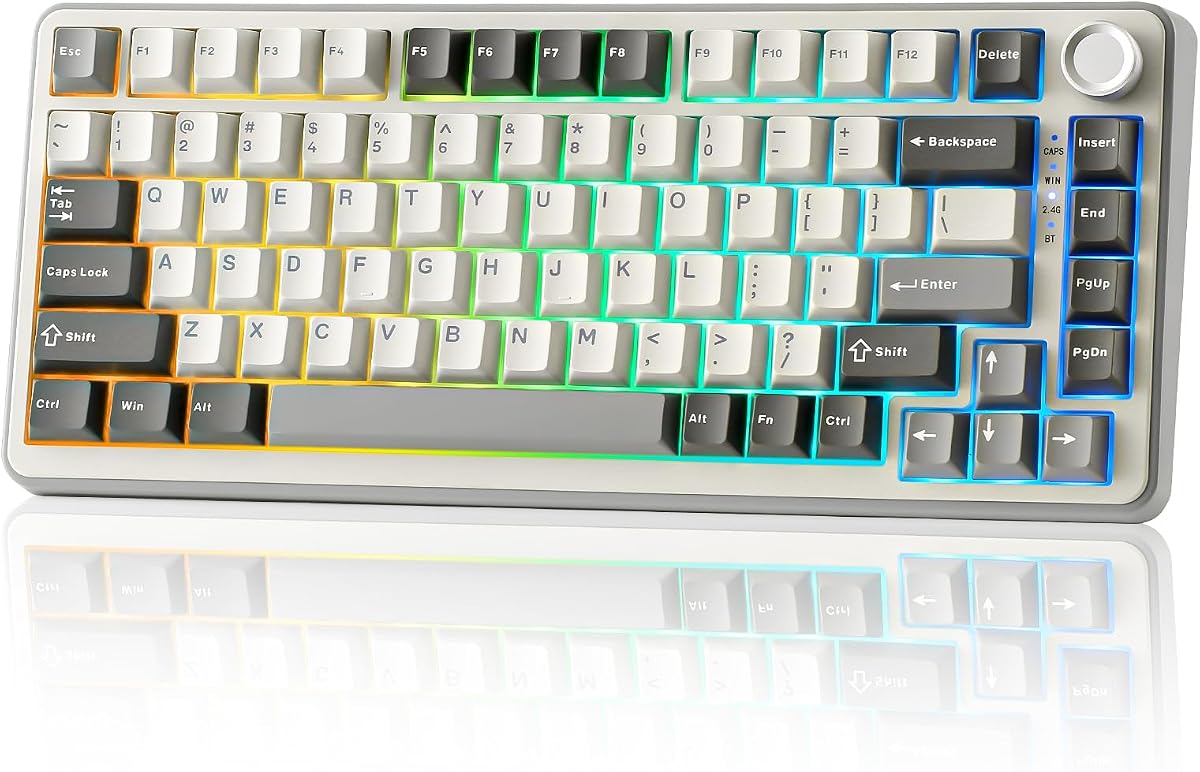
The AULA F75 Pro stands out as a top contender in the 75 percent mechanical keyboard market. With a high rating and robust feature set, it balances wireless convenience with tactile performance. Its pre-lubed switches offer a smooth typing experience right out of the box.
We may earn a commission when you buy through this link, at no additional cost to you.
Key strengths include its tri-mode connection allowing seamless switching between devices. The hot-swappable base supports both 3 and 5-pin switches for customization. Additionally, the five-layer filling silencer ensures a solid feel and reduces cavity noise effectively.
While the driver is limited to Windows systems, this does not hinder core functionality. The battery life is impressive but RGB effects can reduce it. These trade-offs are minor given the overall value and feature density offered to users.
This keyboard is ideal for gamers and professionals needing reliable wireless performance. Its compact layout saves desk space while keeping essential keys. We highly recommend it for those seeking a versatile and well-built mechanical solution.
The PCB single key slotting and silicone pad enhance resilience and stability. This structural design optimizes hand feel and reduces noise during intense typing sessions.
Users can adjust lighting speed and brightness via the knob or shortcuts. The multi-function knob also simplifies media control and volume adjustments during work or play.
We may earn a commission when you buy through this link, at no additional cost to you.
The RK ROYAL KLUDGE R75 offers a premium gasket mount experience at an accessible price. Its pre-lubed cream switches deliver a satisfying and quiet typing experience suitable for offices or late-night gaming. The build quality emphasizes durability and acoustic refinement.
We may earn a commission when you buy through this link, at no additional cost to you.
A highlight is the gasket mount combined with PCB single key slotting. This ensures accuracy and stability for every keystroke. The CNC metal knob adds a tactile element for volume control and enhances the overall aesthetic appeal of the device.
Although it supports fewer device connections than some competitors, three is often sufficient for most users. The lack of advanced software might limit macro users but simplifies setup. These factors keep the focus on core typing performance and build quality.
Ideal for enthusiasts seeking gasket performance without a high cost. The warm aesthetic and sound profile appeal to those who value feel over flashy features. We recommend it for daily typing and moderate gaming usage scenarios.
Five layers of sound-absorbing material and poron cotton cushioning reduce vibration. This design choice minimizes key noise and creates a consistent typing sound across the deck.
The hot-swappable PCB supports 3 and 5-pin switches for easy upgrades. The metal knob can even be replaced with switches for a truly unique keyboard setup.
We may earn a commission when you buy through this link, at no additional cost to you.
This retro-styled keyboard delivers a premium gasket feel at a budget-friendly price. The five-layer padding ensures stability and comfort without the bulk of larger boards. Its pre-lubed white jade switches provide a smooth and quiet typing experience ideal for shared spaces.
We may earn a commission when you buy through this link, at no additional cost to you.
The hot-swap PCB allows free switching between 3 and 5-pin switches without soldering. This flexibility lets users experiment with different switches easily. Full-key macro programmability enhances utility for productivity and gaming tasks efficiently.
Wired-only connectivity limits portability but ensures zero latency. The design focuses on core mechanical feel rather than wireless features. This makes it a solid choice for stationary setups where reliability and cost are top priorities.
Best for users prioritizing acoustic comfort and build quality over wireless convenience. The minimalist design fits well in organized workspaces. We suggest this for those building a custom setup on a tighter budget.
The 75 percent compact layout frees up space for mouse movement. Essential arrow keys and function keys are retained for full functionality without the bulk.
Sixteen point eight million RGB colors and music rhythm effects add personality. Users can select single colors or turn off backlight for a clean look.
We may earn a commission when you buy through this link, at no additional cost to you.
The MageGee 75% is an excellent entry point for mechanical keyboard users. Its red linear switches offer smooth and fast action ideal for gaming. The compact TKL design retains arrow keys while maximizing desk space significantly for better mouse movement.
We may earn a commission when you buy through this link, at no additional cost to you.
Features include full anti-ghosting for accurate multi-key inputs during intense sessions. The metal panel adds sturdiness and durability to the build. Kickstands allow ergonomic adjustment to reduce strain during long typing periods comfortably.
While ABS keycaps may show wear over time, the low price makes replacement easy. The blue LED lighting is functional but lacks the customization of RGB models. These limitations are acceptable given the focus on core performance and value.
Perfect for students or budget-conscious gamers needing a reliable wired keyboard. The plug-and-play simplicity requires no driver installation. We recommend it for basic productivity and casual gaming needs effectively.
N-key rollover ensures every command is executed accurately under pressure. The linear switches allow rapid tapping without tactile bumps slowing down actions.
Sixteen backlight modes and brightness adjustments let users set the mood. The blue LED offers a classic look without distracting colors.
We may earn a commission when you buy through this link, at no additional cost to you.
This keyboard emphasizes comfort and sound quality with its gasket-mounted design. Sound absorbing pads reduce noise and provide a cushioned feel during use. The PBT keycaps resist wear and maintain texture over time ensuring a clean look.
We may earn a commission when you buy through this link, at no additional cost to you.
Hot-swap sockets enable easy customization without soldering for personalization. Full-key anti-ghosting guarantees accurate inputs during rapid typing or gaming. The software allows macro programming and key remapping to boost efficiency significantly.
Lack of wireless limits portability but ensures stable performance on wired setups. The software is functional but may lack advanced customization compared to higher-end models. This trade-off suits users focused on stability and tactile feedback over features.
Ideal for stationary office setups where comfort and reliability are key. The affordable price makes it accessible for many users. We recommend it for typists and casual gamers needing a solid wired keyboard.
The gasket structure softens the impact of each keystroke. This reduces hand fatigue and enhances comfort during extended working sessions.
Macro programming allows custom functions for complex tasks. Key remapping lets users adapt the board to specific workflow preferences easily.
We may earn a commission when you buy through this link, at no additional cost to you.
The AULA S75 PRO introduces an interactive LCD screen for real-time control. This feature allows users to monitor battery status and customize settings visually. The tri-mode connectivity ensures compatibility across multiple devices without interruption or delays.
We may earn a commission when you buy through this link, at no additional cost to you.
Its five-layer silencer and PCB slotting deliver a solid and thocky feel. The side-engraved PBT keycaps are durable and enhance backlight illumination significantly. Macro capabilities via the driver boost workflow efficiency for advanced users effectively.
The screen and software are Windows dependent which may limit Mac users. Higher cost reflects these premium features but remains competitive. These factors make it a strong contender for power users seeking unique controls.
Best for enthusiasts wanting visual feedback and extensive customization. The screen adds utility beyond standard keyboard functions. We suggest it for tech-savvy users who value innovative interfaces in their gear.
The screen displays battery status time and connection mode instantly. Users can customize GIFs and settings through the screen for a dynamic look.
The multi-function knob complements the screen for quick adjustments. Side light effects and RGB colors add atmosphere to the workspace.
We may earn a commission when you buy through this link, at no additional cost to you.
The Keychron K2 is a standout for Mac users needing a compact mechanical solution. It includes necessary Mac function keys and layout compatibility for seamless integration. The Super Red switch offers linear responsiveness suitable for both work and gaming.
We may earn a commission when you buy through this link, at no additional cost to you.
Bluetooth 5.1 ensures stable connections across three devices for multitasking. A massive 4000mAh battery supports days of use without frequent recharging. The elegant white LED backlight provides a clean and professional aesthetic for environments.
Lack of vibrant RGB limits appeal to those seeking colorful effects. The price reflects build quality and ecosystem support. These trade-offs are acceptable for users prioritizing system compatibility and reliability over flashy features.
Ideal for Mac professionals and casual users seeking seamless integration. The robust battery ensures uninterrupted work flow. We recommend it for those needing a reliable keyboard for Apple ecosystems.
The unique Mac layout includes all essential function keys for Apple OS. Extra keycaps for Windows allow easy switching between operating systems.
With up to 72 hours of typing the battery lasts weeks on standard use. This reduces interruptions and keeps the keyboard ready for any task.
We may earn a commission when you buy through this link, at no additional cost to you.
The YUNZII B75 PRO delivers a premium acoustic experience with its Cream V2 switches. The gasket mount design ensures a solid feel while reducing vibration. Its tri-mode connectivity supports flexible device switching across different work environments effectively.
We may earn a commission when you buy through this link, at no additional cost to you.
South-facing LEDs and programmable software allow deep customization of lighting effects. The precision-tuned stabilizers contribute to the consistent sound across all keys. This makes it an ideal choice for those valuing auditory feedback and comfort.
Windows-only software limits macro users on other systems. The absence of an interactive screen keeps costs down but reduces visual control. These limitations are minor given the superior typing feel and value provided.
Perfect for enthusiasts prioritizing sound quality and tactile comfort. The battery life supports long wireless sessions. We recommend it for users seeking a high-end feel without the extra cost.
Five layers of padding create a quiet and satisfying thock. The pre-lubed switches ensure minimal scratchiness during each keystroke.
Bluetooth 2.4GHz and wired options cover all user preferences. The battery capacity supports extended wireless use without frequent charging.
We may earn a commission when you buy through this link, at no additional cost to you.
This keyboard offers impressive features at an entry-level price point. Its linear red switches provide smooth action for fast-paced gaming. The detachable USB-C cable enhances portability making it great for travel or office use.
We may earn a commission when you buy through this link, at no additional cost to you.
A multi-function knob simplifies volume control and adds convenience to the compact layout. Full anti-ghosting ensures reliable performance during complex key presses. The ergonomic stepped keycaps and tilt legs improve comfort during long sessions.
ABS keycaps may wear faster than PBT but can be replaced easily. Limited to wired connection means no wireless convenience. These trade-offs align with its focus on affordability and essential performance features.
Best for students or casual gamers on a strict budget. The RGB effects and volume knob elevate the value. We recommend it for those needing a reliable compact keyboard without extra costs.
The multi-function knob allows quick and seamless sound adjustment. This feature saves time during gaming or media consumption.
Six rainbow colors and twenty backlight modes personalize the look. The compact design fits well on smaller desks.
We may earn a commission when you buy through this link, at no additional cost to you.
The Womier SK80 stands out with its vibrant color multimedia display. This screen visualizes settings and custom GIFs adding a unique interface layer. The gasket mount and EVA plate ensure a soft and responsive typing feel.
We may earn a commission when you buy through this link, at no additional cost to you.
Music syncing mode syncs RGB lights to audio for immersive gaming. The south-facing LEDs provide clean lighting through keycaps. Hot-swappable PCB supports customization for different switch preferences easily.
Full customization requires a wired connection to the software. This setup process is manageable but limits on-the-fly screen adjustments. These requirements are minor compared to the premium look and feel offered.
Ideal for users seeking a high-tech premium aesthetic and tactile feel. The display adds utility beyond standard controls. We suggest it for enthusiasts wanting a unique and customizable desktop centerpiece.
The screen shows connection modes and system status instantly. Users can upload GIFs to personalize the display creatively.
EVA padding and bottom filling reduce noise during typing. The gasket mount design minimizes vibration for a quiet experience.
We may earn a commission when you buy through this link, at no additional cost to you.
Selecting the right 75 percent mechanical keyboard requires understanding key factors like switches and connectivity. This guide outlines essential aspects to consider for a well-informed purchase.
Mechanical switches define typing feel and sound. Linear switches like Reds or Creams offer smooth fast action ideal for gaming. Tactile or clicky switches provide feedback for touch typists. Pre-lubed switches enhance smoothness right out of the box.
Choose switches based on your noise preferences and task needs.
Wired keyboards guarantee zero latency while wireless models offer flexibility. Look for Bluetooth 5.0 or 2.4GHz connections for stable performance. Multi-device support allows seamless switching between computers or phones.
Prioritize wired for competitive gaming or wireless for multitasking.
Gasket mount designs reduce vibration and improve acoustic feedback. PBT keycaps resist wear better than ABS over time. Internal sound dampening layers like silicon or foam enhance sound quality.
Opt for gasket mounts for a softer and quieter experience.
Hot-swap sockets allow changing switches without soldering. Software support enables macros and RGB lighting control. Look for compatibility with both 3 and 5-pin switches for flexibility.
Ensure hot-swap capability if you plan to customize frequently.
Wireless models need robust batteries for extended use. Capacities around 4000mAh offer days of typing without charging. RGB usage can drain battery faster so consider dimmable options.
Check battery specs to match your usage frequency.
Side-printed keycaps offer durability and clear backlighting. Double-shot molding ensures legends never fade. Compatibility with your switch type is essential for proper fit.
Select keycaps that suit your aesthetic and tactile needs.
Multi-function knobs simplify volume and lighting adjustments. LCD screens can display status and GIFs for visual flair. Look for extra features that enhance your daily workflow.
Consider these extras based on your specific priorities.
Price ranges vary significantly based on features and build. Higher costs often bring better materials and customization options. Balance cost with durability to ensure long-term satisfaction.
Invest in models that fit your financial and functional needs.
Connect your keyboard using the appropriate cable or Bluetooth settings. Install required software for macros and lighting customization on your PC.
Clean the surface regularly with a soft brush or compressed air to remove dust. Avoid harsh chemicals that might damage the keycaps or electronic parts.
Store the keyboard in a dry place away from direct sunlight to preserve materials. Use the provided software settings to maintain preferred lighting configurations.
Yes they are excellent for gaming due to their compact layout. They save desk space for mouse movement while retaining essential arrow keys. The mechanical switches provide the speed and reliability needed for competitive play.
Wired models offer zero latency and constant power supply. Wireless models provide portability and cleaner setups but require battery charging. Choose based on your priority between stability and flexibility.
Most models in this list feature hot-swap sockets allowing easy replacement. This lets you try different switches without soldering. Always ensure compatibility between the switches and PCB pins.
Many support Mac but some software features are Windows only. Keyboards like the Keychron K2 include native Mac keys. Check compatibility before buying to ensure full functionality.
Pre-lubed switches are generally quieter than stock versions. Lubrication reduces internal friction and hollow sounds. They are ideal for shared offices where noise is a concern.
Gasket mount uses silicone padding to mount the PCB. This design reduces vibration and softens the typing feel. It often results in a more premium sound profile.
Use the provided software or onboard controls to change modes. Many models offer multiple effects and brightness settings. Ensure your system supports the driver software for full control.
We explored ten diverse models ranging from budget-friendly options to premium display units. Each offers unique strengths for different user needs and preferences.
Prioritize build quality and switch feel for long-term satisfaction. Consider connectivity and extra features that align with your workflow.
Prices and availability change frequently so verify current listings before buying. Investing in the right keyboard enhances daily productivity and enjoyment.