
Scan Translator Pen
4.0Editor score
142 online languages
Bluetooth headphone support
Affordable learning tool
Finding the right tool to support reading challenges can transform how students and adults approach text. A Dyslexia Reading Pen offers instant text-to-speech, translation, and scanning capabilities to bridge comprehension gaps effectively.
We analyzed ten leading models focusing on OCR accuracy, audio clarity, language breadth, and portability. Each product was evaluated for its ability to handle diverse text formats and support independent learning scenarios daily.
Each pick highlights unique strengths like offline modes, smart note-taking, or AI integration. Prices and availability change frequently, so verify current details before purchasing to ensure you get the best value available today.
4.0Editor score

4.0Editor score
3.9Editor score
As an Amazon Associate we earn from qualifying purchases.
This side-by-side comparison highlights key specifications across all ten reviewed models to help you identify the best fit for your specific learning or travel requirements quickly.

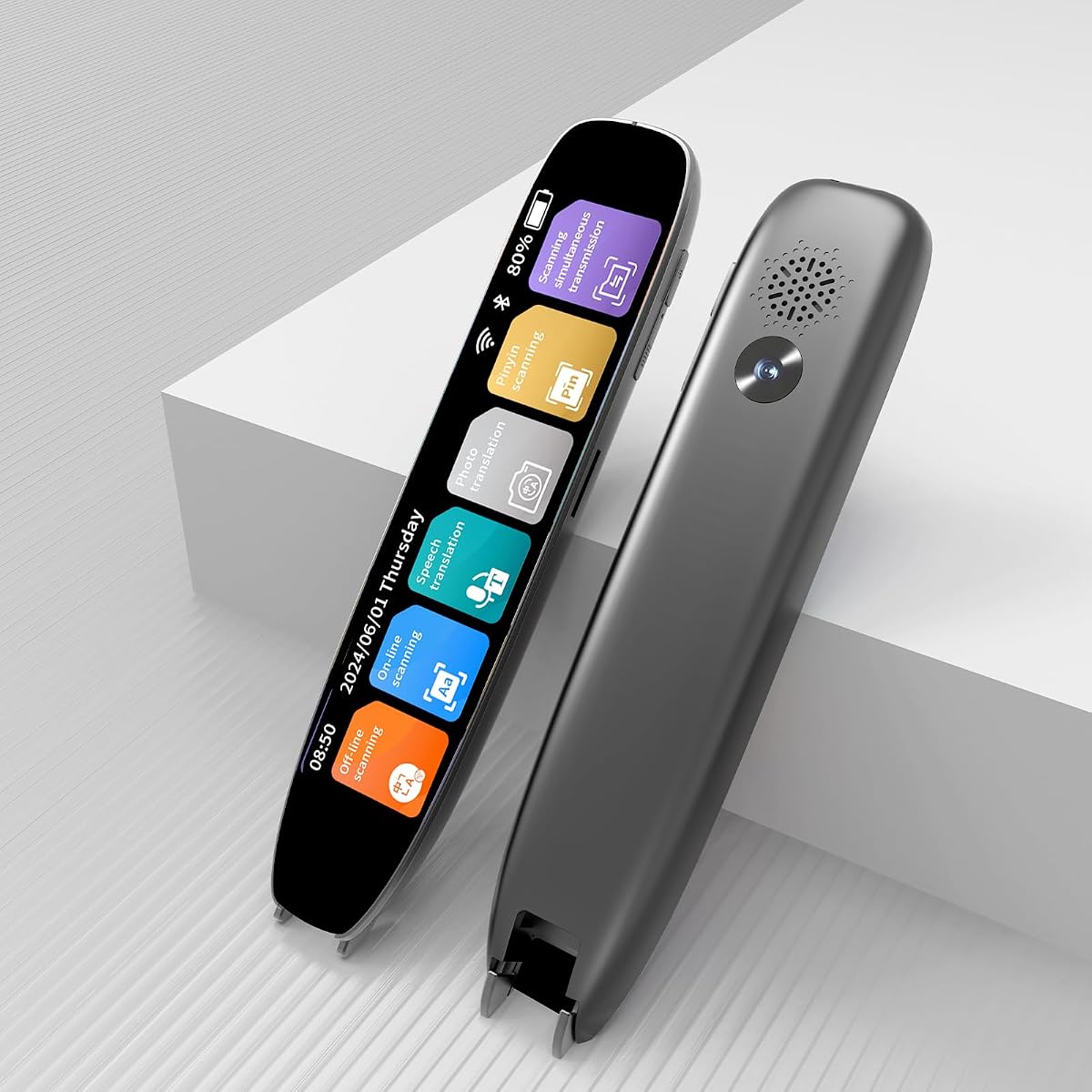
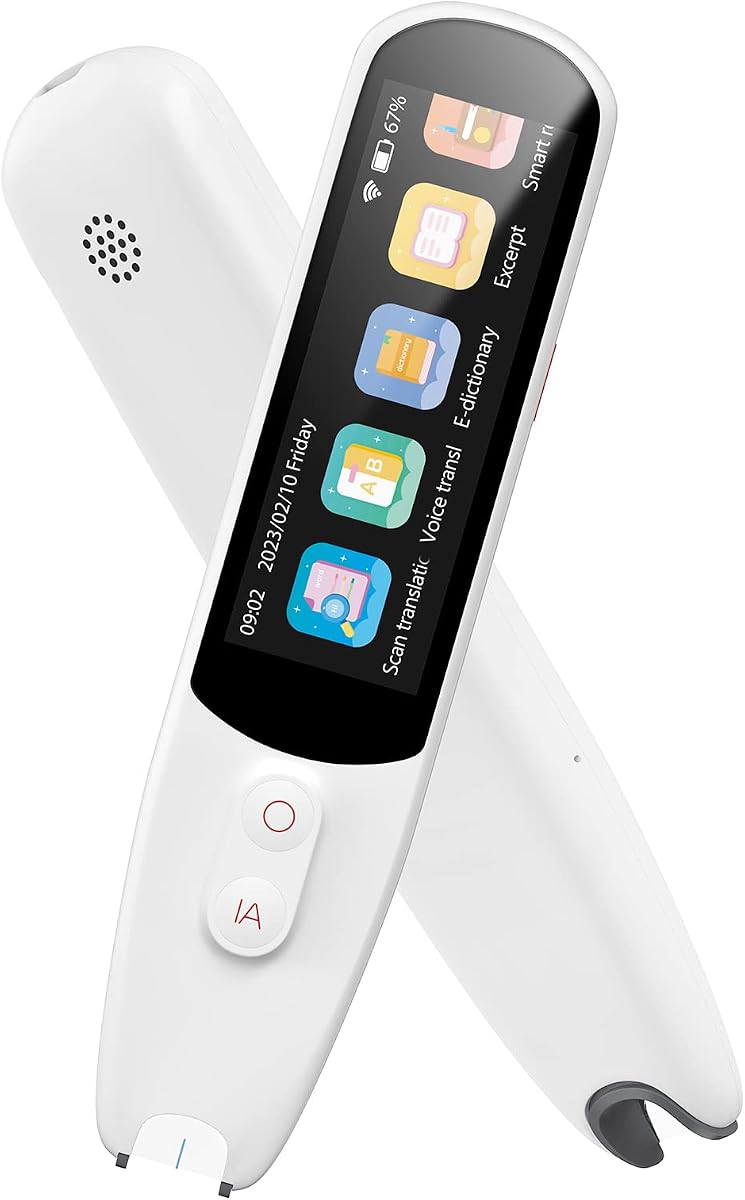


The Scanmarker Pal earns our top pick for its balanced mix of translation breadth and reading assistance. With a 4.0 rating from users, it delivers reliable text-to-speech and supports over 100 languages online making it ideal for global learners.
We may earn a commission when you buy through this link, at no additional cost to you.
Its standout feature is seamless integration with Bluetooth headphones for private listening. Users can scan text and hear it read aloud instantly while highlighted words improve comprehension. This design helps dyslexic readers focus on content without external distractions.
While offline support is limited to five languages, the online capabilities cover most major tongues. The compact build fits easily in bags for on-the-go use. Exporting scans as digital files adds value for note-taking or document digitization.
We recommend this pen for students and travelers needing versatile linguistic tools. It simplifies reading challenges while offering translation for cross-cultural communication. Check current stock before purchasing due to high demand.
Bluetooth headphones create an immersive audio loop that supports auditory learners effectively.
With over 100 languages, it removes barriers for international study or travel planning.
We may earn a commission when you buy through this link, at no additional cost to you.
The VORMOR Translator Pen scores a perfect 5.0 rating for its user-friendly interface and rich features. It combines scanning, translation, and intelligent recording in one device with a 3.5-inch touch screen that displays results clearly.
We may earn a commission when you buy through this link, at no additional cost to you.
Its photo translation capability allows users to point the camera at text for instant translation. This feature aids in handling menus or signs without scanning line by line. The included Collins dictionary boosts vocabulary building for students.
Although the device is slightly heavier, the large screen reduces eye strain during long study sessions. Users can record conversations via built-in recording which helps capture lectures. Exporting to a computer via USB simplifies data management.
Ideal for users needing visual clarity and recording functions, this model suits classrooms. The touch screen navigation is intuitive for younger learners. Verify shipping details before ordering for bulk educational use.
The 3.5-inch screen shows translations clearly reducing eye strain during extended reading.
Smart recording captures lectures or meetings ensuring no critical information is lost.
We may earn a commission when you buy through this link, at no additional cost to you.
Offering extensive features at a budget-friendly price, this Scan Translator Pen holds a 4.0 rating. It supports 142 online languages and 10 offline ones making it a cost-effective choice for students needing broad language coverage.
We may earn a commission when you buy through this link, at no additional cost to you.
Audio support via Bluetooth headphones enhances the listening experience significantly. Users can scan text and hear pronunciation or read-aloud features instantly. The lightweight design fits in pencil cases for daily school use.
While it offers solid online translation, note that vertical Japanese text is not supported. Horizontal text works well though which covers most books or digital screens. The photo translation mode adds flexibility for quick lookups.
This pen is perfect for learners needing affordable tools without sacrificing key functions. It supports reading challenges while enabling basic translation tasks. Check current stock as budget items often sell out quickly.
Pricing under fifty dollars provides accessibility for students needing reading aids.
Supporting 142 online languages helps global learners communicate easily.
We may earn a commission when you buy through this link, at no additional cost to you.
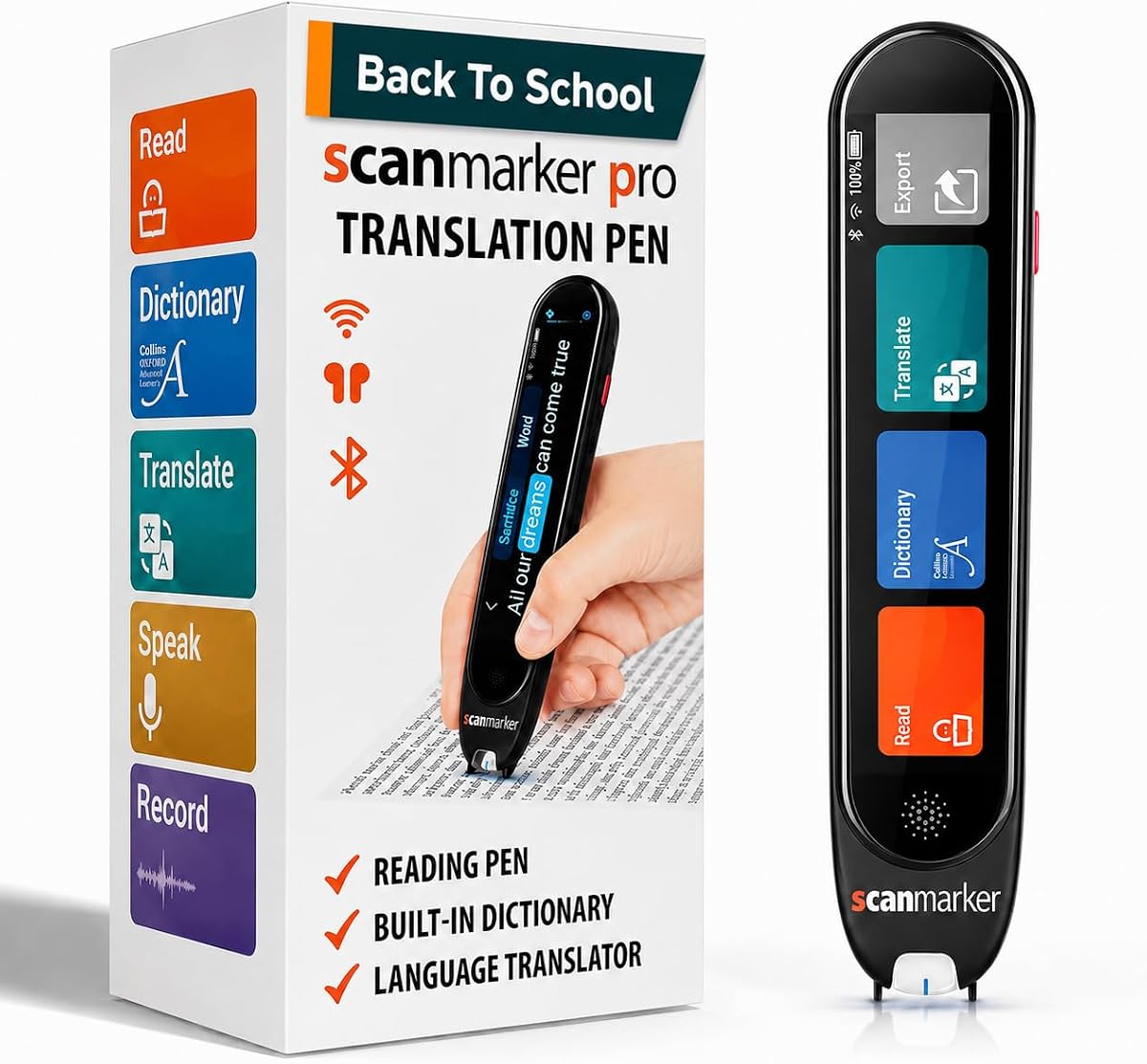
The Scanmarker Pro delivers premium features with a built-in dictionary and robust translation support. While rated 3.9, its focus on vocabulary enhancement and dedicated support sets it apart for serious learners or professionals.
We may earn a commission when you buy through this link, at no additional cost to you.
It scans text and reads it aloud while highlighting words on screen. Unlike cloud-dependent tools it operates largely standalone. This reliability ensures functionality even with unstable internet connections during study or travel.
The built-in English dictionary helps learners grasp definitions directly. Combined with note-taking capabilities users can organize thoughts efficiently. A one-year warranty adds peace of mind for long-term investment.
Best suited for users prioritizing vocabulary building and stability this model is ideal. It bridges reading gaps through immediate definitions and audio. Verify warranty terms before purchasing to ensure coverage.
Operating without constant internet dependence ensures functionality anywhere you study.
Built-in dictionary tools help expand vocabulary during independent reading sessions.
We may earn a commission when you buy through this link, at no additional cost to you.
With a 3.8 rating this Scan Translator Pen emphasizes recording and translation flexibility. It offers 142 online languages and 10 offline ones covering most global needs. Its recording feature makes it useful for classroom settings.
We may earn a commission when you buy through this link, at no additional cost to you.
Users can press a button to record lectures or meetings. This ensures no details are missed if reading struggles occur during listening. The pen then reads text aloud to support comprehension after recording.
While the rating is slightly lower, the functional mix is strong. It works as a voice recorder or translation aid seamlessly. Bluetooth connectivity ensures private listening for discreet use.
Ideal for multitasking learners this model combines listening and reading support. It simplifies studying by capturing audio and translating notes. Check reviews for durability updates before purchase.
Capture lectures while preparing translations for later review and analysis.
Offline modes ensure translation works without internet access during travel.
We may earn a commission when you buy through this link, at no additional cost to you.
The SVANTTO Translator Pen stands out with noise reduction technology for clear audio. Rated 3.7 it targets students needing focused listening. It translates 102 languages and offers offline modes for key languages.
We may earn a commission when you buy through this link, at no additional cost to you.
Adjustable reading speeds help match individual learning paces. Users can slow down audio to process complex sentences better. This flexibility makes it suitable for developing readers or ESL students.
Smart note-taking converts scanned text into editable memos quickly. This helps organize vocabulary or study outlines efficiently. Bluetooth compatibility ensures audio plays privately through earbuds.
Best for learners needing audio clarity this pen filters background noise effectively. It simplifies note organization and reading support. Check stock status as availability may vary by region.
Noise reduction ensures clear audio playback in busy environments.
Adjustable reading speeds allow learners to process at their own pace.
We may earn a commission when you buy through this link, at no additional cost to you.
This NEWYES AI Pen brings AI-driven assistance with homework checking and chat. Rated 3.9 it offers six reading levels to adapt to different ages. Its 16GB storage holds ample files for students.
We may earn a commission when you buy through this link, at no additional cost to you.
The AI chat feature answers questions beyond simple translation. This encourages interactive learning while helping with comprehension. Reading levels from 1 to 6 grow with the learner over time.
Photo translation via built-in camera captures complex layouts. Text appears instantly on the screen for quick edits. Syncing to devices happens without extra software installation.
Best for tech-savvy students this pen supports homework and reading. The AI tools add value for independent study. Verify software compatibility before purchase to ensure device support.
AI chat and homework checks encourage deeper engagement with complex topics.
Six reading levels grow with users ensuring long-term usability.
We may earn a commission when you buy through this link, at no additional cost to you.
With 142 online languages this Translation Pen focuses on key text extraction. Rated 3.8 it supports business travelers needing to gather specific details. Text excerpt function isolates relevant data from long documents.
We may earn a commission when you buy through this link, at no additional cost to you.
Offline capabilities ensure translation works even without internet. This helps during flights or in remote areas. Built-in camera allows quick photo scans of menus or signs.
Bluetooth ensures private audio playback for reading. Users can extract text and sync to phones for editing. It simplifies organizing notes for meetings or travel.
Ideal for professionals needing efficiency this pen cuts through clutter. It helps prioritize essential text while supporting dyslexic reading. Check recent reviews for consistent performance.
Text excerpt helps isolate essential information from lengthy documents quickly.
Offline modes maintain functionality in areas with poor internet connectivity.
We may earn a commission when you buy through this link, at no additional cost to you.
Rated 5.0 this Translator Pen uses a 5MP HD camera for complex layouts. It supports 142 languages online and 10 offline ensuring broad coverage. Mobile sync makes sharing notes instant.
We may earn a commission when you buy through this link, at no additional cost to you.
Unlike flat scanners the camera captures non-standard layouts like tables. This helps reading textbooks or brochures with varied designs. OCR handles 52 languages for text extraction quickly.
Smart recording captures lectures alongside text reading. This ensures comprehensive learning support for students. The high rating suggests reliable performance for users.
Ideal for visual learners this pen handles tricky text well. It supports complex environments where flat scanning fails. Verify weight before purchasing if portability is a priority.
5MP camera handles tables and non-standard text better than flat scanners.
Syncing to mobile devices streamlines note organization immediately.
We may earn a commission when you buy through this link, at no additional cost to you.
This Scan Translation Pen features a left/right hand mode for comfort. Rated 3.8 it is lightweight at 70g making it easy to carry. It supports 142 languages and recording for lectures.
We may earn a commission when you buy through this link, at no additional cost to you.
Users can switch modes to fit their grip habits reducing fatigue. This feature is rare and beneficial for extended use. It helps dyslexic students focus on content comfortably.
Recording ensures notes are captured even during challenging lectures. Syncing helps edit notes on phones for better organization. Bluetooth ensures audio plays privately during study.
Best for users prioritizing comfort this pen is ergonomic. It simplifies reading tasks while accommodating physical needs. Verify current availability before ordering to ensure stock.
Switchable hand modes reduce strain during long reading or scanning sessions.
At 70g the pen fits easily in pockets for daily use.
We may earn a commission when you buy through this link, at no additional cost to you.
Selecting the right reading pen requires balancing features like language support, audio quality, and portability with your specific learning needs.
Look for devices supporting the languages you need most. Offline capabilities ensure utility when traveling or without internet. Some models offer 100+ languages while others focus on core ones.
Prioritize models with offline options for essential languages to ensure uninterrupted access.
Clear text-to-speech is critical for comprehension. Models with adjustable speeds allow you to match your reading pace. Bluetooth headphone support adds privacy for focused listening.
Choose devices with customizable audio settings to improve understanding of complex text.
A lightweight design makes daily carrying easier. Compact models fit in pockets or pencil cases. Check weight specs especially if you carry it throughout school days.
Opt for lightweight options to reduce fatigue during extended daily use.
Photo translation helps capture signs or menus instantly. Built-in cameras with high resolution handle complex layouts better. Flat scanners work well for books but cameras add versatility.
Ensure the device handles the text types you encounter regularly for efficiency.
Large storage keeps notes and scans safe. Syncing to phones allows easy editing or sharing. Check file export options like PDF or TXT for compatibility.
Select models offering seamless device sync for efficient note management.
Large touch screens help with clear feedback and visibility. Intuitive navigation reduces learning curves for younger users. Look for models with clear displays for better text output.
Choose interfaces that provide clear visual feedback to support independent learning.
Recording helps capture lectures alongside text scans. Ensure the pen has a dedicated button for quick access. Noise reduction improves clarity for later review of audio files.
Use recording features to support listening alongside reading tasks.
A warranty protects your investment from defects. Check customer support options for troubleshooting. Reliable brands often offer better long-term assistance for issues.
Verify warranty length and support availability before finalizing your purchase.
Start by charging the device fully before first use. Connect to Bluetooth headphones to test audio playback. Scan a sample paragraph to verify text recognition speed.
Update software regularly to ensure translation databases stay current. Store the pen in a protective case to prevent scratches on the lens. Clean the scan window with a soft microfiber cloth weekly.
Sync scans to your phone daily to avoid data loss. Use the recording feature in class for quick capture. Check battery levels before each study session.
Many models offer offline language support for key languages like English or Spanish. However, most advanced translations require an internet connection. Check product specs for offline language limits before purchasing.
Most pens focus on left-to-right text like English or Spanish. Some support specific right-to-left languages but features vary. Verify language support lists for Arabic or Hebrew if needed.
Battery life typically ranges from 5 to 8 hours on a full charge. Heavy use of translation may drain it faster. Charging via USB ensures you can plug in during breaks.
Yes, they are designed for classroom environments. Teachers appreciate how they support individual learning. Check school policies on electronic devices to ensure compliance.
Most work best with printed text. Some models handle screens but glare may affect scanning. Check compatibility with your specific reading device before purchasing.
Many models offer a one-year warranty against defects. Check brand policies for replacement or repair terms. Register your product upon purchase to activate coverage.
Yes, features like large screens and slow audio help. Simple navigation makes them accessible for seniors. Verify font size options for best readability.
Most connect to phones via Bluetooth or USB. Export options include PDF or TXT formats. Sync apps help organize notes automatically on your device.
Our top picks offer distinct strengths like the Scanmarker Pal for language breadth or VORMOR for screen clarity. Choosing depends on whether you prioritize offline modes or AI features.
Prioritize audio clarity and offline support for reliable daily learning. Ensure the device aligns with your specific needs such as classroom recording.
Always check current prices and stock before purchasing as availability changes. Review updated specs on Amazon to confirm the best fit.