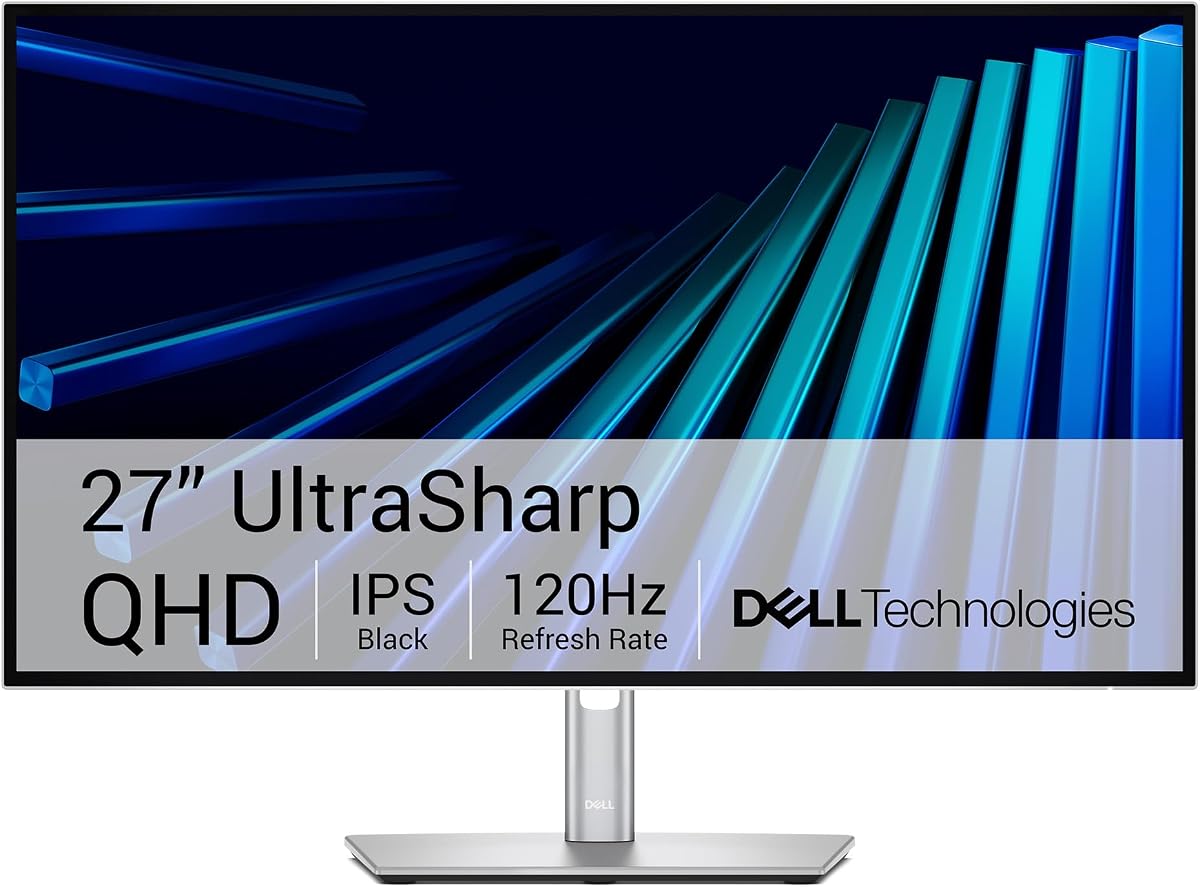
Dell UltraSharp 27 Thunderbolt Hub Monitor
5.0Editor score
Thunderbolt connectivity for Mac
Factory calibrated color accuracy
QHD resolution with KVM
Choosing the right computer monitor for your MacBook Pro can significantly enhance your workflow and visual experience. The ideal display offers seamless connectivity through USB C cables along with accurate color reproduction that matches your laptop screen perfectly for professional tasks.
We evaluated ten top rated models based on resolution color gamut connectivity options and ergonomic features. Our comparison focuses on how well each monitor integrates with macOS systems ensuring smooth performance for work creative projects and everyday entertainment needs.
Each pick highlights specific strengths like budget friendly pricing premium build quality or specialized Mac features. Remember that prices change frequently so verify current offers before purchasing to ensure you get the best value for your investment today.
5.0Editor score

4.5Editor score

4.6Editor score
As an Amazon Associate we earn from qualifying purchases.
This side by side comparison lists all ten selected monitors with their key specifications to help you quickly identify which model fits your specific MacBook Pro setup requirements and budget constraints.



The LG 27UP850K-W stands out as a top contender for MacBook users seeking a high quality 4K display. With a strong 4.5 rating from verified buyers this monitor delivers stunning visual clarity and reliable connectivity that simplifies desk setups significantly.
We may earn a commission when you buy through this link, at no additional cost to you.
Its 90W USB C port provides enough power to charge most MacBook Pro models while transferring data and video through a single cable. The 95% DCI P3 color gamut ensures vibrant images that align well with Apple displays color standards for creative professionals.
While the built in speakers are adequate for casual use they lack the depth needed for immersive media consumption. Additionally navigating the on screen display menus can feel a bit intricate compared to more streamlined interfaces found on competing brands.
If you prioritize a clean cable free desk and crisp 4K visuals this model is an ideal choice. It balances performance connectivity and price effectively making it a smart investment for both work and entertainment environments.
The single cable connection reduces clutter and supports power delivery video and data transfer simultaneously.
High DCI P3 coverage ensures photos and videos look true to life on screen for editing tasks.
We may earn a commission when you buy through this link, at no additional cost to you.
The Dell UltraSharp 27 Thunderbolt Hub Monitor earns a perfect five star rating due to its exceptional build and seamless Mac integration. This premium option is designed for professionals who need reliable color accuracy and advanced connectivity without compromising on performance.
We may earn a commission when you buy through this link, at no additional cost to you.
Its Thunderbolt connection supports high speed data and video while charging your MacBook efficiently. The factory calibrated Display P3 color ensures that your work looks exactly as intended which is crucial for graphic designers and video editors needing precision.
The main drawback is the cost which places it at the higher end of the market for monitors. You also need to ensure your MacBook supports Thunderbolt to take full advantage of the hub features included with this unit.
Investing in this monitor provides a long term solution for high end workflows. The KVM switch allows easy management of multiple computers making it versatile for users who switch between work and personal devices regularly.
Thunderbolt connectivity delivers fast data transfer and sufficient power to keep your MacBook charged.
Factory calibration guarantees consistent color output right out of the box for critical design work.
We may earn a commission when you buy through this link, at no additional cost to you.
The Philips 24 Inch Monitor offers an excellent entry point for users on a tight budget who still want reliable performance. With a 4.6 rating it delivers crisp Full HD visuals and impressive contrast values that make everyday tasks comfortable to view.
We may earn a commission when you buy through this link, at no additional cost to you.
Its VA panel provides deeper blacks and brighter whites compared to standard IPS panels enhancing image depth. The 100Hz refresh rate ensures smooth scrolling which helps reduce motion blur when browsing fast moving content or documents.
This model lacks USB C connectivity requiring you to use HDMI or DisplayPort along with separate power adapters. Also the resolution is limited to 1080p so it may not suit users needing the sharpest text for coding or detailed design.
For students or basic office users this monitor is a strong value choice. It prioritizes eye comfort and sleek design which helps maintain focus during long work sessions without breaking the bank.
Competitive pricing makes this a great option for those needing a secondary screen without high costs.
Flicker free and Low Blue Light modes help reduce strain during extended reading or work.
We may earn a commission when you buy through this link, at no additional cost to you.
The Dell S2725QC brings high refresh rates and 4K clarity to the table at a competitive price. Users praise its vibrant color reproduction and smooth motion handling which makes it suitable for both productivity and light gaming activities.
We may earn a commission when you buy through this link, at no additional cost to you.
Its 120Hz refresh rate ensures fluid visuals that reduce motion blur during scrolling or video playback. The 65W USB C port can charge smaller MacBook Air models while connecting the display through a single cable for convenience.
However it lacks HDR support which limits dynamic range in supported content. The stand offers tilt adjustment but lacks height or pivot options which might require an external mount for optimal ergonomic positioning.
This monitor is ideal for users who prioritize smooth visuals and decent USB C charging. It balances features well for those who want a high resolution display without paying premium prices for advanced HDR capabilities.
120Hz refresh provides smoother motion for video and general browsing compared to standard 60Hz.
ComfortView Plus reduces blue light while maintaining accurate colors for long term viewing.
We may earn a commission when you buy through this link, at no additional cost to you.
The BenQ MA270UP is specifically tailored for MacBook users with color calibration that matches Apple displays closely. Its unique ability to adjust brightness and volume directly from your MacBook keyboard adds a layer of convenience rare in other monitors.
We may earn a commission when you buy through this link, at no additional cost to you.
With dual USB C ports one provides 90W power to keep your laptop charged while the other connects your iPad or other peripherals. The P3 wide color gamut ensures photos and videos appear vivid and consistent with your Mac screen.
Some users may find the Mac specific features less useful if they switch to Windows often. Also the price reflects these specialized optimizations which may not justify the cost for users not strictly in the Apple ecosystem.
If you live in a Mac environment this monitor offers seamless integration and ease of use. The dual port setup allows for a clean workspace while maintaining high performance for creative work and daily tasks.
Control brightness and volume directly from your MacBook keyboard for quick adjustments.
Exclusive color tuning ensures accurate visuals that match your MacBook Pro screen perfectly.
We may earn a commission when you buy through this link, at no additional cost to you.
The Dell S2425HSM offers high speed performance with a 144Hz refresh rate ideal for fast motion tasks. Its 4.7 rating highlights user satisfaction with its sharp responsiveness and comfortable adjustable stand that supports varied viewing positions.
We may earn a commission when you buy through this link, at no additional cost to you.
The full ergonomic stand allows height tilt pivot and swivel adjustments which helps reduce neck strain during long work hours. Integrated speakers add convenience for audio output without needing external devices for quick sound playback.
Lacking USB C connectivity means you rely on HDMI which might require adapters for newer MacBooks. The resolution is limited to 1080p which might not be sufficient for high detail text work compared to 4K options.
This monitor suits users who need a responsive display for multitasking and light gaming. Its design flexibility and speed make it a solid choice for those prioritizing smooth visuals over ultra high resolution.
144Hz refresh and 1ms response ensure smooth motion without blur for active users.
Full adjustability allows you to set the screen height and angle for comfort.
We may earn a commission when you buy through this link, at no additional cost to you.
The BenQ PD2706QN is designed for professionals who need reliable color uniformity and Mac specific features. Its factory calibration ensures consistent output across screens which is vital for graphic design and photo editing workflows.
We may earn a commission when you buy through this link, at no additional cost to you.
The nano matte panel reduces glare without sacrificing color clarity making it comfortable for bright office environments. With 90W USB C delivery it powers most MacBook Pro models while offering high 100Hz refresh rate for smooth scrolling.
QHD resolution offers a middle ground between 1080p and 4K but some users may prefer higher sharpness for text. The matte finish helps with glare but can slightly soften image appearance compared to glossy screens.
This monitor is a strong choice for designers and editors working in varied lighting. The combination of color accuracy and connectivity features supports efficient workflows without needing extra adapters.
Factory calibration ensures consistent colors across the entire screen for precise editing.
Nano matte coating diffuses reflections for clearer viewing in bright spaces.
We may earn a commission when you buy through this link, at no additional cost to you.
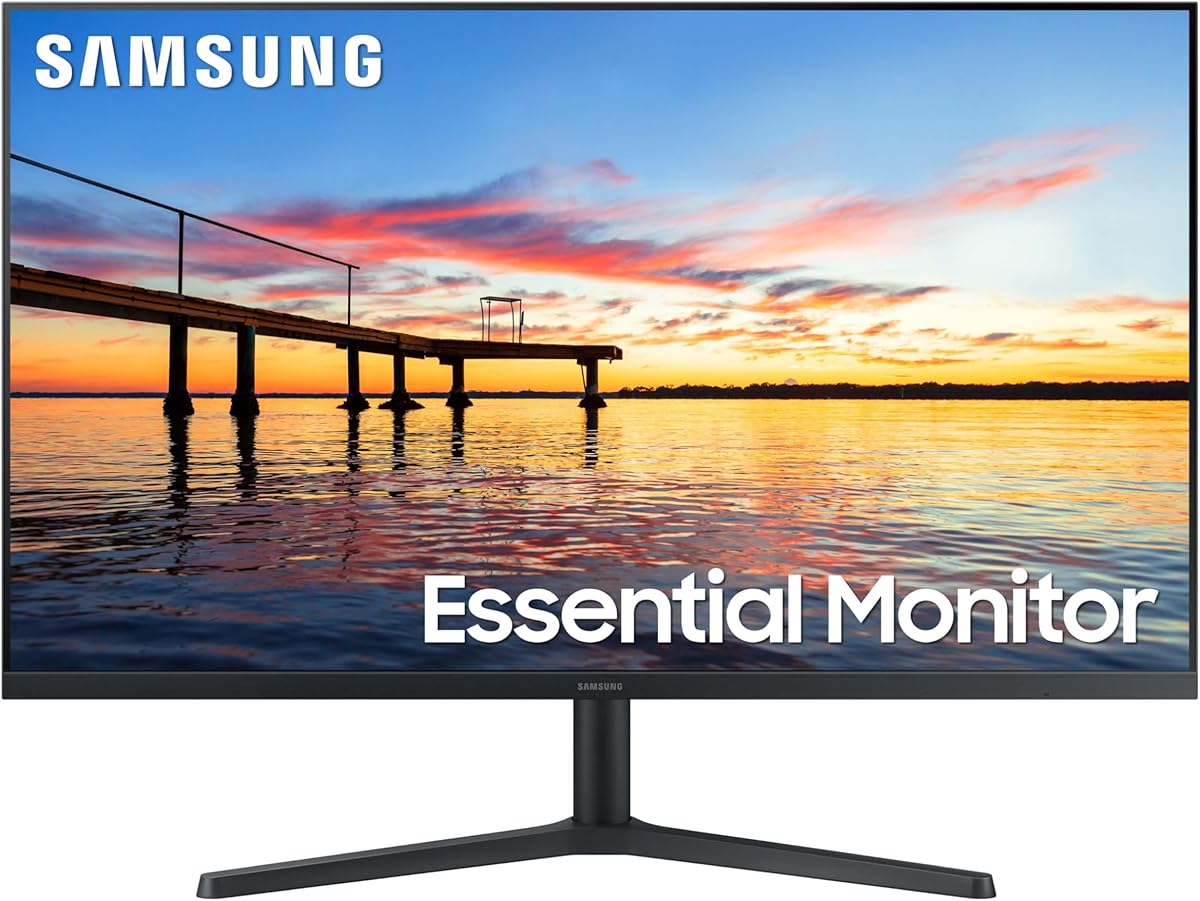
The Samsung 32 Inch Monitor provides a large workspace that helps with multitasking and media viewing. Its borderless design creates an immersive experience which users appreciate for watching videos or organizing multiple windows.
We may earn a commission when you buy through this link, at no additional cost to you.
At 32 inches the screen offers ample space for side by side windows without feeling cramped. The Eye Saver Mode reduces blue light which helps during late night work sessions where screen comfort is a priority.
Connectivity relies on HDMI which may not be convenient for MacBooks without adapters. The 75Hz refresh rate is decent but not ideal for fast gaming or high motion content compared to higher refresh models.
If screen size is your main priority this model delivers excellent value. It suits users who need more desktop space for documents and browsers at a very reasonable cost point.
32 inch size and borderless frame give a cinematic feel for media and work.
Eye Saver Mode reduces strain for comfortable extended use in any lighting.
We may earn a commission when you buy through this link, at no additional cost to you.
The LG 27US500-W offers crisp 4K visuals with a clean white design that fits modern desks well. Reviewers note its good color accuracy and wide viewing angles which make it suitable for general use and light creative tasks.
We may earn a commission when you buy through this link, at no additional cost to you.
The borderless design enhances the look of the setup making the screen feel larger without a bulky frame. HDR10 support adds depth to compatible content allowing for better contrast and highlights in media playback.
It lacks USB C connectivity so you will need HDMI or DisplayPort cables along with separate power sources. The stand only allows tilt adjustment meaning you may need a VESA mount to raise the screen height.
This monitor is a great pick for users who want 4K resolution and style without spending too much. It works well for media consumption and general productivity where high resolution text clarity is desired.
Sharp resolution ensures text and images look detailed and clear for work.
White finish and borderless frame blend seamlessly into any office setup.
We may earn a commission when you buy through this link, at no additional cost to you.
The LG 27U631A-B provides a balanced mix of resolution and speed at an affordable price. Its QHD display offers clear visuals for work tasks while the 100Hz refresh ensures smooth motion for general use.
We may earn a commission when you buy through this link, at no additional cost to you.
The USB C port supports data transfer and 15W power delivery which is useful for peripherals though not enough to charge a MacBook Pro. Reader Mode helps reduce eye strain when reading long documents or web pages.
The USB C charging capability is limited so you will still need a laptop charger for full power. The stand does not adjust height which might require a separate mount for ergonomic setup.
This is a solid option for users wanting a step up from 1080p without paying for 4K. It delivers good performance for everyday tasks and light editing where clarity and smoothness are needed.
100Hz refresh makes scrolling and motion look fluid for daily use.
USB C allows easy connection for devices without using separate ports.
We may earn a commission when you buy through this link, at no additional cost to you.
Selecting the right monitor involves weighing resolution connectivity color accuracy and ergonomics to match your workflow needs effectively.
Higher resolution like 4K offers sharper text which is vital for coding or design. Larger screens help multitasking but ensure your desk has enough space and graphics card supports the resolution.
Choose 4K for detail and 2K for balance between sharpness and performance.
USB C with power delivery reduces cable clutter by charging and transferring video data through one port. HDMI and DisplayPort work well if your MacBook has adapters but USB C is preferred for MacBooks.
Prioritize USB C if possible to simplify your desk setup efficiently.
Wide color gamuts like DCI P3 or sRGB ensure accurate colors which matters for editing. Factory calibrated displays save time by coming ready for professional use right out of the box.
Look for 90%+ P3 or 100% sRGB for reliable color consistency.
Standard 60Hz works for general use but higher rates like 100Hz offer smoother scrolling and motion. This is helpful for video editing or casual gaming where fluidity enhances the experience.
Higher refresh rates make the display feel more responsive.
Adjustable stands allowing height and tilt reduce neck strain during long work. Some models include pivots or swivels which help when sharing the screen or rotating for coding tasks.
Ensure you have stand flexibility to maintain good posture over time.
Thin bezels create a seamless look especially in multi monitor setups. Sturdy materials prevent wobble and ensure durability over years of daily use.
Choose designs that fit your workspace aesthetics and stability needs.
Flicker free technology and low blue light modes reduce eye fatigue during extended sessions. These features are essential if you work night or have sensitive eyes.
Look for certifications like TÜV Rheinland for verified eye safety standards.
Budget models offer basic functionality while premium ones deliver better color and build. Decide which features impact your work most to avoid overspending on unnecessary specs.
Balance cost with features you actually use regularly.
Connect your monitor using a compatible USB C cable if available or use HDMI with adapters. Adjust display settings on macOS to match the monitor resolution and refresh rate for optimal performance.
Clean the screen with a microfiber cloth to avoid scratches and use a gentle cleaner without ammonia. Keep the vents free of dust to maintain proper cooling and prevent overheating.
Take regular breaks using the 20 20 20 rule to reduce eye strain. Adjust the brightness to match ambient lighting to make viewing comfortable over long periods.
Most monitors work with Apple Silicon through USB C HDMI or Thunderbolt. Ensure the monitor resolution and refresh rate are supported by your specific Mac model to avoid compatibility issues.
Yes USB C is better as it delivers video data and power through one cable. HDMI requires separate power and adapters which can clutter your desk and limit convenience.
60Hz is standard for office tasks but 100Hz offers smoother motion for scrolling. Higher refresh rates reduce eye fatigue during long working sessions significantly.
Use built in macOS Display Calibrator or third party tools. Some monitors come factory calibrated so check the settings before applying manual adjustments to save time.
Yes most MacBooks support multiple external displays using Thunderbolt hubs or daisy chaining. Check your model limits for maximum supported resolution and count.
27 inch 4K monitors provide sharp text and space for multiple code windows. QHD offers a balance of clarity and performance for general coding needs efficiently.
The top picks cover various needs from budget friendly 4K options to premium Thunderbolt hubs with color accuracy. Each monitor offers unique strengths tailored to different workflows and price points.
Prioritize resolution and connectivity that match your daily tasks to ensure smooth operation. If you work with images focus on color gamut and calibration for best results.
Prices fluctuate often so verify current deals before buying. Check return policies to ensure you can swap if the display does not meet your expectations.