
LONGER LK5 Pro 3
4.1Editor score
300x300x400mm build area
Open source motherboard support
Resume printing after power loss
Discover the top Fdm Printer for Large Prints models ranked by speed, build volume, and reliability for professionals and hobbyists seeking large scale
Finding the right Fdm Printer for Large Prints can transform your workflow by allowing you to create substantial parts without assembly. Modern machines now offer impressive speeds and reliability. This guide helps you navigate the best options available today for your specific needs and budget constraints.
We compared ten top models based on build volume, printing speed, material compatibility, and user feedback. Each printer was evaluated for its ability to handle large formats efficiently while maintaining print quality. Our analysis focuses on features that matter most for large scale production and prototyping projects.
Each pick highlights key strengths and potential trade-offs to help you make an informed decision. Note that prices and availability change frequently so check current listings before purchasing. We aim to provide clear insights so you can select the machine that fits your workspace and goals perfectly.
4.1Editor score

4.0Editor score

4.5Editor score
This side by side comparison highlights key specifications across all ten models to help you quickly identify which machine fits your large format printing needs best.



The Creality Ender 5 Max stands out as a top choice for large format printing with its expansive 400x400x400mm build volume. Rated 4.0 stars by users it delivers exceptional speed and reliability for demanding workflows. Its CoreXY system and 64-point leveling ensure consistent quality across big models.
We may earn a commission when you buy through this link, at no additional cost to you.
This printer excels in production environments due to its WLAN multi-printer control which allows centralized management of multiple units. The all-metal frame minimizes vibrations even at 700mm/s speeds ensuring dimensional accuracy. Dual gear extruder prevents clogging during long prints essential for uninterrupted batch production.
While the Ender 5 Max offers premium features it may require initial calibration for best results. The fan noise at high speeds can be noticeable but acceptable for industrial settings. Overall trade-offs are minor compared to the productivity gains from its large volume and speed.
Ideal for print farms and professionals needing reliable large scale output this model balances cost and performance effectively. If you require batch production capabilities and robust build space it is a strong recommendation. Verify current specs before purchase to match your specific project requirements.
The 400mm build volume allows single-piece prints for prototypes that would otherwise need assembly saving time and labor costs.
WLAN multi-printer control lets you manage multiple units from one interface boosting workflow efficiency for teams.
We may earn a commission when you buy through this link, at no additional cost to you.
The QIDI Max4 Combo delivers professional-grade performance with a 390x390x340mm build volume and active 65C heated chamber. Rated 4.5 stars it supports high-temp materials like ABS-CF and PC easily. Its 800mm/s speed and AI camera ensure quality and uptime for critical projects.
We may earn a commission when you buy through this link, at no additional cost to you.
Engineering enthusiasts benefit from the heated chamber which reduces warping on large prints. AI monitoring detects failures instantly saving material. The closed-loop motors provide smooth motion at high speeds. This model is built for durability and precision in demanding environments.
The main drawback is the price point which may not suit casual hobbyists. Additionally the Polar Cooler accessory must be purchased separately for optimal performance. These costs are justified by the premium build quality and advanced features for serious users.
For professionals needing industrial material support and large volume this is a top tier option. It balances speed and precision well. Verify the accessory requirements and current pricing to ensure it fits your budget and production goals.
The 65C heated chamber enables reliable printing of engineering materials that warp on standard printers.
Built-in AI camera watches for spaghetti or failures pausing automatically to save material and time.
We may earn a commission when you buy through this link, at no additional cost to you.
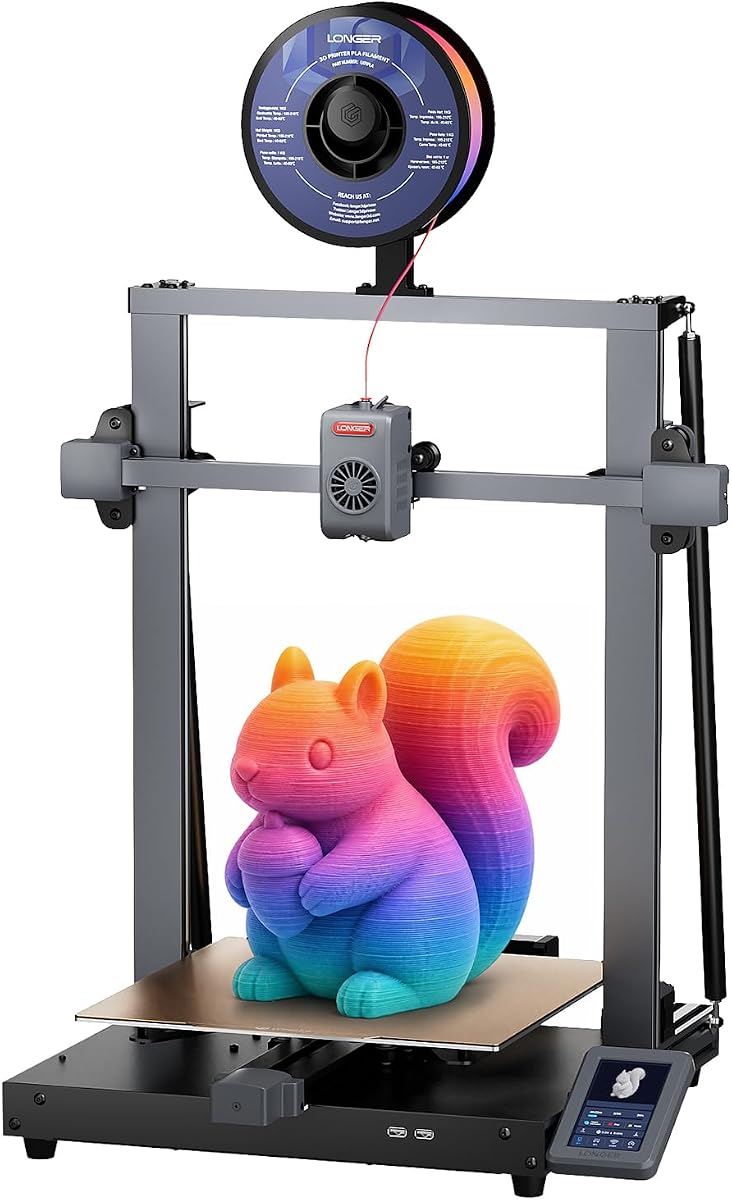
The LONGER LK5 Pro 3 offers a large 300x300x400mm build volume at a budget-friendly price point rated 4.1 stars. It is 95% pre-assembled making setup easy for beginners. Open source motherboard allows deep customization for advanced users seeking specific performance tweaks.
We may earn a commission when you buy through this link, at no additional cost to you.
This model includes dual blower cooling to prevent warping on large parts. The resume printing feature safeguards long jobs against power loss. A large touch screen improves usability. It is ideal for learning large format printing without high costs.
Speed is slower compared to newer CoreXY models but acceptable for standard materials. The BL touch install is manual which might frustrate some users. These trade-offs are reasonable given the low price and build volume advantages.
Perfect for hobbyists or startups needing affordable large prints this printer delivers value. It supports common filaments well. Check current availability and ensure you have tools for any final assembly before purchasing.
95% pre-assembled design minimizes build time letting you start printing large models quickly.
Open source motherboard allows firmware tweaks for performance gains tailored to your specific projects.
We may earn a commission when you buy through this link, at no additional cost to you.
The Creality K2 Plus Combo brings multi-color capability with a 350x350x350mm build volume rated 4.0 stars. Its CFS system supports up to 16 colors without manual swaps. 600mm/s speed and Matrix frame ensure precision and speed for complex parts.
We may earn a commission when you buy through this link, at no additional cost to you.
Dual AI cameras monitor prints from multiple angles for reliable results. The direct drive extruder handles flexible materials well. It is suited for creators needing vibrant functional parts. The large volume supports batch printing effectively.
Setting up the CFS system can be complex for first-time users. High power usage is a consideration for some workspaces. However the multi-color and speed benefits outweigh these for targeted applications.
For multi-material projects or vibrant models this printer is an excellent choice. It balances features and performance well. Verify CFS compatibility and current pricing before committing to this advanced option.
CFS system enables 16-color prints without manual filament swaps saving time on complex designs.
Matrix frame structure reduces resonance ensuring consistent quality even at 600mm/s speeds.
We may earn a commission when you buy through this link, at no additional cost to you.
The LONGER LK10 Plus features a tall 320x320x400mm build volume rated 4.4 stars making it ideal for vertical parts. Klipper firmware enables 500mm/s speeds with precision. Eddy current leveling ensures accurate first layers for large tall prints.
We may earn a commission when you buy through this link, at no additional cost to you.
Dual-band WiFi supports stable remote control. Silent TMC2209 drivers reduce noise during operation. The direct drive extruder handles varied materials. This model balances speed and height for unique project needs.
While X and Y dimensions are standard the tall Z-axis offers unique capabilities. Setup may need adjustments for best results. These are manageable trade-offs for the specialized volume advantage.
Best for vertical prototypes or tall models this printer is a solid option. Verify firmware compatibility and ensure you have space for the taller footprint. Check current price for value assessment.
400mm Z-axis allows printing tall objects like statues or pillars in one go.
Klipper firmware pushes speeds up to 500mm/s without sacrificing quality on large builds.
We may earn a commission when you buy through this link, at no additional cost to you.
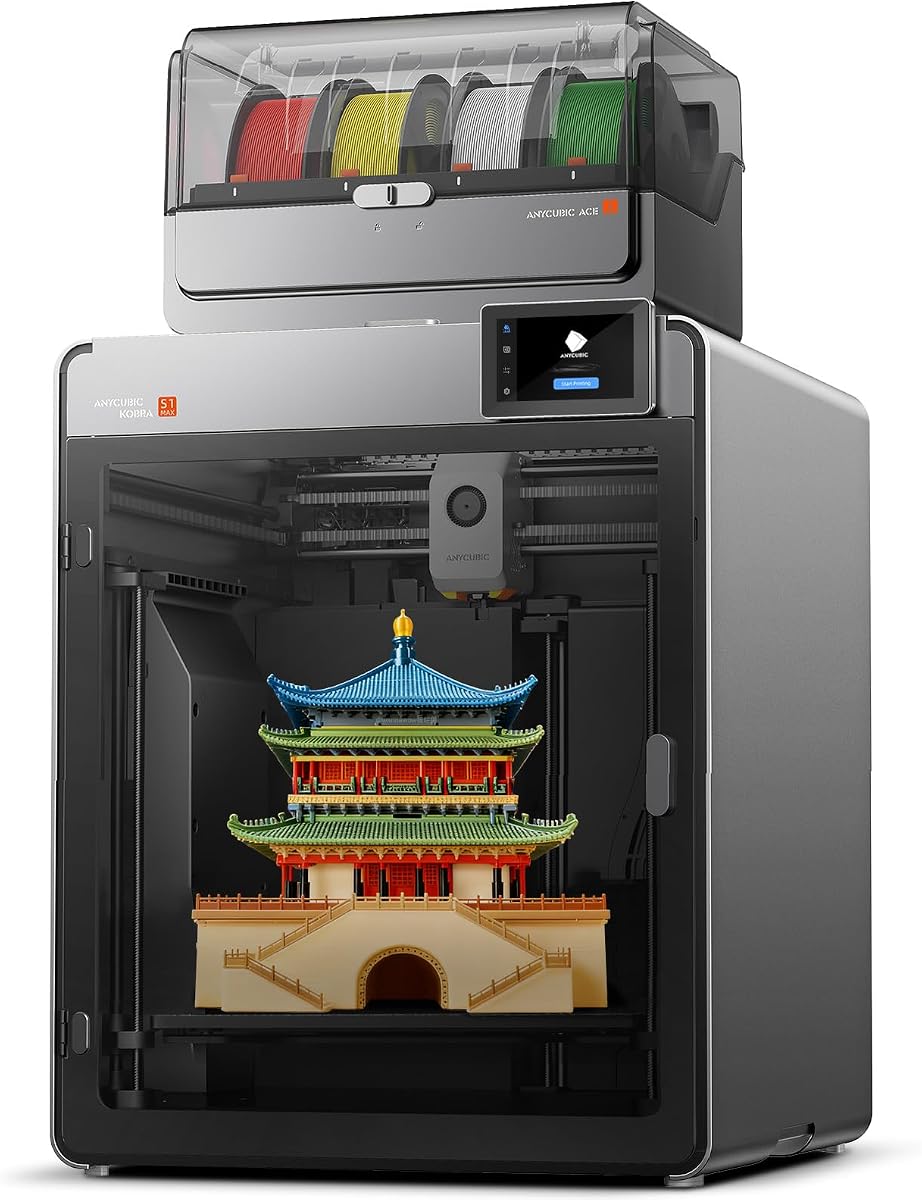
The Anycubic Kobra S1 Max Combo offers a 350x350x350mm build volume with CoreXY reliability rated 0 stars. Active vibration compensation reduces ringing at 600mm/s. LeviQ 3.0 ensures consistent bed leveling for large prints.
We may earn a commission when you buy through this link, at no additional cost to you.
ACE 2 Pro support allows 16-color prints. High-temp chamber handles ABS and ASA well. Extrusion system is robust for abrasive materials. This model is designed for consistent quality on large builds.
Limited reviews reflect newer release but performance is promising. Multi-color add-ons increase cost. However base reliability and speed make it a strong contender for serious users.
Ideal for creators needing large format with CoreXY stability this printer is a top option. Check current availability and review specs for your needs before buying.
Fully enclosed CoreXY provides stable motion for large prints reducing ringing and artifacts.
LeviQ 3.0 auto-leveling compensates for bed unevenness ensuring flawless first layers every time.
We may earn a commission when you buy through this link, at no additional cost to you.
The ANYCUBIC Kobra X supports 4-color printing with expansion to 19 colors via ACE 2 Pro rated 4.4 stars. LeviQ 3.0 auto-leveling guarantees first-layer success. AI monitoring prevents print failures saving time.
We may earn a commission when you buy through this link, at no additional cost to you.
Space-efficient top-mount design optimizes bench space. Low waste filament change reduces material costs. It is great for batch production of small to medium parts. Speed is decent for general use.
Build volume is smaller than top picks but acceptable for many projects. Color expansion adds cost but provides value for custom parts. Trade-offs are minor for its efficiency.
For users needing efficient multi-color production this printer delivers. Verify expansion costs and ensure you need color before purchasing. Check current availability and pricing details.
LeviQ 3.0 auto-leveling with AI ensures high first-layer success and efficient 4-color prints.
Top-mount spool holders reduce footprint allowing more printers per workbench.
We may earn a commission when you buy through this link, at no additional cost to you.
The Snapmaker U1 features 4 independent toolheads with 5-second tool change rated 4.6 stars. It supports mixed-material printing like rigid and flexible in one job. CoreXY ensures 500mm/s speed and high precision.
We may earn a commission when you buy through this link, at no additional cost to you.
Smart calibration reduces manual adjustments. Open-source Orca software allows customization. It is ideal for complex prototypes needing varied properties. Build volume supports decent batch sizes.
Z-height is limited compared to tall options. Tool setup may require initial time investment. However the multi-material flexibility is unmatched for specific applications.
For functional parts needing mixed properties this printer excels. Verify software requirements and check current pricing. Ensure your projects benefit from multi-tool capabilities.
4 toolheads allow combining flexible and rigid materials for functional prototypes without manual swaps.
5-second tool change minimizes downtime enabling efficient multi-material prints.
We may earn a commission when you buy through this link, at no additional cost to you.
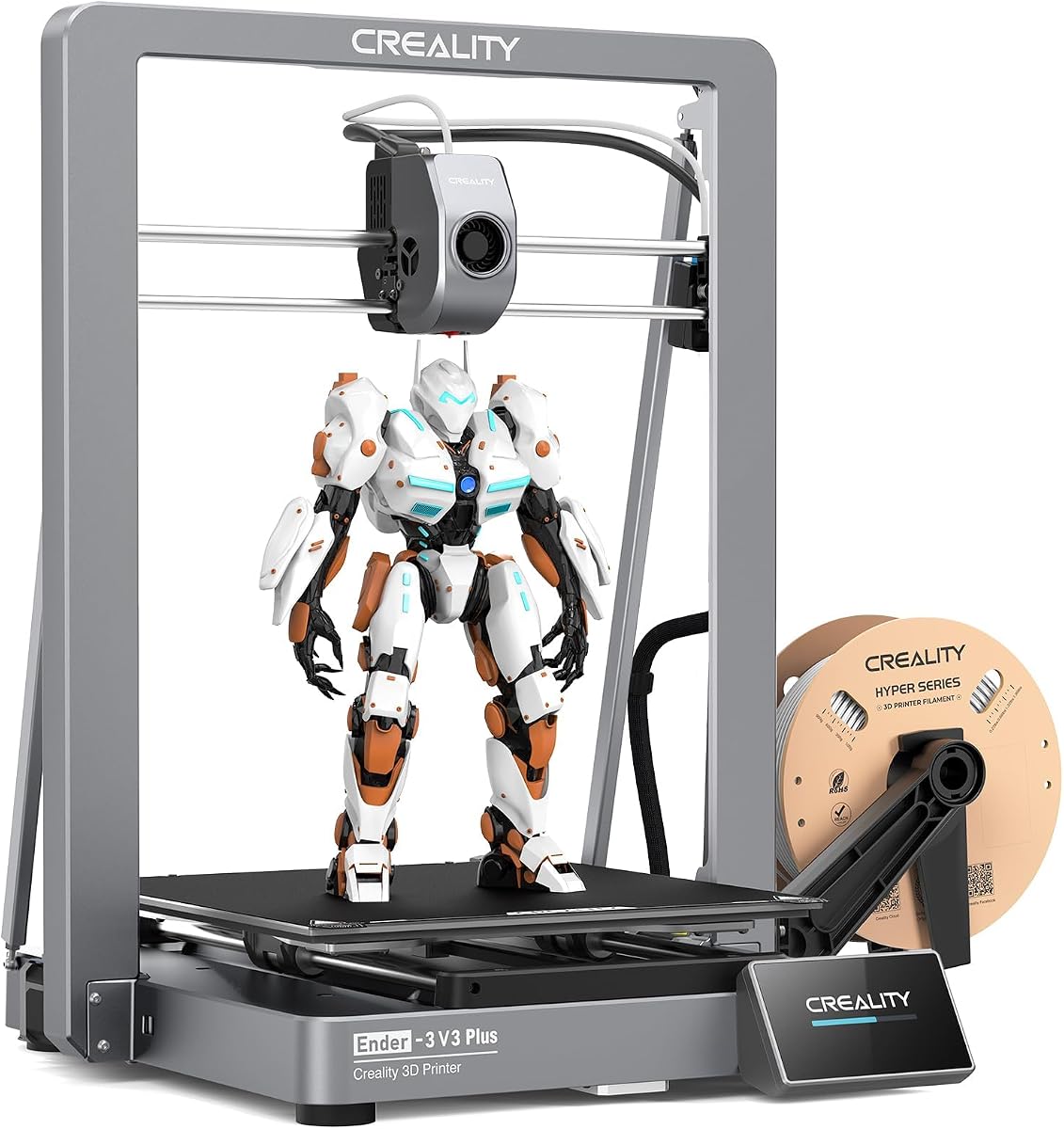
The Creality Ender 3 V3 Plus offers 300x300x330mm build volume with CoreXZ 600mm/s speed rated 3.7 stars. It features one-tap auto calibration and a durable tri-metal nozzle. Direct drive extruder supports varied materials well.
We may earn a commission when you buy through this link, at no additional cost to you.
Pre-assembled modules speed up setup. The nozzle resists wear on abrasive materials. Auto calibration improves success rates. This is a strong entry to large prints with speed.
User rating is lower likely due to setup nuances. Multi-material support is limited. For standard large prints it offers value. Verify current specs and reviews.
Best for quick entry to large volume with speed this model fits. Check current warranty and accessory options before purchasing to ensure suitability.
CoreXZ belt design supports 600mm/s speeds reducing print times by half for large builds.
Tri-metal nozzle resists wear on abrasive filaments ensuring longevity.
We may earn a commission when you buy through this link, at no additional cost to you.
The Bambu Lab P1S is a compact FDM printer with 180x180x180mm build volume rated 4.5 stars. It offers enclosed design and 500mm/s speed. AMS support enables multi-color prints easily.
We may earn a commission when you buy through this link, at no additional cost to you.
Setup takes only 15 minutes. Auto leveling simplifies operation. Enclosed chamber supports ABS and ASA. Despite smaller size it delivers high speed and quality.
Build volume is smaller than others but fits many tasks. AMS costs extra. It balances ease of use and performance well.
For users prioritizing speed and multi-color this is a top choice. Verify AMS pricing and ensure size fits your projects. Check current availability.
15-minute setup gets you printing quickly saving time on assembly.
AMS enables vibrant multi-color prints with automatic filament switching.
We may earn a commission when you buy through this link, at no additional cost to you.
Choosing the right Fdm Printer for Large Prints requires evaluating build volume, speed, material support, and automation features to match your workflow needs.
The build volume determines the largest single part you can print. For large prints look for models with at least 300mm in all axes to avoid assembly. Taller Z-heights are crucial for vertical projects.
Prioritize a build volume that matches your largest common part size to maximize efficiency.
Speed impacts how fast you get results. High-speed models like 500mm/s reduce wait times significantly. Ensure speed does not compromise quality on large prints by checking frame rigidity.
Look for CoreXY or CoreXZ systems that maintain stability at high speeds.
Check which filaments the printer supports. For engineering parts ensure support for ABS or ASA. Heated chambers improve reliability with warping prone materials.
Choose a printer that handles your required materials without additional mods.
Auto-leveling ensures the first layer adheres correctly. Multi-point systems like 64-point leveling cover large beds better. This saves time and improves print success rates.
Prioritize auto-leveling with real-time compensation for large builds.
Multi-color printers like AMS or toolhead systems enable vibrant models without manual swaps. This is useful for prototypes requiring distinct colors.
Decide if you need color features based on your project types.
AI cameras and sensors detect failures early. This saves material and time on long large prints. Remote control via WiFi allows you to manage prints from anywhere.
Ensure the printer offers reliable monitoring tools for uninterrupted operation.
Prices vary widely. Budget models offer large volume with some compromises. Premium models add speed and automation. Determine how much you need advanced features.
Balance cost against essential features to avoid overspending on unused capabilities.
Start by leveling the bed using auto-leveling settings. Ensure the nozzle is clean and heated correctly before beginning large prints. This prevents adhesion issues common with big models.
Use high quality filament to avoid clogs. Monitor the first few layers closely to catch any deviations early. Regularly check belts and motors to maintain speed and precision.
Clean the build plate after use and apply adhesive if needed for difficult materials. Keep firmware updated to access improvements. Store filament properly to prevent moisture absorption which causes failures.
The minimum build volume for an Fdm Printer for Large Prints typically starts at 300x300x300mm. Anything smaller is considered standard. Larger builds allow for single-piece prints.
A heated chamber is not mandatory but recommended for large prints using ABS or ASA. It reduces warping and ensures better results on big models.
Look for rigid frames like metal or aluminum. CoreXY motion systems and auto-leveling help maintain precision. Regular maintenance of belts and motors also improves stability.
The fastest large Fdm printers reach speeds of 800mm/s. Most quality models operate around 600mm/s balancing speed and detail.
Yes many large printers support multi-color with AMS or toolhead systems. This adds cost but enables detailed colorful projects.
Use auto-leveling and monitor the first layer. Ensure filament is dry and bed is clean. AI monitoring cameras can help detect issues early.
We reviewed the top Fdm Printer for Large Prints models highlighting their strengths and weaknesses. The Creality Ender 5 Max leads for speed and volume while the QIDI Max4 Combo offers premium engineering support.
Choose based on your specific needs. If budget matters consider the LONGER LK5 Pro 3. For multi-color look at Creality K2 Plus Combo or Snapmaker U1.
Always verify current prices and availability before purchasing. Features and costs change often. Selecting the right model ensures you can tackle large projects with confidence.