
OREI 4×2 HDMI Matrix Switch 4K
4.1Editor score
4K 60Hz resolution support
ARC and downscaling functions
Compact and affordable design
This guide compares the top ten HDMI matrix switches for home theater and professional AV, evaluating features like resolution, audio extraction, and routing
Finding the right HDMI matrix switch is essential for managing multiple video sources across different displays. Whether you need to route gaming consoles to various TVs or manage conference room presentations, a reliable matrix ensures seamless signal distribution without quality loss.
We have analyzed ten top-rated models based on their resolution support, audio capabilities, and control options. This list covers everything from compact 4×2 units to expansive 8×8 systems, ensuring you find the perfect fit for your specific AV setup and budget requirements.
Each pick highlights unique strengths like 8K support, eARC integration, or extensive control interfaces. Please note that availability and pricing can change frequently, so checking current stock and deals before purchasing is always recommended for the best value today.
4.1Editor score

4.3Editor score

4.7Editor score
This side-by-side comparison highlights the key specifications and unique features of each top-rated HDMI matrix switch to help you make an informed decision for your audiovisual setup.



This OREI matrix switch stands out as a powerful solution for users demanding top-tier video performance. With its 8K capability and HDMI 2.1 features, it is ideal for high-end gaming and home theater setups.
We may earn a commission when you buy through this link, at no additional cost to you.
The device handles resolutions up to 8K@60Hz with impressive bandwidth. It supports critical gaming features like VRR and ALLM, ensuring smooth and lag-free visual experiences across connected displays.
While it excels in performance, users must ensure their entire ecosystem supports 8K to fully utilize these features. The price reflects this advanced technology, making it a significant investment.
For enthusiasts who want future-proofing and maximum visual fidelity, this switch is the best choice. It delivers professional-grade reliability for demanding AV environments.
Supports VRR and ALLM for smoother gameplay and reduced input lag on compatible consoles.
Includes eARC support between specific inputs and outputs for high-quality audio return capabilities.
We may earn a commission when you buy through this link, at no additional cost to you.
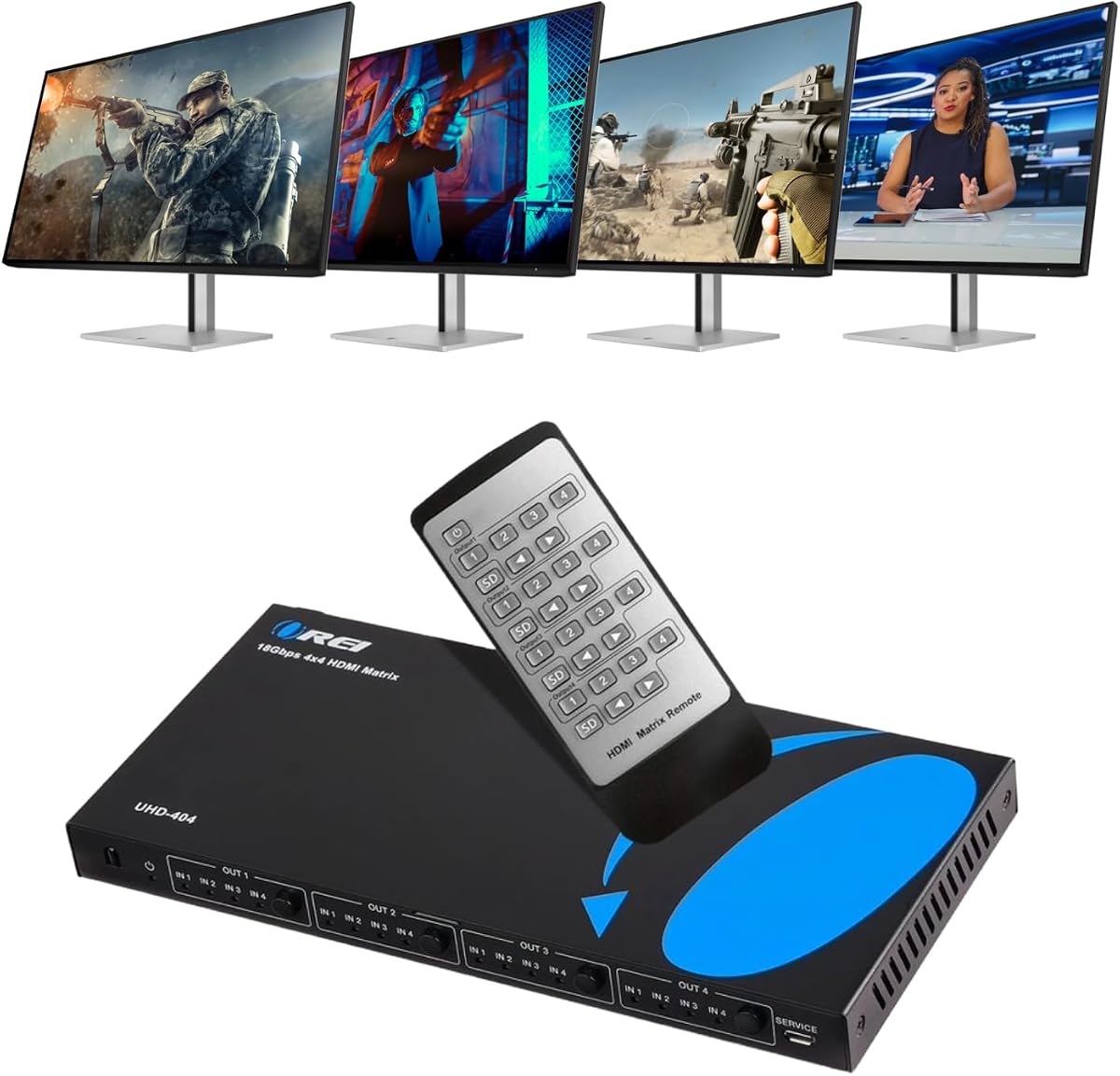
This OREI model offers a balanced approach for distributing content to multiple displays simultaneously. Its four inputs and outputs make it versatile for home or office applications requiring flexible signal routing.
We may earn a commission when you buy through this link, at no additional cost to you.
The device supports 4K@60Hz and includes ARC functionality on specific outputs. This allows audio to be returned from a TV to external speakers easily, simplifying complex audio setups.
Users should note that while video is sharp, it does not support 8K. The metal enclosure helps with heat dissipation, ensuring stable operation during extended use.
Ideal for multi-room setups where consistent 4K quality and audio flexibility are priorities. It delivers reliable performance without excessive complexity.
Dedicated optical and analog outputs allow for clean audio extraction from any HDMI source.
Supports YCbCr 4:4:4 and deep color for vibrant and accurate picture quality.
We may earn a commission when you buy through this link, at no additional cost to you.
This unit is designed for environments where displays might vary in capability. It allows one screen to receive 4K while another receives 1080p via downscaling, ensuring compatibility across different devices.
We may earn a commission when you buy through this link, at no additional cost to you.
The switch includes HDR support and full HDCP 2.2 compliance. It manages digital audio including Dolby formats, making it suitable for modern entertainment systems.
The dual voltage power supply adds travel convenience, though the unit is robust. Users might find the manual concise, but the setup is generally straightforward.
Great for commercial installations or homes with mixed TV generations. It ensures everyone gets a usable signal regardless of their display's maximum resolution.
Automatically converts 4K signals to 1080p for older displays without disrupting other outputs.
Supports HDR for better contrast and color performance on compatible monitors and TVs.
We may earn a commission when you buy through this link, at no additional cost to you.
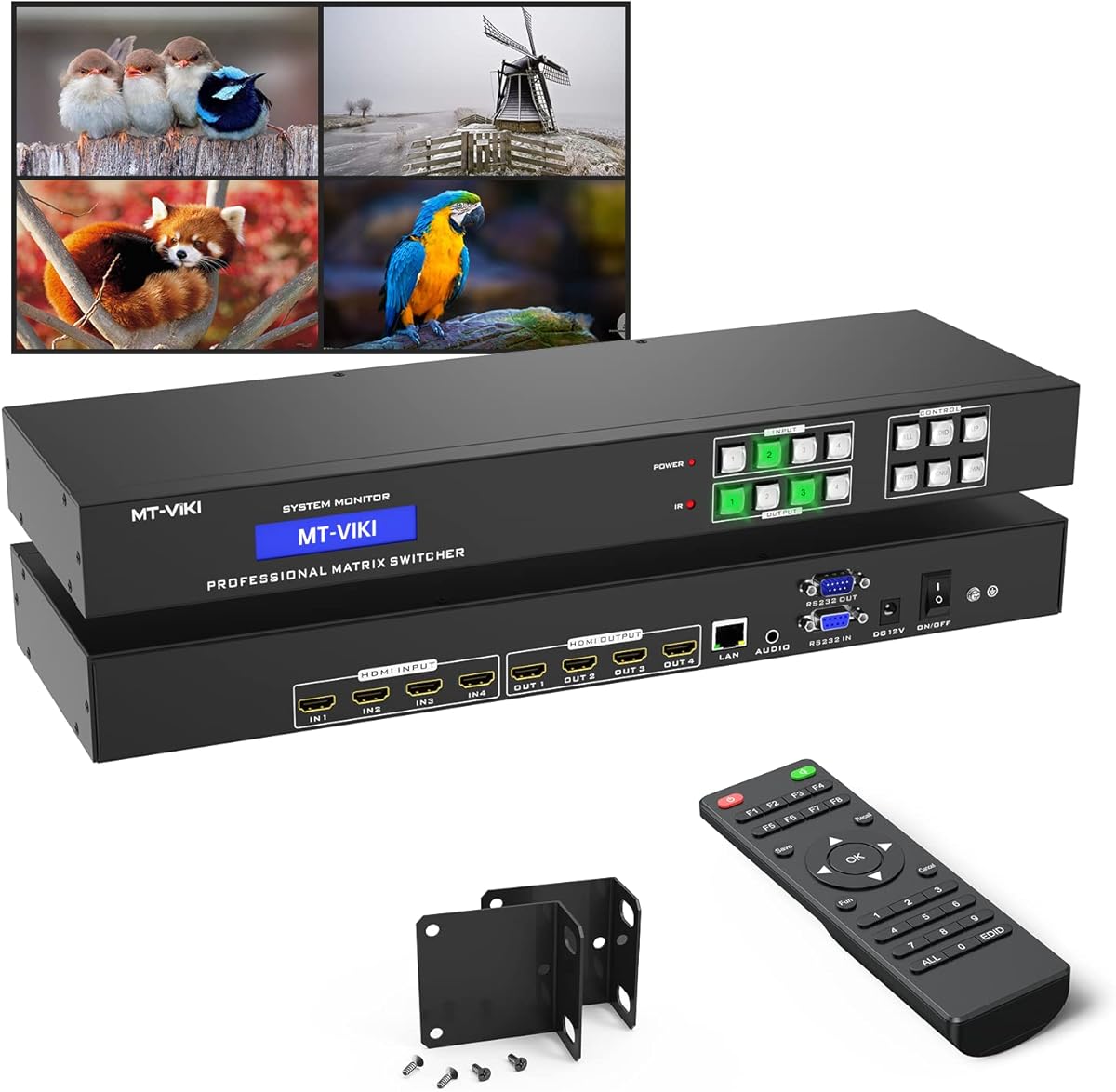
This switch is built for environments requiring robust management tools. With Web GUI and RS232 options, it allows administrators to manage routing remotely or via a local network.
We may earn a commission when you buy through this link, at no additional cost to you.
It is rack mount ready and includes ears for standard cabinets. The design supports 4K@30Hz, which is sufficient for many presentation and digital signage applications.
Audio extraction is limited to one specific output port. Users must plan their routing carefully to ensure audio is extracted where needed for speakers or amplifiers.
An excellent choice for conference rooms and commercial AV. Its professional features outweigh the lower refresh rate for most business use cases.
Use LAN and Web GUI to manage switching from a computer for efficient operations.
Includes ears and screws for seamless installation into standard server or AV racks.
We may earn a commission when you buy through this link, at no additional cost to you.
This compact switch provides essential features at a very accessible price point. It connects four sources to two displays and supports 4K@60Hz for standard home entertainment.
We may earn a commission when you buy through this link, at no additional cost to you.
The inclusion of ARC and downscaling allows for flexible setups with older TVs. It uses USB power options which can simplify cable management in tight spaces.
Build quality is functional but not heavy-duty compared to premium units. It may get warm under load, so ensuring ventilation is important.
Perfect for small offices or home setups needing basic matrix functionality. It gets the job done without overspending on unused features.
Offers core matrix features like routing and ARC without the cost of larger units.
Uses an IR remote and front buttons for intuitive source switching.
We may earn a commission when you buy through this link, at no additional cost to you.
This model focuses on delivering high-quality signal with flexible audio options. It supports 4K@60Hz and includes optical and analog outputs for easy speaker integration.
We may earn a commission when you buy through this link, at no additional cost to you.
The device features built-in amplification to help maintain signal integrity over longer cables. It also manages EDID well to ensure stable communication between sources and displays.
Note that it does not support extended display modes, only mirroring. Users should be aware of this limitation when planning multi-screen setups.
A solid choice for media rooms needing independent audio control. It balances performance and convenience effectively.
Supports SPDIF and 3.5mm outputs for connecting various external audio devices.
Built-in equalization helps preserve quality over longer HDMI runs.
We may earn a commission when you buy through this link, at no additional cost to you.
This switch is excellent for managing different HDR formats and display capabilities. It supports Dolby Vision and HDR10+, ensuring compatible TVs get the best possible picture signal.
We may earn a commission when you buy through this link, at no additional cost to you.
EDID management includes COPY and STD modes to resolve handshake issues. You can independently downscale one output to 1080p while keeping the other at 4K.
It does not support VRR or ALLM, which might limit high refresh gaming. For media playback and standard gaming, it remains highly reliable.
Recommended for mixed media centers where HDR quality is a priority. It handles complex display scenarios with ease.
Works with HDR10+ and Dolby Vision for enhanced dynamic range on supported screens.
Offers multiple EDID modes to ensure stable detection between source and display.
We may earn a commission when you buy through this link, at no additional cost to you.
This unit offers significant expansion for environments needing many simultaneous signals. It allows routing from eight inputs to eight outputs independently, which is rare at this price.
We may earn a commission when you buy through this link, at no additional cost to you.
Control via WebGUI and RS-232 makes it suitable for remote management in larger buildings. It ensures reliable signal switching for many users at once.
The 4K@30Hz limit is acceptable for presentations but not high-speed gaming. It is designed for reliability and capacity rather than raw video speed.
Ideal for enterprise offices or large commercial displays. It delivers the scale needed for multi-point AV distribution.
Supports up to eight inputs and eight outputs for maximum signal routing flexibility.
Use WebGUI to control the matrix without needing physical access to the device.
We may earn a commission when you buy through this link, at no additional cost to you.
This system is designed to extend HDMI signals over long distances using Cat cabling. It distributes eight sources to sixteen displays, making it perfect for large commercial spaces.
We may earn a commission when you buy through this link, at no additional cost to you.
It supports true 4K60Hz and includes PoC to power remote receivers without extra adapters. This reduces clutter and simplifies installation across large venues.
The cost is high due to the included extender capabilities. Users need to ensure they have proper cabling infrastructure to support the distances required.
Best for large installations where cables run far from source rooms. It solves distance issues while maintaining high resolution.
Extend HDMI signals up to 230 feet over CAT6/7 cables without signal loss.
Provides 12V power over the network cable to simplify remote device setup.
We may earn a commission when you buy through this link, at no additional cost to you.
This is a top-of-the-line switch designed for professional environments requiring massive scalability. It supports 8K resolutions and HDMI 2.1 features for next-generation signal distribution.
We may earn a commission when you buy through this link, at no additional cost to you.
It includes comprehensive audio extraction and EDID management. The build quality ensures stability in critical business applications where failure is not an option.
It is a premium product with a price tag reflecting its capabilities. Most consumers will not need this level of power in a standard home theater.
Perfect for enterprise boardrooms or digital signage networks. It delivers the highest performance available in the market.
Handles 8K signals on multiple outputs for ultra high definition large displays.
Robust construction and features designed for continuous commercial operation.
We may earn a commission when you buy through this link, at no additional cost to you.
Selecting the right HDMI matrix switch involves considering your specific display setup and resolution needs. This guide helps you evaluate key factors to find a device that matches your requirements.
Ensure the matrix supports the maximum resolution your displays can handle. Look for bandwidth ratings like 18Gbps for 4K or 40Gbps for 8K to avoid bottlenecks.
Match the switch's bandwidth to your sources to maintain high-quality visuals without artifacts or dropouts.
Count all your current sources and displays plus any you plan to add later. A 4×2 unit suits small setups, while 8×8 handles larger commercial needs.
Choose a configuration that leaves room for future growth to avoid replacing the unit sooner than necessary.
Check if the matrix offers optical or analog audio outputs. This is essential if you need to route audio separately from the video to a receiver.
Look for ARC or eARC support if you want to return audio from a TV to other speakers easily.
Determine how you want to switch sources. Basic remotes work for home use, but professional setups benefit from RS232 or WebGUI control.
Ensure the control method fits your workflow and allows for easy management of all connected zones.
If you have mixed resolution displays, downscaling allows 4K sources to work on 1080p screens. Check if the switch handles this automatically.
This feature ensures all connected screens receive a signal without manual configuration on the source devices.
A metal enclosure helps dissipate heat which is important for continuous use. Avoid plastic units for professional installations.
Good cooling ensures the switch operates reliably over years without overheating issues.
Connect your HDMI sources to the input ports and your displays to the output ports using high-quality cables. Ensure all cables are rated for the resolution you are using.
Power on the matrix switch before your sources and displays to establish a stable handshake. Use the remote or control interface to select your preferred input for each output.
Keep the unit in a well-ventilated area to prevent overheating. Regularly dust the enclosure to maintain performance and avoid potential hardware issues.
Yes, you should use High-Speed HDMI cables for 4K or Ultra High-Speed for 8K. Using older cables can cause signal loss or flickering. Ensure the cable length is appropriate for your setup.
Most modern matrices work well with consoles like PS5 or Xbox Series X. Look for VRR and ALLM support if you want low latency and smooth frame rates. Check compatibility before purchasing.
EDID manages how displays communicate their capabilities to the source. A good matrix uses this to prevent handshake issues. Proper EDID settings ensure every display gets the right resolution.
Look for models with optical or analog audio outputs on specific HDMI ports. Connect your speaker system to these ports to route sound separately. This is useful for setups with a central audio receiver.
Some models include extender features to use Cat cables for longer runs. Others are limited to HDMI cable length. Check if your model supports Cat6 or Cat7 extension for large spaces.
Only HDMI 2.1 compatible matrices support 4K at 120Hz. Most older models max out at 60Hz. Check the specs carefully if you need high refresh rates for gaming.
We reviewed ten top models ranging from affordable 4K units to premium 8K systems. Each offers unique strengths depending on your specific routing and quality needs.
Prioritize resolution support and audio features when making your final choice. Ensure your switch fits your current setup and allows for future expansion.
Always check current availability and specifications before buying. Technology evolves quickly so verify the latest features match your expectations for the best experience.