
TP-Link Dual-Band BE3600 Wi-Fi 7 Router
4.2Editor score
Wi-Fi 7 with Multi-Link Operation
Dual 2.5G ports for multi-gig speeds
Covers up to 2000 sq ft
This guide compares the top high bandwidth WiFi routers for speed and reliability across modern home networks.
Finding the right high bandwidth WiFi router is essential for seamless streaming, gaming, and work from home setups in today's connected world.
We evaluated ten top models based on speed, coverage, features, and real-world performance to help you choose the best fit for your needs.
Each pick highlights key strengths and trade-offs to guide your decision. Remember that prices and availability can change frequently on retailer sites.
4.2Editor score

4.3Editor score

4.3Editor score
The following table provides a quick side-by-side look at key specs and features across all ten routers to simplify your selection process.




The TP-Link AXE5400 stands out as a top choice for homes needing fast and reliable connections across many devices at once.
We may earn a commission when you buy through this link, at no additional cost to you.
Its tri-band design includes a dedicated 6 GHz band that minimizes congestion for activities like video calls and competitive gaming.
While it lacks multi-gig wired ports, its robust throughput and coverage make it an ideal pick for most modern households.
Buyers looking for a balance of speed, features, and price will find this router delivers excellent performance and future-ready capabilities.
The 6 GHz band offers wide channels and minimal interference for ultra-responsive performance on supported devices.
EasyMesh compatibility allows you to extend coverage seamlessly with compatible routers or extenders without extra complexity.
We may earn a commission when you buy through this link, at no additional cost to you.
The TP-Link BE6500 brings the latest WiFi 7 features to users seeking optimized performance for cutting-edge laptops and phones.
We may earn a commission when you buy through this link, at no additional cost to you.
Multi-Link Operation allows simultaneous data transfer across bands, boosting throughput and reliability without needing extra equipment.
Though it misses the 6 GHz band, its robust dual-band throughput and 2.5G ports make it great for multi-gig broadband plans.
It suits households wanting future-proof tech and strong security with simple setup via the Tether App and HomeShield tools.
MLO and 4K-QAM deliver faster speeds and lower latency on the newest devices and networks.
Dual 2.5G ports unlock full speeds from multi-gig internet plans for gaming rigs and media servers.
We may earn a commission when you buy through this link, at no additional cost to you.
The NETGEAR Nighthawk WiFi 7 router delivers exceptional speed and range for large homes with demanding streaming and gaming needs.
We may earn a commission when you buy through this link, at no additional cost to you.
Its tri-band design with a dedicated 6 GHz band keeps the fastest devices on their own lane for consistent performance.
Multiple 2.5G wired ports allow you to connect high-speed devices directly without throttling overall network capacity.
This model suits users who want top-tier wireless performance and easy management via the Nighthawk app across their whole home.
Advanced beamforming and high-power antennas ensure strong signal strength throughout large or multi-story homes.
The 2.5G WAN port unlocks full speeds from fiber or cable plans faster than traditional gigabit connections.
We may earn a commission when you buy through this link, at no additional cost to you.
The NETGEAR Nighthawk RS90 offers a more budget-friendly route into WiFi 7 with solid performance for smaller households.
We may earn a commission when you buy through this link, at no additional cost to you.
Its dual-band setup delivers faster throughput than WiFi 6 and enough capacity for streaming, gaming, and smart home devices.
The single 2.5G WAN port enables multi-gig broadband support without costing as much as full tri-band models.
Ideal for apartments or condos, this router balances modern tech with simplicity and reliable coverage for up to fifty devices.
Enjoy next-gen speeds and multi-link tech without the premium price of tri-band systems.
The Nighthawk app guides setup and lets you run speed tests or pause devices from anywhere.
We may earn a commission when you buy through this link, at no additional cost to you.
The TP-Link Archer BE550 provides ultra-high throughput for homes needing to support 8K streaming, AR VR gaming, and heavy downloads.
We may earn a commission when you buy through this link, at no additional cost to you.
Its tri-band WiFi 7 design includes a dedicated 6 GHz lane with 320 MHz channels for maximum wireless speed and efficiency.
Five 2.5G Ethernet ports let you connect multiple wired devices at full gigabit-plus speeds without congestion or slowdown.
Buyers seeking a powerful future-proof hub with rich features like private IoT networks and flexible VPN options will appreciate this router.
Every port supports 2.5G so wired devices get the fastest speeds possible for NAS and media servers.
HomeShield adds robust parental controls and IoT security plus a private network for smart devices.
We may earn a commission when you buy through this link, at no additional cost to you.
The TP-Link AX73 remains a top-rated WiFi 6 option for users who want excellent performance without jumping to newer standards.
We may earn a commission when you buy through this link, at no additional cost to you.
Its dual-band design supports HE160 on 5 GHz for near-gigabit wireless speeds across streaming gaming and large downloads.
Six high-power antennas and beamforming ensure wide coverage and strong signal even in rooms with walls or obstacles.
This router fits well in homes with older devices or those looking for a cost-effective upgrade with USB sharing features.
HE160 and 4T4R structures deliver up to 4.8 Gbps on 5 GHz for faster connections.
A USB 3.0 port lets you attach a drive for private cloud storage and media streaming.
We may earn a commission when you buy through this link, at no additional cost to you.
The TP-Link Archer BE230 makes WiFi 7 accessible at a low price while still including multi-gig wired ports for future plans.
We may earn a commission when you buy through this link, at no additional cost to you.
Its dual-band throughput delivers faster speeds than WiFi 6 and supports 4K streaming and casual gaming smoothly.
EasyMesh compatibility allows you to grow into a mesh network without replacing the core router for whole-home coverage.
This is a smart buy for buyers upgrading their first network to next-gen tech without overspending on unused tri-band features.
A quad-core 2 GHz processor handles high throughput and low latency for smooth connections.
Pair with EasyMesh extenders to eliminate dead zones as you move around your home.
We may earn a commission when you buy through this link, at no additional cost to you.
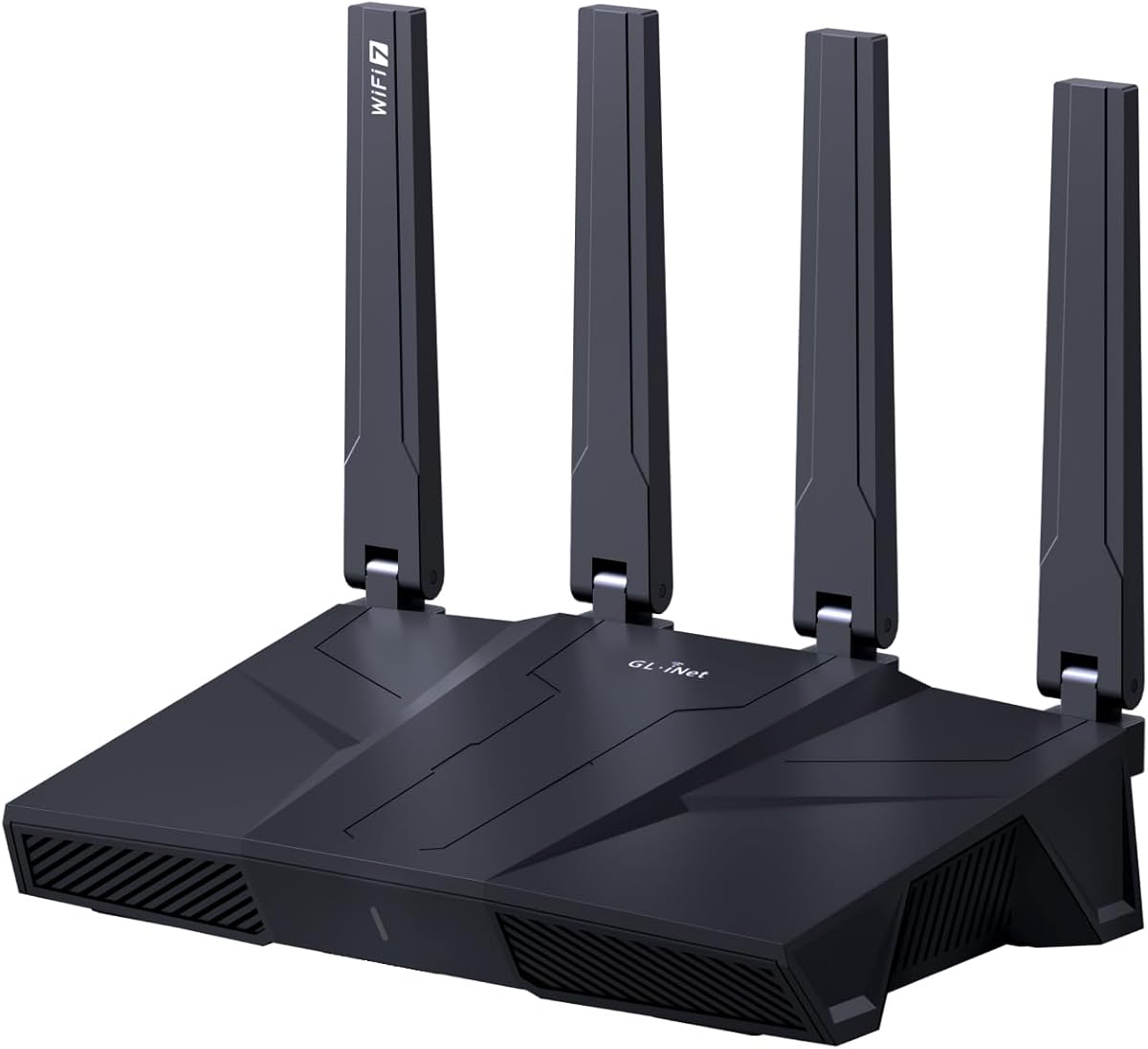
The GL.iNet GL-BE9300 Flint 3 caters to privacy-minded users with built-in tools for ad blocking and VPN control.
We may earn a commission when you buy through this link, at no additional cost to you.
It supports high-speed OpenVPN and Wireguard tunnels, giving you full control over bandwidth for streaming and work.
With five 2.5G ports and robust internal storage, it handles many devices and DIY plugins without slowing down.
This router suits tech-savvy buyers who want open-source flexibility and strong Wi-Fi 7 performance in one unit.
AdGuard Home blocks unwanted tracking and ads directly at the DNS level.
Extra storage lets you install custom plugins to tailor the router to your workflow.
We may earn a commission when you buy through this link, at no additional cost to you.
The ASUS ROG Rapture GT-BE98 Pro is built for enthusiasts who demand absolute maximum speed and minimum latency for gaming.
We may earn a commission when you buy through this link, at no additional cost to you.
Its quad-band WiFi 7 design with 320 MHz channels delivers up to 30 Gbps total wireless throughput for any task.
Dual 10G wired ports ensure your PC and console get the fastest possible connection without bottlenecking.
Buyers willing to invest in top-tier gear will love the game acceleration features and robust mesh capabilities.
Optimizes gaming traffic from your device to the server for smoother online play.
The widest channels and highest throughput available for peak wireless performance.
We may earn a commission when you buy through this link, at no additional cost to you.
The NETGEAR Nighthawk X10 remains a powerful option for users needing wired 10G SFP+ connectivity despite older wireless standards.
We may earn a commission when you buy through this link, at no additional cost to you.
Its tri-band AD7200 design delivers up to 7200 Mbps and supports legacy 60GHz devices for niche high-density scenarios.
Six gigabit Ethernet ports and two USB 3.0 connections offer rich wired flexibility for media servers and printers.
Though less common today, this router still serves as a reliable choice for specialized setups requiring strong wired throughput.
Supports 10G networking for high-speed data transfers on compatible devices and switches.
Includes Beamforming+, MU-MIMO, Dynamic QoS, and voice control for full network management.
We may earn a commission when you buy through this link, at no additional cost to you.
Selecting the right router involves weighing several factors to ensure your home network meets current and future needs.
Modern routers offer WiFi 6E or WiFi 7 with wider channels and less congestion. These standards support faster speeds and lower latency on newer devices.
Choose the latest standard your devices support to maximize performance and future-proof your setup.
Tri-band routers add a dedicated 6 GHz band to reduce interference for high-demand activities like gaming or streaming. Dual-band models can still deliver strong performance.
Evaluate whether you need tri-band speed or if a capable dual-band unit fits your household budget and usage.
Multi-gigabit Ethernet ports like 2.5G or 10G unlock full broadband speeds for gaming PCs, consoles, and storage devices.
Ensure your router offers enough high-speed ports to connect your most demanding hardware directly.
Larger homes need routers with powerful antennas and beamforming to reach every room. Coverage often varies with obstacles like walls.
Check the square footage rating and consider mesh extenders if you have a multi-story layout.
OFDMA and MU-MIMO allow the router to serve multiple devices simultaneously without slowdown. This is vital for smart homes with many connected gadgets.
Look for routers advertising high device limits and modern efficiency features for best results.
Built-in security tools like HomeShield or Armor help protect devices from malware and intrusions. Parental controls allow you to manage screen time and content.
Pick a model with security features that match your household needs and privacy preferences.
User-friendly mobile apps simplify installation, updates, and network management. Some models support voice assistants for quick control.
Choose a system that feels intuitive to avoid unnecessary technical steps and ongoing hassles.
Routers that support mesh expansion or EasyMesh allow you to add extenders as your needs grow. This flexibility extends the router lifespan.
Opt for systems that can scale with your home and device count over the next few years.
Place the router in a central, elevated location away from walls and metal objects to ensure optimal signal distribution throughout your home.
Keep the firmware updated through the manufacturer app to maintain security and performance while regularly restarting the device to clear cache.
Use wired connections for stationary devices like consoles and PCs whenever possible to reduce wireless congestion and improve stability.
WiFi 6E adds a dedicated 6 GHz band for less congestion while WiFi 7 introduces features like Multi-Link Operation and wider 320 MHz channels. These enable faster speeds and lower latency for supported devices.
Yes, a router connects to a modem or gateway to access your internet service. The modem translates signals from your ISP while the router distributes them wirelessly and via Ethernet.
Modern routers support up to ninety or more devices simultaneously using OFDMA and MU-MIMO. This allows multiple users to stream or game without performance drops.
If you subscribe to multi-gigabit internet plans, 2.5G ports ensure you can use the full speed. For standard gigabit, regular ports suffice but 2.5G offers future headroom.
Use EasyMesh extenders or a mesh system that integrates with your main router. These devices create a seamless network so you can move around without losing connection.
VPN client and server support let you route traffic through remote servers for privacy or access blocked content. It adds flexibility especially when traveling or using smart devices.
Our top picks include the TP-Link AXE5400 for balanced performance, the BE6500 for early WiFi 7 adoption, and the ASUS ROG GT-BE98 for ultimate gaming power.
Prioritize multi-gig ports and tri-band capacity if you have many devices or a large home that needs strong coverage across every room.
Always check current pricing and availability since deals and stock change often on retailer sites before you make your final purchase decision.