
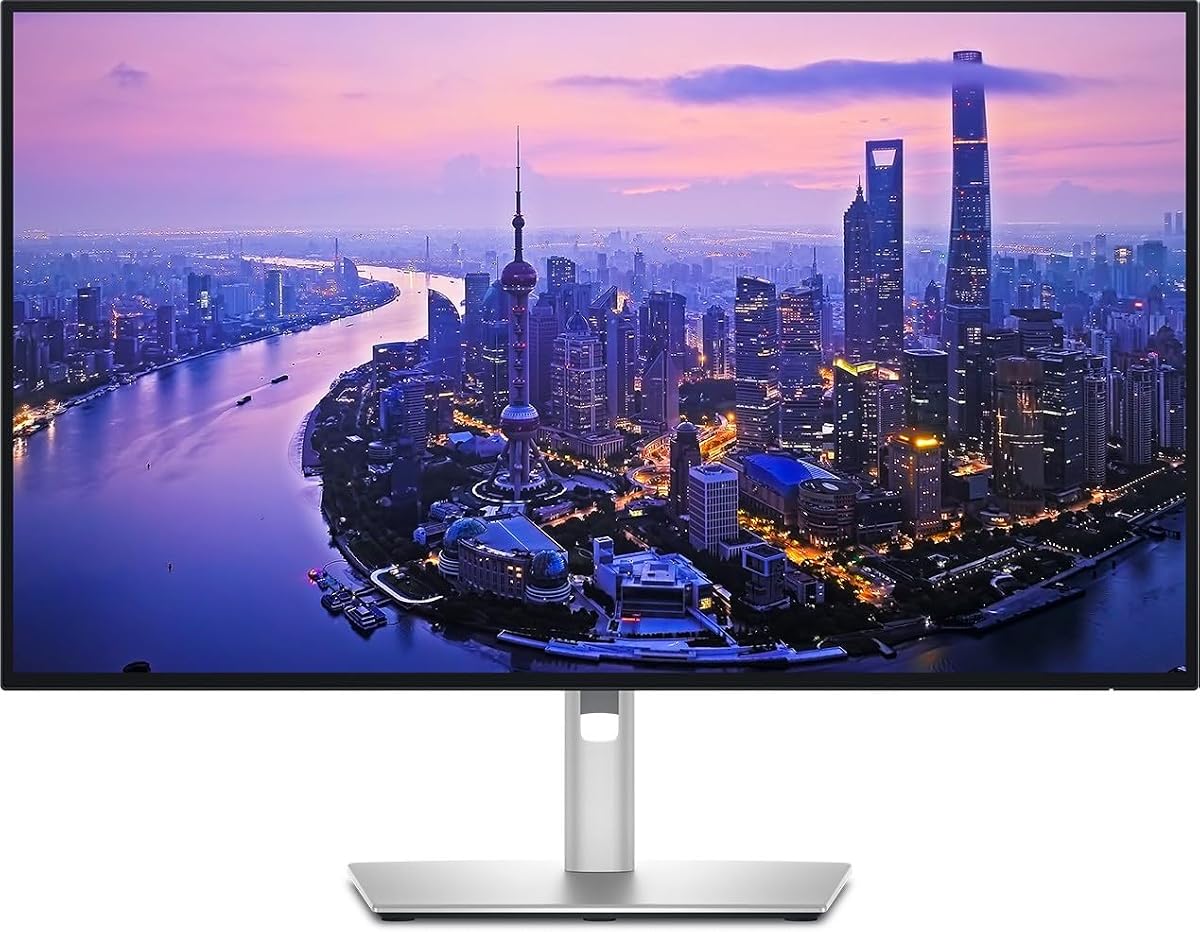
LG 27UP850K-W 27-inch Ultrafine 4K UHD IPS DisplayHDR 400
4.5Editor score
95% DCI-P3 color gamut
90W USB-C power delivery
Built-in stereo speakers
VESA DisplayHDR 400
Finding the right display for your workstation can transform your productivity and creative output significantly. A 4K monitor with Thunderbolt connectivity offers the ultimate combination of sharp visuals and rapid data transfer speeds. These screens provide ample screen real estate while simplifying your cable management through single-cable solutions.
We have evaluated ten top-rated models based on their resolution, color accuracy, and connectivity options. Our analysis focuses on how well each display handles professional workflows like video editing and graphic design. Each product was selected for its ability to deliver crisp visuals and reliable Thunderbolt performance.
Each pick in this list highlights specific strengths such as color gamut coverage or ergonomic adjustability. Prices fluctuate frequently so be sure to check current listings before making your final decision. Our goal is to help you find the perfect monitor for your specific needs.
4.5Editor score

4.6Editor score
4.4Editor score
As an Amazon Associate we earn from qualifying purchases.
Here we compare all ten selected monitors side by side to highlight their key specifications and unique features for different professional needs.


The Dell UltraSharp 32 Thunderbolt Hub Monitor stands out as a premier choice for professionals needing top-tier visual performance. With a rating of 4.6 stars it delivers stunning 4K visuals alongside robust connectivity features. This display is engineered for creators who demand precision and reliability in their daily workflow.
We may earn a commission when you buy through this link, at no additional cost to you.
Its standout qualities include an Enhanced IPS Black panel that offers a 3000:1 contrast ratio for deeper blacks. The 99% Display P3 color coverage ensures that your work looks exactly as intended. Additionally the built-in KVM switch allows seamless switching between two machines using a single keyboard and mouse.
While the price reflects its premium positioning the value provided justifies the investment for serious professionals. The larger 32-inch size may require more desk space but the productivity gains are significant. These trade-offs are acceptable given the superior color fidelity and versatility it offers over standard monitors.
This monitor is ideal for video editors graphic designers and executives who need a polished and high-performance display. We recommend it for anyone seeking a near-borderless experience with reliable Thunderbolt connectivity. It truly excels as a Mac companion providing accurate colors that align with industry standards.
The factory-calibrated color accuracy with Delta E less than 1.5 ensures your photos and videos look true to life from the start.
With the built-in KVM switch you can effortlessly switch between different devices without needing extra peripherals cluttering your desk.
We may earn a commission when you buy through this link, at no additional cost to you.
The LG 27UP850K-W offers an impressive entry into the world of high-performance 4K monitors with Thunderbolt capabilities. Rated at 4.5 stars it provides excellent value for those seeking sharp visuals without breaking the bank. This display balances cost and performance effectively for general productivity and casual creative work.
We may earn a commission when you buy through this link, at no additional cost to you.
Key strengths include its support for VESA DisplayHDR 400 which brings better dynamic range to your content. The 90W USB-C power delivery ensures your laptop stays charged while connected via a single cable. Additionally built-in stereo speakers enhance media consumption without requiring external audio solutions.
Trade-offs involve a more basic HDR implementation compared to high-end models and fewer port options. However these limitations are reasonable given the accessible price range. Most users will find the connectivity sufficient for their needs without requiring complex setups.
We recommend this monitor for students home office users and budget-conscious professionals who need reliable 4K performance. It is particularly suitable for tasks like document editing and web browsing where clarity matters. Overall it remains a strong contender for those prioritizing value.
USB-C support allows data transfer and up to 90W power delivery so you can keep your laptop powered without extra adapters.
The built-in webOS streaming platform lets you launch video calls and switch views effortlessly using intuitive shortcuts.
We may earn a commission when you buy through this link, at no additional cost to you.
The Dell UltraSharp U2725QE represents the pinnacle of professional monitor design with its advanced IPS Black panel. Holding a 4.4 rating it delivers exceptional clarity and color fidelity that professionals demand. This monitor is built for users who need the best possible visual experience for critical tasks.
We may earn a commission when you buy through this link, at no additional cost to you.
Its standout features include an impressive 140W power delivery that can charge even demanding laptops efficiently. The 99% DCI-P3 color coverage ensures vibrant and accurate colors for creative work. Additionally the ambient light sensor adjusts brightness automatically to reduce eye strain during long sessions.
While the cost is higher than standard options the benefits justify the investment for serious users. The ergonomic adjustability and rich port selection add significant value to the overall package. These trade-offs are minor considering the premium build and performance offered.
This monitor is ideal for photographers video editors and corporate executives who value quality and reliability. We highly recommend it for workstations requiring consistent color performance and robust connectivity. It truly sets a new standard for premium 4K displays.
The IPS Black panel technology improves contrast significantly allowing for richer shadows and more vibrant color pop.
Thunderbolt 4 single-cable solution transmits video data and power simultaneously simplifying your desk setup.
We may earn a commission when you buy through this link, at no additional cost to you.
The Dell 27 Monitor S2725QC offers a robust solution for users seeking smooth motion and vivid visuals. With a 4.4 rating it combines a 120Hz refresh rate with reliable 4K resolution for versatile use. This display is well-suited for both work and entertainment scenarios.
We may earn a commission when you buy through this link, at no additional cost to you.
Key strengths include the ComfortView Plus technology which reduces harmful blue light for better eye comfort. The vibrant colors from the IPS panel make viewing engaging while the re-engineered audio enhances sound quality. Connectivity is simplified with a single USB-C cable delivering up to 65W power.
Trade-offs include lower power delivery compared to premium models which may not support all laptops alone. However the performance remains strong for general productivity and light creative work. These factors are acceptable given the reasonable pricing and feature set.
We recommend this monitor for users who need a balanced display for everyday tasks and media. It fits well in home offices or smaller workspaces where desk space is limited. Overall it provides solid performance at an accessible price point.
ComfortView Plus reduces blue light emissions without sacrificing color accuracy for all-day viewing comfort.
The re-engineered sound quality delivers spacious audio with greater output power than previous generations.
We may earn a commission when you buy through this link, at no additional cost to you.
The Dell UltraSharp 27 4K Thunderbolt Hub Monitor delivers stunning visuals with exceptional color accuracy for professionals. While it holds a 3.8 rating it provides a premium workspace for designers and photographers. This monitor emphasizes sharpness and color fidelity for demanding creative tasks.
We may earn a commission when you buy through this link, at no additional cost to you.
Its standout features include the built-in Thunderbolt hub that supports daisy-chaining and high-speed data transfer. The 100% sRGB and Display P3 coverage ensure true-to-life color reproduction for editing work. Additionally the fully adjustable stand allows personalized comfort for extended use.
Trade-offs include a lower rating which might indicate specific user preferences or minor issues. However the color performance and connectivity options remain strong for professional workflows. These factors are acceptable for users prioritizing visual quality above all.
We recommend this monitor for creatives who need reliable color accuracy and efficient cable management. It is ideal for workstations where setup simplicity and visual fidelity are paramount. Overall it serves well for targeted professional applications.
The Thunderbolt hub simplifies desk setup by allowing high-speed data transfer and daisy-chaining.
Sustainable materials and energy-efficient operation reflect a commitment to environmental responsibility.
We may earn a commission when you buy through this link, at no additional cost to you.
The Dell UltraSharp 27 4K Thunderbolt Hub Monitor offers a high-end option for professional setups. This model focuses on reliable connectivity and sturdy build quality for daily use. It aims to provide a seamless workspace experience with versatile port options.
We may earn a commission when you buy through this link, at no additional cost to you.
Its strengths lie in the Thunderbolt connectivity that simplifies cabling and supports multiple peripherals. The professional grade build ensures durability over time while the design complements any modern office. Users appreciate the wide selection of ports that accommodate various devices easily.
Trade-offs may include limited detailed color specifications compared to other UltraSharp models. However the reliability and connectivity remain key selling points for corporate environments. These factors are acceptable for users prioritizing stability and function.
We recommend this monitor for offices needing dependable performance and flexible connectivity options. It suits users who value practical design and consistent operation. Overall it delivers a solid experience for professional workflows.
Designed for professional environments it offers stable operation and consistent performance over long hours.
Multiple ports ensure you can connect all necessary devices without needing additional docks.
We may earn a commission when you buy through this link, at no additional cost to you.
The ViewSonic VP2488-4K is a compact powerhouse designed specifically for Mac users needing precise color. With a 4.5 rating it delivers stunning detail that aligns with industry standards. This monitor is ideal for creatives who prioritize color fidelity and seamless device integration.
We may earn a commission when you buy through this link, at no additional cost to you.
Its standout feature is the Pantone Validated color precision ensuring deep contrast and accuracy. The 100W power delivery keeps your MacBook charged during intensive tasks. Thunderbolt 4 connectivity allows high-speed data transfer over a single cable easily.
Trade-offs include a smaller 24-inch screen which may limit multitasking space. However the color performance and build quality make up for it in professional settings. These factors are acceptable for users focused on color-critical work.
We recommend this monitor for graphic designers and photographers who work in the Mac ecosystem. It excels at delivering trustworthy visuals for professional editing tasks. Overall it remains a top choice for compact high-quality displays.
Visual performance and color standards align perfectly with the Mac ecosystem for seamless workflow.
Pantone Validated color allows confident creation with pinpoint color fidelity for all outputs.
We may earn a commission when you buy through this link, at no additional cost to you.
The Samsung 32 ViewFinity S7 offers exceptional clarity and a high rating of 4.8 stars. Its 32-inch 4K resolution provides ample space for intricate designs and detailed work. This monitor is a strong choice for professionals seeking reliable visual quality.
We may earn a commission when you buy through this link, at no additional cost to you.
Key strengths include HDR10 optimization which offers a gamut of more than 1 billion accurate colors. The Eye Saver Mode reduces blue light to minimize eye strain during long sessions. Additionally the larger screen size enhances productivity by reducing the need for multiple monitors.
Trade-offs involve less detailed specs compared to UltraSharp models but the value remains strong. The high rating suggests user satisfaction with the overall experience and design. These factors are acceptable for general professional tasks.
We recommend this monitor for users prioritizing large screen real estate and eye comfort. It fits well in environments where clarity and usability are key. Overall it delivers a satisfying experience for daily work.
Eye Saver Mode reduces blue light and screen flickering to protect vision during extended work.
High pixel density reveals greater detail levels and accurate color representation for all content.
We may earn a commission when you buy through this link, at no additional cost to you.
The Dell U3225QE provides an expansive 31.5-inch screen for maximum productivity and multitasking. With a 4.0 rating it delivers stunning clarity on a 4K UHD LED display. This monitor is designed to streamline your workspace and boost efficiency.
We may earn a commission when you buy through this link, at no additional cost to you.
Its standout features include the integrated Thunderbolt hub offering versatile connectivity for peripherals. The 32-inch size reduces the need for multiple monitors which simplifies your setup. Additionally the sleek design complements any professional environment aesthetically.
Trade-offs include an average rating which suggests it may not meet all advanced needs. However the screen real estate and connectivity remain valuable for general business use. These factors are acceptable for standard office workflows.
We recommend this monitor for users seeking a large single screen for multitasking tasks. It is ideal for office environments needing reliable and stylish displays. Overall it offers solid value for its size.
Expansive screen real estate reduces the need for multiple monitors and boosts productivity.
Stylish design with slim bezels elevates your workspace aesthetic effectively.
We may earn a commission when you buy through this link, at no additional cost to you.
The Samsung TU87F Series stands out for its ability to support dual 4K displays seamlessly. With a 4.1 rating it offers a versatile solution for complex multitasking workflows. This monitor is designed for users who need to manage multiple sources efficiently.
We may earn a commission when you buy through this link, at no additional cost to you.
Its standout features include daisy chaining with two Thunderbolt 3 ports for larger screen setups. The 90W charging keeps devices powered while the Picture-by-Picture mode allows simultaneous source viewing. The VA panel ensures wide viewing angles for collaborative settings.
Trade-offs include a 60Hz refresh rate and VA panel which may not suit all creative needs. However the dual display capabilities are rare and valuable for specific business use. These factors are acceptable for productivity-focused tasks.
We recommend this monitor for professionals needing to connect multiple machines on one display. It is ideal for trading offices or complex design work. Overall it delivers unique functionality for specialized workflows.
Two Thunderbolt 3 ports allow you to connect to compatible Macs for a bigger screen setup.
PIP and PBP features let you view two separate sources simultaneously with ease.
We may earn a commission when you buy through this link, at no additional cost to you.
Selecting the right 4K monitor with Thunderbolt involves evaluating several key factors to ensure it meets your professional requirements.
Ensure the monitor offers true 3840×2160 resolution for crisp text and sharp images. Consider a 32-inch display if you need more screen real estate for multitasking or complex designs. For smaller desks a 27-inch model may provide the perfect balance of space and visual clarity.
Higher pixel density improves readability and detail so prioritize models with excellent panel quality.
Look for monitors with at least 99% sRGB or DCI-P3 coverage for accurate color reproduction. Factory calibration with a Delta E less than 2 is ideal for professional graphic design work. This ensures your output matches industry standards without requiring extensive adjustments.
Vibrant and true-to-life colors are essential for creators who need reliable visual results.
Verify that the monitor supports Thunderbolt 4 for 40 Gbps data transfer speeds and robust power delivery. Single-cable solutions simplify your desk by transmitting video data and charging simultaneously. Daisy chaining allows you to connect multiple monitors efficiently without extra cables.
Faster data transfer ensures smooth workflows especially when working with large media files.
Check the wattage delivered via USB-C or Thunderbolt to ensure it can charge your laptop. Models offering 90W to 140W can power most professional laptops effectively. This eliminates the need for separate chargers and reduces clutter on your workspace.
Sufficient power delivery is key to a clean and functional desk setup.
While 60Hz is common for professional work monitors with 120Hz provide smoother motion and responsiveness. Lower response times reduce motion blur making them ideal for fast-paced visual tasks. Ensure the panel supports AMD FreeSync to minimize tearing during intensive workflows.
Higher refresh rates enhance fluidity which improves the overall viewing experience.
A fully adjustable stand that allows height tilt swivel and pivot adjustments is crucial for comfort. Proper ergonomics reduce neck strain during long sessions and promote healthier viewing habits. Look for VESA mounting compatibility if you plan to use a custom monitor arm.
Flexible positioning ensures the monitor fits perfectly into your specific workstation layout.
Consider monitors with built-in hubs KVM switches and ambient light sensors for added convenience. Multiple USB-A and USB-C ports allow you to connect peripherals directly to the monitor. These features reduce the need for external dongles and streamline your connectivity options.
Integrated tools can significantly enhance productivity by simplifying daily tasks.
IPS panels generally offer better color accuracy and wider viewing angles than VA panels. Enhanced IPS Black technology provides higher contrast ratios for deeper blacks and richer shadows. Choose the panel type that aligns with your specific creative and productivity needs.
The right panel technology ensures the best possible visual output for your content.
To maximize performance connect your laptop directly to the monitor using a certified Thunderbolt cable. This ensures you get the full benefits of high-speed data transfer and efficient power delivery for your device.
Calibrate the monitor periodically using built-in tools or software to maintain accurate color accuracy over time. Adjust brightness and contrast settings based on ambient lighting to reduce eye strain during long work sessions.
Clean the screen with a soft microfiber cloth and avoid harsh chemicals that could damage the panel. Proper maintenance extends the lifespan of the monitor and ensures consistent visual quality for years to come.
A 4K monitor with Thunderbolt offers exceptional visual clarity combined with high-speed data transfer. It allows for a single-cable solution that delivers video data and power simultaneously simplifying your desk setup.
Yes many of the monitors listed in this guide are fully compatible with Mac devices. Models like the Dell UltraSharp 32 Thunderbolt Hub Monitor are specifically optimized for macOS environments.
Most of the recommended monitors provide significant power delivery ranging from 65W to 140W. This is sufficient to charge most professional laptops while connected via Thunderbolt or USB-C.
Thunderbolt 4 offers similar speeds but includes stricter requirements and additional features like daisy chaining. It ensures better compatibility and reliability across a wider range of professional devices.
Professional design work typically requires monitors with at least 99% sRGB or DCI-P3 coverage. Factory calibration with a Delta E less than 2 ensures colors are accurate and consistent.
Yes many Thunderbolt monitors support daisy chaining which allows you to connect multiple displays using a single cable. This feature helps in managing large multi-monitor setups efficiently.
While 60Hz is standard a 120Hz refresh rate provides smoother motion which can reduce eye fatigue. It is beneficial for users who scroll frequently or work with fast-moving visual content.
Several monitors in this guide offer 120Hz and AMD FreeSync which makes them suitable for light gaming. However they are primarily designed for professional productivity and creative workflows.
We have explored ten top-rated 4K monitors with Thunderbolt connectivity to help you find the perfect match for your needs. From the versatile Dell UltraSharp 32 to the budget-friendly LG 27UP850K-W there is an option for every professional.
Prioritize color accuracy and power delivery based on your specific workflow requirements. A well-chosen monitor will significantly enhance your productivity and visual comfort during daily tasks.
Remember that prices fluctuate frequently so check current listings before making your final purchase. We hope this guide has provided the clarity needed to make an informed decision.