
4 Pack HDMI Dummy Plug 4K HDR, Virtual Monitor EDID Emulator
4.8Editor score
True 4K@60Hz HDR Virtual Display
Plug-and-Play Simplicity
Industrial-Grade Durability with Smart Monitoring
This guide compares the top 10 HDMI Dummy Plug options for headless setups, remote desktop, mining, and gaming performance to help you choose the right model.
Finding the right HDMI Dummy Plug can transform your headless computer setup into a fully functional workstation. These small adapters trick your graphics card into thinking a monitor is connected, unlocking GPU acceleration for remote access and rendering tasks.
We evaluated ten leading models based on resolution support, build quality, compatibility, and real-world performance in server farms and home labs. Each product was analyzed for its ability to maintain stable connections across Windows, Mac, and Linux environments without requiring drivers.
Every pick highlights specific strengths like 4K support, HDR emulation, or durable aluminum casing. Please note that availability and pricing may shift frequently, so check current listings before making your final decision on which adapter fits your workflow.
4.8Editor score
4.6Editor score

4.0Editor score
The following table provides a side-by-side comparison of all ten models reviewed in this guide, highlighting their key specifications and intended use cases for headless computing needs.


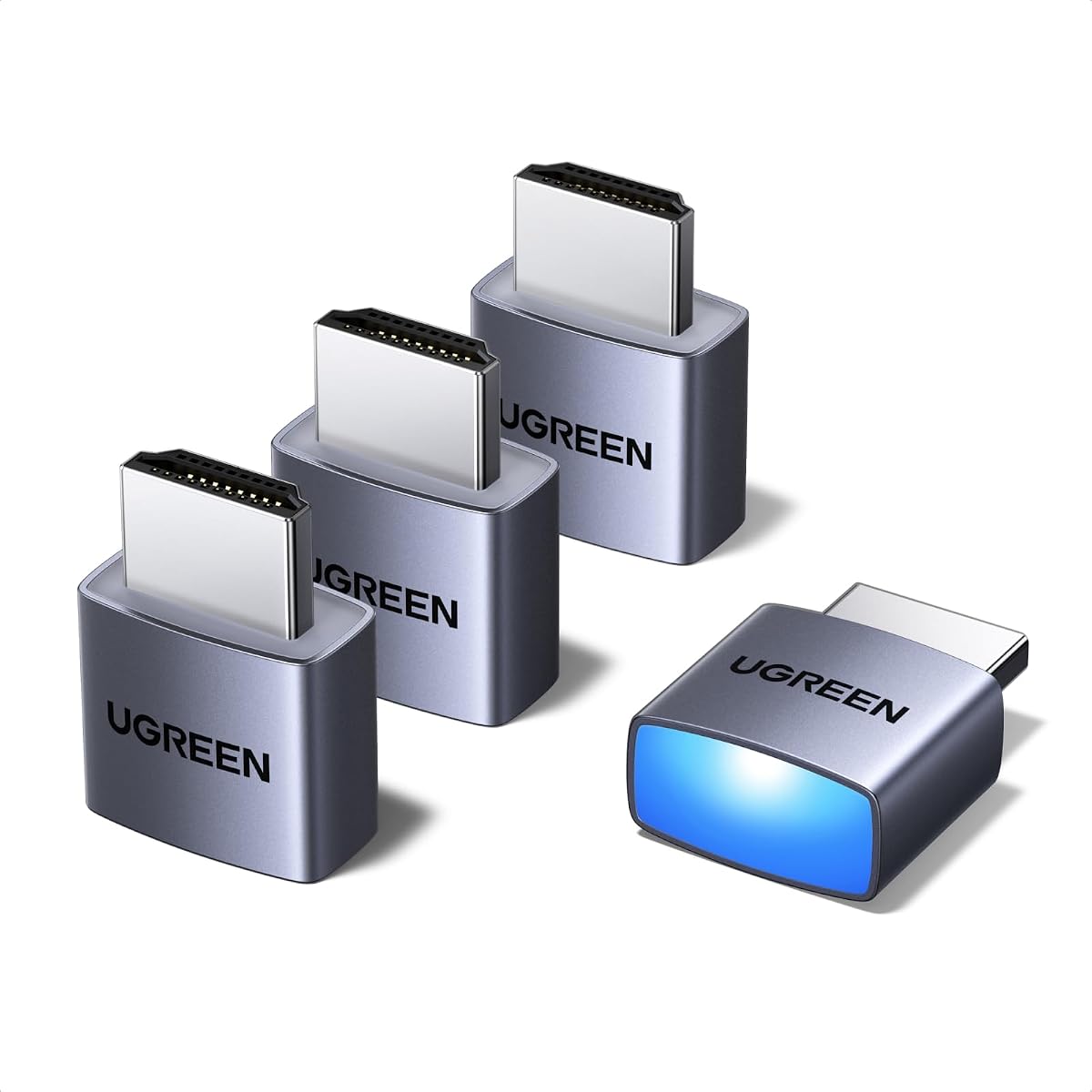
This UGREEN 4 Pack model stands out as a top choice for headless server deployments due to its robust build and high resolution output. It reliably activates the GPU for tasks like remote desktop access without needing a physical monitor.
We may earn a commission when you buy through this link, at no additional cost to you.
The aluminum shell ensures heat dissipation during intensive computing tasks like mining or rendering. Its universal compatibility across Windows, Mac, and Linux systems makes it a versatile tool for IT professionals and hobbyists alike.
While the LED status indicator is useful for quick connection checks, some users in dark rooms might find it slightly bright. The four pack offering provides excellent value for multiple stations but requires careful cable management.
Anyone setting up a home lab or small office network will benefit from the reliable virtual display simulation. It remains a safe bet for those needing consistent 4K performance at 60Hz without extra configuration overhead.
Activates your GPU to create a lag free virtual monitor for seamless remote desktop operations and video editing tasks.
The sturdy aluminum shell enhances heat dissipation to prevent overheating during intensive tasks and ensures long lasting use.
We may earn a commission when you buy through this link, at no additional cost to you.
This four pack model offers exceptional value for those needing multiple headless adapters across different workstations. It maintains system stability and provides 4K virtual display support at a very competitive price point.
We may earn a commission when you buy through this link, at no additional cost to you.
The industrial grade aluminum armor resists overheating during marathon computing tasks while providing real time connection verification via its status LED. It works flawlessly with major GPU brands across all common operating systems.
While the packaging is straightforward and lacks premium flair, the functional reliability is unmatched for the cost. The lack of explicit warranty details might concern some enterprise buyers but the user ratings remain high.
Budget conscious buyers or those managing a cluster of headless PCs will find this option highly practical. It delivers the necessary emulation features without unnecessary cost or complexity.
Revolutionize headless deployments in server farms and home labs by eliminating display power costs while maintaining 24/7 system stability.
Zero drivers software or external power required for instant virtual displays for stock trading platforms and simulation software.
We may earn a commission when you buy through this link, at no additional cost to you.
The DTech 3 Pack is designed to enable GPUs for remote desktop and cryptocurrency mining operations with reliable signal transmission. Its compact design makes it easy to manage in tight server racks or laptop setups.
We may earn a commission when you buy through this link, at no additional cost to you.
Gold plating on the HDMI interface guarantees stable digital signal and unlocks the full potential of your graphics card for game streaming and VR setups. It is also specifically known for resolving display issues on Apple Mac Mini servers.
Compared to metal housed units, this model may feel less heavy but it functions effectively for standard tasks. The lack of an integrated LED status light means you must rely on system settings to confirm connection.
IT professionals managing small teams or home servers will appreciate its plug and play nature and compatibility across Windows and Linux. It is a straightforward solution for enabling headless operations without extra cost.
Emulates a high resolution up to 4K 4096×2160 display to make a computer run headless without a physical monitor.
Simple fit headless HDMI display emulator solves the Apple OSX headless display issue for remote control needs.
We may earn a commission when you buy through this link, at no additional cost to you.
This basic model is ideal for users who simply need a reliable connection for remote desktop without needing high refresh rate features. It acts exactly like a real LCD monitor to unlock GPU acceleration for standard tasks.
We may earn a commission when you buy through this link, at no additional cost to you.
The ultra compact low profile design fits easily into dense port arrangements on laptops and mini PCs. It works seamlessly with Windows OSX and Linux systems requiring zero configuration or extra power cables.
While it lacks advanced HDR or 4K specifications found in premium models, it delivers stable performance for typical administrative workflows. The focus remains on simplicity and reliability for headless operations.
Users looking for a straightforward solution to enable remote access on older hardware will find this effective. It is a no fuss option that does the job without unnecessary technical complications.
Will work with any graphics card that has HDMI output with no incompatibility problems for standard LCD monitor setups.
No drivers no configuration no power cable just set and forget for reliable headless performance.
We may earn a commission when you buy through this link, at no additional cost to you.
This 3 Pack model combines affordability with essential features like HDR support and hot swap capability for flexible setups. It ensures stability for cryptocurrency mining and video rendering while saving energy compared to real displays.
We may earn a commission when you buy through this link, at no additional cost to you.
Gold plated interfaces guarantee complete signal transmission across all major operating systems including Windows and Mac. The included 2 year warranty offers peace of mind for users deploying multiple units in different locations.
The build quality is functional though not as rugged as aluminum alternatives. Users should be mindful of handling the plastic casing carefully to maintain long term connection reliability in high traffic environments.
Teams needing multiple adapters for shared workspaces will appreciate the bundled value and warranty coverage. It balances cost effective production with the necessary performance for standard headless computing needs.
Makes computer run headless with low cost to replace expensive real display and saves energy for the environment.
Plug and play with no drivers and supports hot swap for guaranteed stable operation during intensive tasks.
We may earn a commission when you buy through this link, at no additional cost to you.
This five pack bundle is engineered for high performance systems needing multiple virtual screens with varied refresh rate options. It keeps GPUs active for remote desktop and mining with enhanced electromagnetic shielding via thick aluminum.
We may earn a commission when you buy through this link, at no additional cost to you.
Gold plated connectors ensure maximum conductivity and full board copper pouring reduces interference for stable operation. The HDR emulation simulates vivid output suitable for color sensitive preview tasks on headless workstations.
Default 1080P settings might limit some users needing immediate 4K without manual configuration. However, it supports high resolutions like 4K@60Hz and 1440P@120Hz for specialized tasks like VR setup.
Users managing large server farms or needing many virtual displays will find this efficient and space saving. It delivers professional grade features at a cost effective bulk price point.
Supports High Dynamic Range for enhanced brightness and color accuracy making it suitable for video preview.
Works with all devices featuring HDMI output including Mac Mini Jetson Nano and Raspberry Pi for remote control.
We may earn a commission when you buy through this link, at no additional cost to you.
This adapter brings high refresh rate support to headless gaming PCs and VR setups, enabling smooth 120Hz virtual displays for streaming and rendering. It is specifically optimized for Moonlight and Steam Link access without lag.
We may earn a commission when you buy through this link, at no additional cost to you.
It uses the latest technology to keep HBCC active for mining rigs and remains stable for 24/7 tasks like streaming to a Steam Deck. The gold plated connection ensures digital signal stability across multiple platforms.
A key limitation is that Windows 11 currently caps output at 60Hz HDR while Windows 10 supports 120Hz. This requires checking system compatibility before purchase if high refresh rates are critical for your workflow.
Gamers and streamers looking to control high performance machines remotely will find this essential. It bridges the gap between physical ports and virtual headless setups efficiently.
Ideal for game streaming VR and using Mini server with screen sharing for 120fps Steam Link access.
Tricks the GPU into thinking there is a monitor attached to allowing HBCC to stay active for mining.
We may earn a commission when you buy through this link, at no additional cost to you.
This eight pack bundle delivers premium features like enhanced electromagnetic shielding and HDR simulation across a large quantity. It defaults to 1440P which balances performance and compatibility for complex virtual setups.
We may earn a commission when you buy through this link, at no additional cost to you.
The aluminum shell delivers durability and a premium feel while ensuring heat dissipation during long sessions. Its compatibility covers all major platforms including Raspberry Pi and Jetson Nano for IoT labs.
While the default resolution is a plus for productivity, it may require adjustments for pure 4K tasks. The sheer bulk of the pack makes it ideal for enterprise use rather than personal home setups.
System administrators needing multiple virtual displays for testing or training will find this practical. It provides a cost effective way to maintain headless workstations across many machines.
Full board copper pouring enhances signal stability and reduces electromagnetic interference for long term use.
Designed for headless setups to reduce power usage and allows your system to run headlessly efficiently.
We may earn a commission when you buy through this link, at no additional cost to you.
This five pack model is notable for its default 2160P resolution which simplifies setup for users needing immediate 4K virtual displays. It supports a wide range of refresh rates including 120Hz and 240Hz for diverse tasks.
We may earn a commission when you buy through this link, at no additional cost to you.
The thick aluminum shell provides outstanding durability and electromagnetic shielding for consistent performance. Its hot-swappable design allows quick changes without system restarts for agile workflows.
The higher default resolution ensures compatibility with high-end remote streaming services like VNC and TeamViewer. However, users with older ports should verify compatibility to achieve full 4K performance.
Those managing a fleet of headless workstations will appreciate the plug and play simplicity and stable operation. It offers a reliable bridge between physical hardware and virtual screen environments.
Simulates a display with peak brightness up to 1,015 nits making it suitable for color-sensitive applications.
No installation required for plug and play with no drivers or external power for instant recognition.
We may earn a commission when you buy through this link, at no additional cost to you.
This premium adapter supports cutting edge 8K 30Hz output for users with high-end setups requiring maximum resolution. It ensures GPU stays active and supports advanced streaming protocols like Steam Link and Moonlight without lag.
We may earn a commission when you buy through this link, at no additional cost to you.
The HDMI 2.1 interface allows for high refresh rates and bandwidth necessary for 4K gaming at 120Hz. Its premium build quality includes gold plating and robust construction for reliable long-term use.
While expensive, the advanced features justify the cost for professional workflows needing the highest display fidelity. It works well across Windows and Mac systems providing a stable virtual display environment.
Professionals with top-tier GPUs looking for the ultimate headless solution will find this invaluable. It represents the peak of virtual display emulation technology for demanding users.
Supports resolutions up to 8K 30Hz and 4K 120Hz for high-performance systems needing maximum fidelity.
Simple plug and play with no drivers for guaranteed stable operation for 24/7 tasks and remote sessions.
We may earn a commission when you buy through this link, at no additional cost to you.
Choosing the right HDMI Dummy Plug requires understanding resolution needs, build quality, and compatibility with your operating system and GPU.
Ensure the adapter supports your required resolution such as 4K@60Hz or higher for tasks like video rendering and remote desktop. Many models offer 1080P default while others support up to 8K with HDMI 2.1.
Look for models that allow custom resolution settings if you need specific refresh rates or color depth for your workflow.
Durability is crucial for 24/7 operation in server farms or mining rigs. Aluminum shells provide better heat dissipation and electromagnetic shielding compared to plastic casings.
Prioritize units with gold plated connectors to prevent corrosion and ensure long term signal stability over time.
Most modern adapters work seamlessly with Windows, Mac, and Linux but some specific models are optimized for Apple OSX headless issues. Always check user reviews for your specific OS version.
Confirm that the device supports hot swapping if you plan to connect multiple adapters without rebooting your system.
Determine how many units you need based on your number of headless machines. Buying a multi pack often reduces the per unit cost significantly compared to single units.
Larger packs like 4 or 8 provide better value for home labs but may take up more space in your shipping and storage.
HDMI Dummy Plugs typically require no external power but some advanced emulators might draw slightly more current. Verify that the device is plug and play without needing a USB power source.
Low power consumption is essential for eco friendly setups and reducing heat inside small form factor cases.
Check if the manufacturer offers a warranty to protect against hardware failure during shipping or use. A two year warranty is common for reputable brands and adds peace of mind.
Ensure customer support is responsive if you encounter issues with detection or resolution settings on your specific OS.
Different adapters excel in different tasks such as mining, gaming streaming, or server management. Choose one that matches your primary workload to avoid performance bottlenecks.
Gamers should prioritize high refresh rate support while IT admins may prefer reliable 4K and simple plug and play features.
While the goal is to avoid spending too much, the cheapest adapters may lack necessary features like HDR or high refresh rates. Balance your budget with the necessary performance requirements.
Investing a bit more in a premium model often pays off in durability and reliability for long term daily use.
Connect the adapter directly to your graphics card HDMI port ensuring the connection is firm to avoid signal drops. It should be installed before you log into your system to ensure the GPU recognizes a display immediately.
Once connected, configure your display settings via your operating system to select the correct resolution and refresh rate. This often involves right clicking desktop settings and choosing the virtual display from the monitor list.
To maintain longevity, avoid bending or pulling the HDMI connector aggressively and keep it away from direct heat sources. If you notice flickering, try unplugging and replugging it to reset the connection.
It tricks your GPU into thinking a monitor is connected allowing headless operation for remote desktop mining and rendering. It enables full GPU acceleration even without a physical display attached.
No most adapters are plug and play requiring no drivers or software installation. The operating system recognizes the virtual display automatically once connected.
Most work with any discrete or integrated GPU providing HDMI output including NVIDIA AMD and Intel. Always verify compatibility with your specific model on the product page.
It allows you to access a headless gaming machine remotely without impacting local frame rates. It does not add load to the GPU itself and remains transparent to the system.
Yes many models specifically support Mac Mini and macOS headless setups. You may need to configure display settings to ensure it is recognized as an active monitor.
You can use multiple adapters on systems with multiple HDMI ports to create several virtual displays. Just ensure your OS supports multiple headless monitors for your workflow.
The UGREEN 4 Pack remains our top overall choice for balancing performance and value. The 4 Pack HDMI Dummy Plug offers the best budget option while the 4K 120Hz 8K Plug delivers premium capabilities for high-end users.
When making your decision prioritize resolution support and build quality to ensure long-term reliability. Your specific needs such as mining or remote access should guide your choice between basic and advanced models.
Prices and availability change frequently so always check current listings before purchasing. Selecting the right adapter will streamline your headless workflow and unlock full GPU potential without extra hardware.