
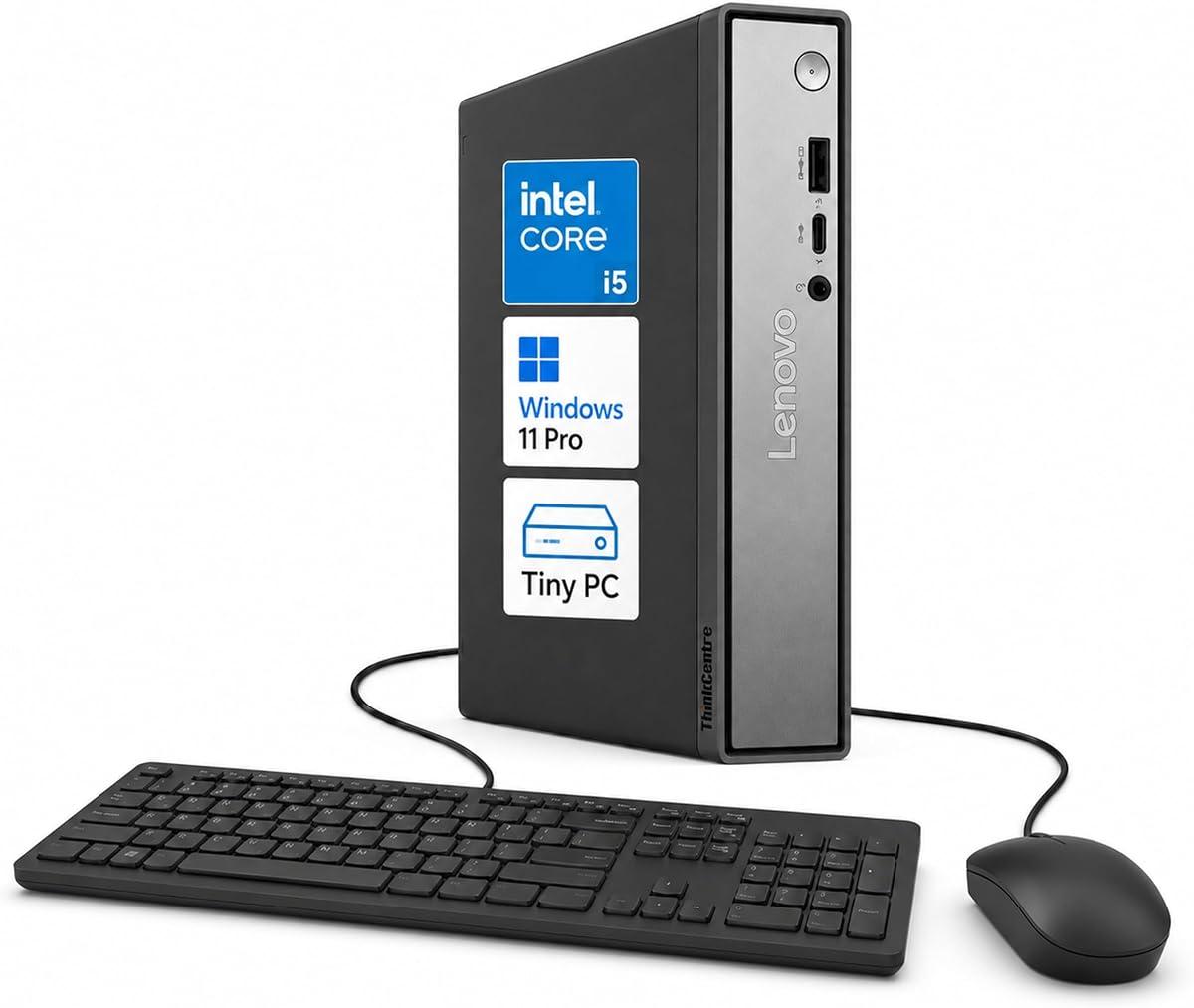
Lenovo ThinkCentre M70q
4.2Editor score
14th Gen i5-14400T
DDR5 memory support
Enterprise security features
This guide compares the top 10 Intel Core i5 Mini PC models for 2026, analyzing performance, connectivity, and design to help you choose the right compact
Intel Core i5 Mini PCs offer a perfect blend of power and portability for modern workspaces. These compact devices deliver robust performance while saving valuable desk space in offices and homes.
We evaluated ten leading models based on processor efficiency, memory capacity, and expansion options. Our analysis focuses on real-world usability for business and creative tasks.
Each selection highlights unique strengths like gaming graphics or silent operation. Please note that specific configurations and availability may vary by region and time.
4.2Editor score

4.5Editor score

4.5Editor score
The following table presents a side-by-side comparison of the ten selected Mini PC models, highlighting their key specifications and performance capabilities for your review.



The ASUS NUC 13 Pro stands out as a top choice for professional users seeking compact power. It scores 4.5 stars for delivering exceptional performance in a small form factor.
We may earn a commission when you buy through this link, at no additional cost to you.
Powered by the 13th Gen Intel Core i5-1340P processor, this unit handles multitasking efficiently with up to 12 cores. The included 16GB DDR4 RAM ensures smooth operation across multiple applications.
While it carries a premium price, the included features like Thunderbolt 4 and the NUC Pro Software Suite justify the investment for business environments needing reliability.
This model is best suited for office professionals who require robust connectivity and system management tools. We recommend it for those prioritizing performance and enterprise support.
Thunderbolt 4 ports enable high-speed data transfer and support for multiple 4K displays simultaneously.
The NUC Pro Software Suite offers remote management and security features ideal for IT administrators.
We may earn a commission when you buy through this link, at no additional cost to you.
The Lenovo ThinkCentre Neo 50q Gen 5 offers premium performance with its 13th Gen Intel Core i5-13420H processor. It achieves a perfect 5.0 rating from users.
We may earn a commission when you buy through this link, at no additional cost to you.
Its 1L chassis design makes it incredibly versatile for tight spaces while supporting up to three independent displays. This capability is rare in units its size.
Although storage expansion is limited, the initial configuration provides fast boot times and responsive performance. It excels in professional office settings.
We recommend this model for businesses needing reliable hardware with advanced display options. It is an excellent choice for high-end corporate use.
The compact 1L design allows for vertical or horizontal placement to suit various desk configurations.
Support for up to three displays enhances productivity by expanding digital workspace capabilities.
We may earn a commission when you buy through this link, at no additional cost to you.
The KAMRUI Hyper H2 delivers impressive desktop-class performance at a budget-friendly price point. It features the powerful Intel Core i5-14500HX processor.
We may earn a commission when you buy through this link, at no additional cost to you.
With 16GB of RAM and a 512GB SSD, it handles heavy multitasking and media rendering efficiently. The dual-fan cooling system keeps temperatures stable during extended use.
While fans may become audible under maximum load, the performance-to-price ratio remains highly competitive for small form factor desktops.
This unit is ideal for creative professionals or gamers needing a compact system. We highly recommend it for value-conscious buyers.
The dual-fan cooling system prevents throttling during long sessions of content creation or gaming.
Triple 4K display support via HDMI and USB-C allows for extensive multitasking setups.
We may earn a commission when you buy through this link, at no additional cost to you.
The MINISFORUM NAB5R is uniquely designed for users requiring robust network connectivity. It features dual 2.5Gb Ethernet ports for advanced networking tasks.
We may earn a commission when you buy through this link, at no additional cost to you.
With 16GB RAM and a 512GB SSD, it offers reliable performance for office work. Windows 11 IoT Enterprise ensures long-term stability and support.
The quad 4K display capability makes it versatile for monitoring or trading applications. It balances networking features with standard computing needs well.
This model is best for IT admins or network enthusiasts. We suggest it for setups needing multiple network interfaces.
Dual 2.5Gb Ethernet ports enable link aggregation or firewall configurations seamlessly.
Windows 11 IoT Enterprise provides a stable, lifecycle-supported operating system.
We may earn a commission when you buy through this link, at no additional cost to you.
This HP Mini PC provides reliable performance for daily office tasks with an Intel Core i5 processor. It supports smooth multitasking with 16GB DDR4 RAM.
We may earn a commission when you buy through this link, at no additional cost to you.
The 256GB SSD ensures fast boot times despite the limited capacity. Dual DisplayPort outputs allow for dual monitor setups to increase productivity.
Its ultra-compact design makes it ideal for desks with limited space. It is a solid choice for general business applications.
We recommend this model for standard corporate users. It balances cost and functionality effectively.
Dual DisplayPort outputs facilitate dual monitor configurations for enhanced workspace efficiency.
The 6.97-inch footprint allows for mounting behind monitors to save desk space.
We may earn a commission when you buy through this link, at no additional cost to you.
The GMKtec M3 stands out for including a generous 1TB NVMe SSD. This large storage capacity is ideal for media libraries and large files.
We may earn a commission when you buy through this link, at no additional cost to you.
Powered by the Intel Core i5-12450H processor, it handles everyday computing tasks efficiently. It supports up to three 4K displays for extended viewing.
While video ports are fewer than some competitors, the value proposition remains strong. It runs quietly and stays cool during normal use.
We recommend this model for users needing significant onboard storage. It is a great option for media centers.
The included 1TB NVMe SSD provides ample space for extensive media and application libraries.
Efficient thermal management ensures quiet operation suitable for home office environments.
We may earn a commission when you buy through this link, at no additional cost to you.
The Lenovo ThinkCentre Tiny M70q features the latest Intel Core i5-14400T processor and DDR5 RAM. This combination offers superior energy efficiency and speed.
We may earn a commission when you buy through this link, at no additional cost to you.
With 16GB of DDR5 memory, multitasking is smoother compared to DDR4 models. The 512GB SSD ensures quick access to data and applications.
Its higher price reflects the premium components and enterprise build quality. The three-year warranty provides additional peace of mind.
We recommend this model for businesses prioritizing longevity and speed. It is a top choice for modern office setups.
DDR5 memory delivers higher bandwidth for faster data processing and application launches.
Built with enterprise-grade components to withstand daily commercial usage demands.
We may earn a commission when you buy through this link, at no additional cost to you.
The Intel NUC 13 Pro maintains the legacy design users know with modern power. It scores a high 4.6 rating for reliability and performance.
We may earn a commission when you buy through this link, at no additional cost to you.
With 16GB DDR4 RAM and 512GB SSD, it handles daily tasks smoothly. Intel Iris Xe Graphics support multiple 4K displays effectively.
It is nearly identical to the ASUS version but often features unique branding or bundle options. It remains a trusted standard for compact PCs.
We recommend this model for those preferring traditional NUC reliability. It is excellent for home office setups.
Intel NUC heritage ensures trusted quality and widespread community support and guides.
Intel Iris Xe Graphics deliver sharp visuals for media and productivity tasks.
We may earn a commission when you buy through this link, at no additional cost to you.
The Beelink EQI13 focuses on efficient thermal management with an advanced cooling system. It achieves a 4.5 rating for quiet operation.
We may earn a commission when you buy through this link, at no additional cost to you.
Featuring a built-in power supply, it reduces cable clutter for a tidy desk setup. The dustproof design helps maintain long-term reliability.
While slightly larger than some competitors, the performance remains strong for office tasks. It supports dual 4K displays seamlessly.
We recommend this model for users needing a quiet environment. It is ideal for home offices.
Integrated power supply reduces external cables for a cleaner and more organized workspace.
Dustproof design minimizes debris accumulation to extend internal hardware lifespan.
We may earn a commission when you buy through this link, at no additional cost to you.
The HP EliteDesk 800 G4 offers an affordable entry point for business users. It is a renewed model with tested performance.
We may earn a commission when you buy through this link, at no additional cost to you.
Despite being an older generation, it still handles basic office tasks and web browsing efficiently. The 16GB RAM supports smooth multitasking.
Renewed products provide excellent value for those on a strict budget. They include necessary ports for connectivity.
We recommend this model for secondary workstations or tight budgets. It is a solid budget-friendly option.
Renewed status lowers cost while maintaining professional business-grade build quality.
Includes essential business ports and security features for office deployment.
We may earn a commission when you buy through this link, at no additional cost to you.
Selecting the right Mini PC requires understanding your specific needs regarding performance and connectivity.
Newer generations like 13th or 14th Gen offer better efficiency and speed.
Prioritize newer models for long-term viability and performance.
16GB RAM is the standard for modern multitasking and applications.
Check if the RAM is upgradeable for future expansion needs.
NVMe SSDs provide faster boot and load times than traditional drives.
Ensure there is room to expand storage if you have large files.
Look for enough USB ports to connect your peripherals and devices.
Ethernet and Wi-Fi options determine your network flexibility.
Multiple video outputs are crucial for multi-monitor productivity setups.
Check HDMI or DisplayPort versions for compatibility with your monitors.
Windows 11 Pro offers features suitable for business environments.
Ensure the system is licensed for professional use and support.
Fanless systems are silent but may throttle under heavy load.
Active cooling with fans ensures consistent performance for demanding tasks.
A solid warranty protects your investment against hardware failures.
Choose brands with reliable support channels for assistance.
Place the Mini PC in a well-ventilated area to prevent overheating. Avoid enclosing it in tight spaces without airflow.
Regularly update your drivers and system software to maintain security and performance. Check the manufacturer website for patches.
Clean dust from vents periodically using compressed air. This simple maintenance helps keep the cooling system effective.
The ASUS NUC 13 Pro is highly recommended for office use due to its Thunderbolt 4 ports and enterprise features.
Yes, many models like the Lenovo ThinkCentre Neo 50q support up to three displays for increased productivity.
Most allow RAM and SSD upgrades, but check the specific model for slot availability before purchasing.
Intel NUC branding changed to ASUS; they share similar hardware and performance characteristics.
Basic editing works well, but high-end 4K workloads may benefit from dedicated graphics options.
No, they use standard HDMI or DisplayPort connections compatible with most monitors.
We have reviewed ten top models including the ASUS NUC 13 Pro and Lenovo ThinkCentre M70q.
Prioritize RAM and connectivity to ensure your system meets current and future demands.
Always check current availability as prices and configurations change frequently online.