
BENFEI DisplayPort to DVI 6 Feet Cable, Uni-Directional
4.6Editor score
Gold plated connectors resist corrosion
Supports 1080p at 60Hz
Secure latch design for stability
Compare the top Displayport to DVI cables for reliability speed and compatibility to find the perfect cable for your monitor projector or desktop setup today.
Finding a reliable Displayport to DVI cable is essential for connecting modern computers to older monitors or projectors. A good cable ensures stable video transmission without signal loss or flickering issues during daily use.
We evaluated ten different cables based on build quality signal stability and user feedback. This list covers various lengths and features to help you choose the right option for your specific display needs.
Each pick highlights key strengths and potential limitations found in real world usage. Note that prices and availability change frequently so verify current details before making your final purchase decision online.
4.6Editor score
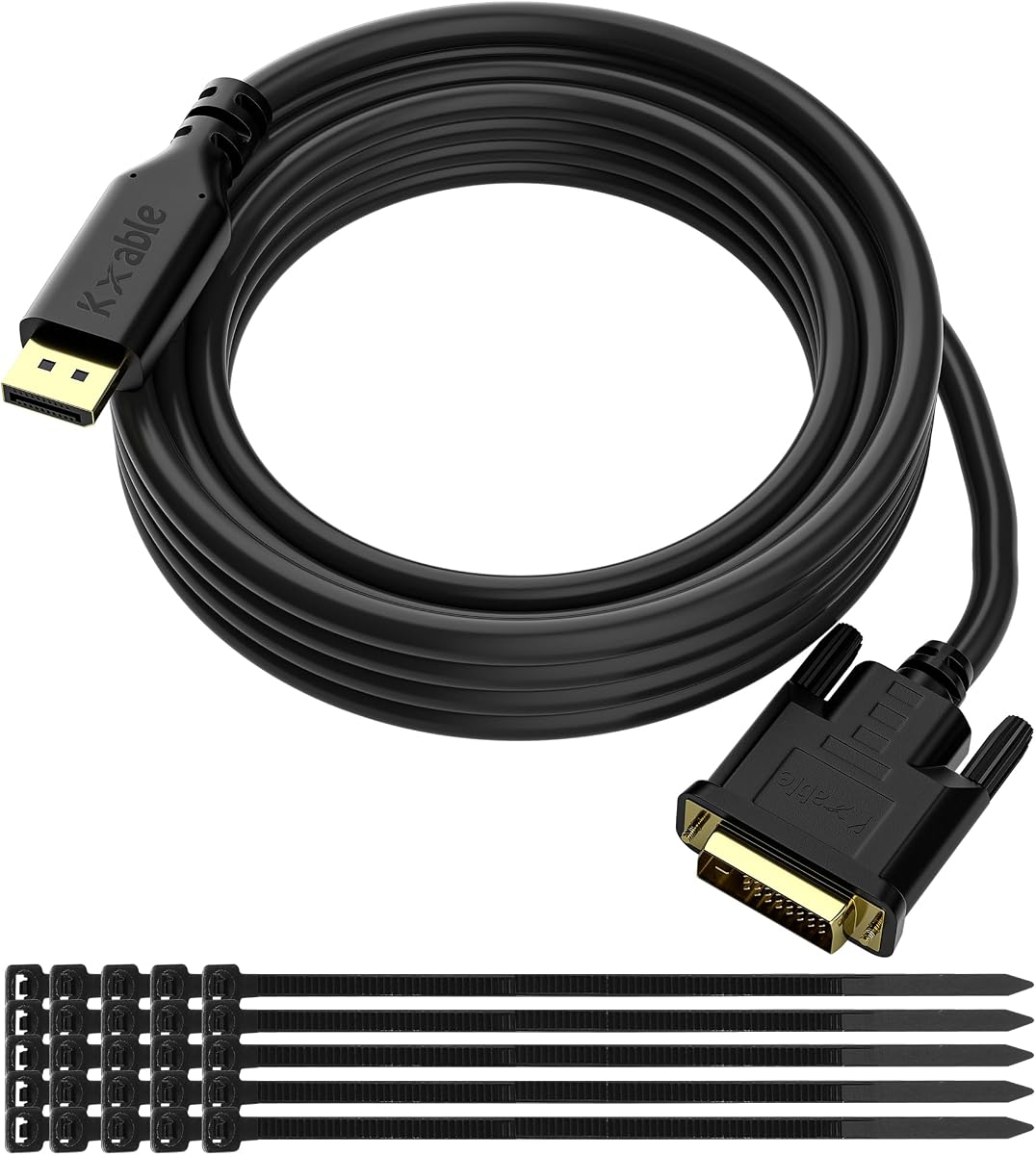
4.8Editor score

4.5Editor score
This side by side comparison helps you quickly identify the right cable for your needs based on length features and compatibility with your existing hardware setup.

The BENFEI DisplayPort to DVI cable is a highly rated choice for users needing a reliable connection at a budget friendly price. It holds a strong user rating and delivers consistent performance for standard Full HD displays without unnecessary complexity.
We may earn a commission when you buy through this link, at no additional cost to you.
Its standout quality is the built-in advanced IC chip that ensures accurate data streaming from DisplayPort sources to DVI displays. The gold plated connectors resist corrosion and the molded strain relief increases durability. The latch design provides a secure connection that prevents accidental disconnection during use.
A notable trade-off is that it is uni-directional, meaning it cannot transmit signals from DVI to DisplayPort. Users must ensure their source device has a DisplayPort output. Additionally, the six-foot length may not suit all setups where longer reach is needed.
This cable is ideal for home office users or gamers connecting a PC to an older monitor. If you need a straightforward dependable link without paying premium prices, this option offers excellent value and performance for daily tasks.
The latch design ensures the cable stays firmly plugged in preventing accidental disconnection during active use or movement.
Gold plating and molded strain relief protect the cable from wear and tear extending its usable lifespan significantly.
We may earn a commission when you buy through this link, at no additional cost to you.
This Gold-Plated DisplayPort to DVI cable stands out for its impressive length and high user satisfaction. It supports resolutions up to 1080p at 60Hz and uses pure copper wire for superior conductivity compared to cheaper alternatives.
We may earn a commission when you buy through this link, at no additional cost to you.
The 25 foot length makes it perfect for large rooms or setups where the computer is far from the display. The inclusion of 25 cable ties adds value for cable management. The soft PVC jacket provides texture and flexibility while reducing signal interference through multi-layer shielding.
The main drawback is the higher cost compared to shorter cables and the bulkier nature of a long cable can be cumbersome. Users should ensure they actually need the extra length before purchasing to avoid excess cable management issues.
Choose this if you need maximum reach without signal degradation. It is a reliable choice for professionals or home theater setups where placement flexibility is crucial for an optimal viewing experience.
Pure copper wire ensures better signal transmission and reduces resistance compared to standard copper clad steel cables.
The 25 foot length allows flexible placement of monitors or projectors far away from the main computer unit.
We may earn a commission when you buy through this link, at no additional cost to you.
The CableCreation Active DisplayPort to DVI cable is designed for users needing advanced multi-screen support like AMD Eyefinity. It features an active chip that converts signals effectively for complex display configurations that standard cables might not support.
We may earn a commission when you buy through this link, at no additional cost to you.
Its key strength is compatibility with Eyefinity Multiple Screen SLS mode allowing up to six screens to be connected at a time. The ABS shell offers high strength and light weight while gold-plated connectors ensure reliable connectivity for high-resolution video streaming or gaming.
Users should note that the active chip makes it more expensive than passive cables. It is strictly uni-directional from DisplayPort to DVI. The 24 month warranty provides good peace of mind but the price reflects the specialized technology inside.
This is the best choice for professionals or gamers with multiple monitors. If you need to extend displays across several screens seamlessly this active cable provides the necessary technology to make it work smoothly.
Supports AMD Eyefinity technology enabling multiple display connections from a single graphics card output.
Built-in active chip ensures proper signal conversion for complex setups that passive adapters cannot handle.
We may earn a commission when you buy through this link, at no additional cost to you.
Cable Matters offers a straightforward and reliable DisplayPort to DVI cable for standard connectivity needs. It supports Full HD resolutions and uses high-quality shielding to maintain signal integrity over the six-foot length effectively.
We may earn a commission when you buy through this link, at no additional cost to you.
The bare copper conductors and foil braid shielding provide superior cable performance compared to cheaper options. The release button on the connector makes unplugging easy without damaging the port. It works well for extending desktops or mirroring displays on modern computers.
A limitation is that it lacks active features for multi-screen setups. It is a standard passive cable. The six-foot length may not suffice for all users but it is sufficient for most desk configurations without extra bulk.
This cable is perfect for users needing a simple plug-and-play solution. If you want a reliable connection for a single monitor without extra costs this model delivers consistent performance and durability.
Foil and braid shielding protect the signal from interference ensuring clear video transmission to the display.
The connector includes a release button that must be depressed before unplugging to prevent damage.
We may earn a commission when you buy through this link, at no additional cost to you.
This general Displayport to DVI cable entry represents standard options available on the market. While specific details like length and rating are not fully detailed in the listing it typically serves basic connection needs.
We may earn a commission when you buy through this link, at no additional cost to you.
Such cables generally support common resolutions like 1080p and allow direct connection between computers and monitors. The plug and play design means no drivers are required for installation. Users should verify specs before purchasing.
The lack of detailed product information is a significant drawback for informed decision-making. Buyers might face inconsistencies in build quality or length compared to branded options. Checking reviews is essential before purchase.
Consider this if you need a generic replacement and trust the vendor. However for critical applications a branded cable with clear specs is recommended to ensure reliability and consistent performance.
Provides standard connection between DisplayPort sources and DVI displays for general computing tasks.
Designed to work with most standard devices without requiring special drivers or software.
We may earn a commission when you buy through this link, at no additional cost to you.
This generic entry covers standard cables meant for DisplayPort to DVI connections. They are typically available in multiple lengths but specific details are often missing from general listings.
We may earn a commission when you buy through this link, at no additional cost to you.
Most of these cables support Full HD video and function well for basic office tasks. They do not require external power or drivers. However without specific branding the shielding quality can be inconsistent across different batches.
Users should be aware that without clear specs there is a risk of receiving a cable that does not meet their needs. Warranty terms may vary and customer support might be limited compared to established brands.
This option may work for budget-conscious buyers who prioritize cost over features. For critical work or high resolution setups choosing a cable with verified specs is a safer investment.
Connects directly without configuration making it easy for users of all technical levels to set up.
Transmits standard video signals between compatible devices for typical display requirements.
We may earn a commission when you buy through this link, at no additional cost to you.
This listing refers to a generic Displayport to DVI cable with standard capabilities. It allows connection between devices with DisplayPort outputs and DVI inputs but detailed specs are often absent.
We may earn a commission when you buy through this link, at no additional cost to you.
Typically these cables support standard resolutions and work for basic desktop setups. They are easy to install without drivers. However the shielding and connector quality might not match premium branded alternatives.
Without detailed product information buyers cannot be certain about length or durability. This makes it harder to guarantee suitability for specific tasks. Checking return policies is advisable before finalizing a purchase.
Consider this for non-critical tasks where cost is the main priority. For high performance needs a cable with transparent specifications and verified performance data is recommended.
Suitable for connecting standard computers to monitors for everyday office or home tasks.
Provides a direct link between devices without additional adapters or converters required.
We may earn a commission when you buy through this link, at no additional cost to you.
This generic cable listing represents basic DisplayPort to DVI connection solutions. They are designed for simple setups but specific details like length and shielding are often not clearly stated.
We may earn a commission when you buy through this link, at no additional cost to you.
Most support standard video resolutions and work for typical monitor connections. The plug and play nature makes them user friendly. However quality control can vary between different manufacturing batches.
The absence of detailed specs poses a risk for buyers with specific needs. Without clear length or durability data it is hard to ensure the cable fits your setup properly.
This is a budget option for simple connection needs. For guaranteed performance choosing a product with verified details and strong customer reviews is a better strategy.
Fulfills basic connection requirements for devices needing DisplayPort to DVI signal conversion.
Works with common hardware configurations without requiring special drivers or settings.
We may earn a commission when you buy through this link, at no additional cost to you.
This entry covers a standard Displayport to DVI cable available for general use. It connects compatible devices but detailed product information is often sparse in such listings.
We may earn a commission when you buy through this link, at no additional cost to you.
These cables typically support basic video resolutions and function without drivers. They are suitable for extending displays or connecting projectors. However the build quality might differ from known brands.
Buyers should be cautious about the lack of specific data regarding length or durability. Warranty support might be minimal. It is wise to check return terms before purchasing.
Use this for non-critical basic tasks. For professional or high-demand scenarios selecting a cable with clear specs and positive verified reviews is recommended.
Addresses standard display connection requirements for home or office environments.
Uses standard connectors for easy pairing of devices without complex configuration steps.
We may earn a commission when you buy through this link, at no additional cost to you.
This listing represents a basic Displayport to DVI cable for general connectivity. While useful for simple tasks the product details are often incomplete which affects purchasing confidence.
We may earn a commission when you buy through this link, at no additional cost to you.
Most such cables support standard resolutions and work for typical setups. They are easy to install without additional software. The quality though can vary significantly compared to branded alternatives.
Without clear information on length or shielding buyers risk getting a cable that does not meet their requirements. Warranty terms might be short or unclear. Verification is essential before commitment.
Consider this for low budget needs where specific features are not critical. For reliable long-term use a cable with verified specifications and strong customer backing is preferred.
Provides fundamental connection between devices with DisplayPort and DVI interfaces.
Designed for immediate use without needing driver installation or software configuration.
We may earn a commission when you buy through this link, at no additional cost to you.
Selecting the right Displayport to DVI cable involves considering factors like length build quality and specific features to ensure compatibility with your devices.
Cable length determines how far your monitor can be placed from your computer. For desk setups six feet is usually sufficient while larger rooms may require longer cables like twenty five feet to avoid stretching.
Choose a length that reaches your display comfortably without excess slack that creates clutter or safety hazards.
Most Displayport to DVI cables support resolutions up to 1080p at 60Hz. Ensure the cable you choose matches your monitor's native resolution to avoid flickering or low-quality images.
Check product details for maximum supported resolution to guarantee compatibility with your display settings.
Gold-plated connectors resist corrosion and ensure stable signal transmission. This is especially important for cables used in humid environments or for extended periods.
Look for gold plating on connectors to maintain reliable connections over time.
Active cables contain a chip that allows conversion for complex setups like multi-screen configurations. Passive cables work for standard single monitor connections.
Use active cables for Eyefinity setups and passive for typical single displays.
Multi-layer shielding like foil and braid reduces electromagnetic interference. This ensures stable signal quality especially in environments with many electronic devices.
Prioritize cables with robust shielding to prevent signal loss or noise.
Strain relief and sturdy materials prevent fraying and breakage. A durable cable lasts longer and maintains performance over time.
Choose cables with molded strain relief for better longevity.
A good warranty like 18 months or more offers protection against defects. Reliable customer support helps resolve issues quickly.
Check warranty terms and company reputation before purchasing.
Ensure the cable is compatible with your specific device ports. Some cables support DP++ while others may not.
Verify port compatibility to avoid connection failures.
Connect the Displayport end to your computer and the DVI end to your monitor or projector. Ensure both ends are securely latched to prevent accidental disconnection during use.
Avoid bending the cable sharply or pinching it behind furniture. Gentle handling preserves the internal wires and shielding from damage.
Clean connectors with a soft dry cloth occasionally to remove dust. Store excess cable coiled loosely to prevent kinks and maintain flexibility over time.
Most passive Displayport to DVI cables transmit video only. For audio you may need a separate audio cable if your monitor does not have built-in speakers connected elsewhere.
Displayport to DVI cables are typically uni-directional. They cannot transmit from DVI source to Displayport input without an active converter designed for that direction.
Six feet works for most desks. Choose longer lengths if the computer is far from the display to avoid stretching or clutter.
No drivers are needed. These cables are plug-and-play and work immediately when connected to compatible devices.
Most Displayport to DVI cables support up to 1080p. For 4K you need Displayport to Displayport or HDMI cables depending on your hardware.
Active cables are described as supporting multi-screen setups or Eyefinity. Passive cables are labeled standard without extra chip features.
Many cables work with Mac devices that have Displayport outputs. Verify your Mac model supports Displayport signal conversion.
DVI-D is digital only while DVI-I supports both analog and digital. Ensure compatibility with your monitor port type for proper signal transmission.
The top picks include the BENFEI cable for budget needs the 25 foot cable for long reach and the CableCreation active cable for multi-screen setups.
Prioritize length and build quality based on your specific display placement. Ensure the cable matches your resolution requirements for clear visuals.
Prices and availability change so check current listings before buying. A reliable cable ensures stable performance and longevity for your setup.