
External Optical Drive Enclosure with USB 3.0 Type C
Tool-free detachable design
5Gbps data transfer
Slim portable profile
Finding the right external optical drive enclosure can extend the life of your spare discs and internal drives without buying new hardware. These devices convert standard SATA optical drives into portable USB units for easy access anywhere you need them.
We evaluated ten top models based on compatibility, build quality, data transfer speeds, and ease of installation. Each option supports different drive sizes and interfaces to suit various laptop and desktop storage needs effectively.
Each pick highlights key features and ideal use cases to help you match the enclosure to your specific drive model. Prices and availability change frequently so check current listings before finalizing your purchase decision today.
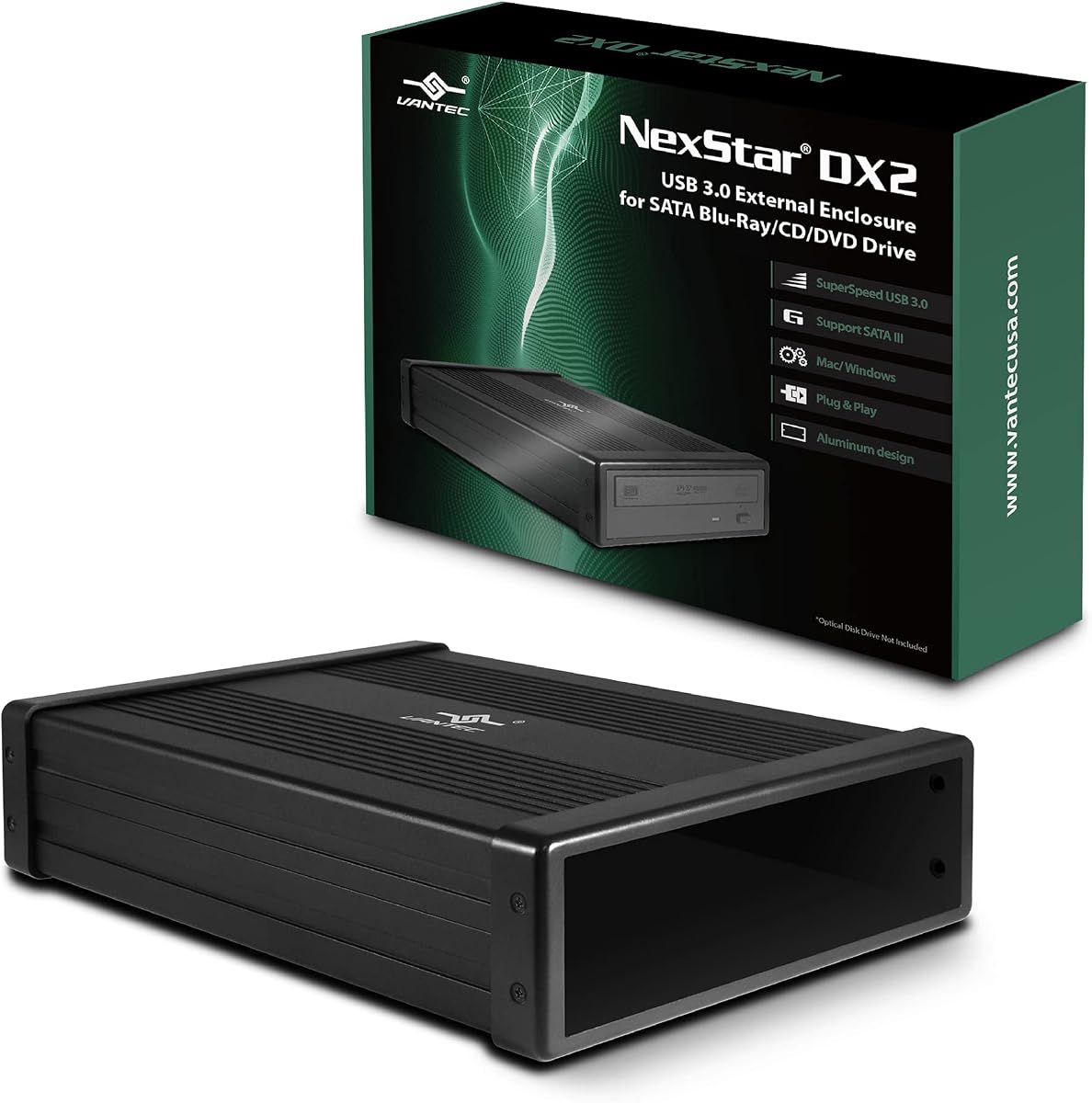
4.6Editor score

4.6Editor score
As an Amazon Associate we earn from qualifying purchases.
The following table provides a side-by-side overview of key specifications and compatibility details for each enclosure model reviewed in this guide.


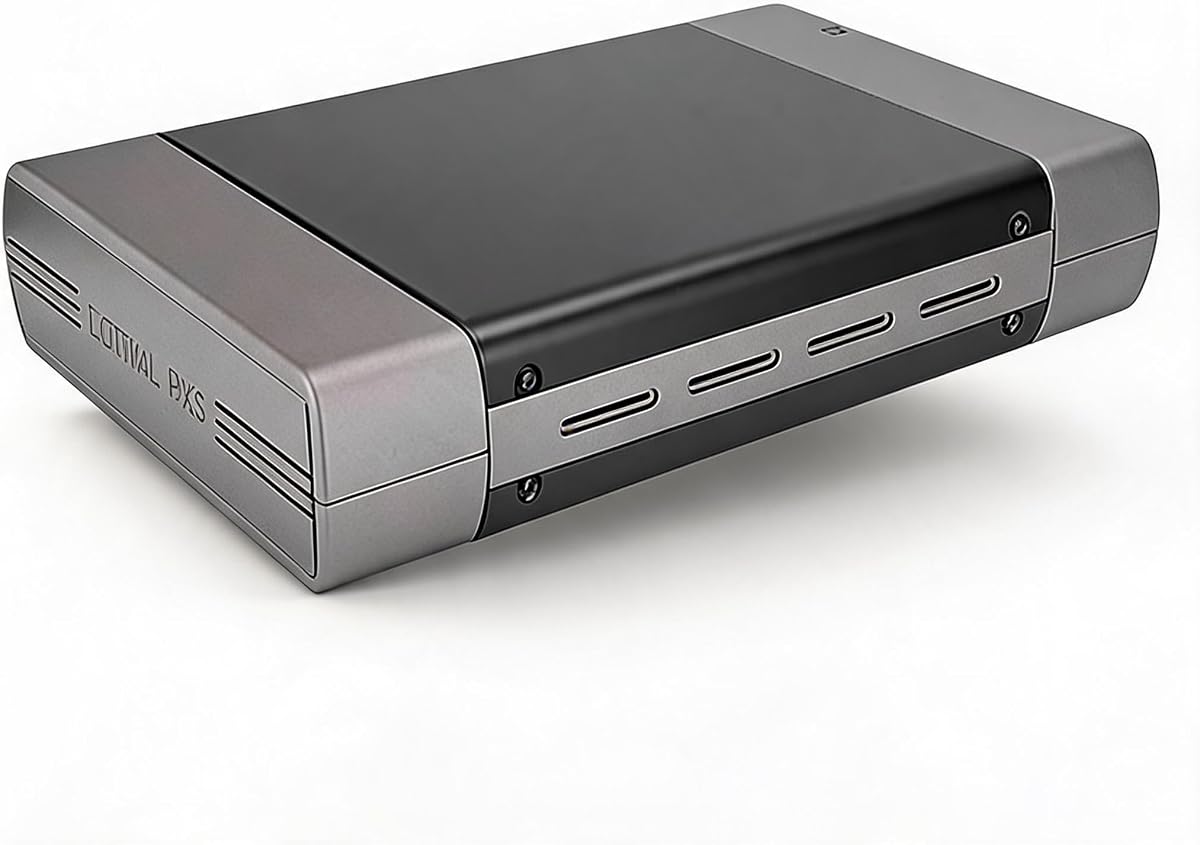


The NexStar DX2 is a robust external enclosure designed to fit standard 5.25 inch optical drives of any depth. It holds a strong rating for its reliable performance and flexible compatibility with various optical drive models.
We may earn a commission when you buy through this link, at no additional cost to you.
Its standout feature is the internal flexible SATA cable that connects to any drive interface position. This design ensures that even older drives with non standard mounting points can be reused effectively without hassle.
While it requires an external power adapter which adds bulk to the setup, this ensures stable power for high demand optical reading tasks. The aluminum casing also helps dissipate heat efficiently during extended use.
This model is ideal for users who need to reuse bulkier desktop optical drives in a portable setup. Its universal depth fit makes it a versatile choice for IT departments and home offices.
The enclosure accepts optical drives up to 185mm in depth which covers almost all standard desktop models available on the market.
USB 3.0 connectivity ensures that files transfer quickly and reliably when reading data from optical discs.
We may earn a commission when you buy through this link, at no additional cost to you.
This enclosure offers a solid balance of features and price for users looking to convert standard 5.25 inch optical drives. It supports up to 171mm depth which fits most common drives.
We may earn a commission when you buy through this link, at no additional cost to you.
The inclusion of both USB-A and Type-C ports ensures compatibility with older and newer computers without needing extra adapters. The aluminum construction helps maintain stability during operation.
While it does not support IDE drives and requires you to supply your own optical drive the ease of hot swapping makes it practical for testing different discs. This is a good middle ground option.
Buyers seeking a reliable enclosure for legacy hardware will find this model meets their needs without unnecessary complexity. It is straightforward to set up and use with most systems.
Having both USB-A and Type-C interfaces allows users to connect to a wider range of devices easily.
The aluminum alloy casing plays a key role in reducing operational heat to extend drive life.
We may earn a commission when you buy through this link, at no additional cost to you.
The Zunate enclosure is specifically engineered for 9mm slim serial ATA drives commonly removed from laptops. It offers a sleek profile that is easy to carry in a laptop bag or briefcase.
We may earn a commission when you buy through this link, at no additional cost to you.
Its embedded cable design keeps the setup tidy by folding the connection wires neatly inside the chassis. This feature enhances portability and reduces the risk of cable damage during travel.
Although specific ratings are not yet available for this model the features suggest it is built for users who value mobility and clean connectivity. The woven cable also helps maintain signal integrity.
This is a great choice for anyone who needs to read discs from an old laptop drive on the go. It supports Windows and Mac OS X making it versatile across platforms.
The slim build makes it ideal for travelers who need optical access without carrying bulky equipment.
Built-in cables reduce clutter and ensure you always have the right connection ready.
We may earn a commission when you buy through this link, at no additional cost to you.
The JOTEC enclosure stands out for including both USB 3.0 and Type-C cables in the box. This eliminates the need for users to purchase additional adapters when switching between devices.
We may earn a commission when you buy through this link, at no additional cost to you.
It is designed for 12.7mm thick drives which are slightly thicker than slim laptop models but still common in external optical drives. The aluminum body helps prevent overheating during long sessions.
While it does not have user ratings yet the hardware features like non-slip feet and ventilation suggest good build quality. It supports a wide range of operating systems for broad compatibility.
If you want a ready-to-use solution that works with both modern and older ports this is a strong contender. Just verify your drive thickness before purchasing to ensure a proper fit.
Having both cables included ensures you can connect to any computer without extra purchases.
Non-slip feet keep the drive steady on desks which helps prevent connection errors.
We may earn a commission when you buy through this link, at no additional cost to you.
This Tbest model offers versatile fitment by supporting both 12.7mm and 9.5mm DVD RW drives. This flexibility makes it useful if you are unsure about your drive thickness before buying.
We may earn a commission when you buy through this link, at no additional cost to you.
The INIC3609 chipset solution provides automatic sleep mode which helps save energy when the drive is idle. It also ensures broad compatibility with many operating systems out of the box.
While user ratings are lower than other models it still offers competitive features at an accessible price point. The USB 3.0 support ensures data transfers happen quickly when reading large files.
This is a good option for casual users who need a simple way to access optical media on different systems. Check the compatibility details carefully to match your specific drive model.
Supporting two different drive thicknesses gives users more confidence in choosing the right enclosure.
Automatic sleep mode helps reduce power consumption which is great for battery powered laptops.
We may earn a commission when you buy through this link, at no additional cost to you.
The Vantec NexStar is optimized for high performance supporting SATA I II and III drives. It also supports UASP which can significantly boost read write speeds on compatible systems.
We may earn a commission when you buy through this link, at no additional cost to you.
Its compact design makes it easy to store in a desk drawer or bag when not in use. The included anti-slip mat helps keep the drive stable during operation which reduces vibration noise.
While it works well for most standard optical drives some high power models might need an external adapter. Overall it offers reliable connectivity and broad compatibility for various device types.
This model is ideal for users who need a reliable adapter that works for both optical and storage drives. Its performance features justify the choice for power users and professionals.
UASP support allows for faster command processing and improved transfer speeds over standard USB.
Beyond optical drives it can also be used with hard drives for expanded functionality.
We may earn a commission when you buy through this link, at no additional cost to you.
This enclosure is designed specifically for standard 5.25 inch optical drives and includes everything needed for a quick install. The aluminum housing protects the drive from bumps and scratches during use.
We may earn a commission when you buy through this link, at no additional cost to you.
While it uses USB 2.0 which is slower than modern standards it is sufficient for basic disc reading tasks. The included AC power adapter ensures stable operation for demanding optical tasks like burning.
It is a straightforward choice for home users who want to keep old hardware without needing top tier speed. The compact design fits neatly on desks without taking up much space.
Choose this if your main priority is cost effective reuse of desktop optical drives without complex setup. It works best for occasional use rather than frequent high volume data transfers.
The package includes screws and manuals to make installation quick and error free for everyone.
Aluminum material provides a durable shield against accidental bumps in busy environments.
We may earn a commission when you buy through this link, at no additional cost to you.
The Bewinner enclosure offers an easy way to turn an internal optical drive into an external unit without technical skills. It features a detachable panel that simplifies the installation process significantly.
We may earn a commission when you buy through this link, at no additional cost to you.
Its woven data cable helps minimize signal loss during transfers which ensures stable operation when reading discs. The brushed material provides a stylish look while protecting the unit from scratches.
Although ratings are not yet available the feature set points to a well built portable solution. It supports Windows and macOS X making it versatile for home office and school use.
If you value a clean and portable design that is easy to set up this model fits that need well. Ensure your drive matches the 9.5mm requirement before purchasing.
The detachable panel design means you can swap drives quickly without needing any tools at all.
The woven cable construction is key to maintaining reliable data transfer without dropouts.
We may earn a commission when you buy through this link, at no additional cost to you.
This enclosure is built for 9mm slim serial ATA drives and focuses on portability for travelers. The integrated detachable cable folds into the bottom which keeps the unit compact when stored.
We may earn a commission when you buy through this link, at no additional cost to you.
Its lightweight construction means it adds minimal weight to a laptop bag making it ideal for business trips. The woven cable ensures that signals remain strong even when moving around.
While it is limited to slim drives it excels at providing a reliable connection for older laptop optical hardware. The eject key helps prevent discs from getting stuck during use.
Buyers who need to access discs on the go should find this model very convenient. It simplifies the process of converting old drives into a portable format without extra bulk.
The cable folds neatly into the base which reduces clutter and protects ports from damage.
The narrow profile ensures it does not take up much space in a packed bag.
We may earn a commission when you buy through this link, at no additional cost to you.
This budget friendly option supports 12.7mm serial ATA drives and allows for tool-free installation. The detachable panel lets you swap drives quickly without any screws or technical skills.
We may earn a commission when you buy through this link, at no additional cost to you.
It offers a brushed finish that resists fingerprints which keeps the unit looking clean over time. The included woven cable ensures stable data transfer speeds up to 5Gbps reliably.
While it lacks extensive reviews the features suggest a practical solution for everyday use. The dedicated eject key helps avoid the frustration of stuck discs which improves user experience.
If you want a low cost and efficient way to extend the life of a spare optical drive this is a strong choice. Just ensure your drive is the correct thickness before buying.
The detachable design removes the need for screwdrivers which speeds up the entire process.
A dedicated eject key prevents discs from jamming and ensures safe removal every time.
We may earn a commission when you buy through this link, at no additional cost to you.
Choosing the right enclosure depends on your drive size interface and how you plan to use the device.
Enclosures are designed for specific drive thicknesses such as 9mm 9.5mm 12.7mm or 5.25 inch. Always measure your drive before buying to ensure it fits snugly inside the casing.
Select an enclosure that matches your drive dimensions to avoid installation issues or damage to the hardware.
Modern enclosures often support both USB-A and Type-C connectors while older ones may only offer USB 2.0. Choose one that aligns with the ports available on your current computers.
Dual port options provide flexibility if you switch between different devices frequently without needing adapters.
Aluminum alloy cases dissipate heat better and feel more durable than plastic options. Plastic cases may be lighter but can be less protective against bumps and scratches.
Consider the material if you plan to use the drive in a demanding environment or carry it often.
Some slim enclosures draw power directly from the USB port while desktop models need an external AC adapter. If your drive is power hungry an adapter is necessary for stable operation.
Check if the enclosure includes an adapter or if you need to source one separately to avoid extra costs.
Most modern enclosures work without drivers on Windows and macOS but some may require software for advanced features. Plug and play models save time by detecting the drive automatically when connected.
Look for descriptions confirming driver-free functionality if you want to avoid installation steps.
USB 3.0 and higher interfaces support transfer speeds up to 5Gbps which is much faster than USB 2.0. If you read large audio or video files regularly a higher speed model is worth the investment.
Faster speeds reduce wait times when accessing content directly from optical media.
Enclosures with integrated cables and compact designs are better for travel than those with external wires. Some models feature fold away cables that store neatly inside the chassis.
If you move often prioritize lightweight units that keep all parts together in one package.
Verify that the enclosure supports your operating system such as Windows Linux or macOS X. Most units work across platforms but some specific features may vary by OS.
Ensuring broad compatibility prevents issues when sharing the drive between different computers.
Insert your SATA optical drive into the enclosure carefully aligning the interface ports to the connectors inside. Secure the drive using the provided screws or clips to ensure it stays in place.
Connect the USB cable to your computer and wait for the operating system to recognize the drive automatically. If drivers are needed install them according to the provided instructions.
Store the enclosure in a cool dry place when not in use to prevent dust buildup. Keep cables organized to avoid bending or breaking which could lead to connection issues.
Not all laptop drives are the same thickness so you must match your drive size to the enclosure specs. Most slim drives are 9mm or 9.5mm while some older models are 12.7mm. Always verify dimensions before purchasing to ensure compatibility.
Some enclosures are designed for both optical and storage drives but you should check compatibility details carefully. SATA to USB adapters often support hard drives if the interface matches the enclosure requirements.
Desktop optical drives consume more power than USB ports alone can provide so an external adapter ensures stable operation. This prevents read errors and protects the drive from power surges during use.
USB 3.0 offers higher transfer speeds which helps when reading large files quickly from discs. While optical read speeds are limited by the drive itself the USB 3.0 interface reduces data transfer delays effectively.
Most enclosures have a detachable panel or screw holes for the drive. Align the SATA connector and slide the drive in then secure it with screws if provided. Follow the included manual for step by step guidance.
Most modern enclosures are plug and play and do not require manual driver installation on Windows or macOS. They are detected automatically as external storage so you can start reading discs immediately.
This guide reviewed ten top enclosures ranging from premium models like the Vantec NexStar to budget friendly options from Tbest and Bewinner. Each offers unique features suited to different drive sizes and use cases.
Prioritize drive thickness and interface speed when choosing a model to ensure smooth operation. A well matched enclosure extends the life of your hardware and provides reliable access to optical media.
Always check current availability and product details before purchasing as specifications may change over time. Keep your old hardware working efficiently by selecting the right solution for your needs.