
Lexar E31 64GB USB 3.2 Gen 1 Flash Drive
4.6Editor score
High-Speed Transfer up to 100MB/s
Durable Metal Build for Everyday Use
Integrated Keyring Loop for Portability
This guide compares the top Lexar USB Flash Drive options for speed, capacity, and durability to help you choose the best portable storage solution.
Finding the right portable storage solution is essential for modern workflows. Lexar offers a wide range of USB Flash Drives designed for speed and reliability.
We analyzed ten top-rated Lexar models based on transfer speeds, compatibility, and build quality to determine the best options for your needs.
Each pick highlights specific strengths and ideal use cases. Please note that prices and availability may change over time.
4.6Editor score

4.6Editor score
4.6Editor score
This side-by-side comparison highlights the key specifications and unique features of each Lexar USB Flash Drive to help you find the perfect match for your devices and usage needs.


The Lexar D50E stands out as a top-tier option for users needing rapid data transfer and universal connectivity. With its high-speed performance and dual interface design, it serves modern workflows efficiently.
We may earn a commission when you buy through this link, at no additional cost to you.
Its standout feature is the dual USB-A and USB-C connectors which eliminate the need for separate cables when moving between devices. The metal housing adds significant durability against drops and scratches during travel.
While the price is higher than standard drives, the speed and versatility justify the investment for professionals. The lack of a physical cap also reduces the risk of losing parts in daily use.
This drive is ideal for content creators and professionals who frequently move large files between Macs, PCs, and mobile devices. It offers a premium balance of speed and reliability.
The dual connector design allows direct connection to both traditional USB ports and modern USB-C ports without needing an adapter.
With read speeds up to 400MB/s, large video files and datasets transfer significantly faster than standard USB 3.0 drives.
We may earn a commission when you buy through this link, at no additional cost to you.
The Lexar E31 offers excellent value for those needing reliable storage without breaking the bank. Its all-metal build provides a premium feel at a budget-friendly price point.
We may earn a commission when you buy through this link, at no additional cost to you.
This drive features an integrated keyring loop which ensures you can attach it securely to keys or lanyards. It also supports speeds up to 100MB/s making it faster than basic USB 2.0 options.
While it does not have the highest capacity on the list, it is perfect for everyday file transfers. The metal body protects against physical wear and tear during daily commuting.
Students and casual users will appreciate its simplicity and durability. It is a reliable choice for storing documents, photos, and media files on the go.
This drive delivers solid USB 3.2 performance at a price point that makes it accessible for everyday users and students.
The compact all-metal form factor includes a built-in keyring loop to prevent accidental loss when traveling.
We may earn a commission when you buy through this link, at no additional cost to you.
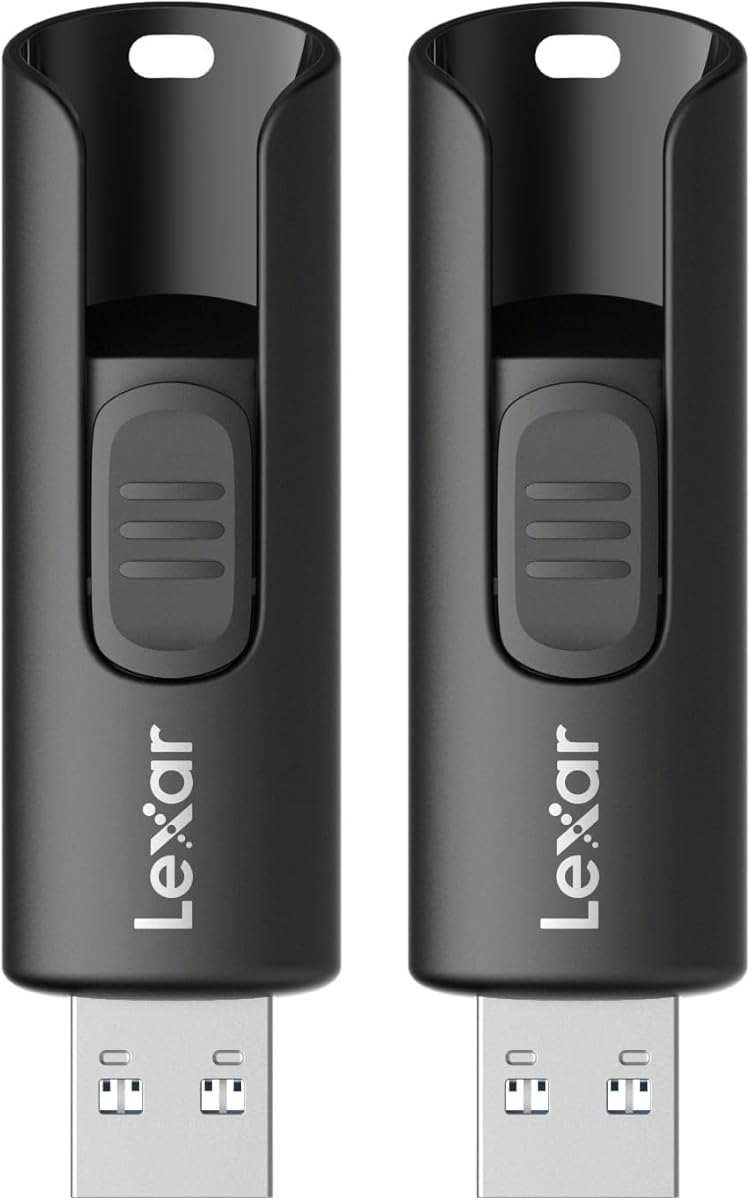
This two-pack bundle provides excellent utility for households or small businesses needing multiple drives. It offers secure storage features that protect sensitive files from unauthorized access.
We may earn a commission when you buy through this link, at no additional cost to you.
The DataShield security software allows you to create password-protected safe zones on the drive. Files deleted from this safe are securely erased ensuring privacy for important documents.
While it lacks a USB-C port, the lightweight push-button design is convenient for laptop and PC users. Having two drives ensures you always have a backup available for sharing.
Business professionals and families will find this bundle practical for organizing and sharing data. The security features add peace of mind when storing personal information.
Lexar DataShield software encrypts files and requires a password to access sensitive data on the drive.
Receiving two drives in one package allows for convenient data separation between work and personal files.
We may earn a commission when you buy through this link, at no additional cost to you.
The S80 model delivers impressive read speeds suitable for streaming video or accessing large files directly from the drive. Its retractable mechanism keeps the connector safe when not in use.
We may earn a commission when you buy through this link, at no additional cost to you.
Security is a key focus with the included software offering 256-bit AES encryption. This ensures your personal files remain private even if the drive is lost or stolen temporarily.
Although it focuses on USB-A connectivity, the speed is sufficient for most general computing tasks. The compact design makes it easy to keep in a pocket or bag.
This drive is best suited for users who prioritize speed and security without needing dual connectors. It is a reliable tool for professionals on the move.
Read speeds up to 150MB/s allow quick access to high-resolution photos and video files.
Advanced security software provides strong encryption to protect sensitive data from unauthorized access.
We may earn a commission when you buy through this link, at no additional cost to you.
This model offers a convenient dual connector design for seamless switching between different device types. The swivel mechanism ensures the connectors are always ready for use.
We may earn a commission when you buy through this link, at no additional cost to you.
The metal enclosure provides solid protection against daily wear and tear. It connects to Android phones, laptops, and Macs without needing extra adapters.
While the transfer speeds are standard for its class, the convenience of having both connectors outweighs this for many users. The design is sleek and fits well in pockets.
It is a solid choice for users who need to transfer files between old and new devices frequently. The swivel design adds a practical element to daily storage tasks.
Dual connectors support both legacy USB-A ports and modern USB-C interfaces on smartphones and laptops.
The rotating cover protects the connectors without a separate cap to lose or break.
We may earn a commission when you buy through this link, at no additional cost to you.
This pack of three offers simple reliable storage for basic file transfers and sharing. The twist design protects the connector without needing to detach a cap.
We may earn a commission when you buy through this link, at no additional cost to you.
While it operates at USB 2.0 speeds it remains effective for small documents and images. The multiple units allow you to keep separate drives for different projects.
Users relying on older laptops or printers may appreciate its straightforward compatibility. It avoids the frustration of missing caps common with traditional USB drives.
This is an excellent backup or budget solution for general office use. It provides simplicity and value for non-intensive transfer needs.
The hinged jacket rotates to expose the connector and protects it without a separate cap.
Receiving three drives allows for easy distribution among team members or different tasks.
We may earn a commission when you buy through this link, at no additional cost to you.
With a 256GB capacity this drive holds extensive libraries of media and documents easily. It supports both USB-C and USB-A for wide compatibility across devices.
We may earn a commission when you buy through this link, at no additional cost to you.
The included Lexar DataShield provides a secure zone for protecting private files on the drive. This feature is useful for professionals handling sensitive client data.
While speeds are solid it is optimized more for storage than rapid transfers. The metal casing ensures it withstands the rigors of daily travel and handling.
It is ideal for users who need significant storage space in a portable format. The dual ports ensure it works with both modern and legacy systems.
256GB of space allows you to carry your entire media library or project files on one device.
Both USB-C and USB-A connectors ensure the drive works with a wide range of laptops and phones.
We may earn a commission when you buy through this link, at no additional cost to you.
This five-pack provides an affordable solution for sharing files or creating backups across multiple devices. The sliding cover keeps the connector safe from debris and scratches.
We may earn a commission when you buy through this link, at no additional cost to you.
The assorted colors help you visually differentiate drives for different tasks or users. Each drive is small enough to fit in any pocket or bag easily.
While USB 2.0 is not fast by modern standards it is reliable for small transfers. It remains a practical choice for schools or offices needing basic distribution tools.
This set is perfect for bulk storage needs where speed is less critical. It offers a high count of drives at a reasonable value point.
Five drives allow for easy distribution among students or staff for sharing small files.
Assorted colors make it easy to identify which drive holds which specific data set.
We may earn a commission when you buy through this link, at no additional cost to you.
The M400 offers a blend of style and performance for users who value aesthetics alongside speed. It delivers solid read speeds for accessing media files quickly.
We may earn a commission when you buy through this link, at no additional cost to you.
Its durable build ensures it survives daily handling without scratching or denting easily. The Lexar DataShield adds a layer of protection for your stored files.
This drive is well suited for personal storage and sharing photos or videos. It connects easily to most computers and media players without extra setup.
For those who want a reliable drive that looks good in a portfolio, this is a strong choice. It balances speed and design for everyday portable storage tasks.
Included security software helps protect your files from unauthorized access with encryption features.
The drive is designed to be durable and stylish for daily portable use without fragility.
We may earn a commission when you buy through this link, at no additional cost to you.
This pack of three black drives offers reliable storage for everyday sharing tasks. The sliding cover protects the connector effectively without needing an extra cap.
We may earn a commission when you buy through this link, at no additional cost to you.
Users appreciate its simple design that works right out of the box. It is compatible with most systems and does not require software installation.
While it uses older USB 2.0 speeds it is sufficient for transferring documents and small media. Its high rating reflects consistent performance in basic use cases.
This set is great for office supply bins or personal backups. It provides a simple affordable way to keep data accessible on the go.
The sliding cover ensures the connector stays clean and safe for consistent performance.
A three-pack provides multiple drives for a low cost suitable for budget-conscious buyers.
We may earn a commission when you buy through this link, at no additional cost to you.
Selecting the right USB Flash Drive depends on balancing capacity, speed, connectivity, and security needs for your specific workflow.
Storage capacity determines how much data you can keep on one drive. Options range from 32GB to 1TB depending on your storage needs.
Choose higher capacities if you plan to store large video files or entire project folders locally.
Transfer speed impacts how quickly files move to and from the drive. Modern USB 3.2 Gen 1 drives offer significantly faster speeds than older USB 2.0 models.
Prioritize drives with speeds above 100MB/s if you frequently move large media files or backups.
Connectivity type determines which devices the drive will work with. Many modern drives feature dual USB-A and USB-C connectors for universal access.
Select a dual connector drive if you need to connect to both old PCs and newer mobile devices.
Security features like password protection and encryption are vital for sensitive data. Lexar DataShield offers secure zones on select drives to protect files.
Always choose a drive with encryption if you handle confidential work or financial documents.
Durability ensures the drive survives drops and daily wear. Metal housings provide better protection compared to plastic alternatives.
Look for models with protective covers or swivel designs to prevent connector damage in transit.
Compatibility ensures the drive mounts correctly on your specific operating system. Most Lexar drives work seamlessly with Windows, Mac, and Linux.
Verify compatibility if you need to use the drive on specialized systems like Chromebooks or older hardware.
Warranty coverage provides peace of mind against manufacturing defects. Lexar typically offers 2 to 3-year warranties on their drives.
Check the warranty terms to ensure you are covered for accidental failures or quality issues.
Physical design impacts portability and ease of use. Retractable or swivel designs remove the need to manage separate caps.
Choose compact designs with keyring loops if you plan to attach the drive to your keys or bag.
To use the drive simply plug it into an available USB port on your computer or device. Most systems will automatically recognize it allowing you to drag and drop files.
For best results always eject the drive safely before removing it to prevent data corruption. Use the operating system eject command to ensure all transfers are complete.
Keep the drive in a dry and cool place when not in use to prolong its life. Avoid exposing it to extreme heat or water to maintain internal electronics.
Yes, most Lexar USB Flash Drives are compatible with Mac systems out of the box. They work with macOS without requiring special drivers for basic file storage and transfer tasks.
USB 3.2 Gen 1 generally offers improved performance and better management than older USB 3.0 standards. It provides higher transfer speeds and better energy efficiency for connected devices.
Yes, drives with USB-C connectors work directly with Android phones supporting OTG. Older USB-A drives may require an adapter to connect to modern mobile devices.
For sensitive files use the Lexar DataShield software to securely erase data. Standard deletion is not enough as files can be recovered without secure erasure tools.
Basic drives are plug and play and do not require software installation. Security software like Lexar DataShield may require a small download for full protection features.
Many Lexar drives feature durable housings but most are not fully waterproof. It is best to keep them dry and avoid exposing them to liquids or high humidity.
Lexar typically offers 2 to 3-year limited warranties depending on the model. Check the product details for exact warranty coverage for your specific drive purchase.
You can use compatible Lexar drives for creating bootable media for OS installation. Ensure the drive has sufficient capacity for the operating system image and tools.
Choosing the right Lexar USB Flash Drive depends on your need for speed, connectivity, and storage capacity. The D50E and A30E lead in performance and value respectively.
Consider the device types you use most to select the right interface. Dual connector drives offer the most flexibility for mixed modern and older environments.
Prices and availability may fluctuate so check current offers before buying. Always prioritize drives with security features if you handle sensitive personal data.