
HP 14 inch Laptop 2027 Edition
4.5Editor score
Intel N150 Processor
Lightweight 3.24 lb design
128GB SSD storage
Choosing the right laptop for Zoom calls is essential for professionals and students who rely on virtual meetings daily. You need a device with a clear camera, reliable microphone, and stable connectivity to ensure smooth communication.
We evaluated ten top laptops based on their video performance, audio quality, and overall usability for conferencing. Our analysis covers budget options and powerful models to help you make an informed decision for your setup.
Each pick highlights key features like display brightness, battery endurance, and port selection. Remember that product availability and pricing can change, so verify details before purchasing to ensure you get the best deal.
4.5Editor score

5.0Editor score

5.0Editor score
As an Amazon Associate we earn from qualifying purchases.
Below you will find a detailed side-by-side comparison of all ten products reviewed in this guide. Each entry includes key specifications and direct links to help you evaluate which model fits your specific needs.





The NIMO 15.6" FHD Copilot AI-Laptop stands out as a top contender for remote work due to its robust processing power and ample memory. With a 5.0 rating from users, it delivers smooth performance for demanding tasks like video conferencing while maintaining battery life.
We may earn a commission when you buy through this link, at no additional cost to you.
This model features an Intel N150 CPU capable of handling multiple browser tabs and 1080P Zoom calls without lag. The 16GB RAM ensures that you can run other applications simultaneously, making it ideal for students and professionals who need efficiency.
While the screen is Full HD and clear, it is not as sharp as higher-end OLED panels. However, the lightweight design and long battery life make up for this trade-off, especially for those who travel frequently for work or study.
For anyone needing a reliable laptop for daily virtual meetings, this device offers excellent value. Its combination of speed, storage, and portability makes it a strong recommendation for users seeking a balanced all-rounder in 2026.
The 16GB RAM allows users to switch between video calls, documents, and web research without slowing down the system.
Fingerprint unlock and USB-C fast charging provide quick access and minimal downtime during busy workdays.
We may earn a commission when you buy through this link, at no additional cost to you.
The HP 14 inch Laptop 2027 Edition is an excellent choice for those on a budget who still need reliable performance for virtual meetings. Its 4.5 rating reflects user satisfaction with its portability and ease of use for daily tasks.
We may earn a commission when you buy through this link, at no additional cost to you.
Equipped with an Intel N150 Processor and 4GB DDR5 RAM, this laptop handles standard Zoom calls efficiently. The inclusion of 1TB Cloud Storage helps offset the limited local SSD, providing space for important files and applications.
Users may find the 4GB RAM limiting if they open too many applications at once. However, for focused work and online classes, this configuration provides enough power without compromising on battery life or mobility.
If you need an affordable device for remote learning or entry-level work, this HP model is a solid pick. It balances cost with essential features like a clear display and connectivity options needed for modern workflows.
The 1TB Cloud Storage ensures you have ample space for files without needing large local storage.
Weighing only 3.24 lbs, this laptop is easy to carry between home, office, or school locations.
We may earn a commission when you buy through this link, at no additional cost to you.
The HP Everyday Slim Laptop earns a perfect 5.0 rating thanks to its specific enhancements for virtual meetings. The True Vision 720p HD camera and dual array microphones are designed to keep you clear and confident during online interactions.
We may earn a commission when you buy through this link, at no additional cost to you.
Its focus on input features like the Copilot key and multi-touch Imagepad makes navigation effortless. These details elevate the user experience, providing a premium feel despite the budget-friendly price point and thin profile.
The trade-off involves limited RAM and storage which might require external solutions for heavy users. Yet for standard professional use, the audio and video quality ensure you look and sound professional without needing additional peripherals.
This laptop is ideal for professionals who prioritize communication quality in a portable form factor. It proves that high-quality video call performance does not always require a high-end expensive machine.
Temporal noise reduction and dual mics ensure your voice is clear even in busy environments.
The dedicated Copilot key gives instant access to AI features for streamlined productivity.
We may earn a commission when you buy through this link, at no additional cost to you.
This HP Business Laptop is designed for professional use with a focus on stability and connectivity. The 4.1 rating indicates it meets standard business needs effectively, particularly for those needing a dedicated machine for remote tasks.
We may earn a commission when you buy through this link, at no additional cost to you.
The Intel Quad-Core N150 Processor provides adequate power for daily workflows, including video conferencing. The inclusion of Office 365 for one year adds significant value for businesses looking to streamline their software costs.
While the storage is UFS and the resolution is standard, the anti-glare display helps reduce eye strain during long meetings. The inclusion of PLUSERA earphones is a nice touch that ensures you have necessary accessories right out of the box.
For small businesses or individual professionals, this model offers a practical solution. It may not be the fastest on the market but it delivers consistent performance for essential remote work activities.
The inclusion of earphones and Office 365 means you can start working immediately without extra purchases.
The 250 nits anti-glare screen ensures clear visibility in various lighting conditions during meetings.
We may earn a commission when you buy through this link, at no additional cost to you.
The HP New Everyday Slim Laptop is a modern device featuring Copilot AI and robust cloud storage. While it has a 3.3 rating, its specs suggest it is designed for users who rely heavily on cloud-based workflows rather than local processing.
We may earn a commission when you buy through this link, at no additional cost to you.
Its 1TB Cloud Storage is a major selling point for those who want to avoid local storage issues. The lightweight design ensures you can carry it easily to meetings or classrooms without added strain on your back or shoulders.
However, the lower rating might indicate some inconsistencies in hardware quality or performance under load. Users should weigh the cloud benefits against potential limitations in raw speed or local multitasking capabilities before purchasing.
This laptop is best for students or workers who are comfortable using cloud apps primarily. It simplifies your digital life by offloading storage needs, making it a streamlined choice for specific remote work scenarios.
With 1TB of cloud storage, you can access files anywhere without worrying about local drive space.
Copilot AI features help streamline tasks and improve productivity directly within Windows 11.
We may earn a commission when you buy through this link, at no additional cost to you.
The Cyezcor Video Conference Lighting Kit is a practical accessory that enhances your visibility on calls. With a 4.3 rating, users appreciate how it improves facial lighting without needing professional studio setups or expensive equipment.
We may earn a commission when you buy through this link, at no additional cost to you.
It features three color temperatures and five brightness levels to match your environment perfectly. The clip-on design ensures it stays securely on your monitor edge, providing consistent light where you need it most during meetings.
The USB power requirement means you must ensure an open port is available, which is often true with modern laptops. This simplicity makes it a favorite for remote workers who want a quick fix for poor lighting conditions.
For anyone struggling with dark rooms or shadows during Zoom calls, this light is a worthy investment. It significantly improves how you look on screen and boosts your confidence during virtual presentations.
Adjustable color temperature allows you to match the light to your room for a natural look.
Clip onto your monitor screen effortlessly and adjust the angle for optimal illumination.
We may earn a commission when you buy through this link, at no additional cost to you.
This desk ring light stands out with a high CRI of 97.8, ensuring true-to-life colors on video. The 4.4 rating reflects user satisfaction with its build quality and ability to reduce eye strain during long work sessions.
We may earn a commission when you buy through this link, at no additional cost to you.
Its edge-lit technology delivers uniform illumination that avoids harsh shadows on your face. This makes it particularly effective for professional meetings where clear skin tones and detail visibility are important for communication.
The adjustable height from 22 to 32.5 inches gives you flexibility in positioning it behind or next to your laptop. The non-slip pad protects your desk while ensuring the light remains stable during adjustments.
If you have space on your desk, this light offers a professional lighting solution. It elevates your video quality significantly and is a great addition to any remote worker's setup.
A CRI of 97.8 ensures accurate color reproduction for a natural and professional appearance.
The ergonomic height range allows you to customize the light position for maximum comfort.
We may earn a commission when you buy through this link, at no additional cost to you.
This ring light is designed to provide soft, glare-free lighting for video calls and streaming. The 4.4 rating shows that users find it effective for improving their image quality without complex setup procedures or technical knowledge.
We may earn a commission when you buy through this link, at no additional cost to you.
Its circular design and curved lampshade ensure even light distribution which reduces harsh shadows. This is essential for those who stream or record content, as it enhances the overall quality of the video output.
While the controls are simple switches, the range of brightness and color modes offers enough variety for most users. The clip-on mechanism makes it easy to attach to monitors without permanent installation.
For creators and workers alike, this light is a budget-friendly solution for better visibility. It is particularly useful for those who want to improve their setup quickly and affordably.
The curved design ensures even light across your face for natural video presentation.
Multiple lighting modes and dimming levels let you adapt to any environment easily.
We may earn a commission when you buy through this link, at no additional cost to you.
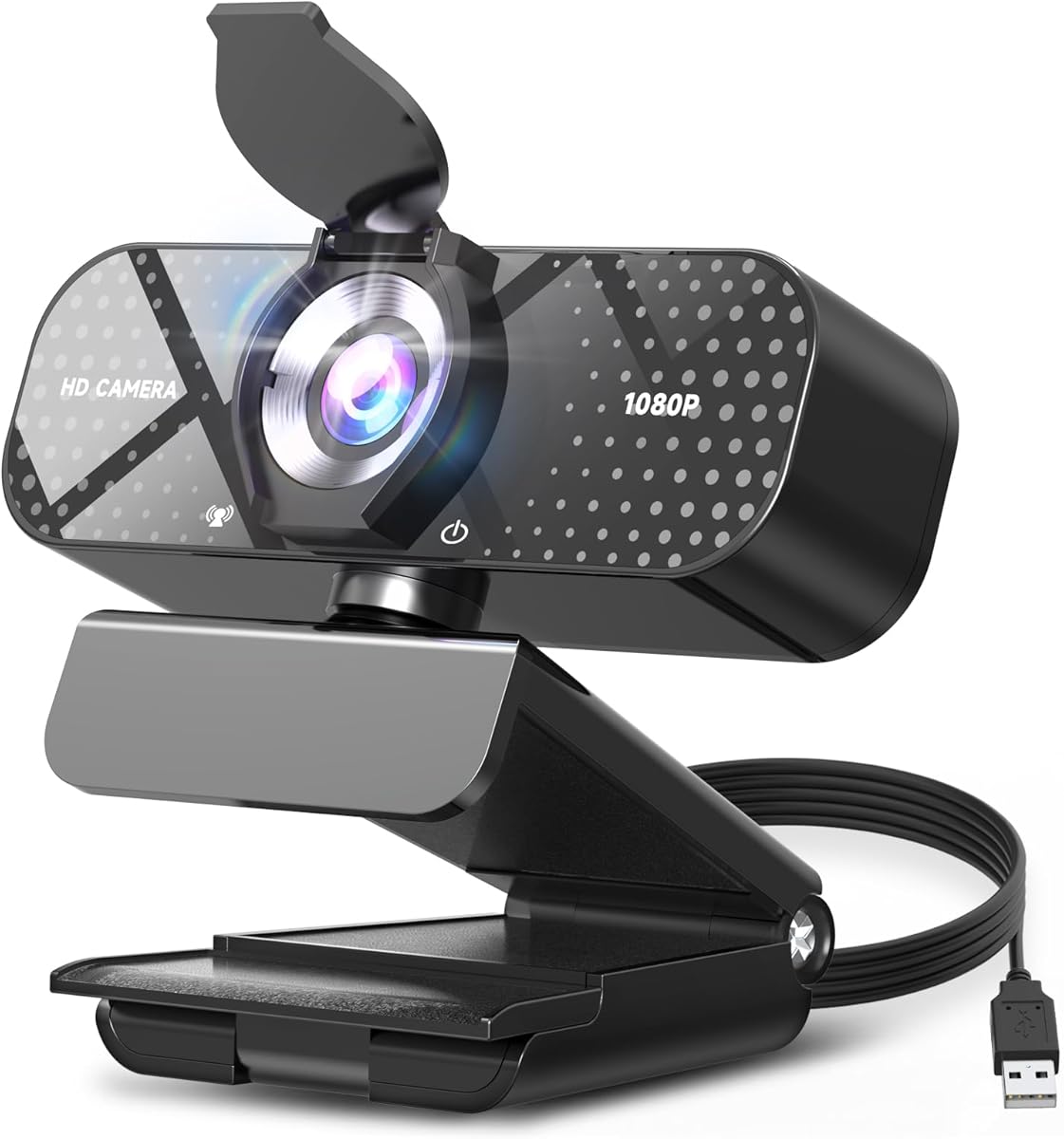
This TRAUSI webcam offers 1080P clarity and noise-canceling features for professional calls. The 4.6 rating highlights its value as an upgrade over standard laptop cameras, ensuring you look and sound sharp during meetings.
We may earn a commission when you buy through this link, at no additional cost to you.
Auto light correction dynamically adjusts brightness and color for any environment. This feature is crucial for maintaining quality in varying lighting conditions without manual intervention or extra equipment.
The privacy cover gives you peace of mind when you are not on calls, protecting your digital security. Its plug and play nature means you can start using it immediately with any USB port.
For anyone needing a dedicated camera for Zoom or Teams, this is a strong option. It enhances your video quality significantly and fits well into existing desktop or laptop setups.
Dynamically adjusts video brightness to ensure you always look your best in any light.
The included privacy shield allows you to cover the lens when not in use.
We may earn a commission when you buy through this link, at no additional cost to you.
The yAyusi Dual-lamp lighting kit provides brighter and more even illumination than single-bar lights. The 4.2 rating indicates users appreciate the professional effect this dual setup brings to their video conferencing environment.
We may earn a commission when you buy through this link, at no additional cost to you.
It features touch and remote control options for flexible operation. The dual bars cover a wider area, ensuring consistent lighting for both your face and background during meetings or recording sessions.
The adjustable height and width make it versatile for different desk sizes and monitor setups. However, the larger footprint means it may not suit very small spaces unless clipped securely to the screen.
This light is ideal for creators who need professional-grade lighting on a budget. It offers advanced features like remote control that elevate your setup beyond basic lighting solutions.
Two light bars provide even illumination that reduces shadows on your face and background.
Control the light via touch or remote for convenient adjustments during meetings.
We may earn a commission when you buy through this link, at no additional cost to you.
Selecting the right laptop involves evaluating several key factors that directly impact your virtual meeting experience. Here is what to look for to ensure smooth and professional communication.
The built-in webcam determines how clearly others see you. Look for at least 720p resolution with noise reduction features for clear video.
Prioritize models with HD cameras and dual array microphones for optimal meeting quality.
Video calls require processing power to run smoothly without freezing. An Intel N150 or similar processor ensures stable performance for basic conferencing.
Choose a processor that handles multitasking efficiently to avoid lag during meetings.
RAM allows your laptop to run multiple apps at once. 4GB is sufficient for basic tasks but 16GB is better for heavy multitasking with Zoom.
Aim for at least 8GB of RAM to ensure your system stays responsive during long calls.
Long battery life ensures you stay connected during travel or meetings away from an outlet. Aim for at least 8 hours of usage for full day productivity.
Check reviews for real-world battery performance before purchasing a laptop for remote work.
A clear display helps you see meeting participants and shared content clearly. Look for anti-glare coatings to reduce eye strain in bright rooms.
Choose a screen size that balances portability with viewing comfort for long meetings.
You may need to connect external microphones, cameras, or monitors during meetings. Ensure your laptop has enough USB and HDMI ports for your peripherals.
Verify available ports to avoid needing extra adapters for essential devices.
If you travel often for work, a lightweight laptop reduces strain during commuting. Look for devices under 4 lbs for easy carrying in backpacks.
A portable chassis makes it easier to move your workspace between home and office.
Modern OS features like Copilot AI can help streamline your workflow during meetings. Windows 11 offers tools specifically designed for remote work environments.
Ensure the OS supports your essential apps for seamless communication.
To get the best performance from your laptop, ensure your webcam and microphone settings are configured correctly in your operating system. Adjust brightness and volume levels before starting important meetings to avoid technical issues.
Regularly update your software and drivers to maintain compatibility with Zoom and other communication tools. These updates often include security patches and performance improvements that enhance your connection quality.
Keep your device clean and well-ventilated to prevent overheating during long calls. Use a soft cloth to wipe the screen and keyboard, and avoid placing the laptop on soft surfaces that block air vents.
Ideally, look for a processor like Intel N150, at least 8GB RAM, and a 720p or 1080p camera. Battery life of 8+ hours ensures you stay connected throughout the workday.
Most modern laptops have adequate built-in cameras. However, an external 1080p webcam can improve image quality and framing for professional meetings.
High. A long battery life allows you to work from anywhere without worrying about finding an outlet during meetings or when traveling.
Yes, lightweight laptops under 4 lbs are perfect for Zoom as long as they have a capable processor and sufficient RAM for multitasking.
Glare can wash out your image and hurt your eyes. Look for anti-glare displays or use lighting like the Cyezcor kit to reduce reflections.
It works for basic calls but may slow down if you run other apps. Upgrade to 8GB or more for smoother performance and multitasking.
Consider adding a USB webcam, desk ring light, or noise-canceling headphones to enhance visibility and audio clarity during meetings.
Close unused applications, update drivers, and check your internet connection. Using a lighter laptop with efficient processing helps reduce lag.
The NIMO 15.6" FHD Copilot AI-Laptop and HP Everyday Slim Laptop stand out as top choices for different needs. Whether you prioritize performance or affordability, there is a device here that suits your workflow.
Focus on balancing camera quality and battery life to ensure you remain productive throughout the day. A reliable device will make your remote work experience smoother and more comfortable.
Remember to check current availability and prices before making your final decision. Your ideal laptop is just a click away, ready to enhance your video conferencing experience today.