
Rongta Bluetooth Shipping Label Printer
4.0Editor score
Affordable price point
Wireless Bluetooth connectivity
Automatic label identification
Discover the top 10 label printers for pirate ship needs. Compare features, speed, and compatibility to find the perfect device for your shipping tasks.
Finding the right label printer for pirate ship operations requires careful consideration of speed, connectivity, and reliability. Whether you manage a small business or a large warehouse, having a dependable thermal printer ensures your packages move smoothly through the logistics chain without unnecessary delays.
We compared ten top-rated thermal label printers based on their print quality, connectivity options, and platform compatibility. Our analysis focuses on real-world performance metrics like print speed, label width support, and ease of setup to help you make an informed decision for your specific shipping needs.
Each product pick in this guide highlights unique strengths and potential trade-offs to suit different budgets and workflows. Please note that prices and availability change frequently, so check the current listings before making your final purchase to ensure you get the best deal available today.
4.0Editor score

4.6Editor score

4.4Editor score
This side-by-side comparison highlights the key specifications and capabilities of each top-rated thermal label printer to help you quickly identify the model that best fits your operational requirements and budget constraints.






The Nelko Bluetooth Thermal Shipping Label Printer stands out as a top contender for users needing reliable and fast label production. With a solid 4.3 rating, it offers a blend of wireless convenience and robust performance suitable for both home offices and commercial environments.
We may earn a commission when you buy through this link, at no additional cost to you.
Its advanced thermal direct technology delivers print speeds up to 150 mm/s, ensuring high efficiency during peak shipping times. The 203 DPI resolution guarantees clear, scannable barcodes and text, which is critical for avoiding shipping errors. Compatibility with platforms like Amazon, eBay, and Shopify streamlines the workflow significantly.
While the printer works well with Windows via Bluetooth, Mac users may face limitations as Bluetooth is not supported for Mac OS requiring a USB connection instead. Additionally, mobile printing requires the Nelko app which adds a step to the process for smartphone users.
This printer is ideal for small business owners who value speed and cost savings without needing to buy ink. Its compact design saves desk space and it includes helpful resources like driver and troubleshooting videos to ensure quick setup and minimal downtime.
Bluetooth connectivity allows for seamless printing from various devices without the clutter of cables.
Direct thermal technology eliminates the need for expensive ink or toner cartridges reducing ongoing costs.
We may earn a commission when you buy through this link, at no additional cost to you.
This thermal shipping label printer is an excellent choice for budget-conscious businesses needing reliable performance. With a 4.4 rating it combines efficiency with affordability making it a strong candidate for small enterprises looking to optimize their shipping operations without overspending.
We may earn a commission when you buy through this link, at no additional cost to you.
The direct thermal technology ensures crisp 203 DPI prints while reducing maintenance costs by eliminating ink and toner needs. It supports up to 72 labels per minute which helps minimize downtime during peak hours. The FlashLabel Pro app offers extensive customization options including templates and fonts for versatile label creation.
Prints are limited to black and white which might be a drawback for users needing color branding. The matte finish is durable but may show signs of wear over time with heavy use. However the included starter labels provide immediate value upon unboxing.
Ideal for small businesses prioritizing cost savings and operational efficiency this printer delivers consistent performance. Its compact design fits well on any desk and the offline capability ensures you can print without waiting for cloud downloads.
Over 1800 customizable templates allow for creative and professional label designs for various needs.
Built-in printhead overheat protection ensures stable long-run performance even during busy periods.
We may earn a commission when you buy through this link, at no additional cost to you.
JADENS Bluetooth Thermal Shipping Label Printer offers a reliable solution for businesses requiring high-quality thermal printing. Its 4.4 rating reflects user satisfaction with its performance and ease of use across various shipping platforms and environments.
We may earn a commission when you buy through this link, at no additional cost to you.
Equipped with a Japanese high tech thermal print head it delivers 203 DPI resolution for clear and economical printing. It works with both fanfold and roll labels providing flexibility for different label types. The printer supports a wide range of platforms including ShipStation and eBay enhancing workflow integration.
Mobile printing on Android devices requires the Jadens printer app which might be an extra step for some users. Additionally users need to manually calibrate the label size each time labels are changed to ensure accurate feeding.
This printer is suitable for online small businesses aiming to boost productivity with reliable after-sale service. The one year warranty and accessible customer support options provide peace of mind for users investing in this equipment.
Compatibility with multiple shipping platforms like Endicia and ShipEasy makes it versatile for diverse workflows.
Setup can be completed in one minute with included driver and instruction videos for guidance.
We may earn a commission when you buy through this link, at no additional cost to you.
The Rollo USB Shipping Label Printer is a top-tier option known for its commercial grade build and high performance. With a 4.6 rating it is trusted by many businesses for its reliability and speed in handling high-volume shipping tasks.
We may earn a commission when you buy through this link, at no additional cost to you.
It supports both Windows and Mac systems with easy setup and comes with the Rollo Ship app for streamlined shipping processes. The 150mm/s print speed ensures labels are produced quickly and the 203 DPI resolution delivers clear visible results for easy scanning.
The printer only connects via USB which may limit flexibility for users preferring wireless options. The higher price point reflects its commercial durability but may be a consideration for smaller home-based operations.
Ideal for businesses needing robust performance and exclusive shipping rates this printer is a valuable investment. Its custom label maker capabilities extend its use beyond shipping to include barcodes and product labels enhancing versatility.
The complimentary Rollo Ship app provides exclusive shipping rates reducing overall mailing costs.
Create custom stickers for products QR codes and thank you notes easily with the custom label maker.
We may earn a commission when you buy through this link, at no additional cost to you.
KNAON Bluetooth Thermal Shipping Label Printer is designed for users needing speed and portability in their shipping workflow. Its 4.4 rating highlights its effectiveness for small business use with a stylish compact design that fits anywhere.
We may earn a commission when you buy through this link, at no additional cost to you.
With a print speed of up to 180 mm/s it is one of the fastest options available ensuring efficient label production. The FlashLabel Pro app offers over 3000 templates and 5000 icons for extensive customization. It supports major platforms like Amazon and eBay seamlessly.
All devices must use the app for connectivity which might be a hurdle for users preferring direct connection. The label width range is slightly narrower than some competitors potentially limiting options for very wide labels.
This printer is perfect for mobile sellers or those with limited desk space. The inclusion of 10 test printing papers allows immediate testing and setup making it user-friendly for new users.
At 180 mm/s this printer delivers faster output than many competitors improving overall efficiency.
Access thousands of icons and fonts to create unique labels that match your brand style.
We may earn a commission when you buy through this link, at no additional cost to you.
The Rongta Bluetooth Shipping Label Printer offers a cost-effective solution for basic shipping needs. With a 4.0 rating it provides essential features like wireless connectivity and automatic label detection at a very competitive price point.
We may earn a commission when you buy through this link, at no additional cost to you.
It supports direct thermal labels from 0.98 to 4.37 inches wide making it versatile for various label types. The automatic detection feature eliminates manual adjustment hassles saving time during setup. It works with Windows Mac and Chrome OS for broad compatibility.
The rating is slightly lower compared to other models which may reflect minor limitations in build or support. The width range is not as expansive as premium models but suffices for standard shipping needs.
Best for small businesses or individuals needing a simple affordable printer without extra features. The compact design makes it easy to store on a desk or in a drawer for convenient access.
Automatic label detection simplifies setup by eliminating the need for manual adjustments each time.
Works with Windows Mac and Chrome OS ensuring flexibility across different operating systems.
We may earn a commission when you buy through this link, at no additional cost to you.
Westinghouse Thermal Shipping Label Printer is designed for commercial environments requiring stable connectivity and performance. With a 4.4 rating it offers robust features like Ethernet support and ZPL compatibility for professional setups.
We may earn a commission when you buy through this link, at no additional cost to you.
Its optimized performance delivers speeds up to 6 inches per second with 203 DPI resolution for sharp text. The direct thermal method eliminates ink needs ensuring cost-effective operations. Supports media widths from 0.78 to 4.6 inches for versatile usage.
Bluetooth is not supported which might be a limitation for mobile printing needs. Ethernet cable and USB-C adapters are sold separately adding to the setup costs.
Ideal for offices and ecommerce businesses needing reliable daily performance. The commercial grade design ensures durability and the included starter labels help users begin printing immediately.
Ethernet capability allows for stable network integration suitable for office environments.
High resolution printing ensures labels are clear and scannable reducing errors.
We may earn a commission when you buy through this link, at no additional cost to you.
MUNBYN Bluetooth Thermal Label Printer is known for its versatility and ease of use. With a 4.4 rating and over 80000 trusted users it offers reliable performance with unique specialty label capabilities.
We may earn a commission when you buy through this link, at no additional cost to you.
It supports specialty series like gradient and glitter labels adding creativity to branding. The 3-step setup is effortless and web editor in Google Chrome simplifies design for desktop users. It supports labels from 1.57 to 4.3 inches wide for broad utility.
Recommended to use genuine Munbyn thermal paper for optimal results which may limit paper choices. Compatibility with UPS thermal paper may be limited requiring caution for specific shipping needs.
Perfect for entrepreneurs needing customized labels for shipping and branding. The multi-language support enhances accessibility for diverse users making it a strong choice for international businesses.
Specialty labels like glitter and rainbow add a unique touch to product packaging.
The Google Chrome web editor eliminates installation steps for desktop design tasks.
We may earn a commission when you buy through this link, at no additional cost to you.
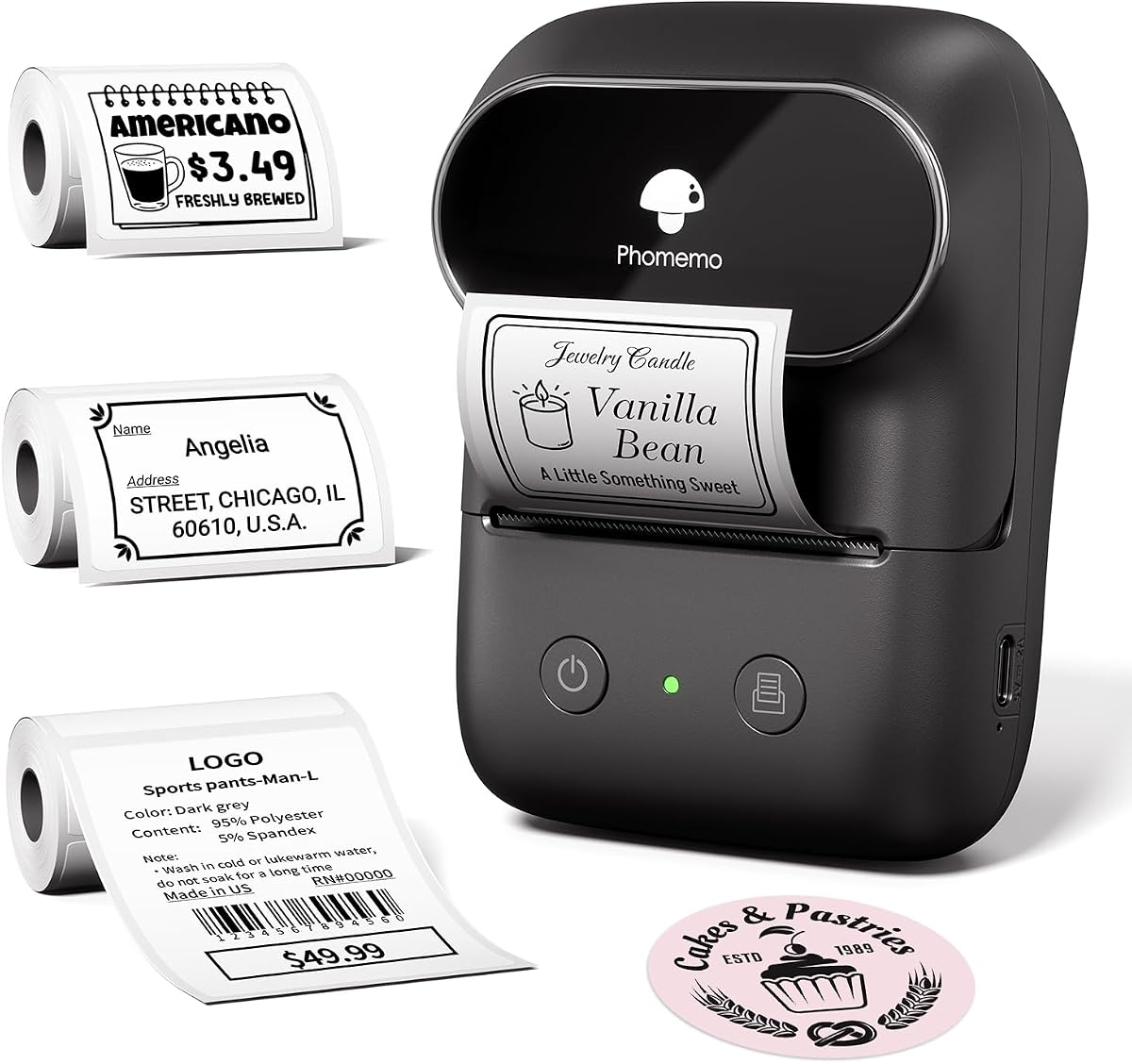
Phomemo Bluetooth Thermal Shipping Label Printer delivers efficient inkless printing for diverse needs. With a 4.4 rating it combines speed and durability making it a reliable choice for shipping and organizational tasks.
We may earn a commission when you buy through this link, at no additional cost to you.
It supports label widths from 1 to 4.6 inches suitable for various formats. The printing speed of 150 mm/s ensures quick output and labels are engineered to resist fading and smudging for longevity. Compatible with major platforms like eBay and Amazon.
Printing is limited to black and white which may not suit users needing color branding. Color labels are sold separately adding to the cost if desired.
Ideal for businesses prioritizing label clarity and support. The professional team offers remote desktop assistance and live chat for any technical issues ensuring smooth operation.
Labels are engineered to resist fading and smudging for long-term readability.
Professional support via live chat and remote operation ensures quick problem resolution.
We may earn a commission when you buy through this link, at no additional cost to you.
Phomemo Thermal Label Maker Machine is a compact sticker printer ideal for home and office organization. Its ultra-light design and long battery life make it perfect for quick labeling tasks on the go.
We may earn a commission when you buy through this link, at no additional cost to you.
It prints labels from 3/4 to 2 inches wide using the Print Master app with thousands of templates and icons. The 1200mAh battery provides up to 6000 prints per charge ensuring uninterrupted use. Includes three rolls of thermal labels to get started.
The width range is limited compared to 4×6 printers which may not suit larger shipping labels. Lack of rating data makes performance verification harder for new users.
Best for small business product tagging and home organization. Voice input and OCR features enhance ease of use allowing hands-free label creation for efficient workflows.
The 1200mAh battery delivers thousands of prints per charge for extended use.
Voice input and OCR features simplify label creation with hands-free options.
We may earn a commission when you buy through this link, at no additional cost to you.
Selecting the right label printer involves evaluating several key factors to match your operational needs. This guide breaks down the essential aspects to consider.
Connectivity determines how you interact with the printer. Bluetooth allows wireless printing from mobile devices which is convenient for flexible workflows. USB connections provide stable performance for desktop computers especially if Bluetooth is unsupported for certain operating systems. Ethernet capability is crucial for office environments requiring network integration.
Choose based on your primary devices and preferred setup method to ensure seamless integration.
Print speed affects how quickly you can process shipping labels. Faster speeds like 180mm/s reduce downtime during peak hours improving overall productivity. Consider the volume of labels you print daily to select an appropriate speed that matches your workflow demands.
Higher speeds benefit high-volume businesses needing quick output for timely shipping.
Your printer should work with your ecommerce and shipping platforms. Compatibility with services like Amazon eBay Shopify and USPS ensures smooth label generation without extra steps. Check if the printer supports direct integration or requires app-based imports to save time.
Verify platform support to avoid workflow disruptions and streamline your shipping process.
High resolution ensures labels are clear and scannable reducing shipping errors. 203 DPI is standard for crisp text and barcodes. Thermal technology eliminates ink needs saving money and maintenance over time. Consistent quality is vital for professional appearance.
Prioritize printers with proven print quality to maintain reliability and customer trust.
Different tasks require different label sizes. 4×6 labels are standard for shipping but some businesses need smaller sizes for barcodes or organization. Check the supported width range to ensure it covers all your labeling needs including custom formats.
Select a model with versatile label width support for broader utility.
Initial purchase price is important but consider long-term costs like consumables and maintenance. Direct thermal printers save on ink costs but require thermal labels. Compare features against your budget to find value. Premium models offer durability but may cost more upfront.
Balance upfront costs with ongoing expenses to find a cost-effective solution.
Reliable customer support helps resolve issues quickly minimizing downtime. Look for warranties that cover defects and technical support channels like phone or email. Some brands provide drivers and tutorial videos to ease setup. Good support adds value to your purchase.
Choose brands with responsive support to ensure smooth operations and quick fixes.
To begin setup connect your printer to a power source and install the necessary drivers or app. Ensure Bluetooth is enabled on your device and pair through the provided software. Follow the calibration steps to ensure correct label feeding and alignment for accurate printing.
Load the thermal labels correctly aligning them with the guide to prevent jams. Select the appropriate label size in the app before printing to avoid errors. For USB connections plug the cable securely and verify the printer is recognized by your computer system.
Regular maintenance includes cleaning the printhead with a soft cloth to remove dust or residue. Store labels in a cool dry place to prevent degradation. Keep the firmware updated for optimal performance and troubleshoot any issues promptly to maintain efficiency.
No these thermal printers use direct thermal technology that applies heat directly to the label material eliminating the need for ink cartridges. This reduces maintenance costs and simplifies operations. You only need thermal labels to produce clear prints.
Yes most models support Bluetooth connectivity allowing mobile printing via dedicated apps. Ensure your device is compatible and the app is installed for wireless functionality. This provides flexibility for printing labels on the go.
Most printers support a wide range of label widths typically from 1.5 to 4.6 inches. Standard 4×6 shipping labels are supported but also smaller sizes for barcodes or organization. Check the specific model specs for exact width capabilities.
Many models are compatible with macOS but Bluetooth support varies. Some require a USB connection for Mac users to print properly. Always verify the product details regarding Mac OS support before purchasing to ensure compatibility.
Calibration usually involves pressing and holding the feed button to detect the label size automatically. Some models have a calibration mode accessible through the app or device settings. Follow the manufacturer instructions for precise alignment to avoid printing errors.
Thermal printers are durable and designed for regular use often lasting several years with proper maintenance. Regular cleaning of the printhead and avoiding overuse prolongs the device life. Commercial grade models tend to have longer lifespans due to robust construction.
Choosing the best label printer for pirate ship operations depends on your specific needs for speed connectivity and budget. The top picks offer a range of options from affordable models to commercial grade printers ensuring you find a suitable match for your workflow.
Prioritize factors like platform compatibility and print quality to avoid future issues. A reliable printer streamlines your shipping process and helps you maintain professional standards consistently.
Always check current prices and availability before purchasing since offers can change. Investing in the right printer now will support efficient operations for your business moving forward.