
VAYDEER Volume Control Knob
4.5Editor score
One-click mute function
Driver free operation
Sturdy metal shell
Explore our expert comparison of the top 10 Bluetooth Volume Control Knob models available in October 2026 for desktop audio and multimedia control efficiency.
Finding the right Bluetooth Volume Control Knob can transform your daily workflow by offering tactile precision over digital audio settings. These devices provide a satisfying physical interface that reduces screen time and enhances focus during long work sessions or creative projects.
We evaluated ten top-rated models based on connectivity options, build quality, customization features, and user feedback. Each product was assessed for its ability to integrate seamlessly with various operating systems and deliver reliable performance across different multimedia scenarios.
Every pick in this list highlights specific strengths such as battery life, RGB lighting, or programmable functions. Please note that prices and availability change frequently, so verify current details before making your final purchase decision online.
4.5Editor score

4.7Editor score

3.8Editor score
This side-by-side comparison outlines the key specifications and capabilities of each selected Bluetooth Volume Control Knob to help you identify the model that best fits your specific desktop setup and workflow requirements.


The LICAEVEY Volume Control Knob stands out as a top-tier solution for users seeking a blend of versatility and tactile control. With a rating of 4.7, it has garnered praise for its ability to connect via Bluetooth, 2.4G, and USB-C simultaneously without conflicts. This flexibility ensures it fits into almost any modern workspace setup regardless of the primary device being used.
We may earn a commission when you buy through this link, at no additional cost to you.
One of its most compelling features is the customizable shortcut functionality. Users can map complex keyboard combinations to a single key press, significantly boosting workflow efficiency. This is particularly beneficial for content creators who need quick access to tools like screen brightness adjustments, page flipping, or track switching without interrupting their focus. The built-in storage ensures these settings persist across devices.
While the device offers exceptional functionality, there are minor trade-offs to consider. The RGB lighting, though visually appealing, can consume battery power more quickly if left active constantly. Additionally, setting up advanced macros requires an initial investment of time to understand the mapping software. However, for power users, these trade-offs are minor compared to the productivity gains offered.
This knob is ideal for professionals who demand a streamlined interface for audio and system control. Whether you are managing music streams, video calls, or document navigation, the LICAEVEY provides a reliable and efficient method to handle these tasks. For anyone looking to upgrade their desk ergonomics and reduce keyboard dependency, this model is a strong recommendation.
The ability to switch between Bluetooth, 2.4G wireless, and USB-C wired modes ensures that the device remains functional even if one connection type fails or is unavailable.
Customizable key functions allow users to automate repetitive tasks, making it a valuable tool for those who spend long hours on multimedia production or data entry.
We may earn a commission when you buy through this link, at no additional cost to you.
The Anticater VK-01 Wireless Volume Knob distinguishes itself through its premium build quality and professional-grade design. It features a CNC aluminum body that offers durability and a sophisticated look for any desktop environment. Users who prioritize tactile feel and aesthetics will appreciate the precision-engineered textured grip that ensures smooth and accurate adjustments during use.
We may earn a commission when you buy through this link, at no additional cost to you.
Its connectivity is robust, offering Bluetooth, 2.4 GHz wireless, and USB-C wired options for universal compatibility. The device is explicitly designed to work with both Windows and macOS, making it a versatile choice for mixed OS environments. The included macro software allows users to assign custom functions to the dial, adding a layer of utility beyond basic volume control.
However, the user experience can be slightly hindered by the complexity of the custom macro software. While powerful, it may require a steep learning curve for users who prefer plug-and-play simplicity. Additionally, specific battery life details are not heavily emphasized in the product data, which might concern users expecting extended wireless operation without frequent charging or battery replacement.
For users seeking a durable and aesthetically pleasing control dial that integrates well with professional software suites, the Anticater VK-01 is a solid option. It is best suited for those who value build quality and cross-platform flexibility over immediate ease of use. The customizability makes it a strong contender for power users willing to invest time in setup.
The CNC aluminum construction ensures that the knob feels substantial and lasts longer than plastic alternatives, providing a professional look to your desk setup.
Compatibility with both Windows and macOS means you can use the same hardware across different devices without needing to switch controllers based on the operating system.
We may earn a commission when you buy through this link, at no additional cost to you.
The Jiawu USB Volume Control Knob is tailored for tech enthusiasts who want a balance of modern connectivity and aesthetic appeal. It leverages Bluetooth 5.1 technology to ensure a stable and low-latency connection with PCs and other devices. The aluminum alloy material gives it a lightweight yet sophisticated look that fits well in modern workstation environments.
We may earn a commission when you buy through this link, at no additional cost to you.
Functionally, this device allows for up to five customizable functions, providing enough flexibility for common tasks like volume adjustment, mute, track switching, and playback control. The RGB lighting is another highlight, offering customizable effects that can match the lighting theme of your gaming setup or office desk. This visual element adds a personal touch to the hardware.
Despite its strengths, there are some limitations in the depth of customization compared to high-end models. The macro capabilities are generally basic, focusing on standard media controls rather than complex system commands. Additionally, specific battery life details are not provided in the product data, which might make long-term usage planning difficult for some users.
This knob is an excellent choice for users who want a compact, stylish solution for audio control without spending a premium price. It is well-suited for daily tasks and light multimedia management. If you prioritize a clean design and modern connectivity options, the Jiawu model offers a reliable and visually pleasing experience.
Using Bluetooth 5.1 ensures a faster and more stable connection compared to older versions, reducing dropouts and improving the responsiveness of the controller.
The customizable RGB lighting allows users to personalize their workspace, making the device a functional piece of desk decor as well as a control tool.
We may earn a commission when you buy through this link, at no additional cost to you.
The Razer Wireless Control Pod is a specialized device designed for users invested in the Razer audio ecosystem. It features a durable aluminum alloy build and a tactile dial that provides satisfying feedback during adjustments. This device is not just a volume knob but a comprehensive control hub that allows for advanced audio customization including EQ presets and Chroma lighting changes.
We may earn a commission when you buy through this link, at no additional cost to you.
One of its standout features is the battery life, which can last up to eight months with typical usage. This longevity reduces the need for frequent recharging, making it a convenient addition to a desk setup. The control pod allows users to remap audio functions and switch between connected devices with simple presses of a source button.
However, the device comes at a premium price point compared to generic volume knobs. Its functionality is most deeply integrated with Razer audio systems, which might limit its appeal for users who do not own compatible headphones or speakers. The software customization, while powerful, is tied specifically to the Razer Audio App.
For Razer users looking to centralize their audio and lighting controls, this pod is a high-quality investment. It offers a seamless experience for those already using Razer peripherals. If you value long battery life and robust build quality, the Razer Wireless Control Pod delivers a premium user experience worth considering.
With battery life lasting up to eight months, this device requires minimal maintenance, allowing users to focus on tasks without worrying about power interruptions.
Users can fine-tune audio settings including EQ presets and Chroma effects directly from the control pod, streamlining the customization process for audio enthusiasts.
We may earn a commission when you buy through this link, at no additional cost to you.
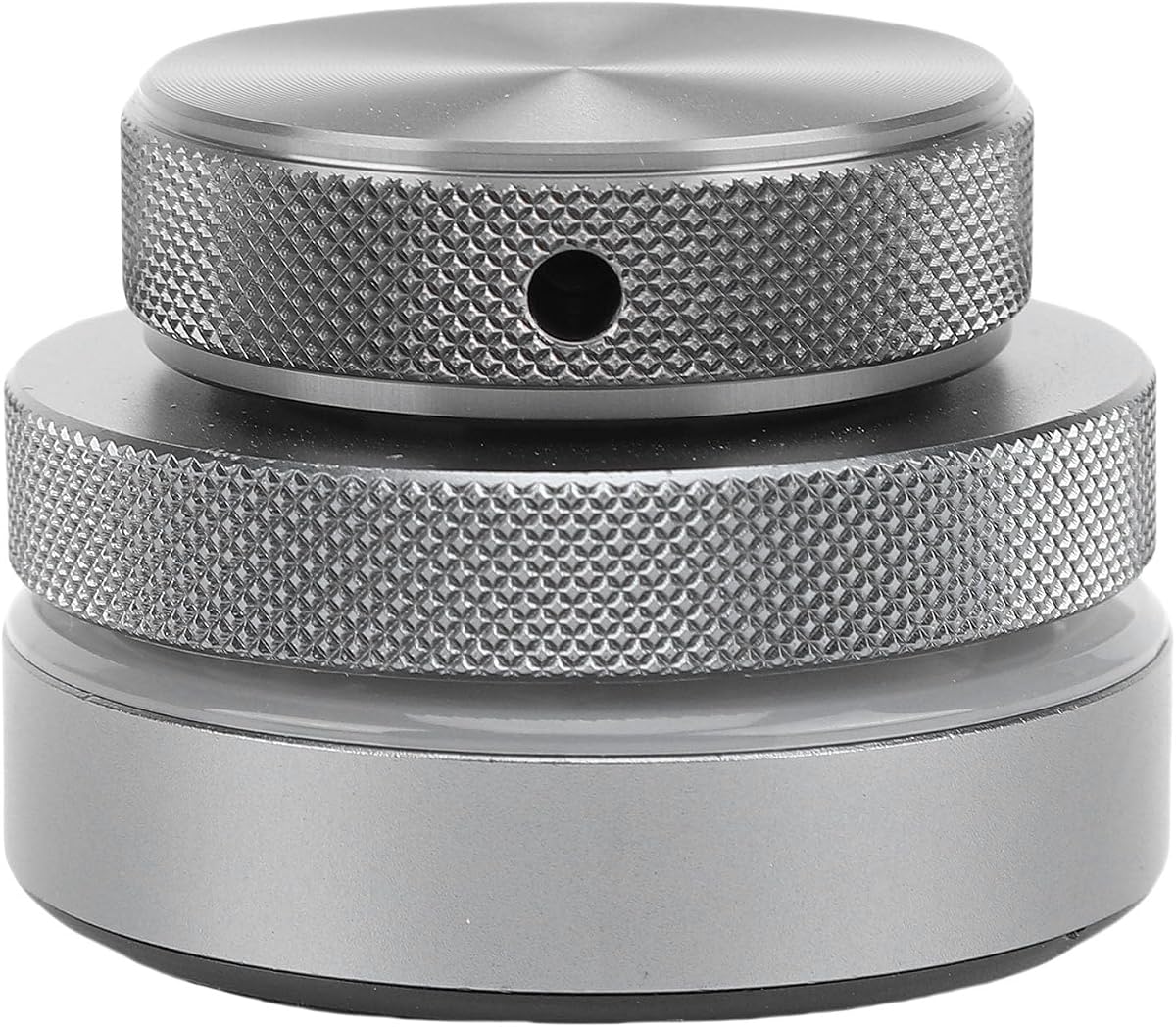
The Bluetooth Volume Control Knob in Silver is a robust device that emphasizes stability and modern connectivity. It features a solid zinc alloy construction with a CNC crafted rotary knob and anti-slip knurling. The weighted base ensures that the device stays firmly in place during rotation, providing a premium tactile feel that resists accidental movement on the desk.
We may earn a commission when you buy through this link, at no additional cost to you.
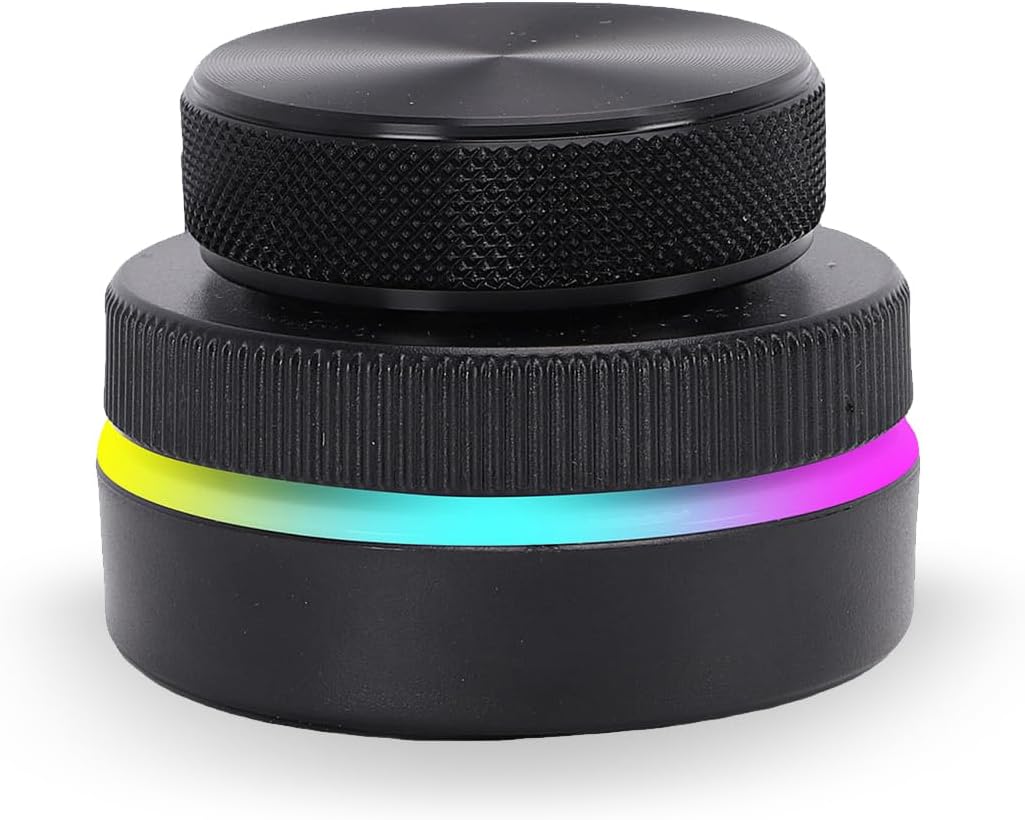
Connectivity is handled by an upgraded Bluetooth 5.3 chip which offers stable pairing with a wide range of devices. The RGB lighting is a significant feature, offering 16.8 million colors and multiple modes to enhance the visual appeal of any setup. This makes it a great choice for users who want their peripherals to match a specific aesthetic theme.
Despite these strengths, the product has received an average user rating compared to competitors. The heavier weight might be a drawback for users who frequently travel or have very limited desk space. Additionally, while the standby time is impressive, the active usage time depends heavily on the battery usage of the RGB features.
This model is well-suited for stationary setups where aesthetics and stability are priorities. If you are building a themed gaming or office desk, the combination of zinc alloy build and vibrant RGB lighting makes it a visually striking option. It provides a solid mechanical feel that many users prefer over lighter alternatives.
The zinc alloy material and weighted base prevent the knob from sliding during use, ensuring a stable and professional feel for daily operations.
With 16.8 million RGB colors, users can fully customize the look of the knob to match their keyboard, mouse, and monitor lighting setups for a cohesive design.
We may earn a commission when you buy through this link, at no additional cost to you.
The VAYDEER Volume Control Knob offers exceptional value for users seeking a simple and effective audio control solution. It features a sturdy metal shell and a removable USB cable that ensures durability and portability. The one-click mute function is particularly useful for quick silencing during calls or meetings, adding practical utility to the device.
We may earn a commission when you buy through this link, at no additional cost to you.
One of its strongest points is the driver-free operation. Users can simply plug it into their computer via USB and begin adjusting volume immediately without installing any software. This makes it highly accessible for users who prefer straightforward hardware that works out of the box without technical setup steps or compatibility concerns.
However, this device is limited to USB connectivity and does not support wireless options like Bluetooth. This means it requires a physical connection to function, which might not suit users looking to reduce cable clutter. Additionally, it focuses on basic volume and mute functions without advanced programmability found in more expensive models.
For those on a tight budget or needing a reliable backup controller, this model is an excellent choice. It is ideal for stationary desktop setups where wireless freedom is not a priority. The combination of affordability and durability makes it a practical tool for general multimedia control and daily office use.
Since it requires no drivers, users can start using it as soon as they plug it in, which is perfect for environments where software installation is restricted or time is limited.
The one-click mute button provides an efficient way to quickly silence audio during interruptions, making it a handy tool for professionals on video calls.
We may earn a commission when you buy through this link, at no additional cost to you.
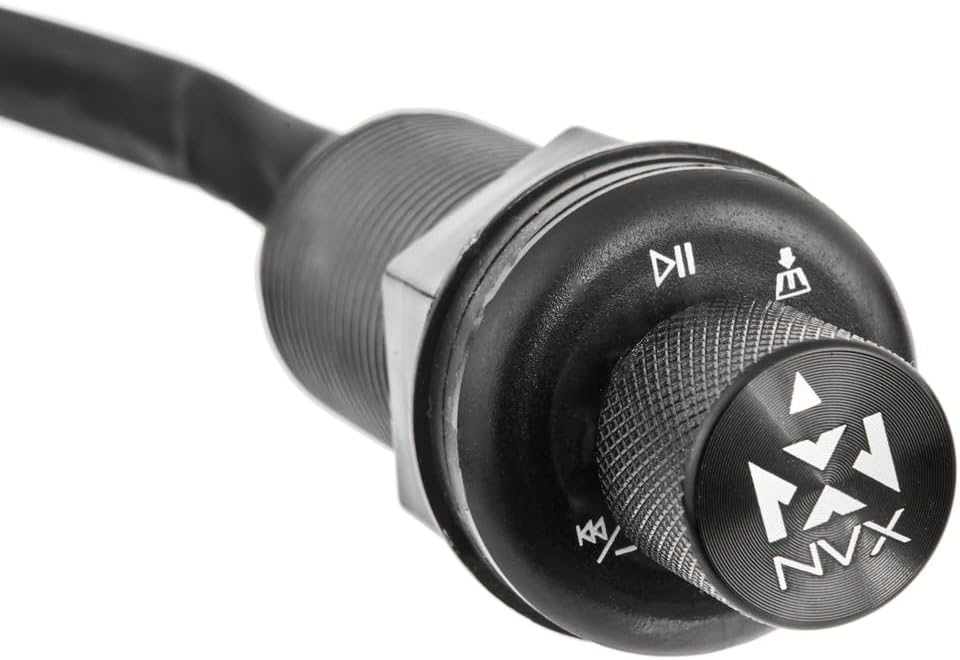
The NVX Universal Bluetooth Audio Receiver offers a specialized solution for adding wireless control to audio systems that lack native Bluetooth support. It is designed to be installed in a vehicle dash or under dash, providing track, pause, and volume control through a single knob interface. This makes it highly versatile for older radios or devices with AUX inputs.
We may earn a commission when you buy through this link, at no additional cost to you.
Its universal compatibility means it works with iPhones, Android devices, and other Bluetooth sources without specific pairing limitations. The flush mounting options allow it to blend seamlessly into a car's interior, offering a factory-like appearance. This is particularly appealing for users who want to upgrade their car audio experience without a full system replacement.
However, installation may require some technical skill to mount properly and connect the wiring. Unlike desktop controllers, this device is dedicated to audio input and lacks broader system integration or programmable shortcuts for computer tasks. It is strictly an audio control device for mobile or car use.
This receiver is ideal for car enthusiasts looking to add modern controls to older audio systems. It provides a convenient way to manage music playback and volume without reaching for a phone. If you need a robust solution for in-car audio control, the NVX provides a reliable and well-designed option.
The device accepts input from any standard Bluetooth source, ensuring that it works seamlessly with a wide range of smartphones and tablets without proprietary apps.
With flush in-dash mounting options, the knob integrates smoothly into the vehicle interior, maintaining a clean and professional look while providing easy access to controls.
We may earn a commission when you buy through this link, at no additional cost to you.
This Volume Control Knob features a hybrid approach to connectivity, supporting both 2.4G wireless and USB-C wired modes. This dual capability ensures stable performance whether you prioritize mobility or zero-latency control. The aluminum alloy construction provides a comfortable and precise tactile experience that is consistent with other high-quality control devices on the market.
We may earn a commission when you buy through this link, at no additional cost to you.
The RGB lighting adds a customizable aesthetic element to the desk setup, enhancing visual appeal and offering an immersive atmosphere. It works across major operating systems and devices, making it a universal companion for phones, tablets, and PCs. The ergonomic design ensures that the knob can be used for long periods without fatigue.
A potential drawback is the battery consumption associated with the RGB lighting features. Users may find that the device needs recharging more frequently if the lights are kept on at high brightness. Additionally, specific software features for customization are not deeply detailed, limiting advanced users who want specific macro functions.
This controller is best for users who want a visually engaging device with solid connectivity options. It fits well in gaming or home office setups where aesthetics and versatility are valued. If you need a reliable controller that balances style and function, this hybrid model offers a compelling choice for daily audio management.
Switching between 2.4G wireless and USB-C wired connections allows you to adapt the device to your immediate needs, ensuring flexibility across different devices.
The smooth surface and compact size are designed to fit comfortably in hand, reducing strain during extended use of the control knob for media tasks.
We may earn a commission when you buy through this link, at no additional cost to you.
This Bluetooth 5.1 USB Volume Control Knob offers a strong degree of programmability through an associated app. Users can customize functions for clockwise and counterclockwise rotation and key presses to output characters or combos. This flexibility makes it a powerful tool for users who need specific shortcuts for their workflow rather than just basic volume control.
We may earn a commission when you buy through this link, at no additional cost to you.
The dual connectivity modes including Bluetooth and USB ensure that the device remains versatile across different environments. The one-key mute function and track switching capabilities simplify media management significantly. The RGB lighting adds a visual touch that can be customized to match the user's preferences and desk theme.
However, the full potential of the device relies on the app, which might add a layer of complexity for users seeking immediate plug-and-play functionality. Additionally, battery life details are not explicitly stated in the provided data, which could be a consideration for wireless usage scenarios where power independence is key.
For those who want a balance of modern connectivity and functional customization, this model is a strong contender. It suits users who need more than just a volume dial and want to map specific functions to the hardware. If you value programmability and convenience, this device delivers a tailored experience.
The ability to program different outputs for rotation directions and key presses allows for a highly personalized control scheme tailored to specific application needs.
Features like one-key mute and track switching reduce the need for keyboard interaction, streamlining the process of managing audio content during work or leisure.
We may earn a commission when you buy through this link, at no additional cost to you.
The VBESTLIFE USB Volume Control Knob is designed with multi-device compatibility in mind, supporting Windows, macOS, Android, HarmonyOS, and iOS. It offers three connectivity options including Bluetooth 5.0, 2.4G, and USB-C, ensuring broad utility across different platforms. The built-in memory stores customized key mappings for complex shortcut combinations, preserving settings even when the device is not in use.
We may earn a commission when you buy through this link, at no additional cost to you.
One of its unique features is the page turning capability, which makes it particularly useful for reading ebooks or navigating presentations. The RGB lighting and customizable functions allow users to adapt the device to their specific visual preferences. The aluminum alloy and ABS construction ensure that the device withstands prolonged use without degrading in quality.
However, user reviews suggest mixed experiences, which may indicate variability in setup ease or hardware consistency. The range of functions is broad but may require careful configuration to utilize effectively. Users should be prepared to spend time setting up the desired mappings to maximize the utility of the device.
This knob is a robust choice for users who need a single controller for multiple systems. If you work across different operating systems or need specific features like ebook page turning, this model offers a versatile and durable solution. Its capacity to store settings adds a layer of convenience for multi-device workflows.
Support for multiple operating systems ensures that the device can serve as a universal controller for a diverse range of devices without needing separate hardware.
Features like page turning and complex shortcut mapping allow users to streamline navigation tasks that would otherwise require multiple keystrokes or mouse clicks.
We may earn a commission when you buy through this link, at no additional cost to you.
Selecting the right Bluetooth Volume Control Knob involves evaluating several key factors that affect compatibility, usability, and overall performance.
Connectivity is one of the most critical factors to consider. Many modern devices offer Bluetooth 5.0 or higher for wireless freedom, while others include USB-C or 2.4G wireless options for stability. Ensure the device you choose supports the connection methods available on your primary devices to avoid compatibility issues.
Prioritize models that offer multiple connection modes if you switch between devices frequently. This ensures you can use the same knob for your phone tablet and computer without needing separate accessories.
Build quality determines the longevity and tactile feel of the device. Look for knobs made from durable materials like aluminum alloy or zinc which provide a premium feel and resist wear. A solid base or non-slip features are also essential to keep the knob stable during use.
Investing in a device with sturdy construction ensures that the knob remains functional over time and provides a satisfying physical response when adjusting settings.
Customization capabilities allow you to tailor the device to your workflow. Some models allow mapping of specific keyboard shortcuts or functions to rotation or clicks. This is particularly useful for power users who need quick access to specific commands beyond just volume control.
Choose a model that offers a software interface or app for programming if you need advanced functionality. This flexibility can significantly enhance your productivity.
Battery life is essential for wireless models. Some devices offer months of standby time while others require frequent charging. Consider how often you are willing to charge your device based on your usage patterns.
Look for devices with USB-C charging for convenience. This ensures that you can charge the knob using the same cables used for other devices in your workspace.
Ensure that the device supports your operating system. While many work on Windows and macOS, some may have limited support for mobile systems or specific Linux distributions. Check compatibility before purchasing to avoid functional limitations.
Cross-platform support allows you to use the device across different ecosystems without needing separate hardware for each device.
Additional features like RGB lighting, mute buttons, or track switching capabilities can add value to your purchase. These features provide convenience and aesthetic appeal that enhance the user experience.
Evaluate which extra features align with your needs. If visual customization is important to you look for devices with adjustable lighting options.
Price varies significantly based on features and build quality. Compare different models to find a balance between cost and functionality. Check for warranty coverage to protect your investment against defects.
A reliable warranty can save you from potential costs if the device fails. Prioritize brands that offer good customer support and clear return policies.
To begin using your Bluetooth Volume Control Knob ensure it is paired with your device via Bluetooth or connected via USB. If the device has software, install it to access advanced customization features and map functions to your preferences.
Regularly clean the knob with a soft cloth to remove dust and debris. Avoid using harsh chemicals that might damage the finish or sensitive electronic components. Ensure the surface remains dry to maintain electrical safety and optimal performance.
For wireless models, keep an eye on the battery level to avoid unexpected power loss. Charge the device using the provided cable and avoid leaving it in extreme temperatures which could affect battery health. Proper maintenance extends the lifespan of your device significantly.
Most basic models are plug-and-play and do not require drivers. However, advanced customization often requires specific software or apps. Check the product specifications to confirm whether drivers are necessary for your desired features.
Many models support Bluetooth connectivity for mobile devices like phones and tablets. Ensure your device has Bluetooth capability and that the knob is compatible with your operating system before attempting to pair.
Battery life varies by model and usage intensity. Some devices last months on standby while others may need charging after a few weeks of active use. Check the product description for specific battery specifications to manage expectations.
Generally these knobs are not waterproof. They are designed for indoor desktop use. Keep liquids away from the device to prevent damage to the internal electronics and ensure long-term reliability.
Advanced models allow for custom shortcut programming through dedicated software. This enables users to map complex commands to the knob. Basic models may only support standard media controls without customization options.
Bluetooth connections typically range from 30 to 33 feet. This range may decrease if there are physical obstructions. For best performance place the knob relatively close to the connected device.
Support for Linux systems varies by model. Some universal devices work well with Linux while others may be designed primarily for Windows or macOS. Check the compatibility list provided by the manufacturer.
We have reviewed the top 10 Bluetooth Volume Control Knob models available in November 2026. Each option offers unique features ranging from basic plug-and-play functionality to advanced programmability and aesthetic customization to meet various user needs.
Prioritize connectivity options build quality and customization capabilities based on your specific workflow. For most users a balance of wireless freedom and tactile feedback provides the best experience. Choose a model that aligns with your device ecosystem to ensure seamless integration.
Prices and availability change frequently so always verify the current details before purchasing. By selecting a device that fits your needs you can enjoy improved efficiency and a more satisfying control experience across all your multimedia tasks.