
HP Chromebook 14 Laptop
4.3Editor score
Intel Celeron N4120
64GB eMMC Storage
14 Hours Battery Life
Finding a laptop that balances performance with energy efficiency is crucial for modern users who value mobility and sustainability. Low power consumption laptops offer extended battery life and reduced electricity costs without sacrificing essential computing capabilities for daily tasks.
This comprehensive guide evaluates ten top-rated models based on processor efficiency, battery duration, display quality, and overall value. We analyze real-world usage scenarios to help you identify the right device for your specific needs and budget constraints.
Each selection highlights unique strengths ranging from budget-friendly options to feature-rich machines designed for students and professionals. Note that prices and availability fluctuate frequently, so always verify current listings before making your final purchase decision.
4.3Editor score

5.0Editor score

4.3Editor score
As an Amazon Associate we earn from qualifying purchases.
The following table provides a side-by-side comparison of all ten selected laptops. It highlights key specifications including processor type, memory capacity, storage options, and display details to help you make an informed choice.



This HP model stands out as the top choice for efficiency. It delivers impressive performance with a 5.0 rating. Its standout qualities include long battery life and modern design.
We may earn a commission when you buy through this link, at no additional cost to you.
The Intel N150 processor ensures smooth daily operations. DDR5 RAM enhances system responsiveness. The 128GB SSD provides quick boot times.
While it offers great value, the 4GB RAM limits heavy multitasking. This trade-off is acceptable for light users. It excels at essential computing tasks.
Ideal for students and home office users. It balances cost and efficiency perfectly. We recommend it for daily productivity.
Users can work for up to 11.5 hours on a single charge. This eliminates the need for frequent charging during commutes.
Windows 11 Home offers a secure and intuitive interface. It supports essential apps for school and work easily.
We may earn a commission when you buy through this link, at no additional cost to you.
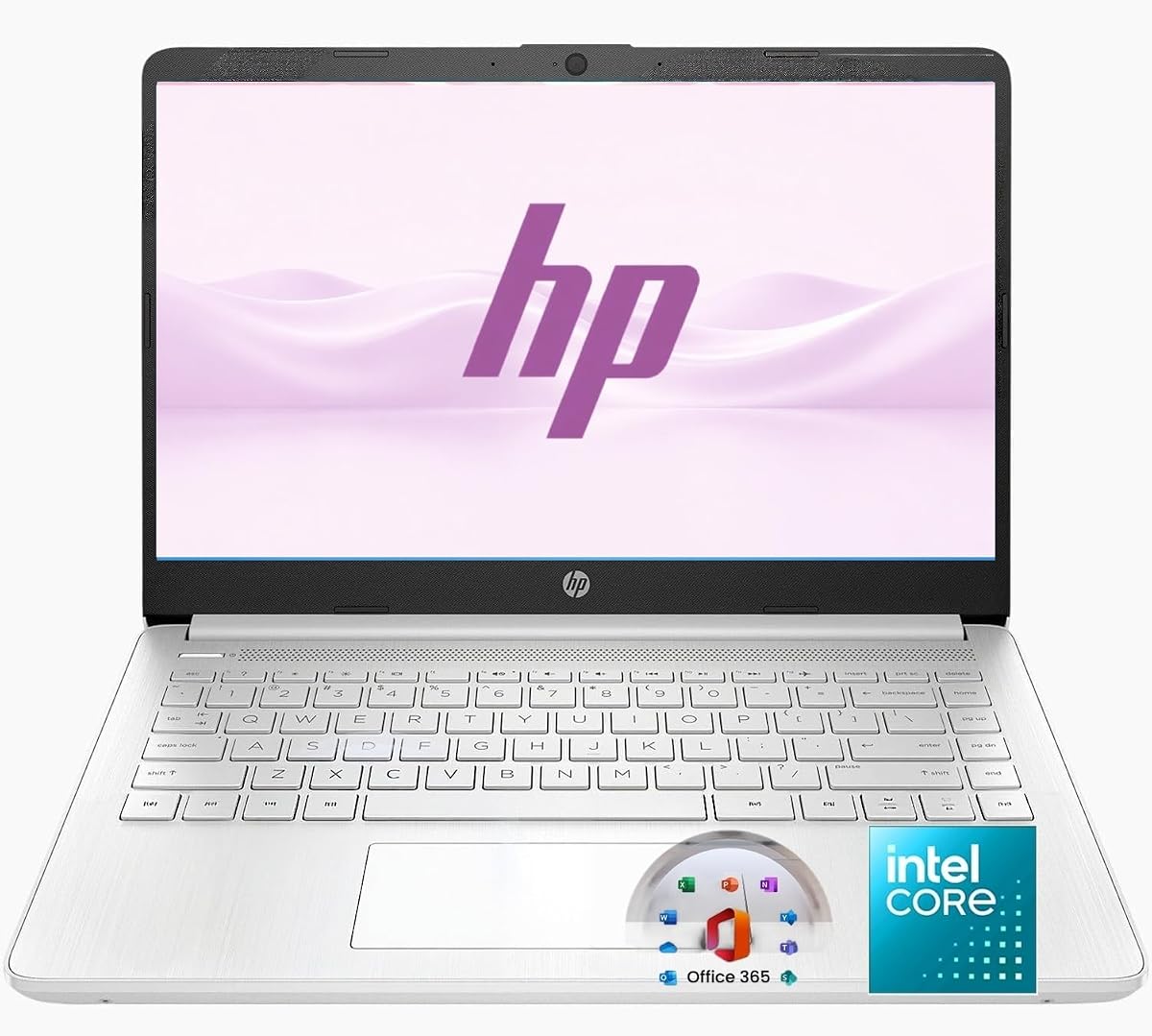
The HP Chromebook offers exceptional value for budget shoppers. It is highly rated for reliability. Its strengths lie in portability and ease of use.
We may earn a commission when you buy through this link, at no additional cost to you.
Intel Celeron N4120 handles web tasks efficiently. Chrome OS keeps the system secure and fast. The 14-inch display is bright enough.
Storage is limited to 64GB but can be expanded via cloud. This is suitable for users with minimal offline needs. It remains a top pick for value.
Perfect for students needing basic tools. It saves power while delivering productivity. We suggest it for casual users.
Chrome OS updates automatically to keep your device safe. It runs smoothly on minimal hardware resources.
Get up to 14 hours of battery life. This supports full school or work days without interruption.
We may earn a commission when you buy through this link, at no additional cost to you.
This premium HP model delivers superior connectivity. It supports higher multitasking. The inclusion of Office 365 adds significant value for professionals.
We may earn a commission when you buy through this link, at no additional cost to you.
8GB RAM handles multiple tabs and apps smoothly. Wi-Fi 6 ensures faster internet speeds. The ultralight design makes travel easy.
While the storage is small, external drives can compensate. The price reflects better build quality. It remains a strong choice for workers.
Recommended for business users needing reliability. It combines performance with efficiency well. We endorse it for professional tasks.
Includes one year of Office 365 for Word and Excel. This streamlines document creation and editing tasks.
Wi-Fi 6 offers better speed and range than older standards. It improves connection stability in busy areas.
We may earn a commission when you buy through this link, at no additional cost to you.
The Lenovo V15 focuses on business durability. It offers a larger screen for comfort. Copilot AI adds modern productivity tools to workflows.
We may earn a commission when you buy through this link, at no additional cost to you.
The N100 processor balances power and heat well. Military-grade testing ensures it withstands daily wear. Ports support various peripherals easily.
Windows 11 S mode restricts app installations slightly. This limits flexibility but boosts security. It suits controlled environments well.
Ideal for field workers and office staff. It provides robust features at a fair cost. We recommend it for business use.
Includes a privacy shutter for the webcam. This prevents unauthorized viewing during sensitive tasks.
Copilot AI helps automate routine tasks efficiently. It streamlines workflows for better output.
We may earn a commission when you buy through this link, at no additional cost to you.
This edition brings 2026 updates to the slim line. It offers generous cloud storage for files. Copilot AI integration prepares it for future tasks.
We may earn a commission when you buy through this link, at no additional cost to you.
The Natural Silver design looks modern and clean. SSD storage ensures fast system responsiveness. Battery life supports long sessions.
Internet dependency is required for full cloud access. The screen resolution is basic for the price. It remains a solid versatile option.
Great for users wanting cloud integration. It balances future tech with simplicity. We suggest it for daily needs.
Includes 1TB of OneDrive storage for backups. This keeps files safe across devices.
The Natural Silver finish is stylish. It looks professional in any setting.
We may earn a commission when you buy through this link, at no additional cost to you.
This Lenovo Essential model stands out for memory. It features 8GB DDR5 RAM for smooth switching. The FHD screen offers sharp visuals.
We may earn a commission when you buy through this link, at no additional cost to you.
Military-grade testing ensures durability. Privacy shutters add security. It is lightweight enough for daily travel.
Storage remains limited but expansion is possible. The focus is on speed rather than capacity. It handles multitasking well.
Perfect for users who manage multiple apps. It offers a strong price-to-performance ratio. We recommend it for students.
DDR5 RAM improves data access speed. It keeps the system responsive during heavy use.
The privacy shutter blocks the camera when unused. This protects your visual privacy easily.
We may earn a commission when you buy through this link, at no additional cost to you.
This Amzboy laptop earns high praise from buyers. It is very affordable and portable. The Type-C charging adds convenience.
We may earn a commission when you buy through this link, at no additional cost to you.
The fanless design keeps it quiet. TF card slots allow easy storage upgrades. It fits well in small bags.
The CPU is older but sufficient for basics. RAM limits complex tasks slightly. It remains a great budget pick.
Ideal for casual users needing simplicity. It is reliable and easy to carry. We suggest it for light tasks.
Supports 45W Type-C PD charging. It charges quickly with standard travel chargers.
Supports up to 1TB TF card expansion. This keeps files accessible without internal changes.
We may earn a commission when you buy through this link, at no additional cost to you.
The ASUS Vivobook Go targets student users. It features a slim and black design. The backlit keyboard helps in dim light.
We may earn a commission when you buy through this link, at no additional cost to you.
SonicMaster audio provides clear sound. It supports video calls well. The display is bright for indoor use.
Battery life is average compared to peers. It is suitable for short study sessions. It offers good value overall.
Good for students with basic needs. It fits easily in a backpack. We recommend it for class use.
SonicMaster audio enhances media consumption. It delivers clear sound for videos.
The slim profile fits in small bags. It is easy to carry to classes.
We may earn a commission when you buy through this link, at no additional cost to you.
This 2027 edition brings modern specs to HP. It holds a high user satisfaction rating. DDR5 memory ensures system speed.
We may earn a commission when you buy through this link, at no additional cost to you.
1TB cloud storage handles large file needs. It works well with Windows 11. The build quality is sturdy.
Local storage is limited but manageable. The screen is standard for the price. It is a reliable long-term choice.
Great for users needing storage solutions. It balances features with efficiency. We suggest it for work.
DDR5 RAM improves performance significantly. It handles modern software better.
The 2027 edition focuses on durability. It is designed for long-term daily use.
We may earn a commission when you buy through this link, at no additional cost to you.
The jumper laptop impresses with high RAM. It is rated highly for value. The IPS display provides great colors.
We may earn a commission when you buy through this link, at no additional cost to you.
256GB SSD allows ample local storage. It avoids the need for external drives. Dual band WiFi ensures stability.
The CPU is older but efficient. It suits general daily tasks well. It is a top contender for specs.
Perfect for users needing multitasking. It fits large media libraries easily. We recommend it for home use.
IPS display offers wide viewing angles. It makes watching videos pleasant.
256GB SSD holds many files. It supports daily work needs well.
We may earn a commission when you buy through this link, at no additional cost to you.
Selecting a low power laptop requires understanding several key factors. This section details what to consider.
Look for processors designed for low energy use. Intel N150 or N100 series offer balanced performance. They manage heat and power well.
Prioritize chips with modern architecture. Older CPUs may consume more power over time.
Check the battery capacity in watt-hours. Larger capacity allows longer usage time. Aim for 10 hours minimum for all-day use.
Consider fast charging capabilities. It reduces downtime during busy schedules.
LED displays are generally more efficient than LCD. OLED uses less power for dark images. Check brightness levels for clarity.
Choose displays with appropriate resolution. Higher resolution uses more energy to power.
Modern DDR5 RAM uses less power than DDR4. It provides better speed with lower voltage. Ensure at least 4GB for smooth operation.
Higher RAM reduces CPU strain. It keeps power consumption stable during tasks.
SSDs use significantly less power than hard drives. They boot the system faster. Avoid mechanical drives for battery efficiency.
NVMe SSDs are the most efficient. They provide high speed with minimal energy.
Modern OS versions optimize power better. Windows 11 or Chrome OS reduce background load. Check sleep mode efficiency.
Lightweight systems consume less resource. They help extend battery life significantly.
Carbon fiber or aluminum aids passive cooling. Better cooling reduces fan usage. Fan usage draws more power.
Lightweight builds reduce physical strain. They are easier to carry during travel.
Wi-Fi 6 chips use less power per data. USB-C charging simplifies cable use. Check port count for needs.
Efficient networking helps save battery. It keeps power drain low online.
To maximize battery life, adjust brightness to the lowest comfortable level. Reduce screen timeout settings to turn off the display quickly when idle.
Keep your laptop cool by using it on hard surfaces. Soft surfaces like blankets block air vents and cause overheating.
Update your operating system regularly for efficiency patches. These updates often improve power management features and system speed.
A low power laptop uses energy efficient parts like SSDs and optimized processors. It typically offers longer battery life compared to gaming machines. These devices are ideal for travel.
Most focus on basic productivity tasks like web browsing and documents. Heavy video editing requires powerful hardware that consumes more power. Check GPU specs for such needs.
Efficient models often last 10 to 14 hours on a single charge. Real world results vary based on screen brightness and active apps. Always check reviews for estimates.
Many thin models have soldered RAM that cannot be changed. It is best to buy the capacity you need upfront. Check specific specs before purchase.
Yes for web and office work. Modern chips handle multiple apps well. However heavy multitasking may slow them down compared to workstations.
Most run Windows or Chrome OS which support standard tools. Some specialized software might not run on Chrome OS. Verify requirements for critical apps.
Avoid leaving the device plugged in all the time. Use power saving modes when possible. Proper care extends total battery lifespan.
Newer models often include Wi-Fi 6 for efficiency. It offers better speed and power usage than older Wi-Fi. It is a good feature to look for.
We have reviewed ten efficient laptops that balance speed and battery life. The HP New Everyday Slim leads as our top choice for its overall value.
Prioritize processor efficiency and screen quality to meet your needs. Ensure the device has enough RAM for your daily workload.
Remember that prices change frequently. Always check current listings and availability before buying your preferred model.