
Moread 4K DisplayPort to HDMI Adapter
4.6Editor score
4K at 30Hz support
Gold plated connectors
Five year warranty
Discover the top HDMI Output to Input Adapter for Laptop options reviewed for performance and compatibility. We compare features to help you choose the right
Finding the right HDMI Output to Input Adapter for Laptop is essential for modern connectivity. Whether you need to connect to a projector or external monitor, the correct adapter ensures smooth video transmission without signal loss or compatibility issues.
We evaluated ten top-rated adapters based on build quality, resolution support, and ease of use. Our comparison includes USB C, DisplayPort, and VGA options to cover various laptop ports and display requirements for work or entertainment.
Each pick highlights specific strengths like 4K support or durable construction. Keep in mind that availability and stock levels change frequently. Check current listings to ensure you get the right model for your specific device setup.
4.6Editor score

4.6Editor score

4.7Editor score
This table provides a side by side comparison of all ten selected adapters. Review the specs and features to find the model that matches your laptop port and display requirements.





The Anker USB C to HDMI Adapter stands out as a top choice for laptop users needing reliable video output. It supports up to 4K resolution at 60Hz, delivering clear and smooth visuals for presentations or media streaming. Users appreciate the sturdy aluminum casing that helps with heat dissipation during extended use.
We may earn a commission when you buy through this link, at no additional cost to you.
Its plug and play design means no drivers or installation are required, making it convenient for quick connections. The adapter works with USB-C ports that support DP Alt mode, covering most modern laptops and tablets. The reinforced braided nylon cable adds durability against daily tugs and twists.
While it does not support charging through the adapter, this keeps the design lightweight and focused on video transmission. The lack of power delivery is a trade-off for its simplicity and performance. Overall it offers a reliable connection for most users.
This adapter is ideal for professionals and home users who need consistent 4K output. It balances performance and build quality effectively. For those needing a straightforward way to connect a laptop to a display, this model is a strong recommendation.
The adapter supports resolutions up to 4K at 60Hz, ensuring smooth and sharp visuals for any content type.
Constructed with an aluminum casing and braided nylon cable, it withstands daily wear and dissipates heat effectively.
We may earn a commission when you buy through this link, at no additional cost to you.
The BENFEI DisplayPort to HDMI Adapter is a solid option for laptops equipped with a DisplayPort output. It connects to HDMI displays for presentations or home theater setups. The compact design makes it easy to carry in a bag for travel or business use.
We may earn a commission when you buy through this link, at no additional cost to you.
Its advanced IC chip ensures stable signal conversion from DisplayPort to HDMI. The gold plated connector resists corrosion and improves transmission performance. The latch design provides a secure connection, preventing accidental disconnections during use.
While it supports up to 4K at 30Hz, it does not exceed this refresh rate. It is also uni-directional, meaning it cannot work in reverse. These limitations are acceptable for its price point and intended use cases.
This adapter is well suited for users with DisplayPort enabled laptops needing HDMI output. It offers reliable performance and durability. For budget conscious buyers seeking stability, this model is a worthy consideration.
The DisplayPort connector includes latches that provide a stable connection, preventing accidental disconnection during presentations.
Built-in IC chips convert signals reliably, ensuring consistent video output on connected monitors and TVs.
We may earn a commission when you buy through this link, at no additional cost to you.
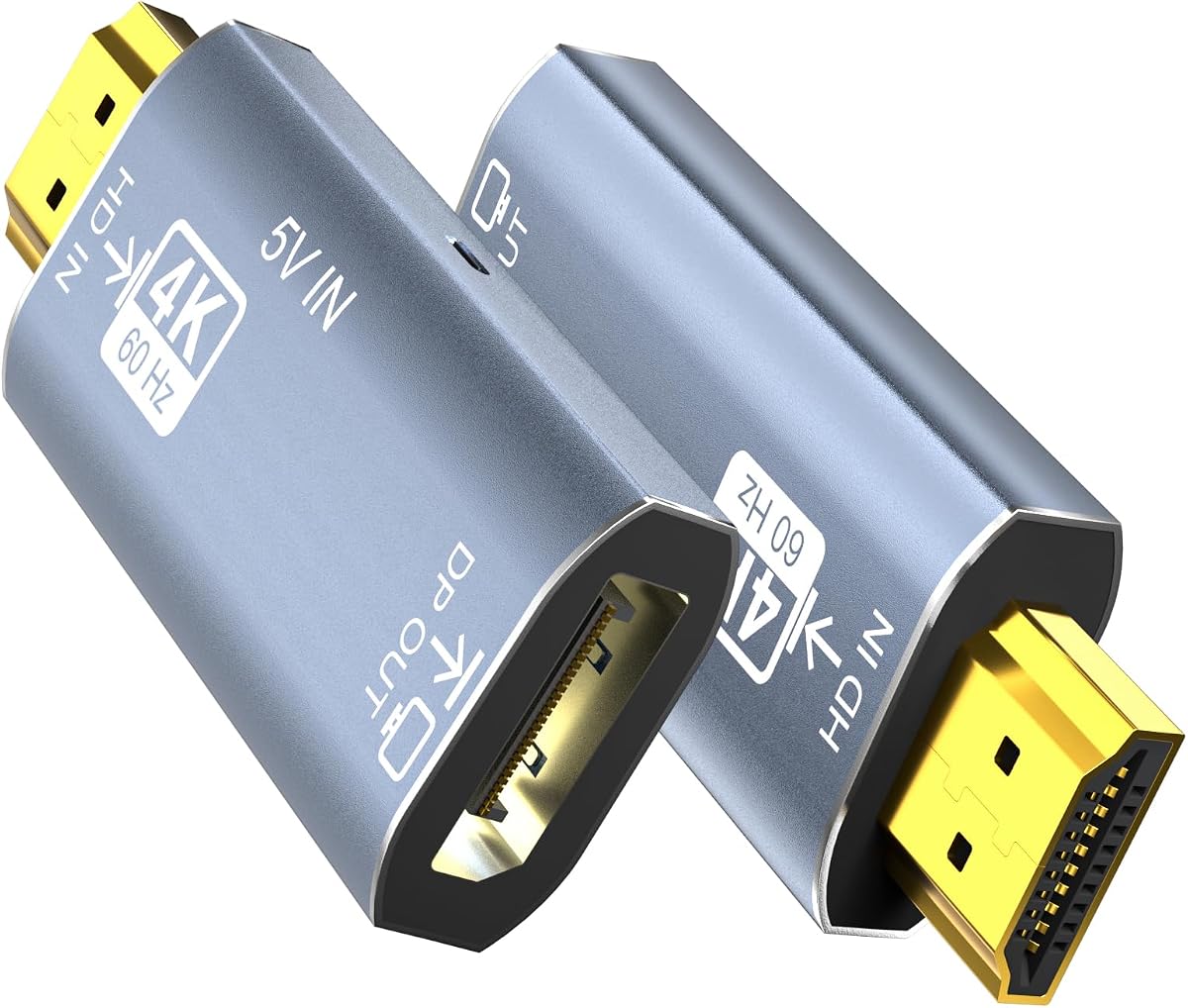
The Moread DisplayPort to HDMI Adapter offers exceptional value with its five year warranty. It supports resolutions up to 4K at 30Hz and 1080p at 120Hz, making it versatile for various displays. The gold plated connectors and reinforced housing ensure long term durability for daily use.
We may earn a commission when you buy through this link, at no additional cost to you.
Its portable design allows users to keep it in a laptop bag for presentations on the go. The locking connector with latches prevents accidental unplugging. It works with a wide range of brands and graphics cards for broad compatibility.
Being a passive adapter, it relies on the source device for signal conversion. This limits functionality for some docking stations. However for most direct connections it performs reliably without issues. It is a budget friendly choice for solid performance.
This adapter is perfect for users seeking durability and warranty protection. It balances cost and quality well. For those needing a dependable DP to HDMI converter, the Moread adapter is a top recommendation.
With a five year unconditional warranty, users receive extended coverage that highlights the brand confidence in product reliability.
Supports various resolutions including 4K at 30Hz and 1080p at 120Hz, adapting to different display capabilities.
We may earn a commission when you buy through this link, at no additional cost to you.
The Highwings USB C to HDMI Adapter delivers clear 4K visuals at 60Hz for home office setups. It works with USB-C ports supporting DP Alt Mode for seamless connectivity. The braided nylon jacket and gold plated connectors enhance durability for frequent plug and unplug cycles.
We may earn a commission when you buy through this link, at no additional cost to you.
Its design allows users to keep their existing HDMI cables while connecting to modern laptops. This flexibility extends the reach of a laptop in various settings. The 24 month warranty provides additional peace of mind for buyers.
Users should verify their device supports video output via USB-C before purchase. The chip may get warm during high resolution transmission but this is normal. It lacks charging support which is common for such adapters.
This adapter is ideal for remote workers needing a reliable connection for monitors. It offers strong build quality and performance. For home office users, it is a practical choice for expanding display options.
The braided nylon jacket and 24K gold plated connectors are designed to withstand frequent use and environmental wear.
Supports USB-C phones and tablets that allow video output, expanding its use beyond just laptops.
We may earn a commission when you buy through this link, at no additional cost to you.
The Anker HDMI Switch simplifies connecting multiple devices to a single display. With two inputs and one output, users can switch between game consoles and laptops easily. The single button manual switching ensures quick transitions without unplug cables.
We may earn a commission when you buy through this link, at no additional cost to you.
It supports up to 4K at 60Hz for high quality video output. The compact design fits neatly on a desk or behind a TV. It is compatible with a wide range of devices including VR headsets and streaming players.
Note that automatic signal detection is not supported, requiring manual presses. It also does not support simultaneous dual display output. These are expected limitations for a switch of this size. It works well for dedicated media setups.
This switch is best for users needing to alternate between sources on one screen. It offers quality performance and ease of use. For entertainment setups, it provides a reliable way to manage HDMI connections.
A single button allows hassle-free transitions between connected devices without needing remote controls or software.
Supports 4K at 60Hz, ensuring clear and smooth video for modern gaming consoles and media players.
We may earn a commission when you buy through this link, at no additional cost to you.
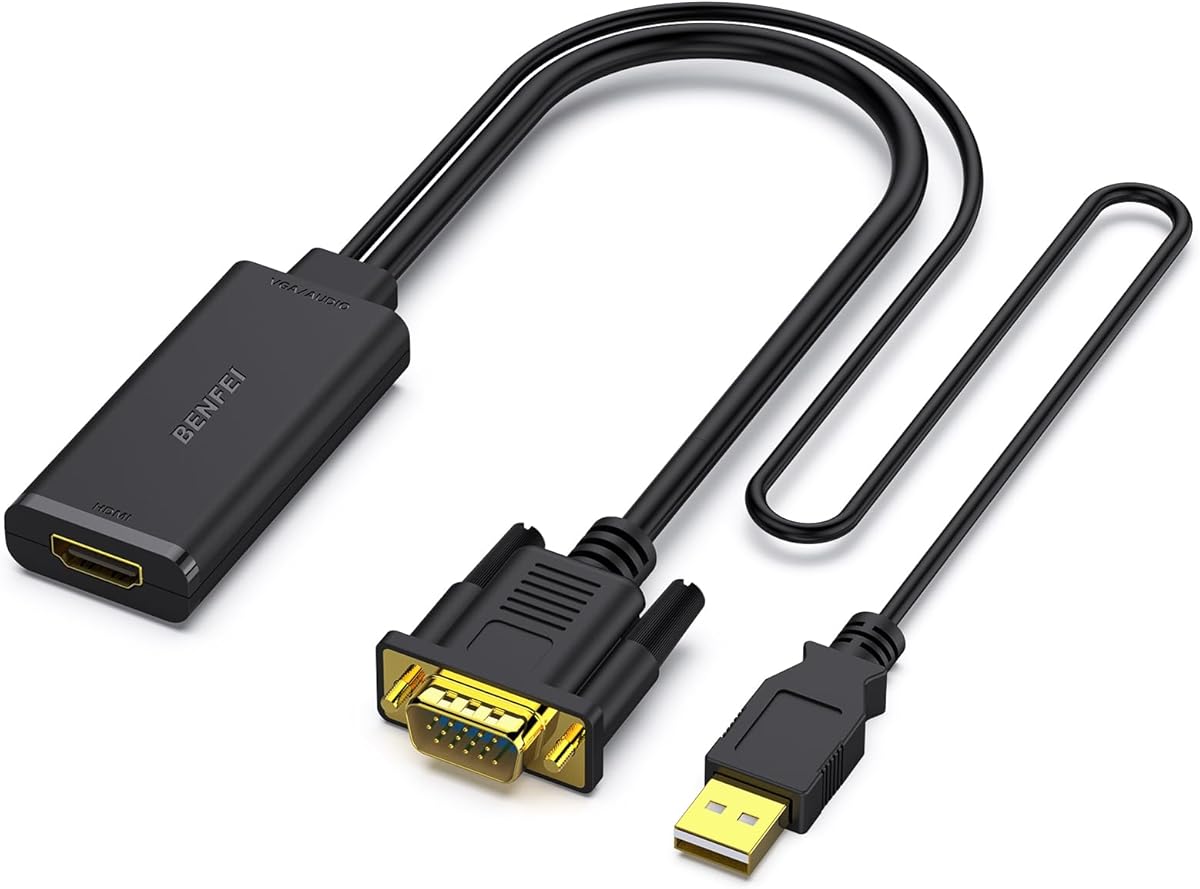
The BENFEI VGA to HDMI Adapter bridges the gap between older laptops and modern HDMI displays. It converts analog VGA signals to digital HDMI for clearer viewing. The compact design makes it easy to carry for business presentations.
We may earn a commission when you buy through this link, at no additional cost to you.
An integrated USB cable embeds audio along with video, solving the audio issue common with VGA. Users can configure USB audio in sound settings. It is plug and play for easy setup without additional software.
Note that it is not bi-directional and cannot work from HDMI to VGA. It also requires power to convert signals properly. These factors are important for proper setup but do not hinder typical use.
This adapter is perfect for users with legacy hardware needing to connect to HD monitors. It offers reliable conversion and audio support. For older laptops or devices, it is a practical solution for modern displays.
A built-in USB cable carries digital audio along with video, addressing the audio limitations of standard VGA connections.
Advanced IC chips convert analog signals to digital efficiently, ensuring stable output on connected HDMI screens.
We may earn a commission when you buy through this link, at no additional cost to you.
This USB C to HDMI Multiport Adapter expands laptop connectivity with HDMI PD charging and USB 3.0 ports. It supports 4K at 30Hz video output for monitors. The aluminum body provides better heat dissipation and a slim portable design for travel.
We may earn a commission when you buy through this link, at no additional cost to you.
Users can use all ports simultaneously for efficient multitasking. The USB 3.0 port allows fast data transfer at 5 Gbps. PD charging supports up to 100W input to keep laptops powered during use. It works with many popular laptop models.
While it supports 4K, the refresh rate is capped at 30Hz. This is suitable for productivity but not high gaming. The hub requires the USB-C port to support video output for proper functionality.
This adapter is ideal for travelers needing multiple connections in one device. It balances video output with power and data. For those requiring a compact hub, it offers strong value and utility.
The USB-C port supports up to 100W power delivery, allowing simultaneous charging while connected to displays.
USB 3.0 port enables fast file transfers at 5 Gbps, compatible with various USB devices and drives.
We may earn a commission when you buy through this link, at no additional cost to you.
The Mini HDMI to HDMI Adapter supports advanced video standards including 8K at 60Hz and 4K at 144Hz. It features 24K gold plated connectors and an aluminum alloy housing for durability and signal protection. This makes it ideal for high performance gaming and home theater needs.
We may earn a commission when you buy through this link, at no additional cost to you.
Its compact lightweight design fits easily into camera bags or pockets. The plug and play functionality requires no drivers. It is compatible with various devices like DSLRs, tablets, and laptops with Mini HDMI ports.
The 2-pack value allows for connections in multiple places. Users should ensure their device has a Mini HDMI port not Micro HDMI. The robust build resists corrosion and ensures low signal loss during transmission.
This adapter is best for enthusiasts requiring high refresh rates and resolution. It delivers lag-free visual experiences. For users with compatible ports, it is a top tier choice for premium performance.
Adopts HDMI 2.1 standards to support 8K at 60Hz and high refresh rates for seamless gaming and movie viewing.
Gold plated connectors and aluminum housing resist oxidation and improve heat dissipation for stable long term use.
We may earn a commission when you buy through this link, at no additional cost to you.
The BENFEI HDMI to DisplayPort Adapter connects HDMI sources to DisplayPort monitors effectively. It supports up to 4K at 60Hz and 1080p at 165Hz for smooth performance. The braided nylon cable and aluminum alloy casing enhance durability and heat insulation.
We may earn a commission when you buy through this link, at no additional cost to you.
It works with various devices including laptops and gaming consoles like PS5 and Xbox. The non-slip design facilitates easy plugging. It supports HDR and high refresh rates for engaging visual experiences on modern monitors.
Note that it requires an external USB power connection for the chipset to function properly. This ensures stable signal transmission but adds a cable. It is strictly unidirectional and does not work in reverse.
This adapter is perfect for users wanting to connect HDMI devices to DP displays. It offers high resolution and refresh rate support. For gamers and media users, it provides a reliable upgrade path for monitors.
Supports resolutions like 2K at 144Hz and 1080p at 165Hz, ideal for smooth gaming on high refresh monitors.
Compatible with a wide range of HDMI sources including consoles and PCs, offering flexible connectivity options.
We may earn a commission when you buy through this link, at no additional cost to you.
This active HDMI to DisplayPort adapter connects HDMI output sources to DP input displays reliably. It delivers crisp 4K at 60Hz without HDR. The hardware-level decoding design ensures true plug and play operation across major operating systems.
We may earn a commission when you buy through this link, at no additional cost to you.
It offers zero latency for smooth gaming on high refresh monitors. It works seamlessly with switch dock stations and various consoles. The aluminum alloy housing provides excellent heat dissipation during continuous operation for stable performance.
Users must plug the included USB power cable into a power source before use. This activates the chip for proper signal conversion. It requires a premium DP cable to achieve optimal 4K resolution.
This adapter is ideal for users needing a reliable HDMI to DP active conversion. It balances performance with ease of use. For those requiring active conversion, it is a robust tool for multi-screen setups.
Designed for fast-paced gaming and simulators, delivering instant response times without lag or flickering visuals.
Features pure hardware-level decoding that allows use without drivers or software across Windows and macOS.
We may earn a commission when you buy through this link, at no additional cost to you.
Selecting the right adapter requires understanding your laptop ports and display needs. Use this guide to identify key factors.
Ensure the adapter matches your laptop port such as USB-C, DisplayPort, or VGA. Check if your USB-C port supports video output. Mismatched ports will prevent any connection from working properly.
Always verify your laptop specifications before purchase to ensure the adapter fits your physical port requirements.
Consider the maximum resolution and refresh rate supported by the adapter. Some models support 4K at 60Hz while others cap at 30Hz. Choose higher rates for gaming or smoother video playback.
Select an adapter that meets your monitor's capabilities to avoid limited visual performance or flickering.
Most adapters are uni-directional meaning they work one way only. Ensure it supports your desired flow like laptop to monitor. Bi-directional models are rare and may cost more.
Confirm the signal direction before buying to avoid needing multiple adapters for different use cases.
Some adapters include power delivery to charge your laptop while connected. This is useful for laptops with one USB-C port. However not all models offer this feature so check product specs carefully.
If charging while using external display is critical look for a hub or adapter with PD support.
Look for adapters with aluminum housings and braided cables for durability. Gold plated connectors resist corrosion and improve signal quality. Durable build ensures longer lifespan under daily use conditions.
Premium materials may cost more but they offer better reliability and heat management during extended sessions.
A longer warranty period like 18 months or more indicates manufacturer confidence. It provides peace of mind if the adapter fails or has defects. Check for responsive customer service as well.
Choose brands that offer solid warranty coverage to protect your purchase from potential manufacturing issues.
Passive adapters are cheaper but may have limited signal conversion capabilities. Active adapters use chips for better compatibility with HDMI source to DP displays. Active models often require external power.
For complex conversions like HDMI to DisplayPort choose an active adapter to ensure reliable signal transmission.
Verify that the adapter supports digital audio pass-through for connected displays. Some adapters allow audio configuration via USB or HDMI settings. Missing audio support can require extra speakers or cables.
Ensure the adapter carries audio so you can enjoy sound directly from the connected monitor or TV.
Connect the adapter to your laptop port and plug in an HDMI cable to the display. Ensure the power adapter is plugged in if it is an active converter model. Turn on the display to detect the signal source properly.
Set your laptop to extend or mirror the display using system settings. Check the resolution in display options to ensure it matches the adapter's capabilities for best clarity.
Store the adapter in a protective case to prevent bending or connector damage. Avoid tugging on cables when unplugging to protect the ports and ensure long term reliability of the connection.
Most modern adapters are plug and play and do not require driver installation. They rely on standard protocols that are built into operating systems. Only specialized adapters may need specific software for advanced features.
Check that your USB-C port supports video output or DP Alt Mode. Verify the HDMI cable is securely connected at both ends. Restarting your laptop and display often helps resolve detection issues quickly.
Yes but choose an adapter that supports high refresh rates like 60Hz or more. Lower refresh rates may cause input lag or choppy visuals during fast action. Active adapters often provide better gaming performance than passive ones.
Most simple adapters do not support charging unless they are hubs with power delivery. Check product specifications for PD support if you need to charge during use. Some adapters focus solely on video transmission without power passthrough.
Mini HDMI adapters connect to smaller ports found on some laptops and cameras. Standard HDMI adapters are for larger ports found on monitors and TVs. Ensure you buy the correct connector type for your device.
Most adapters support a single display output unless they are specialized hubs or docking stations. For multiple monitors check if your laptop supports multiple external displays natively. Some hubs allow daisy chaining but it depends on hardware capabilities.
The ten adapters reviewed offer varied solutions for different laptop needs and ports. Top picks like the Anker and Moread models deliver reliable performance at great value. Select the one matching your specific port type and resolution requirements.
Prioritize build quality and warranty coverage when making your decision. Ensure the adapter supports the refresh rates you need for work or entertainment. Active adapters may be necessary for certain conversion types like HDMI to DisplayPort.
Remember to verify compatibility with your laptop before purchase to avoid return hassles. Check current listings for updated stock and shipping options. These adapters enhance your workspace setup for better productivity and entertainment.