
Ozeino Wireless Gaming Headset for PS5, PC, Switch| Lossless Audio-40H Batt
4.2Editor score
2.4GHz Low Latency
50mm Drivers
40 Hour Battery
Dual Mode
Discover the top Mac gaming headsets for 2026. We compare audio quality, comfort, and connectivity to help you pick the perfect headset for your Mac gaming
Finding the right audio gear for your Mac is crucial for an immersive gaming experience. A good headset delivers clear sound, comfortable fit, and reliable connectivity without compromising on performance during long sessions.
We compared ten top-rated headsets based on audio fidelity, build quality, microphone clarity, and Mac compatibility. Our analysis focuses on real-world performance metrics and user feedback to ensure you get the best value.
Each pick highlights specific strengths like wireless freedom or wired reliability. Prices vary by retailer and change often, so verify current deals before purchasing to ensure you get the best possible offer for your needs.
4.2Editor score

4.4Editor score

4.6Editor score
This side-by-side comparison covers all ten models to highlight key differences in drivers, connectivity, and comfort. Use this table to quickly find the headset that matches your specific gaming style and device ecosystem.




The Razer Kraken V4 X stands out as a top contender for Mac gamers due to its versatile connectivity and excellent audio tuning. It combines a comfortable build with a microphone that delivers clear voice chat without excessive background noise.
We may earn a commission when you buy through this link, at no additional cost to you.
Its Triforce 40mm drivers provide a wide soundstage that makes footsteps and explosions distinct. The 7.1 surround sound feature adds depth to in-game audio, helping you locate enemies more accurately during competitive matches.
While it lacks wireless freedom, the dual connector design ensures it works natively with modern MacBooks and older USB-A systems alike. The memory foam cushions remain comfortable even after extended gaming sessions without causing ear fatigue.
This headset is ideal for Mac users who prioritize audio quality and comfort over wireless convenience. If you want a reliable wired setup that integrates easily with your macOS environment, the V4 X is a strong choice.
The custom-tuned drivers ensure that highs, mids, and lows remain distinct without muddying complex soundtracks during intense gameplay.
With a convertible Type C and Type A cable, you can connect to any Mac without needing extra adapters or dongles for a hassle-free setup.
We may earn a commission when you buy through this link, at no additional cost to you.
The Corsair Void RGB Elite offers a robust wireless experience specifically optimized for gaming on Mac systems. It features a strong 2.4GHz connection that minimizes latency effectively while maintaining audio fidelity throughout long sessions.
We may earn a commission when you buy through this link, at no additional cost to you.
The custom-tuned 50mm drivers provide an expanded frequency range that captures subtle sound details well. This range helps you hear distant cues like approaching footsteps or environmental shifts without distortion at higher volumes.
Comfort is enhanced by breathable microfiber mesh and plush ear pads that prevent sweating during intense play. The aluminum yokes add durability without adding too much weight to the overall structure of the headset.
Ideal for those seeking a premium wireless setup, this headset delivers consistent performance and reliable connectivity. It is a solid investment for Mac users who value high fidelity audio and build quality over budget options.
Enjoy long uninterrupted gaming sessions with a battery that lasts well through typical usage times without needing frequent recharges or interruptions.
The omnidirectional microphone captures your voice with clarity, ensuring teammates hear you clearly even in loud or chaotic game environments.
We may earn a commission when you buy through this link, at no additional cost to you.
Ozeino delivers an affordable wireless solution that maintains competitive audio performance for Mac users on a budget. It uses a 2.4GHz connection to ensure low latency and stable audio transmission during critical gameplay moments.
We may earn a commission when you buy through this link, at no additional cost to you.
The 50mm drivers offer strong bass and clear highs which help in distinguishing game sounds accurately. Despite the lower cost, the build quality feels sturdy enough for daily use and travel without breaking easily.
Battery life is a standout feature, offering up to 40 hours of continuous use on a single charge. This longevity means you can play for days without worrying about finding a power outlet near your Mac station.
This headset is perfect for casual gamers or students who need reliable wireless audio without spending a lot. It provides essential features like low latency and decent comfort making it a great entry-level choice.
You get high-performance wireless features at a fraction of the cost of premium brands, making it accessible for every budget range.
Buttons for volume and mute are placed conveniently so you can adjust settings quickly without needing to stop your game to change settings.
We may earn a commission when you buy through this link, at no additional cost to you.
The Valorise headset distinguishes itself with an incredible 100-hour battery life that supports extended gaming marathons easily. It offers flexible connectivity options including USB dongles and Bluetooth for versatile device pairing with your Mac setup.
We may earn a commission when you buy through this link, at no additional cost to you.
Its 7.1 surround sound creates a cinematic experience that places you in the center of the game action. This spatial audio helps improve directional awareness which is crucial for tactical shooters or immersive story-driven games on Mac.
Comfort is maintained through memory sponge cushions and passive noise cancellation that blocks out ambient room noise. The retractable microphone ensures that you can keep the headset tidy when you need it for music or calls only.
If battery anxiety is a concern for you, this model eliminates that worry with its endurance and charge while use support. It is a versatile pick for those who need a single headset for both gaming and daily mobile use.
The battery lasts long enough to last days of gaming without recharging, ensuring your sessions are never interrupted by power issues or low battery warnings.
Ambient lighting modes add a cool visual element to your setup allowing you to customize the look to match your gaming mood or room theme.
We may earn a commission when you buy through this link, at no additional cost to you.
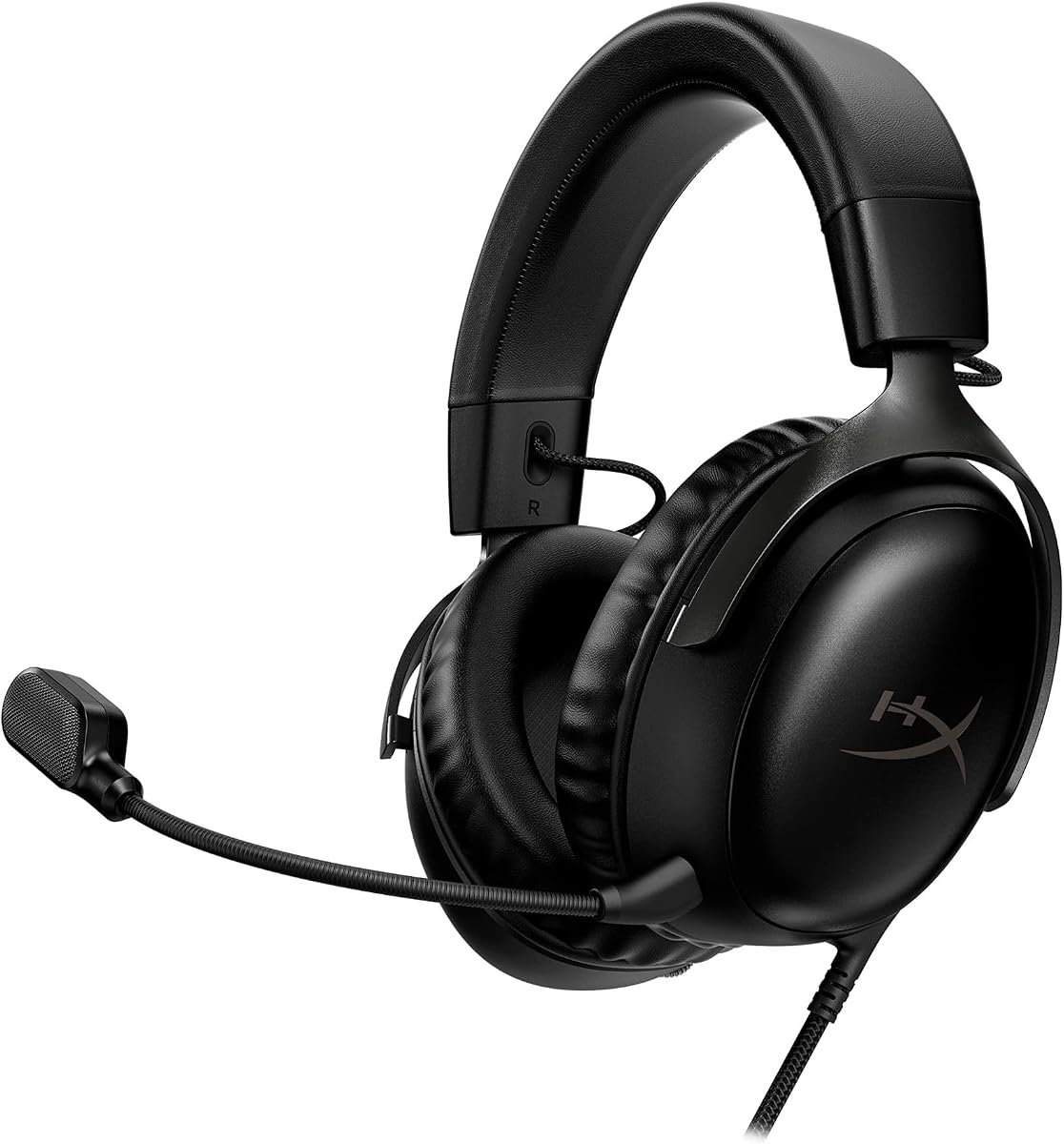
HyperX continues to lead in comfort with the Cloud III, designed specifically to prevent fatigue during long gaming sessions. The angled 53mm drivers are tuned to align with your ear canal for a natural listening experience on any platform including Mac.
We may earn a commission when you buy through this link, at no additional cost to you.
The noise-cancelling microphone captures your voice with high fidelity while filtering out background keyboard clicks or room noise. An LED mute indicator ensures you always know when you are broadcasting so there are no awkward communication mistakes during team play.
The durable aluminum frame withstands daily wear and travel shocks while keeping the headset lightweight enough for extended use. Its combination of comfort and reliable audio makes it a trusted choice for competitive gamers and streamers alike.
This headset is perfect for users who prioritize comfort and clear communication over wireless mobility. If you want a wired solution that feels premium and delivers consistent sound quality day after day, the Cloud III is an excellent choice.
Angled drivers match the angle of your ear canal so sound enters naturally reducing listening fatigue and improving clarity during long sessions.
USB-C, USB-A, and 3.5mm connectors ensure you can connect to any device without needing extra adapters or complex setups for Mac or consoles.
We may earn a commission when you buy through this link, at no additional cost to you.
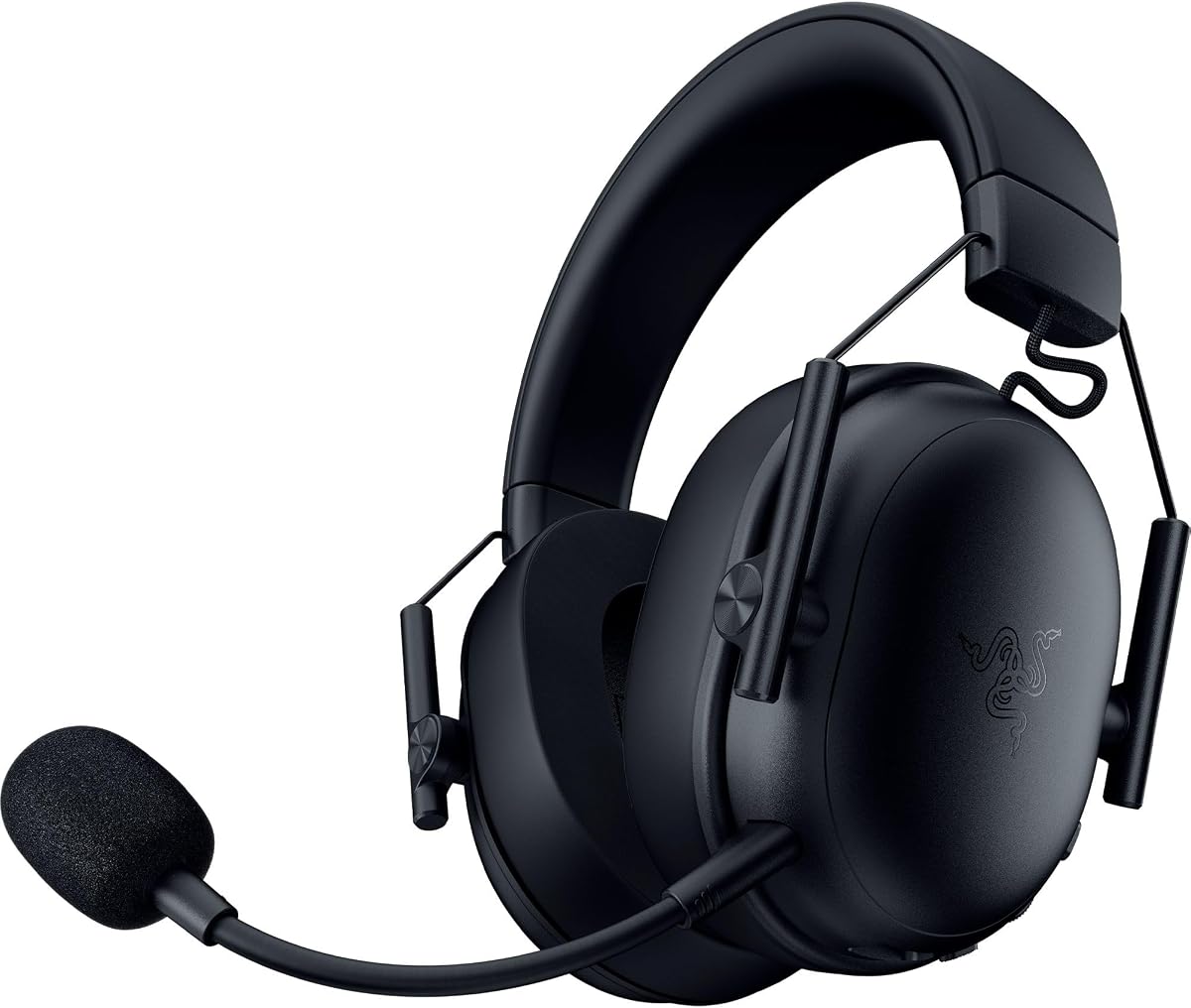
The BlackShark V3 X is built for speed and precision offering a lightweight design that feels almost invisible during intense play. Its HyperSpeed Wireless technology provides a low-latency connection that rivals wired setups for competitive gaming on Mac systems.
We may earn a commission when you buy through this link, at no additional cost to you.
Triforce 50mm drivers Gen-2 deliver improved clarity for directional audio cues like footsteps and reload sounds. The soundstage is well defined allowing you to pinpoint enemy locations quickly and accurately during high stakes matches or ranked games.
A detachable HyperClear microphone allows for easy removal when you just want to listen to music or watch a video. The plush earcups provide comfort without clamping too hard so your ears do not get hot or sore after hours of use.
Ideal for competitive players who need every advantage, this headset balances performance with usability effectively. It is a great pick for those who need a reliable wireless solution that offers strong audio fidelity and a lightweight feel.
The wireless connection is optimized for speed so audio is synced perfectly with on-screen actions without any lag or delay during gameplay.
Removing the mic makes the headset more portable and comfortable for media consumption so you can use it for more than just gaming.
We may earn a commission when you buy through this link, at no additional cost to you.
The white version of the HyperX Cloud III brings a stylish and clean aesthetic to your Mac gaming setup without sacrificing performance. It retains the same high-quality build and audio tuning as the black version while offering a fresh look for your desk.
We may earn a commission when you buy through this link, at no additional cost to you.
Memory foam ear cushions wrapped in premium leatherette offer a plush fit that seals out ambient noise effectively. This comfort combined with a metal frame ensures that the headset remains sturdy and functional even with heavy daily usage or travel.
Onboard controls allow you to adjust volume and mute the mic directly from the earcup for quick access. This convenience is helpful during gameplay so you do not have to interrupt your session to access system menus or settings on your Mac.
This model suits users who value style alongside substance and need a reliable headset for long sessions. If you want a headset that looks elegant and feels comfortable, the white Cloud III is a premium choice to consider.
A full metal frame ensures durability so the headset can withstand accidental drops or bumps without breaking or bending over time.
Physical volume and mute controls on the cup allow for quick adjustments during intense moments without needing to use your mouse or keyboard.
We may earn a commission when you buy through this link, at no additional cost to you.
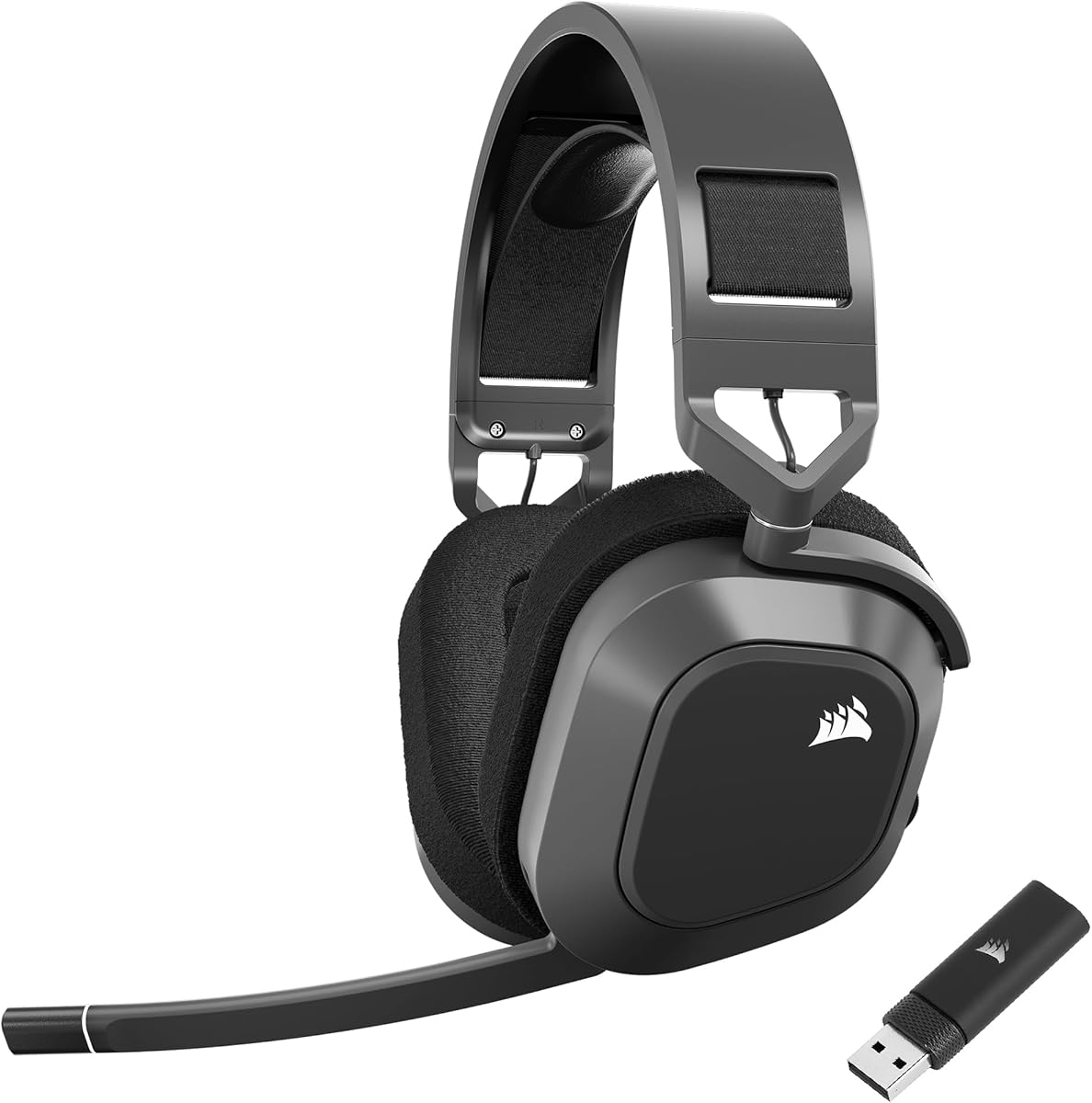
The HS80 RGB Wireless brings Dolby Atmos support to Mac users for a truly three-dimensional soundscape that enhances immersion. Its custom-tuned drivers cover a wide frequency range ensuring that every whisper and explosion is rendered with impressive detail and clarity.
We may earn a commission when you buy through this link, at no additional cost to you.
SLIPSTREAM Wireless technology ensures extremely low latency so audio events are perfectly synchronized with visual actions on your screen. This sync is crucial for competitive gaming where split-second reaction times depend on accurate audio cues and reliable connections.
The broadcast-grade microphone captures voice with high clarity while a flip-up mute function offers convenience during breaks or calls. An LED mute indicator keeps you informed so you never accidentally unmute yourself when you are supposed to be silent during play.
Ideal for immersive storytelling or competitive gaming, this headset offers a rich audio experience that stands out. If you want deep sound and wireless freedom with premium branding, the HS80 RGB is a solid and reliable pick for your Mac.
Dolby Atmos places sounds all around you with spatial precision so you can react faster to threats coming from any direction effectively.
The dedicated wireless link provides stable transmission with minimal interference so you experience smooth gameplay without audio dropouts or lag.
We may earn a commission when you buy through this link, at no additional cost to you.
The Barracuda X Chroma simplifies multi-device use with its SmartSwitch technology that lets you toggle between PC and mobile easily. Its 2.4GHz wireless connection ensures low latency on Mac while Bluetooth mode allows you to stay connected to your phone simultaneously.
We may earn a commission when you buy through this link, at no additional cost to you.
Triforce 40mm drivers deliver high-quality audio across music and games without distortion even at higher volumes. This versatility makes it suitable for both intense gaming sessions and casual media consumption throughout the day on your computer or mobile device.
The ergonomic design is lightweight and features breathable cushions that prevent heat buildup during long use. With a battery life up to 70 hours, you can rely on it for extended periods without needing to charge it frequently or constantly.
This headset is perfect for users who switch between different devices often and want a single solution for all. If you need a portable option with strong performance and customizable lighting, the Barracuda X Chroma is a practical and stylish choice.
Toggle between devices with a simple switch to move from Mac gaming to mobile calls without needing to re-pair or restart your setup manually.
Six zone lighting on the ear cups allows you to match your headset to your room theme or game aesthetic for a personalized look.
We may earn a commission when you buy through this link, at no additional cost to you.
The HS80 MAX delivers an outstanding battery life that can reach up to 130 hours in Bluetooth mode for extended use. It provides high-fidelity audio that rivals typical gaming headsets making it versatile for both gaming and general media consumption on Mac or mobile.
We may earn a commission when you buy through this link, at no additional cost to you.
Low-latency 2.4Ghz wireless ensures stable and fast connection for gaming when you need to be in sync with visual elements. This connection maintains audio quality throughout the session so you do not miss any details during intense or fast-paced gameplay.
Comfort is enhanced by a stress-free floating headband design that distributes weight evenly across your head. Memory foam pads ensure a soft fit that remains comfortable even after hours of continuous use without feeling tight or heavy on your ears.
Ideal for travelers or heavy users, this headset supports multiple platforms seamlessly without needing extra accessories or adapters. If you want maximum battery life and high fidelity sound, the HS80 MAX is a robust and reliable option for your needs.
The 130 hour battery in Bluetooth mode means you can travel or game for days without needing to plug in or recharge your headset often.
A stress-free floating headband ensures weight is distributed evenly so you can wear the headset for long periods without discomfort or soreness.
We may earn a commission when you buy through this link, at no additional cost to you.
Choosing the right headset for your Mac involves evaluating several key factors beyond just price. This guide breaks down the most important aspects to consider before you make your final decision.
Mac users need to consider whether they prefer wireless freedom or wired reliability. Look for headsets with USB-C or Type-A dongles that offer low latency connections like 2.4GHz for gaming. Bluetooth is useful for music but may introduce lag in fast-paced competitive titles.
Ensure the headset you choose has a compatible connector for your specific Mac model to avoid needing extra adapters.
High-quality audio drivers are essential for immersive gaming experiences. Look for headsets with 50mm drivers or larger that can reproduce deep bass and clear highs without distortion. Features like 7.1 surround sound can help improve your spatial awareness during competitive matches.
Prioritize models with custom-tuned drivers to ensure accurate sound reproduction for both music and game effects.
Clear voice communication is critical for team-based games. Look for noise-canceling microphones that filter out background noise like mechanical keyboard clicks or room fans. Detachable or retractable mic options are a plus if you use the headset for other purposes.
A clear mic ensures your teammates hear you clearly even during intense moments of gameplay.
Gaming sessions can last hours so comfort is a priority. Look for memory foam ear cushions and breathable fabric that prevent sweating. A lightweight frame made of aluminum or durable plastic ensures longevity without adding excessive weight to your head.
Adjustable headbands and swiveling ear cups help achieve a custom fit that reduces fatigue.
For wireless models, battery life determines how often you need to recharge. Aim for headsets that offer at least 40 hours of continuous play on a single charge. Some premium models offer over 100 hours which reduces interruptions during long gaming marathons.
Check if the headset supports charging while in use so you can keep playing even as the battery depletes.
Ensure the headset is officially compatible with macOS to avoid driver issues. Some headsets work well with PC but may have limited software support on Mac. Check reviews from other Mac users to verify seamless integration with your system.
Multi-platform headsets often offer better versatility for users who switch between different devices regularly.
Many premium headsets come with companion software for equalizer adjustments and RGB customization. Verify if this software is available for macOS before purchasing a model that relies heavily on app control. Without software, you might lose access to key features like surround sound settings.
Basic models without software often provide plug-and-play functionality which can be more stable for Mac users.
Prices vary widely based on features and brand reputation. Determine your budget first and prioritize features that matter most to your gaming style. A cheaper headset might have shorter battery life or lower comfort but can still deliver solid performance.
Invest in a model that offers the best balance of features you need without paying for extras you will not use often.
Start by connecting your headset to your Mac using the correct cable or USB dongle. If using a wireless model, insert the USB adapter into an available port and wait for the system to recognize the device automatically without needing extra drivers.
Once connected, go to your Mac System Preferences and select Sound to ensure the headset is chosen as both the input and output device. Adjust the volume levels there to match your personal preference and prevent audio distortion at high volumes.
To maintain longevity, store your headset in a dry and cool place away from direct sunlight. Clean the ear cushions regularly with a soft cloth to remove dust and sweat buildup that could damage the material over time.
Yes, most modern headsets listed here are compatible with Macs using M1 or M2 chips. They connect via USB or standard 3.5mm jacks which are universally supported by macOS. Wireless dongles that use standard protocols typically do not require specific drivers for newer Mac models.
While Bluetooth is convenient for music, it often introduces latency that can affect competitive gaming performance. For the best gaming experience use a wired connection or a 2.4GHz USB dongle provided with the headset. This ensures your audio stays synced with the action on your screen.
Many headsets work as plug-and-play devices without requiring extra software. However, some advanced features like EQ settings or RGB lighting may need a companion app which may not be available on macOS. Always check the product description for Mac-specific software support before purchasing.
The HyperX Cloud III and Razer Kraken V4 X feature high-quality microphones with noise cancellation that filter out background sounds. These models ensure your voice remains clear even during intense gaming sessions where other noises are present in your room.
Wireless headsets are excellent for Macs provided they use a low-latency 2.4GHz connection rather than standard Bluetooth. This connection type minimizes delay and ensures your audio matches the visuals on screen accurately during gameplay.
Use a soft dry cloth to gently wipe the ear cushions to remove dust and oils. For deeper cleaning, use a slightly damp cloth with mild soap but ensure it is completely dry before using the headset again. Avoid harsh chemicals that can damage the fabric or leather materials.
Battery life typically ranges from 40 to 130 hours depending on the model and settings. Using RGB lighting usually reduces battery time so you may want to turn it off for longer play sessions to maximize your usage time between charges.
Yes, all these headsets work well for general tasks like listening to music, watching videos, or making calls. Their audio quality and comfort make them versatile for any multimedia consumption or communication needs on your Mac setup.
We have reviewed ten top options ranging from budget-friendly picks like Ozeino to premium choices like the HyperX Cloud III. Each model offers unique strengths tailored to different gaming styles and needs.
When selecting your next headset, prioritize comfort and audio fidelity to ensure long sessions do not become a burden. Wireless users should focus on latency performance while wired users should look for durable connectors.
Prices are subject to change and promotions vary by retailer so always check the current listings before finalizing your purchase. Investing in a quality headset today will enhance your gaming experience for years to come.