
Toshiba HDWL120XZSTA
4.6Editor score
Low power profile
Built-in shock sensors
9.5mm height design
Choosing the right storage solution is crucial for maintaining system performance and data integrity. A 5400 Rpm HDD Hard Drive offers a balance of capacity, power efficiency, and reliability for everyday computing tasks.
We evaluated ten leading models based on performance benchmarks, build quality, warranty terms, and user feedback. Our comparison focuses on real-world usage scenarios to ensure you select a drive that meets your specific needs.
Each pick highlights unique strengths such as cache size, form factor, or NAS optimization. Please note that availability and specifications may change over time, so verify details before purchasing your next drive.
4.6Editor score

4.7Editor score

4.5Editor score
As an Amazon Associate we earn from qualifying purchases.
The following table provides a side-by-side overview of all ten selected models. This comparison helps you quickly identify key specifications like capacity, interface speed, and physical dimensions to streamline your decision process.




The Seagate BarraCuda 2TB is a standout choice for users needing reliable internal storage in a compact form factor. Its 4.7 rating reflects consistent performance across desktop and laptop environments.
We may earn a commission when you buy through this link, at no additional cost to you.
This drive excels at handling everyday tasks like media storage and general computing. The 128MB cache helps smooth out data flow during multitasking, ensuring your system remains responsive.
While it is not designed for heavy server loads, its endurance is sufficient for personal use. The main trade-off is that it lacks specialized NAS features found in higher-tier models.
Buyers looking for a versatile upgrade for existing laptops or small form factor PCs should consider this model. It offers a balanced mix of capacity, speed, and physical size.
The 2.5 inch form factor allows installation in slim laptops where 3.5 inch drives cannot fit.
A larger cache buffer helps reduce latency when accessing frequently used files or applications.
We may earn a commission when you buy through this link, at no additional cost to you.
The Seagate Barracuda 6TB provides immense storage space for users with large media collections or extensive datasets. It maintains the reliability expected from the BarraCuda line.
We may earn a commission when you buy through this link, at no additional cost to you.
With 256MB of cache, this drive can manage large file transfers more efficiently than smaller models. It is particularly useful for photo and video editors who need local access to assets.
The 3.5 inch form factor limits its use to desktop towers or external enclosures. It is not suitable for standard laptop bays without adapters or special mounting.
If you need to store terabytes of data locally without moving to expensive SSDs, this drive is a solid option. It balances cost and capacity effectively for home office setups.
Six terabytes allow users to keep thousands of high-resolution videos or photos locally.
The 256MB cache improves sequential read and write performance for large files.
We may earn a commission when you buy through this link, at no additional cost to you.
This drive stands out because it packs 5TB into a 2.5 inch form factor, which is rare for internal drives. It bridges the gap between mobile convenience and desktop capacity.
We may earn a commission when you buy through this link, at no additional cost to you.
Users can install this in gaming laptops or portable enclosures that support higher wattage. It is excellent for those who need a lot of space but cannot use a 3.5 inch drive.
However, power consumption might be higher than standard 2.5 inch drives due to the platter density. Ensure your system power supply can handle the load before installation.
For users needing massive portable storage or a compact desktop upgrade, this model offers a unique solution. It is a niche choice but highly effective for specific use cases.
Achieving 5TB in a 2.5 inch format saves valuable space in compact computing systems.
Check power requirements carefully as high density drives may need more juice than standard units.
We may earn a commission when you buy through this link, at no additional cost to you.
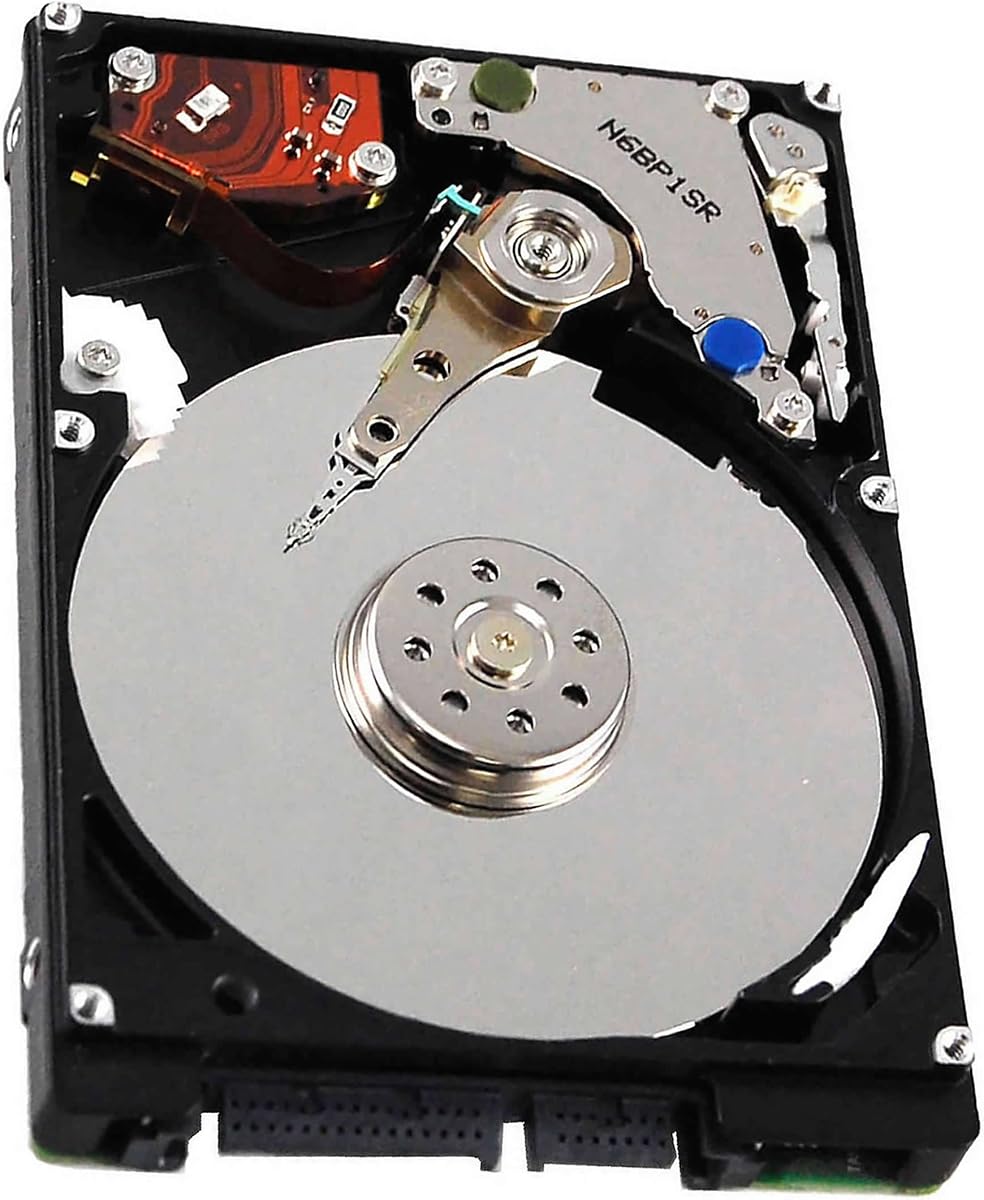
The Toshiba HDWL120XZSTA is designed specifically for laptops and gaming systems where battery life matters. It features a low power profile that helps extend usage time away from an outlet.
We may earn a commission when you buy through this link, at no additional cost to you.
Shock sensors and ramp loading technology protect data integrity if the laptop is moved while running. This makes it a robust choice for students or professionals who travel frequently.
As an OEM drive, it may not include the same retail packaging or warranty terms as boxed units. However, performance remains consistent with other premium mobile hard drives.
If you need to replace an aging laptop drive without breaking the bank, this is a strong candidate. It balances performance and energy efficiency well for portable computing.
The low power profile helps optimize device battery life during extended mobile work sessions.
Built-in shock sensors detect movement to prevent damage during transit or accidental drops.
We may earn a commission when you buy through this link, at no additional cost to you.
This mobile internal drive is a go-to upgrade for on-the-go computing needs. It fits standard laptop bays and provides substantial space for applications and files.
We may earn a commission when you buy through this link, at no additional cost to you.
Specialized caching technology optimizes data flow for faster loading times. This is helpful when multitasking with multiple applications open simultaneously on a laptop.
Like most mechanical drives, it may produce audible noise during heavy use. However, this is generally minor and acceptable for typical office or home environments.
Users seeking a reliable upgrade to increase laptop storage will find this model meets expectations. It is a stable choice for those who do not need the speed of an SSD.
Specialized caching technology optimizes data flow for faster application loading times.
Long-term peace of mind is supported by an included two-year limited warranty.
We may earn a commission when you buy through this link, at no additional cost to you.
The Western Digital WD Blue 2TB is a factory renewed option that offers great value for budget-conscious buyers. It comes with zero power on hours, essentially like new.
We may earn a commission when you buy through this link, at no additional cost to you.
Being part of the Blue series ensures it meets WD standards for reliability and performance in home environments. The 256MB cache helps with general desktop tasks efficiently.
Buying renewed can be a smart move to save money while still getting a quality product. However, warranty terms may differ from new items, so check the specifics.
This drive is best for secondary storage or non-critical data where cost is a major factor. It is a practical solution for expanding storage in an existing desktop tower.
Factory renewed drives offer significant savings while maintaining high reliability standards.
Zero power on hours means the drive has not been used since refurbishment was completed.
We may earn a commission when you buy through this link, at no additional cost to you.
The Seagate Momentus 320GB is a classic mobile drive designed for rugged operating environments. It features high shock tolerance to protect data in notebook PCs.
We may earn a commission when you buy through this link, at no additional cost to you.
With G-Force Protection, it offers added robustness for mobile use. This makes it suitable for industrial applications or field work where stability is a concern.
While capacity is lower by modern standards, the drive is reliable for specific legacy systems. The SATA 3Gb/s interface is slower than newer models but sufficient for basic needs.
Buyers looking to repair older laptops or specific industrial setups might find this model useful. It is less relevant for general consumers needing large storage space today.
G-Force Protection adds robustness in mobile environments by managing shock events dynamically.
1000 Gs of nonoperating shock make this drive ideal for rugged notebook environments.
We may earn a commission when you buy through this link, at no additional cost to you.
The Seagate IronWolf 4TB is engineered specifically for Network Attached Storage environments. It delivers consistent performance for multi-user access and high uptime.
We may earn a commission when you buy through this link, at no additional cost to you.
Features like reduced vibration help ensure stability in RAID enclosures. The integrated health management system allows you to monitor drive status easily over time.
Rescue data recovery services provide an extra safety net for critical data. This peace of mind justifies the premium cost for business or serious home users.
If you are building a NAS for file sharing or media streaming, this drive is a top tier choice. It handles continuous operation better than standard desktop models.
Integrated IronWolf Health Management helps monitor drive health to prevent data loss.
Included Rescue Data Recovery Services offer professional help if data corruption occurs.
We may earn a commission when you buy through this link, at no additional cost to you.
The Seagate BarraCuda 4TB is an excellent option for desktop users needing significant local storage. It supports high sustained transfer rates which helps when moving large files.
We may earn a commission when you buy through this link, at no additional cost to you.
Free DiscWizard software simplifies migrating data from old drives to this new one. This reduces the setup time and technical effort required for upgrades.
The frustration-free packaging ensures easy handling during installation. Users appreciate the convenience of not dealing with excessive materials during the setup process.
For gamers or creative professionals storing local files, this drive balances speed and capacity well. It remains a staple choice for general desktop storage expansion.
Free Seagate DiscWizard software makes migrating and cloning data from old drives easy.
Maximum sustained transfer rate of 190MB/s helps with fast data movement.
We may earn a commission when you buy through this link, at no additional cost to you.
The Western Digital WD Red Plus 4TB is built specifically for NAS systems with up to 8 bays. It ensures reliable performance in continuous operation environments.
We may earn a commission when you buy through this link, at no additional cost to you.
NASware technology tunes the drive for better compatibility with RAID setups. This reduces compatibility issues and improves performance in multi-drive configurations.
While more expensive than desktop drives, the reliability for NAS use is worth the investment. It is designed to handle 24/7 operation without compromising data integrity.
Users setting up a home server or business network storage should prioritize this model. It offers peace of mind through world-class support and warranty protection.
NASware technology optimizes performance for RAID environments and multi-bay systems.
Designed for continuous operation to ensure stability in always-on network environments.
We may earn a commission when you buy through this link, at no additional cost to you.
Selecting the right hard drive requires understanding specific factors that impact performance and reliability. This guide outlines the key elements to consider before making a purchase.
Capacity determines how much data you can store locally. Consider current usage and future growth when selecting size.
Choose a drive with enough space to avoid running out of room as your files grow.
2.5 inch drives fit laptops and small enclosures while 3.5 inch drives fit desktops. Check your system compatibility before buying.
Always match the drive size to your available slots to ensure proper installation.
SATA 6Gb/s is the current standard providing fast data transfer. Older interfaces may bottleneck performance in modern systems.
Verify your motherboard supports the interface speed for best results.
Cache helps manage data flow between the drive and system. Larger caches can improve multitasking performance.
Look for drives with higher cache values for smoother operation during heavy use.
Different drives are optimized for desktop, laptop, or NAS use. Match the drive type to your environment.
Using a NAS drive for a server ensures better reliability than a desktop drive.
Reliability depends on build quality and endurance ratings. Check MTBF or warranty terms for long term confidence.
Higher reliability ratings reduce the risk of data loss over time.
Prices vary based on capacity and features. Balance your spending with your data needs.
Prioritize capacity if storage is a priority over speed or advanced features.
Warranty terms offer protection if the drive fails. Longer warranties indicate manufacturer confidence.
Always register your drive to ensure full warranty coverage.
Install the drive securely in the system bay to prevent vibrations. Ensure cables are connected firmly to avoid data issues.
Keep the system well ventilated to maintain operating temperatures. High heat can reduce the lifespan of mechanical components.
Back up important data regularly to an external source or cloud. This ensures safety even if the drive encounters issues.
A 5400 RPM drive runs slower and uses less power, making it better for laptops and storage. A 7200 RPM drive is faster but generates more heat and noise.
Yes, you can use it for game storage, but loading times will be slower than an SSD. It is suitable for storing installed games rather than active play.
For general use, 2TB is plenty for documents and media. Power users with large video libraries may need more space like 4TB or 6TB.
Cache sizes vary to optimize for specific tasks. Larger caches help with handling multiple files or heavy data loads more efficiently.
Yes, 2.5 inch drives are standard for laptops due to their compact size and lower power requirements compared to larger models.
You need a standard SATA enclosure. Ensure the USB version matches your port speed for best transfer rates.
With proper care, these drives often last five to ten years. Lifespan depends on usage patterns and environmental conditions like heat.
CMR stands for Conventional Magnetic Recording which is better for reliability than SMR. It is preferred for NAS and frequent write operations.
The models reviewed cover a wide range of needs from portable storage to NAS solutions. Each option brings unique benefits to different types of users.
Prioritize capacity and reliability based on whether you need a laptop upgrade or a desktop expansion. Consider warranty and support as key factors.
Prices and availability change frequently, so check current listings before buying. Ensuring you get the best value for your specific requirements.