
EMEET C960 1080P Webcam
4.4Editor score
90 degree wide angle field of view
Built-in privacy cover included
USB-A and USB-C connectivity
This guide compares the top 1080p webcams for streaming and meetings. Find the best model with high quality video clarity reliable performance today.
Finding the right video camera is essential for clear communication. A good webcam delivers sharp images and reliable audio. It helps you look professional during meetings and streaming sessions.
We compared ten popular models based on video quality and features. Each option offers unique strengths for different users and needs. Our list covers various price points and use cases effectively.
Each pick shows key specs and real-world performance details. We highlight pros and cons to help you decide. Note that product prices and availability change over time.
4.4Editor score

4.6Editor score

4.4Editor score
This side-by-side comparison lists all ten models with key details. You can quickly see differences in resolution, lens type, and included accessories to find your best match.



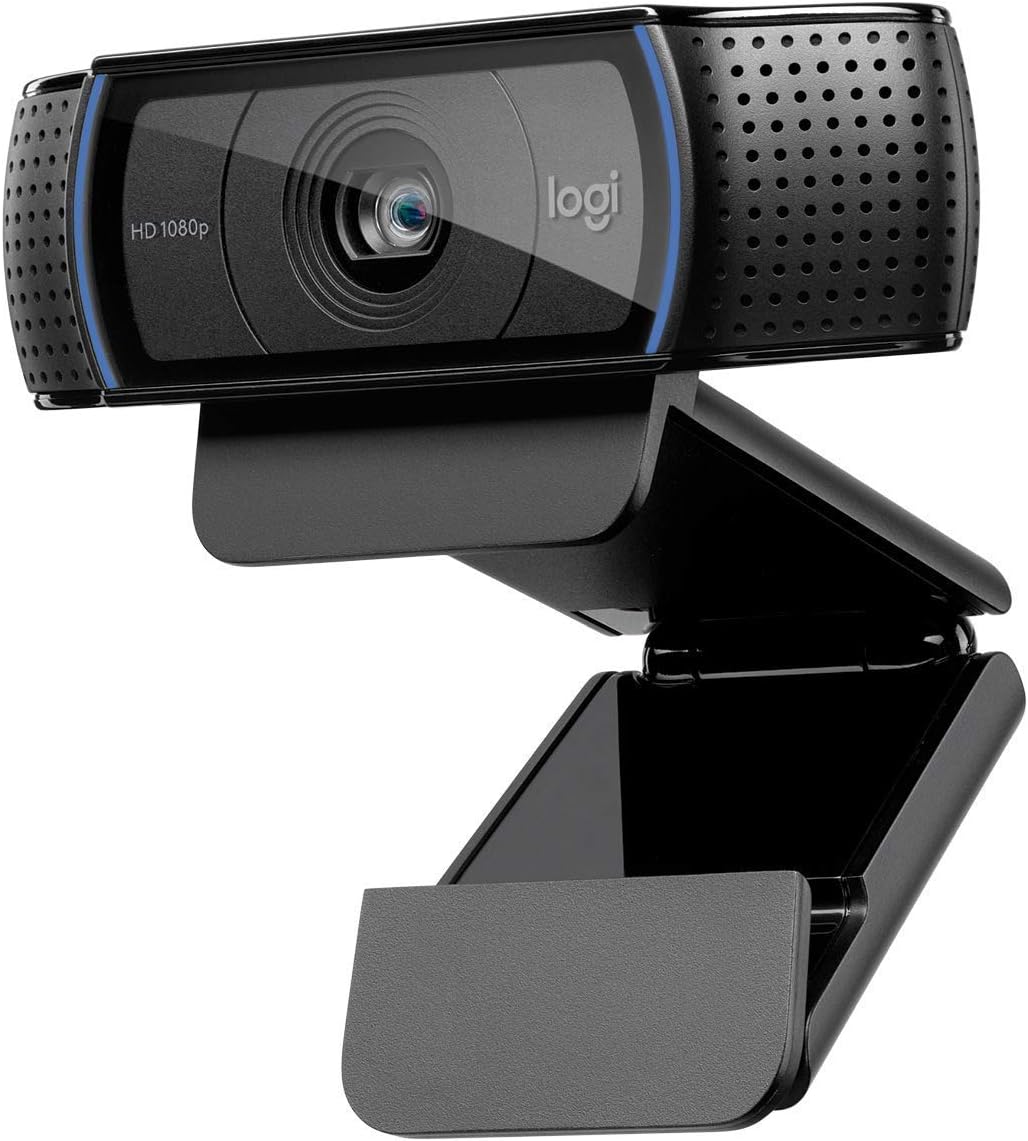


This webcam delivers premium video quality with its 1080p resolution. It holds a strong rating for reliability and clarity in various settings.
We may earn a commission when you buy through this link, at no additional cost to you.
Its autofocus and HD lighting adjustment ensure you look sharp. The dual mics capture natural sound for clear audio during calls.
While it lacks a privacy shutter, its image quality is top-tier. You get a strong impression without needing green screen software.
Ideal for professionals needing consistent performance on any platform. It works seamlessly with Windows 11 and popular apps.
The auto fine-tuning adjusts brightness to reduce shadows and improve visibility.
XSplit VCam software helps remove backgrounds without extra hardware.
We may earn a commission when you buy through this link, at no additional cost to you.
This camera offers realistic 1920 by 1080p video at a low cost. It is optimized for streaming and professional video calls effectively.
We may earn a commission when you buy through this link, at no additional cost to you.
The 90-degree FOV captures more participants without adjustments. It has auto light correction to keep images balanced in bright rooms.
Fixed focus works well for standard desk distances but lacks zoom. Privacy is handled by an automatic cover when not in use.
Great for budget-conscious users needing reliable performance. It supports major apps and works on Windows and macOS.
The built-in cover removes automatically to protect your lens and privacy.
Upgraded USB connectivity supports both Type-A and Type-C ports.
We may earn a commission when you buy through this link, at no additional cost to you.
This streaming camera uses a Sony sensor for crisp images. It exceeds typical webcam quality with versatile resolution options.
We may earn a commission when you buy through this link, at no additional cost to you.
PDAF technology offers faster and more precise focus than standard systems. The adjustable FOV helps frame content better at different resolutions.
While 4K is a bonus, 1080p at 60fps is smooth. It includes privacy features and sturdy build quality for stability.
Best for streamers demanding top-tier performance. The software adds customization for sound and image parameters.
Phase detection autofocus ensures sharp images during movement and changes.
Proprietary algorithms filter background noise for voice capture.
We may earn a commission when you buy through this link, at no additional cost to you.
This model is great value with clear video for meetings. It produces natural results that help employees feel confident daily.
We may earn a commission when you buy through this link, at no additional cost to you.
RightLight boosts brightness to reduce shadows significantly. The integrated cover ensures privacy when you step away from your desk.
It works with major platforms without extra drivers. It is made with 77 percent post-consumer plastic for sustainability.
Ideal for home offices needing reliability. Its plug-and-play design simplifies setup.
RightLight automatically improves quality in suboptimal lighting conditions.
Recycled plastic reduces environmental impact.
We may earn a commission when you buy through this link, at no additional cost to you.
This webcam brings premium video quality for calls and recording. It ensures you look like a pro with HD autofocus.
We may earn a commission when you buy through this link, at no additional cost to you.
The privacy shutter gives you control over your lens. Stereo audio captures natural sound during videos.
It delivers vibrantly colored video due to glass lenses. The design is sleek and easy to mount.
Great for anyone needing privacy controls. It works seamlessly with standard setups.
A snugly fitting cover protects the lens and ensures privacy.
Glass lenses ensure sharp and detailed recorded videos.
We may earn a commission when you buy through this link, at no additional cost to you.
Designed for workplace compatibility with Zoom and Teams. It ensures seamless integration for business environments.
We may earn a commission when you buy through this link, at no additional cost to you.
The attachable privacy screen confirms when the lens is covered. Its auto light correction helps you look good always.
You can mount it on monitors or tripods. It works with sync device management for fleets.
Ideal for teams needing certified reliability. The sturdy clip ensures stability.
Ensures compatibility and seamless integration in the workplace.
1/4 inch threads allow tripod mounting.
We may earn a commission when you buy through this link, at no additional cost to you.
This webcam produces sharp videos with a two-megapixel CMOS. It optimizes for indoor use with fixed distances.
We may earn a commission when you buy through this link, at no additional cost to you.
The noise-cancelling microphone enhances sound quality. A privacy cover blocks the lens when not in use.
It works with many OSes but excludes consoles. Software updates might be needed for audio issues.
Best for multi-platform users on a budget. It delivers clear images and audio.
Reduces ambient noise to improve sound quality of video.
Blocks the lens to ensure security and peace of mind.
We may earn a commission when you buy through this link, at no additional cost to you.
A classic model known for reliable widescreen video. It delivers HD quality for desktop and laptop use.
We may earn a commission when you buy through this link, at no additional cost to you.
Its glass lens ensures crisp images and audio. The mics capture sound for calls and recording.
It may lack newer privacy features but works well. It has stood the test of time.
Good for users wanting proven performance. It is simple and effective.
Produces full HD video calling and recording.
Captures natural sound with dual microphones.
We may earn a commission when you buy through this link, at no additional cost to you.
This model offers affordable Full HD with clear video. It meets needs for natural meetings and confidence.
We may earn a commission when you buy through this link, at no additional cost to you.
RightLight 2 improves quality in suboptimal conditions. The integrated cover gives privacy confidence at home.
It works with major systems and Chromebook. Logitech Sync supports remote deployment.
Best for business users on a budget. It is simple to deploy.
Designed for business with major OS compatibility.
Integrated webcam cover protects privacy.
We may earn a commission when you buy through this link, at no additional cost to you.
This renewed model delivers smooth Full HD video at 30fps. It offers easy connectivity with popular apps.
We may earn a commission when you buy through this link, at no additional cost to you.
The built-in microphone provides an all-in-one solution. It captures clear video for streaming and recording.
While the FOV is narrow, it works well for desks. It is a cost-effective solution.
Best for those seeking value without compromises. It is simple and reliable.
Delivers clear and smooth video streaming and recording.
Easy USB connection works with applications.
We may earn a commission when you buy through this link, at no additional cost to you.
Choosing the right webcam requires balancing budget and needs. Here are key factors to consider before buying.
1080p resolution ensures sharp images. Look for 30fps or higher for smooth motion. Higher frame rates reduce lag during calls.
Prioritize 1080p at 30fps for most uses.
Glass lenses deliver better clarity than plastic. Autofocus adjusts sharpness as you move. Fixed focus works for stable setups.
Check for autofocus and glass elements.
Built-in mics vary in performance. Dual mics capture better sound. Noise-canceling filters background noise effectively.
Ensure dual mics or external audio if possible.
A 78 to 90-degree FOV covers more. Wider angles capture multiple people. Narrower FOVs focus on you.
Choose FOV based on your room size.
Privacy shutters or covers protect your lens. They prevent unintended recording. Manual covers give you control.
Look for integrated privacy covers.
Auto light adjustment helps in dim rooms. RightLight or similar tech boosts brightness. It reduces shadows for clarity.
Prioritize models with auto light adjustment.
Ensure OS support for Windows or macOS. USB-C and USB-A offer options. Certified models work better with Teams.
Check OS certification and ports.
Clips for laptops or monitors are common. Tripod threads allow flexible mounting. Check stability for your setup.
Verify clips or tripod compatibility.
Connect the webcam to a USB port and wait for recognition. Ensure drivers are updated. Launch your video app.
Clean the lens with a microfiber cloth. Avoid harsh chemicals. Keep the cover closed when not in use.
Position the camera at eye level. Ensure lighting comes from the front. Test audio and video before meetings.
The EMEET S600 offers superior 4K streaming quality and advanced autofocus. Its sensor and adjustable FOV make it ideal for creators.
Most plug-and-play models work without drivers. Ensure your system is updated. USB 3.0 ports provide better performance.
Many models like the C920S and Brio 101 include covers. Always check specs. Not all have this feature.
USB-C adds modern compatibility for newer devices. Some models include adapters. Ensure your port matches the webcam.
Renewed models like the Brio 100 offer value. Check return policies. They usually work well if inspected.
Add front lighting for best results. Use auto light balance features. Adjust app settings to improve brightness.
A 90-degree FOV captures multiple people easily. Narrower options focus on you. Choose based on your space.
Most support macOS 10.14+. Check compatibility details. Plug-and-play models work seamlessly.
We reviewed ten 1080p webcams ranging from budget to premium. Our top picks offer excellent video quality for various needs.
Focus on privacy features and auto light correction for the best experience. Check compatibility with your devices before buying.
Prices change often so verify current deals. This guide helps you find the right fit for 2026.