
MNN 15.6" FHD 60Hz Portable Monitor USB-C HDMI
4.3Editor score
Affordable Price Point
Full HD Display
Dual Type-C Ports
Finding the right External Monitor for MacBook Neo can transform your mobile workspace into a powerful productivity hub. Whether you are a digital nomad or a creative professional, having a reliable second screen ensures you stay efficient wherever you go.
We have rigorously evaluated ten leading portable displays based on their compatibility with modern Apple silicon, build quality, color accuracy, and overall value. Our comparison focuses on real-world performance metrics that matter most to MacBook users on the move.
Each pick below highlights specific strengths like resolution, refresh rates, and connectivity options to help you make an informed decision. Please note that prices and availability change frequently, so check current listings before purchasing your ideal display.
4.3Editor score

4.8Editor score
4.8Editor score
As an Amazon Associate we earn from qualifying purchases.
This side-by-side comparison breaks down the key specifications of every model on our list to help you quickly identify the best fit for your specific workflow and budget requirements.


The VisionOwl Portable Monitor stands out as our top choice for MacBook Neo users seeking a high-performance second screen. With a rating of 4.8 stars, it delivers exceptional clarity and speed that rivals desktop monitors while maintaining portability.
We may earn a commission when you buy through this link, at no additional cost to you.
Its 2.5K QHD resolution and 16:10 aspect ratio match the native display of modern MacBooks, ensuring seamless mirroring without black bars. The 144Hz refresh rate makes scrolling through code or documents incredibly smooth, and the 110% sRGB coverage is ideal for creative work.
While it is pricier than standard portable screens, the metal chassis and included accessories like the sleeve and multiple cables justify the investment. The kickstand is robust, and VESA compatibility allows for flexible mounting options in various environments.
If you need a reliable, high-quality external display for professional work or gaming on the go, this model is the best investment you can make. It balances portability with premium features better than any other option on the market.
The 16:10 aspect ratio ensures your MacBook screen fills the display perfectly without wasted space or letterboxing.
Crafted from durable metal, this monitor resists damage during travel and feels more substantial than plastic alternatives.
We may earn a commission when you buy through this link, at no additional cost to you.
For users on a strict budget, the MNN 15.6" FHD Portable Monitor offers incredible value without sacrificing essential functionality. It provides a reliable second screen experience that is perfect for basic productivity and media consumption.
We may earn a commission when you buy through this link, at no additional cost to you.
The dual Type-C ports make connecting to your MacBook simple, often requiring just one cable for both power and video. The included smart cover doubles as a stand, adding versatility and protection to your device while you are traveling.
While it lacks the high brightness and refresh rates of premium options, it is more than capable for office work, reading documents, or browsing the web. The IPS panel ensures decent color accuracy and wide viewing angles for everyday use.
This monitor is the best choice for students or casual users who need extra screen space but do not want to spend a fortune. It delivers on the core promise of portability and compatibility at an unbeatable price.
No drivers are needed to get started; simply connect your USB-C cable and the display becomes available immediately.
The smart cover protects your screen during transit and serves as a sturdy stand for viewing at any angle.
We may earn a commission when you buy through this link, at no additional cost to you.
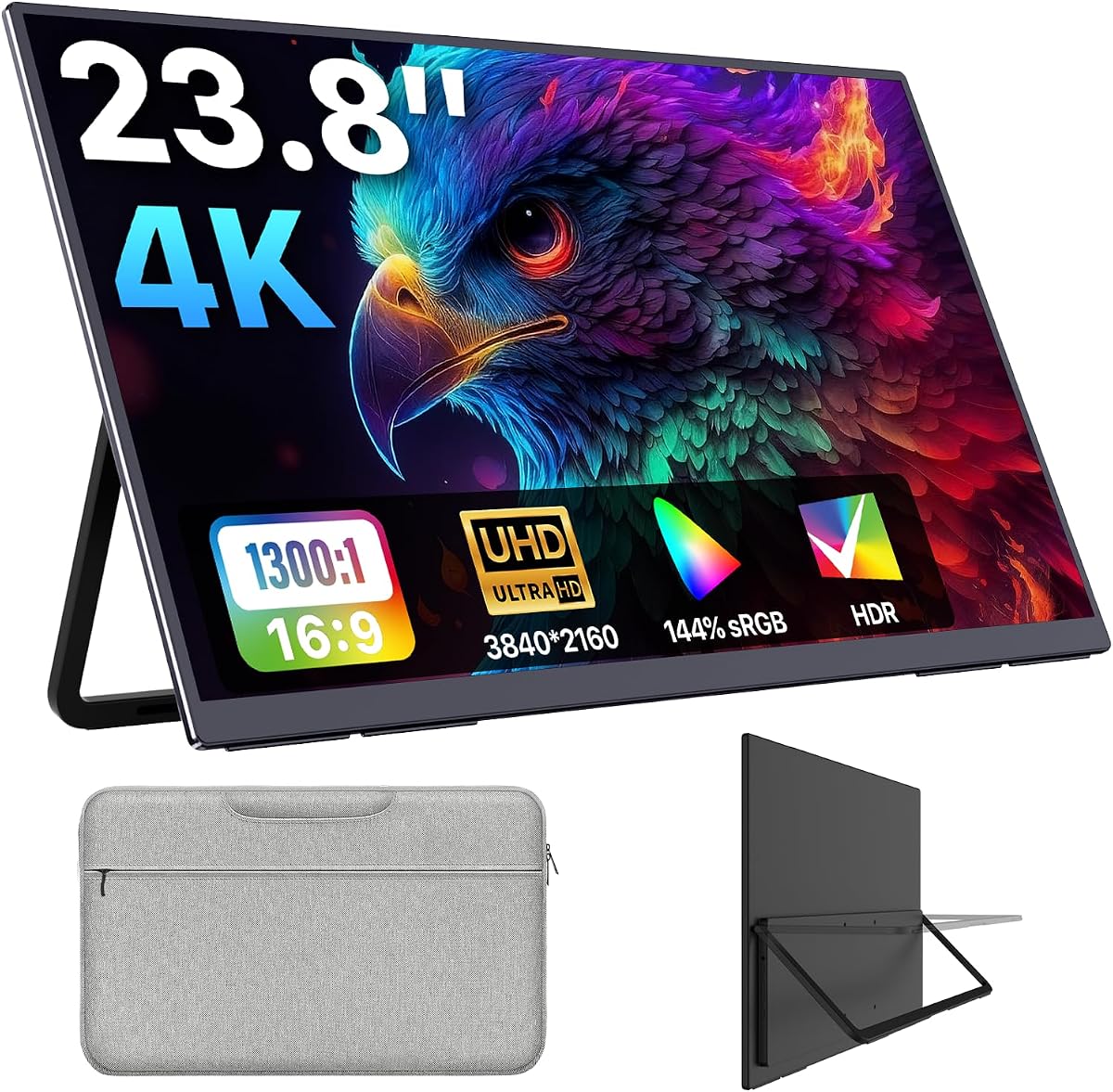
If you want the ultimate visual experience, the Upperizon 23.8 inch 4K monitor brings desktop-level quality to your travels. With a rating of 4.8 stars, it offers a massive workspace that is perfect for complex spreadsheets or detailed photo editing.
We may earn a commission when you buy through this link, at no additional cost to you.
The 4K resolution provides stunning sharpness, making text crisp and images vibrant. The wide 144% sRGB gamut ensures colors are accurate, which is crucial for creative professionals who rely on precise visual feedback during their work.
Due to its larger size, it is heavier than typical portable screens and needs a dedicated power source to function correctly. However, the frameless design and anti-glare coating make it comfortable to use for long periods without causing eye strain.
This is the best option for power users who prioritize screen real estate and image quality over lightweight portability. It transforms any location into a full workstation capable of handling demanding professional tasks with ease.
The 23.8 inch display gives you significantly more room to arrange windows and tools side by side.
With high sRGB coverage, your designs and photos will look exactly as intended across different platforms.
We may earn a commission when you buy through this link, at no additional cost to you.
The InnoView Portable Monitor strikes a great balance between cost and features, making it a solid value option for many users. It comes with essential accessories like a protective case, which is convenient for travelers who need to keep their gear safe.
We may earn a commission when you buy through this link, at no additional cost to you.
The built-in speakers add a layer of convenience, allowing you to listen to audio without needing external speakers or headphones. This is particularly useful during meetings or casual media consumption when you are away from a desk setup.
While it does not have the premium build of higher-end models, it performs reliably for daily tasks. The low blue light technology helps reduce eye fatigue during long working sessions, which is a thoughtful inclusion for frequent users.
We recommend this monitor for those who want a complete package without spending extra on cables or cases. It is a practical choice for students or professionals who need a reliable second screen for everyday use.
The included case ensures your monitor is protected from scratches and bumps while you commute or travel.
Built-in speakers provide convenient sound output for video calls and entertainment without extra hardware.
We may earn a commission when you buy through this link, at no additional cost to you.
This model focuses heavily on portability, offering an ultra-slim design that fits easily into any backpack or laptop bag. It is ideal for users who move frequently and need a monitor that does not add significant bulk to their carry-ons.
We may earn a commission when you buy through this link, at no additional cost to you.
The integrated stand can adjust up to 90 degrees, giving you flexibility to position the screen comfortably on various surfaces. The standard HDMI port is more durable than mini versions, ensuring a secure connection over time.
While it is not the brightest or most color-accurate option, it serves its purpose well as a functional second screen. The included sleeve adds an extra layer of protection, making it ready for travel right out of the box.
For travelers who prioritize weight and size above all else, this is a strong contender. It delivers the core experience of an external monitor without the hassle of carrying heavy accessories or bulky cases.
The slim profile allows you to slip the monitor into a standard laptop compartment without hassle.
The adjustable stand supports both landscape and portrait modes for different types of work tasks.
We may earn a commission when you buy through this link, at no additional cost to you.
The cocopar Portable Monitor is a fantastic choice for gamers and professionals who need smooth motion rendering. Its 144Hz refresh rate ensures that animations and cursor movements feel fluid, reducing eye strain during dynamic content consumption.
We may earn a commission when you buy through this link, at no additional cost to you.
Constructed with a full metal chassis, it feels more durable than plastic competitors and offers a premium tactile experience. The kickstand is robust, providing stable support at multiple angles, which is great for use on uneven surfaces like airplanes.
With 110% sRGB coverage, this screen offers vibrant colors that are accurate enough for casual creative work. The built-in speakers deliver clear audio, enhancing the multimedia experience without needing external speakers at your desk.
If you are looking for a blend of performance and build quality, this monitor delivers on both fronts. It is a reliable partner for gaming, streaming, or multitasking while on the move.
The 144Hz refresh rate makes scrolling and gaming significantly smoother than standard 60Hz panels.
The metal body protects internal components and gives the device a high-quality feel during use.
We may earn a commission when you buy through this link, at no additional cost to you.
The KEFEYA Laptop Screen Extender takes a unique approach by attaching directly to your laptop, creating a dual-screen setup without the clutter of separate stands. This design is particularly effective for boosting productivity during meetings or collaborative work.
We may earn a commission when you buy through this link, at no additional cost to you.
It supports 180-degree rotation, allowing you to flip the screen between landscape and portrait modes easily. This flexibility is useful for reading long documents or viewing code vertically, which is common for developers and writers.
The plug-and-play nature means you do not need to install drivers, making it ready to use immediately. It comes with all necessary cables, so you can set up your workspace anywhere without hunting for adapters.
This extender is best for those who want a compact solution that integrates seamlessly with their existing laptop hardware. It is a practical tool for anyone who needs to expand their display area quickly and efficiently.
By attaching to your laptop, this monitor saves desk space and keeps your setup neat and organized.
Rotating the screen allows you to tailor the display to the type of content you are viewing.
We may earn a commission when you buy through this link, at no additional cost to you.
The kksmart Portable Monitor offers a sweet spot in screen size, being larger than standard 15-inch models but still portable enough for travel. With a 100Hz refresh rate, it provides smoother visuals than typical business-grade portable monitors.
We may earn a commission when you buy through this link, at no additional cost to you.
Its 4-side frameless design maximizes screen real estate, making the display feel more immersive. The 128% sRGB coverage ensures colors are vibrant, which is excellent for watching videos or reviewing photos on the go.
Despite its larger screen, it remains lightweight, making it a good choice for professionals who need more space without adding too much weight to their bag. The kickstand allows for flexible viewing angles in different environments.
If you want more visual room than a 15-inch screen provides but cannot commit to a heavy desktop-style portable monitor, this is a great option. It balances size and portability well for a variety of use cases.
The frameless design makes the screen feel bigger and more immersive for media and productivity.
The 100Hz refresh rate provides smoother scrolling and animations than standard 60Hz monitors.
We may earn a commission when you buy through this link, at no additional cost to you.
The ASUS ZenScreen is renowned for its reliability and user-friendly features, including a generous three-year warranty that provides peace of mind. The anti-glare surface is particularly useful for working in bright offices or outdoor environments where reflections are a problem.
We may earn a commission when you buy through this link, at no additional cost to you.
ASUS Eye Care technologies ensure that long hours of work do not result in eye strain, making it a thoughtful choice for writers and coders. The kickstand design allows you to prop the monitor in portrait or landscape modes effortlessly.
While it does not have the latest high refresh rates, it is built to last and offers stable performance. The hybrid signal solution supports both power and video through USB-C, simplifying your cable management while traveling.
For those who value durability and warranty support, this model is a top recommendation. It is a workhorse monitor that will serve you well through many business trips and daily work sessions.
Flicker-free and low blue light technologies help protect your eyes during extended daily usage.
A three-year warranty ensures long-term support and reliability for your investment.
We may earn a commission when you buy through this link, at no additional cost to you.
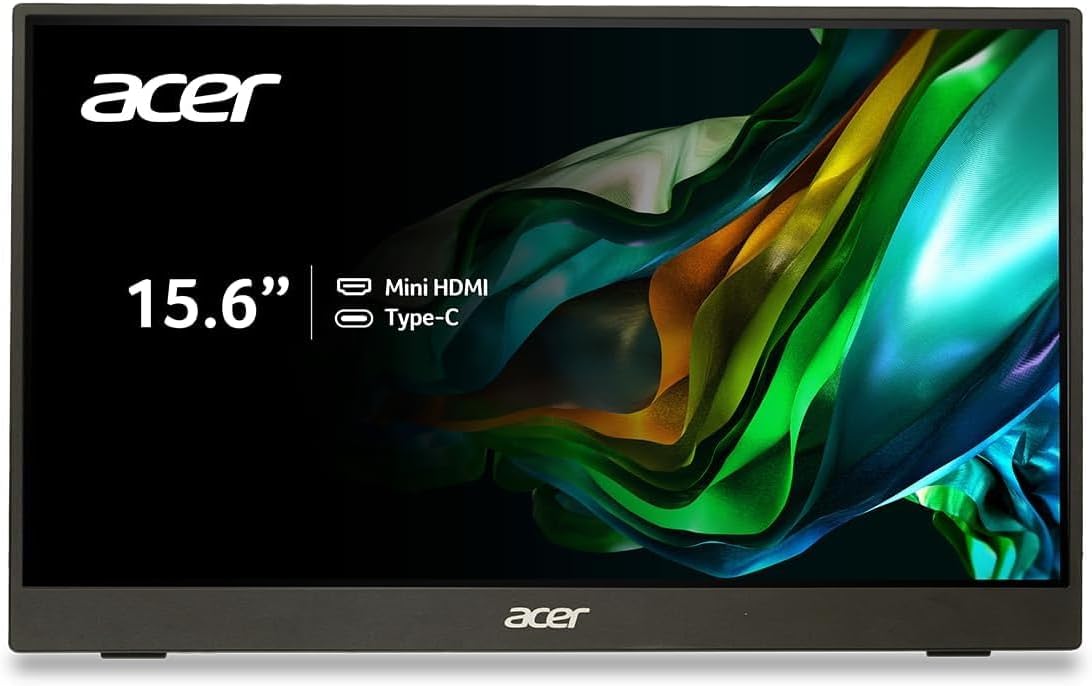
The Acer PM161Q is a straightforward portable monitor designed for basic users who need a clean extension to their laptop screen. It focuses on simplicity and reliability, offering a slim profile that fits easily into any bag.
We may earn a commission when you buy through this link, at no additional cost to you.
AMD FreeSync technology helps reduce screen tearing, which is a nice bonus even at 60Hz. The VESA mount compliance means you can attach it to arms or stands if you want to use it on a desk rather than on a kickstand.
It lacks many of the advanced features found in premium models, but it covers the essentials well. The ergonomic tilt ensures you can find a comfortable viewing angle without needing extra hardware or attachments.
This is a solid choice for users who want a no-fuss display for basic productivity. It is simple, effective, and priced appropriately for those who do not need advanced capabilities.
This monitor does one thing well: providing an extra screen without complicated features or settings.
VESA holes allow you to mount the screen on different stands for better ergonomics.
We may earn a commission when you buy through this link, at no additional cost to you.
Selecting the right portable display involves balancing several factors to ensure it fits your workflow and travel habits.
Screen size determines how much content you can view at once, while aspect ratio affects how much content aligns with your main laptop display. A 16:10 ratio is ideal for MacBooks to avoid black bars during mirroring, whereas 16:9 is standard for media consumption. Consider your need for vertical space versus horizontal real estate when choosing.
Choose 16:10 for productivity and 16:9 for media to match your primary workflow needs.
Resolution impacts text sharpness and image detail. Full HD (1080p) is adequate for general tasks, but 2.5K or 4K offers better clarity for design and coding. Higher resolution requires more processing power from your MacBook, so check your device specifications before upgrading to ultra-high resolutions.
Prioritize at least Full HD for clarity, or upgrade to 2.5K for creative work.
If you travel often, weight and thickness matter significantly. Most portable monitors range from 1.5 to 2.5 pounds. Thicker monitors may have better build quality but will add bulk to your bag. Also consider if it comes with a protective case or sleeve for travel safety.
Look for models under 2 pounds if carrying it daily in a backpack.
Modern MacBooks rely heavily on USB-C, so ensure the monitor has full-function Type-C ports that support both power and video. HDMI ports are useful for legacy devices or non-Mac laptops. A single-cable solution reduces clutter and makes setup faster on the go.
Verify that USB-C supports DP Alt Mode or Thunderbolt for single-cable power.
Refresh rate determines smoothness of motion. While 60Hz is standard for office work, 144Hz is better for gaming or fast scrolling. Response time affects ghosting, so look for faster numbers if you watch video content frequently. Higher refresh rates may drain battery faster on your MacBook.
Opt for 144Hz if you play games or need fluid motion.
For creative professionals, color accuracy is critical. Look for monitors with high sRGB coverage, ideally above 100%. IPS panels generally offer better colors than TN panels. Check if the display supports HDR if you work with media that benefits from high dynamic range.
Aim for 100% sRGB coverage for professional design and photography work.
Metal chassis are more durable and heat-resistant than plastic ones. Check the quality of the kickstand, as a flimsy stand can cause instability. VESA mounting holes are a plus if you plan to use a separate arm or stand for ergonomic positioning.
Metal builds generally offer better longevity and a premium feel.
Flicker-free technology and low blue light filters reduce eye strain during long working sessions. Anti-glare coatings are essential if you work near windows or bright lights. These features are often certified by organizations like TÜV Rheinland for added credibility.
Prioritize flicker-free and anti-glare features if you work for long periods daily.
Connect your monitor using a single USB-C cable if your MacBook supports Thunderbolt 3 or 4. This single connection handles both power and video signal, keeping your desk tidy. If your monitor requires extra power, use the included adapter rather than draining your MacBook battery.
Adjust the display settings on your Mac by going to System Settings and selecting Displays. You can choose between mirroring or extending your screen to maximize workspace. Use the monitor's OSD menu to tweak brightness and color settings for your specific environment.
Clean the screen with a soft, lint-free cloth to avoid scratching the panel. Avoid harsh chemicals or sprays that can damage the coating. When traveling, store the monitor in a padded sleeve to prevent physical damage during transit.
Most modern portable monitors work with standard USB-C cables if your MacBook supports USB 3.1 or Thunderbolt. Some may require HDMI plus an additional power cable. Always check the product description to ensure you have the necessary connections.
Wireless monitoring is possible through apps like Sidecar but requires a stable Wi-Fi network. Most portable monitors rely on physical connections for optimal performance. Wired connections generally offer better stability and lower latency.
Most 15 to 16-inch monitors weigh between 1.5 and 2.5 pounds. Larger 4K models are heavier and may require more bag space. Check the weight specifications if you have strict luggage limits.
Many draw power directly from your laptop via USB-C, but this can drain your battery quickly. Some models come with their own power adapters to reduce strain on your device. Using an external adapter is recommended for long use sessions.
Modern Full HD and 2.5K monitors provide sharp text suitable for most professional tasks. 4K models are even better for detailed design or coding. Look for IPS panels to ensure colors are accurate across viewing angles.
With proper care, portable monitors can last several years. Avoid bending the screen excessively and protect it during travel. Brands like ASUS and Acer offer warranties that cover defects for a set period.
Choosing the right external monitor for your MacBook Neo can significantly enhance your productivity and comfort while traveling. The VisionOwl 16-inch and MNN 15.6-inch models stand out for their balance of performance and value.
Consider your specific needs regarding resolution, portability, and budget when making your decision. If you prioritize color accuracy and refresh rates, premium models are worth the investment. For basic tasks, budget-friendly options provide excellent value.
Remember that prices and availability change frequently, so always verify the latest details before purchasing. With the right setup, your MacBook Neo can become a powerful mobile workstation ready for any challenge.