
Tomee 16MB Memory Card for Wii/Gamecube
4.7Editor score
251 Blocks Storage
Full GameCube Compatibility
Affordable Third-Party Option
This guide compares the top GameCube Memory Card options for saving game data on Nintendo GameCube and Wii consoles with detailed specs and expert analysis.
Preserving your progress in classic titles requires reliable storage. A quality GameCube Memory Card ensures your saves remain safe across sessions without corruption or loss during gameplay interruptions.
We evaluated ten leading options based on capacity, compatibility, and build quality. Our analysis focuses on real block counts and safe switching mechanisms to help you choose the right card for your needs.
Each pick below highlights key features and verified compatibility notes. Prices may fluctuate over time so check current listings before purchasing to ensure you get the best value for your console setup.
4.7Editor score

4.7Editor score

4.8Editor score
The following table presents a side-by-side comparison of all ten selected memory cards. It highlights their storage capacities, block counts, and specific compatibility notes to simplify your decision process.
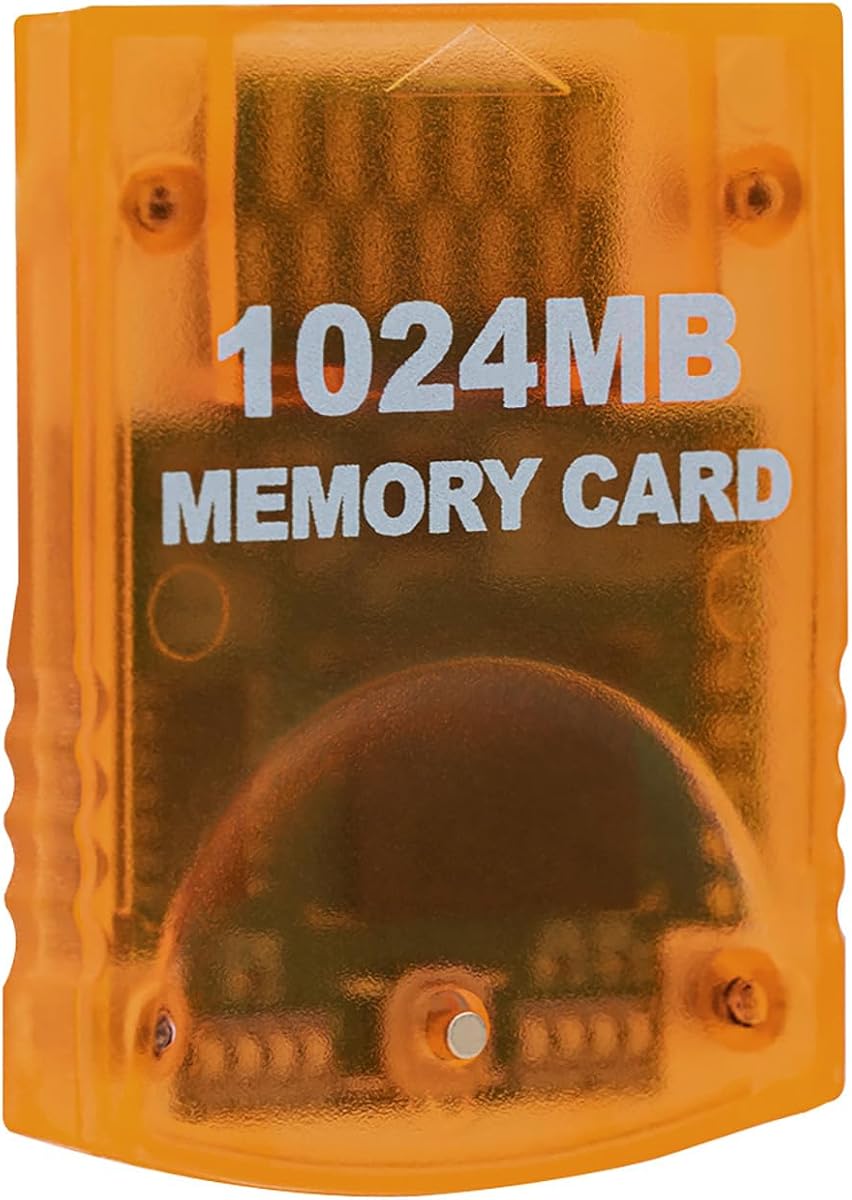


The Tolesum 1024MB card stands out as a top choice for serious collectors needing ample space for game saves. With a rating of 4.7 stars it offers reliable performance across compatible consoles.
We may earn a commission when you buy through this link, at no additional cost to you.
Its standout quality lies in the 16344 uncompressed blocks divided into eight independent 128MB areas. This design ensures that large saves do not compress unexpectedly which can cause errors with specific titles.
Users must note that this card is strictly for the original Wii model RVL-001 and GameCube. It will not function with newer consoles lacking the physical memory card slot.
If you need extensive storage for multiple GameCube discs this card is the ideal investment. It balances capacity and reliability better than most third-party options currently available on the market.
The card uses real uncompressed blocks to prevent data conflicts. This ensures your saves remain compatible with games that expect standard memory formats without errors.
Eight separate storage areas allow you to organize saves by game title. A simple button press switches between these banks so you can manage large collections efficiently.
We may earn a commission when you buy through this link, at no additional cost to you.
The Tomee 16MB card provides a straightforward and cost-effective solution for casual gamers. It carries a strong 4.7 rating from users who value simplicity and basic functionality.
We may earn a commission when you buy through this link, at no additional cost to you.
This card offers 251 blocks of memory which is sufficient for storing levels and character data in many classic titles. It supports loading saving and deleting game saves with ease.
While it lacks the high capacity of larger options it remains fully compatible with GameCube games that require save options. It is a practical choice for single-game use.
Buyers looking for an inexpensive replacement card will find this option highly suitable. It performs its core function well without unnecessary features or a high price tag.
This card focuses on core save management features. You can load save copy and delete game data without complicated menus or switching mechanisms.
Designed as a budget accessory it keeps costs low while maintaining essential compatibility. It is ideal for users who need just one reliable card for daily play.
We may earn a commission when you buy through this link, at no additional cost to you.
The MAYFLASH 512MB card earns the highest rating of 4.8 stars among the listed options. It is known for its distinct blue translucent design and consistent performance.
We may earn a commission when you buy through this link, at no additional cost to you.
It features four storage areas each offering slots for 2043 blocks. Users can switch between these areas by pressing a button on the card itself.
While it is third party it aligns with the compatibility requirements of Wii RVL-001 and GameCube systems. The design ensures it fits securely in the slot.
Gamers who appreciate a balance of style and utility will prefer this model. It provides ample space for multiple games while maintaining a premium feel and reliability.
The blue translucent casing gives this card a unique look. It stands out from standard black or white cards and adds visual appeal to your console setup.
Dividing 512MB into four separate zones helps organize saves. This prevents clutter and makes it easier to locate specific game data when needed.
We may earn a commission when you buy through this link, at no additional cost to you.
The Mcbazel 1024MB card offers massive storage with 16344 blocks of non-compressed memory. It rates highly at 4.7 stars for its capacity and ease of use.
We may earn a commission when you buy through this link, at no additional cost to you.
It splits storage into eight 128MB parts allowing users to switch between them by pressing a button on the card. This makes it easy to manage saves for many different games.
The card works with Gamecube and Wii consoles specifically model RVL-001. It is designed for efficiency and speed ensuring quick saves without lag during gameplay.
Collectors needing to store dozens of saves will find this card valuable. It avoids compression issues that can lead to data loss or errors in specific game titles.
This card is engineered for high speed and efficient data transfer. It ensures your saves are written quickly so you can return to gameplay with minimal interruption.
Using real non-compress blocks prevents data corruption. This feature is vital for maintaining save integrity across different game environments.
We may earn a commission when you buy through this link, at no additional cost to you.
The Tolesum 512MB card provides a reliable mid-range option with 8192 blocks of non-compress memory. It is rated 4.5 stars and features a blue translucent design.
We may earn a commission when you buy through this link, at no additional cost to you.
It includes four data areas each holding 128MB of storage. Users can press a button on the card to switch between these areas for different game saves.
This card is essential for saving game data on Wii RVL-001 and GameCube systems. It offers plug and play functionality without requiring complex setup steps.
It is an excellent choice for those who need more space than 16MB but less than 1024MB. It balances affordability with practical storage management features.
This card works immediately upon insertion into the console slot. There are no drivers or configurations needed to start saving your game data right away.
It delivers real 8192 blocks rather than compressed estimates. This accuracy ensures your saves are stored correctly without risking data loss during writes.
We may earn a commission when you buy through this link, at no additional cost to you.
This 16MB black card is a standard replacement for older models with a 4.6 rating. It offers 251 blocks of storage and a streamlined profile.
We may earn a commission when you buy through this link, at no additional cost to you.
It is engineered for durability with a shock-resistant build that protects files from accidental drops. This is essential for long gaming sessions where the console might move.
The card works seamlessly with Nintendo GameCube and Wii consoles specifically model RVL-001. It replaces bulk OEM cards while maintaining full compatibility with classic games.
Collectors needing reliable preservation for hard-earned progress will find this suitable. It fits snugly in the console slot eliminating the wobble issue common in generic alternatives.
The shock-resistant design helps protect your save files. It ensures that physical bumps do not corrupt data during transport or play.
Its slim profile fits perfectly in the slot. This secure fit prevents connectivity issues and ensures consistent reading and writing of save data.
We may earn a commission when you buy through this link, at no additional cost to you.
The Mcbazel 256MB card offers 256MB of storage split into two independent banks. It rates 4.7 stars for its high speed and reliable performance.
We may earn a commission when you buy through this link, at no additional cost to you.
It features a pink translucent design that adds visual flair. The card includes a button to switch between banks with individual LEDs showing the active section.
Designed specifically for GameCube and Wii consoles it ensures broad compatibility. Users can enjoy quick saves and fast loads without lag during gameplay.
This card is ideal for those who prefer a colorful accessory with solid storage capacity. It balances style and function well for personal console setups.
The two banks allow you to separate save data effectively. This organization helps avoid clutter and makes it easier to find specific game saves.
Individual LEDs show which bank is currently active. This visual feedback prevents accidental overwrites and helps you manage saves confidently.
We may earn a commission when you buy through this link, at no additional cost to you.
This Gamecube Memory Card 251 offers 16MB of flash memory for storing your game settings. It holds a 4.7 rating and provides standard storage capacity.
We may earn a commission when you buy through this link, at no additional cost to you.
It contains 251 blocks which is the standard limit for many titles. This makes it a reliable choice for users who need a basic replacement card.
The card is compatible with GameCube games that have a save option. It allows you to store levels characters and top scores easily.
It is a good option for those seeking a simple and effective card. The flash memory ensures durability and consistent performance across multiple sessions.
Flash memory provides reliable storage without moving parts. This ensures your data remains intact and accessible even after long periods of inactivity.
This card follows standard memory formats for GameCube. It ensures that your saves will work correctly with the games designed for that system.
We may earn a commission when you buy through this link, at no additional cost to you.
The Suncala 1024MB card offers up to 16344 blocks divided into eight sections. It rates 4.7 stars for its capacity and 60-month worry-free warranty.
We may earn a commission when you buy through this link, at no additional cost to you.
Its upgraded innovation chip processes and saves game data 20% faster than older versions. This ensures smooth and steady gameplay without interruptions.
The card is fully compatible with GameCube and Wii consoles model RVL-001. The sleek package allows you to easily insert and remove the memory card.
Buyers will appreciate the long warranty which provides peace of mind. It is a solid choice for those who want high capacity and reliable support.
The upgraded chip improves save speeds significantly. This reduces wait times when writing data and enhances the overall gaming experience.
A 60-month warranty adds value to this purchase. It ensures that if any issues arise support is available to maintain your hardware quality.
We may earn a commission when you buy through this link, at no additional cost to you.
The AreMe GC2SD adapter allows you to use idle micro SD cards on GameCube and Wii. It supports up to 512GB and is rated 4.4 stars.
We may earn a commission when you buy through this link, at no additional cost to you.
It needs to be used with swiss xeno GCloader Lite or pioboot. It will automatically load the TF card game list making it a great alternative for storage.
This adapter can run on any version of GameCube and Wii console. It supports micro SD cards with max memory of 512GB for extensive storage.
If you need massive space for backups this adapter is the best option. It transforms your console into a high-capacity storage device with homebrew software.
Using micro SD cards offers up to 512GB of storage. This is far more than traditional memory cards and perfect for extensive backup needs.
It integrates with homebrew loaders like Swiss. This requires technical setup but enables powerful file management capabilities for your games.
We may earn a commission when you buy through this link, at no additional cost to you.
Selecting the right memory card involves evaluating capacity compatibility and reliability. This section outlines the key factors you must consider before purchasing.
Storage capacity determines how many save files you can keep on one card. Options range from 16MB for basic needs to 1024MB for extensive collections.
Choose a capacity that matches your number of games to avoid managing multiple cards.
Block count is the technical measure of save space. Each game requires a certain number of blocks to store its data properly.
Ensure the card offers enough blocks for the specific titles you play regularly.
Uncompressed cards use real blocks while compressed ones simulate higher counts. Compressed cards may cause errors with some games expecting standard formats.
Prefer uncompressed blocks for reliability and consistent performance across all titles.
Most high capacity cards work only with the original Wii model RVL-001 and GameCube. Newer consoles like Wii U removed the physical memory slot.
Verify your console model before buying to ensure it physically accepts the card.
Build quality affects durability and fit within the console. Cards made of durable plastic resist shock and fit snugly to prevent data errors.
Look for cards with solid construction to protect your valuable save data.
Official Nintendo cards are no longer produced so all options are third party. Reputable brands offer quality similar to original hardware.
Stick to well reviewed third party manufacturers to ensure safety and reliability.
Ease of use includes features like buttons for switching storage areas. Cards should be plug and play without requiring complex setup steps.
Select a card that allows you to save your progress quickly without hassle.
Warranty coverage indicates the manufacturer confidence in their product. A longer warranty period protects you against defects and data loss.
Prioritize brands offering substantial warranties to safeguard your purchase investment.
Always power off your console before inserting or removing the memory card. This prevents data corruption and ensures the save file remains intact on the device.
Store your card in a dry place away from heat and sunlight. Extreme conditions can degrade the internal memory and lead to data loss over time.
Regularly back up your saves to a computer or cloud service if possible. Using homebrew software allows you to create backups so you never lose progress.
No it will not work with the Wii U. The Wii U does not have the physical memory card slot required for these cards. You will need an alternative storage solution for that console.
Yes reputable third party cards work reliably with GameCube and Wii. They offer the same functionality as original cards and are often more affordable to purchase online.
Inserting the card while the console is on can corrupt your save data. Always power down the system completely before changing memory cards to ensure safety.
Most games require between 30 to 200 blocks for full saves. A 16MB card has 251 blocks which is enough for several titles at once.
Yes uncompressed blocks are better for consistency. Compressed cards may show high numbers but fail to store data correctly in some specific game titles.
Yes you can move the card between compatible consoles like GameCube and Wii. Ensure both systems are powered off before transferring the card between devices.
Multiple areas allow you to organize saves for different games easily. Pressing a button switches between these areas so you do not overwrite data accidentally.
This guide highlights the Tolesum 1024MB as the top choice for serious collectors. It offers massive capacity with uncompressed blocks to ensure reliable storage for many games.
Prioritize compatibility with your console model and uncompressed blocks for data safety. A well chosen card protects your progress and enhances your overall gaming experience significantly.
Check current prices and availability before purchasing as they change frequently. Ensure you select a reputable vendor to get the most value for your specific console setup.