
Visual Digital Timer – 60 Min Countdown
4.2Editor score
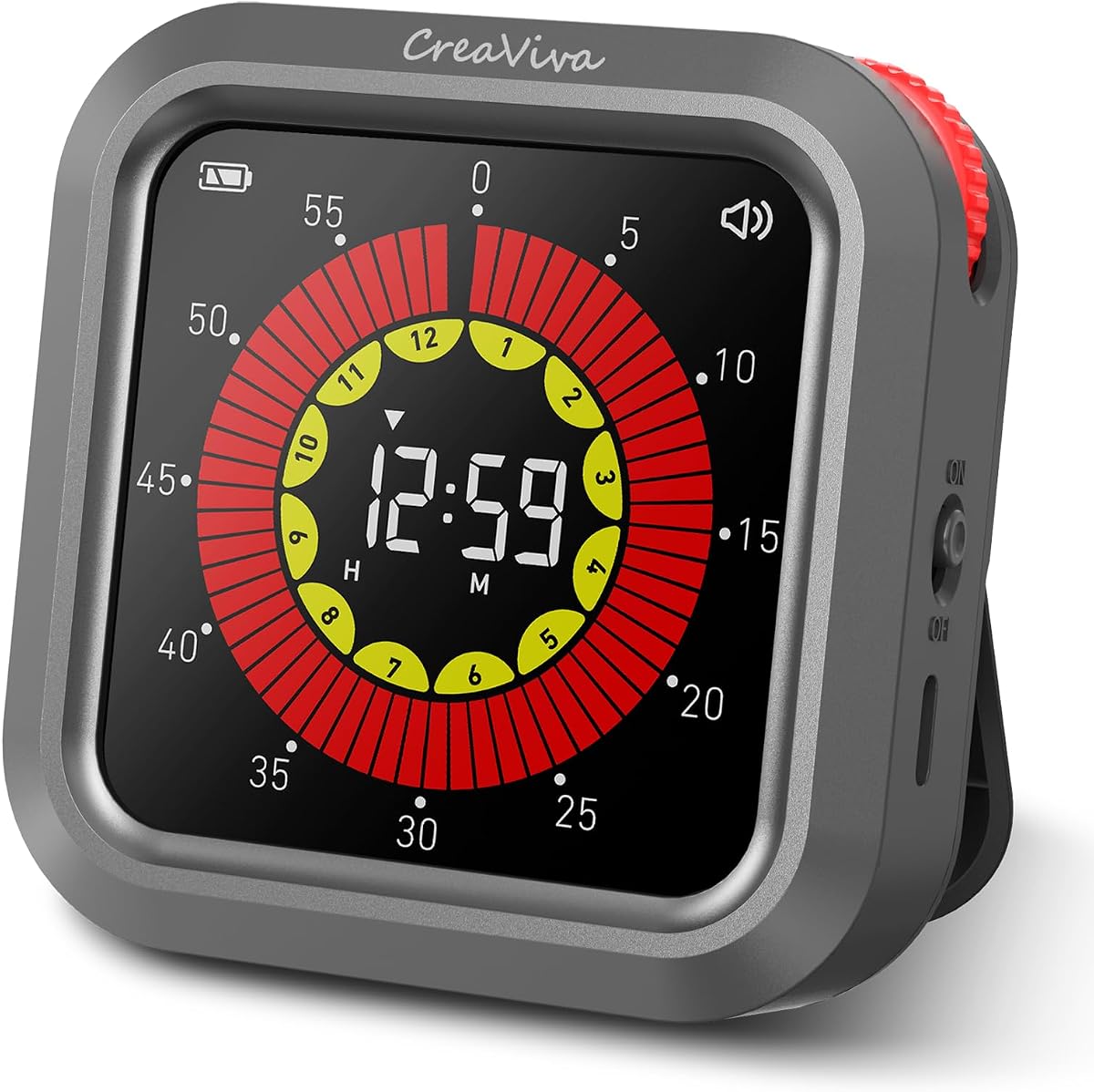
Red visual disc for countdown
Magnetic back for easy mounting
Includes three AAA batteries
Finding the right digital visual timer can transform how you manage time at home or in the classroom. These devices offer clear displays that make tracking minutes and hours intuitive for everyone from young children to busy professionals who need structure.
We evaluated ten leading models based on their display clarity, battery performance, and user-friendly controls. Each product was assessed for its ability to support routines in kitchens, offices, and learning environments without causing distraction or confusion.
Every pick highlights unique strengths like magnetic mounting or silent operation to suit different needs. Prices may fluctuate so check the latest details before purchasing to ensure you get the best value for your specific timing requirements.
4.2Editor score

4.6Editor score
4.3Editor score
As an Amazon Associate we earn from qualifying purchases.
The following table provides a side-by-side comparison of all ten models including their key specifications and unique features to help you quickly identify which timer matches your specific environment and usage needs.



The PERSUPER Visual Timer stands out for its practical design and long-lasting power. With a 4.2 rating it offers a straightforward way to manage time without needing constant battery replacements. Its rechargeable nature makes it ideal for busy households.
We may earn a commission when you buy through this link, at no additional cost to you.
This model features a white progress bar that disappears as time passes helping users visualize remaining time easily. The dual mode capability allows switching between hours minutes or minutes seconds to suit different tasks. The magnetic back ensures it stays put on fridges or whiteboards.
While the screen turns off during operation to save power this might make it hard to check progress at a glance. The brightness options are limited compared to some competitors but the low battery indicator helps avoid unexpected shutdowns during important tasks.
Buy this if you need a reliable timer for kids or daily chores that does not require constant battery changes. It is perfect for teaching time management skills while offering the convenience of a USB-C rechargeable system.
The built-in 800mAh battery supports Type-C charging so you never need to hunt for disposable batteries during busy mornings.
The counterclockwise disappearing bar helps children understand how time flows making transitions between activities smoother and less stressful.
We may earn a commission when you buy through this link, at no additional cost to you.
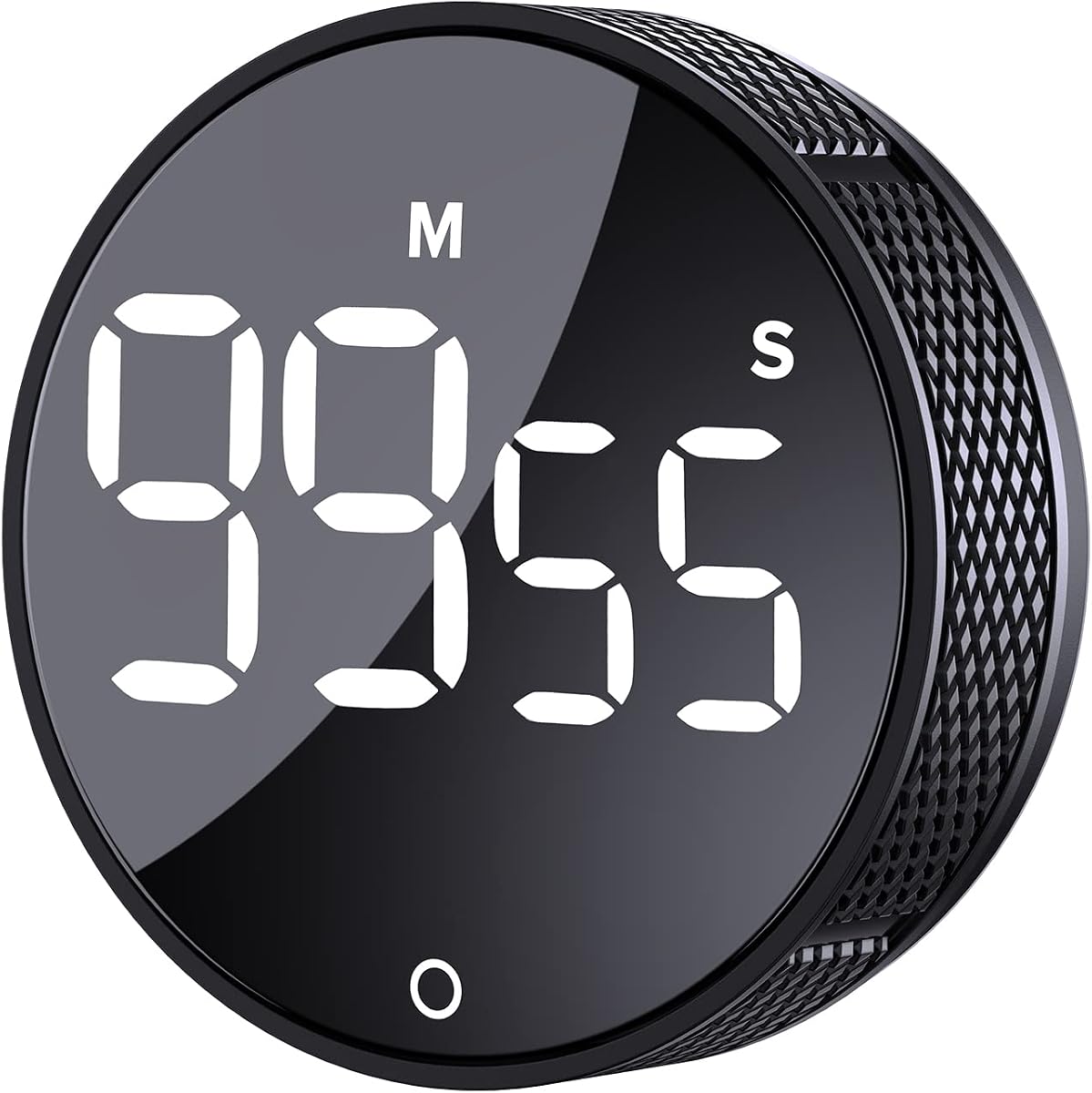
AVINIA Digital Kitchen Timers offer a straightforward and affordable solution for timing tasks in the kitchen or classroom. With a 4.2 rating this model is praised for its ease of use and bright display that is visible across a room.
We may earn a commission when you buy through this link, at no additional cost to you.
The rotary dial makes setting time simple just twist to adjust and press to start. It includes three brightness levels to reduce eye strain and a loud alarm that ensures you hear it even in noisy environments. Strong magnets keep it securely on any metal surface.
One trade-off is that it relies on three AAA batteries which means ongoing costs and waste compared to rechargeable models. Additionally it lacks a visual progress bar so users must rely solely on the digital numbers to track time passing.
Choose this timer if you want a simple and robust device for cooking or study sessions without spending much. It is especially useful for seniors or children who benefit from large buttons and clear audible alerts.
Twisting the outer ring allows quick adjustments without complex menus making it accessible for users with limited dexterity.
Large LED digits and multiple brightness settings ensure the timer is readable in sunlit classrooms or dim kitchens.
We may earn a commission when you buy through this link, at no additional cost to you.
The VOCOO Large 7.8" Digital Timer excels with its massive display that is perfect for classrooms or shared kitchens. Rating 4.6 it is designed to be seen from a distance making it ideal for group activities or large family spaces.
We may earn a commission when you buy through this link, at no additional cost to you.
It supports countdown and count-up modes up to 99 hours and features a silent mode with visual alerts for quiet environments. The battery life is impressive allowing over a week of use on low brightness and it charges via USB-C for convenience.
The size may be too large for small nightstands or limited desk space so placement planning is essential. The price is higher than basic models but the build quality and extended functionality justify the investment for heavy users.
Invest in this timer if you need to command attention in a busy space like a classroom or large kitchen. Its visibility and silent alerts make it a top choice for environments where noise must be minimized.
The 2.3-inch tall numbers ensure even students at the back of the room can see the time without straining their eyes.
Supporting up to 99 hours allows you to track long-term projects or multi-day tasks without resetting the timer constantly.
We may earn a commission when you buy through this link, at no additional cost to you.
This timer is specifically designed to help users with ADHD or autism visualize time passing through color-coded bars. With a 4.3 rating it simplifies time tracking using a yellow bar for hours and a red bar for minutes providing a clear visual cue.
We may earn a commission when you buy through this link, at no additional cost to you.
The device supports up to 12 hours and includes a memory recall feature to save your last setting for quick reuse. It operates silently to avoid distractions and charges via USB-C so you do not need to buy disposable batteries.
The screen auto-dims after inactivity to save power but this can make it hard to see if you glance at it quickly. Some users may find the lack of a physical knob less intuitive than rotary models for frequent adjustments.
Select this timer if you need a tool that reduces cognitive load during deep work or study sessions. Its color coding helps users understand time concepts quickly without relying solely on reading digital numbers.
The visual distinction between hours and minutes helps users process time information faster reducing anxiety during transitions.
Automatic memory recall means you can restart daily habits like meditation or reading with a single button press.
We may earn a commission when you buy through this link, at no additional cost to you.
This model combines a visual disc with digital numbers to offer a dual tracking experience for everyday tasks. It rates 4.2 and is designed for tasks that typically fit within an hour like cooking or homework sessions.
We may earn a commission when you buy through this link, at no additional cost to you.
The red visual disc grows or shrinks to show progress while large backlit numbers ensure readability in low light. It comes with three AAA batteries so you can start using it immediately without extra purchases. The magnetic mount includes anti-slip pads for stability.
The 60-minute limit makes it unsuitable for longer projects requiring extended timing. Some users might find the screen auto-off feature inconvenient if they want to check the timer during operation without moving a knob.
Buy this timer if you need a simple and ready-to-use device for short daily routines. It is perfect for kitchens where quick visual feedback is needed without complex settings or long-term timing features.
The synchronized red disc and digital numbers make it easy for children to understand remaining time at a glance.
Including batteries ensures you can set up your routine immediately without needing to find a store for replacements.
We may earn a commission when you buy through this link, at no additional cost to you.
This timer is designed to help children manage transitions with a friendly interface and colorful dots. With a 4.2 rating it focuses on reducing anxiety during routine changes like getting ready for school or bedtime.
We may earn a commission when you buy through this link, at no additional cost to you.
The smiley face and dots provide a friendly visual cue that children can easily understand. It has a long battery life lasting up to two weeks per charge and simple twist controls that are easy for small hands to operate.
The alert system is basic compared to models with multiple alarm types so it may not be loud enough for all rooms. Users may also find the display simpler than more advanced models but it is sufficient for basic routines.
Choose this timer if you want a gentle and simple tool to help children manage daily routines. It is best suited for younger kids who benefit from a friendly design rather than complex digital features.
The colorful dots help children see time pass making transitions like brushing teeth or packing bags less stressful.
Simple twist and press actions allow children to set the timer independently which builds confidence and independence.
We may earn a commission when you buy through this link, at no additional cost to you.
This timer is built to help children manage focus during study sessions with a cheerful and functional design. With a 4.6 rating it combines a smiley face interface with precise timing to make time management less intimidating.
We may earn a commission when you buy through this link, at no additional cost to you.
The backlit display ensures readability in dimly lit rooms and the knob design allows for easy adjustments. It supports up to 99 minutes and operates silently so it does not distract during reading or homework.
Alert options are limited compared to models with multiple sound modes so it may not be suitable for noisy environments. The design is also fairly basic and may not appeal to older kids who want more advanced features.
Select this timer if you need a focused and quiet tool for homework or reading time. Its simple design and visual cues help kids stay on task without feeling overwhelmed by complex settings.
The backlit screen ensures the timer is clear even in low light making it perfect for evening study or bedtime routines.
The knob design makes adjusting time effortless so children can focus on their work instead of fiddling with buttons.
We may earn a commission when you buy through this link, at no additional cost to you.
The TIME TIMER Home MOD offers a classic analog style that is easy for children to understand visually. With a 4.5 rating it uses a red disc to represent time passing which is intuitive for young learners and those with sensory needs.
We may earn a commission when you buy through this link, at no additional cost to you.
It operates silently to avoid distractions and features an optional alert that can be enabled when needed. The design allows for color customization using removable silicone covers to assign different times to different activities like homework or play.
It relies on one AA battery which is not included and the lack of digital numbers may be less precise for older users. The 60-minute limit also restricts its use to shorter tasks compared to digital models.
Choose this timer if you prefer a classic analog visual that helps children grasp time concepts quickly. It is ideal for schools or homes that value a calm and distraction-free environment for focused work.
The red disc shrinking provides an immediate visual of time passing which is easier for some children to grasp than digital numbers.
The silent operation mode ensures the timer does not interrupt concentration during reading or quiet study tasks.
We may earn a commission when you buy through this link, at no additional cost to you.
The Time Timer Twist combines a visual disc with digital controls to offer flexibility for classroom or home use. With a 4.5 rating it provides a clear visual representation of time that is easy for students to follow during activities.
We may earn a commission when you buy through this link, at no additional cost to you.
It features a continuous alert to ensure you do not miss the end of a task and allows pausing during countdown for breaks. The magnetic back and kickstand offer versatile mounting options for desks or metal surfaces in shared spaces.
The alert can be loud and some users may find it distracting if used in quiet zones. It also relies on one AAA battery which may need frequent replacement depending on usage frequency in busy classrooms.
Buy this timer if you need a robust tool for classroom or study sessions with pause features. Its visual design and continuous alert make it practical for activities where time management and flexibility are key.
The ability to pause the timer allows for natural breaks during reading or exercise without resetting the entire session.
The combination of a digital readout and visual disc helps users understand time from both a precise and intuitive perspective.
We may earn a commission when you buy through this link, at no additional cost to you.
This timer stands out with a fun dinosaur design that makes time management exciting for toddlers and young children. With a 4.4 rating it is built to be safe and durable with smooth edges suitable for kids over three years old.
We may earn a commission when you buy through this link, at no additional cost to you.
The LED display is clear and visible from a distance making it easy for children to check remaining time independently. It supports up to 100 minutes and operates silently to avoid distracting during quiet play or study.
The design is limited to a basic dial which may be too simple for older kids who need more precise controls. Mounting options are also basic so it relies mostly on its shape to sit securely on a table or floor.
Choose this timer if you want a playful and safe device to introduce young children to time management. Its fun design helps them engage with routines without feeling like they are being rushed or controlled.
The sturdy construction and smooth edges ensure the timer is safe for younger children who might handle it roughly.
The dinosaur shape makes the timer feel like a friend rather than a chore encouraging kids to use it willingly.
We may earn a commission when you buy through this link, at no additional cost to you.
Selecting the right digital visual timer depends on your specific needs for display type power source and control method.
The display size determines how easily you can see the timer from a distance. Large screens like 7.8 inches are ideal for classrooms while compact models suit personal desks.
Some models use rechargeable batteries via USB-C while others require disposable AA or AAA batteries. Rechargeable units save money long-term but disposable ones offer convenience for travel.
Visual trackers use discs or bars to show time passing which helps children understand concepts better. Pure digital timers show exact numbers which may be preferred by older users or adults.
Magnetic backs allow attachment to fridges or whiteboards while stands offer stability on flat surfaces. Choose based on where you plan to use the timer most often.
Adjustable volume levels or silent modes are crucial for quiet environments. Ensure the alarm is loud enough to hear in noisy rooms without disturbing others if needed.
Some timers max out at 60 minutes while others allow 99 hours. Verify the maximum time capacity matches your longest tasks like cooking or long projects.
Controls can be rotary knobs buttons or touch interfaces. Simple twists are easier for kids or seniors while buttons offer more precision for digital settings.
Keep the timer clean with a dry cloth and avoid exposure to moisture. If rechargeable, charge it when the low battery indicator appears to prevent unexpected shutdowns during use.
Timers with color-coded progress bars or visual discs are ideal because they make time tangible. Look for models with silent alerts and simple controls to avoid distractions.
Yes, all the models listed are standalone devices that do not require Wi-Fi or app connectivity. They operate independently using internal batteries and basic controls.
Absolutely, many models are designed for kitchen use with magnetic backs and loud alarms. Ensure the timer is heat-resistant and placed away from direct heat sources.
Rechargeable timers typically last 1 to 2 weeks on a single charge depending on brightness and usage. Always check the specific battery life details in the product description.
Countdown starts from a set time and goes to zero while count-up starts from zero and tracks elapsed time. Choose based on whether you need to track remaining time or total duration.
Yes, models with large displays and simple knobs are ideal for seniors. Look for bright backlighting and easy-to-read numbers to ensure visibility.
Always check current product details and prices before purchasing as offerings may change. These models provide excellent value and functionality to help you manage time efficiently at home or work.