
K7 Total Security Antivirus
4.2Editor score
Intelligent antivirus for malware
Ransomware protection for files
Webcam protection against hackers
This guide compares the top 10 laptop protection software options including antivirus, identity theft protection, and secure connections to help you choose the
Laptop protection software is essential for safeguarding your device against viruses malware and online threats. A good suite offers real-time scanning secure connections and identity monitoring to keep your data safe from cybercriminals targeting personal information daily.
We compared ten leading products based on feature sets device coverage performance impact and customer support quality. Our analysis focuses on what matters most for laptop users including ransomware protection web filtering and ease of use across different operating systems.
Each pick below highlights specific strengths and trade-offs so you can find the right fit for your needs. Please note that subscription prices and promotional offers change frequently so verify current costs before completing your purchase decision.
4.2Editor score

4.2Editor score

4.3Editor score
The following table provides a side-by-side comparison of all ten products to help you quickly identify which solution offers the features and device limits that align with your specific laptop security needs.



McAfee Total Protection 2027 ranks as our top choice for laptop protection software due to its balanced approach to threat detection and identity security. With a 4.2 star rating it delivers reliable antivirus protection across five devices while keeping your personal information safe through continuous monitoring.
We may earn a commission when you buy through this link, at no additional cost to you.
The suite excels in proactive defense by catching suspicious links and risky sites before they reach your device. Its secure connection feature automatically protects your data on public Wi-Fi networks which is essential for laptop users who work from cafes or airports regularly.
While the auto-renewal policy requires attention to manage billing users appreciate the clear alerts and simple guidance provided for security issues. The adaptive protection ensures detection keeps up with changing threats without requiring manual intervention from non-technical users.
This product is ideal for households needing robust protection for multiple devices without sacrificing usability. We recommend it for anyone seeking a complete security package that combines antivirus identity monitoring and safe browsing in one unified dashboard.
The software scans for suspicious links and viruses automatically ensuring you are protected before malware can compromise your system or steal personal data.
Identity monitoring watches for exposed information and notifies you immediately allowing you to take action before damage occurs to your financial accounts.
We may earn a commission when you buy through this link, at no additional cost to you.
McAfee Total Protection for three devices offers a solid mid-range option for individuals focused on privacy and account security. It maintains the award-winning antivirus foundation while adding valuable tools like a password manager and unlimited VPN for safe browsing anywhere.
We may earn a commission when you buy through this link, at no additional cost to you.
The inclusion of dark web monitoring ensures your credentials are checked against stolen data markets regularly. This feature is critical for laptop users who manage sensitive accounts and want to know if their email or phone number has been compromised online.
Users can generate complex passwords securely with the built-in manager which reduces the risk of credential stuffing attacks. The unlimited VPN protects privacy on public Wi-Fi ensuring your browsing activity remains private from network operators and potential eavesdroppers.
This option suits single users or small families who need strong privacy tools alongside standard antivirus protection. Choose this if you prioritize identity security and secure browsing over device count coverage.
Unlimited VPN allows you to connect to public Wi-Fi securely without exposing your IP address or online activity to third parties.
The password manager helps you store and generate complex passwords reducing the likelihood of unauthorized access to your online accounts.
We may earn a commission when you buy through this link, at no additional cost to you.
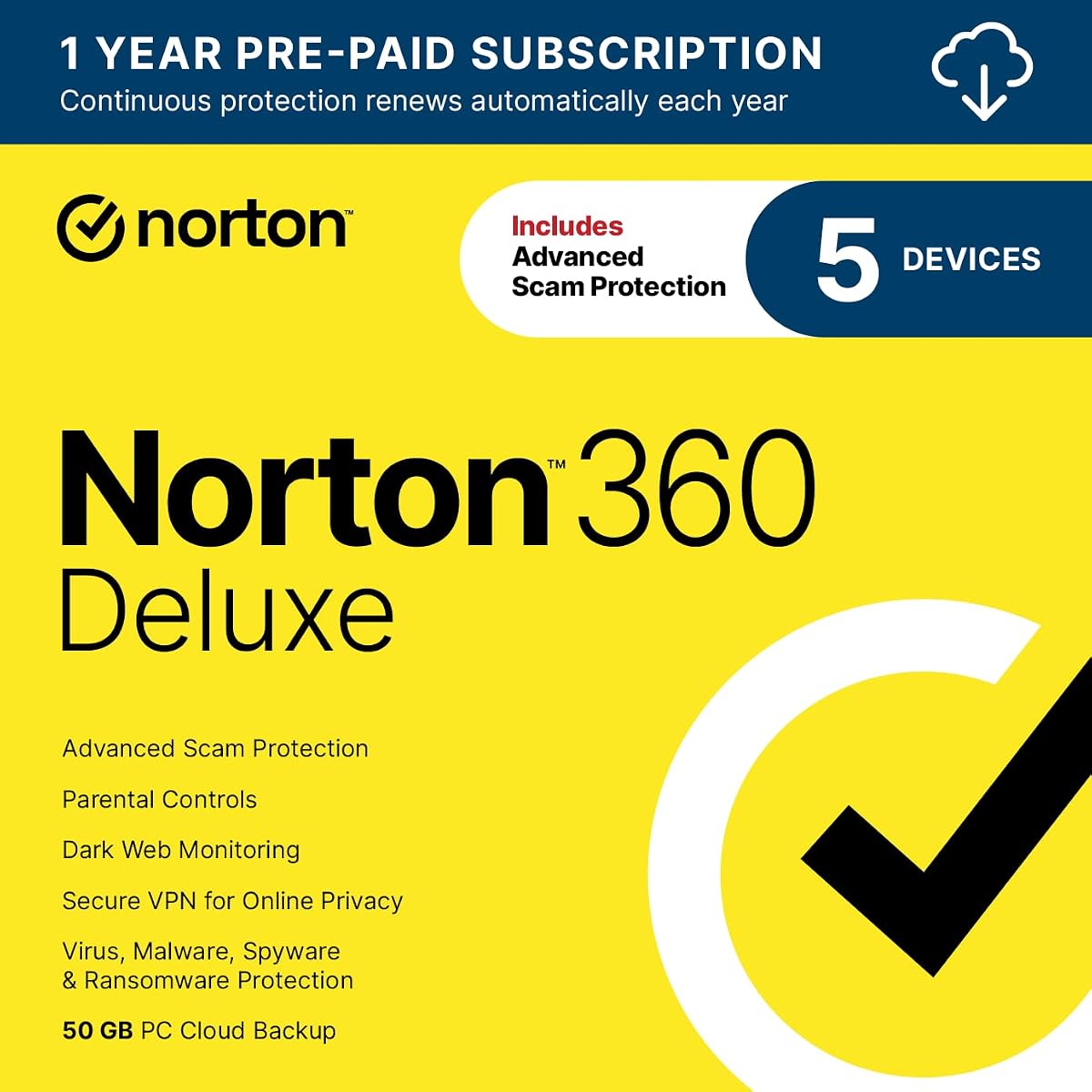
Norton 360 Deluxe stands out with its Genie AI assistant that helps identify hidden scams and suspicious emails automatically. With a 4.0 star rating it provides real-time protection against malware and ransomware while offering substantial cloud backup for critical files.
We may earn a commission when you buy through this link, at no additional cost to you.
The included 50 GB secure PC cloud backup helps prevent data loss from hardware failures or ransomware attacks. This feature adds significant value for laptop users who store important documents and photos locally and want an off-site safety net.
Its top-performing VPN offers faster speeds and more server locations ensuring privacy across all devices including smart TVs. The dark web monitoring complements the security suite by alerting you if personal information appears on illicit marketplaces.
This product is suitable for users who want comprehensive data backup alongside traditional antivirus features. It is a strong choice for home offices where file integrity and scam avoidance are top priorities.
The Genie AI assistant analyzes messages and emails to warn you of potential scams before you interact with them or share sensitive details.
Secure cloud backup prevents the loss of photos and files due to ransomware or hard drive failures ensuring you can restore data quickly.
We may earn a commission when you buy through this link, at no additional cost to you.
McAfee+ Premium 2027 offers the most expansive coverage with unlimited device protection making it ideal for large households or tech enthusiasts. With a 4.3 star rating it includes advanced features like personal data scans and a social privacy manager to manage online footprint effectively.
We may earn a commission when you buy through this link, at no additional cost to you.
The personal data scans actively search for your information on sites selling it and guide you on removal. This proactive approach helps reduce exposure to identity theft and unwanted marketing by removing your data from brokers' databases.
Social privacy manager tools help decide what you share by fixing privacy settings buried in your social accounts. This granular control over data sharing adds a layer of security that goes beyond standard antivirus protection for social media users.
Choose this premium option if you need protection for many devices and care deeply about managing your digital identity. It is the best fit for users willing to pay more for comprehensive data privacy controls.
Personal data scans find your information on selling sites and guide you on how to remove it reducing exposure to identity theft.
The social privacy manager fixes settings in your social accounts ensuring you control what personal information is visible to others.
We may earn a commission when you buy through this link, at no additional cost to you.
K7 Total Security Antivirus provides essential protection at a very affordable price point for single users on a budget. With a 4.2 star rating it safeguards laptops against viruses malware and spyware without costing a fortune to maintain year over year.
We may earn a commission when you buy through this link, at no additional cost to you.
The software includes specific webcam protection to prevent unauthorized applications from spying on you through your laptop camera. This hardware-level security feature is crucial for privacy-conscious users who frequently use their devices for video calls or streaming.
Ransomware protection ensures your photos and files are protected from encryption by untrusted apps. This defense mechanism is vital for preventing permanent data loss due to malicious software attacks targeting critical personal files.
This budget option is perfect for students or basic users who need core security features without complex extra tools. It delivers strong protection for the price while keeping system performance stable.
Webcam protection prevents unauthorized applications and hackers from spying on you by blocking access to your device camera directly.
Ransomware protection safeguards photos and files from being changed deleted or encrypted by malicious apps targeting your data storage.
We may earn a commission when you buy through this link, at no additional cost to you.
ASURION offers physical hardware protection rather than software security covering drops spills and cracked screens from normal use. With a 4.5 star rating it provides peace of mind for laptop users worried about accidental damage after the manufacturer warranty expires.
We may earn a commission when you buy through this link, at no additional cost to you.
The plan includes parts labor and shipping at no additional cost ensuring repairs are affordable when something goes wrong. This coverage starts on the date of purchase making it an essential complement to software antivirus solutions for mobile devices.
Expert support is available 24/7 to help with connectivity issues troubleshooting and set-up which extends beyond just hardware repairs. If the product cannot be repaired you receive an Amazon e-gift card or a replacement for the purchase price.
Choose this plan if you frequently travel with your laptop and risk physical damage. It is the best addition to your security stack for protecting the device itself rather than digital data.
Drops spills and cracked screens due to normal use are covered from day one ensuring physical repairs are affordable for you.
Real experts are available 24/7 to help with set-up connectivity issues troubleshooting and more beyond just hardware repairs.
We may earn a commission when you buy through this link, at no additional cost to you.
McAfee Total Protection 2027 for three devices offers a compact solution for small households needing reliable identity and threat protection. With a 4.1 star rating it maintains the core security features of the larger plan at a lower entry point for budget-conscious buyers.
We may earn a commission when you buy through this link, at no additional cost to you.
Identity monitoring watches for exposed personal info and tells you what to do about it which keeps your financial data secure. The secure connections feature automatically protects your info on public Wi-Fi every time you connect so you can browse safely.
Guided action alerts provide clear steps on what matters next making it easy for non-experts to take necessary security measures. Customer support is available 24/7 via phone or chat if you need help sorting out issues quickly.
This plan works well for a family with two adults and one child needing consistent security. It balances cost and coverage effectively for smaller device counts.
Identity monitoring watches for your exposed info and tells you what to do about it ensuring financial data stays secure.
Secure connections automatically protect your info on public Wi-Fi every time you connect keeping data safe on untrusted networks.
We may earn a commission when you buy through this link, at no additional cost to you.
Bitdefender Total Security 2026 provides world-class protection across Windows Mac iOS and Android devices for a unified security experience. With a 4.3 star rating it features a dedicated browser for safe online banking and advanced threat defense to protect against malware.
We may earn a commission when you buy through this link, at no additional cost to you.
The speed-optimized design ensures protection runs without slowing down your laptop performance during daily tasks. Advanced threat defense includes multi-layer malware and ransomware protection along with parental controls and file shredder for secure data deletion.
Safe online banking uses a unique dedicated browser to secure your financial transactions and prevent keyloggers from capturing sensitive data. This feature is vital for users who manage investments or make frequent purchases online.
Choose this option if you use multiple operating systems and need a single license for all. It is the top pick for cross-platform users requiring robust security tools.
A unique dedicated browser secures your online transactions preventing keyloggers from capturing sensitive financial data during use.
Speed-optimized protection runs without slowing down your device ensuring daily tasks remain fast and responsive for users.
We may earn a commission when you buy through this link, at no additional cost to you.
Norton 360 Deluxe for three devices offers essential security tools for individuals needing basic scam protection and cloud backup. With a 3.9 star rating it includes the Genie AI assistant to spot hidden scams and dark web monitoring to track personal info.
We may earn a commission when you buy through this link, at no additional cost to you.
The built-in Genie AI assistant helps you never wonder if a message or email is suspicious again by analyzing content for fraud. Real-time protection shields against emerging malware threats including ransomware without slowing down your device performance.
Dark web monitoring searches forums for your info and notifies you should it be found by identity thieves. This feature complements the 25 GB secure PC cloud backup that prevents loss of photos due to hardware failure.
This version suits users needing a straightforward security setup without extra bells and whistles. It provides solid protection for a smaller number of devices at an accessible price.
Genie AI assistant analyzes messages and emails to warn you of potential scams before you interact with them or share sensitive details.
Dark web monitoring searches forums for your info and notifies you should it be found by identity thieves on illicit sites.
We may earn a commission when you buy through this link, at no additional cost to you.
Norton 360 Premium extends coverage to ten devices making it ideal for large homes or small offices. With a 4.0 star rating it offers the same Genie AI scam protection and dark web monitoring as other Deluxe plans but with significantly more storage and devices.
We may earn a commission when you buy through this link, at no additional cost to you.
The 75 GB secure PC cloud backup helps prevent loss of photos and files due to ransomware or hard drive failures. This increased storage capacity supports more users or larger file collections requiring off-site redundancy for data safety.
Top-performing VPN protects privacy across all your devices including Smart TVs with faster speeds and more server locations. Real-time protection ensures existing and emerging malware threats are blocked without impacting performance.
Choose this for users who need maximum device flexibility and storage. It provides extensive coverage for those managing many connected gadgets across a household.
75 GB secure PC cloud backup helps prevent the loss of photos and files due to ransomware or hard drive failures for more data.
Top-performing VPN protects privacy across all devices including Smart TVs ensuring consistent security for every connected gadget.
We may earn a commission when you buy through this link, at no additional cost to you.
Selecting the right protection software requires evaluating device limits and security features to match your needs.
Different products support different numbers of devices ranging from single user licenses to unlimited coverage. Assess how many laptops phones and tablets you need to protect before choosing a subscription plan.
Choose a plan that covers all your current devices plus any future purchases to avoid needing multiple subscriptions.
Identity monitoring watches for exposed information and notifies you when personal data appears on the dark web. This feature is critical for preventing financial fraud and unauthorized account access.
Prioritize suites that include active identity monitoring if you store sensitive financial data on your laptop.
A reliable VPN encrypts your traffic on public Wi-Fi networks ensuring your browsing remains private. Look for unlimited data allowance and fast speeds for uninterrupted secure browsing.
Ensure the included VPN offers sufficient data caps and performance for your daily usage habits.
Secure cloud backup helps prevent the loss of photos and files due to ransomware or hardware failure. Storage limits vary significantly so check the gigabytes offered per license.
Select a plan with enough storage to back up your essential documents and media files securely.
Advanced scam protection tools like AI assistants help you identify suspicious messages before interacting with them. Real-time protection blocks risky websites and malicious downloads automatically.
Look for features that proactively detect emails and messages rather than relying solely on post-infection scanning.
Ransomware protection prevents untrusted apps from encrypting or deleting your critical files. This defense ensures you can recover data even if malware attempts to hold it hostage.
Verify that the software includes specific ransomware defense mechanisms to protect against modern file-encrypting threats.
A built-in password manager generates and stores complex passwords for your online accounts securely. This reduces the risk of credential theft and makes logging in easier.
Prioritize suites with a secure password vault to manage your online identity effectively.
24/7 customer support via phone or chat helps resolve security issues quickly without downtime. Some plans offer guided action alerts to simplify troubleshooting for non-technical users.
Choose a provider that offers accessible support channels if you need help setting up or resolving threats.
Install the software immediately after purchase using the provided download code. Follow the on-screen activation instructions to ensure your device is secured from the start.
Enable automatic updates for your antivirus definitions to stay protected against the latest malware. Regular scans should run in the background to minimize interruptions to your workflow.
Review your security settings monthly to ensure identity monitoring and password protection are active. Check for any alerts regarding suspicious links or exposed personal info regularly.
For families look for software that supports multiple devices like McAfee Total Protection or Norton 360 Premium. These options cover all household devices including laptops and phones while offering parental controls and identity monitoring.
Yes home networks can still be vulnerable to malware and phishing attacks. A good antivirus suite provides real-time protection against threats even if you do not use public Wi-Fi regularly.
Identity monitoring scans the dark web and public forums for your personal data like emails and phone numbers. If it finds your info it alerts you so you can change passwords or freeze accounts.
Many modern suites like Bitdefender Total Security support cross-platform protection. Verify that the plan includes both macOS and Windows licenses if you use mixed operating systems.
Many premium plans include secure PC cloud backup ranging from 25 GB to 75 GB. This helps prevent data loss from ransomware or drive failure but always check specific storage limits.
Antivirus focuses on malware detection while internet security includes extra tools like VPNs password managers and scam protection. For complete protection choose a security suite over basic antivirus.
Most plans auto-renew annually but you must manage settings in your account page to cancel. Always check renewal dates and prices to avoid unexpected charges.
We have reviewed ten top laptop protection software options ranging from budget-friendly single-user licenses to premium unlimited device plans. Our top pick McAfee Total Protection 2027 offers balanced security for most households with identity monitoring and safe browsing features.
When selecting a solution prioritize features that matter most to your usage like cloud backup or scam defense. Ensure the plan covers all your devices to avoid gaps in protection across your digital life.
Prices and offers fluctuate frequently so verify the current costs before purchasing. Take advantage of introductory pricing where available but review renewal terms to ensure long-term value.