
TP-Link AC1900 Smart WiFi Router
4.5Editor score
Wave 2 Dual Band Speed
OneMesh Compatible Support
Parental Controls Included
This guide compares the top AC1900 wireless routers for home networks, evaluating speed, coverage, security, and ease of use to help you find the perfect
Finding the right wireless router is crucial for a smooth online experience. AC1900 routers offer dual-band speeds ideal for streaming and gaming. We explore models that balance performance with reliability for modern homes.
We compared these routers based on speed, coverage area, security features, and user feedback. Each product was analyzed to ensure it meets high standards for connectivity and ease of setup.
This list provides detailed insights into each model including features and strengths. Prices can fluctuate frequently so always check current listings before making your final purchasing decision today.
4.5Editor score

4.5Editor score

4.3Editor score
This comparison table lists all ten routers side by side allowing you to quickly scan key specifications and choose the model that fits your specific network needs best.


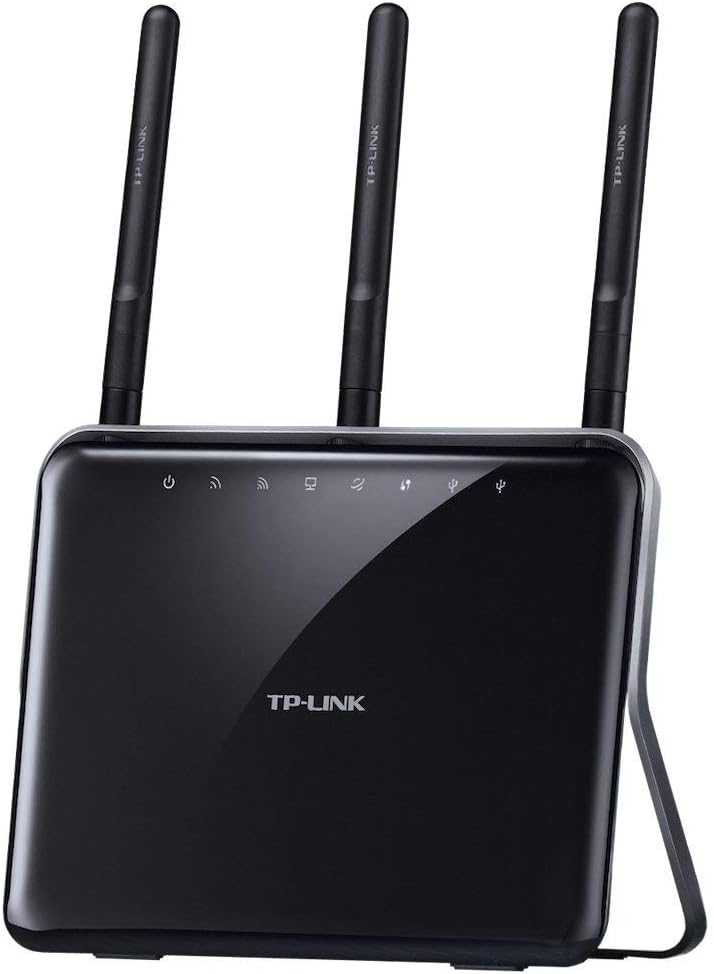


The TP-Link Archer A8 offers solid performance at a budget friendly price. It supports dual band speeds up to 1900 Mbps and includes OneMesh compatibility for expandable coverage. Users appreciate the simple setup process via the Tether App.
We may earn a commission when you buy through this link, at no additional cost to you.
This router uses Wave 2 technology to improve efficiency across connected devices. Beamforming helps direct signals to specific devices rather than broadcasting in all directions. Parental controls allow you to manage screen time for children easily.
While it lacks a USB port for storage sharing the wired Gigabit connections are reliable for gaming or streaming. The coverage reaches up to 1200 square feet which suits most medium sized homes well enough.
If you want a reliable router without spending much money this is a great pick. It balances performance with essential features needed for daily use in modern households efficiently today.
You can add OneMesh extenders to boost coverage without replacing the router itself. This saves money compared to buying a completely new mesh system later on.
The Tether App makes it easy to monitor network usage or reboot the device remotely. This adds convenience for managing your internet connection on the go.
We may earn a commission when you buy through this link, at no additional cost to you.
The ASUS RT-AC68U is a classic choice that remains relevant due to its powerful features. It offers combined speeds of 1900 Mbps and includes AiProtection for network security. The dual core CPU handles heavy traffic without slowing down.
We may earn a commission when you buy through this link, at no additional cost to you.
Security is a major highlight here with Trend Micro integration protecting against malicious sites. Five Gigabit LAN ports provide ample connectivity for wired devices like consoles or PCs. Setup is straightforward using the ASUSWRT web interface.
One tradeoff is the higher cost compared to basic models but the features justify it. The design is functional but not as sleek as newer routers on the market today. Still it offers reliability that lasts years.
This router is ideal for tech savvy users who prioritize security and connectivity options. It handles multiple devices well and provides robust protection against online threats effectively.
AiProtection Pro blocks threats automatically and keeps your network safe from malware. This peace of mind is valuable for families with many connected devices.
With five LAN ports you can connect more devices without needing extra switches. This is especially useful for home offices with multiple computers or printers.
We may earn a commission when you buy through this link, at no additional cost to you.
The NETGEAR R7000 delivers premium performance with coverage up to 1800 square feet. It supports up to 30 devices making it suitable for larger homes. The USB 3.0 port allows for quick file sharing across your network.
We may earn a commission when you buy through this link, at no additional cost to you.
Advanced features like Dynamic QoS ensure streaming and gaming stay smooth during peak usage. Armor security by BitDefender adds an extra layer of protection against viruses. The setup process is intuitive but offers deep customization options too.
While expensive it offers high quality hardware that performs consistently under load. Some users find the interface slightly complex compared to simpler consumer routers. However the reliability justifies the investment for power users.
If you need extensive coverage and robust features this router is a top contender. It handles heavy usage well and provides strong security tools for peace of mind.
The USB 3.0 port lets you connect external drives for easy access from any device. This acts like a personal cloud without needing monthly subscription fees.
Dynamic QoS prioritizes bandwidth for critical tasks like video calls. This prevents buffering even when others are using the internet heavily.
We may earn a commission when you buy through this link, at no additional cost to you.
The R6900P improves on earlier models with MU-MIMO technology for better multi-device performance. It supports speeds up to 1900 Mbps and covers up to 1800 square feet. The USB 3.0 port is fast for sharing printers or storage.
We may earn a commission when you buy through this link, at no additional cost to you.
Parental controls let you set time limits and filter content easily for kids. Smart Connect automatically selects the best band for each device. Alexa voice control allows you to pause internet access with simple commands.
It is larger than many routers which might be noticeable on a desk. The price is higher but the features make it a solid value for families. Setup is easy with the Nighthawk app guiding you through steps.
This router works well for households needing strong security and management tools. It balances speed with control features that help keep your network organized and safe.
Smart Connect ensures devices always use the best available band without you intervening. This keeps the network running smoothly without manual configuration.
You can use Alexa to manage your network handsfree for convenience. This is helpful for quick actions like pausing access for dinner time.
We may earn a commission when you buy through this link, at no additional cost to you.
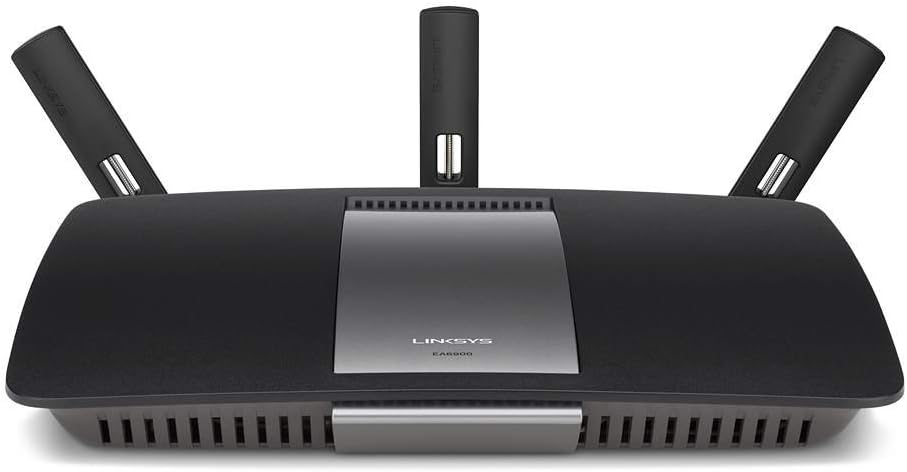
The Linksys EA6900 provides reliable speeds with dual band capability up to 1900 Mbps. It includes USB 3.0 for quick file sharing and supports DLNA for home media management. Beamforming technology helps maintain strong connections as you move around.
We may earn a commission when you buy through this link, at no additional cost to you.
Setup is straightforward using the Smart Wi-Fi app which makes management easy. The dual core CPU ensures responsive performance even with multiple devices connected. Gigabit ports support wired connections for stationary devices like consoles.
This model is a bit older so features might not be as modern as new releases. However it remains a solid choice for those needing basic high speed networking without complexity. Price is generally lower than newer tech.
If you want dependable performance without a high cost this router fits well. It handles streaming and gaming effectively while offering useful USB sharing options.
DLNA certification means you can stream media directly from attached storage to TVs. This simplifies media consumption without needing extra apps or servers.
The Smart Wi-Fi app allows remote access to your network settings. This is convenient for troubleshooting issues when away from home.
We may earn a commission when you buy through this link, at no additional cost to you.
The Archer C80 brings modern features like MU-MIMO and WPA3 at a reasonable cost. Four external antennas help cover a three bedroom house effectively. Airtime fairness improves efficiency by limiting how much any single device uses bandwidth.
We may earn a commission when you buy through this link, at no additional cost to you.
It is compatible with OneMesh so you can expand coverage easily later. The Tether App makes it easy to manage settings from your phone. Parental controls and guest networks provide extra security for visitors and family.
Since this is a renewed item you should check the warranty details carefully. Performance is strong though and it meets the needs of most standard households well. It is a smart pick for budget conscious buyers.
If you want current technology without a high price this router is excellent. It handles multiple devices efficiently and offers reliable security features today.
This feature prevents slow devices from dragging down the whole network. It ensures everyone gets a fair share of bandwidth during busy times.
WPA3 support means the router is ready for the latest security standards. This helps keep your network safe against new threats emerging.
We may earn a commission when you buy through this link, at no additional cost to you.
The Archer C1900 is built with high power amplifiers to boost signal strength. It offers 1900 Mbps total bandwidth which is great for streaming and gaming. The dual core processor handles wired and wireless connections without interruption.
We may earn a commission when you buy through this link, at no additional cost to you.
Three dual band antennas ensure wide coverage throughout the home. You can stream 4K video smoothly without buffering even with multiple users active. It focuses on performance for gamers who need low latency connections.
The unit is physically large which may not fit well in all spaces. Price is higher but the hardware quality justifies it for those seeking speed. Setup is simple and the app supports easy management features.
If you want a router that prioritizes signal strength and speed this is a good option. It handles heavy loads well and reduces lag for real time gaming.
High power amplifiers help push signals through walls and obstacles more easily. This is useful for larger layouts where distance is an issue.
Low latency design ensures your games run smoothly without ping spikes. This gives you a competitive edge in online multiplayer games.
We may earn a commission when you buy through this link, at no additional cost to you.
The RT-AC68P offers 1900 Mbps combined speed with excellent wired connectivity options. Five Gigabit Ethernet ports make it easy to connect multiple devices directly. AiRadar beamforming enhances signal stability and range throughout your home.
We may earn a commission when you buy through this link, at no additional cost to you.
Dual USB ports allow you to connect storage and printers at the same time. ASUS A iCloud service helps you access files from anywhere easily. The dual core processor ensures fast performance for all tasks.
This model is older so the web interface may not feel as modern. But it offers robust features that hold up well over time for regular use. Setup takes a few minutes but gets you online quickly.
If you need lots of wired ports and solid performance this router is a great fit. It balances speed with flexibility for various home networking needs today.
ASUS A iCloud lets you share files with friends or family securely. This is convenient for collaboration without needing third party services.
Five LAN ports mean you can connect many wired devices without switches. This is rare for consumer routers and adds significant utility.
We may earn a commission when you buy through this link, at no additional cost to you.
The RT-AC67P is designed to cover up to 3000 square feet effectively. It uses AiRadar beamforming to extend coverage and enhance stability. MU-MIMO allows multiple devices to connect at full speed simultaneously without congestion.
We may earn a commission when you buy through this link, at no additional cost to you.
Six layers of security help keep your network safe from threats and malware. Setup takes less than 30 seconds with the intuitive web interface. The app allows you to manage settings from anywhere easily.
This router is large and sits on a flat surface but performance is strong. Price is higher due to the extended range capabilities and advanced features included. It is ideal for bigger homes needing full coverage.
If you need maximum coverage and reliable security this router is a smart pick. It delivers speed and stability for even the most demanding wireless environments.
Coverage up to 3000 square feet means fewer dead zones in large homes. This ensures you stay connected even in distant rooms or yards.
Multiple security layers block threats before they reach your devices. This multi step approach keeps sensitive data safer online.
We may earn a commission when you buy through this link, at no additional cost to you.
The RT-AC1900P is part of the AiMesh ecosystem allowing flexible whole home coverage. It provides 1900 Mbps speeds and five Gigabit ports for wired connections. Lifetime internet security protects your smart devices from threats automatically.
We may earn a commission when you buy through this link, at no additional cost to you.
Commercial grade security features keep your network safe from malicious attacks. Flexible connectivity includes USB 3.1 and USB 2.0 for storage. High performance antennas eliminate dead spots throughout your house effectively.
This router is premium and costs more but offers great long term value. You can expand the network easily with other compatible routers if needed. Setup is straightforward and the app handles management tasks well.
If you want a future proof system with strong security this router is excellent. It delivers speed and reliability for all your connected devices at home.
AiMesh allows you to link routers for a flexible whole home network. This scales your coverage without buying a separate mesh system.
Lifetime security means protection continues as long as you own the device. This saves on subscription fees compared to other router security plans.
We may earn a commission when you buy through this link, at no additional cost to you.
Choosing the right router depends on several key factors that affect your daily internet experience. We outline the most important considerations below to help you make an informed decision.
AC1900 routers offer combined speeds up to 1900 Mbps split across two bands. Higher speeds ensure smooth streaming and fast downloads even with multiple users. Look for models with MU-MIMO to handle many devices efficiently without slowing down.
Prioritize routers with high combined speeds if your internet plan supports it for better performance.
Coverage varies by model and home layout. Some routers cover 1200 square feet while others reach 3000 square feet. Consider the size of your home and any obstacles like walls that may block signals. Beamforming technology can help direct signals to where they are needed most.
Select a router with a range that matches your home size to avoid dead zones.
Security is vital for protecting your data and devices. Many routers include built in tools like firewalls or threat detection. Look for options with automatic updates and advanced protection like AiProtection or Armor. These features block malicious sites and prevent malware from entering your network.
Choose a router with robust security features to keep your family safe online.
Ports are important for connecting wired devices. Most models offer four Gigabit LAN ports but some offer five. USB ports allow you to share storage or printers across the network. Check if the router has USB 3.0 for faster transfer speeds when connecting drives.
Count the number of ports you need to avoid buying extra switches later on.
Setup should be simple for all users. Look for models with mobile apps that guide you through installation. Web based interfaces are also common for advanced users who prefer desktop access. Quick setup saves time and ensures your network is running faster sooner.
Pick a router with an intuitive setup process to get online without frustration.
Parental controls help manage what children see online and how much time they spend there. Features like time limits and content filtering are standard on many routers. Some require subscriptions for full control while others include basic tools for free. Ensure the controls are easy to manage for your specific needs.
Verify the parental control features match your family rules and habits effectively.
Your needs might grow over time so consider expansion options. Systems like OneMesh or AiMesh allow you to add extenders without replacing the main router. This saves money compared to buying a new mesh system later. If you live in a large space this flexibility is very valuable.
Look for compatibility with expanders if you anticipate needing more coverage in future.
Prices vary widely between basic models and high end options. Determine what features you truly need versus what is nice to have. Sometimes mid range models offer the best balance of features and cost. Always check for warranties and customer support quality before buying.
Balance the cost with the features you need to avoid overpaying unnecessarily.
Place your router in a central location away from walls and metal objects. Avoid placing it on the floor or inside a cabinet where heat can build up. Keep it on a stable surface to ensure good airflow and signal distribution.
Update the firmware regularly to patch security vulnerabilities and improve performance. Most routers allow automatic updates through their app or web interface. This ensures your device stays protected against new threats without you needing to check manually.
Restart your router occasionally to clear cache and maintain smooth operation. You can do this manually or schedule automatic reboots during off hours. Regular maintenance helps extend the life of your hardware and keeps the network running fast.
AC1900 refers to 802.11ac Wi-Fi 5 routers which offer high dual band speeds. Newer Wi-Fi 6 routers use different standards with better efficiency for many devices. AC1900 remains a solid choice for most homes that do not need extreme multi device capacity.
Yes these are routers only and require a modem to connect to your internet provider. Your modem handles the connection to the ISP while the router distributes Wi-Fi to devices. Most ISPs provide modems but you can buy your own to save monthly rental fees.
Some models support mesh systems like OneMesh or AiMesh which let you add extenders. If your router supports this you can buy compatible extenders to expand coverage. Otherwise a standard repeater can work but may reduce speed slightly.
Yes AC1900 routers often include features like QoS to prioritize gaming traffic. This helps reduce lag during online matches. Look for models with strong processing power and low latency settings for the best experience.
Many routers have USB ports where you can connect a USB printer for network sharing. This allows anyone on the network to print without plugging into a specific computer. Check the manual for specific steps on how to share printers properly.
The 2.4GHz band has longer range but slower speeds while 5GHz is faster with less range. Dual band routers let you choose based on your device needs. For streaming or gaming 5GHz is usually better but 2.4GHz works well for smart home devices.
We have reviewed ten top AC1900 routers offering a mix of budget and premium options. Each model provides strong performance suitable for different home sizes and usage needs. The TP-Link Archer A8 stands out for value while the ASUS RT-AC68U leads in security.
When choosing prioritize the factors that matter most to you such as coverage or security. Ensure you have the necessary modem and that the router fits your home layout well. A good router improves your entire digital experience by keeping connections stable.
Prices fluctuate so always check current listings before you make your purchase decision. We hope this guide helps you find the perfect router to keep your home connected efficiently.