
Acer Gadget Auto Face Tracking Tripod for iPhone
4.6Editor score
No app needed
Gesture control
Quadpod stability
Creators today need tools that keep footage smooth without heavy gear. An AI gimbal with tripod offers stabilization plus autonomous framing for vlogs and live streams.
We evaluated ten top models based on tracking accuracy, build quality, battery life, and ease of setup to help you find the right fit for your workflow.
Each pick shows key strengths and trade-offs so you can choose confidently. Prices change often, so check current listings before buying to ensure you get the best value.
4.6Editor score

4.4Editor score

4.2Editor score
As an Amazon Associate we earn from qualifying purchases.
Below is a side-by-side comparison of all ten models to highlight key specs and unique capabilities for quick decision-making.




The Insta360 Flow 2 Pro stands out as a premium option with Apple DockKit for smoother control. It earns high ratings for reliable tracking and a polished build.
We may earn a commission when you buy through this link, at no additional cost to you.
Active zoom tracking is a standout feature, allowing precise framing even when zoomed up to 15x. The built-in fill light and tripod make it a complete kit for on-the-go creators.
It trades affordability for advanced capabilities. The price is steep compared to budget tripods, but the software integration justifies the cost for serious iOS users.
Ideal for iPhone users wanting a seamless experience, this bundle offers everything needed for professional-looking content without extra gear.
Apple DockKit support ensures the gimbal communicates directly with apps for stable performance without extra steps.
From active zoom to multi-person framing, the Flow 2 Pro adapts to dynamic scenes effortlessly.
We may earn a commission when you buy through this link, at no additional cost to you.
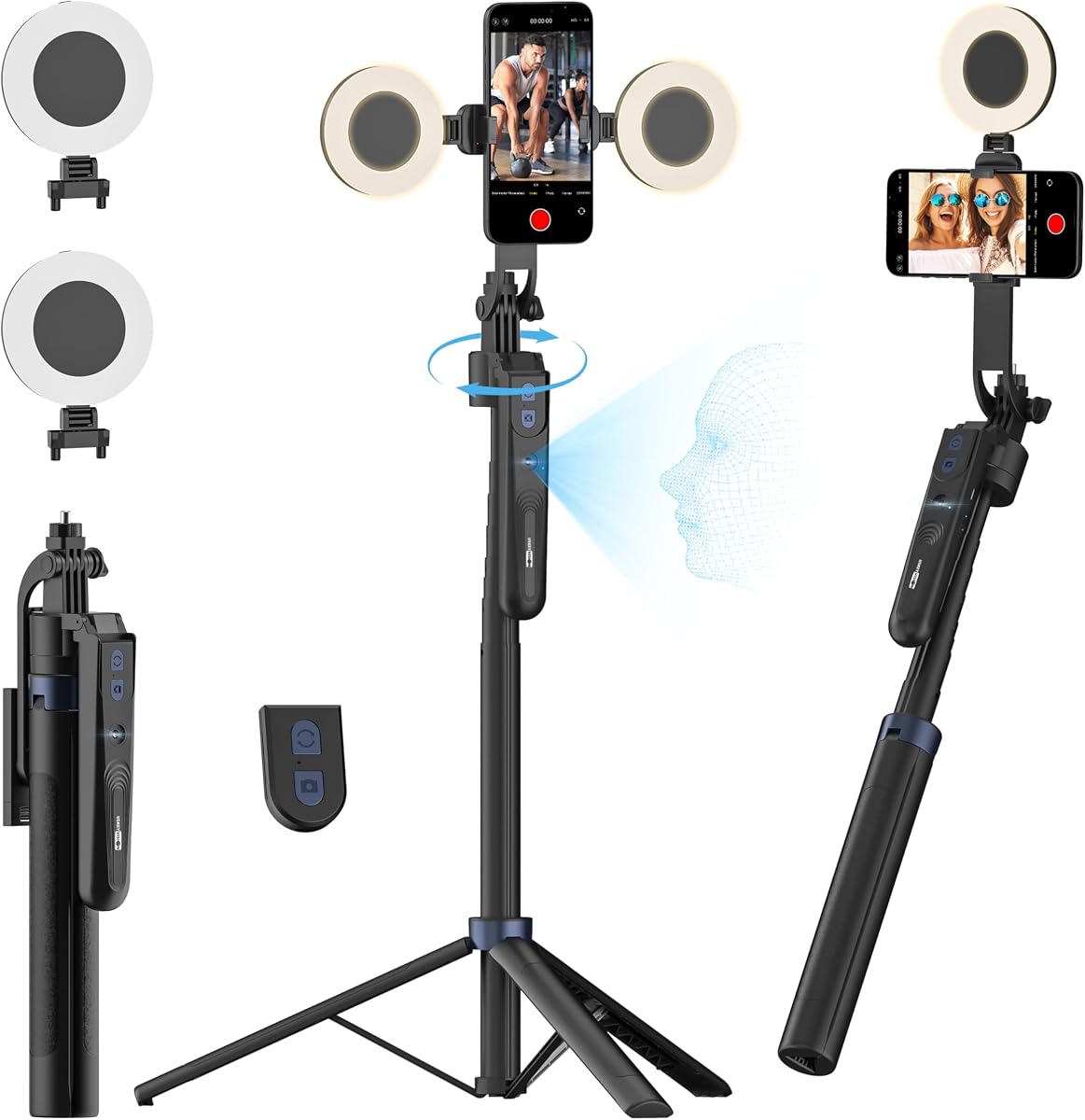
This budget-friendly tripod delivers solid AI face tracking without needing a complex app. Users love its simplicity and reliable gesture controls.
We may earn a commission when you buy through this link, at no additional cost to you.
It shines with a detachable ring light and quad-foot stability that prevents slips. The tripod extends to a useful height for tall shots.
It lacks advanced zoom tracking found in premium gimbals, but for basic vlogging and streaming, it offers excellent value.
Best for beginners or casual users who want hassle-free tracking without breaking the bank.
Tracking works out of the box with built-in AI, removing the need for third-party software.
The quad-foot design provides rock-solid stability even when fully extended to 64 inches.
We may earn a commission when you buy through this link, at no additional cost to you.
The Insta360 Flow 2 Plus extends tracking capabilities to include pets and groups. It's highly rated for its flexible app support and creative tools.
We may earn a commission when you buy through this link, at no additional cost to you.
Second-screen remote allows control via another phone, perfect for solo content creation. Active zoom tracking keeps subjects sharp during action.
It can be pricey and requires installing the Insta360 app, but the feature set rivals professional gimbals.
Great for creators who need tracking for groups or pets while traveling.
AI follows dogs or cats with precision, capturing playful moments automatically.
Second-screen control lets you shoot from a distance using another device.
We may earn a commission when you buy through this link, at no additional cost to you.
The DJI Osmo Mobile 8 brings trusted stabilization and native tracking to your phone. It is well rated for its comfortable design and long battery.
We may earn a commission when you buy through this link, at no additional cost to you.
Native tracking works with audio and lighting modules, providing a complete setup. The built-in tripod adds hands-free convenience.
Users note app compatibility issues on Android which might require manual downloads. Tracking is solid but less advanced than AI-focused rivals.
Perfect for users who prioritize stability and ease of use over advanced AI features.
Built-in tracking works without extra accessories for quick, reliable framing.
With 10 hours of use, it supports extended shoots without frequent recharges.
We may earn a commission when you buy through this link, at no additional cost to you.
This variant offers universal compatibility with Android and iOS for flexible tracking. It is praised for reliable performance and high-quality stabilization.
We may earn a commission when you buy through this link, at no additional cost to you.
Active zoom tracking ensures sharp focus at distance while built-in lighting improves low-light video. The Free Tilt mode unlocks creative angles.
The price is higher and it adds some weight but the tracking precision and multi-platform support justify it for professionals.
Best for creators who need reliable AI tracking across different mobile platforms.
Native tracking works across 200+ third-party apps for flexible workflow.
Track fast movements even at 15x zoom for sports and stage events.
We may earn a commission when you buy through this link, at no additional cost to you.
This model features an extended telescopic rod reaching nearly 71 inches for full body shots. It is popular for its gesture control and light package.
We may earn a commission when you buy through this link, at no additional cost to you.
Detachable remote allows control up to 32 feet away. AI tracking works without a dedicated app for simple setups.
The build is lightweight compared to premium gimbals and lacks deep zoom features but is ideal for vlogging.
Great choice for users wanting extra height and gesture support without high cost.
The 70-inch telescopic rod enables low and high angle filming without ladders.
Use hand gestures to start and stop tracking for hands-free operation.
We may earn a commission when you buy through this link, at no additional cost to you.
The DJI Osmo Mobile 7P adds Mic Mini support for enhanced audio while tracking. It earns top marks for stabilization and ease of use.
We may earn a commission when you buy through this link, at no additional cost to you.
Dual-lens tracking keeps subjects sharp during action. The built-in extension rod helps capture wide group shots.
It may have app compatibility challenges similar to newer DJI models. Tracking is solid but less AI-driven than competitors.
Best for users focused on audio and video sync with reliable stabilization.
Pair DJI Mic Mini for clear audio alongside video tracking.
Two lenses help maintain focus on moving subjects more effectively.
We may earn a commission when you buy through this link, at no additional cost to you.
This tripod offers full 360 rotation and dual ring lights for consistent lighting. It is highly rated for its price and simplicity.
We may earn a commission when you buy through this link, at no additional cost to you.
The remote allows control from 32 feet. It folds compactly to 12 inches for travel.
Stabilization is basic compared to motorized gimbals and lacks zoom features. However for streaming it performs well.
Ideal for budget-conscious streamers needing a simple setup with good lighting.
Two detachable lights provide adjustable brightness and color temperature.
The head rotates fully to capture movement without losing tracking.
We may earn a commission when you buy through this link, at no additional cost to you.
This bundle includes the Mic Mini Transmitter for seamless audio. It is top rated for complete creator support and build quality.
We may earn a commission when you buy through this link, at no additional cost to you.
Native tracking ensures sharp focus while audio module captures sound. Tripod enables hands-free filming for long sessions.
Higher cost reflects the included audio gear. App issues may require manual downloads.
Best for streamers needing high-quality audio and video in one package.
Includes Mic Mini for clear audio with video recording.
Built-in tripod allows stable shots without holding the device.
We may earn a commission when you buy through this link, at no additional cost to you.
The Flow 2 Grey brings tracking and portability for travel. It is well rated for ease of use and tracking range.
We may earn a commission when you buy through this link, at no additional cost to you.
Includes teleprompter and animal tracking. The second-screen control helps frame shots.
Battery life is good but fewer features than Pro versions. Still a capable tool.
Perfect for travelers wanting reliable tracking without carrying heavy gear.
Compact foldable design makes it easy to pack for trips.
Keeps entire groups in frame without manual adjustment.
We may earn a commission when you buy through this link, at no additional cost to you.
Choosing the right model requires balancing tracking capabilities, build quality, and battery life for your content style.
AI tracking uses machine learning to identify and follow faces or objects. Look for systems that support multi-person and object tracking for dynamic scenes.
Prioritize native tracking support in your apps for smoother performance without extra steps.
3-axis stabilization is essential for smooth footage. Durable materials like aluminum or magnesium alloys protect your investment during travel.
Check weight limits to ensure your phone and accessories stay secure during movement.
Integrated tripods add hands-free shooting. Extendable rods reach 60 to 70 inches for low or high angles.
Look for secure locking mechanisms that prevent slipping when fully extended.
Built-in fill lights help with low-light streaming. Detachable ring lights or mic modules add versatility.
Ensure any accessory mounts are compatible with your phone model and case thickness.
Long battery life of at least 10 hours supports full day shoots. USB-C charging keeps you powered up easily.
Models with phone charging output can keep your device running during long sessions.
Apple DockKit enhances iOS stability. Android users should check for app availability on Play Store.
Verify the manufacturer offers updates to maintain compatibility with new OS versions.
Apps with editing features speed up content creation. Look for tools like FlashCut or one-tap edits.
A user-friendly interface reduces learning time and keeps focus on creativity.
Compact designs fold small for bags. Weight impacts stability during walking shoots.
Balance portability with sturdy build quality to prevent shakes and fatigue.
Start by balancing your phone securely in the mount. Turn on the gimbal and follow app prompts to calibrate motors.
Use gesture controls or remote to frame shots. Walk steadily and avoid jerky movements for best stabilization.
Wipe lenses and ports with a soft cloth. Store in a dry place and recharge after each use for longevity.
Most models recommend an app for full features but some offer app-free tracking. Check product details if you prefer minimal software.
Yes most clamps fit phones with cases. Ensure the case is not too thick to avoid balancing issues.
Stable models use rubber feet and quad-stand designs. Add weight or sandbags on windy days for extra security.
Most offer around 10 hours of continuous use. Battery life varies with tracking intensity and lighting usage.
Some models include animal tracking modes. This feature follows pets with precision for pet-friendly content.
Most support both iOS and Android but check app availability. Some features may work better on iOS.
We highlighted ten standout models balancing cost and capabilities for different creators.
Prioritize tracking modes and battery life based on your shooting style for best results.
Always check current listings for updated features and pricing before purchase.