
Lenovo Yoga Tab AI Tablet
5.0Editor score
Snapdragon 8 Gen 3 Processor
144Hz 3K Display
Advanced AI Creative Tools
The world of portable computing has evolved rapidly with the integration of artificial intelligence into everyday devices. An AI tablet now offers more than just a screen for browsing; it provides intelligent assistance that adapts to your workflow and enhances creativity without needing constant input from the user.
We have carefully evaluated the leading models available on the market to bring you a comprehensive guide. Our selection process focuses on processing power, display fidelity, battery longevity, and the specific AI features that differentiate modern tablets from their predecessors in terms of utility and speed.
Each pick in this list showcases unique strengths tailored to different user needs ranging from students to professional creators. Please note that specifications and availability can change over time so checking the latest details before purchasing is always recommended for the best experience.
5.0Editor score

4.6Editor score

4.4Editor score
As an Amazon Associate we earn from qualifying purchases.
This side-by-side comparison highlights the key specifications and unique selling points of each selected tablet to help you quickly identify which model aligns best with your specific requirements and usage scenarios.





The Lenovo Yoga Tab AI Tablet stands out as the top choice for users seeking powerful performance and advanced intelligence features. With a perfect rating of 5.0 it delivers exceptional value through its high-end processor and versatile AI capabilities designed for creators.
We may earn a commission when you buy through this link, at no additional cost to you.
Its Snapdragon 8 Gen 3 processor ensures that demanding tasks run smoothly without lag while the 12GB of RAM supports heavy multitasking effortlessly. The 144Hz display provides fluid visuals that are ideal for both work and entertainment purposes alike.
While the price is on the higher end it is justified by the premium materials and the extensive feature set included in the package. Users will appreciate the inclusion of the Pro Pen and keyboard which transform the device into a complete workstation.
This tablet is highly recommended for professionals and students who need a reliable tool for note taking sketching and content creation. It represents the pinnacle of current tablet technology with robust AI integration that enhances productivity significantly.
The included Lenovo Tab Pen Pro allows for natural writing and precise editing which streamlines creative workflows efficiently.
Built for AI assisted creativity and professional multitasking this device handles video editing and immersive entertainment with ease.
We may earn a commission when you buy through this link, at no additional cost to you.
The TCL NXTPAPER 11 Gen 2 offers an accessible entry point into the world of AI enabled tablets without breaking the budget. It features a unique paper-like display that reduces eye strain making it perfect for long reading or writing sessions.
We may earn a commission when you buy through this link, at no additional cost to you.
Performance is adequate for daily tasks and the device includes helpful AI tools like real-time subtitles and translation features. The 8GB of RAM ensures smooth operation when switching between apps or browsing the web comfortably.
While it lacks the high-end processing power of premium models it compensates with practical features like reverse charging and a lightweight metal body. The display modes allow users to switch between vibrant colors and a softer ink mode easily.
This tablet is ideal for students or casual users who prioritize comfort and affordability over raw power. It provides a solid foundation for digital note taking and media consumption with a focus on user well-being.
Featuring NXTPAPER 4.0 technology the display reduces glare and filters blue light to ensure comfortable extended viewing periods.
Smart features like voice memos and text assistants help streamline communication and enhance overall productivity for work and study.
We may earn a commission when you buy through this link, at no additional cost to you.
The Samsung Galaxy Tab S11 is a top contender for users deeply integrated into the Samsung ecosystem. It combines a brilliant display with powerful Galaxy AI tools that simplify complex tasks like summarizing notes and editing drawings efficiently.
We may earn a commission when you buy through this link, at no additional cost to you.
The 12GB of RAM ensures that the device remains responsive even when running multiple applications simultaneously. The IP68 rating adds a layer of durability that makes it suitable for use in various environments without worry.
While it is a premium device the inclusion of the S Pen adds significant value for creators who need precision input. The AI features provide genuine utility by automating routine actions and enhancing the overall user experience.
This tablet is highly recommended for professionals who need a reliable and capable device for work and entertainment. It offers a balanced mix of style performance and intelligence that stands out in the competitive market.
Note Assist with Galaxy AI helps keep ideas tidy and organized during meetings and lectures with automatic summaries and structure.
The durable tablet with IP68 rating is protected from spills and dust making it easy to carry on the go.
We may earn a commission when you buy through this link, at no additional cost to you.
The Samsung Galaxy Tab A11+ is designed to meet the needs of families with its balanced performance and ample storage. It provides a bright and engaging screen that makes streaming and gaming enjoyable for all family members.
We may earn a commission when you buy through this link, at no additional cost to you.
The upgraded chipset keeps tasks responsive while the 8GB of memory supports seamless multitasking for everyday activities. The quad speakers powered by Dolby Atmos offer a cinema-like audio experience that enhances movie nights significantly.
Although it may not have the most advanced AI features it offers practical tools like fast charging and long battery life that keep everyone connected. The large screen size is perfect for sharing content and watching videos together comfortably.
This tablet is a great choice for households looking for a versatile device that handles both work and play. Its reliability and user-friendly design make it a solid investment for everyday family use.
A bright 11 inch screen with up to 90Hz refresh rate delivers fluid motion making it easy to stream and play.
With up to 8GB of memory and 256GB of storage it gives your family space and speed to multitask seamlessly.
We may earn a commission when you buy through this link, at no additional cost to you.
The TCL NXTPAPER 14 provides a large and comfortable viewing experience with its 14.3 inch paper-like display. It is ideal for artists and musicians who need a spacious surface for creativity and note-taking on the go.
We may earn a commission when you buy through this link, at no additional cost to you.
The device includes a 4096-level stylus that supports detailed drawing and precise writing. The NXTPAPER technology reduces glare and filters blue light ensuring that eyes remain comfortable during extended use.
While the charger is not included the tablet supports fast charging and reverse charging which can power other devices. The metal body is slim and durable offering a premium feel without adding excessive weight to the device.
This tablet is perfect for those who spend a lot of time reading or drawing and want a screen that mimics paper. Its combination of size and eye comfort features makes it a standout in the niche category.
Featuring NXTPAPER 3.0 technology the display reduces glare and supports DC dimming for comfortable extended viewing experiences.
Switch display modes effortlessly between Standard Color Paper and Ink Paper to suit different tasks and preferences easily.
We may earn a commission when you buy through this link, at no additional cost to you.
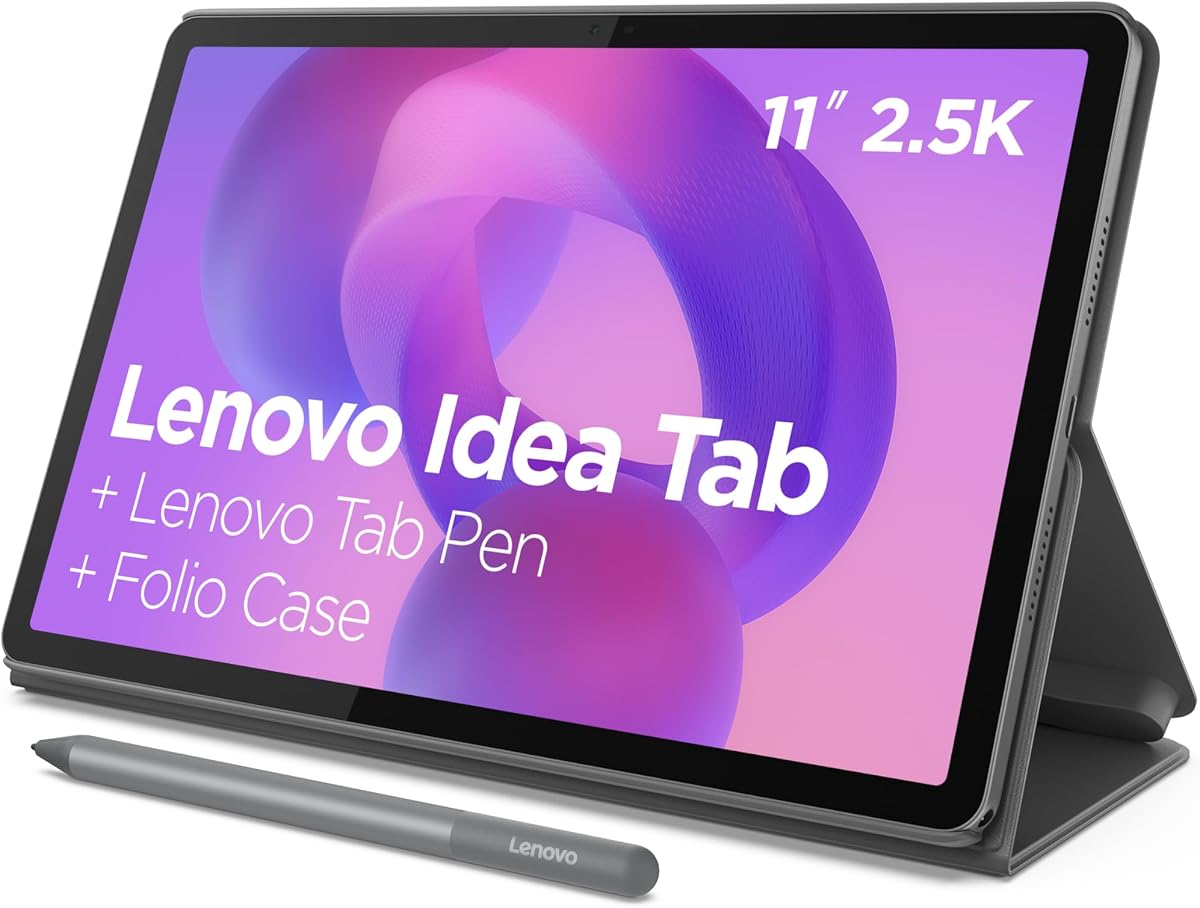
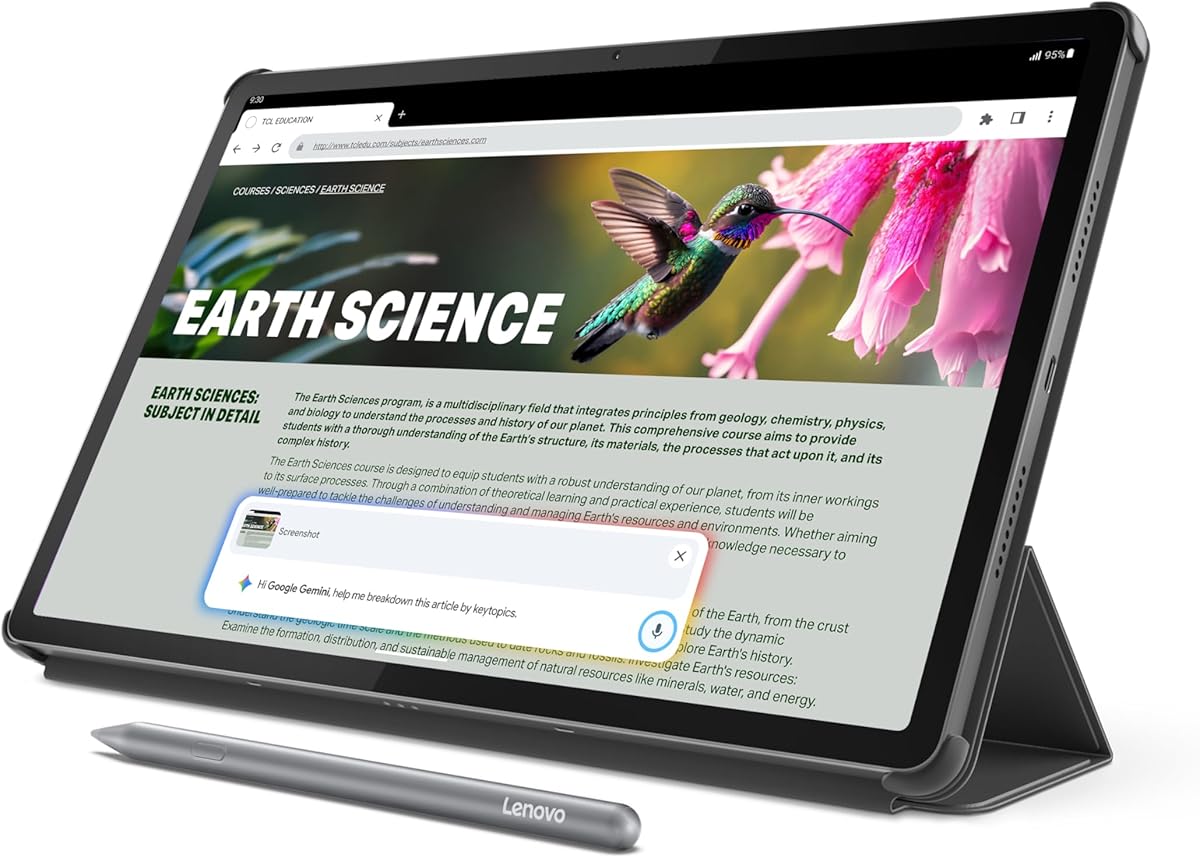
The Lenovo Idea Tab is designed specifically for college students with features that enhance learning and organization. It includes AI-powered apps and learning tools that help with note taking and calculations seamlessly during study sessions.
We may earn a commission when you buy through this link, at no additional cost to you.
The display offers sharp visuals and is certified for low blue light to reduce eye strain during late night work. The battery life is robust enough to last through a full day of lectures and streaming without needing a recharge.
Although it does not have high-end performance it is more than capable for typical student tasks and apps. The inclusion of a Tab Pen and Folio Case adds value for those who prefer writing digitally instead of typing.
This tablet is an excellent choice for students who need a reliable and affordable device for daily academic use. It balances performance and practicality to support educational goals effectively.
Discover smarter learning with AI powered apps to enhance your work and sharp graphics for entertainment breaks.
Write organize sketch and calculate with four learning apps built to match your flow for better focus and readiness.
We may earn a commission when you buy through this link, at no additional cost to you.
The Samsung Galaxy Tab S10+ excels in creative applications with its large high-resolution display and innovative AI features. It allows users to turn simple sketches into art instantly which is a game changer for designers and illustrators.
We may earn a commission when you buy through this link, at no additional cost to you.
The included S Pen provides precise input that pairs well with the powerful processor for demanding tasks. The SmartThings Home Insight Widget adds convenience for home automation making it useful beyond just work and play.
While it is a premium device the build quality and protection against elements ensure durability for frequent use. The large screen provides ample space for editing and viewing details which is essential for professional workflows.
This tablet is ideal for creatives who need a reliable canvas for their ideas and the power to execute them efficiently. It combines hardware excellence with smart software features that push the boundaries of mobile creativity.
Turn your simple sketches into works of art instantly using Sketch to Image with Galaxy AI technology seamlessly.
Bring ideas to life with the included S Pen and the power of Galaxy AI for endless creativity and precision.
We may earn a commission when you buy through this link, at no additional cost to you.
The CHUWI Hi10 Max AI brings the power of an Intel processor to the tablet form factor which is rare in the market. It is designed for productivity with a 3:2 aspect ratio display that offers more vertical space for documents and code.
We may earn a commission when you buy through this link, at no additional cost to you.
The built-in AI Boost NPU enables local AI content generation and smart image editing without relying on cloud services. With 12GB of RAM and 512GB SSD it handles multitasking and large file storage with ease for professionals.
While it has not received ratings yet the specifications suggest strong performance for light video editing and office work. The variety of ports makes it easier to connect external peripherals and monitors compared to other tablets.
This tablet is a great option for users who prefer an Intel architecture and need a device that can function like a portable computer. It offers a practical solution for work and study with robust hardware specs.
Built-in Intel AI Boost NPU reaches 11 TOPS peak AI computing power enabling fast local content generation and editing.
Feature a stunning 12.96-inch 3:2 Ultra HD display for sharper visuals and more vertical screen space than standard tablets.
We may earn a commission when you buy through this link, at no additional cost to you.
The Lenovo Idea Tab Pro is geared towards students who want a balance of study and gaming. It features a large 3K LCD display and a high touch sampling rate that ensures smooth gameplay and responsive controls.
We may earn a commission when you buy through this link, at no additional cost to you.
With Google Gemini built-in it offers an AI super-assistant that helps with assignments and complex questions. The JBL speakers provide rich sound which enhances both media consumption and gaming immersion for a better experience.
Although the storage is not the largest it is sufficient for typical apps and media files. The battery life is solid and the quick charge feature ensures you can get back to action quickly when needed during classes.
This tablet is a strong choice for students who want a single device for academic work and entertainment. Its gaming credentials and AI features make it versatile for different types of daily usage effectively.
Get ready to up your game with a super-responsive 360Hz touch sampling rate and lightning-fast 90fps performance.
Let Google Gemini an AI super-assistant pick your brain so you can get back to chasing your passion efficiently.
We may earn a commission when you buy through this link, at no additional cost to you.
The Android 16 Tablet with Gemini AI is a budget-friendly option that includes high memory claims and a large battery. It is designed for users who want a basic tablet for browsing and media without spending too much money.
We may earn a commission when you buy through this link, at no additional cost to you.
The display offers anti-blue light protection which helps comfort during long sessions. It includes a massive battery capacity that supports travel and long days of entertainment without frequent recharging requirements.
While the performance may not match higher-end devices it is sufficient for light tasks and streaming videos. The high memory number is a selling point but users should verify real-world speed before purchasing for heavy usage.
This tablet is a good choice for casual users or as a secondary device for entertainment. It provides a cost-effective way to access basic AI features and enjoy digital content on the go.
11-inch tablet features specific eyes protection HD fully-in-cell screen resolution for safer and more comfortable viewing.
Crafted with meticulous workmanship and an elegant packaging COTGOD tablets make thoughtful gifts for family and friends.
We may earn a commission when you buy through this link, at no additional cost to you.
Selecting the right AI tablet requires considering several key factors that impact daily use and longevity. Here is what to look for when comparing these advanced devices.
The processor determines how smoothly the tablet handles applications and AI tasks. Look for chips like Snapdragon or MediaTek that support AI acceleration for better performance.
Choose a processor that matches your workload needs to ensure speed without unnecessary cost.
A high-resolution display with good color accuracy is essential for creative work and media consumption. Refresh rates above 90Hz make interactions feel much smoother and more responsive.
Prioritize screens that offer low blue light certification if you plan on reading or writing for long hours.
Sufficient RAM ensures that you can run multiple apps without slowdowns or lag. Aim for at least 8GB to support heavy multitasking and future updates effectively.
Check if storage is expandable via microSD if you plan to store large videos or games locally.
Different tablets offer different AI capabilities ranging from summarization to translation. Evaluate which features align with your productivity goals and daily habits to get the most value.
Focus on models that integrate AI directly into the operating system for seamless user experience.
Long battery life is crucial for tablets used on the go for work or school. Look for devices with fast charging capabilities to minimize downtime when you are out and about.
Consider battery capacity and real-world usage reports to ensure it lasts through a full day.
Some packages include a stylus or keyboard which can save extra costs later. Verify what comes in the box before purchasing to understand the true value of the deal.
Accessories are often vital for creative work so their inclusion adds significant value to the package.
A durable build with water resistance ratings adds longevity and protection against accidents. Metal bodies generally feel more premium and dissipate heat better than plastic alternatives.
Look for devices with IP ratings if you plan to use them in varied environments.
Ensure the tablet works well with your existing devices and cloud services for seamless workflows. Features like screen mirroring and cross-device syncing can enhance productivity significantly for users.
Choose a model that integrates with your current ecosystem to maximize efficiency and ease of use.
To get the most out of your AI tablet start by setting up your user profile and enabling permissions for AI features. This allows the device to learn your preferences and provide relevant suggestions over time effectively.
Keep the software updated regularly to access new AI tools and security patches. Manufacturers frequently release updates that improve performance and add new functionalities to the device.
Protect the device with a sturdy case and screen protector to prevent scratches and drops. Clean the screen with a microfiber cloth and avoid harsh chemicals to maintain display quality and touch sensitivity.
AI tablets offer features like automatic summarization, translation, and enhanced search. These tools save time and help streamline workflows for students and professionals alike efficiently.
Yes, many models in this guide come with stylus support designed for precise input. Check for pressure sensitivity and low latency to ensure a smooth drawing experience.
Some models feature IP68 ratings which protect against water and dust. Always verify the specific rating for the model you choose to ensure durability.
Most tablets in this list provide between 10 to 12 hours of usage on a single charge. Battery life varies depending on screen brightness and application usage patterns.
Most AI features included in these tablets are free to use with no subscription required. However some advanced services might have premium tiers for extra capabilities.
For basic productivity and media consumption yes they can replace a laptop. Heavy software like professional video editors may still require a dedicated computer.
We have reviewed the top 10 AI tablets available in November 2026 to help you find the perfect device. Each option offers unique strengths whether you need high performance or budget-friendly features.
Prioritize the factors that matter most to your workflow such as display quality or battery life. Balancing performance with price will ensure you get the best value for your investment.
Prices and availability change frequently so verify the current details before making your purchase. Check the latest specs to ensure the device meets your specific needs for productivity.