
Alienware 34 Curved Gaming Monitor – AW3425DWM
4.6Editor score
180Hz refresh rate
WQHD resolution clarity
1500R curve immersion
Finding the right curved gaming monitor can transform your immersive experience significantly. Alienware offers a range of ultrawide displays known for high refresh rates, vibrant colors, and sleek designs. Choosing the right model depends on your specific gaming needs and budget constraints.
We have carefully evaluated ten top-rated Alienware curved monitors based on their performance metrics, build quality, and user feedback. This list includes various sizes and technologies to ensure you find a screen that fits your setup perfectly without compromising on visual fidelity.
Each pick highlights key strengths and potential trade-offs to help you make an informed decision. Remember that availability and specifications can change over time, so always verify the latest details before purchasing to ensure you get the exact model you want.
4.6Editor score

4.5Editor score

4.3Editor score
As an Amazon Associate we earn from qualifying purchases.
Below you will find a detailed side-by-side comparison of all ten selected monitors. This table helps you quickly identify key specifications like resolution, refresh rate, and panel type to narrow down your choices based on your priorities.





This monitor represents a solid entry into high-end curved gaming with a strong 4.6 rating. It brings virtual worlds to life with WQHD quality and responsive visuals designed for modern gaming titles. The iconically designed ultrawide panel ensures you never miss a detail in open worlds.
We may earn a commission when you buy through this link, at no additional cost to you.
Fluid performance is key for competitive play and this model delivers with a smooth 180Hz refresh rate and 1ms response time. AMD FreeSync Premium and VESA Adaptive Sync Technology work together to minimize tearing. Additionally the 95% DCI-P3 coverage provides vibrant colors for a cinematic experience.
While it may not reach the infinite contrast of OLED panels it offers a balanced experience for most gamers. The hardware-based low blue light solution helps reduce eye strain during marathon sessions. The console mode is a practical feature for users who switch between systems.
Gamers looking for high resolution and speed without premium OLED pricing should consider this model. It fits well into various setups due to its standard curve and reliable performance. This choice is ideal for those prioritizing fluid visuals and color accuracy over absolute black levels.
The 34-inch ultrawide panel provides expansive details that make exploring game worlds feel more natural and engaging.
High refresh rates and adaptive sync ensure that fast-paced action remains smooth and clear without distracting screen tearing.
We may earn a commission when you buy through this link, at no additional cost to you.
This monitor is an elite choice for gamers seeking the ultimate visual experience. With a rating of 4.5 it combines sweeping visuals with super smooth motion. The QD-OLED panel delivers seamless speed that transforms how you interact with competitive titles.
We may earn a commission when you buy through this link, at no additional cost to you.
The color performance is where this model truly shines. You can expect the full spectrum of color as intended thanks to 99.3% DCI-P3 coverage and Delta E<2 accuracy. VESA DisplayHDR TrueBlack 400 with 1000 nits peak brightness ensures that dark scenes look incredibly deep and detailed.
Speed is unrivaled here with adaptive sync technologies making games feel effortlessly smooth. The 0.03ms response time means you will not notice lag during critical moments. Whether using NVIDIA G-SYNC Compatible or AMD FreeSync Premium Pro the motion clarity is exceptional.
For those who demand the best in image quality and speed this monitor is worth the investment. It is perfect for enthusiasts who want deep blacks and vibrant colors combined with high refresh rates. This device elevates your setup to a professional gaming standard.
The unique panel technology offers a wider color range and deeper blacks than traditional LED displays for lifelike images.
A near-instant response time and high refresh rate ensure that motion remains crisp even in the fastest games.
We may earn a commission when you buy through this link, at no additional cost to you.
This monitor stands out for its impeccable design and stutter-free speed. With a rating of 4.3 it offers ultra-low latency gameplay that is perfect for competitive titles. The sleek QD-OLED curved panel wraps around your view for maximum engagement.
We may earn a commission when you buy through this link, at no additional cost to you.
Immersive color is a major highlight thanks to Quantum Dot Display Technology. This enables a slim panel design and delivers superior color performance compared to WOLED. The Creator Mode allows for precise color-critical work ensuring accuracy for content creators who game.
Comfort is well addressed with height adjustment and anti-glare screen features. The Legend 2.0 ID includes customizable lighting and improved cable management. 360° ventilation helps keep the unit cool during long gaming sessions without noise.
Ideal for users who want both gaming performance and creative capabilities this monitor is a versatile choice. The 0.1ms response time ensures you react quickly to in-game events. It is a top pick for those wanting a balance of style and technical performance.
The Legend 2.0 ID includes customizable lighting and ergonomic adjustments that make the hardware look and feel premium.
Precise gamma and color space adjustments allow this monitor to double as a high-quality tool for creative workflows.
We may earn a commission when you buy through this link, at no additional cost to you.
This model offers a reliable experience with a strong 4.6 rating and immersive features. The 21:9 aspect ratio maximizes the field of view with a 1900R curved display. WQHD resolution ensures images are sharp and detailed for an engaging experience.
We may earn a commission when you buy through this link, at no additional cost to you.
G-Sync technology synchronizes the GPU and monitor to minimize graphic distortions like tearing. The 120Hz refresh rate is important for reacting to quick events sooner. Adopting IPS Nano color technology this monitor exceeds the sRGB color spectrum significantly.
Alienfx customizable lighting adds a personal touch to your setup with full RGB value. The anti-glare coating helps reduce reflections in bright environments. While response times are standard for IPS this panel provides consistent viewing angles.
For gamers who prefer IPS reliability over OLED risks this is a great choice. The focus on color accuracy and smooth gameplay makes it a solid daily driver. It is best suited for users who value visual fidelity and brand legacy.
IPS Nano color technology ensures that colors look vibrant and consistent even when viewed from the side.
NVIDIA G-Sync eliminates stuttering and tearing so your gameplay feels seamless and professional at all times.
We may earn a commission when you buy through this link, at no additional cost to you.
This bundle offers a complete setup solution with a 34.2-inch QD-OLED panel. The display provides exceptional color purity and deep blacks for true immersion in games. QD-OLED technology makes open-world games and cinematic content feel lifelike.
We may earn a commission when you buy through this link, at no additional cost to you.
Built for competitive play it provides up to 175Hz refresh rate and a 0.1ms response time. Combined with NVIDIA G-Sync Ultimate certification gameplay remains fluid even during rapid camera movement. Peak brightness up to 1000 nits supports stunning HDR contrast.
Creator Mode allows switching between native DCI-P3 and sRGB color spaces with adjustable gamma. ComfortView Plus reduces blue light without affecting color accuracy for longer sessions. The bundle includes premium cables to ensure you can use the monitor immediately.
Users who want a hassle-free experience with all necessary accessories should look at this bundle. It balances high-end gaming performance with creative utility well. This is ideal for those who value convenience and accuracy in their workflow.
Including gold plated DisplayPort and HDMI cables ensures you have everything needed for a seamless installation out of the box.
ComfortView Plus technology helps protect your eyes during long sessions while maintaining the rich colors you expect.
We may earn a commission when you buy through this link, at no additional cost to you.
This bundle invites you to immerse yourself in stunning visuals with a 34-inch QD-OLED curved display. The ultra-wide 1800R curvature wraps your field of vision for maximum engagement and clarity. It produces lifelike color accuracy and deep blacks for cinematic contrast.
We may earn a commission when you buy through this link, at no additional cost to you.
Take your gaming to the next level with a 175Hz refresh rate and 0.1ms response time. NVIDIA G-SYNC Ultimate ensures smooth visuals even in fast-paced scenes. The monitor comes built with premium materials and AlienFX RGB lighting for a futuristic look.
Ergonomic comfort is key with tilt swivel and height adjustments to match your setup. The bundle includes DisplayPort and HDMI cables a headphone extender and a cleaning kit. This ensures a complete connectivity solution for high-performance use right out of the box.
Users needing a comprehensive package with accessories will appreciate the included items. It is designed to handle both creative work and intense gaming sessions. This choice is best for those wanting a ready-to-play solution with high-quality visuals.
The adjustable stand allows you to position the monitor perfectly to reduce neck strain during long sessions.
Included cables and cleaning supplies mean you can set up your new monitor quickly without searching for extra parts.
We may earn a commission when you buy through this link, at no additional cost to you.
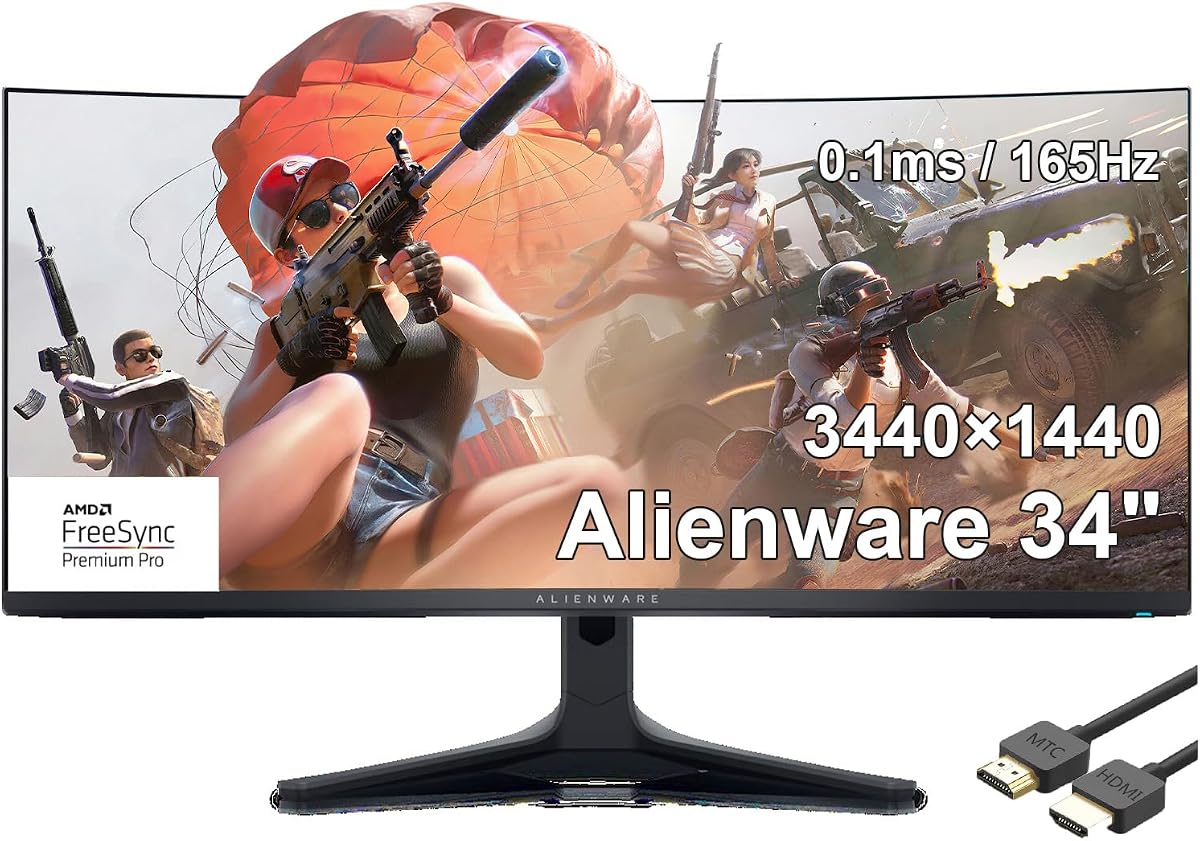
This monitor is a compelling option for those seeking OLED performance at a competitive point. It features a 34-inch QD-OLED panel with 165Hz display speed. The 0.1ms gray-to-gray response time ensures minimal ghosting during rapid movement.
We may earn a commission when you buy through this link, at no additional cost to you.
With 1.07 billion colors available the image depth is incredibly rich and vibrant. AMD FreeSync Premium Pro supports smooth gameplay compatible with modern graphics cards. The DisplayPort and HDMI connectivity ensures you can connect multiple devices easily.
The design emphasizes performance with a curved shape that enhances immersion. The inclusion of an MTC HDMI cable helps with initial setup. This model targets gamers who want the benefits of OLED without waiting for high-end premium tiers.
Consider this model if you prioritize speed and color fidelity in a curved form factor. It is well suited for gaming enthusiasts who appreciate the latest panel technology. It offers a strong balance of features for its class.
The fast response time ensures that even in competitive shooters your visual feedback is instant and accurate.
Multiple port options allow you to connect consoles and PCs simultaneously for a flexible workstation setup.
We may earn a commission when you buy through this link, at no additional cost to you.
This monitor brings the power of 4K resolution to a curved gaming form factor. With a rating of 4.3 it offers a crisp image thanks to its pixel count. The QD-OLED panel technology provides the vibrant colors expected from Alienware.
We may earn a commission when you buy through this link, at no additional cost to you.
The 32-inch size with 3840 X 2160 pixels ensures that text and images are razor sharp. This resolution is perfect for detailed gaming and media consumption. The black and white design options add a modern aesthetic to your desk.
The curved screen helps wrap the view around your field of vision for a natural experience. It combines high resolution with the depth of OLED for a premium look. This model is great for those who want high detail without sacrificing immersion.
Consider this monitor if you have a powerful system to drive 4K graphics smoothly. It is ideal for users who prioritize visual sharpness over ultra-fast refresh rates. This device serves as a versatile tool for gaming and media work.
The high pixel count ensures that every detail in games and content appears crisp and lifelike on the screen.
Using QD-OLED technology this screen delivers rich color accuracy that stands out from standard LED monitors.
We may earn a commission when you buy through this link, at no additional cost to you.
This monitor is designed to help you dominate the competition with unparalleled visuals. It features a 27-inch IPS panel with 1440p resolution and up to 280Hz refresh rate. The 1.07 billion colors ensure vivid immersion for all genres of games.
We may earn a commission when you buy through this link, at no additional cost to you.
AMD FreeSync Premium Pro and Adaptive-Sync support seamless on-screen action. With a lightning-fast 1 ms response time you will not miss a frame. The integrated USB hub offers four USB-A ports for easy device connectivity.
AlienVision overlays provide real-time visual enhancements like Night Vision and Clear Vision. The Legend 2.0 design includes 360° ventilation to keep the unit cool. The adjustable stand offers versatile positioning for optimal viewing angles.
FPS players who need every advantage should consider this high-speed option. The combination of refresh rate and color accuracy makes it a top performer. It is best suited for those focused on competitive performance and setup convenience.
With refresh rates up to 280Hz this monitor ensures motion clarity is unmatched in any fast-paced shooter.
Custom overlays like Night Vision and Clear Vision give you a tactical edge in difficult lighting scenarios.
We may earn a commission when you buy through this link, at no additional cost to you.
This monitor provides breathtaking realism for epic gameplay with a massive 40-inch display. It features a 21:9 screen with ultrawide 4K resolution for next-level gaming. The 1000R curved display wraps around your field of vision for deep engagement.
We may earn a commission when you buy through this link, at no additional cost to you.
VESA DisplayHDR 600 delivers more contrast with deeper blacks and brighter whites. This ensures greater clarity even in dark scenes without losing detail. The 180Hz refresh rate and near-instant 1ms response time minimize lag for smooth action.
The scale of this monitor makes it a centerpiece for any gaming room. It is designed for those who want an immersive theater-like experience at home. The WUHD resolution ensures that content looks sharp and detailed across the whole screen.
Consider this monitor if you have the space for a large immersive setup. It is best for users who prioritize screen size and HDR performance over standard sizes. This device offers a unique way to experience modern games.
The 21:9 aspect ratio provides a wider view than standard monitors helping you see more of the game world.
DisplayHDR 600 certification ensures that bright and dark scenes look natural and detailed in any lighting.
We may earn a commission when you buy through this link, at no additional cost to you.
Selecting the right monitor involves balancing several technical factors to match your specific gaming needs.
Panel technology determines color quality and contrast levels. OLED panels offer infinite contrast and fast response times while IPS panels provide reliable viewing angles.
Choose OLED for deep blacks and vibrant colors or IPS for stable performance and lower cost.
Higher refresh rates like 175Hz or 240Hz result in smoother motion and less blur during fast action. This is critical for competitive gaming where speed matters.
Prioritize refresh rates that match your system capabilities to avoid wasted performance.
Resolution defines the sharpness of text and images on screen. WQHD and 4K resolutions offer higher detail than standard HD options.
Balance resolution with your GPU power to ensure games run smoothly without visual stuttering.
Curvature radius indicates how tight the bend of the screen is. Lower numbers like 1000R provide a stronger wrap around the viewer.
Select a curve that matches your desk size and preference for immersion without distortion.
Adaptive sync technologies like G-Sync or FreeSync prevent screen tearing by matching the monitor refresh rate to the GPU output.
Ensure the monitor supports the sync technology compatible with your graphics card.
Check for available ports like HDMI and DisplayPort to connect your devices. Bundles often include cables which can save money.
Verify you have enough ports for your PC console and other peripherals.
Adjustable stands allow height tilt and swivel changes to reduce neck strain. Anti-glare coatings help in bright rooms.
Choose a model with adjustable features for long-term comfort.
HDR support brings out more detail in bright and dark areas. Look for certifications like HDR 400 or TrueBlack.
HDR enhances visual realism especially in single-player story games.
Set up your monitor on a stable surface and connect the video cables securely to the correct ports on your computer. Use the on-screen menu to adjust brightness and color settings to your liking.
Regularly clean the screen with a microfiber cloth to remove dust and fingerprints. Avoid using harsh chemicals or abrasive materials that could scratch the panel coating.
Keep the monitor vents clear of debris to ensure proper airflow and cooling. Use software tools to monitor temperature and update drivers for optimal performance.
QD-OLED combines quantum dot technology with OLED for better brightness and color volume. Standard OLED uses organic LEDs that offer deep blacks. QD-OLED often provides better performance in bright rooms.
Curved monitors can improve immersion by reducing distortion at the edges. They help focus your attention on the center of the screen which is beneficial for racing and flight simulators.
Avoid static images like taskbars staying on screen for hours. Use screen savers and pixel shifting features. Take breaks to allow the pixels to rest.
If you use NVIDIA cards look for G-Sync Compatible. AMD cards work well with FreeSync. Most monitors support both now so check the specific model details.
1440p allows for higher frame rates on most systems. 4K offers more detail but requires a more powerful GPU. Choose based on your computer's capabilities.
Use the monitor's OSD to set brightness and contrast levels. Software tools can help adjust gamma and color balance. Refer to the manual for specific steps.
We have reviewed ten top models ranging from budget-friendly options to high-end OLED displays. Each monitor offers unique strengths for different types of gamers and creators.
Prioritize features that matter most to you such as refresh rate for speed or resolution for detail. Consider your current hardware before committing to a higher tier panel.
Always check the current prices and availability before making a purchase to ensure you get the best value for your setup.