
CORSAIR RS140 ARGB
4.6Editor score
Daisy-chain connectivity
AirGuide airflow tech
High static pressure
This guide compares the top ARGB 140mm fans for PC builds, evaluating airflow, noise, lighting, and reliability to help you choose the right cooling solution.
Selecting the right cooling solution is critical for maintaining optimal performance and longevity in any modern computer system. ARGB 140mm fans offer a perfect blend of thermal efficiency and visual customization, allowing builders to create striking aesthetics without sacrificing airflow or static pressure capabilities.
Our team analyzed ten leading models based on fan blade design, bearing technology, PWM control precision, and lighting synchronization capabilities. We evaluated real-world performance metrics including noise levels, airflow volume, and static pressure to ensure each recommendation delivers reliable cooling under diverse workload conditions.
Each pick highlights specific strengths such as budget-friendly pricing, premium silent operation, or advanced airflow reversal for glass cases. Prices and availability fluctuate frequently, so please verify current listings before purchasing to ensure you get the best value for your specific build requirements.
4.6Editor score

4.7Editor score
4.6Editor score
This comparison table highlights key specifications for each model to help you quickly identify which fan best matches your thermal needs and aesthetic preferences.
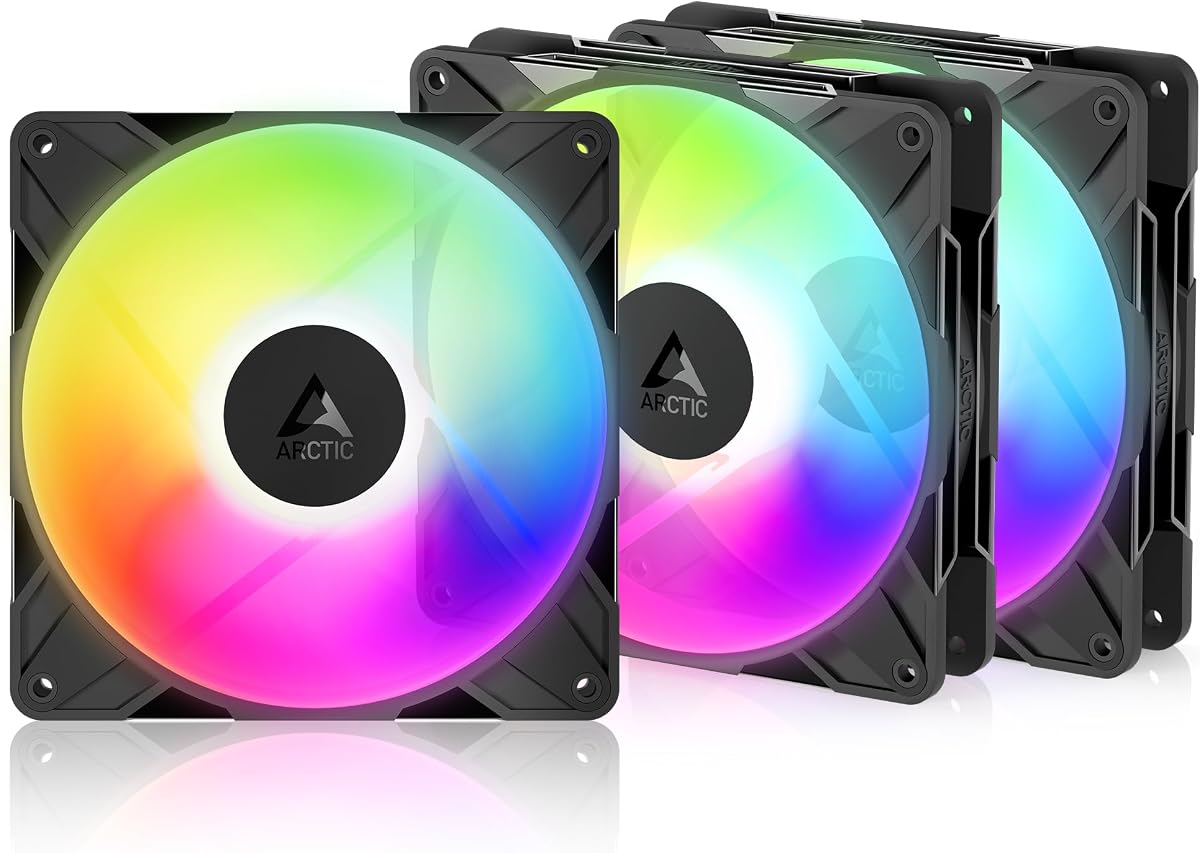



The Thermalright TL-C14C-S X3 stands out as a top recommendation due to its balanced mix of cooling capability and aesthetic appeal. With a rating of 4.7 stars, users appreciate the combination of silent operation and reliable thermal performance across various PC cases. This three-pack configuration offers significant value while maintaining consistent quality across each unit.
We may earn a commission when you buy through this link, at no additional cost to you.
Its standout quality lies in the S-FDB bearing system which ensures long-term reliability without introducing annoying noise during operation. The fan operates up to 1500 RPM providing sufficient airflow for standard case cooling tasks. PWM control allows the motherboard to adjust speeds dynamically based on real-time temperature readings for optimal energy efficiency.
The ARGB lighting is designed to be softer and less aggressive than many competitors. This makes it ideal for builds where a subtle glow is preferred over a rainbow light show. The LED atomizing blades effectively reflect light creating a visually pleasing effect that matches well with different motherboard themes.
Buyers seeking a cost-effective solution that does not compromise on build quality should strongly consider this option. It performs exceptionally well as a case fan and works effectively with CPU coolers or water cooling radiators. The included mounting screws and cable management features simplify the installation process significantly.
Higher air flow is designed to improve overall cooling performance efficiently reducing heat buildup inside your chassis.
This fan is suitable for case use or mounting on radiators offering flexibility in your thermal configuration strategy.
We may earn a commission when you buy through this link, at no additional cost to you.
The CORSAIR RS140 ARGB delivers premium performance backed by advanced engineering features. It earns a 4.6 rating thanks to its ability to push air through dense radiators without excessive noise. The dual-pack format is ideal for liquid cooling setups requiring high static pressure to cool components effectively under load.
We may earn a commission when you buy through this link, at no additional cost to you.
Key strengths include the AirGuide technology which directs airflow precisely where it is needed most. This anti-vortex design ensures that air does not scatter unnecessarily reducing overall cooling efficiency. The magnetic dome bearing minimizes friction ensuring the fans run smoothly for years without degradation.
While the price is higher than budget options the cable management benefits justify the cost. Daisy-chain connectivity means you only need one PWM and one ARGB port for multiple fans. This simplifies routing inside the case and reduces clutter for a cleaner build appearance.
Premium builds focusing on liquid cooling or restricted airflow environments will benefit most from this model. The concentrated cooling capability makes it a top choice for demanding workstations and gaming rigs where thermal headroom is essential for stability and performance consistency.
Daisy-chain connections allow multiple fans to run from a single cable reducing internal wiring clutter.
Anti-vortex vanes guide air directly toward components for efficient heat removal in tight spaces.
We may earn a commission when you buy through this link, at no additional cost to you.
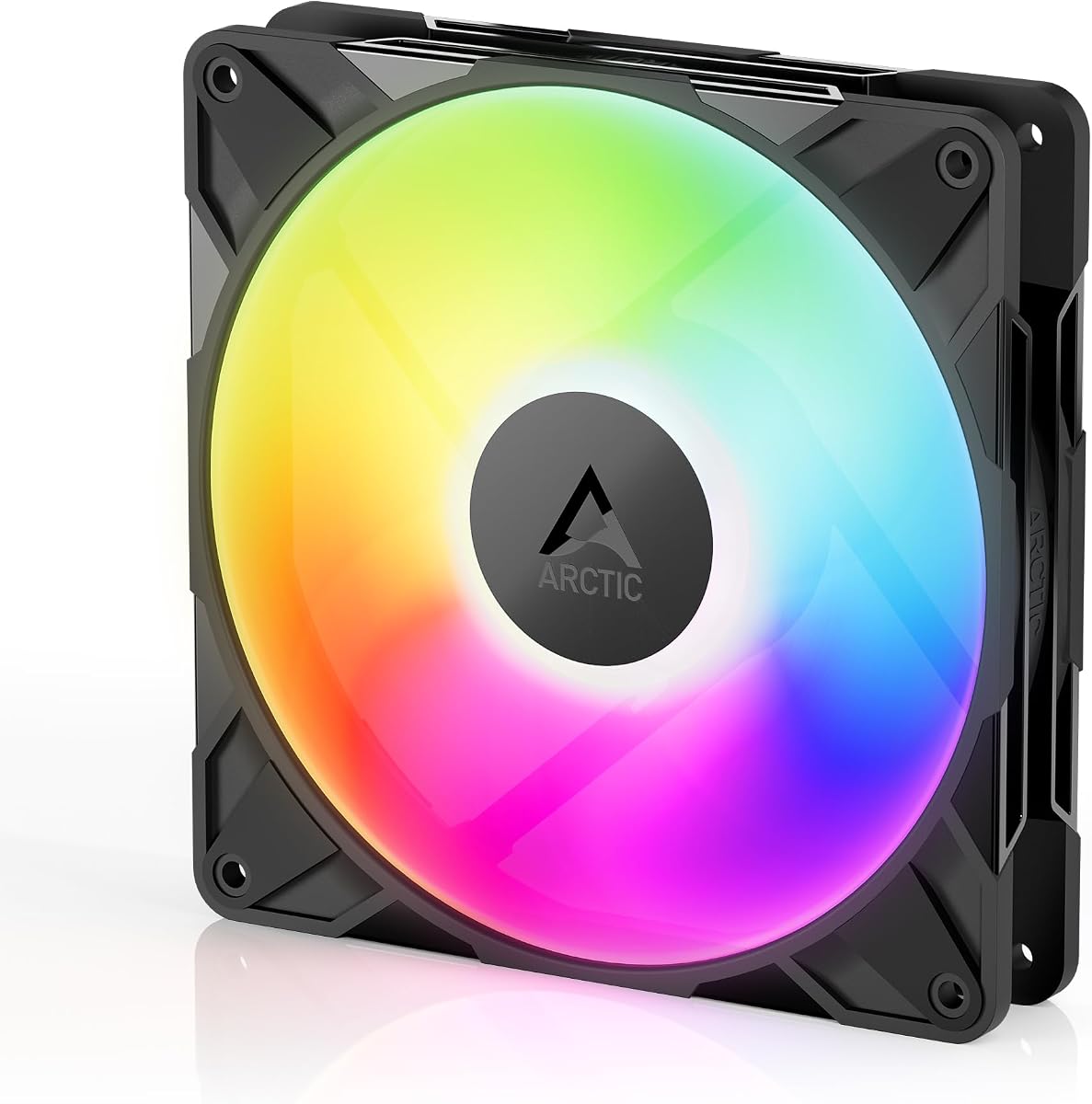
The ARCTIC P14 Pro A-RGB sets a high bar for budget cooling solutions without sacrificing performance. With a strong rating of 4.6 it offers incredible value for builders needing multiple fans to fill a case. The fluid dynamic bearing ensures longevity even at high speeds making it a smart investment.
We may earn a commission when you buy through this link, at no additional cost to you.
Its key strength is the wide speed range allowing adjustment up to 3000 RPM. This flexibility is crucial for tuning noise levels versus cooling requirements dynamically. The redesigned rotor blades optimize performance especially at lower speeds where silence is often the priority.
The trade-off involves fewer cosmetic features compared to premium RGB rivals. However the focus on raw airflow and silence makes it perfect for users who prioritize function over flash. The bearing design minimizes noise during operation ensuring a quiet computing experience.
Anyone needing reliable cooling on a tight budget will find this model unmatched in its class. It is ideal for filling multiple cases slots or replacing older noisy fans with a quieter more efficient solution. The efficiency and durability make it a long-term asset for any PC setup.
Penetrates dense radiators and filters easily ensuring consistent cooling even with obstructions.
High precision measurement reduces vibrations for smooth and long-lasting fan performance.
We may earn a commission when you buy through this link, at no additional cost to you.
The ARCTIC P14 Pro Reverse is uniquely designed for modern glass fronted PC builds. By drawing air from the back side it hides the usual fan blades and frame wires from view. This specialized design earns high praise among enthusiasts seeking pristine aesthetics without compromising cooling efficiency.
We may earn a commission when you buy through this link, at no additional cost to you.
Key strengths include high static pressure allowing it to push air through tight spaces effectively. The PWM control allows precise speed adjustments ranging from 400 to 2650 RPM for custom profiles. The fluid dynamic bearing ensures quiet performance even when running at higher speeds.
One consideration is the fixed direction of airflow which requires careful planning. If installed incorrectly you may end up pushing air in the wrong direction. However for front intakes on glass cases it is the perfect solution to maintain a clean visual look.
Builders prioritizing aesthetics alongside performance should strongly consider this reverse airflow option. It ensures that your glass panel shows off components rather than a fan cage. The silent operation and efficient cooling make it a reliable choice for high-end showcases.
Draws air from the back to keep front panels clean of visible fan frames.
Fluid dynamic bearing reduces friction for quieter operation during intense workloads.
We may earn a commission when you buy through this link, at no additional cost to you.
The Thermaltake CT140 EX ARGB focuses heavily on ease of installation and visual customization. Its MagForce 2.0 magnetic connection simplifies cable management significantly allowing quick daisy-chaining. A 4.6 rating indicates strong performance across cooling and lighting dimensions for general consumers.
We may earn a commission when you buy through this link, at no additional cost to you.
Its key strength is the simplified connection system which reduces time spent on cables. The addressable LEDs offer full color customization compatible with major motherboard software. The optimized hydraulic bearings ensure reliability and silence during daily operations.
The main trade-off is relying on magnetic connectors which some find less robust than wire daisy-chains. If a connection loosens fans may stop syncing properly. However for most users the convenience of fast installation outweighs these minor risks.
Users who value quick setup and vivid lighting effects will appreciate this pack. It is ideal for those new to building who want a visually striking PC without complex wiring. The silent performance adds a layer of comfort for long work sessions.
MagForce 2.0 design allows multiple fans to connect via magnets for faster setup.
Optimized hydraulic bearing ensures reliable and quiet operation over time.
We may earn a commission when you buy through this link, at no additional cost to you.
The AsiaHorse Amici 140mm offers a compelling blend of performance and visual appeal. It features high airflow and static pressure ensuring effective cooling under demanding workloads. A 4.5 rating suggests reliability for users needing multiple fans for comprehensive case cooling.
We may earn a commission when you buy through this link, at no additional cost to you.
Its standout quality is the infinity mirror effect which creates a distinct lighting style. This design uses 24 LED beads to produce a striking visual depth inside your case. The hydraulic bearings minimize friction and extend the operational lifespan significantly.
The trade-off involves traditional wired connections rather than magnetic solutions. While functional the wiring process is more tedious than magnetic alternatives. However the cost savings and high performance balance out this minor inconvenience for many.
Gamers and professionals building custom rigs will find the specs impressive for the price. It handles intense loads well due to high airflow capacity. Consider this option if you want striking looks and solid cooling without a high price tag.
Hydraulic bearings minimize wear and evaporation extending the fan's life to 50000 hours.
Delivers nearly 90 CFM to effectively expel heat from critical components during use.
We may earn a commission when you buy through this link, at no additional cost to you.
The Cooler Master MF140 Halo is a top choice for liquid cooling setups due to its unique lighting and quiet operation. With a high rating of 4.8 it proves excellent at reducing noise while maintaining airflow. The duo-ring ARGB design adds depth to any build aesthetically.
We may earn a commission when you buy through this link, at no additional cost to you.
Key strengths include hybrid static pressure blades designed for radiator resistance. The sound absorbing materials minimize acoustic vibrations ensuring a peaceful workspace. PWM control allows dynamic speed adjustment between 650 and 1500 RPM for noise management.
One trade-off is the slower max RPM which limits peak airflow potential. However for liquid cooling this is often sufficient and quieter. The included header extender aids in cable routing which improves overall cleanliness.
If you need silent performance for a liquid cooled PC this model is highly recommended. It balances cooling and noise management effectively. Users who value aesthetics and silence should prioritize this option over higher speed budget fans.
Noise reduction technology and sound absorbing materials create a quieter environment.
Duo-ring lighting offers a unique customizable visual effect for your setup.
We may earn a commission when you buy through this link, at no additional cost to you.
The Thermalright TL-C14C-S focuses on delivering exceptional silence without sacrificing performance. It receives strong praise for its ability to cool quietly using noise-reducing design elements. A 4.6 rating confirms its reliability for users seeking a peaceful computing environment.
We may earn a commission when you buy through this link, at no additional cost to you.
Its standout quality lies in the optimized blade design which reduces wind noise effectively. The soft silicone feet dampen vibrations at the mounting points. PBT+PC materials provide insulation and structural integrity ensuring consistent operation over time.
The trade-off is a slightly lower airflow compared to high RPM models. However for quiet builds this is often an acceptable sacrifice. PWM control ensures the fan slows down significantly when full power is not needed.
Office workers and users in shared spaces will benefit most from this model. It provides sufficient cooling without being intrusive to hearing. Prioritize this option if noise is your primary concern for your workstation.
Soft silicone feet and precise balancing significantly reduce operational noise.
Effective cooling performance combined with low noise for long-lasting satisfaction.
We may earn a commission when you buy through this link, at no additional cost to you.
The ARCTIC P14 Pro Reverse earns an exceptional 4.9 rating for its precision engineering. It solves a specific problem by hiding wiring and frames in glass front builds. This high score reflects user satisfaction with both aesthetics and cooling performance.
We may earn a commission when you buy through this link, at no additional cost to you.
Key strengths include high static pressure ensuring air penetration through dense filters. The fluid dynamic bearing minimizes noise effectively during operation. Precision manufacturing reduces gaps leading to smoother and longer lasting performance.
The trade-off is limited directionality so careful orientation is required. If mounted incorrectly you may disrupt airflow patterns. However for its intended use case it remains unmatched in reliability and visual appeal.
Builds focused on high end aesthetics should seriously consider this option. It ensures that your case interior looks as good as it performs. The silent operation further enhances the user experience significantly.
Automatic balancing reduces vibrations for quieter efficient and long-lasting performance.
Penetrates narrow perforated panels and mesh structures ensuring reliable cooling.
We may earn a commission when you buy through this link, at no additional cost to you.
The Thermalright TL-C14C-S offers solid entry level cooling with excellent value. It receives a 4.7 rating for reliable thermal performance and effective silent operation. This single fan option is ideal for small builds or specific replacement needs.
We may earn a commission when you buy through this link, at no additional cost to you.
Its standout quality is the 17 light modes supported by ARGB sync. This allows customization to match your system lighting without high costs. The soft silicone feet ensure vibration is kept to a minimum during operation.
The trade-off is the single unit format which limits coverage. You will need multiple purchases to fill a large case. However the low cost makes buying several feasible for budget-conscious builders.
Users looking for a starter fan or replacement should consider this model. It delivers essential features without unnecessary expenses. The silent performance and RGB support make it a great choice for casual builds.
Suitable for both case use and CPU cooler mounting for versatile application.
Noise-reducing design and silicone feet ensure low noise and high heat dissipation.
We may earn a commission when you buy through this link, at no additional cost to you.
Choosing the right 140mm fan requires balancing cooling performance noise levels and visual appeal to match your specific case and usage needs.
Airflow measures the volume of air moved while static pressure measures the force pushing through resistance. High airflow is best for open cases while static pressure is crucial for radiators and filters. Check CFM and mmH2O ratings to ensure the fan matches your use case.
Prioritize high static pressure if you are mounting fans on liquid cooling radiators.
Bearing type dictates the lifespan and noise level of the fan. Fluid dynamic bearings offer a great balance of quiet operation and durability. Hydraulic and sleeve bearings are budget friendly but may wear faster over time. Always check the bearing type before purchasing.
Select fluid dynamic bearings for a reliable long-term cooling solution.
PWM control allows the fan speed to adjust dynamically based on system temperature. Look for a wide RPM range to balance noise and cooling. Some fans stop completely at low speeds to eliminate noise during idle. This feature helps maintain a silent environment.
Ensure your motherboard supports 4-pin PWM headers for full speed control.
ARGB fans use 5V 3-pin connectors to create vibrant lighting effects. Ensure your motherboard supports the required protocol like Aura Sync or Mystic Light. Some fans use daisy-chaining to reduce cable clutter. Compatibility is essential for synchronized visuals.
Verify motherboard RGB headers match your fan connector type.
Clean cable management improves airflow and aesthetics. Magnetic connectors or daisy-chain cables simplify setup significantly. Wired connectors are more reliable but require careful routing. Consider the connector design before buying.
Prefer magnetic or daisy-chain options for easier installation.
Materials like PBT and PC resist warping and wear better than plastic. Vibration dampeners and rubber pads reduce noise transmission. Check the frame construction to ensure it is rigid and secure. Durable materials prevent long-term rattling.
Look for reinforced frames and rubber mounts for silent operation.
Reverse fans draw air from the back to hide the motor frame. This is ideal for glass front cases where aesthetics are a priority. Conventional fans look less clean on intake positions. Determine your case style before choosing orientation.
Choose reverse fans if you want a seamless look on glass panels.
Buying in packs often offers better value than individual units. Three-packs are common for full case cooling. Single fans are better for specific replacements. Calculate cost per fan to find the best deal.
Opt for multi-packs to save money on case cooling.
Install the fans securely using the provided screws to avoid vibration. Ensure the airflow direction aligns with your intake and exhaust zones. Connect PWM and ARGB cables to the correct motherboard headers for control.
Use BIOS or software to set fan curves based on temperature thresholds. This ensures the fans spin faster only when needed to reduce noise. Monitor thermal levels to confirm the fans are cooling effectively.
Dust accumulation can reduce performance over time. Clean the blades and grills regularly with compressed air. Check cables periodically to ensure they remain securely connected for reliable operation.
Yes 140mm fans generally move more air at lower speeds than 120mm fans. This results in better cooling efficiency and less noise during operation. They are ideal for larger cases or radiators needing silent performance.
RGB uses a single controller for all LEDs while ARGB allows individual control of each LED. ARGB is more versatile allowing custom patterns and colors. Check your motherboard support before purchasing.
Not always. If your motherboard has 5V 3-pin headers you can connect directly. Controllers are useful if you run out of ports or want software-free control. Daisy-chain options reduce port usage.
Look for arrows on the frame indicating airflow. Typically air flows from the side with the motor hub to the other side. Correct direction ensures efficient intake and exhaust.
Yes you can mix models as long as they fit and have compatible connectors. However matching models ensures consistent airflow and noise levels. Consider buying matching packs for best results.
Check for obstructions or dust causing noise. Replace worn bearings with new fans. Use rubber mounts to dampen vibration. Adjust fan curves to lower max RPM if cooling allows.
A reverse fan is designed to pull air from the rear of the frame. This hides the motor and cables from view. It is best for glass front cases needing aesthetic appeal.
They will work but you may lose PWM control. The fan will run at full speed constantly. For best results use a 4-pin PWM header to manage speeds dynamically.
We reviewed ten top models ranging from budget picks to premium cooling solutions. The Thermalright TL-C14C-S offers excellent value while the CORSAIR RS140 leads in high static pressure. Each fan serves specific needs depending on your build style.
Prioritize airflow and noise levels when selecting a fan. Consider reverse fans for glass cases and daisy-chain options for clean cable management. Always ensure motherboard compatibility for lighting and speed control.
Prices fluctuate so check current listings before purchasing. Ensure the fan you choose matches your case requirements. With these top picks you can achieve both excellent cooling and stunning visuals.