
Rosewill Helium NAS Duo
2.6Editor score
Supports up to 8 HDD drives
Includes 4 PWM fans for airflow
USB 3.2 Type-C connectivity
Building a reliable home server requires a robust enclosure that balances storage density with thermal performance. An ATX NAS computer case offers the necessary room for multiple drives and standard components while maintaining manageable dimensions for home environments.
We analyzed ten distinct models ranging from budget-friendly options to premium enterprise-style chassis. Each product was evaluated on drive capacity, cooling potential, build quality, and compatibility with modern motherboards and power supplies to ensure a comprehensive comparison.
Every selection highlights specific strengths such as hot-swap bays, mesh airflow, or premium materials. Please note that availability and pricing fluctuate frequently, so verify current details before finalizing your purchase decision for your unique storage needs.
2.6Editor score

4.7Editor score

4.6Editor score
As an Amazon Associate we earn from qualifying purchases.
The following table provides a side-by-side overview of all ten selected enclosures. It highlights key specifications such as drive bay counts, motherboard support, and included features to help you quickly identify the model that fits your specific build requirements.



The DARKROCK Classico Storage Master stands out as a robust solution for enthusiasts who prioritize both storage and cooling. With a rating of 4.4 stars, users appreciate its ability to house thirteen hard drives while maintaining optimal temperatures through its mesh front and side panels.
We may earn a commission when you buy through this link, at no additional cost to you.
Its standout feature is the sheer volume of drive bays available. The case ensures you have sufficient storage for all your games and data. Additionally, the vertical GPU mount prevents sagging and improves thermals for your graphics card. This is a perfect fit for high-end gaming NAS hybrids.
While the design is impressive, it does require significant desk space due to its dimensions. The cost is also higher than standard enclosures, reflecting its specialized features. However, for those needing a unified gaming and storage solution, these trade-offs are well justified by the performance.
If you are building a powerful workstation that also doubles as a media server, this case is the ideal choice. It maximizes air flow potentials and keeps your system cool and quiet. We recommend this model for users who need maximum drive capacity without sacrificing cooling performance.
The support for thirteen hard drives allows you to build a massive storage array in a single chassis without needing multiple enclosures.
The vertical mounting bracket keeps your graphics card upright, improving airflow around the card and reducing the risk of mechanical sag.
We may earn a commission when you buy through this link, at no additional cost to you.
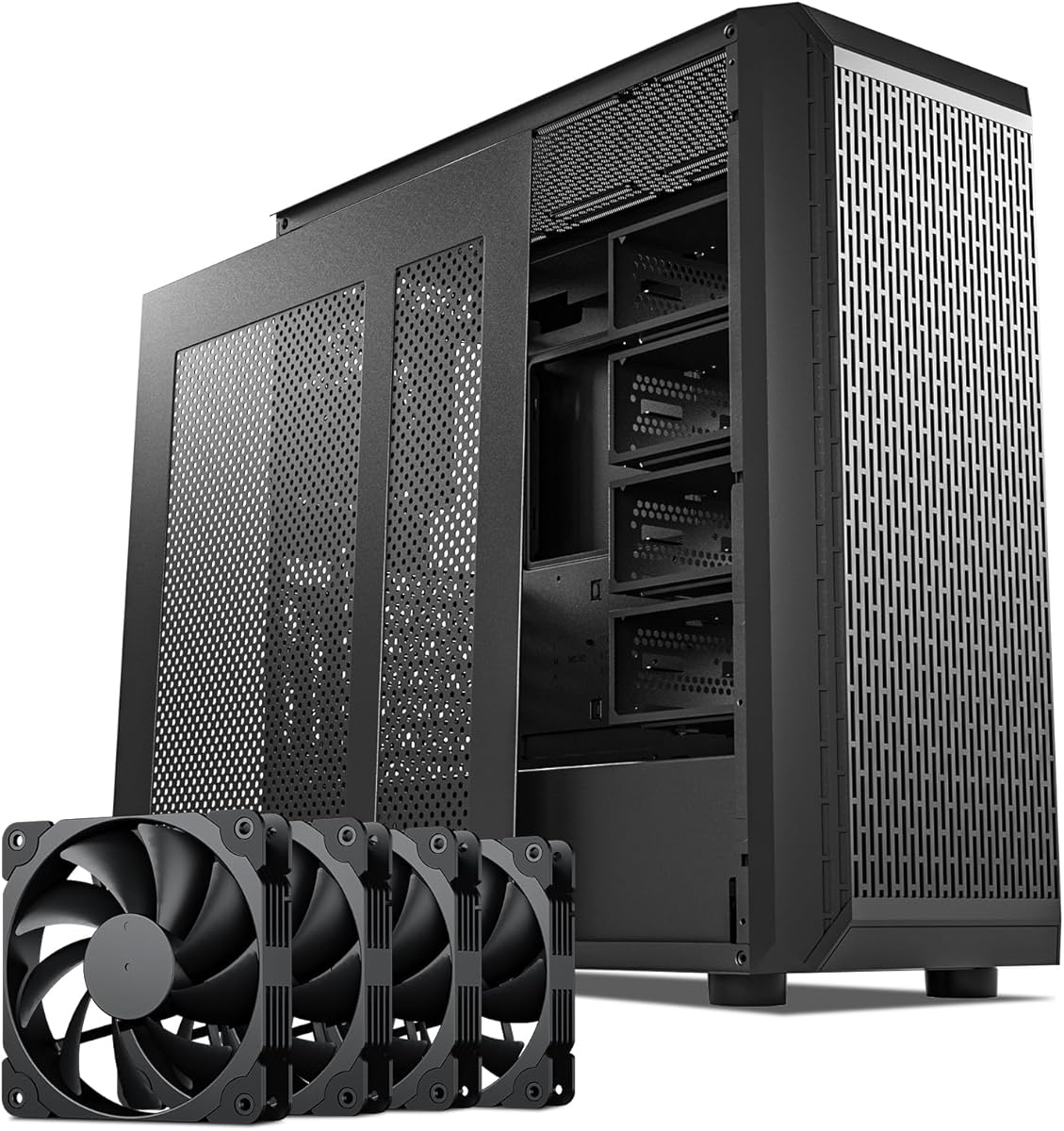
The Rosewill Helium NAS Duo is a practical entry point for users looking to build a cost-effective home server. Although it has a lower rating of 2.6 stars, it offers essential features like support for eight 3.5-inch hard drives and includes four PWM fans for basic cooling.
We may earn a commission when you buy through this link, at no additional cost to you.
Its primary strength lies in its connectivity and compatibility. The inclusion of a USB 3.2 Type-C port ensures fast data transfer for compatible devices. It supports ATX, Micro ATX, and Mini-ITX motherboards, making it versatile for various system builds. The mesh panel design aids in consistent airflow throughout the system.
Users should be aware that this case has faced criticism regarding build quality and assembly. The lower rating suggests potential issues with fit and finish that may require patience during installation. However, for budget-conscious builders, the provided features make it a viable option for basic storage needs.
We recommend this unit for hobbyists who need a simple NAS setup without breaking the bank. It accommodates up to eight hard drives, making it ideal for high-capacity storage builds. Ensure you check community feedback before purchasing to align expectations with the hardware provided.
The package includes four 140mm PWM fans, reducing the immediate need for additional cooling purchases when setting up your system.
The USB 3.2 Type-C port allows you to quickly connect external drives or peripherals without opening the chassis.
We may earn a commission when you buy through this link, at no additional cost to you.
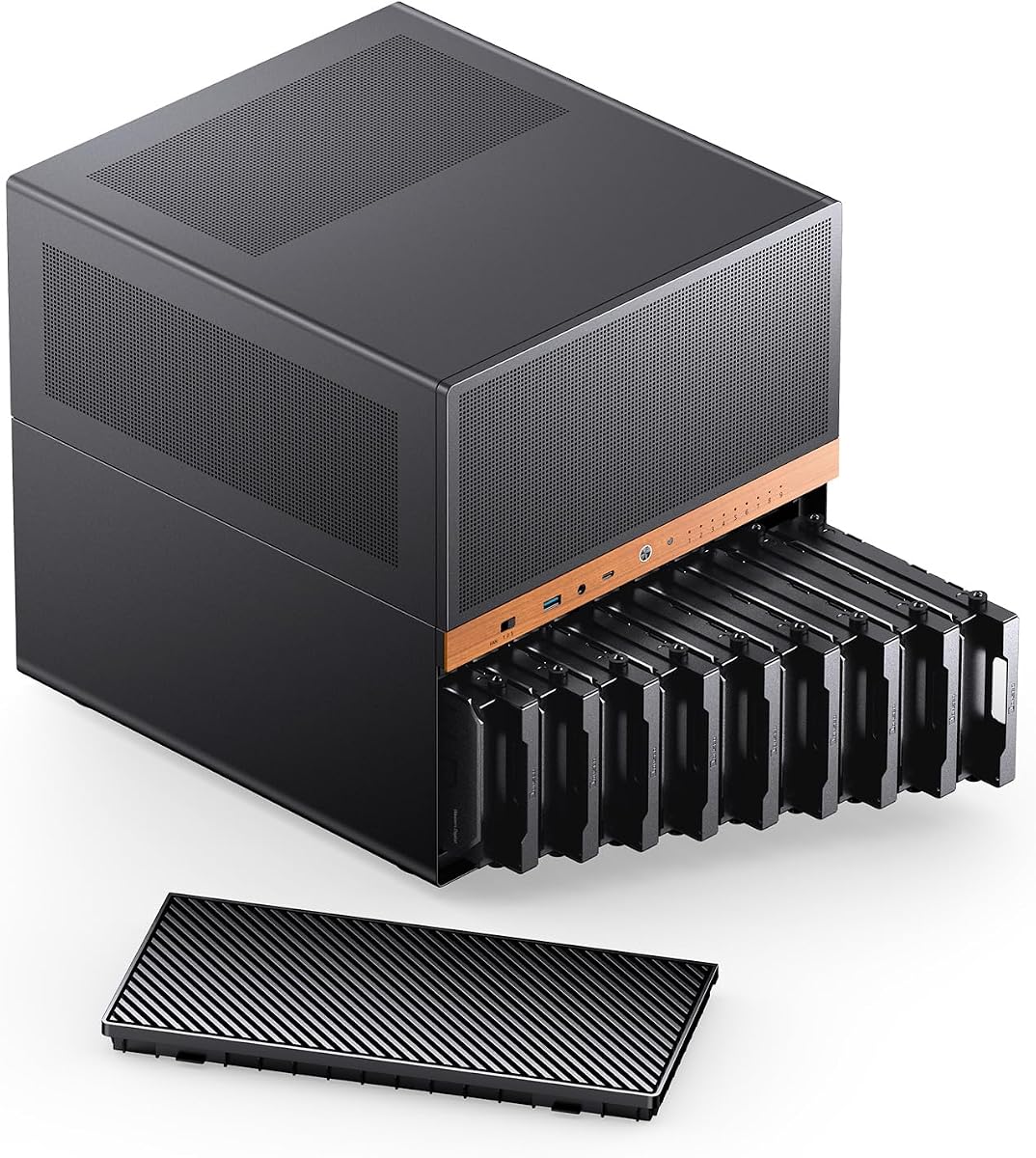
The JONSBO N5 is a premium enclosure designed for serious home server and enterprise applications. With a rating of 4.7 stars, it excels in build quality and aesthetic appeal. The North American black walnut veneer gives it a sophisticated look that blends seamlessly into home office environments.
We may earn a commission when you buy through this link, at no additional cost to you.
It supports a massive 12 plus 4 drive bay configuration, allowing for extensive storage in a single unit. The front installation of 12 HDD disks makes maintenance easy. Additionally, the case supports up to four GPUs and eight PCI slots, making it versatile for high-performance computing tasks beyond simple storage.
The high cost reflects its robust construction and unique design elements. It requires careful planning regarding power supply length due to drive bay configurations. While it is a significant investment, the convenience and durability it offers justify the expense for professional or power user setups.
We recommend the N5 for users who want a dedicated server that doubles as a piece of furniture. It is easier to build your PC plus personal home server with this unit. The solid wood decoration and extensive drive support make it a top choice for enthusiasts who value both style and function.
The solid wood veneer front panel provides a natural texture that elevates the visual appeal of any home office setup.
Support for up to four GPUs allows you to use this NAS for AI training or rendering tasks alongside data storage.
We may earn a commission when you buy through this link, at no additional cost to you.
The 8 Bay NAS Case has achieved a perfect 5.0 rating, indicating high satisfaction among users. It is designed specifically for those who need hot-swap functionality in a compact form factor. The dual-chamber design helps separate heat sources from storage drives to maintain system stability.
We may earn a commission when you buy through this link, at no additional cost to you.
It supports eight hot-swappable 3.5-inch HDD bays and two dedicated 2.5-inch SSD slots. This configuration is ideal for high-capacity home NAS and media server builds. The magnetic front panel enables easy access to the drives without tools, which simplifies maintenance and upgrades significantly.
While the build quality is praised, it is limited to Micro ATX and Mini ITX motherboards. This restricts GPU length to 240mm, which is suitable for low-profile cards but limits high-end graphics options. For a dedicated NAS build where GPU power is not a priority, this constraint is acceptable.
This case is the best choice for users who need a reliable and compact storage solution. It comes with all necessary accessories like handles and cable ties. We recommend this for hobbyists who want a plug-and-play experience with minimal assembly and maximum drive accessibility.
The hot-swap bays allow you to add or remove hard drives without powering down the system, which is critical for continuous uptime.
Separating the drive cages from the motherboard helps maintain cooler temperatures for both the storage and the system logic.
We may earn a commission when you buy through this link, at no additional cost to you.
The JONSBO N6 NAS Case offers a balanced approach with nine drive bays and high-quality materials. It shares the solid wood veneer design of its siblings but fits a Micro ATX form factor. The rating of 4.6 stars reflects its reliability and thoughtful engineering for home server users.
We may earn a commission when you buy through this link, at no additional cost to you.
Its power supply flexibility is a key advantage, supporting both ATX and SFX units in multiple positions. This allows you to optimize space and airflow based on your specific component choices. The case includes two pre-installed fans and offers various mounting positions to customize your thermal management strategy.
The backplane power interface requires careful attention during setup. You must ensure adequate power connections for all drives to prevent startup failures. While the design is premium, the assembly process can be complex for beginners. It is recommended for users who have experience with PC hardware assembly.
We recommend the N6 for users who want a premium look with robust storage capabilities. The hot-swap functionality makes maintenance easy. If you need a dedicated storage unit that looks great and performs well, this case is a strong contender in the mid-range category.
Supporting both ATX and SFX power supplies gives you flexibility in choosing components based on power and size needs.
The North American black walnut veneer adds a touch of elegance to what is typically a utilitarian piece of hardware.
We may earn a commission when you buy through this link, at no additional cost to you.
The KM7B Full Tower is designed for users who need maximum storage in a single chassis. It supports 13 HDD and 2 SSD drive bays, making it a powerhouse for data storage. Although it has no rating yet, its specifications suggest it is built for serious server applications.
We may earn a commission when you buy through this link, at no additional cost to you.
The magnetic front panel allows for quick access to the internal components. It supports micro ATX, ATX, and E-ATX motherboards, giving you flexibility in component selection. The cooling options are extensive, including support for 360mm and 280mm liquid coolers to manage heat effectively.
The primary drawback is the lack of user reviews, which makes it harder to verify build quality. Its large dimensions mean it will take up significant space in your home or office. This makes it best suited for dedicated server rooms or offices with plenty of room.
We recommend this unit for professionals who need high-density storage without external drives. The 7+3 PCIE slot count allows for significant expansion capabilities. If you need a large enclosure that can accommodate multiple cards and drives, this tower is a compelling option.
With 15 total drive bays, this case eliminates the need for external drive enclosures in large-scale data environments.
Support for large radiators ensures that even high-performance CPUs can be cooled effectively within the chassis.
We may earn a commission when you buy through this link, at no additional cost to you.
The Generic ZhenLoong Full Tower is built like an enterprise server chassis for home users. It supports 15 hard drives with hot-swap capability, making it ideal for large storage arrays. The rating of 4.6 stars confirms its solid construction and utility for demanding storage workloads.
We may earn a commission when you buy through this link, at no additional cost to you.
It supports EEB and E-ATX motherboards, providing room for complex networking and processing cards. The backplane supports 15 x SATA3 drives, ensuring compatibility with standard enterprise disks. The inclusion of a redundant power supply option adds a layer of reliability often found only in data centers.
A significant drawback is the long shipping cycle, which can take up to 40 days. This delay requires planning ahead for your build. Additionally, the unit is heavy at 16kg, making it difficult to move once installed. It is best placed in a permanent location.
We recommend this for users who need a workstation-level NAS solution. It is a rare option for home users to get redundant power and 15 bays. If you prioritize capacity and reliability and do not mind the wait, this case is unmatched in its class.
The option for a redundancy power supply ensures your server stays online even if one power unit fails during critical operations.
With 8 full-height PCI slots, you can install multiple network cards and GPUs for specialized processing tasks.
We may earn a commission when you buy through this link, at no additional cost to you.
The Silverstone SST-TJ04B-E is a classic enclosure known for its durability and unique storage features. With a rating of 4.2 stars, it has a loyal following. Its positive pressure design helps reduce dust accumulation, which is crucial for maintaining long-term drive reliability in storage cases.
We may earn a commission when you buy through this link, at no additional cost to you.
It supports up to eight expansion slots and long graphics cards up to 17 inches. The built-in innovative hard drive cooler is a standout feature that actively cools your storage array. The aluminum front panel gives it a premium feel that fits well in professional environments.
While the design is robust, it is an older model compared to modern mesh cases. The high price reflects the brand reputation and materials but may not offer the latest connectivity options. It is best suited for users who value build quality and dust management above all else.
We recommend this for users who need a reliable, long-term enclosure. The smart backside cable routing design keeps the interior tidy. If you prioritize dust protection and component quality over modern aesthetics, this case remains a solid choice for storage builds.
The built-in hard drive cooler actively manages the temperature of your storage drives to extend their lifespan significantly.
The positive pressure design pushes air out through gaps, preventing dust from being sucked into sensitive internal components.
We may earn a commission when you buy through this link, at no additional cost to you.
The JONSBO N4 is a compact NAS case that prioritizes aesthetics and efficient storage. It features 6 3.5-inch HDD bays and 2 2.5-inch SSD slots. The walnut wood front panel adds a sophisticated touch that makes it suitable for living room setups or home offices.
We may earn a commission when you buy through this link, at no additional cost to you.
It supports Micro ATX motherboards and SFX power supplies, allowing for a smaller footprint. The USB 3.2 Gen 2 Type-C port provides fast connectivity for external devices. Although the GPU support is limited to 230mm, it is sufficient for most dedicated server builds that do not need heavy graphics power.
The design splits the top and bottom compartments, which helps with airflow management. The 4 hot-swap bays allow you to manage drives easily. While it does not match the capacity of full tower cases, its style and size make it a favorite for personal use.
We recommend this for users who want a stylish storage solution that fits on a desk. It is easier to build your PC plus personal home server with this unit. If you need a small yet functional server that looks good, the N4 is an excellent choice.
The compact size and wood finish allow this case to sit next to a TV or monitor without looking out of place.
With eight total drive bays, it offers a great balance between storage density and physical size for home environments.
We may earn a commission when you buy through this link, at no additional cost to you.
The Silverstone Technology CS382 is a professional-grade chassis designed for high-performance storage needs. With a rating of 4.2 stars, it is known for its reliability. It supports 8 hot-swappable drive trays that can handle SAS-12G or SATA-6G drives with clear LED indicators.
We may earn a commission when you buy through this link, at no additional cost to you.
Its compatibility with SAS drives sets it apart from standard consumer cases. The LED indicators on the trays make it easy to monitor drive status. It supports Micro-ATX and Mini-ITX motherboards, making it a versatile option for building a robust server in a compact form.
The high cost reflects its enterprise capabilities. It is best suited for users who need the specific performance of SAS drives. While it can take 11 total drives plus an optical drive, the focus remains on professional reliability. This is a niche product for serious users.
We recommend this for users building a small business server. The front I/O includes USB Type-C and USB 3.0 for easy connectivity. If you need a stable and robust enclosure for critical data, this chassis provides the features required for professional storage management.
Support for SAS-12G drives allows for faster data throughput and greater reliability in enterprise-level storage arrays.
LED indicators on the trays show drive status, so you can identify failures quickly without checking software interfaces.
We may earn a commission when you buy through this link, at no additional cost to you.
Selecting the right enclosure for your network-attached storage requires understanding key factors like drive capacity and airflow.
The most critical factor is the number of hard drives you need to store. ATX NAS cases range from compact units with 4 bays to large towers with 15. Assess your current data needs and future growth to ensure the case supports enough capacity without needing external enclosures.
Always check if the bays are hot-swappable to allow easy drive changes without powering down the system.
Ensure the case supports your motherboard form factor such as ATX, Micro ATX, or E-ATX. Some cases are specifically designed for smaller boards to save space. Verify the dimensions before purchasing to avoid issues with installation or clearance.
Matching the motherboard size to the case ensures proper fit and access to all necessary ports and expansion slots.
Storage drives generate significant heat. Look for cases with mesh front panels or dedicated fan mounts to maintain optimal temperatures. High density storage requires excellent airflow to prevent data corruption due to overheating.
Choose a case with multiple fan options to customize cooling based on your specific component heat output.
The length of the power supply unit affects drive bay availability. Some cases restrict drive mounting when using longer ATX units. Ensure the case supports standard ATX or SFX sizes as required by your components.
A flexible power supply mounting system allows you to maximize storage space while maintaining system reliability.
Front panel ports like USB Type-C and 3.0 are essential for quick data transfers. These allow you to connect external drives for backups. Check the rear ports and internal headers for expansion card compatibility.
Modern USB ports on the front panel provide convenience for frequent data access without opening the case.
Materials like steel and aluminum affect durability and noise reduction. A sturdy build minimizes vibration which protects mechanical hard drives. High quality finishes ensure longevity and professional aesthetics for home offices.
Investing in a well-built case reduces the risk of physical damage and provides better acoustic dampening.
Consider future needs for network cards or additional storage controllers. PCIE slot counts vary between models. More slots allow for adding dedicated RAID cards or multiple network interfaces.
Choosing a case with extra slots provides room for upgrades as your storage network grows in complexity.
The case design impacts how your system fits into your room. Options with wood panels or clean lines blend better with furniture. Aesthetics are important if the server will be visible in living spaces.
Select a design that matches your interior decor while meeting the functional storage requirements.
Firstly, ensure you install the hard drives into the cages according to the manufacturer instructions. Properly securing the drives with screws or handles prevents vibration which can lead to mechanical failure over time.
Secondly, regularly clean the air filters and fan grills to maintain optimal airflow. Dust accumulation can block air pathways and cause the drives to overheat leading to potential data loss.
Lastly, organize your cables inside the case to allow air to flow freely. Using cable ties to bundle wires keeps the internal environment clean and reduces resistance to cooling airflow.
Hot-swap bays allow you to remove and replace hard drives while the system is running without needing to shut down. Standard bays require you to power off the system before accessing the drives for maintenance or replacement.
You do not need a special motherboard but you should choose one that matches the case form factor. Ensure the motherboard has enough SATA ports to connect all your drives or plan for an expansion card.
Airflow is crucial because hard drives generate heat during operation. Without sufficient cooling the internal temperature rises which can reduce drive lifespan and cause data errors or loss.
Many cases support gaming components but dedicated NAS cases often lack space for large graphics cards. Check the GPU length limits to ensure it fits your specific graphics card requirements.
Most ATX cases support standard ATX power supplies. However some compact cases require smaller SFX units to maintain space for hard drive bays inside the chassis.
Install magnetic dust filters on fan intake areas and clean them regularly. Positive pressure designs help reduce dust ingress by pushing air out through gaps rather than sucking it in.
Wood panels are practical for aesthetics but do not contribute to cooling. They are typically used on front panels so airflow is still managed through mesh sections or vents.
We have reviewed ten top ATX NAS computer cases ranging from budget options to premium enterprise-style chassis. The JONSBO N5 and 8 Bay NAS Case stand out for their balance of features and performance for different user needs.
When making your decision prioritize drive capacity and airflow to ensure your data remains safe and accessible. Consider how you plan to use the case whether it is for a home office or a dedicated server room.
Remember that prices and availability change frequently. Always check current listings before purchasing to get the best value for your specific storage requirements.