
Blackmagic Design Teranex Mini Audio to SDI 12G
3.8Editor score
12G SDI supports 4K video
Balanced AES EBU audio input
Optical S PDIF input support
Compare the top audio to SDI embedder options for professional video production workflows and signal conversion needs in late 2026.
Professional video production relies heavily on reliable signal conversion tools that ensure audio and video stay synchronized. An audio to SDI embedder is essential for merging separate audio tracks into SDI video streams for broadcast quality outputs.
We evaluated ten top rated models based on their video format support, audio channel capacity, and reliability features like redundant inputs. Our analysis focuses on devices that offer robust performance for live events, studio work, and remote production setups.
Each pick below highlights specific strengths such as 12G SDI support or compact form factors ideal for mobile rigs. Please note that pricing and availability fluctuate frequently so always verify current details before making your final purchase decision.
3.8Editor score

4.9Editor score

This side by side comparison table lists every model featured in our guide with key technical specifications and direct purchase links to help you find the right fit for your studio or live production workflow.





This unit stands out as a top choice for professionals needing dependable signal embedding with built in redundancy. It earns a 4.9 rating from users who value its robust performance and seamless auto switching capabilities in critical environments.
We may earn a commission when you buy through this link, at no additional cost to you.
The redundant SDI inputs ensure that if the main cable fails, the signal continues without interruption which is vital for live broadcasts. Its ability to automatically switch between standard and high definition formats makes it versatile for various production scenarios.
While it lacks 12G SDI support found in newer models, its reliability and ease of use justify the trade off for many studio setups. The universal power supply further enhances its utility for mobile crews working across different regions.
Broadcast engineers and live event technicians should consider this embedder for its fault tolerant design and straightforward operation. It remains a industry standard for embedding audio into SDI streams where uptime is non negotiable.
The secondary input automatically takes over if the primary cable is damaged ensuring no signal loss during critical moments.
Included international adapters allow you to plug directly into local sockets anywhere in the world without extra gear.
We may earn a commission when you buy through this link, at no additional cost to you.
This model offers extensive video standard support including NTSC PAL and various HD formats making it adaptable for legacy and modern systems. Users appreciate the ability to add new formats via USB which extends the device lifespan beyond typical hardware refresh cycles.
We may earn a commission when you buy through this link, at no additional cost to you.
The 3 Gb/s SDI technology ensures high bandwidth transmission suitable for demanding broadcast environments. Automatic switching between formats reduces manual intervention during transitions which is crucial during fast paced live productions.
However adjusting settings requires using a pen to toggle physical switches which some might find less intuitive than digital menus. Despite this minor inconvenience the reliability and versatility make it a strong contender for diverse production needs.
Production managers dealing with mixed signal environments will benefit from its broad compatibility and upgrade path. It is an excellent choice for organizations that need a single device to handle multiple video standards efficiently.
USB connections allow you to load upgrades for new video formats without replacing the hardware entirely.
The device detects input changes and adjusts automatically saving time and preventing human error during live shows.
We may earn a commission when you buy through this link, at no additional cost to you.
Designed for high resolution workflows this converter supports 12G SDI which is essential for 4K and Ultra HD production. Its rating reflects a balance of advanced features and some users finding the price steep compared to standard embedders.
We may earn a commission when you buy through this link, at no additional cost to you.
The inclusion of professional AES EBU inputs and S PDIF optical options provides flexible audio integration for complex setups. Automatic switching between SD HD 2K and 4K ensures smooth transitions without manual configuration during content changes.
While the cost is higher the ability to handle future proof 12G standards justifies the investment for studios planning long term upgrades. The robust build quality and advanced signal processing are evident in its performance metrics.
High end production houses and post production facilities should choose this unit for its superior bandwidth and format flexibility. It delivers the performance needed for next generation video standards while maintaining excellent audio fidelity.
Supports 4K video transmission at high frame rates ensuring no quality loss during embedding processes.
Balanced digital audio inputs via XLR ensure clean sound transmission free from interference.
We may earn a commission when you buy through this link, at no additional cost to you.
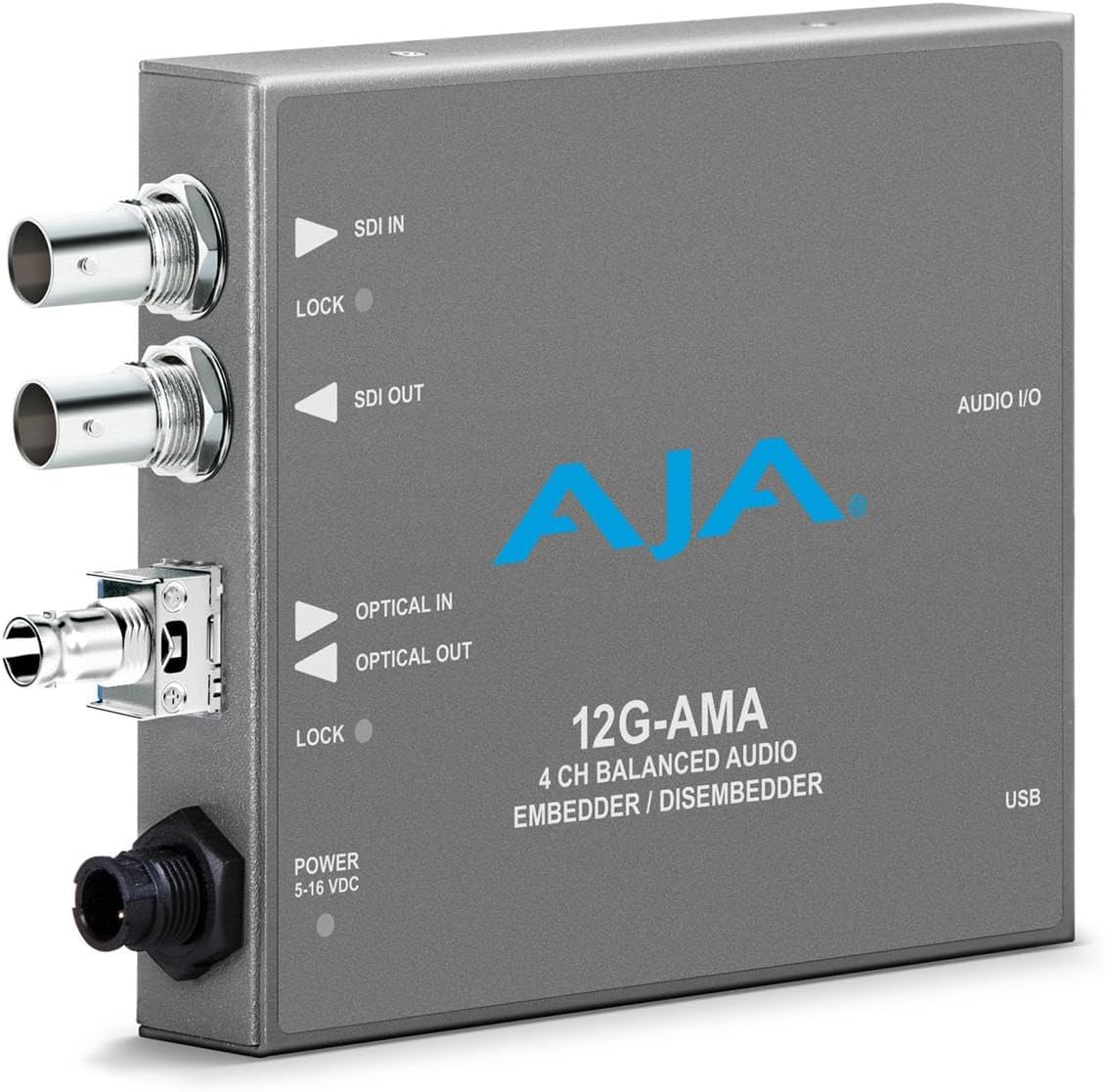
This AJA unit offers unique fiber optic options alongside standard SDI connections making it ideal for long distance signal transport. The balanced audio embedding ensures pristine sound quality essential for professional broadcast environments where noise is unacceptable.
We may earn a commission when you buy through this link, at no additional cost to you.
While specific user ratings are not available the design focuses on high reliability and advanced connectivity options. The ability to embed audio directly into 12G SDI streams supports modern high bandwidth video workflows efficiently.
The specialized nature of this device means it is best suited for facilities that already use fiber infrastructure. General users might find the extra features unnecessary but for specific industrial or broadcast needs it is invaluable.
Engineering teams requiring long run signal transmission should consider this model for its fiber capabilities and robust performance. It fills a critical niche for high end production facilities needing reliable long distance connectivity.
Supports long distance transmission without signal degradation which is crucial for large venue productions.
High quality embedding ensures no noise interference in the audio track during the conversion process.
We may earn a commission when you buy through this link, at no additional cost to you.
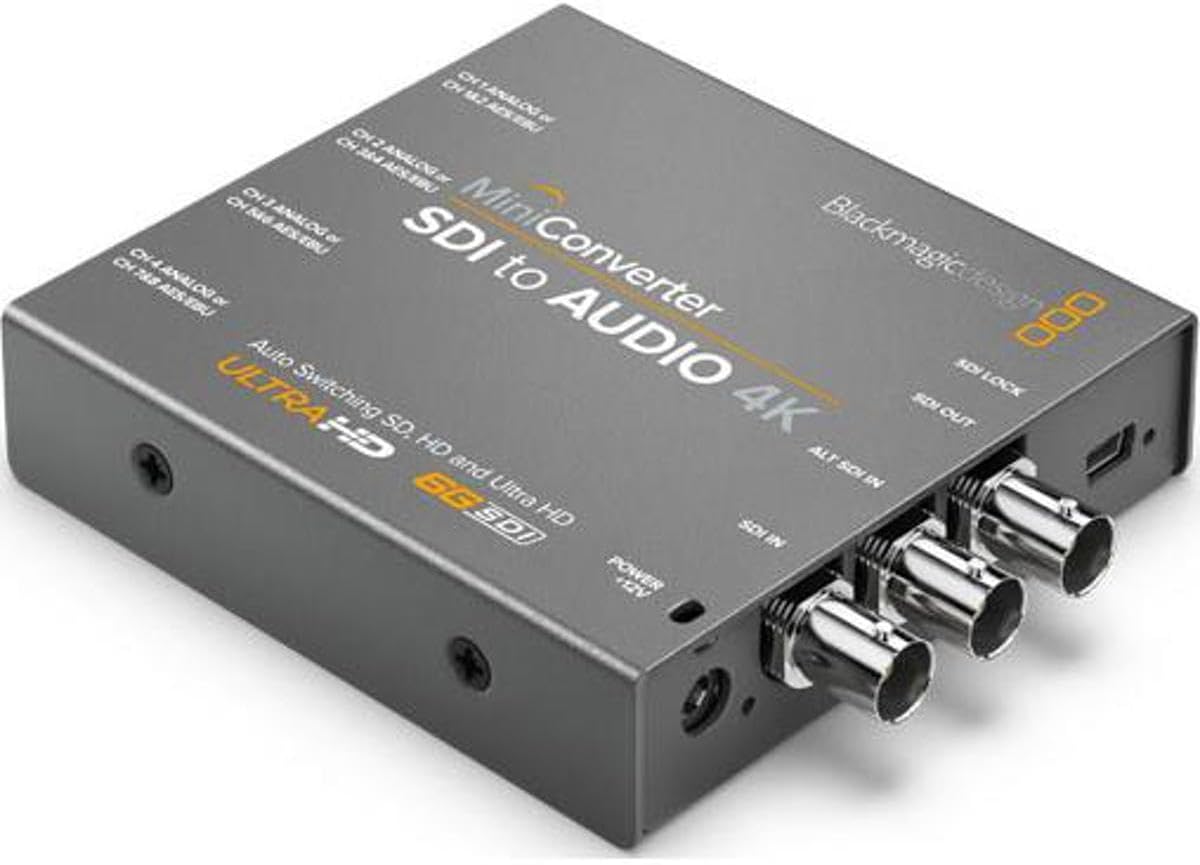
This converter specializes in extracting audio from SDI signals which is useful for monitoring or recording audio separately. It maintains the high reliability standards typical of Blackmagic Design with a straightforward setup process for quick deployment.
We may earn a commission when you buy through this link, at no additional cost to you.
The inclusion of multinational power adapters makes it suitable for international touring crews who need consistent power solutions. Its compact design fits easily into dense rack spaces or small camera bags without taking up much room.
While it does not pass through video signals its focused function ensures high quality audio output without unnecessary complexity. The 4.5 rating reflects user satisfaction with its consistency and ease of use in various environments.
Sound engineers and live production teams needing isolated audio feeds should prioritize this tool for its simplicity. It eliminates the need for complex routing when only audio extraction is required from an SDI stream.
Dedicated hardware ensures clean audio separation from the video stream without signal interference.
Universal adapters mean you can plug in anywhere in the world without needing extra converters.
We may earn a commission when you buy through this link, at no additional cost to you.
This device converts SDI signals to analog outputs allowing older monitors and equipment to display modern video feeds. The rating of 4.6 indicates high user satisfaction with its ability to maintain signal integrity during conversion.
We may earn a commission when you buy through this link, at no additional cost to you.
It supports de embedding of audio which allows you to route sound separately to monitoring systems while passing video. The balanced analog audio connections ensure that the signal remains clean and free from electrical noise.
While analog standards limit resolution this tool is perfect for facilities that still rely on legacy infrastructure for monitoring. It bridges the gap between modern production and older display technologies effectively.
Facilities managing mixed technology environments will find this converter essential for compatibility. It ensures that all staff can monitor feeds regardless of whether their screens support digital SDI inputs.
Allows older analog monitors to display modern digital SDI feeds without requiring expensive hardware upgrades.
De embedded audio can be sent to separate mixing boards for accurate sound monitoring during live events.
We may earn a commission when you buy through this link, at no additional cost to you.
Designed for high end environments this unit supports up to 8 channels of AES EBU audio ensuring detailed sound capture. It handles 4K video inputs effectively which is crucial for workflows that require high resolution monitoring alongside audio extraction.
We may earn a commission when you buy through this link, at no additional cost to you.
The redundant input feature adds a layer of reliability ensuring that if the main signal drops the converter switches instantly. This is particularly useful for critical monitoring stations where continuous audio feed is necessary for safe operations.
The higher channel count makes it ideal for complex productions that need to isolate multiple audio tracks from a single stream. Users appreciate the robustness of the device even though the setup may require some technical familiarity.
Audio engineers working with multi track recordings should choose this converter for its channel capacity and reliability. It provides the necessary infrastructure to separate and manage complex audio signals from modern video streams.
Allows isolation of multiple audio tracks which is essential for post production and complex live mixing.
Automatically switches to backup input to ensure continuous audio monitoring even during cable failures.
We may earn a commission when you buy through this link, at no additional cost to you.
This converter takes analog video sources and converts them to SDI for digital workflows while embedding audio seamlessly. It supports a wide range of input formats including NTSC PAL and S video making it versatile for legacy camera integration.
We may earn a commission when you buy through this link, at no additional cost to you.
The embedded audio feature allows you to merge analog audio into the digital stream without extra cabling which simplifies setups. Its 4.2 rating suggests good performance though it is specific to analog source conversion rather than SDI embedding.
While it focuses on analog inputs it is essential for studios transitioning from old equipment to digital standards. The ability to handle different standards in one box reduces clutter and cabling requirements in the production area.
Production managers upgrading their equipment should use this to integrate existing analog cameras into digital SDI workflows. It offers a cost effective solution for modernizing older broadcast gear without replacing everything at once.
Allows older analog cameras to connect to modern digital SDI switchers and recorders seamlessly.
Audio from analog sources is automatically embedded into the SDI stream to reduce separate cable needs.
We may earn a commission when you buy through this link, at no additional cost to you.
This converter is designed for real time workflows where low latency is critical such as live broadcasting and sports production. It supports 3G SDI ensuring high quality video transmission while maintaining ultra low latency for synchronized audio and video.
We may earn a commission when you buy through this link, at no additional cost to you.
The balanced audio inputs allow for professional grade sound quality with minimal interference during live streams. Configurable via MiniConfig software it offers precise control over audio levels and settings to match specific production standards.
While the cost is higher than basic embedders the performance in live environments justifies the investment for reliability. The ultra low latency ensures that audio and video remain perfectly synced which is non negotiable for live audiences.
Live production directors should prioritize this unit for its synchronization capabilities and robust audio processing. It provides the speed and quality needed for professional live event coverage where timing is everything.
Ultra low latency ensures audio and video stay perfectly aligned for real time live broadcast requirements.
Software configuration allows detailed adjustment of audio levels to meet specific broadcast standards.
We may earn a commission when you buy through this link, at no additional cost to you.
This unit supports 4K UHD formats and embeds high quality audio with 24 bit sampling for detailed sound reproduction. Its rating reflects strong performance in high resolution workflows where both video and audio fidelity are paramount for broadcast.
We may earn a commission when you buy through this link, at no additional cost to you.
The redundant SDI input ensures reliability by automatically switching if the main connection fails. This is a key feature for mission critical tasks where any interruption in signal flow is unacceptable during production.
While it focuses on high resolution formats it is flexible enough to handle SD and HD inputs for mixed environment use. The universal power supply and compact design make it suitable for both studio and field production needs.
Video engineers working on high fidelity productions should select this converter for its resolution support and audio quality. It ensures that professional audio is embedded seamlessly into 4K video streams without compromise.
24 bit sampling ensures detailed and clear audio embedding suitable for professional broadcast standards.
Redundant input provides automatic switching to backup cable to prevent signal loss during critical moments.
We may earn a commission when you buy through this link, at no additional cost to you.
Selecting the right embedder depends on your specific video resolution requirements and the number of audio channels you need to integrate into your production workflows.
Ensure the embedder supports the highest video resolution you plan to use whether it is HD 3G or 12G SDI for 4K. Using a device that cannot handle your native resolution will result in signal degradation or loss.
Always match the embedder specs to your highest resolution workflow to future proof your investment.
Check how many audio channels the embedder can accept and embed since some models support up to 8 channels while others support only 2. This is vital for multi mic setups in broadcasting and live production environments.
Choose a model that meets your current channel count and allows some headroom for future needs.
Look for models with redundant SDI inputs which automatically switch to a backup cable if the primary fails during critical events. This feature is essential for live broadcasts where signal loss is not an option.
Prioritize devices with dual inputs if you are working in mission critical production scenarios.
Consider whether the unit includes a universal power supply or requires local adapters especially if you travel frequently for shoots. Standardized power systems reduce gear weight and simplify setup in different countries.
Always check if international adapters are included before purchasing for mobile production crews.
Evaluate the physical inputs available such as balanced analog XLR or AES EBU digital to ensure they match your existing microphone and mixer equipment. Having compatible connectors simplifies the setup process and reduces cable clutter.
Select an embedder with inputs that match your current audio sources to avoid extra adapters.
Check if the device supports firmware updates via USB to add new video formats and improve performance over time. This ensures your hardware remains compatible with evolving broadcast standards without replacing it.
Choose models with upgradable firmware to extend their lifespan in a changing industry.
Compact designs are preferable for field crews who need to save space in camera bags and small racks. Desktop units may offer more ports but rack mountable or mini converters are better for mobility.
Match the size of the embedder to your typical production environment for optimal portability.
Stick with established brands known for reliability in professional video production since these devices often undergo rigorous testing. Trusted names typically offer better support and more consistent performance in real world scenarios.
Invest in well reviewed brands to minimize the risk of failure during live broadcasts.
Start by connecting your audio source to the analog or digital inputs on the embedder using balanced cables to minimize noise. Then connect your video signal to the SDI input or pass through depending on the specific model configuration.
Power on the device and ensure it is receiving both video and audio signals by checking the status indicators. Adjust settings via software or physical switches if necessary to match your output format and audio levels.
To maintain longevity keep the unit in a cool dry place and avoid blocking ventilation ports if it generates heat. Regularly update firmware to ensure compatibility with new video formats and security patches.
An audio to SDI embedder combines separate audio signals into an SDI video stream so you only need one cable to transmit both. This simplifies workflows in live events and broadcasting by reducing cabling and connection points.
Yes if you are working with 4K you need an embedder that supports 12G SDI to handle the higher bandwidth required. Standard 3G embedders may not support the data rates needed for true 4K production.
Many embedders support balanced analog inputs via XLR which is common for microphones and mixers. Always check the specs to confirm if the model supports analog or requires digital AES EBU inputs.
Redundant input means the device has a second SDI port that acts as a backup. If the primary cable fails the device automatically switches to the second one preventing signal loss during live shows.
Updating firmware ensures your embedder supports the latest video standards and fixes bugs that may affect performance. It is recommended to check the manufacturer's website regularly for updates to keep your gear current.
The number of channels varies by model some support only 2 while others support up to 8. Check the product specifications carefully if you need to embed multiple separate audio tracks.
Yes embedders are commonly used with cameras that output analog audio or SDI video. They allow you to combine audio from an external mic with the camera video for a clean final signal.
We reviewed ten top models ranging from compact units to high end converters capable of 4K support. Each offers unique strengths depending on whether you need redundancy or multi channel audio.
Prioritize reliability and format support when selecting an embedder since these factors directly impact your production quality. A device that handles your highest resolution formats will save you from future upgrades.
Always check current availability and pricing as market conditions can change quickly for professional broadcast gear. Verify compatibility with your existing setup before finalizing your purchase to ensure seamless integration.