
CORSAIR RS120 ARGB 120mm PWM Fans – Daisy-Chain Connection – Low-Noise – Magnetic Dome Bearing – Triple Pack – Black
4.6Editor score
Daisy chain PWM control
Seven two CFM airflow
AirGuide anti vortex vanes
This guide compares the top 10 Corsair case fans for airflow, RGB lighting, and cooling performance to help you find the perfect fans for your PC build.
Choosing the right case fans is essential for maintaining optimal temperatures and ensuring your components run smoothly. Corsair offers a wide range of options with advanced cooling technologies and stunning RGB lighting effects.
We evaluated each model based on airflow performance, noise levels, build quality, and ease of installation. Our team analyzed technical specifications and real world user feedback to create this comprehensive comparison.
Each pick highlights specific strengths and ideal use cases for different build types. Please note that product availability and pricing can change frequently so always verify current details before purchasing.
4.6Editor score

4.6Editor score

4.7Editor score
This side by side comparison details the key specifications and features of all ten featured Corsair fan models to help you make an informed decision for your PC cooling setup.

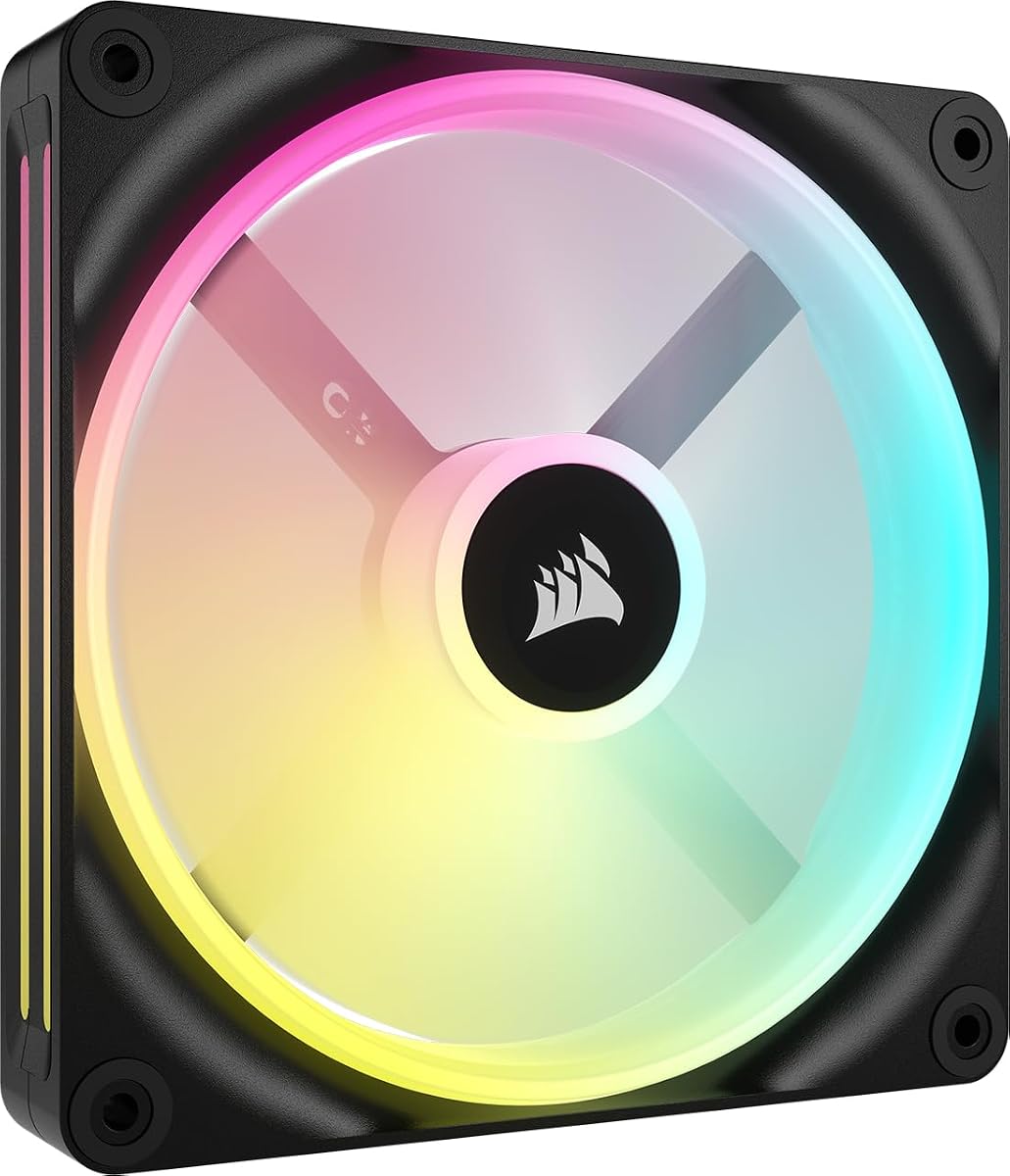


The CORSAIR RS120 ARGB fan set delivers outstanding cooling performance at a budget friendly price point. With a high rating from users this triple pack offers reliable airflow and sleek RGB aesthetics for any PC build.
We may earn a commission when you buy through this link, at no additional cost to you.
These fans feature CORSAIR AirGuide technology which uses anti-vortex vanes to direct airflow efficiently to hot components. The magnetic dome bearing ensures quiet operation while allowing speeds up to 2100 RPM for demanding cooling tasks.
While the wiring is simplified with daisy chain connections it still requires two cables per fan group. This trade off is minimal considering the significant reduction in cable clutter compared to traditional wiring methods.
Buyers seeking a balance of performance and cost should strongly consider these fans. They are ideal for builds needing efficient airflow without breaking the bank while still offering visual customization.
AirGuide technology directs air precisely where needed improving cooling efficiency for radiators and heatsinks.
Daisy chain connectivity reduces cable clutter by linking multiple fans with a single connector.
We may earn a commission when you buy through this link, at no additional cost to you.
This LX120 RGB triple pack stands out with its innovative iCUE Link system that connects fans with a single cable. The included hub makes installation straightforward and the dual light loops provide stunning visual effects.
We may earn a commission when you buy through this link, at no additional cost to you.
Performance is robust with speeds reaching 2400 RPM and 69.9 CFM airflow. The magnetic dome bearing design reduces friction for quieter operation and longer lifespan which is critical for high performance builds.
The main consideration is the reliance on iCUE software for advanced RGB customization. However this integration offers seamless synchronization across all Corsair components for a cohesive system aesthetic.
Ideal for enthusiasts wanting top tier cooling and lighting integration this kit justifies its cost. It is perfect for those prioritizing clean cable management and high quality performance.
The included system hub allows full control over fans and RGB lighting through one cable.
With high static pressure this fans push air through dense radiators effectively.
We may earn a commission when you buy through this link, at no additional cost to you.
The RS120-R ARGB reverse fans are engineered to show off RGB lighting even when mounted for intake. With a 4.7 rating users appreciate the clean look and solid performance these fans deliver.
We may earn a commission when you buy through this link, at no additional cost to you.
The reverse rotor ensures the lighting ring faces outward without obstruction. Magnetic dome bearings keep noise low while the fans can spin up to 2100 RPM for adequate airflow in most systems.
While the airflow is slightly lower than non reverse models the aesthetic gain is significant. The zero RPM mode allows fans to stop completely at low loads for silent operation.
Builders seeking a pristine white look without visible motor mounts will love these fans. They are a premium choice for those who prioritize build aesthetics alongside cooling efficiency.
Reverse blades hide the motor and wiring ensuring a clean front view.
Zero RPM mode stops fans entirely when cooling demands are minimal.
We may earn a commission when you buy through this link, at no additional cost to you.
This black variant offers the same benefits as the white version with a reverse rotor for clean lighting display. It fits well in dark themed builds where visual consistency is key for an impressive setup.
We may earn a commission when you buy through this link, at no additional cost to you.
The performance mirrors the white model with 65.8 CFM airflow and strong static pressure for radiators. The magnetic dome bearing ensures quiet operation even at higher RPM levels during intense gaming sessions.
Users note that the cable setup is simplified with daisy chain connectors. This reduces clutter inside the case allowing for better airflow and easier maintenance over time.
Ideal for black build enthusiasts this fan set provides both performance and aesthetics. It is a reliable choice for those needing quiet cooling with customizable RGB lighting effects.
Available in black to match dark themed PC builds perfectly.
Magnetic dome bearing reduces noise and friction for longer life.
We may earn a commission when you buy through this link, at no additional cost to you.
The QX140 RGB is a 140mm single fan designed for powerful cooling with advanced lighting features. It supports up to 82.5 CFM airflow making it ideal for large cases needing significant volume movement.
We may earn a commission when you buy through this link, at no additional cost to you.
Equipped with 34 RGB LEDs it offers unique lighting modes like Time Warp which create dynamic visual effects. These effects enhance the aesthetic appeal of your build significantly when synchronized correctly.
While it requires a separate system hub for full functionality the bridge connectors simplify fan cabling. The magnetic dome bearing maintains quiet operation even at speeds reaching 2000 RPM.
For those looking to expand their cooling system with larger fans this is a strong candidate. It balances performance with visual customization for a premium experience.
Time warp and other exclusive modes create unique visual effects.
Large size allows for higher CFM without increasing noise significantly.
We may earn a commission when you buy through this link, at no additional cost to you.
This triple fan kit combines reverse rotor aesthetics with the convenience of the iCUE Link system. It is designed for users who want clean airflow management without sacrificing RGB lighting effects.
We may earn a commission when you buy through this link, at no additional cost to you.
Performance remains strong with 66.7 CFM airflow and static pressure suitable for radiators. The included QuikTurn screws make installation easier by simplifying the mounting process significantly.
Zero RPM mode ensures silent operation when system load is low. This feature extends the lifespan of the fans and keeps noise levels minimal during light usage.
It is a top pick for clean builds where visible cables are undesirable. The combination of reverse fans and link technology makes setup intuitive and effective.
QuikTurn screws allow for quick and secure fan installation.
Reverse blades hide motors and wires for a clean look.
We may earn a commission when you buy through this link, at no additional cost to you.
The RX140 MAX is a thicker 140mm fan designed to move massive amounts of air efficiently. With over 100 CFM it excels in pushing air through dense radiator fins for liquid cooling.
We may earn a commission when you buy through this link, at no additional cost to you.
Its thicker blade allows for high airflow at lower speeds reducing noise. This makes it ideal for quiet builds needing serious cooling power without loud fan noise.
RGB lighting is vivid and viewable from the side thanks to the built in window. The magnetic dome bearing ensures durability and smooth operation over time.
Choose this fan if you need top tier airflow for water cooling systems. Its unique thickness and performance profile make it stand out among standard options.
Thick blade design allows moving more air at lower noise.
Built in window lets you see RGB lighting from the side.
We may earn a commission when you buy through this link, at no additional cost to you.
The RS120 MAX brings extreme static pressure to standard 120mm slots. With 4.2mm H2O static pressure it pushes air through obstructions effectively for radiator cooling.
We may earn a commission when you buy through this link, at no additional cost to you.
Liquid crystal polymer construction makes the frame incredibly strong and durable. This rigidity reduces blade vibration and maintains performance over the fan lifetime.
While it lacks RGB lighting the focus is purely on cooling efficiency and durability. It is ideal for users prioritizing thermal performance over aesthetics.
For tight spaces needing strong airflow this fan delivers excellent results. Its design ensures maximum airflow through restrictive components without excessive noise.
Strong pressure pushes air through dense radiators easily.
Liquid crystal polymer frame resists vibration and breaks.
We may earn a commission when you buy through this link, at no additional cost to you.
The RX140 RGB offers excellent balance between airflow and pressure for 140mm systems. With 95.7 CFM it ensures effective heat removal even in high load scenarios.
We may earn a commission when you buy through this link, at no additional cost to you.
RGB lighting is vivid and viewable through a side window. iCUE Link support allows easy connection to the system hub for seamless control.
Magnetic dome bearing ensures quiet and long lasting performance. This makes it suitable for gaming rigs needing both cooling and low noise.
Ideal for white builds needing a single strong fan this model performs well. It integrates easily into link setups for organized cabling.
95.7 CFM provides excellent cooling for large cases.
Link support connects fans to hub with single cable.
We may earn a commission when you buy through this link, at no additional cost to you.
This renewed kit includes two QX140 fans and the system hub making it an affordable entry into iCUE Link. Renewed products often come with same reliability as new ones.
We may earn a commission when you buy through this link, at no additional cost to you.
Ideal for upgrading existing setups without buying individual components. The hub provides centralized control and reduces cable clutter significantly.
Renewed status means it has been tested and verified. It is a smart choice for budget conscious buyers wanting premium features.
If you are looking to start your link journey this bundle is ideal. It offers significant savings while maintaining high performance standards.
Buying a kit saves money versus purchasing separately.
System hub makes setup simpler and cable management easier.
We may earn a commission when you buy through this link, at no additional cost to you.
Selecting the right fan depends on multiple factors. We explore key aspects to consider when shopping for Corsair fans.
Airflow (CFM) determines how much air a fan moves. Static pressure (mm H2O) determines how effectively it pushes air through obstructions like radiators. High static pressure is crucial for liquid cooling while high CFM is better for case ventilation.
Choose high static pressure for radiators and high CFM for intake exhaust.
Corsair fans offer ARGB or RGB lighting. Some are addressable for individual control while others are synchronized. Check if your motherboard supports RGB headers or if you need a hub.
Addressable ARGB offers more customization but requires compatible hardware.
Common sizes are 120mm and 140mm. Ensure your case supports the size needed. Thicker fans may require extra clearance. Verify mounting screw compatibility.
Match fan size to case specs and allow extra space for thick models.
Noise is measured in decibels (dB). Magnetic dome bearings are quieter than standard sleeve bearings. Look for zero RPM modes which stop fans when cooling demands are low.
Prioritize low dB ratings for silent builds especially for bedroom PCs.
Traditional fans use multiple cables. iCUE Link fans use bridge connectors and single cables. Daisy chaining reduces clutter but requires compatible hubs. Evaluate setup complexity.
Use link systems for clean builds traditional wiring for budget setups.
Fans come in black or white. Matching the case color creates a cohesive look. Reverse fans hide visible motors for clean intakes. Decide if aesthetics are prioritized over raw performance.
Select color to match case and use reverse fans for clean views.
Premium fans cost more but offer better longevity and features. Renewed products can save money. Check warranty terms for peace of mind on expensive components.
Balance cost with features and warranty coverage when purchasing.
Corsair iCUE software allows speed and lighting control. Ensure your OS and hardware support it. Manual control via motherboard is possible but less flexible.
Verify software compatibility for full control over RGB and speed.
Install fans correctly to maximize airflow efficiency. Place intake fans at the front and exhaust at the rear or top. Ensure consistent direction for positive pressure.
Use cable management tools to route wires cleanly. Connect RGB headers to compatible motherboard ports or hubs. Tighten mounting screws securely to avoid vibration.
Clean fans every 366 months to remove dust buildup. Use compressed air gently to avoid damaging blades. Check for unusual noises indicating bearing wear.
Most Corsair fans are quiet thanks to magnetic dome bearings. Noise levels depend on RPM and model. Higher speeds produce more noise but are balanced with cooling performance.
Standard RGB fans can use motherboard headers. iCUE Link fans require the system hub for centralized control. Without a hub RGB features may be limited or unavailable.
140mm fans move more air at lower RPM which is quieter. 120mm fans fit tighter spaces. Choose 140mm for cooling power 120mm for compact builds.
Yes mixing fans is possible but ensure consistent airflow direction. Software control works across compatible models. Cable management becomes more complex mixing types.
Reverse fans offer aesthetic benefits by hiding motors. Performance is similar to standard fans. They are worth it for clean builds prioritizing looks.
Connect the hub to a USB header and fan header. Use bridge connectors to link fans to the hub. Plug the hub cable to the motherboard for full control.
Our top picks include the RS120 ARGB for budget value LX120 RGB for premium features and RS120-R for aesthetics. Each offers strong performance for different needs.
Prioritize airflow and static pressure for cooling needs. Consider RGB and cabling for aesthetics. Ensure compatibility with your case and motherboard before buying.
Prices and availability change frequently. Always check current listings to confirm pricing and stock status. This guide helps you make an informed decision for your setup.