
A-Tech 8GB DDR4 2400 MHz
4.7Editor score
Easy to Install at Home
Lifetime Warranty Included
Maximize System Performance
This guide compares the top ten DDR4 Sodimm Laptop RAM modules for performance and compatibility helping you choose the right memory upgrade for your notebook.
Choosing the right memory for your notebook is essential for smooth multitasking and faster application loading. DDR4 Sodimm Laptop RAM offers a reliable way to boost system performance without replacing the entire machine. Selecting the correct speed and capacity ensures your device runs efficiently during demanding tasks.
We evaluated ten leading memory modules based on compatibility speed and reliability. Our comparison focuses on how each option handles modern workloads and integrates with various laptop architectures. This list covers options from trusted manufacturers known for quality and long-term support.
Each pick highlights specific strengths such as installation ease or voltage efficiency. You will find detailed breakdowns of specifications and real-world performance traits. Prices fluctuate frequently so always verify current availability before making your final purchase decision.
4.7Editor score
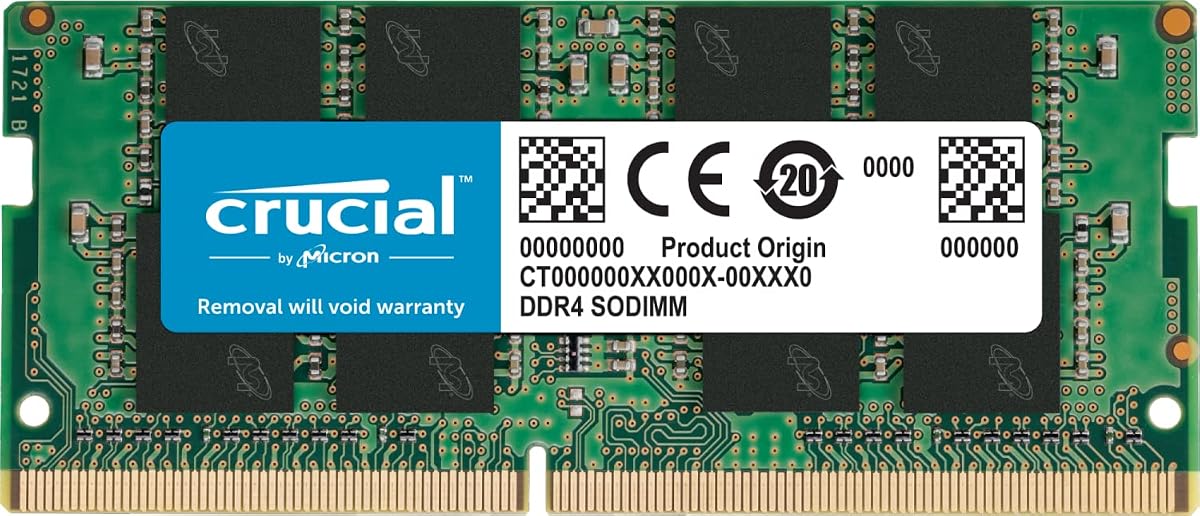
4.8Editor score
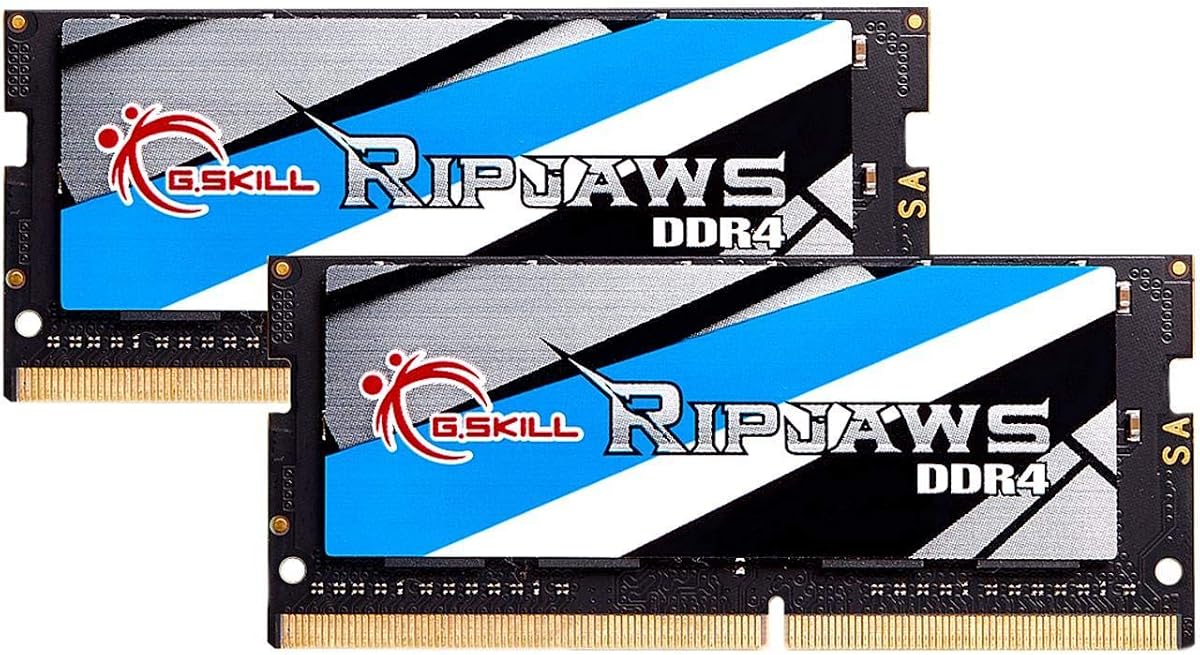
4.7Editor score
This side-by-side comparison outlines key specifications for each memory module listed. You can quickly identify capacity speed and voltage differences to match your specific laptop requirements.


The Crucial 16GB DDR4 RAM stands out as the top choice for most laptop users seeking a balance of capacity and speed. With a solid 4.8 rating it delivers consistent performance across modern Intel and AMD systems. This module operates at 3200MHz ensuring your applications run smoothly without lag.
We may earn a commission when you buy through this link, at no additional cost to you.
Its standout qualities include rigorous testing at both component and module levels. Crucial provides tools like the System Scanner to guarantee your laptop supports this specific memory type. The 1.2V standard voltage helps maintain energy efficiency while delivering robust multitasking capabilities for daily workflows.
While the price is slightly higher than generic brands the reliability and warranty support justify the cost. Users appreciate the step-by-step installation guides that remove the guesswork from upgrading. There are no major trade-offs for most users beyond the single module configuration.
This RAM is ideal for professionals and students who need dependable memory for productivity tasks. Whether you edit videos or run multiple browser tabs this module handles the load with ease. We recommend it as the safest bet for a seamless laptop upgrade.
Use the Crucial System Scanner to ensure this module fits your specific laptop model before purchasing.
Backed by over 40 years of memory expertise this module undergoes rigorous quality checks at multiple levels.
We may earn a commission when you buy through this link, at no additional cost to you.
Samsung offers a robust 16GB DDR4 module that excels in speeding up system responsiveness. Rated at 4.6 this memory is designed to handle greater workloads efficiently. Its dual rank configuration allows for better data throughput during intensive multitasking sessions.
We may earn a commission when you buy through this link, at no additional cost to you.
The module boosts performance by reducing loading times significantly. Quality assurance testing ensures dependable performance over time. This option is perfect for users who need a reliable upgrade without complex configuration steps or BIOS adjustments.
The trade-off is that it is a single module rather than a kit which limits dual channel potential if you plan to add more later. However for immediate performance gains it delivers consistent results. It works well with select laptops and notebooks supporting DDR4 standards.
Buyers looking for a reputable brand with proven reliability will find this module valuable. It is particularly suited for laptops that need a straightforward memory bump to extend their usable life. Ensure your system matches the specifications before ordering.
The 2Rx8 dual rank design supports enhanced data throughput for more demanding applications.
Every module undergoes rigorous quality checks to ensure dependable and reliable long-term performance.
We may earn a commission when you buy through this link, at no additional cost to you.
This 8GB DDR4 module from Crucial offers excellent versatility with its downclockable speed support. It runs at 3200MHz but adapts to 2933MHz or 2666MHz if your system requires it. With a 4.8 rating it remains a top choice for users needing a reliable smaller upgrade.
We may earn a commission when you buy through this link, at no additional cost to you.
The flexible speed ensures compatibility with a wider range of laptops including older models. Installation is straightforward thanks to Crucial's step-by-step guides. The module is rigorously tested to ensure top performance and reliability for your system.
The main trade-off is the lower capacity compared to 16GB options which might limit heavy multitasking. However it is cost-effective and perfect for systems that just need a slight bump. It maintains the same trusted Micron quality as the larger module.
We recommend this for users with budget constraints or laptops with limited RAM slots. It ensures smooth performance for everyday tasks like browsing and document editing. Always check your device specifications to confirm compatibility before purchase.
Operates at 3200MHz but downclocks to 2933MHz or 2666MHz for broader system compatibility.
Backed by decades of memory expertise this module is tested for top performance and reliability.
We may earn a commission when you buy through this link, at no additional cost to you.
The G.SKILL Ripjaws kit provides a massive 32GB capacity for power users needing extensive memory. Rated at 4.7 this dual module set allows for optimized performance in supported laptops. The kit is designed to run together as a matched set for stability.
We may earn a commission when you buy through this link, at no additional cost to you.
Users can expect smooth multitasking and faster rendering times with this high capacity. The JEDEC default profile ensures it boots at standard speeds with compatible hardware. Detailed compatibility tools help you verify your motherboard and CPU support.
The trade-off involves potential BIOS adjustments to reach maximum speeds and the higher price point. Mixing kits is discouraged to avoid stability issues. This makes it a specialized choice for those who need every bit of performance available.
We suggest this for creators and professionals handling large files or virtual machines. The matched kit design guarantees stability which is critical for demanding workloads. Always refer to the QVL list for your specific laptop model.
Memory kits are sold in matched pairs designed to run together for stability.
Boots at standard speeds with compatible hardware without complex configuration.
We may earn a commission when you buy through this link, at no additional cost to you.
TEAMGROUP offers a solid 32GB kit that performs well across various laptop systems. With a 4.8 rating it is known for stability and reliability. The kit includes installation videos to guide users through the upgrade process efficiently.
We may earn a commission when you buy through this link, at no additional cost to you.
A key strength is the lifetime warranty which provides peace of mind for long-term use. The product adheres to RoHS standards ensuring environmental protection. Users appreciate the flexible speed support that adapts to their system requirements.
The trade-off is that actual speeds depend on BIOS settings and system support. You may see lower frequencies if your laptop has constraints. However the kit remains a reliable choice for expanding memory capacity significantly.
We recommend this for users who want a complete upgrade solution with strong support. The included installation video and warranty make it a safe purchase for most laptops. Verify your device specs before buying to confirm speed compatibility.
The product comes with a lifetime warranty and free technical support for all buyers.
Installation videos are attached to help guide you through the upgrade process easily.
We may earn a commission when you buy through this link, at no additional cost to you.
The A-Tech 8GB module is perfect for those seeking an affordable upgrade without sacrificing reliability. Rated at 4.7 it offers solid performance for basic to moderate workloads. It is easy to install at home without needing specialized expertise.
We may earn a commission when you buy through this link, at no additional cost to you.
A major advantage is the lifetime warranty and friendly tech support team. This ensures you get help if any issues arise during or after installation. The module helps maximize system performance and boost loading speeds effectively.
The trade-off is the lower speed of 2400MHz compared to faster options which may limit intensive tasks. However for general use it provides a significant improvement over minimal RAM. It is a practical choice for older laptops needing a refresh.
We suggest this for budget-conscious buyers who need a dependable memory bump. The strong warranty support adds value and reassurance. Always check your laptop specifications to ensure the speed is supported before purchase.
Backed by A-Tech's lifetime warranty and a friendly tech support team available to help.
Designed to be easy to install at home with no prior expertise required.
We may earn a commission when you buy through this link, at no additional cost to you.
GIGASTONE delivers a capable 32GB kit designed for versatile use across multiple systems. With a 4.7 rating it meets the needs of users requiring ample memory for multitasking. The module operates at 3200MHz ensuring robust performance.
We may earn a commission when you buy through this link, at no additional cost to you.
Its specifications include unbuffered non ECC design suitable for standard laptops. The kit ensures versatile use across various notebooks and all-in-one computers. You can rely on it to improve system performance and increase workload capacity effectively.
The trade-off involves potential speed variations depending on your host system support. Also brand recognition may be lower than major manufacturers but performance remains solid. It is a cost-effective option for expanding laptop memory significantly.
We recommend this for users needing high capacity at a competitive price point. The versatile compatibility makes it a good fit for various laptops. Always verify your device specifications to confirm support before buying.
Compatible with laptops notebooks and all-in-one computers ensuring versatile use across systems.
Operates at 3200MHz for high performance memory upgrades for your device.
We may earn a commission when you buy through this link, at no additional cost to you.
This 8GB module from Samsung is a reliable choice for expanding system resources efficiently. Rated at 4.8 it ensures smooth operation with its high 3200MHz speed. The genuine Samsung memory delivers consistent performance and reliability.
We may earn a commission when you buy through this link, at no additional cost to you.
The single rank design allows for compact physical size fitting most laptops easily. It helps expand available memory resources and reduce bottlenecks effectively. Users will notice improvements in performance and increased workload capacity after installation.
The trade-off is that it is a single module which might limit future dual channel upgrades. However for immediate needs it provides excellent speed and stability. It is suitable for select laptops and notebook systems.
We suggest this for users who need a compact and efficient memory upgrade. The high speed and genuine brand quality ensure you get dependable performance. Check your device specifications to confirm compatibility before purchasing.
Genuine Samsung DDR4 memory that ensures dependable and reliable performance.
Speeds up to 3200MHz PC4-25600 PC performance and responsiveness.
We may earn a commission when you buy through this link, at no additional cost to you.
This 32GB DDR4 module provides robust capacity for users needing extensive memory. Rated at 4.7 it delivers 3200Mbps speed to support demanding applications. The newest version ensures compatibility with recent laptop models.
We may earn a commission when you buy through this link, at no additional cost to you.
The component composition supports stable performance across various tasks. It is designed for laptops requiring high memory density without sacrificing speed. Users appreciate the straightforward specifications that match standard laptop requirements.
The trade-off is that the name is generic which might make verification harder for some. Also it is a single module so dual channel options are limited. However the value and capacity make it a practical choice.
We recommend this for users needing a direct 32GB upgrade without complex configurations. The robust design and standard specs ensure it fits well. Always check your laptop compatibility before ordering.
Newest version with 3200 speed for compatibility with newer laptop systems.
Component composition supports stable performance across various tasks.
We may earn a commission when you buy through this link, at no additional cost to you.
CORSAIR Vengeance offers a stylish 16GB module that performs well with its slim design. Rated at 4.7 it ensures excellent stability through carefully selected DRAM. The auto-overclocking feature works with compatible laptops for easy speed boosts.
We may earn a commission when you buy through this link, at no additional cost to you.
Its attractive black design ensures physical compatibility with modern laptop internals. Users benefit from stable performance and up to 3200MHz speed. The module is designed for Intel AMD laptop notebook systems.
The trade-off is that maximum speeds may require BIOS adjustments which can be complex for some. However for standard use it delivers reliable results. It fits well with 11th Generation Intel Core Processors.
We suggest this for users who value aesthetics alongside performance. The slim design and stability make it a great choice. Verify your system requirements to confirm speed support before purchasing.
Slim and attractive design to ensure physical compatibility with modern laptops.
Auto-overclocking with compatible laptops and notebooks without BIOS configuration.
We may earn a commission when you buy through this link, at no additional cost to you.
Selecting the right laptop memory involves understanding several key factors that impact performance and compatibility.
Capacity determines how many applications you can run simultaneously. For general use 8GB is often sufficient. Power users should consider 16GB or 32GB kits to handle heavy multitasking or creative work.
Choose capacity based on your specific workload requirements.
Speed is measured in MHz and affects data transfer rates. Ensure the RAM speed matches your laptop motherboard support. Higher speeds provide better performance but may be limited by system specs.
Verify your device specifications before purchasing high-speed modules.
DDR4 Sodimm is the standard form factor for most laptops. It is smaller than desktop DIMM modules. Using the wrong form factor will prevent installation in your device.
Always confirm you are buying a Sodimm module for your notebook.
Rank refers to how memory chips are organized on the module. Single Rank is simpler while Dual Rank offers more bandwidth. Compatibility depends on your motherboard and BIOS settings.
Check if your laptop supports dual rank configurations.
Timing values like CL22 indicate latency during memory access. Lower numbers mean faster response times. This affects performance in gaming or intensive applications.
Prioritize lower latency when possible for better responsiveness.
Standard DDR4 voltage is 1.2V ensuring energy efficiency. Some high-performance kits may require higher voltage. Ensure your system supports the required voltage level.
Stick to standard voltage for most laptop upgrades.
Trusted brands often offer better quality control and warranties. They provide tools to verify compatibility before purchase. Investing in a reputable brand reduces the risk of failure.
Select manufacturers with strong support and warranty policies.
A lifetime warranty offers peace of mind for long-term investments. Some brands provide free technical support. Check warranty terms to understand what is covered.
Prioritize modules with strong warranty coverage.
Ensure your laptop is powered off and unplugged before installing RAM. Ground yourself to prevent static discharge damage. Locate the memory slots usually on the underside of the laptop.
Align the notch on the module with the slot and insert at an angle. Gently push down until the clips lock. Close the access panel and power on the system to verify installation.
Regularly clean your laptop vents to maintain optimal cooling. Keep software updated to ensure drivers match hardware specs. Monitor system temperatures to prevent overheating issues.
It is generally recommended to use matched kits for best stability. Mixing brands may cause compatibility issues or reduced performance. Stick to identical modules if you plan to upgrade with more.
Use tools like Crucial System Scanner or check your laptop manufacturer website. These resources list compatible models and speed limits. Verify your current configuration before ordering new modules.
Higher speeds improve data transfer but depend on system limits. Your motherboard or CPU may cap maximum supported speed. Always check if your device supports the speed you choose.
No it fits laptops that specifically use DDR4 memory. Some older models use DDR3 which is not compatible. Verify your laptop generation before purchasing to avoid mismatch issues.
RAM modules are durable and can last many years without failure. Physical damage or power surges are the most common risks. Most modules come with lifetime warranties for added protection.
Many laptops allow easy user upgrades with basic tools. Follow step-by-step guides provided by manufacturers. If your laptop is soldered you may need a professional for repairs.
Choosing the right memory upgrade extends your laptop life significantly. The top picks like Crucial and G.SKILL offer proven reliability. Selecting the right capacity ensures your device meets current needs.
Prioritize compatibility and warranty when making your decision. Always verify specifications match your system before ordering. Trusted brands offer better support and peace of mind.
Prices change frequently so check current availability before buying. Use official compatibility tools to confirm fit. With the right RAM your notebook will perform smoothly for years.