
Rongta Bluetooth Shipping Label Printer
4.0Editor score
Automatic label identification
Wireless Bluetooth connectivity
Compact portable design
This guide compares the top ten DHL label printers for speed, connectivity, and reliability to help you choose the right thermal device for your shipping
Finding a reliable DHL label printer is essential for modern e-commerce businesses that need to ship packages quickly and accurately. These devices use direct thermal technology to produce crisp shipping labels without ink, ensuring your parcels move smoothly through the logistics network.
We compared ten highly rated thermal printers based on connectivity options, print speed, platform compatibility, and ease of setup. Each model was evaluated for its ability to handle high-volume shipping tasks while maintaining consistent quality across various label sizes and formats.
Each pick in this list highlights specific strengths like Bluetooth support, Ethernet connectivity, or budget-friendly pricing. Please note that prices and availability change frequently, so verify current details before making your final purchasing decision for your business needs.
4.0Editor score

4.6Editor score

4.1Editor score
This side-by-side comparison highlights the key specifications and features of all ten selected DHL label printers to help you identify the model that best fits your specific shipping volume and connectivity requirements.






The Rollo USB Shipping Label Printer stands out as the top choice for serious shippers needing reliable high-performance output. With a solid 4.6 rating from users, this commercial-grade device delivers consistent clarity and speed for demanding logistics workflows.
We may earn a commission when you buy through this link, at no additional cost to you.
Its high-speed printing capability reaches one 4×6 label per second, which significantly reduces wait times during peak shipping hours. The direct thermal technology ensures labels are crisp and scannable without the hassle of ink cartridges or toner replacements.
While the lack of wireless connectivity might be a drawback for some mobile users, the USB connection offers a stable interference-free experience for desktop setups. The initial cost is higher than budget models, but the durability and longevity justify the investment for high-volume businesses.
If you prioritize speed and reliability over portability, this printer is an excellent addition to your shipping station. It pairs well with most major e-commerce platforms, making it a versatile tool for sellers managing complex fulfillment operations.
Built to withstand continuous use, the Rollo printer ensures your shipping operations remain uninterrupted during busy seasons.
Compatibility with major shipping platforms means you can integrate this device seamlessly into your existing workflow without extra software.
We may earn a commission when you buy through this link, at no additional cost to you.
The Rongta Bluetooth Shipping Label Printer offers an accessible entry point for small businesses needing a reliable thermal solution. It features automatic label identification to simplify setup and supports Bluetooth connectivity for flexible printing from phones or computers.
We may earn a commission when you buy through this link, at no additional cost to you.
Its compact design makes it easy to store on crowded desks, while the automatic detection of label sizes reduces manual adjustment. The direct thermal method ensures you avoid ongoing costs for ink or toner, keeping operational expenses low for startups.
Users may find the build quality more basic compared to premium models, and support might require more effort due to the lower rating. However, for low-to-medium volume shipping, the functionality is sufficient and the price is hard to beat in this category.
This model is ideal for sellers who need a simple, cost-effective way to print labels without breaking the bank. It supports standard sizes like 4×6 and works across Windows, Mac, Android, and iOS environments.
With no need for ink or expensive consumables, this printer helps keep your overhead costs minimal while maintaining acceptable print quality.
Automatic label detection means you spend less time calibrating and more time focusing on getting your packages out the door.
We may earn a commission when you buy through this link, at no additional cost to you.
The Rollo Wireless Shipping Label Printer brings true wireless freedom to your shipping workflow with Wi-Fi and AirPrint support. It allows direct printing from iPhones, iPads, and Macs without complex driver installations, streamlining the process for mobile users.
We may earn a commission when you buy through this link, at no additional cost to you.
Its print head is designed to last significantly longer than average models, ensuring consistent performance over time. The speed matches the USB version, delivering a label per second, which keeps your operation moving efficiently during peak hours.
The premium price reflects the added convenience of wireless features and extended hardware longevity. However, users must ensure a stable network connection for best results, and potential interference could affect reliability in dense office environments.
For businesses that value flexibility and modern integration, this printer is a strong choice. It eliminates cable clutter and supports a wide range of devices, making it versatile for dynamic shipping setups.
AirPrint compatibility means you can print directly from your favorite shipping apps without needing additional software or drivers.
The extended lifespan of the print head means fewer replacements and less downtime over the life of the machine.
We may earn a commission when you buy through this link, at no additional cost to you.
The JADENS Bluetooth Thermal Printer combines high-tech thermal printing with versatile connectivity options. Users appreciate the clean output and lack of ink, along with support for both fanfold and roll labels, providing flexibility in label management.
We may earn a commission when you buy through this link, at no additional cost to you.
It connects via USB for Windows and Mac or Bluetooth for supported systems, though mobile users need a specific app to print. The wide usage compatibility includes major platforms like Amazon and Shopify, ensuring smooth integration into your shipping routine.
While the Bluetooth functionality is robust, mobile users should note the requirement for the dedicated app on Android and iOS. Overall, the balance of features and price makes it a reliable option for growing small businesses.
This printer is well-suited for those who need a mix of wired and wireless options without paying premium prices. Its reliability and warranty support add confidence to the purchase for long-term use.
Support for both fanfold and roll labels gives you the freedom to choose the format that suits your space best.
Integration with numerous shipping platforms ensures you can print labels from your favorite tools without extra steps.
We may earn a commission when you buy through this link, at no additional cost to you.
The Nelko Bluetooth Thermal Printer offers fast printing speeds at a budget-friendly price point. It supports both USB and Bluetooth connections, allowing you to print from a wide range of devices including Windows, Mac, and ChromeOS systems.
We may earn a commission when you buy through this link, at no additional cost to you.
Its thermal technology ensures clear 203 DPI output without ink, while the compact size saves valuable desk space. The ability to use fanfold labels adds versatility for users who prefer bulk labeling over individual rolls.
Mac users with M1 or M2 chips need to use the app for Bluetooth, and standard Mac Bluetooth may have limitations. These minor constraints do not overshadow the overall value and performance for small business shipping needs.
Ideal for cost-conscious buyers who still want wireless capabilities, this printer delivers efficiency without compromising on quality. It handles standard shipping sizes well and supports major platforms effectively.
High speed printing reduces wait times, allowing you to process orders faster and keep customers satisfied with quick dispatch.
The compact footprint ensures it fits comfortably on even the smallest workstations without disrupting your workflow layout.
We may earn a commission when you buy through this link, at no additional cost to you.
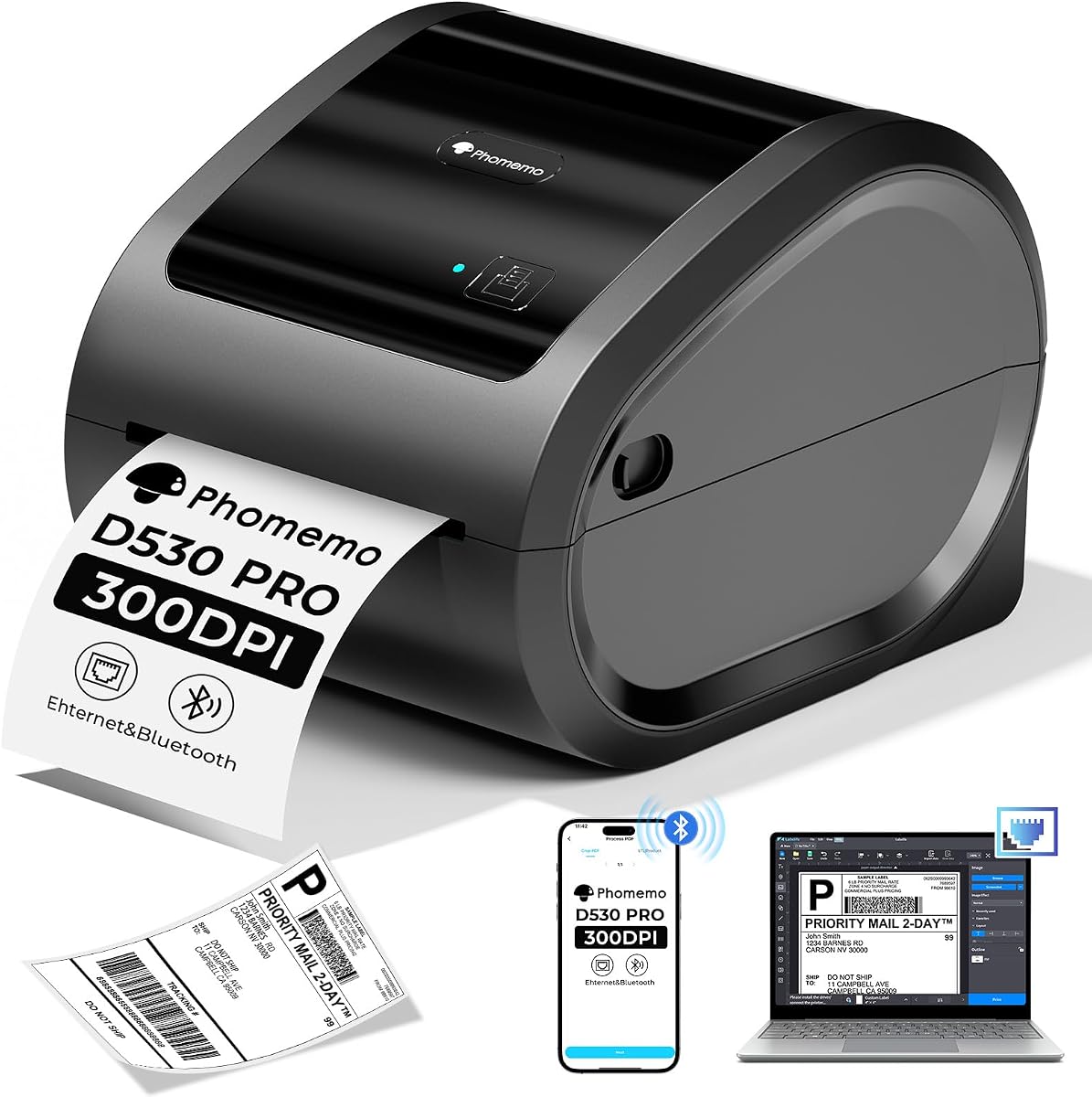
The Phomemo 300DPI Printer stands out for its high resolution that ensures sharp details on every label. Its built-in paper bin holds up to 500 sheets, reducing the frequency of refills and keeping your workspace organized.
We may earn a commission when you buy through this link, at no additional cost to you.
Connectivity options include Ethernet and USB, making it suitable for stable office environments. The label return feature helps save costs by recycling unused label pieces, which is a unique advantage for budget management.
While the resolution is impressive, the reliance on Ethernet may limit mobility compared to Bluetooth alternatives. Setup might require more configuration, but the clarity and storage capacity are significant benefits for commercial use.
This model is best for users prioritizing print clarity and storage efficiency. It handles diverse label shapes and supports a wide range of shipping platforms to meet various business needs.
The 300 DPI resolution ensures barcodes and text are scanned easily, reducing errors in the delivery process.
Built-in storage for rolls means you can keep your desk tidy without needing external holders or racks.
We may earn a commission when you buy through this link, at no additional cost to you.
The KNAON Bluetooth Printer offers an impressive printing speed of 180mm/s, making it one of the fastest options available. Its portable design allows you to move it easily between workspaces, ideal for dynamic environments.
We may earn a commission when you buy through this link, at no additional cost to you.
The accompanying app provides thousands of templates and fonts for customization beyond standard shipping labels. This makes it a versatile tool for both logistics and general labeling needs like inventory or price tags.
Mobile users must rely on the app for Bluetooth printing, which adds a dependency that might be frustrating if internet access is needed for templates. However, the speed and flexibility make it a strong contender for small business users.
If you need a balance of speed and portability, this printer delivers well. It supports major platforms and offers a compact footprint that fits easily on any desk setup.
With a fast 180mm/s print speed, you can process large batches of orders quickly, boosting overall productivity.
Access to thousands of templates allows you to create branded labels that match your unique business identity.
We may earn a commission when you buy through this link, at no additional cost to you.
The MUNBYN Bluetooth Thermal Printer features DAC Dynamic Algorithm Technology to auto-calibrate labels and reduce misalignment. This technical edge ensures precise output for every print, minimizing waste and improving packaging accuracy.
We may earn a commission when you buy through this link, at no additional cost to you.
Operating at just 60 dB, it is one of the quietest options available, making it suitable for shared office spaces. The long label life of 970,000 prints ensures durability over time without frequent part replacements.
Users may find the Bluetooth indicator light behavior slightly confusing initially, as it turns off when stable. Despite this, the reliability and quiet performance are valuable for environments where noise levels matter.
This printer is ideal for businesses needing precision and longevity in their shipping hardware. It balances technical innovation with practical usability for day-to-day operations.
Whisper-quiet performance ensures the printer does not disrupt your workflow or distract others in shared workspaces.
Auto-calibration reduces errors caused by misaligned labels, ensuring professional-looking shipments every time.
We may earn a commission when you buy through this link, at no additional cost to you.
This Thermal Shipping Label Printer is designed for efficiency with high-speed printing and energy-saving features. It comes ready to use with included labels and a comprehensive app that simplifies the printing process.
We may earn a commission when you buy through this link, at no additional cost to you.
The FlashLabel Pro app offers numerous templates and fonts for custom needs. Offline capability allows you to store designs locally so you can print without waiting for cloud downloads.
While the offline feature is useful, relying heavily on the app might be a hurdle for users who prefer native OS drivers. Still, the speed and included materials make it a convenient starting point for new sellers.
For those who want a complete package without extra purchases, this model is a solid choice. It supports major platforms and ensures you can start shipping immediately.
Included label sheets mean you can start printing right after setup without waiting for additional supplies to arrive.
Local storage for templates ensures you can keep working even when internet connectivity is temporarily unavailable.
We may earn a commission when you buy through this link, at no additional cost to you.
The DYMO LabelWriter 550 focuses on precision and sustainability with automatic recognition and eco-friendly packaging. It uses FSC certified materials and eliminates sheet waste, appealing to environmentally conscious businesses.
We may earn a commission when you buy through this link, at no additional cost to you.
Its automatic label identification ensures correct settings without manual input, reducing setup errors. The direct thermal technology means no ink is needed, keeping operations clean and simple.
However, the reliance on proprietary DYMO branded labels can increase costs compared to generic thermal rolls. The lower rating suggests some users find the software or cost barrier challenging.
This printer suits those prioritizing environmental impact and ease of use. If brand compatibility and sustainability are top priorities, this model offers a unique approach to labeling.
Eco-friendly packaging and certified paper align with green business values while maintaining print quality.
Print precise quantities instead of dealing with full sheets, which reduces unused adhesive and paper waste.
We may earn a commission when you buy through this link, at no additional cost to you.
Selecting the right label printer involves balancing speed, connectivity, and compatibility with your specific shipping platform needs.
Consider whether you need Bluetooth, Wi-Fi, or USB connectivity based on your workspace setup. Bluetooth offers flexibility for mobile printing, while USB provides a stable connection for desktop environments.
Look for printers with at least 150mm/s speed to handle high volumes efficiently. Faster speeds reduce bottlenecks during peak shipping seasons and improve overall productivity.
Ensure the printer supports standard 4×6 inch labels and other sizes your business requires. Compatibility with fanfold and roll labels offers flexibility in how you store and feed paper.
Check that the printer works with your e-commerce platforms like Amazon, Shopify, or DHL. Seamless integration prevents extra steps when generating and sending shipping labels.
Evaluate the print head life and build quality to ensure long-term reliability. Higher durability models may cost more initially but save money by reducing replacement needs.
Review the available software for editing and printing labels. User-friendly apps with templates can streamline your workflow and reduce the learning curve for staff.
If you work in a shared office or home environment, look for printers with low decibel ratings. Quiet operation helps maintain a professional atmosphere without distractions.
Consider both the upfront price and ongoing costs for labels. Some models use proprietary labels that may be more expensive than generic thermal options.
Begin by installing the necessary drivers or connecting via Bluetooth depending on your device. Ensure your computer or mobile device is paired correctly before attempting to print.
Load the thermal labels carefully ensuring the thermal side faces the printhead. Run a calibration step to detect the label size accurately and avoid alignment issues.
Clean the printhead regularly with a soft cloth and mild solvent to maintain print quality. Avoid exposing the printer to direct sunlight or excessive heat to prevent damage.
No, most DHL label printers use direct thermal technology that does not require ink or toner. They use heat to print on special labels, making them more efficient and easier to maintain.
Many printers support generic thermal labels, but some proprietary models require branded consumables. Check the manual to ensure compatibility before buying third-party rolls.
DPI stands for dots per inch, with 300 DPI offering sharper details than 203 DPI. Higher resolution is better for complex barcodes or small text.
Ensure Bluetooth is enabled and you are within range. You may need to install drivers or update the app to resolve connection issues.
Most printers have a calibration button or menu option. Follow the specific steps in your user manual to adjust the sensor for your label size.
Yes, most thermal printers support various widths from 1 to 6 inches. Adjust the settings in your software to match the label you are using.
Choosing the right printer depends on balancing speed, connectivity, and cost for your specific business needs. The top picks offer reliable performance whether you need budget or premium solutions.
Prioritize models that integrate smoothly with your shipping platforms to avoid workflow disruptions. Durability and print quality are critical for ensuring accurate deliveries.
Remember to check current pricing and availability before purchasing to get the best deal. Invest in a device that will grow with your shipping volume for long-term success.