
Gigabit Dual NIC with Intel 82576 Chip
4.5Editor score
1Gb network card speed
Intel 82576 controller
QoS technology support
Wide OS compatibility
This guide compares the top dual RJ45 port network cards for servers and workstations, evaluating performance, compatibility, and reliability for modern
Finding the right dual RJ45 port network card is essential for expanding your server or workstation capabilities. These cards provide redundant connections or increased bandwidth for demanding tasks like virtualization and data center operations. Choosing the correct model ensures stable high-speed connectivity tailored to your specific hardware environment.
We evaluated ten leading dual port network adapters based on controller chipset quality, operating system compatibility, and build durability. Our comparison considers PCIe lane requirements, bracket options, and supported protocols like PXE and iSCSI to help you make an informed decision. Each product offers unique strengths for different budget and performance tiers.
Each pick below highlights key specifications and real-world suitability for various IT scenarios. You will see detailed breakdowns of features, pros, and cons to guide your selection process effectively. Please note that prices and availability may change over time so verify current listings before purchasing.
4.5Editor score

4.1Editor score
4.5Editor score
This table provides a side-by-side comparison of all ten dual RJ45 port network cards reviewed in this guide. Examine the key specifications, controller types, and compatibility notes to quickly identify which adapter fits your specific server or desktop requirements without missing critical details.


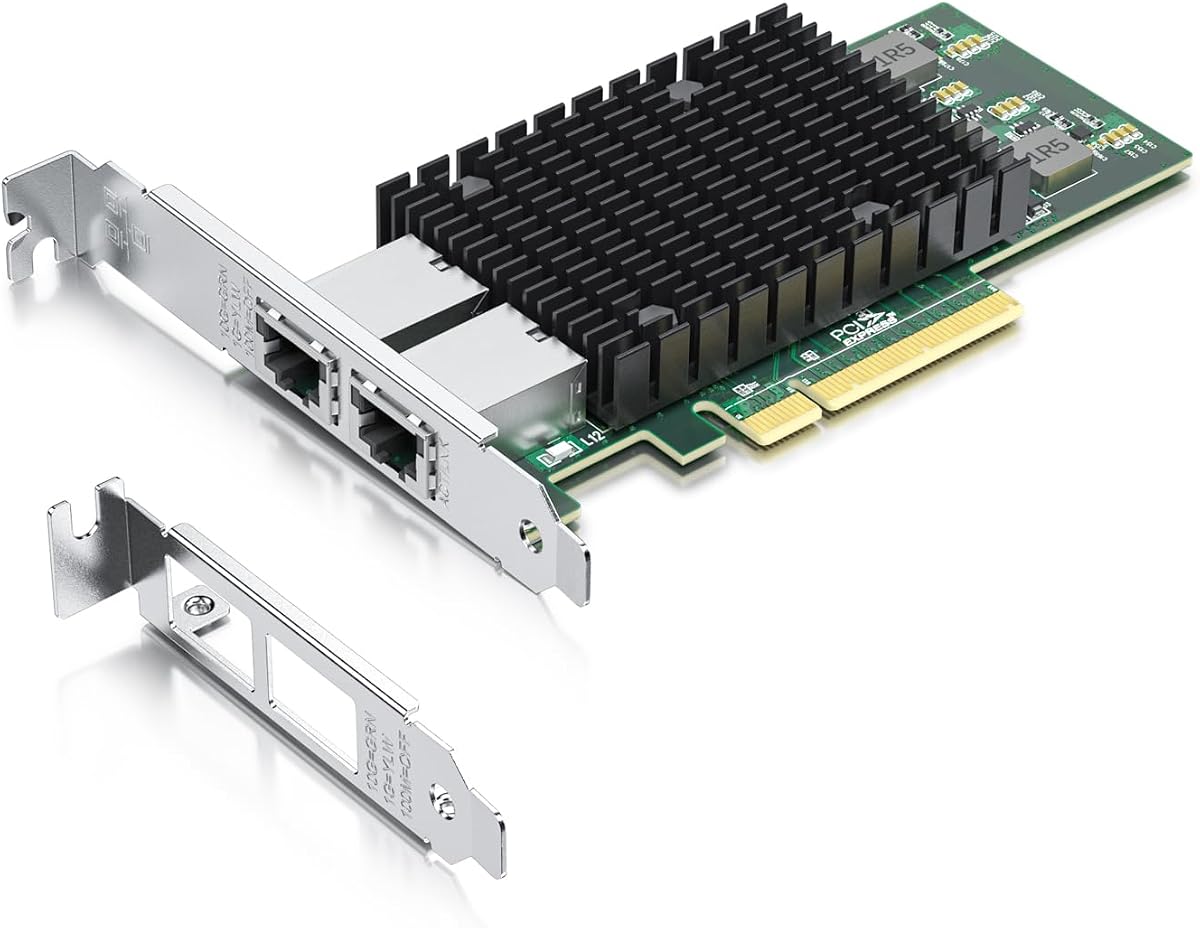
This 10Gtek card offers robust 10GbE performance powered by the Intel X540 controller. It stands out for its stability in server environments and broad operating system support. The inclusion of both standard and low profile brackets makes it versatile for different chassis types.
We may earn a commission when you buy through this link, at no additional cost to you.
The Intel X540 controller ensures intelligent offloads that reduce CPU overhead during heavy network traffic. Dual copper RJ45 ports allow connections up to 100 meters on Cat6A cabling. This makes it suitable for data centers needing reliable high-speed links without fiber costs.
Users should note that Windows 11 requires manual driver setup which can be a hurdle for less technical users. Hot swap is not supported meaning the system must be powered down for installation. These trade-offs are acceptable given the performance and price balance.
This card is ideal for servers or workstations needing 10Gbps links without expensive fiber hardware. IT admins will appreciate the stability and driver availability across Linux and Windows Server editions. We recommend this for general high-speed networking needs.
The Intel X540 chip delivers consistent 10Gbps speeds with packet loss prevention for critical data transfers.
Standard and low profile brackets allow installation in both full tower desktops and compact server units.
We may earn a commission when you buy through this link, at no additional cost to you.
This adapter uses the newer Intel I226-V controller which improves upon the discontinued I225-V. It supports 2.5Gbps speeds making it future-proof for modern home and office networks. The PCIe 3.1 x1 lane ensures it fits in most standard slots without bandwidth issues.
We may earn a commission when you buy through this link, at no additional cost to you.
The I226-V chip offers better data packet stability and lower power consumption than its predecessor. It works well with Windows 10/11 and various Linux kernels. The included low profile bracket makes it easy to fit into small form factor desktops.
Before purchasing verify your motherboard supports the I226-V chip to avoid compatibility issues. Some BIOS settings might need adjustment to enable the NIC interface properly. These steps are usually minor but important for a smooth installation experience.
Home users or small offices looking to upgrade from 1Gbps to 2.5Gbps will find this card valuable. It provides a cost-effective path to faster networking without needing new switches or cables. Ensure compatibility before buying to maximize value.
The I226-V chip reduces active power consumption while maintaining stable long cable connections.
Works with Windows 10/11 Linux RHEL Ubuntu and VMware ESXi for diverse environments.
We may earn a commission when you buy through this link, at no additional cost to you.
The VIMIN 10G card leverages the Intel X540-T2 for reliable 10Gbps connections. A dedicated heat sink helps maintain optimal temperatures during prolonged heavy usage. This feature prevents thermal throttling which can degrade performance in demanding server loads.
We may earn a commission when you buy through this link, at no additional cost to you.
It supports PCI Express x8 and x16 slots offering flexibility in server rack deployments. Both standard and slim brackets are included for varied chassis needs. The gold finger interface reduces connection interruptions ensuring consistent network performance over time.
Users should note that this card does not support intermediate speeds like 2.5G or 5Gbps. If your devices operate at those speeds the card will default to 1Gbps which reduces efficiency. Check your network device capabilities before purchasing.
Ideal for high-speed data transmission tasks where thermal stability is critical. The robust build and heat sink make it a solid choice for 24/7 operation. Ensure your network ecosystem supports 10Gbps to fully utilize this hardware.
Heat sink design ensures stable operation under heavy loads preventing performance degradation.
Compatible with x8 and x16 PCIe slots with options for standard or slim cases.
We may earn a commission when you buy through this link, at no additional cost to you.
This gigabit card excels in supporting older operating systems like Windows Server 2003 and FreeBSD 7.x. It uses the reliable Intel 82575/82576 chips for stable 1GbE performance. An alloy heat sink ensures the card remains cool during continuous data transfers.
We may earn a commission when you buy through this link, at no additional cost to you.
Features like PXE remote boot and VLAN filtering make it useful for enterprise network management. It fits PCIe x1 through x16 slots giving flexibility for various motherboard configurations. The low profile bracket allows installation in compact desktop cases easily.
It does not support VMware ESXi 7.0 or above which limits its use in newer virtualization setups. The PCIe 2.1 standard is older but sufficient for 1GbE speeds. These limitations are manageable for legacy hardware environments.
Best for maintaining or upgrading older servers that still run legacy OS versions. IT professionals managing mixed environments will find this card useful for specific legacy nodes. Verify OS compatibility before deployment to avoid driver issues.
Supports a wide range of older operating systems including DOS and older Windows Server versions.
Includes PXE boot and VLAN filtering for robust network management and remote administration.
We may earn a commission when you buy through this link, at no additional cost to you.
The 10Gtek gigabit adapter is built around the Intel 82576 controller for stable 1GbE connections. It is priced affordably making it accessible for budget-conscious setups. The included low profile bracket simplifies installation in smaller server chassis.
We may earn a commission when you buy through this link, at no additional cost to you.
Compatible with Windows Server and Linux it supports intelligent offloads to enhance stability. It connects via Category-5 cables up to 100 meters providing reliable physical connectivity. The Intel website offers drivers ensuring official support availability.
It does not support VMware ESXi 7.0 or above limiting its use in modern virtualization. The PCIe 2.0 x1 lane is sufficient for 1GbE but not for higher speeds. These are reasonable trade-offs for the price and target use case.
Ideal for basic network expansion in servers needing reliable gigabit links without extra costs. Budget administrators can trust the Intel chipset quality for consistent performance. Verify virtualization requirements before purchase to ensure full compatibility.
Affordable pricing without sacrificing Intel chipset reliability for standard server tasks.
Uses standard Category-5 cables up to 100 meters for flexible cabling setups.
We may earn a commission when you buy through this link, at no additional cost to you.
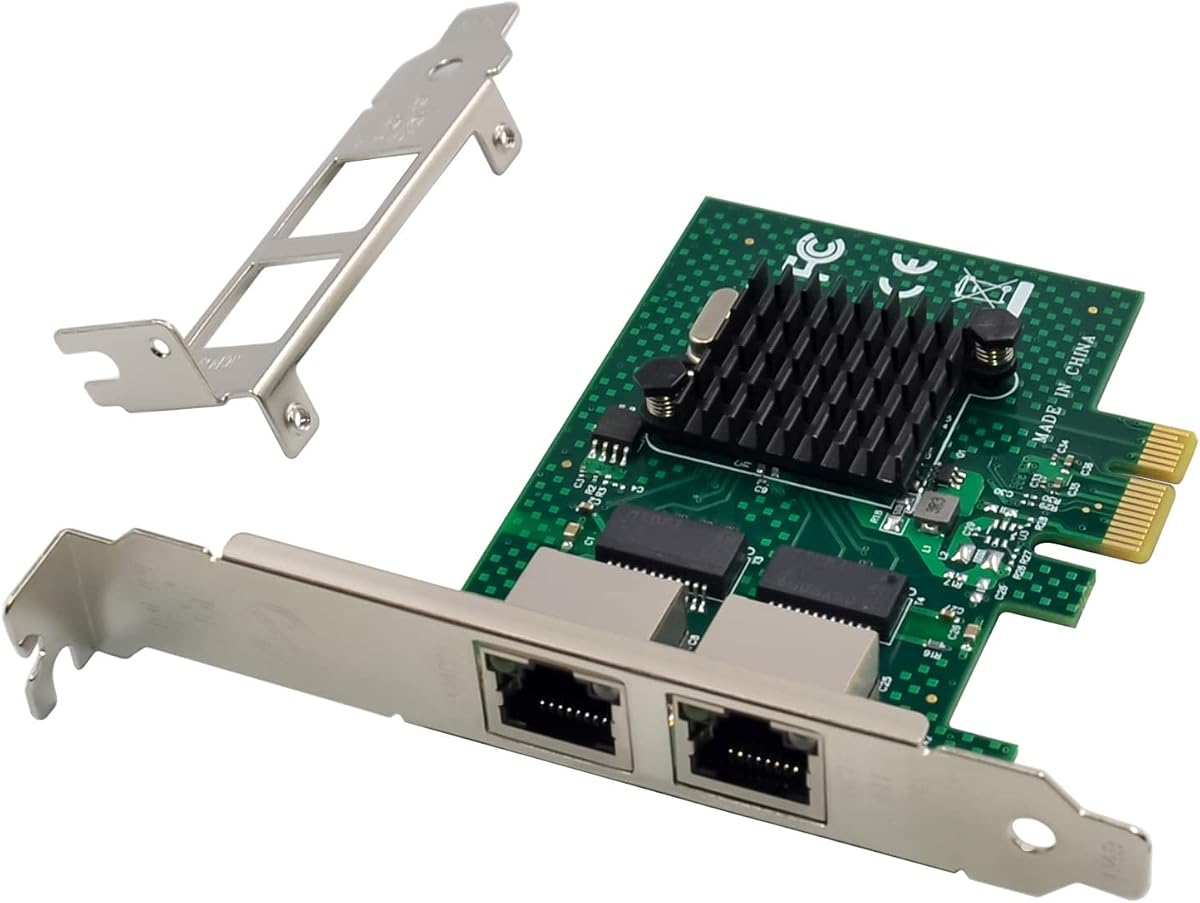
This budget-friendly card offers reliable 1GbE performance using the Intel 82576 controller. It stands out for its broad operating system support including many Linux distributions and Windows Server editions. Quality-of-Service technology helps streamline network traffic for better stability.
We may earn a commission when you buy through this link, at no additional cost to you.
Both low profile and full-height brackets are included making it versatile for any chassis. The PCIe 2.1 x1 lane is sufficient for 1Gbps speeds without bottlenecking. Drivers can be downloaded from Intel or scanned via QR code on the card.
It lacks support for VMware ESXi 7.0 and Mac OS limiting use in specific environments. The price point remains competitive for users needing basic dual port functionality. These constraints are minimal for general office or server use.
Best for cost-effective network expansion in standard server or desktop setups. Users prioritizing affordability without losing core Intel chipset features will find this attractive. Check virtualization requirements before buying to avoid compatibility issues.
QoS technology optimizes online experience and ensures stability across varied network loads.
Includes both low profile and full brackets for standard or slim computer cases.
We may earn a commission when you buy through this link, at no additional cost to you.
This Gigaplus card delivers 10Gbps connectivity using the robust X540 controller. It is designed to prevent packet loss ensuring stable connections for critical data. The QR code simplifies driver installation for various operating systems including Windows and Linux.
We may earn a commission when you buy through this link, at no additional cost to you.
It supports PCIe X8 and X16 slots providing flexibility in server deployments. Standard and low profile brackets are included for different case types. Lifetime technical support adds value for businesses needing ongoing assistance.
The card is for PCIe ports only not compatible with legacy PCI slots. Ensure your motherboard has the correct slot type before purchase. This limitation is standard for 10G cards but worth noting for older systems.
Ideal for data centers needing reliable 10Gbps links with strong support. The combination of high speed and technical assistance makes it a solid investment. Verify slot compatibility to ensure a seamless installation.
Prevents packet loss and boosts server stability with high-speed Ethernet connections.
QR code drivers and clear documentation simplify installation for diverse systems.
We may earn a commission when you buy through this link, at no additional cost to you.
This premium adapter uses the Intel X540-BT2 chip for stable 10Gbps performance. It supports Cat6a cables simplifying the transition to 10GbE without changing infrastructure. Both low profile and full-height brackets make it suitable for any server chassis.
We may earn a commission when you buy through this link, at no additional cost to you.
Compatibility covers a broad range of OS including Linux Debian and VMware ESXi 6/7. Intelligent offloads and QoS technology ensure smooth traffic management during peak loads. Drivers are accessible via QR code or Intel website for convenience.
Windows 11 requires specific driver setup to work properly which adds a small hurdle. It does not support Mac OS which limits use in Apple environments. These constraints are minor for most enterprise server setups.
Best for businesses needing reliable 10Gbps performance with robust cabling options. The combination of high-end chipset and bracket flexibility offers great value. Follow setup guides for Windows 11 to ensure full functionality.
Intel X540-BT2 ensures quality-of-service and stability for demanding network loads.
Supports Cat6a cables for smooth upgrade to 10GbE using existing copper infrastructure.
We may earn a commission when you buy through this link, at no additional cost to you.
This card distinguishes itself with SR-IOV support for advanced virtualization needs. The PCIe x4 lane provides ample bandwidth for multiple virtual machines on a single host. Intel 82576 ports ensure stable 1GbE connections with reliable thermal management.
We may earn a commission when you buy through this link, at no additional cost to you.
It includes an alloy heat sink to keep operating temperatures optimal under load. PXE boot and VLAN filtering make it suitable for enterprise network boot scenarios. Compatibility covers Windows Server Linux and FreeBSD with wide support.
It does not support VMware ESXi 7.0 or above limiting newer virtualization deployments. The PCIe 2.0 standard is older but sufficient for gigabit speeds. These trade-offs suit users needing virtualization features on older hardware.
Ideal for virtualization clusters requiring SR-IOV and PXE capabilities. The x4 lane ensures efficient data throughput for multiple VMs. Verify ESXi version compatibility before installation to avoid driver conflicts.
SR-IOV support enables direct hardware access for multiple virtual machines improving performance.
Features PXE boot and VLAN filtering for streamlined enterprise network administration.
We may earn a commission when you buy through this link, at no additional cost to you.
This adapter uses the NetXtreme BCM5720-2P chipset for robust server connectivity. It supports a vast range of operating systems including Ubuntu Red Hat and VMware ESXi 5/6/7/8. Ideal for cloud and web 2.0 data centers with diverse hardware needs.
We may earn a commission when you buy through this link, at no additional cost to you.
The PCIe x1 interface is compatible with x2 x4 x8 and x16 slots for flexibility. Includes a low profile bracket for compact server installations. Worry-free warranty and friendly service ensure long-term reliability for enterprise users.
PCI-E x1 might limit throughput compared to x4/x8 but is sufficient for 1GbE. Ensure your BIOS supports the chipset before installation to avoid detection issues. These considerations are minor for most standard server configurations.
Best for cloud or machine learning clusters needing reliable 1GbE connections. Its broad compatibility makes it versatile for complex infrastructure environments. Check BIOS settings to ensure full hardware recognition.
Supports numerous enterprise OS including Oracle Linux SUSE and VMware vSphere for broad use.
Designed for data center workloads like ML clusters and database servers.
We may earn a commission when you buy through this link, at no additional cost to you.
Selecting the right dual RJ45 port network card requires understanding your specific performance needs and system compatibility. This guide breaks down the key factors to consider before making a purchase.
The controller chip determines the network card performance and stability. Intel chips like X540 and 82576 offer proven reliability for server environments while newer models like I226-V provide better power efficiency. Choose a chipset that matches your speed requirements and budget constraints.
Prioritize chips with a history of stable drivers and broad OS support to avoid compatibility headaches.
Determine whether you need 1Gbps 2.5Gbps or 10Gbps speeds based on your network infrastructure. Some cards support only specific speeds like 10Gbps without downscaling to 2.5Gbps which can limit flexibility. Match the card speed to your switch and cabling capabilities.
Ensure your server switches support the selected speed to avoid bottlenecks that negate the upgrade.
Check that the card supports your specific operating system version including Linux kernels and Windows Server editions. Some models do not support newer virtualization platforms like VMware ESXi 7.0 requiring careful verification before buying. Driver availability is key for long-term maintenance.
Verify driver availability on the official manufacturer site or vendor support pages before purchase.
Dual port cards often require x8 or x16 lanes for 10Gbps speeds while gigabit cards may work with x1. Ensure your motherboard has an appropriate slot to avoid physical or bandwidth limitations. PCIe 3.0 is preferred for newer cards but 2.0 often suffices for 1Gbps.
Confirm the available PCIe slot width in your system documentation to ensure physical and bandwidth compatibility.
Server and desktop cases vary in height so check if the card includes low profile or standard brackets. Having both options provides flexibility for future hardware changes or different chassis types. Small form factor systems require low profile brackets specifically.
Select a card that includes the bracket type matching your current case to avoid extra purchases.
Virtualized environments benefit from features like SR-IOV which allows multiple VMs to share a physical NIC efficiently. PXE boot and VLAN filtering are also useful for network boot scenarios and traffic management. These features add value for enterprise or data center setups.
Check feature lists carefully if running virtual machines to ensure the card supports required virtualization tech.
High-speed cards generate more heat so an included alloy heat sink helps maintain stable operation under load. Cards without passive cooling might require additional airflow or active cooling solutions. This is critical for 24/7 server environments to prevent thermal throttling.
Look for heat sinks or cooling features if your server case has limited airflow or runs hot.
Reliable vendors offer warranties ranging from one year to lifetime technical support. Good customer service helps resolve installation or compatibility issues quickly without downtime. Check return policies as well to protect against defective units.
Choose vendors with clear warranty terms and responsive support to ensure peace of mind after purchase.
Install the card into an available PCIe slot after powering down your system completely. Secure the bracket and ensure the card is firmly seated to prevent connection issues. Attach Category-5e or Category-6a cables depending on the speed supported by the card.
Download and install the appropriate drivers for your operating system from the vendor or Intel website. Configure the network settings in your OS to assign IP addresses or enable specific features like VLANs. Test connectivity by pinging other devices on the network.
Maintain the card by keeping your system dust free and ensuring adequate airflow for heat sinks. Regularly update drivers to patch security vulnerabilities and improve stability. Monitor network traffic to detect anomalies that might indicate hardware or configuration issues.
Yes you can connect a 10Gbps card to a 1Gbps switch but the link will operate at the lower 1Gbps speed. This ensures compatibility without hardware damage. However you will not realize the full speed potential of the card until you upgrade the switch to support higher speeds.
2.5G cards offer a middle ground between 1G and 10G providing moderate upgrades without requiring Cat6a cables. 10G cards demand higher quality cabling like Cat6a and faster switches but deliver significantly higher throughput. Choose based on your current infrastructure and future speed goals.
Some cards require manual driver setup on Windows 11 as they may not auto-install correctly. Check the vendor documentation for specific steps or download drivers directly from Intel. Proper driver installation ensures stability and full functionality on the newer OS.
PXE boot allows your system to boot from the network instead of a local disk. This is useful for server deployment and virtualization where multiple machines need to load OS images from a central server. It simplifies network boot scenarios in enterprise environments.
Most of these cards do not support Mac OS drivers which limits their use with Apple systems. You would need to check specifically for Mac drivers which are rarely available for these network interfaces. Generally they are designed for Windows Linux and server OS.
These are PCIe cards designed for desktops and servers not laptops with limited internal space. Laptops typically use M.2 or Thunderbolt for network expansion. Unless your laptop has an internal PCIe slot which is rare you should look for external USB solutions.
For 10Gbps speeds Category-6A cabling is recommended to support distances up to 100 meters without degradation. Cat6 may work for shorter distances like 55 meters but Cat6A ensures full performance. Using proper cables prevents packet loss and connection drops.
If you use a card in a slot with fewer lanes than required the card will still work but performance may be limited. For example a card needing x8 in a x4 slot will run at half the bandwidth. Verify lane availability in your motherboard specs before buying.
Choosing the right dual RJ45 port network card depends on your specific speed needs and system compatibility. We highlighted top picks including the 10Gtek for performance and the Gigabit Dual NIC for budget-conscious buyers. Each option offers unique strengths suitable for different server or desktop environments.
Prioritize controller quality and OS support to ensure long-term stability in your setup. Verify PCIe lane requirements and bracket options to avoid installation issues later. Balancing features with cost helps you get the best value for your networking upgrade.
Always check current prices and availability since listings can change frequently. Verify compatibility with your motherboard and OS before purchasing to ensure smooth deployment. With the right card you can significantly improve your network performance and reliability.