
Logitech B100
4.6Editor score
Simple plug and play
Ambidextrous comfort
High build quality
This guide compares the top durable computer mouse options for reliability, comfort, and long-term performance to help you find the perfect durable computer
Finding a reliable peripheral is essential for productivity. A durable computer mouse withstands daily wear while providing comfort during long sessions. We evaluate build quality, sensor accuracy, and ergonomic design to ensure lasting value.
Our team analyzed ten top-rated models based on real user feedback and technical specifications. We focus on longevity, connectivity stability, and battery efficiency. This list covers wired and wireless options suitable for various work environments and hand sizes.
Each selection highlights specific strengths like silent clicks, extended battery life, or robust construction. These details help you match a model to your workflow. Please note that product availability and pricing may change frequently on retailer platforms.
4.6Editor score

4.5Editor score

4.5Editor score
This table provides a side-by-side overview of the leading durable computer mouse models. We highlight key specifications to help you compare features like connectivity, battery life, and tracking technology across different price points.





The Logitech M185 stands out as a reliable daily driver for general computing tasks. It features a compact design that works seamlessly across Windows and Mac systems. Users appreciate its plug-and-play simplicity which reduces setup time significantly.
We may earn a commission when you buy through this link, at no additional cost to you.
This mouse includes a nano receiver that stores easily inside the computer or bag. Its contoured shape supports both left and right hands making it versatile for shared workspaces. The scroll wheel allows precise line-by-line navigation for documents and web pages.
While it lacks advanced programmable buttons the core performance remains consistent over time. The battery efficiency is excellent allowing users to avoid frequent replacements. However the plastic construction is standard compared to premium rubberized options.
Ideal for students or home office workers seeking a no-fuss tool. It delivers the reliability expected from a major brand without unnecessary complexity. This model balances affordability with the durability needed for regular use.
The nano receiver allows instant connection without installing additional software or drivers.
Plastic parts include significant amounts of certified post-consumer recycled content reducing environmental impact.
We may earn a commission when you buy through this link, at no additional cost to you.
The Logitech M510 offers a full-size design that supports extended work sessions comfortably. Its contoured shape and rubber grips prevent hand fatigue during long meetings. This model appeals to users who prioritize ergonomic support over portability.
We may earn a commission when you buy through this link, at no additional cost to you.
Features include side-to-side scrolling which simplifies navigation through wide spreadsheets. Back and forward buttons enhance web browsing efficiency without reaching for keyboard shortcuts. The Unifying receiver allows multiple devices to share a single USB port.
Battery efficiency is a strong point with power management features that conserve energy. Users can go up to two years between replacements reducing waste and cost. However the size may not suit those with smaller hands or tight desk areas.
Recommended for office professionals managing complex data or media libraries. The combination of comfort and productivity tools makes it a robust choice. It remains a solid investment for those needing reliable wireless performance.
Horizontal scrolling and programmable buttons speed up workflows in productivity applications.
Smart sleep modes and indicator lights help track power levels to prevent surprises.
We may earn a commission when you buy through this link, at no additional cost to you.
The Logitech B100 is a straightforward wired solution for consistent tracking without wireless delays. Its simple design ensures it works right out of the box without drivers. This makes it ideal for shared computers or public access terminals.
We may earn a commission when you buy through this link, at no additional cost to you.
The ambidextrous shape accommodates different users without adjustment ensuring broad compatibility. A flexible USB cable provides enough length for most desktop setups. Side-to-side scrolling adds utility for navigating complex documents quickly.
Built with quality materials from a trusted manufacturer this mouse withstands heavy use. It uses recycled plastic contributing to sustainability goals while maintaining structural integrity. The lack of battery dependency removes one common point of failure.
Perfect for budget-conscious buyers or educational environments needing durable peripherals. It delivers essential functions reliably without extra cost. Users seeking a plug-and-play tool will find this model highly satisfactory.
USB or PS/2 port connectivity ensures immediate use without software installation hassles.
Manufactured with certified post-consumer recycled plastic to reduce environmental footprint.
We may earn a commission when you buy through this link, at no additional cost to you.
The TECKNET Wired Mouse offers precision tracking suitable for varied surfaces including glass. Its Tru-Wave technology ensures responsive cursor control across different environments. Users appreciate the flexibility of adjustable DPI settings for different tasks.
We may earn a commission when you buy through this link, at no additional cost to you.
Six buttons provide dedicated shortcuts for navigation reducing reliance on keyboard combos. The 5-foot cable supports desktop setups requiring longer reach without signal loss. This model suits power users needing quick access to browsing controls.
Testing shows the mouse can withstand millions of keystrokes maintaining click integrity over time. Soft rubber grips enhance comfort during extended use sessions. While side buttons work best on Windows compatibility covers most systems.
Recommended for professionals handling large documents or frequent web navigation. The combination of ergonomics and high precision makes it a versatile tool. It represents excellent value for a durable wired peripheral.
Four DPI levels allow quick switching between detailed design work and general navigation.
Components are stress tested to ensure consistent performance over millions of clicks.
We may earn a commission when you buy through this link, at no additional cost to you.
The Logitech M550 L is designed for larger hands seeking a comfortable wireless experience. Its contoured shape with soft thumb area reduces strain during long workdays. Users value the ability to connect via Bluetooth or a USB receiver.
We may earn a commission when you buy through this link, at no additional cost to you.
SmartWheel technology allows switching between precise and fast scrolling modes instantly. This feature benefits researchers and analysts who navigate lengthy reports frequently. SilentTouch technology significantly reduces click noise for quieter environments.
Battery life extends up to two years on a single AA battery improving convenience. Compatibility spans Windows macOS Linux and Android ensuring broad utility. The rubber grips keep hands secure during active use sessions.
Ideal for collaborative spaces where noise reduction is essential for focus. The multi-device capability streamlines workflows across different computers. This model delivers a refined experience for those prioritizing comfort and silence.
SilentTouch technology reduces clicking noise by up to ninety percent for open offices.
Choose between Bluetooth Low Energy or Logi Bolt for flexible connectivity options.
We may earn a commission when you buy through this link, at no additional cost to you.
The Logitech M705 earns its Marathon name with unmatched battery efficiency over three years. It supports heavy scrolling tasks through a nearly frictionless metal wheel. This device is optimized for right-handed users seeking precise control.
We may earn a commission when you buy through this link, at no additional cost to you.
Laser tracking delivers smooth movement on difficult surfaces like polished wood or glass. Thumb buttons allow quick page navigation without breaking workflow momentum. The sculpted shape guides the hand to a natural resting position.
Battery power conservation allows users to focus on tasks without interruption. The Unifying receiver stays hidden inside the laptop preventing loss during travel. This reliability makes it a favorite for field workers or travelers.
Recommended for users who manage extensive documents or data entry. The combination of battery life and tracking precision offers lasting value. It stands as a top choice for demanding daily workflows.
Spin the metal wheel to fly through long web pages or documents instantly.
Advanced laser tracking ensures accuracy on surfaces where optical sensors struggle.
We may earn a commission when you buy through this link, at no additional cost to you.
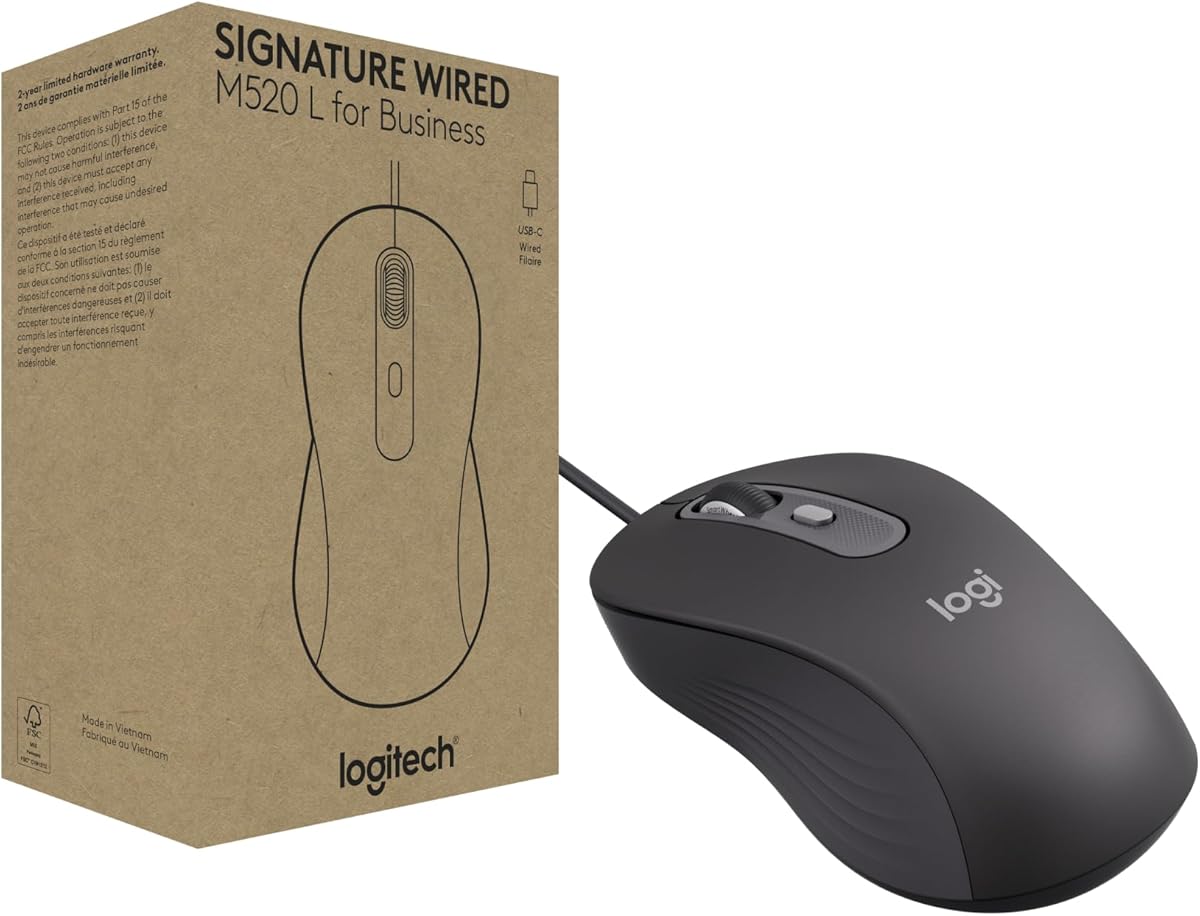
The Logitech M520 L is designed for organizations needing standardized wired solutions. It features a USB-C connection compatible with modern laptops and docking stations. Silent click technology ensures a quiet environment in open workspaces.
We may earn a commission when you buy through this link, at no additional cost to you.
Ambidextrous design allows both left and right-handed users to adapt quickly. Customizable DPI buttons enable quick adjustments for specific tasks. The mouse is built with energy-efficient components to reduce consumption.
Manufactured with significant recycled plastic content to support corporate sustainability goals. It works across Windows macOS Linux and ChromeOS for flexible deployment. The design prioritizes reliability over complex features.
Ideal for IT departments seeking durable peripherals for large teams. It simplifies logistics with plug-and-play connectivity and broad OS support. This model delivers consistent performance for business critical operations.
USB-C wired support ensures compatibility with newer computer models.
Silent Touch technology reduces noise to promote focus in shared work areas.
We may earn a commission when you buy through this link, at no additional cost to you.
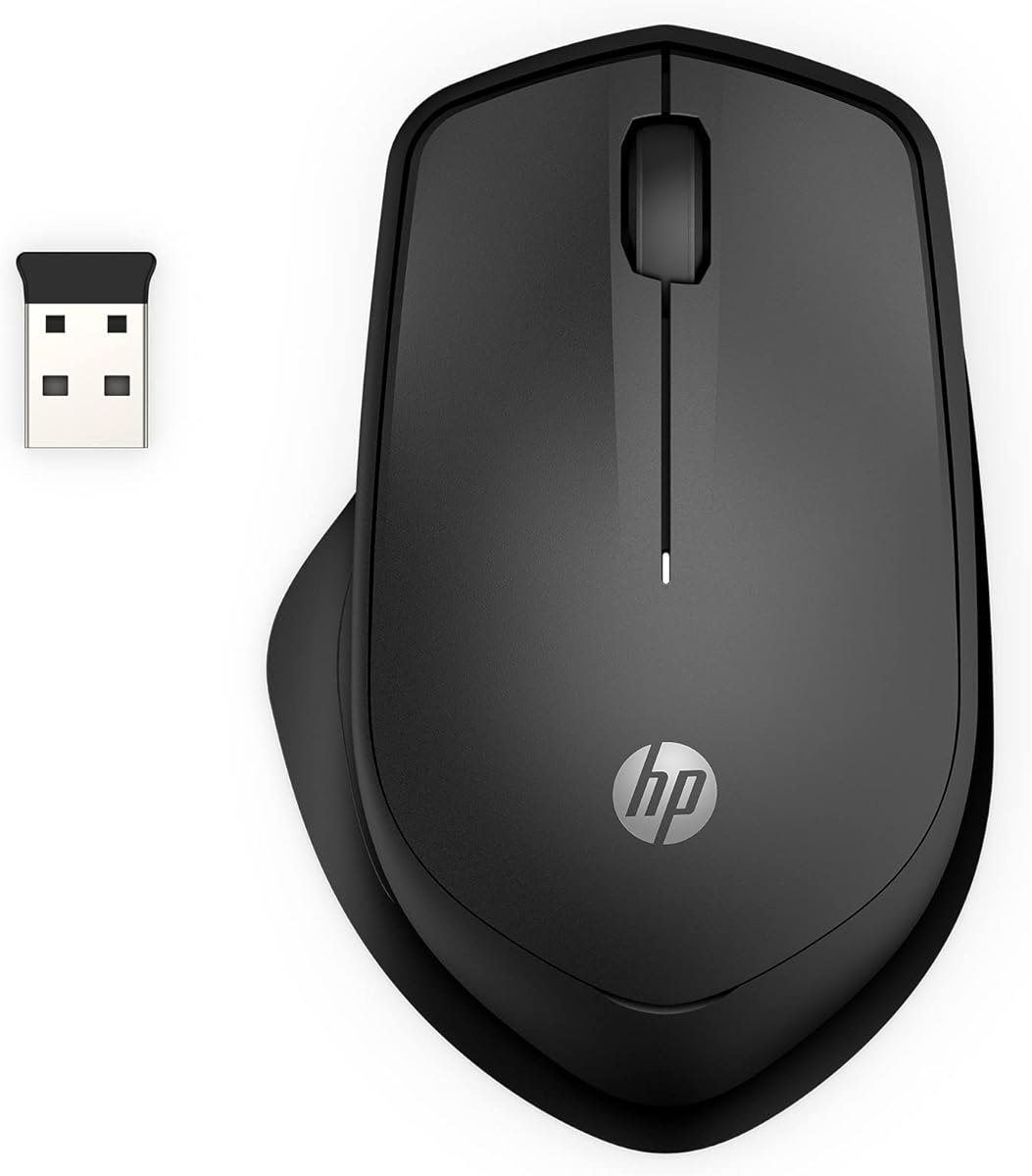
The HP 280 Silent Wireless Mouse delivers quiet operation suitable for shared desks. Its ergonomic right-handed shape fits naturally for prolonged use. Multi-surface technology ensures smooth movement without a mouse pad.
We may earn a commission when you buy through this link, at no additional cost to you.
Noise reduction on buttons provides satisfaction without distraction. The nano receiver stores inside the mouse for easy transport. It supports 18 months of battery life for consistent use.
The 1600 dpi optical sensor offers reliable tracking speed and accuracy. Connectivity is stable within a 32-foot range for flexible desk layouts. This model suits users prioritizing quiet performance and portability.
Recommended for travelers or library users needing a distraction-free tool. It combines essential features with a focus on comfort and silence. This HP mouse offers reliable performance for daily tasks.
Quiet clicks reduce up to ninety percent of the sound typically produced by buttons.
Multi-surface technology allows smooth tracking on virtually any surface.
We may earn a commission when you buy through this link, at no additional cost to you.
The Logitech M650 L combines premium features with ergonomic comfort for large hands. It offers advanced customization options through Logitech Options+ software. Users appreciate the silent clicks and reliable wireless connectivity.
We may earn a commission when you buy through this link, at no additional cost to you.
Side buttons can be remapped to shortcuts enhancing workflow efficiency. Bluetooth Low Energy or Logi Bolt provides flexible connection choices. SmartWheel scrolling ensures precision or speed based on user preference.
Battery life lasts up to 24 months on a single AA battery. The design supports multiple platforms including Android and iOS devices. Rubber grips maintain a secure hold during intensive tasks.
Ideal for power users needing a highly tailored experience. The combination of comfort and flexibility justifies the premium positioning. This model sets a high standard for wireless mouse design.
Software allows remapping of buttons to fit specific application shortcuts.
SilentTouch technology keeps click noise low for distraction-free work.
We may earn a commission when you buy through this link, at no additional cost to you.
The Acer Wireless Mouse offers five adjustable DPI levels for varied tasks. Visual indicators display current sensitivity and battery status clearly. It is rated for ten million clicks ensuring long-term durability.
We may earn a commission when you buy through this link, at no additional cost to you.
Forward and backward buttons speed up navigation for web browsing and file management. Click-to-wake functionality conserves power during inactive periods. The medium-to-large hand design ensures comfort during extended sessions.
Sensitivity ranges from 800 to 4000 DPI adapting to different workflows. The USB-A receiver stores inside the mouse for safe transport. Red lights warn of low power before the battery fails.
Recommended for budget-conscious users needing adaptable performance. The visible indicators reduce guesswork about battery status. This model provides versatile functionality for a reasonable investment.
Visual lights indicate DPI settings and low battery warnings to prevent interruptions.
Constructed to handle ten million clicks ensuring years of reliable daily use.
We may earn a commission when you buy through this link, at no additional cost to you.
Selecting a reliable mouse involves understanding several key factors. We break down the most important features to help you make an informed decision based on your needs.
Durable mice come in both wired and wireless options. Wired connections ensure zero latency and eliminate battery concerns but restrict range. Wireless options provide freedom of movement and a cleaner desk setup.
Choose wired for gaming or stationary setups and wireless for portability and modern aesthetics.
For wireless mice battery efficiency determines maintenance frequency. Some models offer months of use on a single AA battery. Others use rechargeable packs that add convenience but require charging.
Prioritize high-efficiency models if you want to avoid frequent interruptions.
Comfort reduces fatigue during long work sessions. Look for contoured shapes, rubber grips, and adequate palm support. The mouse should fit your hand size to prevent strain.
Select a full-size option for larger hands or a compact design for travel.
Materials like high-grade plastics and reinforced mechanisms enhance longevity. Some models are tested for millions of clicks to ensure durability. Avoid lightweight or flimsy materials if you work heavily.
Check manufacturer ratings for click lifespan and material composition.
Optical and laser sensors differ in surface compatibility. Laser tracking works better on glossy or wood surfaces. Standard optical sensors are usually sufficient for mouse pads.
Choose based on your primary workspace surface to ensure smooth tracking.
Programmable buttons can streamline workflows in specific applications. Look for models with software support to map shortcuts. This feature is valuable for professionals handling data.
Verify software compatibility before purchase to ensure you can use these features.
Ensure the mouse works with your specific OS like Windows or Mac. Some features may be limited on non-Windows systems. Universal compatibility avoids driver conflicts and setup issues.
Choose cross-platform models if you switch between different computers.
Quiet clicks are essential for shared workspaces or libraries. SilentTouch technology reduces sound without sacrificing feedback. Standard clicks might be distracting in open environments.
Opt for silent models if noise sensitivity is a priority for you.
Keep the sensor clean by gently wiping the bottom with a soft cloth. Dust buildup can cause tracking issues and reduced precision. Regular maintenance ensures consistent performance.
For wireless mice, check battery levels before they die completely. Remove batteries during long storage to prevent leakage. This protects internal components from corrosion.
Store your mouse in a protective case if traveling frequently. Avoid placing heavy items on top to prevent casing cracks. Proper storage extends the lifespan of the unit.
Durability depends on build quality and materials used in construction. High-grade plastics and reinforced mechanisms ensure longevity. Models tested for millions of clicks offer the best reliability for daily use.
Wireless mice offer convenience and a cleaner desk setup. However, wired models provide zero latency and no battery concerns. The best choice depends on your need for mobility versus consistency.
Turn off the mouse when not in use to conserve power. Keep the sensor clean and use a stable surface. Avoid frequent DPI switching if it increases power consumption.
This usually indicates a dirty sensor or a weak battery. Clean the bottom with a soft cloth. For wireless models, replace the battery immediately.
Most modern mice are compatible with both operating systems. Basic functions work immediately but advanced features may need software. Check manufacturer specifications for cross-platform support.
Yes, silent mice reduce noise distractions for everyone. They use special switches that dampen sound. This makes them ideal for libraries or collaborative workspaces.
Settings between 800 and 1600 work well for most users. Higher DPI suits large monitors or detailed design work. Lower DPI offers more control for standard browsing tasks.
We explored ten models that balance longevity with comfort and performance. The Logitech M705 stands out for its battery endurance while the M650 L offers premium customization. These top picks suit a variety of workflows.
Prioritize ergonomics and sensor quality to ensure daily comfort. A durable mouse is an investment that pays off in productivity. Consider your specific needs like connectivity or noise levels when deciding.
Please verify current availability and pricing before purchasing. Product details may change over time on retail sites. Select the model that best fits your specific workspace requirements today.