
SteelSeries Nimbus+ Bluetooth Mobile Gaming Controller with iPhone Mount
4.0Editor score
Apple Licensed Device
50+ Hour Battery Life
Tactile D-Pad Buttons
This guide compares the top gaming controllers for Apple TV to help you find the best wireless gamepad for iOS, iPadOS, and tvOS gaming experiences in 2026.
Finding the right gaming controller for Apple TV can transform your living room into a powerful entertainment hub. Whether you prefer competitive shooters or immersive adventures, the right gamepad ensures responsive controls and comfortable gameplay sessions. We have evaluated the most compatible options to simplify your choice.
Our team analyzed compatibility, build quality, battery life, and advanced features across ten leading controllers. We focused on devices that support Bluetooth connectivity, have strong Apple ecosystem integration, and offer reliable performance for tvOS titles. Each product was selected based on user feedback and technical specifications.
Each pick highlights specific strengths and ideal use cases to match your gaming habits. You will find options ranging from budget-friendly picks to premium licensed controllers. Please note that pricing and availability can change frequently, so verify details before purchasing.
4.0Editor score

4.7Editor score

4.4Editor score
The following table provides a side-by-side comparison of all ten controllers evaluated in this guide. It highlights key specifications such as compatibility, battery duration, and unique features to help you make an informed decision quickly.
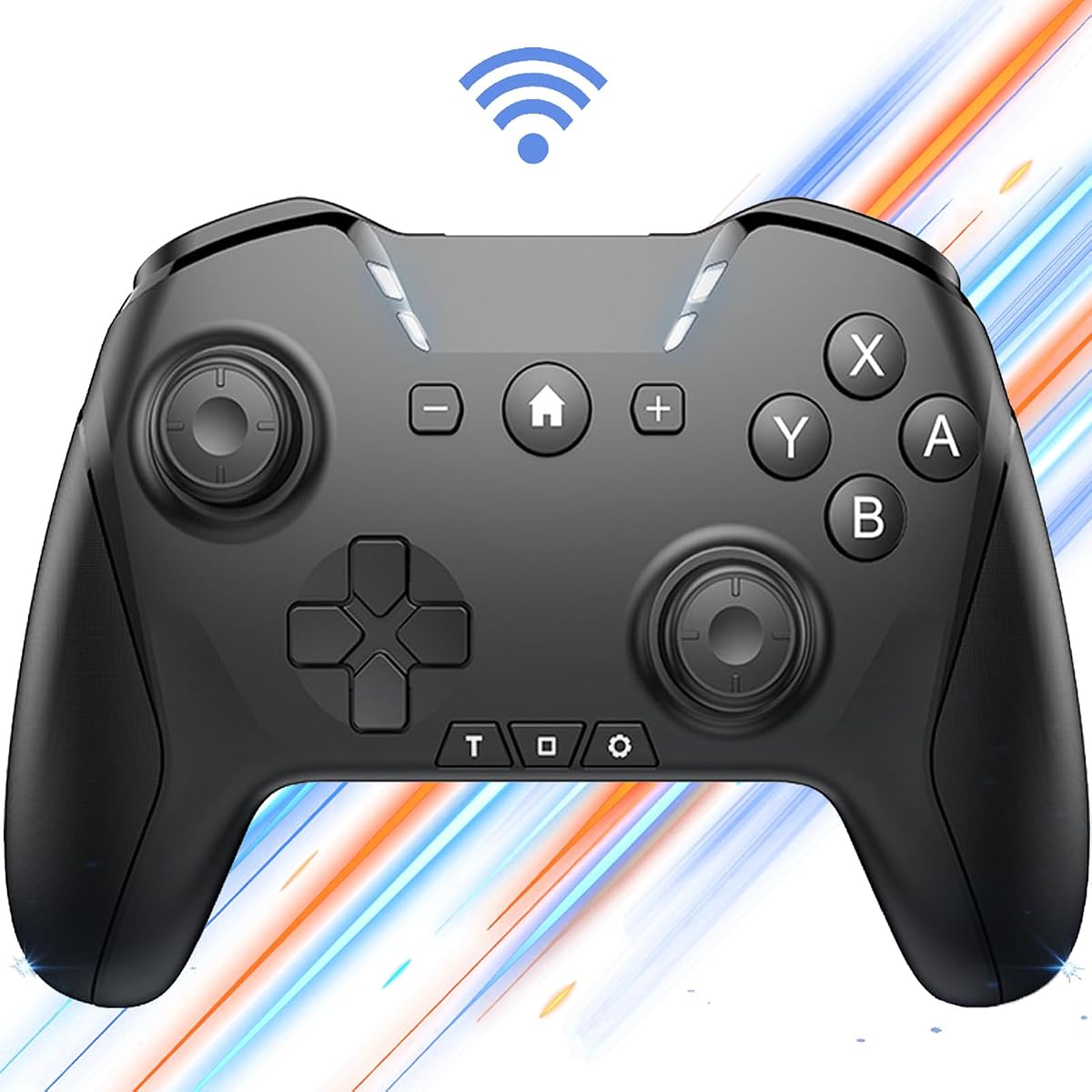

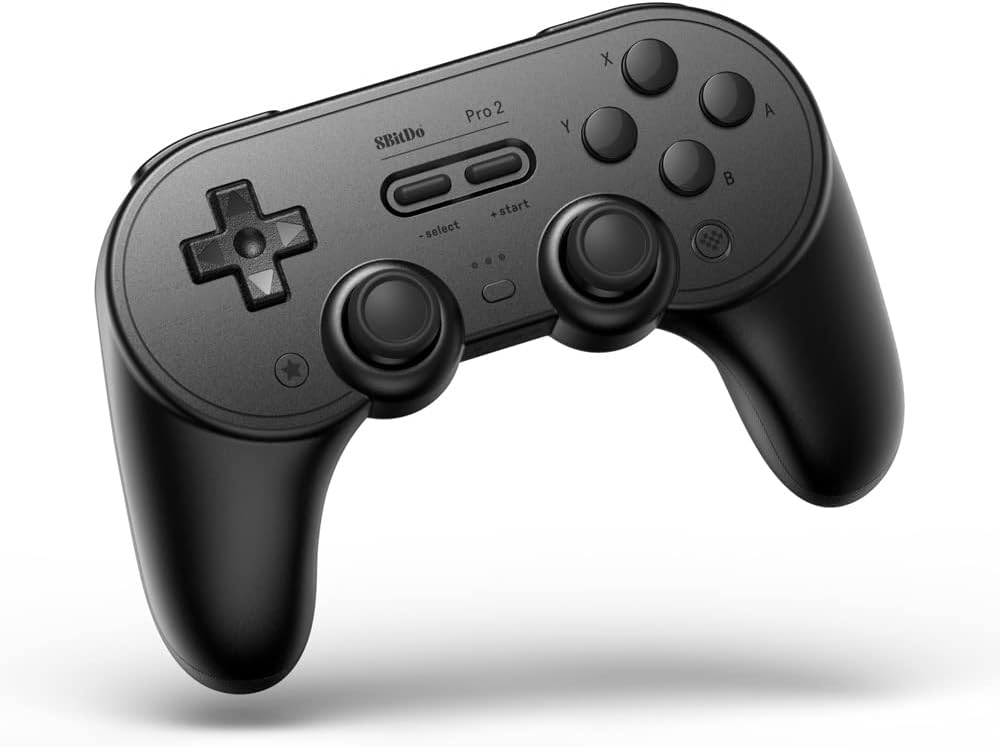


The 8BitDo SN30 Pro stands out as a top choice for gamers who value precision and retro aesthetics. With a high rating of 4.7 stars, it delivers a reliable experience for Apple TV users seeking quality wireless control.
We may earn a commission when you buy through this link, at no additional cost to you.
Its standout feature is the use of Hall Effect Joysticks, which provide superior durability and accuracy compared to traditional potentiometer-based sticks. The controller is officially supported by Apple TV, ensuring seamless Bluetooth pairing and immediate recognition without extra software or drivers.
While the retro design is charming, it does mean the form factor might differ from standard modern controllers, which could affect hand size compatibility. However, this is a minor trade-off given the enhanced precision and battery life offered for extended play sessions.
This controller is ideal for enthusiasts who appreciate classic designs and need precise input for competitive games or platformers on their Apple TV setup. We recommend it for anyone prioritizing accuracy and a unique look.
Hall Effect sensors eliminate stick drift by using magnetic fields rather than physical contact, ensuring consistent input over years of heavy use.
Official support means you can pair directly with tvOS and access native games without compatibility issues or connection drops.
We may earn a commission when you buy through this link, at no additional cost to you.
The SteelSeries Nimbus+ offers a premium experience backed by official Apple licensing, making it one of the safest choices for Apple TV gaming. Users report a solid 4.0 rating due to its reliable connectivity and comfortable design.
We may earn a commission when you buy through this link, at no additional cost to you.
One of its strongest features is the built-in rechargeable battery that lasts over 50 hours on a single charge, reducing the need for frequent recharging. The tactile D-Pad buttons and clickable L3/R3 joysticks provide versatile input options that many standard controllers lack.
The price point is higher than non-licensed alternatives, but the assurance of compatibility and build quality justifies the investment for serious gamers. Some users may find the controller heavier due to the battery, but this adds to the premium feel.
We recommend this controller for users who want guaranteed compatibility and extended battery life for marathon gaming sessions on Apple TV or iOS devices.
Apple licensing ensures the device meets strict quality standards and connects reliably with tvOS, iPadOS, and iOS without pairing issues.
The rechargeable battery supports over 50 hours of play, allowing for weeks of casual gaming on a single charge.
We may earn a commission when you buy through this link, at no additional cost to you.
The VOYEE Switch Controller brings excellent value to the Apple TV gaming market with a competitive price tag and a strong 4.4 rating. It offers features usually found in more expensive controllers, making it accessible for casual gamers.
We may earn a commission when you buy through this link, at no additional cost to you.
Its RGB lightning bolt style adds a fun visual element to your setup, while the 3-speed turbo function helps simplify complex in-game actions. The 6-axis gyro sensor ensures accurate motion controls, which is essential for sports and racing titles on tvOS.
Some users note the build quality is not as robust as premium brands, and pairing sometimes requires patience. However, the inclusion of wake-up functionality and reliable vibration feedback compensates for these minor drawbacks in everyday use.
This controller is a great entry-level choice for families or those new to console gaming who want advanced features without overspending on a device.
Four light modes including breathing and strobe allow you to personalize the controller’s look to match your gaming environment.
Three-speed turbo and four-level vibration feedback enhance immersion and help automate repetitive actions in various games.
We may earn a commission when you buy through this link, at no additional cost to you.
This Bluetooth controller is designed for gamers who switch between multiple platforms, including Apple TV, PC, and consoles. With a 4.0 rating, it promises versatility and specialized features like macro programming for complex operations.
We may earn a commission when you buy through this link, at no additional cost to you.
The ability to program custom button sequences up to 30 seconds long is a standout feature for repetitive tasks or combos. It also supports wake-up functions and has a large 650mAh battery that offers up to 15 hours of continuous playtime.
While the macro programming adds power, it can be intimidating for beginners and requires careful setup to avoid errors. The complexity might also lead to occasional connectivity hiccups depending on the paired device environment.
We suggest this controller for tech-savvy users who want a single device to handle diverse gaming needs across different operating systems.
Program your own operations and interchange functions like left joystick and D-PAD to suit your specific gaming habits.
A 650mAh battery supports up to 15 hours of play and can be recharged via Type-C while you continue playing.
We may earn a commission when you buy through this link, at no additional cost to you.
The renewed SteelSeries Nimbus+ provides an opportunity to own a premium licensed controller at a more accessible price. While the rating is slightly lower at 3.6 due to used condition variability, many units function as well as new ones.
We may earn a commission when you buy through this link, at no additional cost to you.
These controllers are professionally inspected and cleaned to meet specific quality standards, ensuring they work reliably for Apple TV sessions. The core benefits of the Nimbus+ like its battery and tactile buttons remain intact despite being refurbished.
The main trade-off is the potential for cosmetic imperfections or a shorter warranty window compared to a brand-new purchase. Buyers should check return policies to ensure they are comfortable with the condition of the product.
This is a great option for budget-conscious gamers who trust the brand and want a reliable licensed device without the full price cost.
Renewed products are tested and cleaned to meet Amazon Renewed quality standards for performance and appearance.
The device offers a stable wireless connection for responsive gameplay without cables across supported Apple devices.
We may earn a commission when you buy through this link, at no additional cost to you.
The 8BitDo Pro 2 is a powerhouse for multi-device gaming with its ability to switch between four different devices easily. It holds a strong 4.5 rating for its robust build and official support for Apple TV and macOS environments.
We may earn a commission when you buy through this link, at no additional cost to you.
Two back buttons offer additional input options that are perfect for mapping actions like sprinting or jumping without taking hands off the main controls. The controller includes custom profile switching and an enhanced grip for comfort during long sessions.
While highly versatile, it can feel a bit large for smaller hands and requires firmware updates via software for optimal performance. These are minor considerations given the functionality and wide compatibility it offers out of the box.
We recommend this controller for gamers who use multiple platforms and need advanced customization options for their Apple TV setup.
Pro-level back buttons allow for more complex input options across various game genres and play styles.
Switch between devices like Switch, PC, and iOS with a dedicated button to reduce connection time and effort.
We may earn a commission when you buy through this link, at no additional cost to you.
The SteelSeries Nimbus+ continues to be a reliable choice for Apple TV users who prioritize stability over extra features. With a 4.1 rating, it is known for its consistent Bluetooth performance and straightforward usability for most titles.
We may earn a commission when you buy through this link, at no additional cost to you.
Its rechargeable battery ensures you can game for extended periods without interruptions, and the responsive controls are tuned for Apple devices. The controller is fully compatible with tvOS, making it a plug-and-play solution for cloud gaming apps.
While it lacks the turbo or macro functions found in budget brands, its simplicity is a benefit for those who prefer a clean, distraction-free interface. The build is durable and fits well in most hands during extended play.
This controller is best for users who want a no-nonsense, high-quality device that works seamlessly with their existing Apple ecosystem.
Bluetooth wireless technology ensures stable connection for responsive gameplay without needing extra cables or adapters.
Buttons and analog sticks are designed to be responsive for precise control across a variety of game types.
We may earn a commission when you buy through this link, at no additional cost to you.
The AceGamer Aurora II brings Hall Effect technology to a more affordable tier, ensuring precise and drift-free joystick control. With a 4.2 rating, it appeals to gamers who want accuracy and customization options like programmable back keys.
We may earn a commission when you buy through this link, at no additional cost to you.
Its large 1000mAh battery provides extended playtime, and the 2.4G wireless connection offers stability against interference during gameplay. The controller also includes two customizable back keys that enhance control schemes for complex actions.
Users should note that the 2.4G mode requires pressing specific buttons to pair with the receiver, which can be slightly complex initially. Additionally, pairing via Bluetooth needs to be done carefully to ensure it connects to the correct device.
We recommend this controller for those looking for high-end joystick tech and customization features without the premium price tag.
Hall Effect sensors provide precise and reliable input detection for smooth and accurate in-game movement.
Two programmable buttons on the back allow you to customize trigger combos for enhanced gaming convenience.
We may earn a commission when you buy through this link, at no additional cost to you.
The Official Luna Wireless Controller is designed specifically for cloud gaming but connects via Bluetooth to Apple TV effectively. It carries a 4.4 rating for its responsive action buttons and smooth screen switching capabilities during gameplay.
We may earn a commission when you buy through this link, at no additional cost to you.
Its standout feature is seamless screen switching, allowing you to pause on one device and resume on another instantly. This makes it ideal for players who want flexibility between TV and mobile devices using compatible streaming apps.
While it works across various platforms like Fire TV and Windows, its primary optimization is for Amazon Luna which may limit its utility for native tvOS games. Users seeking a general-purpose controller might prefer a more versatile option.
This controller is a great choice for heavy cloud gaming users who also have an Apple TV setup for flexible access to titles.
Pause your game on one screen and pick up right where you left off on another with Luna connectivity.
Connects directly to custom game servers using Cloud Direct technology for low-latency gameplay experiences.
We may earn a commission when you buy through this link, at no additional cost to you.
The GMBACK Wireless Switch 2 Pro offers unique loop macro capabilities that automate repeated actions in games. With a 4.1 rating, it appeals to gamers who value productivity features alongside standard control functionality on Apple TV.
We may earn a commission when you buy through this link, at no additional cost to you.
You can record custom button sequences up to 30 seconds and loop them for farming or grinding tasks. The controller also features a 800mAh battery offering 15 to 20 hours of playtime and includes wake-up functionality for convenience.
Setting up macros can take time and understanding of the controller's functions, which may be a barrier for some users. Additionally, while it supports Apple devices, it may not have official certification, leading to occasional compatibility checks.
This controller is a solid pick for players who need automation tools and long battery life for extended sessions.
Record custom button sequences to automatically replay actions, ideal for repetitive tasks in gaming.
An 800mAh battery supports up to 20 hours of gameplay with just 2-3 hours of charging time.
We may earn a commission when you buy through this link, at no additional cost to you.
Selecting the right controller involves evaluating compatibility, battery life, and special features to match your gaming style.
Ensure the controller supports tvOS or is explicitly licensed by Apple for seamless pairing. Licensed controllers reduce the risk of connection issues and offer native support for Apple Arcade titles.
Bluetooth is the standard for Apple TV but check for latency or interference issues. Some controllers also offer 2.4G wireless which may provide better stability for specific setups.
Look for controllers offering at least 15 hours of playtime to avoid frequent interruptions. Rechargeable batteries via USB-C are preferable for convenience and environmental considerations.
Consider the weight and shape of the controller to ensure comfort during long sessions. Textured grips and balanced designs can reduce hand fatigue significantly.
Features like turbo buttons, motion controls, or programmable macros can enhance gameplay. Choose based on whether you need these tools for specific game genres.
Hall Effect joysticks provide higher precision and durability compared to traditional analog sticks. They are worth the extra cost if you play competitively.
Controllers range from budget-friendly to premium licensed options. Balance cost against the features you actually need to get the best value.
If you game on multiple devices like Switch or PC, a controller that supports switching between them is practical. It simplifies your setup and saves money on multiple devices.
Pair your controller with Apple TV by enabling Bluetooth in settings and pressing the sync button on the gamepad until the LED flashes. Select the device from the list to complete pairing.
Controllers like the SteelSeries Nimbus+ and 8BitDo SN30 Pro offer official or seamless support. Licensed devices guarantee optimal performance and compatibility with tvOS.
Some brands like SteelSeries recommend updating firmware via their app for best compatibility. Check the product description for update instructions.
Motion controls, vibration feedback, and long battery life enhance the experience. Look for controllers with D-Pads and responsive triggers for better play.
Yes, many Switch Pro controllers support Bluetooth pairing with Apple TV via tvOS. Verify Bluetooth compatibility before purchase.
Most modern controllers pair directly without extra setup. Ensure Bluetooth is enabled and the controller is in pairing mode before connecting.
Quality controllers provide 15 to 50 hours of play per charge. This varies by model and usage intensity so check specs.
We recommend the 8BitDo SN30 Pro for its precision and official Apple support, while the SteelSeries Nimbus+ is perfect for premium reliability.