
Acer Nitro V Gaming Laptop
4.6Editor score
RTX 4050 Graphics
165Hz Refresh Rate
Thunderbolt 4 Port
Finding the right machine for Diablo 4 requires more than just raw power. You need a laptop that handles intense combat, complex effects, and long sessions without overheating or slowing down during critical moments.
We compared ten top gaming laptops based on their processors, graphics cards, display quality, and cooling systems. Each model was evaluated on how well it supports the specific demands of action RPGs like Diablo 4.
Each pick below highlights key strengths and ideal user scenarios. Prices and availability can change frequently, so verify current listings before making your final decision to ensure you get the best deal available.
4.6Editor score

4.4Editor score

4.3Editor score
As an Amazon Associate we earn from qualifying purchases.
This side-by-side comparison shows the key specifications for all ten selected gaming laptops to help you quickly identify the model that fits your performance needs and budget constraints.




This ASUS ROG Strix G16 offers exceptional performance for Diablo 4 with its powerful CPU and GPU combination. The high refresh rate display ensures smooth visuals during intense combat sequences in Sanctuary.
We may earn a commission when you buy through this link, at no additional cost to you.
Its advanced cooling system keeps temperatures low even during long gaming sessions. The NVIDIA RTX 5060 supports DLSS 4 which significantly boosts frame rates while maintaining image quality.
While the price is higher than budget options, the build quality and performance justify the investment. The vapor chamber cooling and tri-fan technology prevent thermal throttling during extended play.
Buyers seeking a premium experience who want reliable performance for both gaming and content creation should consider this model. It handles Diablo 4 settings effortlessly while offering great future-proofing.
The ROG Intelligent Cooling system uses an end-to-end vapor chamber and liquid metal to maintain optimal operating temperatures.
Powered by NVIDIA Blackwell architecture, this laptop supports DLSS 4 for enhanced frame generation and ray tracing performance.
We may earn a commission when you buy through this link, at no additional cost to you.
This Acer Nitro V 16S stands out with its generous 32GB of DDR5 memory which is rare at this price point. It handles multitasking while running Diablo 4 smoothly.
We may earn a commission when you buy through this link, at no additional cost to you.
The AMD Ryzen 7 260 processor delivers excellent AI performance with 38 AI Overall TOPS. This helps with background tasks and enhances gaming efficiency through intelligent resource allocation.
The display offers vibrant colors with 100% sRGB coverage and a smooth 180Hz refresh rate. This ensures fluid motion during fast-paced battles without ghosting effects.
Ideal for users who need high memory capacity for streaming and editing alongside gaming. The combination of power and value makes it a strong contender in its category.
The processor includes AI features that boost performance for gaming and content creation tasks simultaneously.
Accurate colors and high refresh rate provide an immersive visual experience for dark dungeon environments.
We may earn a commission when you buy through this link, at no additional cost to you.
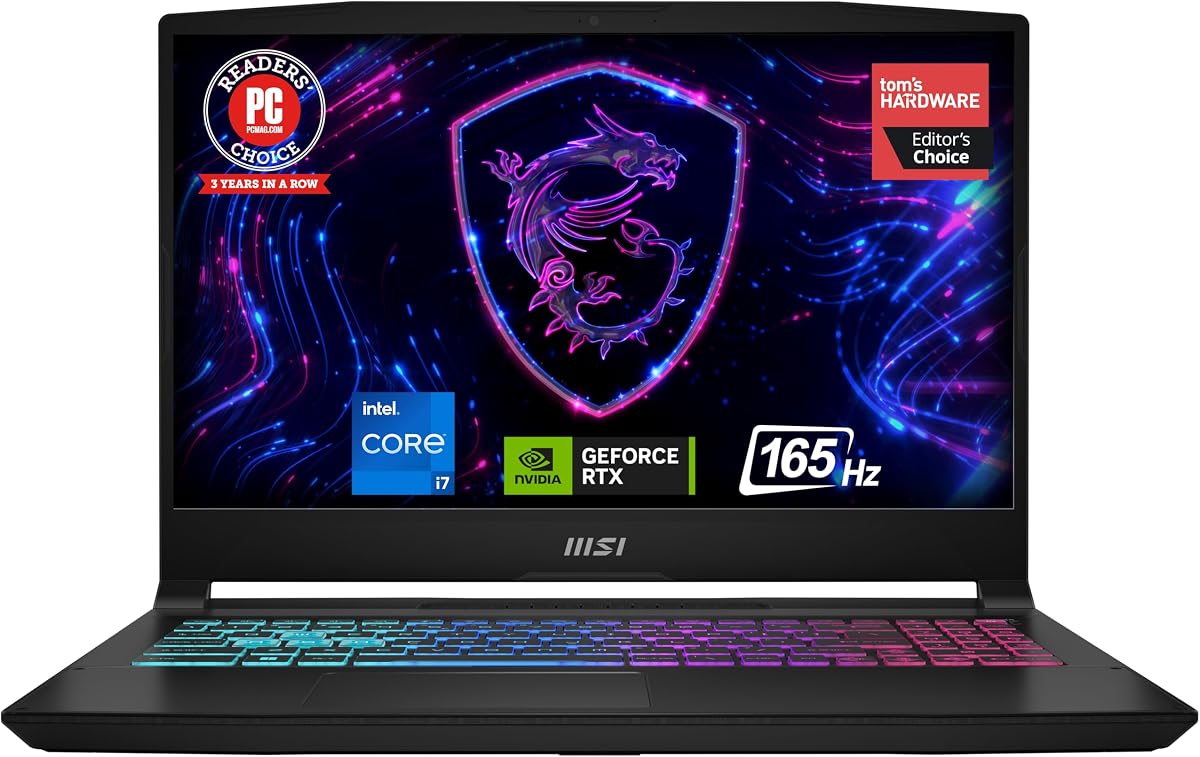
This budget-friendly option delivers solid performance for Diablo 4 without breaking the bank. It features a capable i7 processor and RTX 4050 GPU that handles the game well at high settings.
We may earn a commission when you buy through this link, at no additional cost to you.
The 165Hz display ensures smooth gameplay and the 1TB SSD loads levels quickly. Wi-Fi 6 provides stable connectivity for multiplayer sessions in the shared world.
While the graphics card is not as powerful as newer models, DLSS 3.5 helps maintain good frame rates. The thermal system keeps the device cool during intense dungeon crawls.
Perfect for gamers on a tight budget who still want a reliable machine. It balances cost and performance effectively for casual to intermediate Diablo 4 players.
Thunderbolt 4 allows fast data transfer and external display connections for expanded setups.
Offers strong value for the price with adequate specs to run the game smoothly.
We may earn a commission when you buy through this link, at no additional cost to you.
This premium model offers the highest performance available in the list. The RTX 5070 Ti GPU handles ray tracing and max settings in Diablo 4 with ease.
We may earn a commission when you buy through this link, at no additional cost to you.
The 2.5K display provides incredibly detailed visuals which enhance the dark and moody atmosphere of the game. Combined with a 240Hz refresh rate, every action looks fluid.
The Intel Core Ultra 9 processor ensures no bottlenecks during heavy computational tasks. It supports advanced AI features for optimized power usage and performance.
Recommended for enthusiasts who demand the absolute best gaming experience regardless of price. It is a powerhouse that will remain relevant for years to come.
The ROG Nebula display delivers sharp colors and high brightness for immersive gameplay.
Advanced cooling ensures consistent performance even under heavy load for extended periods.
We may earn a commission when you buy through this link, at no additional cost to you.
The large 17.3 inch display offers more screen real estate which is great for spotting enemies in Diablo 4. It is surprisingly thin and light for its size.
We may earn a commission when you buy through this link, at no additional cost to you.
Powered by the Intel Core 7 and RTX 5060 it delivers smooth performance across the larger area. The design allows for comfortable viewing angles without excessive bulk.
While the refresh rate is standard, the visuals remain sharp and responsive. The build quality feels durable enough for travel despite its size.
Ideal for players who prefer a bigger screen without switching to a desktop. It balances portability with screen size effectively for a gaming laptop.
Despite the large screen it remains thin enough to carry in a backpack for casual use.
The expansive display improves immersion during exploration and combat sequences in Sanctuary.
We may earn a commission when you buy through this link, at no additional cost to you.
This HP Victus comes with 32GB of RAM which is excellent for multitasking while streaming. It has a high customer rating indicating strong satisfaction and reliability.
We may earn a commission when you buy through this link, at no additional cost to you.
The AMD Ryzen processor provides efficient performance for gaming tasks. The 144Hz display offers smooth motion and the backlit keyboard aids in dark environments.
While not the most powerful, the high memory makes it versatile for other tasks. The design is sleek and suitable for both gaming and professional settings.
Great for those who value memory capacity and build reliability over raw graphical power. It is a solid choice for steady performance in Diablo 4.
Users report excellent stability and performance for both gaming and work tasks.
32GB RAM ensures smooth handling of heavy applications alongside the game.
We may earn a commission when you buy through this link, at no additional cost to you.
This entry level laptop offers a 165Hz display at a low price point making it attractive for budget buyers. The i5 processor handles the game well at moderate settings.
We may earn a commission when you buy through this link, at no additional cost to you.
While the memory is limited to 8GB it allows for basic gaming needs. The 512GB SSD provides fast boot times though storage fills up quickly with multiple games.
The display ensures smooth visuals during combat which is critical for responsiveness. It is a good starter machine for those new to gaming laptops.
Best suited for budget conscious users who prioritize display speed over raw capacity. It serves as an entry point into the gaming laptop category effectively.
The high refresh rate reduces motion blur for better targeting in fast combat.
Offers essential gaming features at an accessible price for new gamers.
We may earn a commission when you buy through this link, at no additional cost to you.
This model features a 16 inch screen with a 16:10 aspect ratio offering more vertical space. The 180Hz refresh rate ensures fluid visuals during intense encounters.
We may earn a commission when you buy through this link, at no additional cost to you.
The Intel Core 7 processor handles multitasking well though the GPU is less powerful than others. It is designed to maintain stable performance under pressure.
The cooling system effectively manages heat so throttling is minimized during gameplay. It offers a good balance between screen quality and performance at this price.
Ideal for users who want a larger screen with high refresh rate without a high cost. It serves well for casual and intermediate gaming sessions.
The 16:10 ratio provides extra vertical viewing area for better map visibility.
Advanced cooling maintains performance during long hours of gameplay.
We may earn a commission when you buy through this link, at no additional cost to you.
The RTX 4070 GPU delivers strong graphical performance suitable for high settings in Diablo 4. The QHD display provides sharp images and vibrant colors for better detail.
We may earn a commission when you buy through this link, at no additional cost to you.
It handles complex effects and lighting well ensuring smooth gameplay. The cooling system works efficiently to keep components within safe operating temperatures.
While the price is higher than entry options the graphical power offers excellent longevity. It supports modern gaming trends well into the future.
Recommended for gamers who prioritize graphical fidelity and future proofing. It is a robust machine for high fidelity gaming sessions.
The RTX 4070 handles demanding graphics and ray tracing effects smoothly.
QHD resolution offers crisp visuals for spotting enemies in dark areas.
We may earn a commission when you buy through this link, at no additional cost to you.
This laptop features a slim chassis with a 180 degree hinge allowing flexible positioning. The RTX 5060 GPU ensures strong performance for modern titles like Diablo 4.
We may earn a commission when you buy through this link, at no additional cost to you.
The Ryzen 7 processor provides reliable multitasking capabilities during gaming. AI features help optimize performance and power usage dynamically based on demand.
The build quality is solid and supports comfortable viewing angles. It is designed to offer a premium feel in a portable form factor.
Ideal for users who want a blend of performance and sleek design. It supports gaming needs without sacrificing aesthetics or portability.
The 180 degree hinge allows the laptop to lay flat for easier use.
Intelligent interfaces help manage resources for better overall efficiency.
We may earn a commission when you buy through this link, at no additional cost to you.
Choosing the right laptop involves evaluating several critical factors to ensure smooth gameplay and longevity.
The GPU is the most important component for gaming. Look for RTX 4050 or higher to handle ray tracing and high settings without stuttering.
Prioritize models with dedicated VRAM to ensure smooth textures and effects in large open areas.
A strong CPU helps with physics calculations and AI behaviors in the game. Intel Core i7 or AMD Ryzen 7 are recommended for balanced performance.
Ensure the processor supports modern instruction sets to maximize efficiency during heavy gaming loads.
16GB of RAM is a good baseline for gaming and multitasking. 32GB offers extra headroom for streaming and background apps.
Choose DDR5 memory for faster data transfer rates which improves overall system responsiveness.
Refresh rates of 144Hz or higher make combat feel smoother and more responsive. Higher resolution screens help you spot enemies in dim environments.
Look for IPS panels to ensure accurate colors and wide viewing angles for immersion.
Gaming laptops generate significant heat during long sessions. Effective cooling prevents throttling and keeps performance consistent.
Laptops with vapor chambers or multiple fans typically offer better thermal management than single fan systems.
A fast SSD reduces loading times for maps and zones. Gen 4 SSDs offer rapid data access which is essential for large game files.
Select a model with at least 512GB of storage to accommodate the game and other applications easily.
Wi-Fi 6 ensures stable online connections for multiplayer games. USB-C ports allow for fast data transfer and external device support.
Multiple ports reduce the need for adapters when connecting peripherals like headsets and mice.
While gaming drains battery quickly, a decent battery allows for short usage sessions. Look for efficient power management features.
A reliable charger is essential for extended gaming sessions away from a power outlet.
Always place your laptop on a hard flat surface to ensure proper airflow. Soft surfaces like beds can block vents and cause overheating during intense gameplay.
Keep the system updated by installing the latest graphics drivers and BIOS patches. These updates often improve performance and fix compatibility issues with new game content.
Clean the keyboard and vents regularly using compressed air to prevent dust buildup. Dust accumulation can restrict airflow and reduce cooling efficiency over time.
To run Diablo 4 smoothly at high settings, an NVIDIA RTX 4050 or equivalent is recommended. Lower GPUs can work at reduced settings but may struggle with ray tracing and dense combat.
16GB is the standard minimum for modern gaming and multitasking. If you stream or use many background apps, 32GB provides better stability and performance headroom.
A 144Hz display makes movement smoother and helps with reaction times in combat. While not strictly necessary, it significantly enhances the overall gaming experience.
Many laptops allow RAM upgrades but some are soldered. Check the specifications for available slots before buying if you plan to increase memory capacity later.
Ray tracing is supported on laptops with RTX GPUs but performance varies. Higher tier cards like the RTX 5060 or 4070 handle it better than lower end options.
Effective thermal management keeps the laptop quiet and prevents slowdowns. Vapor chambers and multiple fans are indicators of a well designed cooling system.
We reviewed ten gaming laptops capable of handling Diablo 4 effectively. The ASUS ROG Strix G16 stands out as the top choice for performance and balance.
Consider your budget and needs when selecting a model. Entry level options offer solid performance while premium models provide future-proofing and visual fidelity.
Check current prices and availability before purchasing as deals vary frequently. Ensure the model meets your requirements for both gaming and daily tasks.