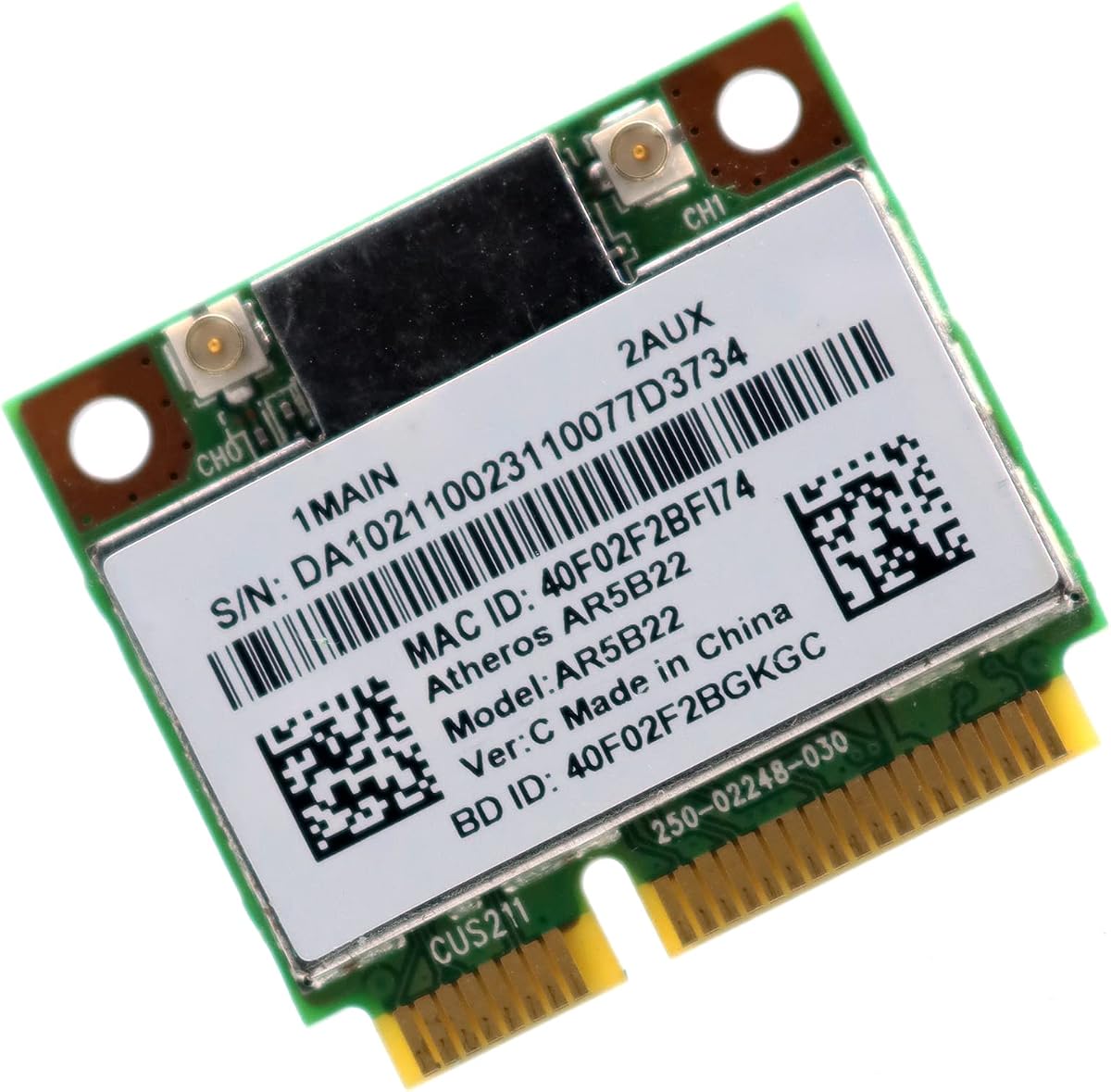
Deal4GO AR5B22 Half Mini PCie Card
4.7Editor score
Affordable entry level pricing
Dual band 5GHz support
Includes mounting screws
This guide compares the best Half Mini Pcie WiFi Bluetooth Card options for laptop upgrades featuring dual band speeds and reliable wireless connectivity
Upgrading your laptop with a Half Mini Pcie WiFi Bluetooth Card can restore wireless performance and extend the life of older devices. These compact modules provide dual band connectivity and integrated Bluetooth for seamless peripheral pairing without external dongles.
We evaluated ten top rated models based on throughput, range, compatibility, and driver support. Each selection balances cost against performance to help you identify the right upgrade path for your specific hardware configuration and network demands.
Every pick includes detailed specifications and compatibility notes to ensure proper fit before purchase. Prices and availability fluctuate regularly so verify current details via the linked product pages before finalizing your upgrade decision.
4.7Editor score
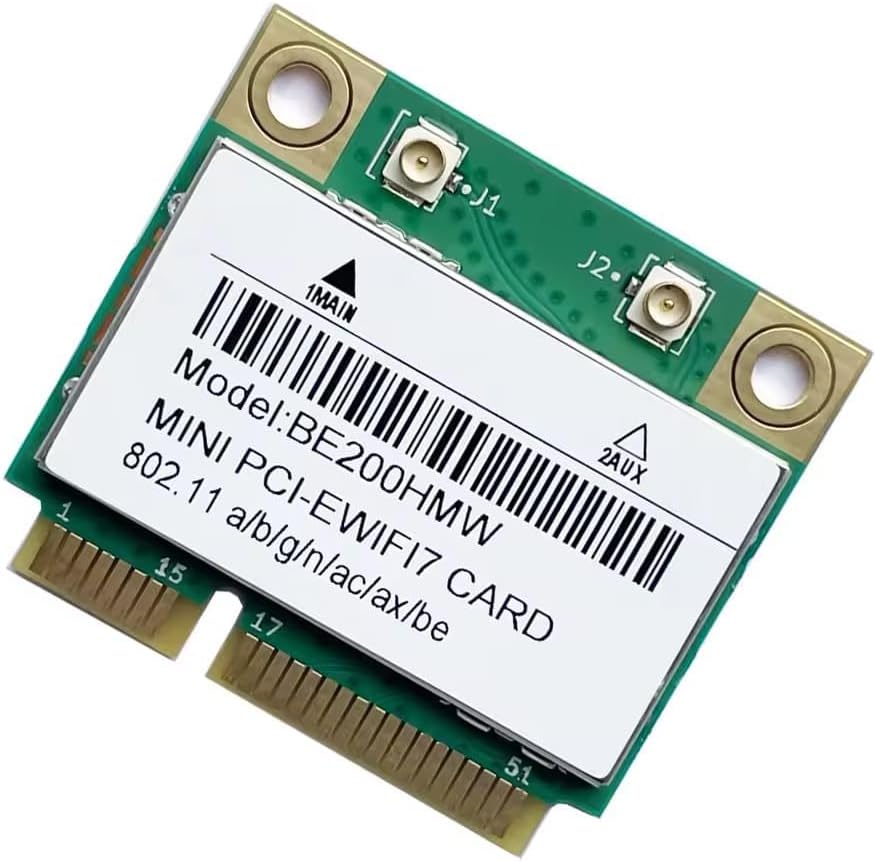
4.6Editor score

4.5Editor score
The following table presents a side by side comparison of all ten selected Half Mini Pcie WiFi Bluetooth Card models. Review each model’s interface type, maximum data rates, and supported operating systems to determine the best fit for your specific laptop hardware and wireless needs.



This BE200 Half Mini PCIe card delivers cutting edge performance with up to 5.8 Gbps throughput and Bluetooth 5.4 support. Its 4.6 rating reflects strong reliability for users seeking maximum wireless speed in compatible systems.
We may earn a commission when you buy through this link, at no additional cost to you.
The standout feature is its dual band capacity enabling lag free gaming and smooth 4K streaming. Enhanced WPA3 encryption provides superior network security while the compact form factor ensures a clean internal installation in your chassis.
While it offers top tier speeds users should note that antennas are not included in the package. Additionally this model requires a Half Mini PCIe slot and is not compatible with M.2 or CNVi interfaces which limits broader adoption.
Buy this card if you prioritize raw throughput and modern Bluetooth standards over cost. It is the best choice for users with supported laptops who want to maximize their network potential without relying on external adapters.
The BE200 delivers speeds up to 5.8 Gbps enabling rapid file transfers and buffer free streaming even in congested environments.
Bluetooth 5.4 support ensures low energy connections for keyboards headsets and mice with improved range and stability over older versions.
We may earn a commission when you buy through this link, at no additional cost to you.
The Deal4GO AR5B22 is an affordable Half Mini PCie card offering dual band WiFi 802.11n and Bluetooth 4.0. It holds a high 4.7 rating for reliability making it ideal for budget constrained users needing basic wireless connectivity.
We may earn a commission when you buy through this link, at no additional cost to you.
It supports both 2.4GHz and 5GHz bands allowing better interference resistance compared to single band alternatives. The package includes screws and uses standard IPEX MHF4 connectors which simplifies installation for most DIY laptop upgrades.
This model does not support 802.11ac so users expecting gigabit WiFi speeds may find it limiting. Some Lenovo or HP laptops may require BIOS whitelisting modifications to function correctly with this third party adapter.
Select this card if you need a functional and inexpensive upgrade for legacy laptops. It balances cost and performance well for casual browsing and media consumption without demanding high speed throughput.
Despite its low cost the card supports 5GHz frequencies providing clearer connections and reduced interference than older single band models.
Included screws and standard IPEX connectors ensure that mounting the card is straightforward without needing additional tools or adapters.
We may earn a commission when you buy through this link, at no additional cost to you.
This EDUP AX210HMW offers Wi-Fi 6E tri-band speeds up to 5400Mbps and Bluetooth 5.3. It rates 4.5 and is suited for users wanting the latest wireless standards on compatible half mini PCIe laptops.
We may earn a commission when you buy through this link, at no additional cost to you.
The addition of the 6GHz band provides exclusive channels for minimal interference ideal for crowded wireless environments. Its MU-MIMO technology allows efficient data handling for multiple devices simultaneously ensuring stable connections.
Users must download and install drivers manually from Intel or EDUP websites before first use. Also it does not support all IBM Lenovo or HP laptops due to BIOS whitelists limiting its compatibility scope.
Choose this card for maximum future proofing and speed in supported systems. It is the premium choice for professionals requiring low latency and robust throughput for demanding tasks like video conferencing.
Accessing the 6GHz band alongside traditional frequencies unlocks dedicated high speed channels for uninterrupted performance.
A one year warranty and lifetime technical support provide peace of mind for long term usage and potential troubleshooting.
We may earn a commission when you buy through this link, at no additional cost to you.
The 7260HMW Mini PCIe WiFi Card offers dual band connectivity with speeds up to 867Mbps and integrated Bluetooth 4.0. It holds a 4.6 rating for stable performance in everyday computing tasks on compatible laptops.
We may earn a commission when you buy through this link, at no additional cost to you.
Its dual band design supports both 2.4GHz and 5GHz frequencies reducing congestion and improving range. The compact half mini PCIe form factor fits easily into standard slots while delivering reliable throughput for streaming and browsing.
Bluetooth 4.0 is functional but less efficient than newer standards for battery life and range. Users seeking the latest features like Wi-Fi 6 will need to look at more modern cards instead.
Buy this card for a solid reliable upgrade if you do not need the absolute fastest speeds. It is ideal for general users seeking improved wireless performance without complex configuration requirements.
Supporting both 2.4GHz and 5GHz bands ensures stable connections even when surrounding networks are congested.
Driver availability across Windows 7 to 10 makes setup straightforward for older systems still in active use.
We may earn a commission when you buy through this link, at no additional cost to you.
This MQUPIN Dual Band Wireless card uses Intel 7260.HMW technology to deliver speeds up to 867Mbps with Bluetooth 4.0. It has a 4.3 rating and is compatible with many laptops excluding specific IBM HP Lenovo models.
We may earn a commission when you buy through this link, at no additional cost to you.
It supports 802.11ac and extends channel bonding for greater capacity and reduced interference. Linux users benefit from kernel support alongside Windows 7 to 10 making it versatile across different operating systems.
A critical compatibility factor is that the motherboard must support USB bus for Bluetooth functionality. Without this feature the card will only function as WiFi and not provide the integrated Bluetooth capability.
Select this card if you need a versatile and cost effective upgrade with decent speeds. It works well in standard laptops that do not have restrictive BIOS whitelists or proprietary hardware checks.
Drivers are available for Linux 4.2.0+ and Windows 7 through 10 ensuring flexibility for diverse computing environments.
The lightweight module board is designed to avoid corrosion and abrasion ensuring reliable long term operation.
We may earn a commission when you buy through this link, at no additional cost to you.
This WiFi 6E Mini PCIe card offers tri-band speeds up to 5400Mbps and Bluetooth 5.3. It holds a 4.6 rating for delivering fast responsive connectivity to laptops with compatible Half Mini PCIe slots.
We may earn a commission when you buy through this link, at no additional cost to you.
The dedicated 6GHz band provides seven exclusive channels reducing congestion significantly compared to shared bands. Combined with 160MHz channel width this card ensures high throughput for video conferencing and gaming.
Full speed requires a WiFi 6E router which may be an additional investment. It only supports Windows 10 and 11 64-bit so users on older OS versions will need to upgrade their system first.
Choose this card if you want to leverage the latest WiFi standards for optimal performance. It is best suited for power users who value low latency and high capacity for multiple devices.
Operating on the 6GHz band ensures less interference from neighbors allowing stable and consistent performance.
Bluetooth 5.3 offers four times the range of older versions ensuring reliable peripheral connectivity across rooms.
We may earn a commission when you buy through this link, at no additional cost to you.
This MPE-AX3000H card delivers up to 2.4Gbps via 160MHz and includes Bluetooth 5.2. It rates 4.5 for being an effective upgrade for older laptops needing modern speeds without expensive hardware changes.
We may earn a commission when you buy through this link, at no additional cost to you.
OFDMA and MU-MIMO technologies increase capacity allowing multiple devices to connect without slowdowns. It supports WPA3 security ensuring your network remains protected from modern threats while maintaining fast speeds.
Drivers for WiFi and Bluetooth must be downloaded separately which adds a step to setup. It is also not compatible with most Lenovo ThinkPad and some HP laptops due to BIOS restrictions.
Buy this card if you need efficient multi-device handling and solid speeds. It suits users seeking better performance for home offices with several connected gadgets requiring stable links.
OFDMA technology allows the card to handle traffic from many devices simultaneously reducing lag during peak usage.
WPA3 security encryption ensures robust protection for your wireless data against unauthorized access attempts.
We may earn a commission when you buy through this link, at no additional cost to you.
This BroadCom BCM943228HMB card offers dual frequency WiFi and Bluetooth 4.0. It has a perfect 5.0 rating and is optimized for HP laptops ensuring stable and compatible wireless performance.
We may earn a commission when you buy through this link, at no additional cost to you.
It supports 802.11a/b/g/n standards with speeds up to 300Mbps which suffices for general web browsing and streaming. The dual frequency design helps avoid congestion while keeping power usage low.
This model does not support 802.11ac limiting maximum throughput compared to newer cards. It is ideal for legacy HP systems where compatibility is more important than achieving top speed speeds.
Choose this card for reliable connectivity in HP compaq and similar legacy models. It ensures that older laptops regain stable wireless functionality without requiring extensive hardware modifications.
Designed specifically for HP and Compaq laptops this card ensures maximum compatibility and seamless operation.
Supporting both 2.4GHz and 5GHz bands provides better range and resistance to interference.
We may earn a commission when you buy through this link, at no additional cost to you.
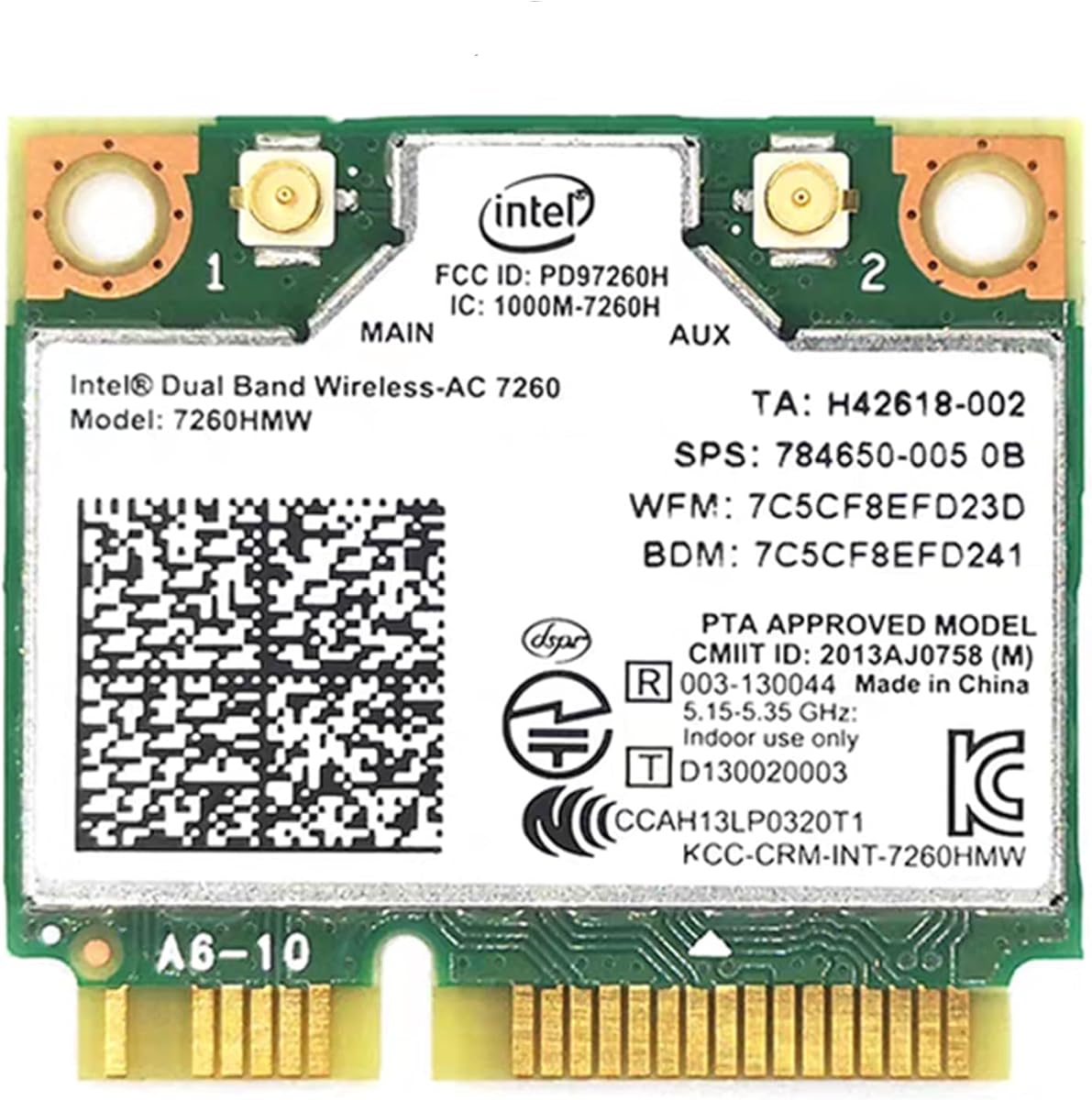
This Intel Dual Band Wireless-AC 7260 half mini card offers trusted reliability with dual band WiFi and Bluetooth integration. It holds a 4.3 rating for consistent performance on compatible laptop systems.
We may earn a commission when you buy through this link, at no additional cost to you.
Being an Intel product it benefits from stable drivers and seamless integration with modern operating systems. Its compact design fits easily into Half Mini PCIe slots providing reliable speeds for typical daily tasks.
The card uses 802.11ac standards which while fast are now considered legacy compared to Wi-Fi 6E models. Users seeking the latest throughput might prefer newer options but this remains a solid choice for basic upgrades.
Buy this card if you prefer a reputable brand with proven track record. It suits users seeking dependable connectivity without needing the absolute highest speeds available in the current market.
Intel's reputation for quality ensures this card delivers consistent performance with fewer connection drops.
Dual band support ensures you can choose the best frequency for your environment reducing interference and improving speed.
We may earn a commission when you buy through this link, at no additional cost to you.
This Intel Wireless-n 7260 7260hmw card is designed for HP laptops with Half Mini PCIe slots. It rates 4.2 for providing stable connectivity to legacy systems needing a simple upgrade.
We may earn a commission when you buy through this link, at no additional cost to you.
It supports 802.11 b/g/n standards offering reliable speeds for everyday use without requiring latest generation hardware. Its integrated Bluetooth allows convenient peripheral pairing without extra dongles.
The card does not support 802.11ac so speeds are limited compared to newer dual band AC models. It is best suited for older HP notebooks where compatibility and stability are the primary goals.
Select this card for a straightforward cost effective upgrade for specific HP laptops. It ensures that older models regain consistent wireless functionality with minimal setup and configuration effort.
Designed for specific HP models this card ensures compatibility without complex BIOS whitelisting hurdles.
Built-in Bluetooth functionality allows you to connect peripherals seamlessly without adding external hardware.
We may earn a commission when you buy through this link, at no additional cost to you.
Selecting the right Half Mini Pcie WiFi Bluetooth Card requires understanding your laptop’s slot type and desired speeds. This guide breaks down critical factors to consider before making your upgrade decision.
Verify your laptop has a Half Mini PCIe slot before purchasing. Many newer systems use M.2 or CNVi which are not compatible with Half Mini PCIe cards. Check your service manual to confirm the exact slot type.
Ensure your motherboard supports the specific card model to avoid hardware conflicts or whitelist issues especially on Lenovo or HP systems.
Higher WiFi standards like Wi-Fi 6E provide faster speeds and better performance in congested areas. If you have an older laptop and standard 802.11ac is sufficient for your needs without extra complexity.
Choose cards supporting 5GHz or 6GHz bands for reduced interference and higher throughput compared to single band 2.4GHz alternatives.
Bluetooth versions affect range and power consumption. Bluetooth 5.0 and above offer improved range and stability for connecting peripherals like mice and headphones.
Check that your motherboard supports Bluetooth bus requirements to ensure integrated functionality works without external adapters.
Confirm driver availability for your operating system. Modern cards may not support older Windows versions like 7 or XP while newer Linux builds might need manual compilation.
Choose brands known for providing easy driver downloads to avoid lengthy installation processes or compatibility issues.
Most Half Mini PCIe cards use standard IPEX connectors for attaching antennas. Ensure your existing antennas match these connectors or are included with the new card.
Laptops missing antennas will require purchasing additional antenna kits to realize full wireless performance.
Look for cards offering at least one year warranty and technical support. Reputable sellers provide clear return policies in case of defects.
Read user reviews to verify long term reliability and vendor responsiveness before finalizing your purchase.
Prices vary widely from under ten dollars for legacy models to thirty five or more for latest standards. Determine the speed you actually need before paying for extra features.
Cheaper cards may lack modern encryption or Bluetooth versions so balance cost with long term usability.
Half Mini PCIe cards are compact but check your laptop's internal space. Some models have metal shields that can conflict with other components in tight chassis.
Use provided screws carefully to secure the card properly and avoid connection issues caused by loose mounting.
Before installation turn off your laptop and disconnect all power sources. Remove the base cover to access the internal expansion slot. Ground yourself to prevent static damage to sensitive components before touching the card.
Align the card’s edge connector with the Half Mini PCIe slot and insert it at a slight angle. Gently press down until it seats fully then secure it with the provided mounting screw. Attach antenna cables carefully to the corresponding connectors.
Power on the system and install drivers from the manufacturer’s website. Check device manager to confirm both WiFi and Bluetooth functions are recognized. Reboot if necessary and configure your wireless connection as usual.
A Half Mini PCIe slot is a standard interface used in many laptops and small desktops for expansion cards. It is smaller than full Mini PCIe and compatible with compact WiFi and Bluetooth cards.
Not all cards fit every laptop. You must check your motherboard’s slot type and BIOS whitelist compatibility. Lenovo and HP often restrict third-party cards requiring whitelist workarounds.
Bluetooth functionality depends on USB bus support in your motherboard. If your system does not expose USB for the card’s Bluetooth module it will function as WiFi only.
Many Half Mini PCIe cards support Linux but some require manual driver installation or kernel module compilation. Always check manufacturer documentation for Linux compatibility before purchase.
No Half Mini PCIe cards require physical installation inside the laptop chassis. You must open the device to access the internal expansion slot and replace the existing card.
Slow speeds may result from outdated router firmware weak signal or missing drivers. Ensure you use a compatible router and install the latest drivers for your new card.
Most Half Mini PCIe models support Wi-Fi 5 or AC. Few support the latest Wi-Fi 6 or 6E standards due to interface limitations. Check product specs carefully before buying.
Yes most modern Half Mini PCIe cards support Windows 11. However always verify driver availability before purchasing to ensure seamless operation on the newest OS.
Upgrading your laptop with a suitable Half Mini Pcie WiFi Bluetooth Card can significantly enhance wireless performance. The top picks offer reliable speeds modern Bluetooth support and broad OS compatibility for diverse use cases.
When choosing prioritize interface compatibility and wireless standards to avoid wasted investments. Ensure your hardware supports the card’s features such as USB bus for Bluetooth and Half Mini PCIe slots.
Prices and availability fluctuate regularly so verify current details via the linked product pages before finalizing your upgrade decision.