
4K HDMI EDID Emulator Passthrough Adapter,Bidirectional mutual conversion
3.9Editor score
Low power consumption design
Supports up to 4K
No drivers or software needed
This guide compares the top HDMI Edid Emulator Passthroughs for 2026, evaluating compatibility, resolution support, and signal stability for professionals and
Finding the right HDMI Edid Emulator Passthrough can save you from constant display handshake issues. These small devices ensure your source recognizes the connected screen, maintaining resolution and audio settings without manual tweaking.
We evaluated ten leading models based on resolution support, bidirectional signal handling, and compatibility with various devices like Macs and KVM switches. Our analysis focuses on real-world reliability and ease of setup.
Each pick highlights key strengths and potential limitations to help you choose wisely. Please note that pricing and availability fluctuate frequently, so verify current details before making your final purchasing decision.
3.9Editor score

3.5Editor score

4.3Editor score
The following table provides a quick side-by-side comparison of all ten models analyzed in this guide. Look closely at resolution limits and specific features to find the best fit for your setup.




The EVanlak Passthrough offers a sleek aluminum design that ensures durability while managing EDID signals effectively. It is designed to work seamlessly with Mac Thunderbolt systems and various HDMI switches without requiring drivers.
We may earn a commission when you buy through this link, at no additional cost to you.
Its key strength lies in its ability to eliminate the need for manual EDID settings, making it easy for users to connect displays. The 4K at 60Hz support provides high-quality video output suitable for modern monitors.
While it handles standard resolutions well, it does not support HDMI 2.1 standards which limits its use with next-generation consoles or high refresh rate displays. This trade-off is acceptable for general office or media use.
This adapter is ideal for users seeking a reliable, no-fuss solution for maintaining display connections with Macs and AV systems. It offers a strong balance of build quality and functional simplicity.
The aluminum casing provides better heat dissipation and physical protection compared to plastic alternatives.
Works specifically with Mac Thunderbolt to HDMI setups to prevent display detection issues.
We may earn a commission when you buy through this link, at no additional cost to you.
This budget-friendly adapter provides essential EDID emulation capabilities without breaking the bank. It supports 4K resolution and allows for bi-directional transmission, making it versatile for various setups like KVM switches.
We may earn a commission when you buy through this link, at no additional cost to you.
The lack of HDCP support is a significant limitation for streaming devices or game consoles that require content protection. However, for basic display connectivity and remote access scenarios, it performs adequately.
It consumes low power and does not need external power, which simplifies installation. The ability to swap connections without resetting the desktop settings is a valuable feature for frequent switchers.
Ideal for users who need a cheap solution for maintaining display settings on headless devices like Raspberry Pi or NUC. It serves its purpose well within its limitations regarding content protection.
Allows the signal source to be male or female, offering flexibility in cable connections.
Keeps EDID active for devices accessed remotely such as Mac Mini or NUC.
We may earn a commission when you buy through this link, at no additional cost to you.
This model stands out for its support of high refresh rates like 1080p at 120Hz which is beneficial for gaming or fluid desktop motion. It features pure hardware design for lossless signal transmission ensuring smooth performance.
We may earn a commission when you buy through this link, at no additional cost to you.
The bidirectional capability and lack of driver requirements make it easy to integrate into existing HDMI setups. It keeps EDID active even when displays are turned off preventing desktop rearrangement issues.
Users may find the lower rating reflects variability in performance across different display brands. It does not specify HDR capabilities beyond the headline so testing with your specific display is recommended.
Choose this option if you need a pass-through that maintains settings during frequent switching and supports higher refresh rates without software interference. It is well-suited for office or light gaming environments.
Supports 1080p resolution at 120Hz providing smoother motion for compatible monitors.
Pure hardware implementation ensures zero latency and reliable signal transmission.
We may earn a commission when you buy through this link, at no additional cost to you.
With a perfect 5.0 rating this emulator ensures that source devices continue to output stable signals even when no display is physically connected. It simulates the EDID information needed to maintain consistent audio and video quality.
We may earn a commission when you buy through this link, at no additional cost to you.
Its ability to support various audio formats and resolutions makes it suitable for home theater systems or complex AV setups. The plug and play design means users can install it quickly without technical knowledge.
While it comes at a higher price compared to basic models the reliability and stability it provides justify the cost for professional or critical setups. It resolves compatibility issues that often arise in multi-display environments.
Recommended for users managing AV receivers or video splitters who need guaranteed signal continuity. It is an excellent choice for anyone who values stability and simplicity in their HDMI connections.
Prevents source devices from stopping output when displays are disconnected or powered off.
Designed to resolve EDID mismatches in home theater and commercial display systems.
We may earn a commission when you buy through this link, at no additional cost to you.
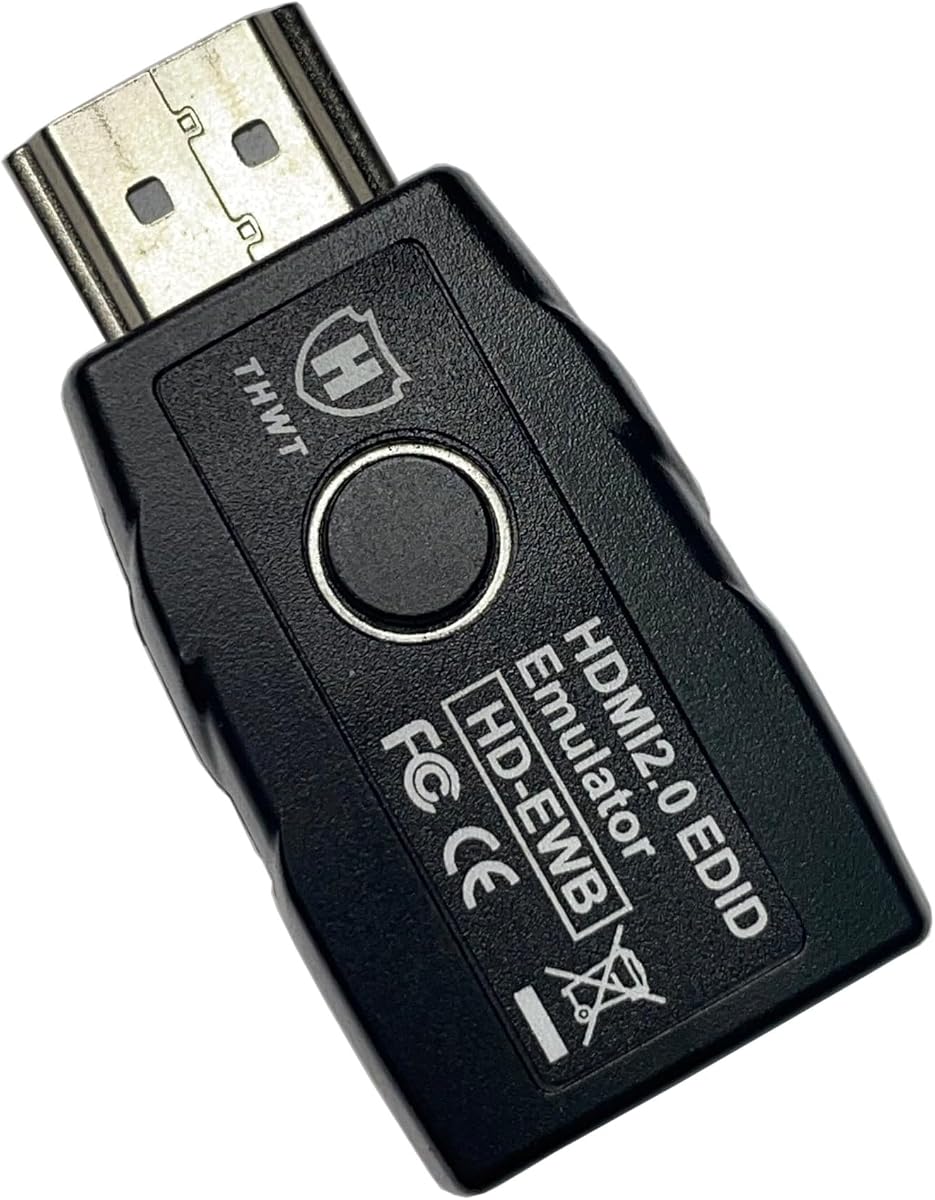
This model supports exact EDID copying which allows it to mimic an external monitor's settings precisely. It handles HDCP pass-through correctly ensuring that protected content can be streamed without errors.
We may earn a commission when you buy through this link, at no additional cost to you.
The preset EDID values cover common audio formats but users seeking surround sound must copy an appropriate display ID manually. It supports HDMI 2.0 and can handle 4K resolutions at 60Hz with high color fidelity.
However it is not fully compatible with HDMI 2.1 devices and may cause signal interruptions due to SCDC handshake requirements. Users planning to use high-end consoles or monitors should consider this limitation carefully.
It is a strong choice for systems needing accurate EDID replication and HDCP compliance within HDMI 2.0 limits. The button interface for switching modes adds a layer of control for advanced users.
Allows copying the EDID from a connected monitor to ensure perfect match.
Ensures compliance with content protection standards for protected video playback.
We may earn a commission when you buy through this link, at no additional cost to you.
This adapter offers a strong balance of performance and usability with a high user rating. It supports 4K at 60Hz and includes HDCP Passthrough ensuring compatibility with most modern source devices and content.
We may earn a commission when you buy through this link, at no additional cost to you.
The hardware design ensures zero-latency transmission making it suitable for applications where timing is critical. It works well with a wide range of devices including Mac mini and Raspberry Pi without needing drivers.
While specific feature details are minimal it appears to function similarly to other reliable models in this category. It is a straightforward choice for users needing consistent signal passthrough without complex configuration.
Ideal for general home or office use where maintaining display connections is the primary goal. The hot swap capability ensures smooth transitions between devices without losing screen settings.
A high user rating reflects consistent performance and ease of use in daily scenarios.
Plug-and-play functionality allows immediate use without external power or software.
We may earn a commission when you buy through this link, at no additional cost to you.
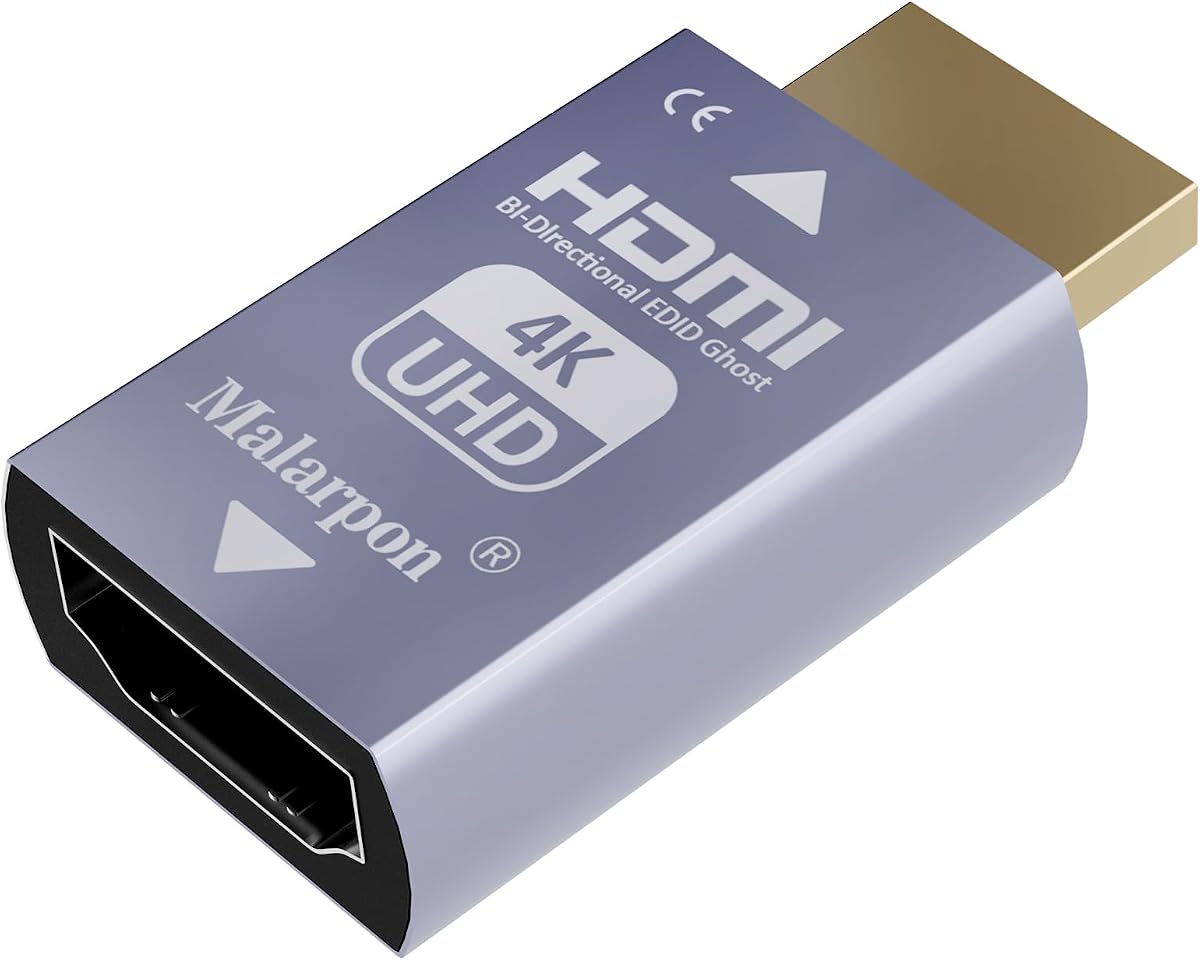
This aluminum adapter is designed to keep EDID active even when a physical monitor is disconnected. It supports 4K resolution and allows bi-directional transmission making it versatile for different connection directions.
We may earn a commission when you buy through this link, at no additional cost to you.
Users appreciate its ability to prevent desktop rearrangement when changing inputs or powering off displays. It works seamlessly with DP to HDMI adapters ensuring consistent output across various ports.
The lack of higher refresh rate support and HDMI 2.1 compatibility may limit its use for advanced gaming setups. However for office and media applications it provides a stable and durable solution.
A great option for users needing a reliable adapter to maintain settings across different HDMI devices. The aluminum housing ensures it can withstand regular handling in busy environments.
Prevents Windows from rearranging desktop settings when displays are disconnected or switched.
Constructed with aluminum for better heat management and physical resilience.
We may earn a commission when you buy through this link, at no additional cost to you.
This premium model brings HDMI 2.1 support allowing for higher resolutions and refresh rates up to 4K at 120Hz. It includes SCDC handshake support which is essential for stable communication with modern devices.
We may earn a commission when you buy through this link, at no additional cost to you.
With 14 preset EDID values users can quickly switch between different simulation modes without manual copying. It handles HDCP pass-through correctly ensuring protected content works as expected.
While it lacks support for 8K resolution it covers most high-end use cases for home entertainment and professional displays. The price is higher but the advanced features justify it for demanding setups.
Best for users needing future-proofing and compatibility with high bandwidth HDMI 2.1 devices. The knob interface makes adjusting simulation settings intuitive for complex AV configurations.
Supports higher bandwidth requirements for modern 4K at 120Hz displays and devices.
Offers 14 preset configurations for quick adaptation to different device needs.
We may earn a commission when you buy through this link, at no additional cost to you.
This manager acts as both an emulator and a repeater amplifying HDMI signals for better quality and longer cable runs. It supports CEC pass-through allowing control signals to pass through correctly.
We may earn a commission when you buy through this link, at no additional cost to you.
The device is designed for 24×7 operation which makes it reliable for commercial displays or always-on setups. It maintains signal quality across multiple cascading layers ensuring smooth video transmission.
While it is built on HDMI 2.0b standard it offers robust performance for most home and business needs. The professional technical support provided adds value for users managing complex systems.
An excellent choice for users needing signal amplification alongside EDID management in multi-layer setups. It ensures consistent performance even when multiple devices are chained together.
Acts as a repeater to maintain high audio and video quality over long distances.
Low power design allows continuous operation without overheating or signal degradation.
We may earn a commission when you buy through this link, at no additional cost to you.
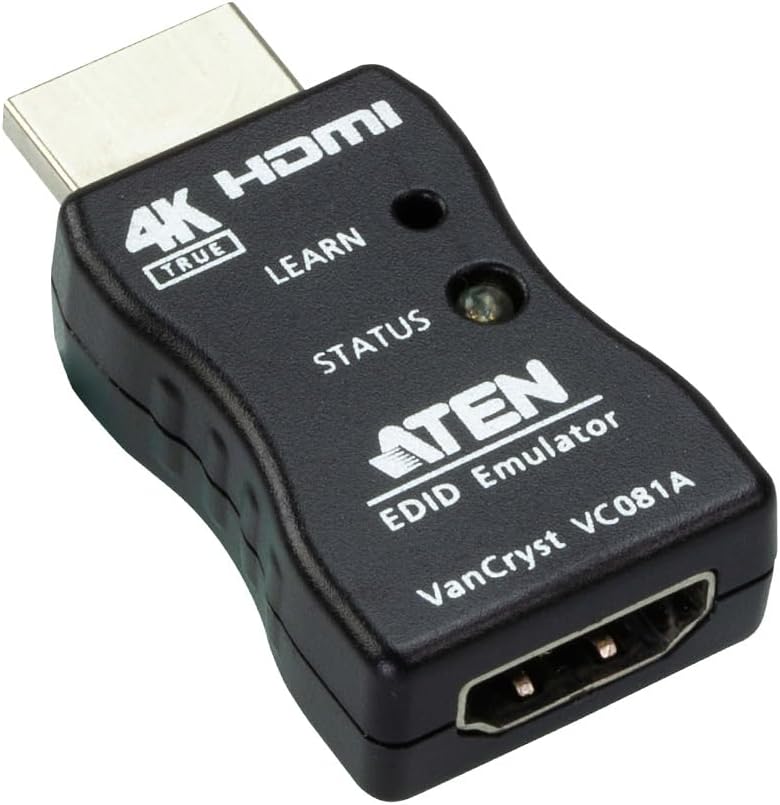
ATEN is a well-known brand in connectivity solutions and this adapter offers a compact way to manage EDID signals effectively. It supports True 4K and Deep Color ensuring high-quality video output for compatible displays.
We may earn a commission when you buy through this link, at no additional cost to you.
The device learns and saves EDID data via a single pushbutton making it easy to replicate settings from an existing display. It is compliant with CEC allowing consumer electronics to interact properly.
While the user rating is lower it may reflect specific compatibility issues rather than overall functionality. Users may need to test it with their specific setup to ensure seamless operation.
Best for users who prefer established brand reliability for simple EDID management tasks. Its compact size fits well in tight spaces behind desks or in AV racks.
Supports full 4K resolution with high color depth for sharp image quality.
Small footprint allows installation in restricted spaces without clutter.
We may earn a commission when you buy through this link, at no additional cost to you.
Selecting the right emulator depends on your specific setup needs and the devices you plan to connect. Consider the following factors to ensure compatibility and performance.
Ensure the emulator supports the maximum resolution your display can handle. Most modern emulators support up to 4K at 60Hz which is sufficient for general use.
For advanced setups check if the model supports higher refresh rates like 1080p at 120Hz or HDMI 2.1 standards.
HDCP is required for streaming content from services like Netflix or Blu-ray players. Choose an emulator that supports HDCP pass-through to avoid blank screens or errors.
Models that bypass HDCP may not work with protected content so verify compliance before purchasing.
Some emulators allow bi-directional signal transmission which provides flexibility in how cables are connected. This is useful for KVM switches or complex routing scenarios.
Check if the device allows the source to be either male or female to suit your specific wiring needs.
Most emulators draw power from the HDMI source and do not require an external power adapter. This simplifies installation especially in tight spaces or headless setups.
Verify that the device is passive and does not need additional power supplies unless specified.
Hot swap capability allows you to change connections without restarting the source device or losing display settings. This is vital for users who frequently switch inputs.
Look for models that maintain EDID status even when displays are turned off or unplugged.
Aluminum or sturdy plastic builds help dissipate heat and protect the internal components. Better build quality often translates to longer lifespan and reliable performance.
Consider the casing material if the device will be used in environments with high traffic or heat.
Plug and play designs that require no drivers or software are easiest to set up. This minimizes downtime and technical hurdles during installation.
Models with buttons or knobs for switching modes offer more control but add complexity.
Established brands often provide better quality control and customer support. This can be valuable if you encounter issues during setup or need technical advice.
Check user reviews and ratings to gauge real-world reliability before making a decision.
Connect the emulator between your source device and the HDMI input port on your display or switch. Ensure that the cables are securely plugged in to avoid signal loss or handshake issues.
Once connected check your display settings to verify that the resolution matches your expectations. If the screen is blank ensure the emulator is receiving power from the source device.
Clean the device with a dry cloth to remove dust and avoid exposing it to moisture or extreme heat. Regular checks of cable connections will help maintain stable performance over time.
An HDMI EDID Emulator tricks the source device into thinking a display is always connected even when the actual screen is off. This prevents the computer from resetting resolution settings or losing desktop arrangements when switches are toggled.
No most HDMI EDID Emulators are plug-and-play hardware devices that do not require any drivers or software installation. They work automatically once connected between the source and the display.
Yes many emulators are specifically designed to work with KVM switches to maintain consistent display settings when switching between different computers or devices.
Not all models support HDCP so check the specifications carefully. Emulators without HDCP support may not work with streaming services or protected content like Blu-ray discs.
HDMI 2.1 support is still emerging in emulators. Many models still use HDMI 2.0 which supports up to 4K at 60Hz but lacks the higher bandwidth of HDMI 2.1.
Some models have a button to copy the EDID from a connected monitor. You press the button while a display is plugged in and the emulator saves those settings for later use.
Flickering may occur if the emulator cannot match the resolution of your display or if the cable quality is poor. Ensure the emulator supports your screen's native resolution.
Most current models support up to 4K resolution. Support for 8K is rare and limited to specific high-end models often requiring HDMI 2.1 compliance.
We explored ten diverse models ranging from budget options to premium HDMI 2.1 compatible emulators. The best choice depends on your specific needs such as resolution requirements and HDCP support.
Prioritize features like bidirectional signal handling and build quality to ensure long-term reliability. If you need advanced features look for models with EDID copying capabilities or HDMI 2.1 compliance.
Remember that prices and availability can change so verify the latest details before purchasing. Investing in a reliable emulator can save you time and frustration in maintaining your HDMI setup.