
Swish S1 Driver License Scanner
Simple USB optical scanner
Includes Scan-ID software
No card damage risk
Finding the right ID scanner for age verification is crucial for businesses like bars and clubs. A good device must scan quickly, verify accurately, and protect your establishment from legal risks while maintaining customer flow.
We compared ten leading models based on scanning speed, durability, software features, and compliance logging capabilities. Our analysis focuses on real-world usability in high-volume environments to help you choose the most reliable system.
Each pick highlights key strengths, pros, cons, and ideal use cases for different business needs. Please note that product availability and pricing can change frequently, so always check the latest details before purchasing.

4.9Editor score

4.8Editor score
As an Amazon Associate we earn from qualifying purchases.
The following table provides a side-by-side comparison of all ten products reviewed in this guide, highlighting their core specifications to help you make an informed decision.




The IDetect ID Scanner stands out as a top choice for businesses needing rapid age verification. With a high rating, it proves reliable in busy environments like bars and clubs where speed is essential to maintain customer flow without compromising security.
We may earn a commission when you buy through this link, at no additional cost to you.
Its primary strength lies in its ability to validate IDs within seconds. This rapid processing minimizes wait times at the door or bar. The software automatically calculates age and checks against watch lists, ensuring that banned or tampered IDs are flagged immediately for staff awareness.
While it offers robust verification, it does not detect holograms or watermarks which limits its effectiveness against highly sophisticated fakes. Additionally, the lack of standard photo capture means you must rely on the diligence proof provided by the software logs rather than visual records of patrons.
This device is ideal for high-volume venues prioritizing speed and durability over advanced biometric features. If your business needs a reliable workhorse for daily ID checks that integrates smoothly with existing POS systems, the IDetect offers a compelling balance of performance and ease of use.
The scanner automatically calculates age from the ID data, removing the need for staff to do manual math or guess ages on the fly.
Notifications pop up directly on your POS or PC screen, ensuring staff see results immediately without looking away from their workflow.
We may earn a commission when you buy through this link, at no additional cost to you.
This Countertop ID Scanner is designed for businesses that prefer a stationary verification point at their entrance or bar. It offers a streamlined experience that does not require a computer, making it an accessible option for smaller venues or those without complex IT setups.
We may earn a commission when you buy through this link, at no additional cost to you.
The device focuses heavily on regulatory compliance, displaying clear sale or no-sale results based on age and expiration. It logs every scan automatically, which is crucial for passing inspections and proving due diligence to local authorities without manual record-keeping efforts.
A significant trade-off is its lack of portability since it operates solely on plug-in power. This means it cannot be moved to different areas of the venue for flexible checking, and you must ensure a power outlet is available at your chosen verification spot.
For establishments that want a dedicated, always-on verification station that meets specific state laws, this model is an excellent choice. Its simplicity and compliance features make it a strong contender for venues where fixed placement is acceptable and power access is guaranteed.
Every scan creates a compliance log automatically, protecting your business during inspections by eliminating human math mistakes and record gaps.
The interface clearly displays Sale or No Sale results, reducing confusion among staff and speeding up the decision process at the point of sale.
We may earn a commission when you buy through this link, at no additional cost to you.
The AgeVisor Mini offers a compact solution for age verification that fits well in spaces where counter space is limited. Despite a lower rating compared to top competitors, it provides essential features like fast scanning and automatic age calculation for daily operations.
We may earn a commission when you buy through this link, at no additional cost to you.
Its motion-activated scanning allows for one-handed operation, which is convenient for staff handling transactions simultaneously. The device calculates age intuitively and can be customized for different jurisdictional age restrictions, making it adaptable to various legal environments.
However, the lower user rating suggests potential reliability or user experience issues compared to higher-rated models. While it includes free lifetime upgrades and support, users may find the interface or build quality less polished than premium alternatives in the market.
This scanner is a viable option for smaller bars or retail stores needing a basic, no-frills verification tool without ongoing fees. If you prioritize a small footprint and one-handed operation over advanced security features, the AgeVisor Mini is worth considering for budget-conscious setups.
It tracks customer visit counts directly on the screen, helping you identify frequent visitors who may pose less security risk than new entries.
Lifetime software upgrades and US-based support are included without subscription fees, ensuring you can use the device for years without extra costs.
We may earn a commission when you buy through this link, at no additional cost to you.
The IDVisor Smart V2 represents a premium approach to ID scanning by integrating customer relationship management directly into the verification process. With a high rating and robust features, it suits venues that want to build loyalty and manage patrons beyond simple age checks.
We may earn a commission when you buy through this link, at no additional cost to you.
Its standout feature is the ability to store over 50,000 customer records with photos, allowing staff to recognize repeat visitors. This facilitates VIP management and banned list tracking, turning a security tool into a powerful marketing asset for your business.
The inclusion of GPS tracking and remote data lock capabilities offers peace of mind regarding device security, especially in large or multi-location venues. The spare battery ensures minimal downtime during long shifts, maintaining operational continuity without interruption.
This device is ideal for large clubs or venues that value customer data and security features. While the price is higher, the added functionality of CRM and device management justifies the investment for businesses looking to maximize the utility of their hardware.
Highlights new versus repeating clients and tracks occupancy, giving you valuable data on your venue's foot traffic and customer habits.
You can locate the scanner via GPS or erase its data remotely if lost, protecting sensitive customer information stored on the device.
We may earn a commission when you buy through this link, at no additional cost to you.
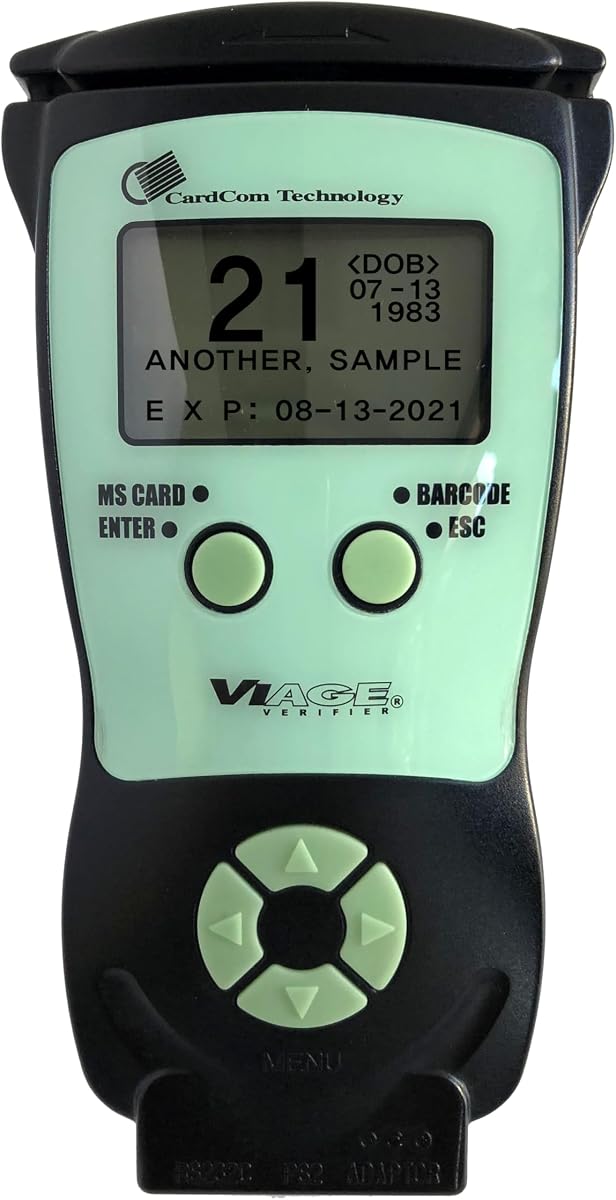
The CAV3200 model is designed for versatility with dual reading technology that covers both magnetic stripe and 2D barcode formats. This broad compatibility ensures you can scan a wide range of ID types without needing additional hardware or complex connections.
We may earn a commission when you buy through this link, at no additional cost to you.
It functions as a standalone device, meaning it does not rely on an external computer to operate. This independence makes it convenient for mobile verification scenarios where staff need to check IDs away from a fixed desk or point of sale terminal.
The ergonomic design and free compliance software add significant value by reducing user training time and ongoing costs. Updates are included for the life of the device, ensuring that the scanner remains current with ID format changes without extra subscription fees.
This scanner is a strong choice for businesses that need reliable standalone operation with broad ID coverage. If you want a portable, easy-to-use device that handles various card formats without needing network connections, this model offers a practical and efficient solution.
Features both magnetic stripe and 2D barcode scanning capabilities for comprehensive ID verification across different card formats you encounter.
Works independently without external connections, making it convenient for various business environments where setup time needs to be minimized.
We may earn a commission when you buy through this link, at no additional cost to you.
The IDVisor Smart Plus distinguishes itself with an extra large 5-inch LCD screen that enhances visibility in dim lighting conditions. This feature is particularly beneficial in clubs or bars where ambient light levels might make reading small text difficult during verification.
We may earn a commission when you buy through this link, at no additional cost to you.
It offers a long battery life of over 12 hours, ensuring it lasts through full shifts without needing a recharge. The ability to export customer records in Excel format provides flexible reporting options for internal audits or compliance checks without third-party tools.
Voice warnings and vibration alerts provide multiple sensory signals to ensure staff notice results, even in noisy environments. This reduces the risk of missed alerts and maintains a high level of vigilance for age verification throughout the night.
For venues prioritizing screen visibility and battery endurance, this model is a practical upgrade. While it costs more than basic scanners, the improved usability and reporting capabilities make it a solid investment for staff who need clear feedback in dark settings.
The 5 inch LCD screen ensures clear visibility of scan results in low-light environments typical of nightlife venues and crowded entrances.
Export scan and customer records in Excel format through WiFi or USB for easy auditing and compliance reporting on your PC.
We may earn a commission when you buy through this link, at no additional cost to you.
This portable ID scanner is built to withstand tough environments with an IP68 rating and MIL-STD-810H certification. It is designed to handle drops, dust, and moisture, making it ideal for venues where equipment might be exposed to accidental spills or rough handling.
We may earn a commission when you buy through this link, at no additional cost to you.
The swappable battery system allows for minimal downtime during long shifts by enabling quick changes without waiting for recharges. Fast charging further supports continuous operation, ensuring the device is ready for use whenever it is needed during the night.
While the hardware is robust, the price point is higher than basic models due to these advanced durability features. You may not need industrial-grade toughness if your venue is calm, but for high-risk or high-vibration environments, this protection is invaluable for long-term use.
This scanner is best suited for businesses that need reliable, mobile verification in challenging conditions. If durability and continuous operation are your top priorities, the rugged design and swappable power make it a dependable choice for demanding scenarios.
Rated IP68 and MIL-STD-810H for drops, dust, and moisture, ensuring the device survives rough handling or wet environments without failure.
Built for long shifts with a swappable battery that charges in under 90 minutes to keep your verification process running smoothly.
We may earn a commission when you buy through this link, at no additional cost to you.
The Quantum Edge V3 offers a sealed design that handles water and dust effectively, making it suitable for wet environments. This protection ensures that small quantities of dust or liquid splashes will not impact the operation of the equipment during busy shifts.
We may earn a commission when you buy through this link, at no additional cost to you.
It features Wi-Fi connectivity for easy data transfer, providing a balance between mobility and network integration. The included outer carry case protects the scanner during transport, adding value to the package and ensuring the device stays organized and safe.
The device is ready to use out of the box, reducing setup time for new staff. However, it lacks some of the advanced CRM features found in higher-end models, focusing instead on reliable physical scanning and basic verification tasks.
If you need a scanner that can handle moisture and transport risks while remaining straightforward to use, this is a good option. The combination of water resistance and included accessories makes it a practical choice for venues that prioritize durability and ease of use.
Designed to handle wet environments, preventing snow, rain, or drink splashes from impacting the operation of the equipment.
Uses Wi-Fi for easy connection with multiple devices and PC software for optional data transfer provided with free updates and support.
We may earn a commission when you buy through this link, at no additional cost to you.
This Countertop ID Scanner is designed to comply with key ID verification laws in multiple states, making it a safe choice for businesses concerned about regulatory adherence. It provides clear Go/No-Go results to ensure staff can make quick and accurate decisions.
We may earn a commission when you buy through this link, at no additional cost to you.
It does not store photos of patrons, protecting privacy while still offering compliance logging. This balance of security and privacy can be critical for venues operating in regions with strict data protection requirements alongside age verification laws.
Support is available during nights and weekends, which aligns well with the operational hours of nightlife venues. However, the device requires a fixed power outlet and offers no battery option, limiting its use to a single stationary location at your point of sale.
For businesses that need a compliant and privacy-friendly fixed solution, this model delivers solid value. If you prefer a simple, stationary unit that respects privacy and meets state requirements without storing biometric data, it is a practical choice.
Complies with key ID verification laws including Pennsylvania SB 688, Utah Code, and others to help protect your business from legal risks.
No photos are taken or stored during the scanning process to ensure patron privacy is protected while still verifying age.
We may earn a commission when you buy through this link, at no additional cost to you.
The Swish S1 is a budget-friendly optical card scanner that integrates with Windows systems for basic age verification tasks. It is an excellent option for businesses looking for a low-cost entry into ID scanning without significant upfront hardware investments.
We may earn a commission when you buy through this link, at no additional cost to you.
It features a drop-and-scan mechanism without rollers, preventing card damage which is crucial for maintaining the integrity of customer IDs. The included Scan-ID app automatically reads license information and checks ages based on your specific requirements.
Since it relies on a computer connection and is Windows-only, it is less flexible than portable units for mobile checking. You will need a dedicated PC setup, which limits use to a fixed desk or point of sale where a computer is already present.
This scanner is best for home businesses or small venues with a fixed computer setup that need basic verification. If budget is your primary concern and you have a Windows PC available, the Swish S1 offers a simple and effective solution without extra costs.
No rollers drag the document over sensors, preventing crunched up documents and protecting fragile cards from damage during scanning.
Included Scan-ID app reads driver license info from 2D barcodes and automatically checks age based on your specified requirements.
We may earn a commission when you buy through this link, at no additional cost to you.
Selecting the right ID scanner involves balancing speed, durability, and software features to meet your business needs.
In high-volume environments like bars or clubs, every second counts. Look for scanners that validate IDs in seconds to minimize lines and keep customers moving. Devices that calculate age automatically save staff time compared to manual checking.
Prioritize models with fast processing times to maintain efficient customer flow.
Decide if you need a fixed countertop unit or a handheld portable device. Handheld scanners allow staff to verify IDs anywhere, while countertop units are stationary and often cheaper. Ensure the power source matches your venue layout.
Choose portability if you need to check IDs away from a fixed desk.
Bars and clubs can be wet or chaotic environments. Look for devices with water and dust sealing or military-standard ratings to ensure they survive spills and drops. Robust hardware reduces maintenance costs and downtime.
Select rugged models to protect your investment against physical wear and environmental hazards.
The software should generate compliance logs to help you pass inspections. Check if the device supports your local state laws and offers features like blacklist checking. Ensure it logs scans without requiring manual entry.
Confirm the software meets local regulations to avoid legal risks during audits.
Consider whether the scanner stores photos or sensitive data. Some devices store records for loyalty programs, while others do not store data to protect privacy. Choose based on your business goals and legal requirements.
Balance security features with privacy needs to comply with data laws.
Budget varies widely between basic scanners and premium models with advanced features. While advanced devices cost more upfront, they may save money through longevity and reduced compliance risks. Evaluate total cost of ownership.
Weigh upfront costs against long-term benefits and durability.
If choosing a portable unit, ensure it lasts through your entire shift. Look for spare batteries or fast charging options to avoid downtime during peak hours. Long battery life ensures uninterrupted verification processes.
Check battery capacity to ensure it covers your busiest nights.
Start by setting up the scanner and connecting it to your system or power source according to the manufacturer instructions. Install any required software and ensure your operating system is compatible with the device drivers.
Train your staff on how to scan IDs correctly to avoid errors. Place the ID barcode face down or aligned with the scanner window. Verify that the results display clearly before proceeding with service.
Keep the scanner clean and dry to maintain performance. Avoid exposing it to excessive liquids or dust. Regularly update the software to ensure you have the latest ID formats and security features.
Yes, they are worth the investment because they automate the age verification process, reducing human error and liability. The software logs scans for compliance which protects your business during inspections. This security and peace of mind outweigh the initial hardware cost for most venues.
Most modern scanners support all U.S. driver’s licenses and state-issued IDs from all 50 states. They can also handle Canadian IDs and passports. Always verify compatibility with your specific state requirements before purchasing.
Many advanced models offer optional fake ID detection that analyzes barcode data against a database. While not all devices have this, some detect common security features. For best results, choose a model with proven security features.
Some scanners allow you to store data for loyalty programs, while others are designed not to store photos or details for privacy. Check the specific privacy settings of the device to ensure it matches your compliance needs.
Regularly clean the scanning window to prevent dust from affecting performance. Keep the device dry and avoid exposure to liquids. Update the software to keep ID formats and security features current.
Most units are designed to be reliable, but always have a manual verification process as a backup. Check the device for power issues and restart if needed. Ensure your staff knows how to use manual checks if necessary.
Many scanners can integrate with Windows-based POS systems or work standalone. Check the compatibility list for your specific POS software. Some models offer direct data transfer for seamless operation.
We reviewed ten ID scanners that balance speed, durability, and software features. Top picks like the IDetect ID Scanner offer excellent verification speed for high-volume venues while others focus on portability or compliance.
Prioritize your specific needs whether it is rugged durability for outdoor events or advanced compliance logging for strict regulations. Choosing the right model ensures your business remains protected and operations run smoothly.
Prices and availability can change frequently so always check current details before purchasing. Ensure the device you choose meets your state requirements and budget for a long-term solution.