
Amazon Fire Max 11 Keyboard Case
4.6Editor score
Pogo pin connection for power
Integrated trackpad gestures
Recycled materials construction
This guide compares the top ten keyboard case for Fire Max 11 options focusing on compatibility, typing comfort, and protection features for tablet users
Finding the right keyboard case for Fire Max 11 can transform your tablet into a powerful productivity tool. With so many options available, choosing one that balances durability, typing comfort, and seamless connectivity is essential for daily use.
We compared ten top-rated models based on compatibility, build quality, and feature sets like backlighting and touchpads. Each product was evaluated for real-world utility ensuring you get a reliable accessory that enhances your Fire Max 11 experience.
Each pick highlights key strengths and weaknesses to help you decide quickly. Remember that product availability and pricing change frequently so always verify details on the retailer page before finalizing your purchase decision.
4.6Editor score
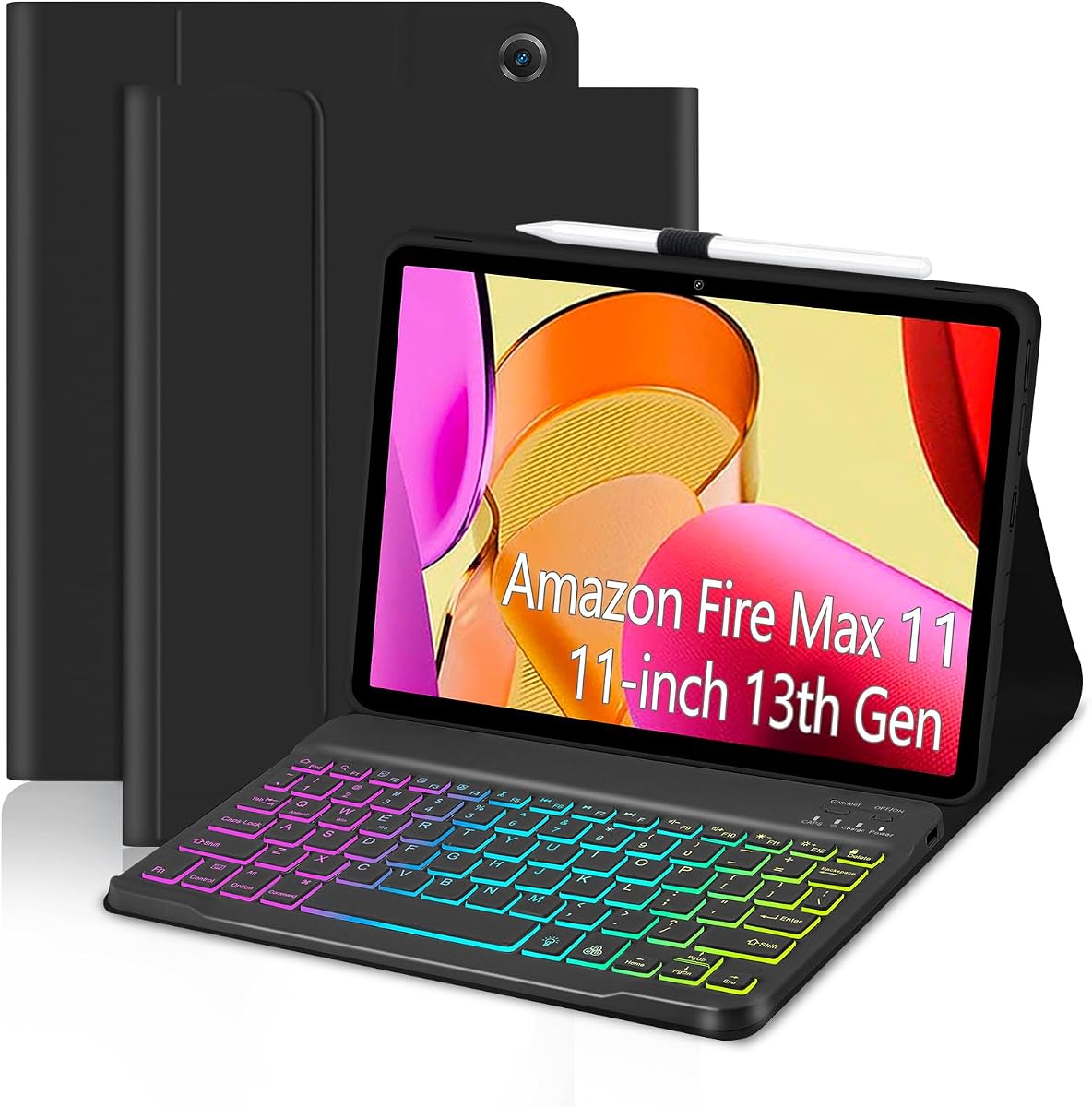
4.5Editor score

4.3Editor score
The following comparison table outlines the key specifications of each top-rated keyboard case for Fire Max 11. Review these details to find the model that best fits your specific typing needs and budget constraints.
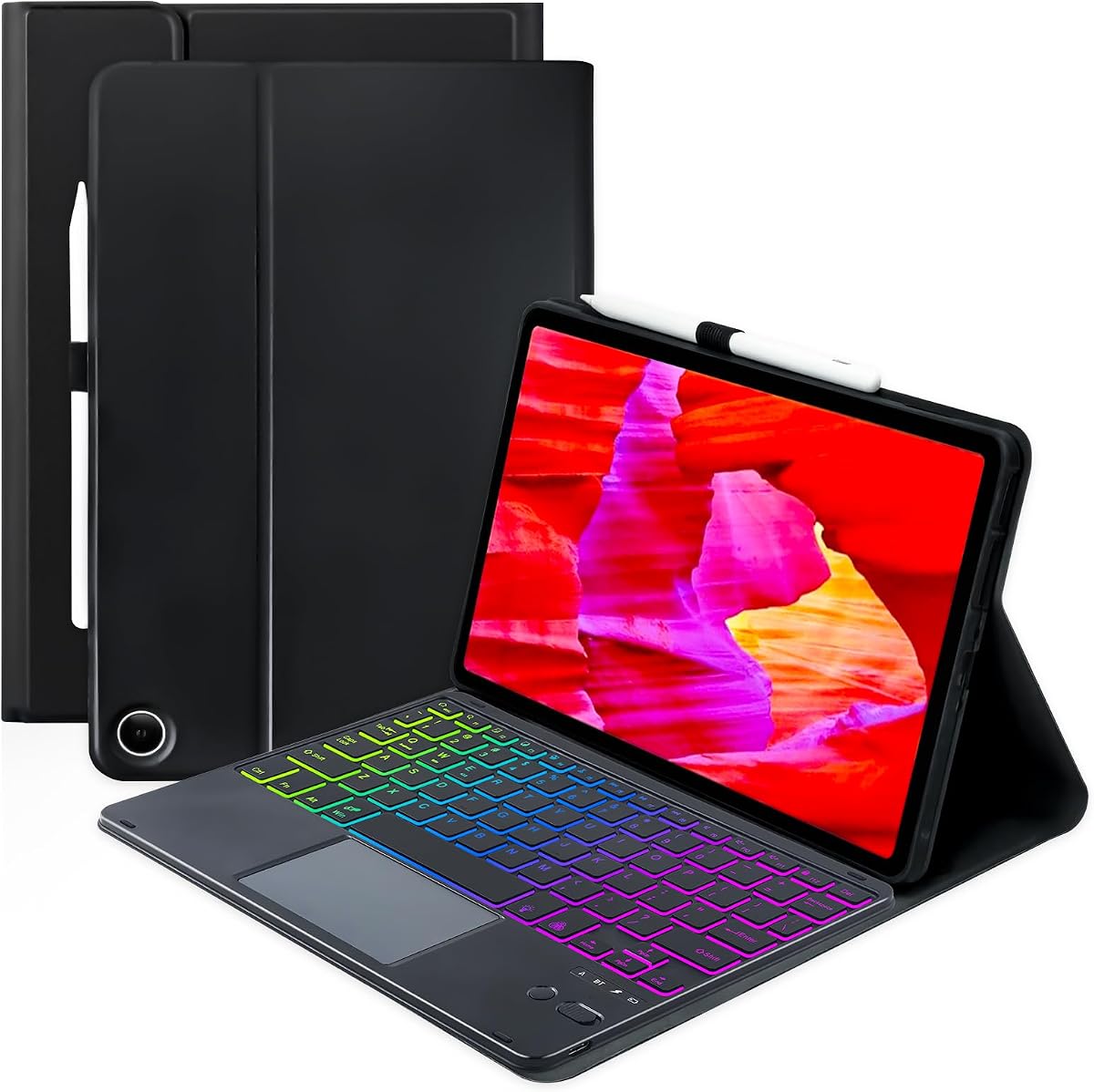


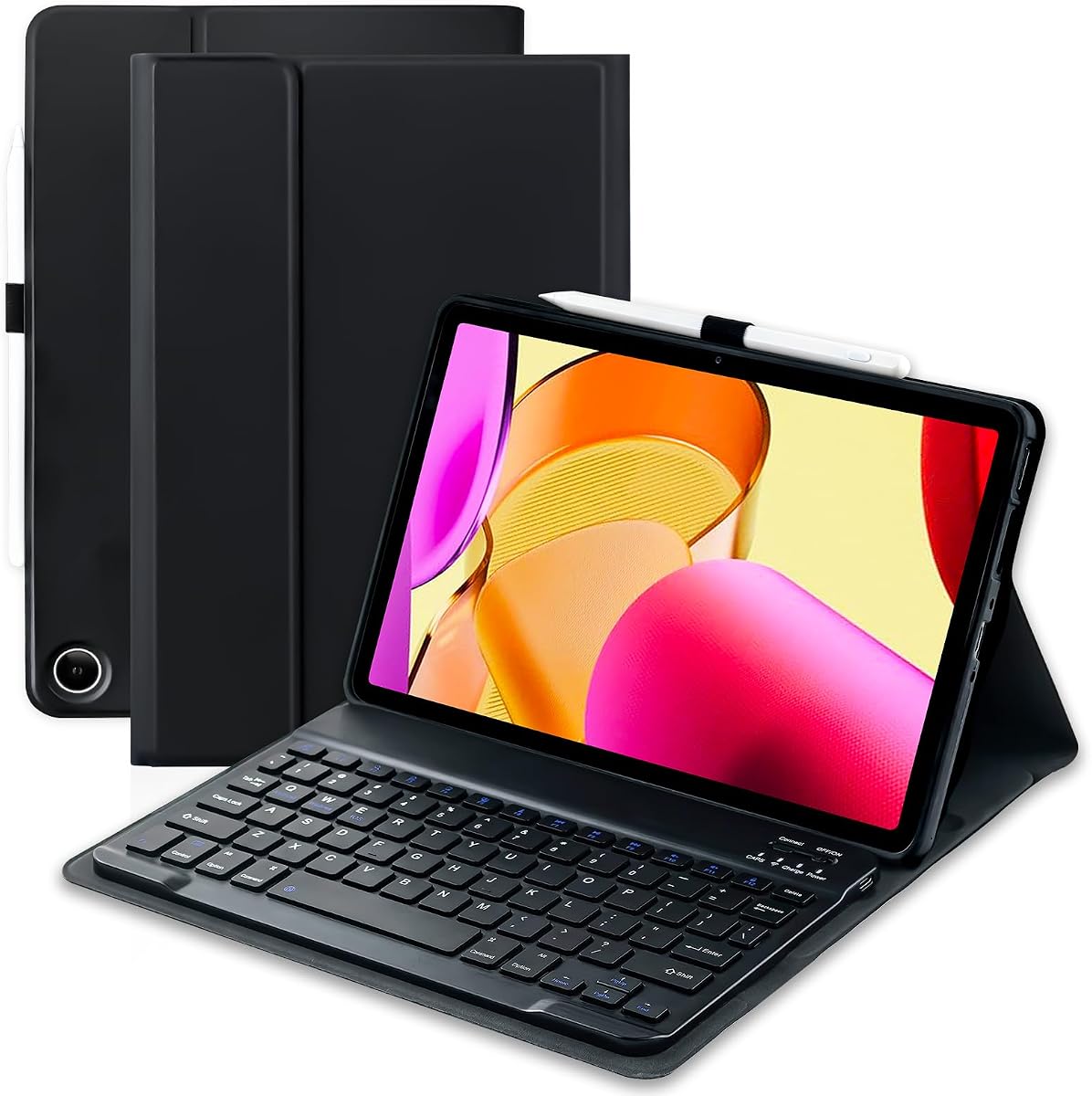


The EAMPANG case stands out with its vibrant rainbow backlit keyboard offering seven adjustable colors for a personalized typing experience. Rated highly by users, this accessory transforms your Fire Max 11 into a stylish workstation suitable for both night and day use.
We may earn a commission when you buy through this link, at no additional cost to you.
Its standout qualities include a precise honeycomb inner shell design that aids in heat dissipation improving tablet performance during extended typing sessions. The magnetic case attaches firmly ensuring the keyboard stays aligned while the stylus holder keeps your tools organized.
While the lack of a built-in trackpad means you rely on touch gestures for navigation, the rich shortcut keys on the keyboard compensate well for basic tasks. The Type-C charging port ensures the keyboard powers up quickly without needing extra cables or adapters.
This pick is ideal for users who value aesthetics and basic productivity on a budget. If you need a visually appealing keyboard case that protects your tablet and enhances typing comfort, the EAMPANG model delivers strong value and functionality.
The RGB keyboard allows you to switch colors automatically in breathing mode or adjust brightness manually to suit your lighting conditions effectively.
The honeycomb design inside the inner shell promotes airflow helping to keep the tablet cooler during heavy usage and extending its lifespan.
We may earn a commission when you buy through this link, at no additional cost to you.
This official Amazon keyboard case offers a seamless integration experience with Fire Max 11 eliminating the need for Bluetooth pairing or separate charging. Rated 4.6 stars, it provides a reliable typing solution with a built-in trackpad that enhances navigation for productivity tasks.
We may earn a commission when you buy through this link, at no additional cost to you.
The pogo pin connection draws power directly from the tablet ensuring the keyboard is always ready to use without worrying about battery depletion. Its spacious key layout includes fifteen shortcut keys and customizable options that streamline document editing and application switching.
While the price is higher than third-party options the convenience of zero setup and the inclusion of a trackpad justify the cost for power users. The case is made with recycled materials aligning with sustainability goals and reducing environmental impact.
Buyers who prioritize official compatibility and ease of use will find this model compelling. The trackpad gestures like pinch to zoom make app navigation intuitive making it a top choice for those transitioning from a laptop to a tablet setup.
The pogo pin connection eliminates the need to charge the keyboard separately keeping your setup cleaner and reducing cable clutter.
Includes a three-month trial for Microsoft 365 Personal offering immediate access to productivity tools for document and spreadsheet editing.
We may earn a commission when you buy through this link, at no additional cost to you.
The TUNKARMOR case distinguishes itself by including a rechargeable Bluetooth mouse alongside the magnetic detachable keyboard creating a complete laptop replacement setup. With a 4.3 rating it offers robust protection with full edge coverage and a honeycomb inner layer for heat dissipation.
We may earn a commission when you buy through this link, at no additional cost to you.
Its premium features include the ability to detach the keyboard easily allowing you to use the tablet in different modes like media consumption or reading. The case supports three viewing angles and an auto sleep wake function that preserves battery life when not in use.
While the Bluetooth connectivity requires initial pairing it offers greater flexibility compared to pogo pin models. The included mouse enhances navigation efficiency but might add to the overall weight of the setup for portable travel scenarios.
This model is perfect for users who want a complete workstation solution including mouse support. If you frequently move between typing and viewing modes the detachable keyboard and included mouse provide the versatility needed for professional and personal tasks.
Combining keyboard and mouse in one package simplifies your setup and provides comprehensive input control for complex tasks.
The honeycomb grid pattern protects your tablet from overheating increasing its operational lifespan and maintaining performance levels.
We may earn a commission when you buy through this link, at no additional cost to you.
The MePadKey case integrates a touchpad directly into the keyboard offering a distinct advantage for users who prefer mouse-like navigation without a separate device. Rated 4.2 stars it features a rechargeable battery and rainbow backlighting for comfortable typing in various lighting environments.
We may earn a commission when you buy through this link, at no additional cost to you.
Key strengths include multi-finger gesture support which improves office efficiency by allowing quick scrolling and switching between tasks. The anti-slip grooves inside the cover keep the tablet secure preventing accidental slides when typing on uneven surfaces.
The rechargeable nature of the keyboard means you must charge it occasionally but the convenience of an integrated touchpad often outweighs this minor inconvenience. The rainbow backlight adds a stylish touch while ensuring visibility during night work sessions.
Buyers who want a standalone typing and navigation solution will appreciate this compact design. If you often work on document editing or email management the touchpad functionality provides a streamlined workflow that enhances your Fire Max 11 utility significantly.
Multi-finger gestures on the touchpad allow for smooth scrolling and task switching improving productivity without extra accessories.
The rechargeable battery ensures the keyboard remains ready for use without needing frequent replacements or cable management.
We may earn a commission when you buy through this link, at no additional cost to you.
This case combines a magnetic detachable keyboard with a rechargeable Bluetooth mouse offering a versatile workstation experience for Fire Max 11 users. Rated 4.4 stars it features a unique 3-Zone Rainbow Backlight for visual customization and a pen holder for stylus convenience.
We may earn a commission when you buy through this link, at no additional cost to you.
Its strengths include full edge coverage that provides 360 degree protection against scratches and dents. The adjustable viewing angles allow you to position the tablet comfortably for writing reading or drawing while the anti-slip slots keep it stable during use.
The inclusion of a mouse adds significant value for precise navigation though it requires initial pairing. The auto sleep wake function ensures battery efficiency by turning the screen off when the case is closed making it ideal for mobile users.
If you need a setup that transitions easily between typing and media consumption this case is a strong contender. The combination of protection comfort and extra input tools makes it suitable for both work and entertainment scenarios on the go.
The 3-Zone backlight allows you to choose different colors for different sections of the keyboard adding style to your setup.
Full edge coverage and a honeycomb inner grid safeguard your device from impacts while managing heat during operation.
We may earn a commission when you buy through this link, at no additional cost to you.
This model impresses with an incredible battery life capable of up to 90 hours of continuous use on a single charge. Rated 4.5 stars it features a 420mAh battery and a magnetic detachable design that is easy to attach and remove from the protective case.
We may earn a commission when you buy through this link, at no additional cost to you.
The 7 color backlight adds style and visibility in low light conditions making it suitable for night use. The case provides all-round protection with a soft TPU inner shell that is scratch resistant and drop proof keeping your tablet safe.
While it lacks a trackpad the long battery life and easy connectivity make it a reliable tool for daily tasks. The Type-C charging port ensures fast charging times so you spend less time tethered to a power source.
Buyers who prioritize long-term usage and minimal maintenance will find this keyboard case appealing. If you travel frequently and need a device that stays powered up for days the extended battery life offers peace of mind for uninterrupted productivity.
The large capacity battery ensures the keyboard remains functional for extended periods reducing the need for frequent recharging.
The auto sleep wake function helps conserve battery by locking the screen when the case is closed.
We may earn a commission when you buy through this link, at no additional cost to you.
This official Amazon keyboard case stands out with an integrated trackpad that allows for intuitive navigation similar to a laptop. Rated 4.6 stars it features fifteen shortcut keys and two customizable shortcuts for faster workflow and document management.
We may earn a commission when you buy through this link, at no additional cost to you.
The trackpad includes gestures like pinch to zoom and two-finger scrolling which streamline app navigation without needing a mouse. Its lightweight design and magnetic attachment ensure portability while the built-in power connection eliminates the need for separate charging.
Although the price is higher than third-party models the precision and seamless integration justify the investment for heavy users. The trackpad disable feature allows you to turn it off when not needed conserving resources and preventing accidental inputs.
If you value official support and a polished experience this model is highly recommended. The ability to switch between touch and trackpad modes provides the flexibility needed for a wide range of productivity tasks and media consumption.
The integrated trackpad offers responsive performance for navigating documents and webpages accurately and quickly.
Made with post-consumer recycled plastics this case supports environmental goals without sacrificing performance or design.
We may earn a commission when you buy through this link, at no additional cost to you.
This keyboard case focuses on practicality with a row of multi-function buttons that allow quick access to volume media playback and system functions. Rated 4.4 stars it features a magnetic design that firmly adsorbs the keyboard and provides 360 degree protection.
We may earn a commission when you buy through this link, at no additional cost to you.
The case is made of premium PU leather offering anti-drop and scratch-resistant qualities that keep your device safe. The precise hole positioning ensures all ports are accessible and the interior honeycomb design improves heat dissipation to avoid overheating.
While it lacks backlighting the multi-function buttons enhance daily usability by reducing the need to reach for on-screen controls. The Type-C charging port on the keyboard provides a straightforward way to power the device without complex setups.
Buyers who prioritize functional shortcuts and durability will find this model suitable. The balance of protection and convenience makes it a reliable companion for daily use especially when working on documents or media tasks that require frequent adjustments.
The first row of multi-function buttons allows you to adjust volume and media settings without interrupting your workflow.
Premium PU leather and shockproof construction protect your device from drops and scratches during daily transport.
We may earn a commission when you buy through this link, at no additional cost to you.
This EAMPANG model offers a distinct aesthetic with a blue and black color scheme combined with a seven-color rainbow backlit keyboard. Rated 3.7 stars it provides a full coverage design that protects your tablet from scratches and drops while offering typing comfort.
We may earn a commission when you buy through this link, at no additional cost to you.
The multi-functional keys on the keyboard facilitate efficient document editing and application switching making it a practical tool for daily tasks. The built-in pen slot ensures your stylus is always handy and the magnetic case keeps the keyboard securely aligned.
While the rating is slightly lower than other options the stylish design and protective features remain compelling for those seeking visual flair. The precise cutouts ensure that all tablet functions remain accessible without compromising the integrity of the case.
If you want a keyboard case that stands out visually this model delivers that appeal. The combination of protection and customizable lighting makes it a good choice for users who value personalization and style alongside functional typing capabilities.
The rainbow backlighting adds a unique look to your setup enhancing both style and visibility in dark environments.
Full coverage and a soft TPU inner shell provide comprehensive protection against everyday wear and accidental drops.
We may earn a commission when you buy through this link, at no additional cost to you.
This model offers a strong warranty package with a twelve-month guarantee and a thirty-day money-back guarantee ensuring customer satisfaction. Rated 4.5 stars it features a high-quality vegan leather cover and a magnetic detachable keyboard that supports multiple viewing angles.
We may earn a commission when you buy through this link, at no additional cost to you.
The stable Bluetooth connection ensures reliable performance while the quiet keys make typing comfortable in shared environments. The auto sleep wake function helps conserve battery life and the pen holder allows you to carry your stylus conveniently.
Although it lacks a trackpad the inclusion of shortcut keys allows for efficient control of brightness and media functions. The case provides 360 degree protection against scratches ensuring your tablet remains in pristine condition over time.
Buyers looking for reliable customer support and premium materials will appreciate this option. The warranty and build quality offer peace of mind making it a solid choice for those who want a durable and protective accessory for their tablet.
The 12-month warranty and money-back guarantee provide assurance regarding product quality and durability for buyers.
Quiet and comfortable keys reduce finger fatigue during long typing sessions enhancing the overall user experience.
We may earn a commission when you buy through this link, at no additional cost to you.
Choosing the right keyboard case involves considering several factors such as connectivity, protection, and additional features like trackpads or backlighting.
Decide between Bluetooth models that offer flexibility and pogo pin models that provide instant connection without pairing. Bluetooth allows detaching the keyboard freely whereas pogo pin ensures the keyboard is always powered and ready.
Bluetooth offers mobility while pogo pin offers simplicity and zero charge requirements.
Many cases offer rainbow or single-color backlighting to improve visibility in low-light environments. Look for adjustable brightness settings to suit your preference and conserve battery when not needed.
Backlighting enhances usability at night and adds aesthetic value to your setup.
Ensure the case provides 360-degree protection with reinforced corners and a soft inner lining to prevent scratches. Honeycomb designs often help with heat dissipation which protects the tablet from overheating.
Look for durable materials like PU leather and shock-absorbing TPU for full coverage.
Check for shortcut keys that can speed up tasks like volume adjustment or app switching. A spacious key layout reduces typing fatigue and improves accuracy during long writing sessions.
Functional shortcut rows add significant value for productivity workflows.
Some models include a pen holder or even a Bluetooth mouse which can be cost-effective compared to buying them separately. Verify if these accessories are included or if they must be purchased independently.
Included accessories like mouse or pen holders enhance the overall value proposition.
For Bluetooth keyboards, check the battery capacity and expected usage hours. Models with Type-C charging ports offer faster replenishment times so you spend less time tethered to a power source.
Long battery life reduces interruptions and ensures consistent productivity.
Consider whether you need a built-in trackpad for navigation. Integrated trackpads eliminate the need for a separate mouse and offer gesture support similar to a laptop for seamless app switching.
A trackpad makes the case a standalone workstation replacing the need for a mouse.
Premium materials like vegan leather or recycled plastics offer better durability and aesthetic appeal. These materials also protect the device from scratches and wear over time ensuring longevity.
Quality materials extend the life of both the case and the tablet.
Firstly ensure your tablet is properly aligned in the case before attaching the keyboard to prevent misalignment. For Bluetooth models turn on the tablet and pair the keyboard via the settings menu following any on-screen instructions.
Clean the keyboard and case regularly using a soft cloth to remove dust and debris. Avoid using harsh chemicals that might damage the leather or the backlighting components to maintain longevity.
Charge the keyboard fully before first use if it is a Bluetooth model. For pogo pin models keep the tablet charged as it powers the keyboard directly to ensure uninterrupted operation.
No most of these cases are specifically designed for the Fire Max 11 13th Generation released in 2023. Please check the model number in your settings before purchasing to ensure compatibility.
Bluetooth models require separate charging via Type-C cables while pogo pin models draw power from the tablet. Check the product details to confirm which power method applies to your chosen case.
Yes most cases allow you to detach the keyboard easily using magnets. You can then use the cover as a stand for reading or watching videos without the keyboard in the way.
Most cases include a pen holder slot but do not come with a stylus pen. You will need to purchase a compatible stylus separately to use with your Fire Max 11.
Some models include an integrated trackpad for navigation while others rely on touch gestures or a separate mouse. Review the product specs to determine if a trackpad is included in the package.
Yes most backlit keyboards allow you to adjust brightness or turn off the backlight to save battery. Look for Fn + light key combinations to control these features easily.
Battery life varies by model but many offer between 50 to 90 hours of use on a single charge. Always check the product description for specific battery capacity and usage estimates.
Yes most cases offer 360-degree protection with reinforced corners and soft inner linings to absorb impact. This design helps prevent scratches and damage from accidental drops during daily use.
Our top picks include the official Amazon model for seamless integration the EAMPANG case for customizable lighting and the TUNKARMOR case for comprehensive input tools. Each offers unique benefits tailored to different usage preferences and budgets.
Prioritize connectivity and protection features based on how you use your tablet daily. If you need a complete workstation look for models with trackpads or included mice to streamline your workflow.
Remember to check current pricing and availability before buying as these details change frequently. Ensure the case matches your exact tablet model to avoid compatibility issues.