
HP OmniBook 3 17.3 inch Laptop PC
4.5Editor score
AMD Ryzen 3 30 Processor
512 GB SSD Storage
FHD Display Screen
Finding the right laptop for Enscape requires balancing graphical power with portability. You need a machine that can handle real-time rendering without lag during critical design phases.
We evaluated ten models based on their processors, graphics capabilities, and display fidelity. Each entry offers unique strengths for professionals seeking reliable performance in the field.
Readers will see detailed breakdowns of every option including pros and cons. Note that pricing fluctuates frequently so verify current costs before making a final purchase decision.
4.5Editor score

4.5Editor score

4.4Editor score
As an Amazon Associate we earn from qualifying purchases.
The following table presents a side by side comparison of all ten laptops. It highlights key specifications to help you decide which model fits your rendering needs.





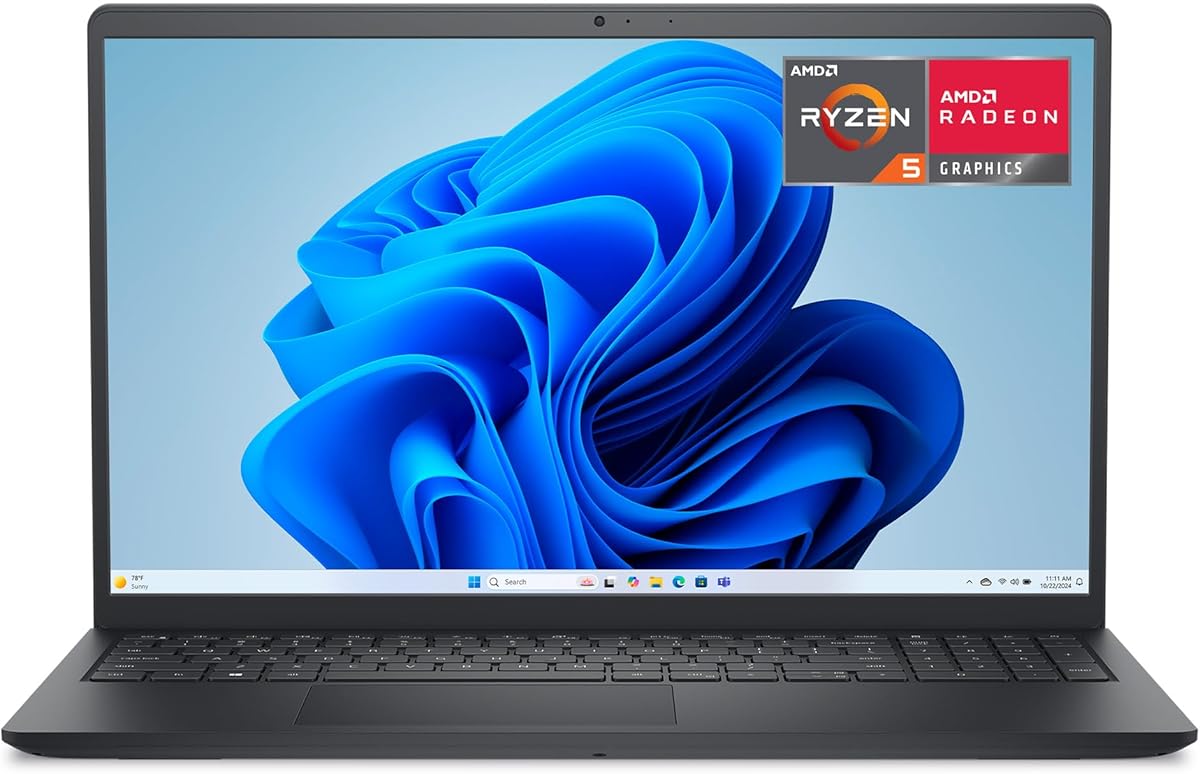
This HP laptop stands out for its balance of screen real estate and processing power. Rated highly by users it offers a solid foundation for moderate rendering tasks.
We may earn a commission when you buy through this link, at no additional cost to you.
The AMD Ryzen 5 processor handles multiple open applications smoothly which is crucial when running Enscape alongside design software. The 16GB RAM ensures you do not run out of memory during complex scenes.
While it lacks a dedicated high end GPU the integrated Radeon graphics can manage lighter visualization work. The tradeoff is acceptable for those prioritizing portability and display size over heavy 3D rendering.
Ideal for students or professionals needing a reliable machine for everyday design work. We recommend it for users who value screen space and battery longevity in a single package.
The inclusion of a full size numeric keypad speeds up data entry for budgeting or CAD calculations during work sessions.
The anti glare display reduces eye strain allowing you to work longer on detailed architectural plans without discomfort.
We may earn a commission when you buy through this link, at no additional cost to you.
This laptop offers exceptional value for users needing entry level performance. It supports basic visualization needs without breaking the bank for students or freelancers.
We may earn a commission when you buy through this link, at no additional cost to you.
The Ryzen 7 processor provides a decent boost in multitasking efficiency. Combined with 16GB of RAM it can handle moderate design loads reasonably well for daily tasks.
Build quality is functional rather than premium which may affect longevity under heavy use. Thermal throttling could occur during extended rendering sessions limiting sustained performance.
Perfect for those on a tight budget who need a capable machine for light Enscape projects. It delivers core performance features at a price point that is hard to beat.
Multiple USB and HDMI ports allow easy connection to external monitors for expanded workspace during presentations.
The NVMe SSD ensures quick boot times and rapid file transfers which keeps your workflow moving without interruptions.
We may earn a commission when you buy through this link, at no additional cost to you.
This compact laptop is designed for basic productivity rather than heavy rendering. It serves well for viewing designs on the go but struggles with complex scenes.
We may earn a commission when you buy through this link, at no additional cost to you.
The Intel N150 processor is efficient for web browsing and document editing. However its 4GB RAM limit restricts its ability to run demanding software like Enscape effectively.
Users should expect limitations when handling large files or multiple applications simultaneously. The low storage capacity also requires reliance on cloud solutions for file management.
Recommended only for users who need a secondary device for viewing and basic editing. It is not suitable as a primary machine for intensive architectural visualization work.
Wi-Fi 6 ensures stable internet access which is vital for cloud syncing and remote collaboration on design projects.
Dual microphones and noise reduction features support clear communication during virtual design reviews and team meetings.
We may earn a commission when you buy through this link, at no additional cost to you.
This device offers a stunning OLED display that enhances visual fidelity. It is ideal for reviewing color accurate design renderings in a mobile environment.
We may earn a commission when you buy through this link, at no additional cost to you.
The Snapdragon processor excels at efficiency delivering all day battery life. Its AI capabilities help automate routine tasks allowing you to focus on creative work.
Windows 11 optimization for ARM architecture may present compatibility issues with some legacy design software. Users should verify Enscape support before committing to this platform.
Best suited for professionals who prioritize screen quality and mobility over raw rendering power. It transforms how you view and present architectural plans on the go.
The OLED panel provides deep blacks and vivid colors essential for accurate material representation in client presentations.
Copilot+ features streamline administrative tasks freeing up valuable time for design development and client interaction.
We may earn a commission when you buy through this link, at no additional cost to you.
This business laptop provides a robust platform for professional workflows. The Core i5 processor delivers solid performance for mid level rendering tasks.
We may earn a commission when you buy through this link, at no additional cost to you.
Windows 11 Pro offers enhanced security and management features beneficial for corporate environments. The inclusion of Ethernet ensures stable connections when Wi-Fi is unreliable.
While capable it lacks the specialized graphics hardware needed for high end visualization. It serves better as a general business machine with occasional design support.
Recommended for corporate users needing a reliable workhorse for mixed tasks. It balances performance and connectivity well for standard office and light creative work.
Windows 11 Pro includes tools for data protection that are essential for sensitive client architectural drawings.
The mix of HDMI and RJ45 ports ensures compatibility with legacy projectors and wired network setups.
We may earn a commission when you buy through this link, at no additional cost to you.
This laptop addresses storage concerns directly with a massive internal drive and external backup. It is perfect for users with large project libraries.
We may earn a commission when you buy through this link, at no additional cost to you.
The 32GB RAM allows for extensive multitasking without performance degradation. You can run Enscape alongside multiple design tools simultaneously without slowdown.
Physical size makes it less portable than other options on this list. It is best suited for a stationary workspace rather than frequent travel.
Ideal for professionals managing numerous large scale projects requiring local storage. It ensures your data is safe and accessible without needing external drives constantly.
The 17.3 inch screen provides ample space for split screen work between reference images and design software.
Windows 11 Pro features add an extra layer of security for protecting confidential client files.
We may earn a commission when you buy through this link, at no additional cost to you.
The touchscreen interface allows for intuitive navigation through design layouts. This is useful for client presentations where direct interaction with the screen is valuable.
We may earn a commission when you buy through this link, at no additional cost to you.
The 2K resolution ensures sharp text and clear images for detailed work. The AMD Radeon 610M GPU provides basic acceleration for smooth video playback and light editing.
Eight gigabytes of RAM may bottleneck performance in heavy rendering scenarios. Users planning complex 3D work should look elsewhere for more memory headroom.
Best for those needing an interactive device for reviewing plans on the go. It excels at visual interaction but lacks power for heavy computation tasks.
The touchscreen allows clients to mark up drawings directly during meetings enhancing collaboration and clarity.
Advanced AI noise reduction filters background noise ensuring clear audio during remote design feedback sessions.
We may earn a commission when you buy through this link, at no additional cost to you.
This model focuses on comfort and reliability for daily office tasks. The ergonomic hinges improve typing posture which is vital for long work sessions.
We may earn a commission when you buy through this link, at no additional cost to you.
The Ryzen 5 processor handles standard applications efficiently. While it supports basic visualization it is not designed for intensive rendering or 3D modeling.
Thermal management adjusts dynamically to keep the system cool. This ensures consistent performance even when used on a lap or soft surfaces.
Recommended for users prioritizing comfort and service support over raw power. It is a solid choice for general administrative work with light design needs.
The lifted hinges provide a better typing angle reducing wrist strain during extended typing or data entry tasks.
Onsite service means physical support is available if hardware issues arise minimizing downtime for critical projects.
We may earn a commission when you buy through this link, at no additional cost to you.
This laptop prioritizes visual comfort and processing stability. The 16:10 aspect ratio provides extra vertical space essential for reading detailed documents.
We may earn a commission when you buy through this link, at no additional cost to you.
ComfortView Plus reduces blue light emissions helping to prevent eye strain during long sessions. This feature is valuable for professionals working late on deadlines.
The Core 7 processor delivers strong performance for general productivity. It supports moderate design workflows but may struggle with high resolution rendering.
Best for professionals valuing eye health and screen utility. It offers a premium experience with features that support sustainable daily work habits.
Reduced blue light helps maintain eye comfort allowing for longer periods of focused design work.
Adaptive thermals detect surface stability to optimize fan speeds and power usage effectively.
We may earn a commission when you buy through this link, at no additional cost to you.
This model offers a large screen at an accessible price point. It is suitable for users needing extra visual space without investing in premium hardware.
We may earn a commission when you buy through this link, at no additional cost to you.
The 8GB RAM allows for basic multitasking but limits heavy workflow capabilities. It is best used for viewing and light editing rather than complex rendering.
IPS technology ensures consistent colors from different angles which helps during client reviews. The battery life supports all day mobile use for typical office tasks.
Ideal for budget conscious professionals who need a portable large screen. It provides practical utility for standard work requirements at a reasonable cost.
The price point makes it accessible for students or freelancers starting out in the industry.
Wide viewing angles ensure color accuracy remains consistent when showing the screen to others.
We may earn a commission when you buy through this link, at no additional cost to you.
Selecting the right laptop for Enscape requires understanding how hardware impacts rendering performance and user experience. Here are key factors to consider.
A strong multi core processor is essential for handling complex rendering tasks efficiently. Look for Intel Core i5/i7 or AMD Ryzen 5/7 to ensure smooth operation.
Prioritize CPUs with high base clocks for better responsiveness during design work.
RAM determines how many applications you can run simultaneously without slowdown. 16GB is the minimum recommended for Enscape to manage large scenes.
Opt for 32GB if you work with multiple heavy software tools at once.
Enscape relies heavily on GPU capabilities for real time rendering. Dedicated graphics cards offer better performance than integrated solutions.
Ensure your choice supports the necessary drivers for optimal rendering speed.
A high resolution screen with good color accuracy is vital for precise design work. Look for IPS panels or OLED displays for better viewing angles.
Prioritize brightness levels above 300 nits for visibility in various lighting.
Solid State Drives speed up boot times and file loading significantly. NVMe SSDs are faster than traditional SATA options for large project files.
Choose a capacity that fits your project needs plus room for software.
Multiple ports allow you to connect external monitors and peripherals easily. USB-C and HDMI are essential for expanding your workspace.
Ensure your laptop supports external display standards for multi screen setups.
Long battery life ensures you can work away from a power source. Look for laptops that promise all day usage for field work.
Check charging speeds to minimize downtime during busy workdays.
A durable chassis protects your investment from daily wear and tear. Consider materials that balance weight and strength for portability.
Look for models with reliable hinge mechanisms for long term use.
Keep your device on a flat hard surface to ensure proper airflow during rendering. This prevents overheating and maintains consistent performance over time.
Regularly update your graphics drivers and operating system to ensure compatibility. New updates often include optimizations that improve application stability.
Store your laptop in a protective case when transporting to avoid physical damage. Using a cooling pad during extended sessions can further extend component life.
Enscape requires a minimum of 8GB RAM but 16GB is recommended for smooth operation. You need a dedicated GPU like NVIDIA GTX series or AMD Radeon RX for best results.
Yes a dedicated GPU is essential for real-time rendering without lag. Integrated graphics may work for very light tasks but struggle with complex scenes.
Larger screens like 15 inches offer more workspace for toolbars and details. However portability often requires balancing size with weight for travel.
16GB is the standard sweet spot for most architectural visualization tasks. It handles multiple applications well unless you work on extremely large models.
Most laptops support external displays via HDMI or USB-C. Connecting a second monitor allows you to keep Enscape open while working on other apps.
SSDs significantly reduce loading times for large project files and software. Faster storage means less waiting and more time for actual design work.
We highlighted the HP 17 inch Business Laptop as a top choice for its balance of screen and power. The HP OmniBook 3 17.3 inch offers budget friendly value with a large display.
Prioritize RAM and processor speed if you plan to do frequent rendering. Display quality matters equally for client presentations and detailed design work.
Remember to check current prices before purchasing as deals change often. Choose the model that fits your budget and workflow requirements best today.