
Brother HL-L2405W
4.1Editor score
Compact wireless design
Manual feed slot
Fast monochrome printing
Discover the top laser printers with envelope feeders for home and office. We compare speed, connectivity, and reliability to help you choose the right model.
Finding a laser printer that handles envelopes seamlessly is crucial for modern offices and home businesses. These devices offer speed and precision that inkjets often lack when dealing with thicker paper stocks like envelopes.
We evaluated ten top models based on print quality, connectivity options, and their ability to handle envelope feeding without jams. Each printer was assessed for its suitability in various work environments ranging from personal desks to busy small teams.
Each selection highlights specific strengths such as duplex printing or wireless capabilities to help you make an informed decision. Please note that product availability and pricing may fluctuate so always verify current details before purchasing.
4.1Editor score

4.3Editor score

4.4Editor score
This side-by-side comparison highlights key specifications across all ten selected models to help you identify the best fit for your specific printing needs and workspace constraints.




The Brother HL-L2405W is a solid entry-level choice for those needing reliable black and white printing. It scores well in performance and offers essential features like wireless connectivity and mobile printing capabilities for modern workflows.
We may earn a commission when you buy through this link, at no additional cost to you.
Its standout quality lies in the manual feed slot which accommodates envelopes and specialty paper. The printer delivers crisp text at speeds up to 30 pages per minute making it suitable for light to moderate office tasks.
While it lacks automatic duplex printing this trade-off is acceptable given its compact size and lower cost. Users should manually handle duplex needs but the machine remains dependable for everyday document production.
This model is ideal for home offices or small teams on a budget who need occasional envelope printing. It balances cost and functionality effectively ensuring you get quality results without overspending on unnecessary features.
Connect from your smartphone or tablet using the Brother Mobile Connect app to manage tasks remotely and track toner levels effortlessly.
Built-in dual-band wireless ensures stable connections on both 2.4GHz and 5GHz networks reducing the risk of print interruptions.
We may earn a commission when you buy through this link, at no additional cost to you.
This professional grade all-in-one printer stands out for its exceptional speed and volume capacity. It is designed to handle busy office environments where efficiency and high output are paramount for daily operations.
We may earn a commission when you buy through this link, at no additional cost to you.
The 50 pages per minute speed ensures documents are produced rapidly while the large auto document feeder streamlines scanning tasks. It supports network sharing via Ethernet or dual-band WiFi for flexible access across multiple devices.
While it requires significant desk space the performance benefits outweigh the size constraints for larger teams. The investment in higher capacity toner helps reduce long-term operating costs significantly over time.
Ideal for small to medium businesses this printer delivers consistent high quality results for professional documents. Its robust build and feature set make it a reliable workhorse for demanding printing requirements.
The high speed engine minimizes wait times allowing employees to focus on more critical tasks throughout the workday.
Supports legal-sized documents and offers a multipurpose tray for envelopes ensuring versatility for various business needs.
We may earn a commission when you buy through this link, at no additional cost to you.
The Brother HL-L2460DW offers a balanced mix of speed and efficiency with its automatic duplex printing capability. It is a strong contender for home offices that need to save paper without sacrificing performance or connectivity options.
We may earn a commission when you buy through this link, at no additional cost to you.
With print speeds reaching 36 pages per minute and a manual feed slot for envelopes this model handles diverse document types well. The compact design fits easily on desks while maintaining robust wireless connectivity features for remote access.
Although it has a standard toner yield the subscription service option can mitigate running out unexpectedly. Users appreciate the simplicity of setup and the reliability of consistent output quality across various tasks.
Best for individual professionals or small teams needing a space-saving solution this printer delivers dependable results. Its ability to print on both sides automatically reduces waste and cost making it an eco-friendly choice.
The duplex feature automatically prints on both sides reducing paper usage and costs while maintaining high print quality standards.
Connect via dual-band wireless or USB ensuring you can share the printer across devices easily without network issues.
We may earn a commission when you buy through this link, at no additional cost to you.
This HP model is tailored for small teams needing an efficient all-in-one solution with reliable connectivity. It offers a comprehensive set of features including printing, scanning, and copying within a compact and user-friendly design.
We may earn a commission when you buy through this link, at no additional cost to you.
The self-reset Wi-Fi technology automatically resolves connectivity issues ensuring uninterrupted workflow. Its HP Smart app simplifies tasks like scanning to the cloud and printing directly from mobile devices with minimal setup steps.
While it uses proprietary toner chips the benefits of easy network sharing and fast speeds make it worthwhile for many offices. The built-in security features protect your data from potential network threats effectively.
Perfect for small offices with up to five people this printer balances functionality and ease of use. It is a practical choice for teams seeking a dependable device that integrates smoothly with modern workflows.
Dual-band Wi-Fi with self-reset capabilities ensures that network drops are rare and quickly resolved automatically without user intervention.
Print from any device using the HP Smart app which streamlines common tasks and allows direct cloud integration for easy access.
We may earn a commission when you buy through this link, at no additional cost to you.
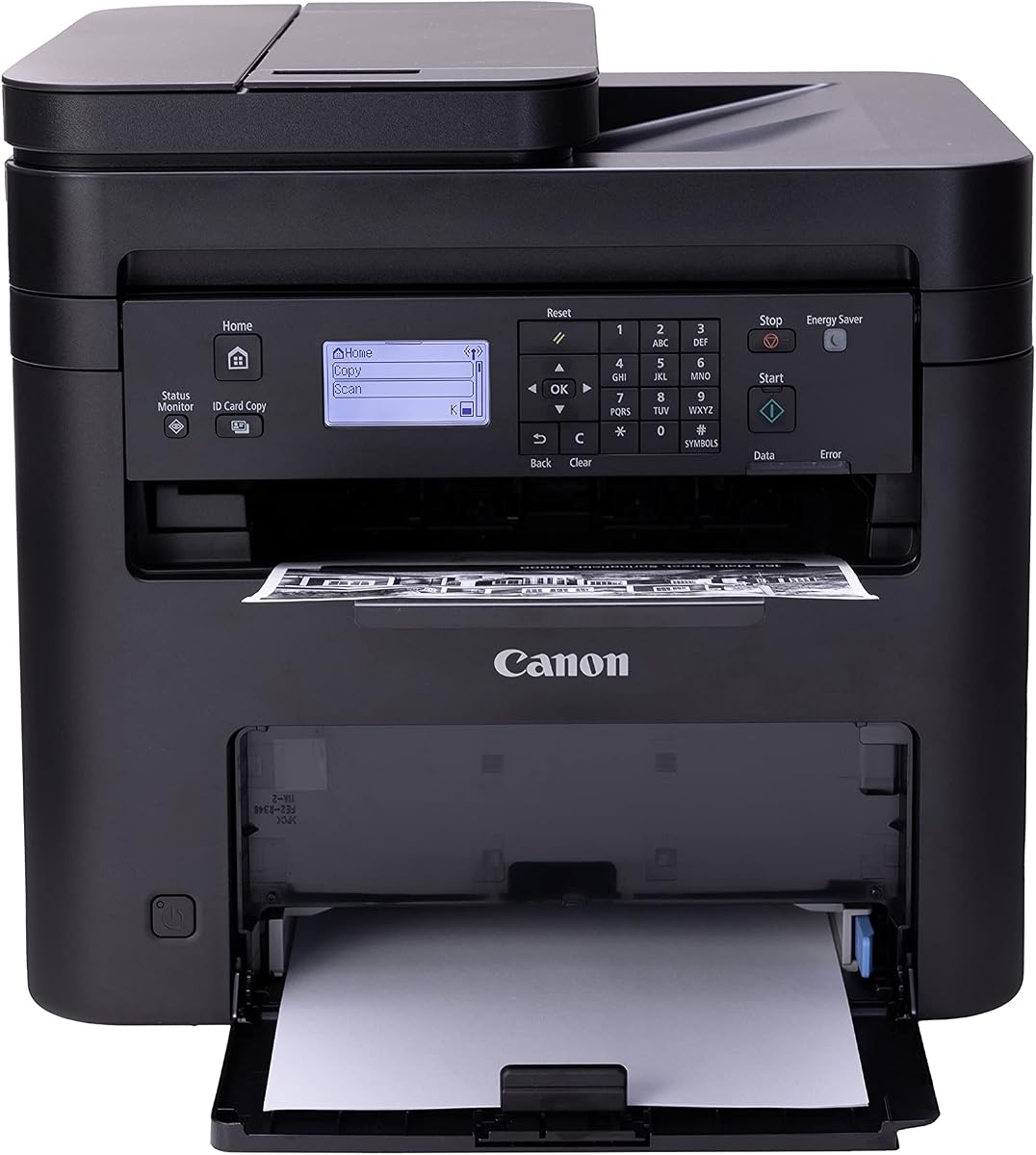
The Canon imageCLASS MF273dw is designed for quick and efficient printing in compact spaces. It delivers solid performance with a fast first print time ensuring you spend less time waiting for documents to be ready.
We may earn a commission when you buy through this link, at no additional cost to you.
Its wireless setup is straightforward allowing for seamless integration into home or small office networks. The auto document feeder facilitates scanning tasks making it a versatile option for managing both incoming and outgoing paperwork.
While the paper tray capacity is modest the manual feed slot allows for specialty items like envelopes. This flexibility ensures you can handle varied printing needs without needing a larger dedicated unit.
Recommended for individual users or small home offices this printer offers reliable functionality without taking up too much space. Its balance of speed and simplicity makes it a practical choice for everyday business tasks.
With a first print time of roughly 5 seconds this printer ensures you get documents quickly without long warm-up delays.
Wireless configuration is streamlined so you can get printing from any networked device within minutes of unboxing.
We may earn a commission when you buy through this link, at no additional cost to you.
This Brother all-in-one model excels with its intuitive touchscreen interface and comprehensive feature set. It combines printing, copying, scanning, and faxing into a single compact unit ideal for small office environments with diverse needs.
We may earn a commission when you buy through this link, at no additional cost to you.
The 2.7-inch touchscreen simplifies navigation while the manual feed slot ensures you can print on envelopes and card stock easily. Its fast speeds and cloud connectivity allow for efficient workflows without tying up your computer.
Although faxing requires a dedicated line the convenience of having it built in offsets this minor limitation. Users appreciate the ability to send documents directly to cloud services making remote work more manageable.
Top pick for small offices seeking versatility this printer balances speed with usability effectively. It is a reliable investment that grows with your business ensuring you have the tools needed for various tasks.
The 2.7-inch touchscreen provides a user-friendly interface that makes setting up tasks and managing jobs simple for all users.
Connect to services like Dropbox and Google Drive directly from the printer to save or retrieve files without a computer.
We may earn a commission when you buy through this link, at no additional cost to you.
The Canon imageCLASS MF462dw II offers a rich feature set with a large touchscreen interface for easy control. It is designed to handle higher volumes efficiently with fast speeds and ample paper capacity options for growing businesses.
We may earn a commission when you buy through this link, at no additional cost to you.
Its 5-inch color touchscreen allows for customizable access to frequently used features. The expandable paper capacity ensures you can handle large print jobs without constant refills making it suitable for busy departments.
While the interface may seem complex initially the flexibility it offers once configured is significant. The duplex printing capability helps save paper costs while maintaining the speed necessary for daily operations.
Ideal for businesses needing customization and speed this printer adapts to your workflow effectively. Its robust build ensures it can withstand daily use while delivering consistent high quality output over time.
The Application Library lets you pin your most used tasks for quicker access reducing the steps needed for common jobs.
Optional paper cassettes allow you to expand storage significantly reducing the need for frequent reloading during large print runs.
We may earn a commission when you buy through this link, at no additional cost to you.
This premium color all-in-one printer delivers professional results with sharp color and black printing for a variety of documents. It is built for businesses that need high volume output without compromising on quality or security standards.
We may earn a commission when you buy through this link, at no additional cost to you.
Its advanced security features protect sensitive data during transit and at rest. The large color touchscreen allows for quick navigation and customized shortcuts making it easy to manage complex tasks efficiently.
While it is a significant investment the long-term savings on toner and increased productivity justify the cost. The device is designed to reduce overhead with features like energy efficiency and durable construction.
Best for businesses needing color and security this model is a top-tier choice. It supports high volume needs and ensures your network remains secure against potential threats while printing essential documents.
Triple layer security including NFC card readers ensures only authorized users can access sensitive printing and scanning tasks.
With speeds up to 33 ppm and a large document feeder you can handle large batches of color documents efficiently.
We may earn a commission when you buy through this link, at no additional cost to you.
The HP LaserJet Pro MFP 3101sdw is known for its award-winning reliability and professional output quality. It is perfect for small teams needing consistent performance with fast printing speeds and easy wireless connectivity.
We may earn a commission when you buy through this link, at no additional cost to you.
With an auto document feeder and duplex printing capabilities this model handles daily office tasks efficiently. Its dependable Wi-Fi connection ensures you stay online and ready to print even when network signals fluctuate.
While it has limitations on cartridge types the performance benefits make it a strong contender for business use. Users appreciate the ease of setup and the ability to handle high volume demands without issues.
Recommended for small businesses seeking dependability this printer offers a straightforward solution. Its balance of speed and reliability ensures that your daily operations run smoothly without unnecessary downtime or maintenance.
Wireless technology automatically seeks the best connection ensuring you stay online and can print without interruptions.
Auto 2-sided printing reduces paper costs and speeds up the process allowing your team to get more done.
We may earn a commission when you buy through this link, at no additional cost to you.
This Brother model is designed to be a robust and compact solution for busy schedules. It offers reliable printing speeds and a sturdy build ensuring it can handle daily workloads without frequent maintenance or repairs.
We may earn a commission when you buy through this link, at no additional cost to you.
The adjustable paper tray allows for flexibility in handling different paper sizes and types. Combined with the manual feed slot you can easily print on envelopes and card stock without compromising on print quality.
While it is not the fastest option on the list its reliability and compact size make it a valuable addition to any workspace. The wireless capabilities allow multiple users to access the device effortlessly.
Best for compact spaces needing reliability this printer provides consistent output for home offices. Its ability to manage specialty paper ensures you can handle varied tasks without needing separate hardware for every need.
The adjustable tray and manual slot ensure you can switch between standard paper and envelopes quickly without issues.
Its compact footprint allows you to place it in smaller areas while still maintaining high quality printing capabilities.
We may earn a commission when you buy through this link, at no additional cost to you.
Selecting the right printer involves considering several critical factors to ensure it meets your specific operational needs.
Ensure the printer includes a manual feed slot or dedicated tray that supports envelope weights and sizes. This feature prevents jams and ensures sharp prints on critical correspondence.
Look for models that explicitly mention envelope support to avoid purchasing devices that only handle standard paper sheets.
Choose a speed that matches your daily output needs to avoid bottlenecks in your workflow. Higher pages per minute rates are essential for larger teams or frequent printing.
Balance speed with cost ensuring you select a model that can handle your expected volume without excessive downtime.
A larger paper tray reduces the need for frequent refills which is vital for busy offices. Consider expandable options if you expect growth in your printing volume.
Check for automatic duplex capabilities to save paper and reduce costs over the long term.
Modern printers should offer dual-band wireless and Ethernet for stable network access. This ensures that all team members can print without connectivity interruptions.
Mobile app support is also crucial for printing directly from smartphones or tablets when away from a computer.
Business printers need robust security to protect sensitive documents during transmission and storage. Look for features like secure printing or authentication badges.
Advanced security reduces the risk of data breaches which is increasingly important in digital work environments.
Evaluate the toner yield and cost per page to understand the total cost of ownership. High yield cartridges are generally more economical for frequent users.
Consider subscription services that offer automatic toner delivery to ensure you never run out unexpectedly.
Ensure the printer fits comfortably on your desk or designated area without cluttering your workspace. Compact designs are ideal for small offices or home setups.
Check dimensions carefully to confirm it will fit in your intended location before purchase.
Decide if you need scanning or faxing capabilities to streamline office workflows. All-in-one models can save space compared to separate devices.
Prioritize features that align with your daily tasks to avoid paying for unnecessary functions.
When printing envelopes ensure they are correctly aligned in the manual feed slot to prevent jams and skewed prints. Check that the flaps are securely folded to avoid getting caught in the rollers.
Regularly clean the rollers and interior to prevent dust buildup which can cause paper jams or poor print quality. Use a soft dry cloth for exterior cleaning and follow manufacturer guidelines for internal components.
Store toner cartridges in a cool dry place away from direct sunlight to maintain optimal performance. If the printer sits unused for extended periods run a test page to ensure the system remains ready.
No not all laser printers support envelopes. You need a model with a manual feed slot or a dedicated tray that can handle the thickness of envelopes without causing jams.
To prevent jams flatten the envelope flaps and insert them into the manual feed slot correctly. Ensure the printer settings match the envelope size and weight settings.
For small offices 30 pages per minute is usually sufficient. Larger teams may require 40 ppm or higher to keep up with daily printing demands effectively.
Not necessarily as many modern laser printers come as all-in-one devices with built-in scanners. This saves space and integrates scanning directly into your workflow.
Yes modern wireless printers include encryption and authentication features to protect data. Look for models with advanced security settings to safeguard sensitive business documents.
It is recommended to clean the exterior weekly and the internal rollers monthly. This maintenance helps prevent jams and ensures consistent print quality over time.
We have highlighted top picks ranging from budget-friendly options to premium all-in-one models to suit various needs. Each printer reviewed offers specific strengths that make it stand out in its category.
Prioritize features like manual feed slots and duplex printing based on your daily workload requirements. Balancing speed and cost will ensure you get the most value from your investment.
Remember to check current prices and availability before finalizing your purchase as deals change regularly. Choosing the right model ensures efficient and reliable printing for your business.