
TP-Link AC1200 WiFi Extender (RE315)
4.2Editor score
Dual-band support
Easy setup process
Ethernet port included
This guide compares the top long distance WiFi extender models for 2026, evaluating range, speed, weatherproofing, and compatibility to help you choose the
Finding a reliable long distance WiFi extender is essential for modern homes and large properties. Weak signals often leave dead zones where devices struggle to connect. A quality extender bridges these gaps, ensuring seamless connectivity across every room and outdoor space.
We evaluated ten top-rated models based on real-world performance, range capabilities, and feature sets. Our analysis covers indoor and outdoor units, focusing on WiFi 6 and WiFi 7 technologies. Each product was assessed for ease of setup, security features, and overall value.
Each pick highlights specific strengths to match diverse networking needs. Whether you need basic coverage or advanced mesh integration, there is a suitable option. Prices and availability fluctuate, so verify current details before purchasing your preferred model.
4.2Editor score

4.1Editor score

4.2Editor score
The following comparison table outlines key specifications for each model. Use this data to quickly identify which device matches your specific range, speed, and environmental requirements.



The TP-Link AX3000 is a top-tier choice for expanding your network. Rated highly for its dual-band capabilities, it delivers reliable performance across large areas. Its design focuses on maximizing coverage without compromising stability.
We may earn a commission when you buy through this link, at no additional cost to you.
This unit offers total bandwidth of up to 3 Gbps, split between 2.4 GHz and 5 GHz bands. Two high-gain directional antennas with beamforming enhance signal strength. You can connect up to 64 devices simultaneously without significant lag. The Gigabit Ethernet port allows wired connections for consoles or PCs, ensuring low latency for gaming or streaming.
While it does not increase raw internet speeds, it improves reliability which often feels faster. The lack of Deco mesh compatibility might be a drawback for existing users. However, EasyMesh support allows integration with other routers effectively.
Ideal for homes needing modern WiFi 6 tech with solid range. Buyers seeking robust performance and future-proofing should prioritize this model. Ensure your router supports EasyMesh for best results.
The AX3000 standard ensures you get the latest WiFi efficiency, balancing speed and range effectively across multiple devices.
With a Gigabit Ethernet port, you can hardwire devices that need constant, high-speed connections without relying solely on wireless.
We may earn a commission when you buy through this link, at no additional cost to you.
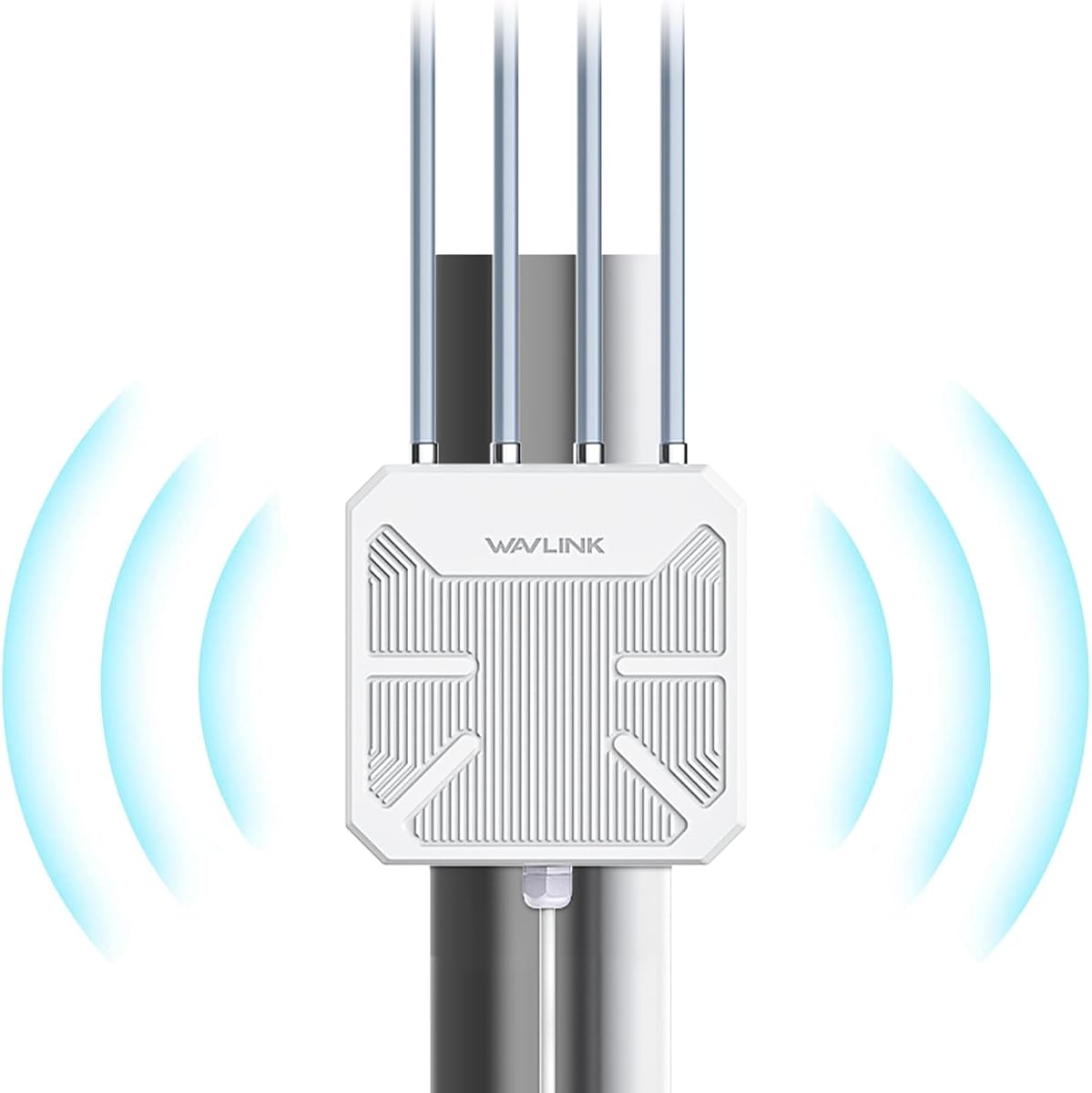
This WAVLINK model stands out for outdoor connectivity. It is built to withstand rain, snow, and extreme temperatures. The IP67 rating ensures durability in harsh conditions.
We may earn a commission when you buy through this link, at no additional cost to you.
It supports AX3000 speeds with four detachable fiberglass antennas. These provide a range of 200 to 300 meters. PoE support allows installation where power outlets are absent. It works with Starlink and other routers via Ethernet adapters.
The PoE converter requires indoor placement which needs careful cable management. The cost is higher than indoor units but justified for outdoor utility. Mesh modes allow seamless roaming across properties.
Perfect for yards, farms, or detached buildings. Users needing reliable weatherproof internet extensions will find this invaluable. Check cable length limits during setup to avoid signal loss.
The IP67 enclosure protects internal components from dust and water, ensuring operation even during heavy storms or freezing temps.
PoE capability simplifies installation by allowing power and data transmission over a single cable, reducing electrical needs outdoors.
We may earn a commission when you buy through this link, at no additional cost to you.
This AX1800 extender is ideal for remote homes using satellite internet. It connects seamlessly with Starlink systems for extended coverage. Its rugged build handles outdoor elements reliably.
We may earn a commission when you buy through this link, at no additional cost to you.
It offers dual-band speeds of 1800 Mbps. Four high-gain antennas ensure stable signals over large distances. PoE support simplifies setup in hard-to-reach areas. You can connect up to 256 devices simultaneously.
The PoE adapter must stay indoors to avoid water damage. Users need to mount cables correctly to prevent water ingress. Despite this, the value for Starlink users is significant.
Excellent for rural properties or off-grid setups. If you rely on Starlink and need outdoor range, this is a top choice. Verify your Ethernet adapter compatibility before purchase.
Specifically optimized to work with Starlink adapters, allowing satellite internet users to extend signal across large properties easily.
Supporting up to 256 connections ensures that smart home devices, cameras, and sensors remain online without overload.
We may earn a commission when you buy through this link, at no additional cost to you.
This model features six antennas for broad outdoor coverage. It supports 3000Mbps speeds with dual-band technology. Designed for tough weather, it offers consistent performance.
We may earn a commission when you buy through this link, at no additional cost to you.
It supports over 256 devices simultaneously. AP and Router modes make it versatile for different setups. PoE compatibility aids in remote installations. Mesh technology allows unified network names.
Users may need to update firmware for optimal features. The price reflects its robust build and antenna count. Grounding is recommended to prevent lightning damage.
Great for large estates or multi-device outdoor areas. If you need strong penetration and weather resilience, this fits well. Follow safety grounding instructions strictly.
The six antennas provide robust signal distribution, ensuring coverage reaches corners and obstacles that single units miss.
Supporting Mesh, AP, and Router modes gives you control over how the device fits into your existing network architecture.
We may earn a commission when you buy through this link, at no additional cost to you.
The RE315 is a trusted budget choice for basic range needs. It offers AC1200 speeds suitable for standard streaming. Setup is quick with Tether app guidance.
We may earn a commission when you buy through this link, at no additional cost to you.
It covers up to 1500 sq ft and supports 32 devices. Two adjustable antennas help optimize signal direction. The Fast Ethernet port adds wired flexibility.
It uses older AC technology which is slower than WiFi 6. However, for small apartments, it offers excellent value. No advanced mesh features like Tri-Band.
Perfect for users on a tight budget. If you need to fix a dead zone cheaply, this works well. Manage expectations regarding speed limits on older tech.
Delivering reliable signal extension at a low cost, making advanced range tech accessible without breaking the bank.
Its plug-in form factor means it takes up no shelf space, simply plugging into a wall outlet for immediate use.
We may earn a commission when you buy through this link, at no additional cost to you.
This booster claims massive coverage with advanced signal tech. It handles over 65 devices with stable performance. The setup process is very user-friendly.
We may earn a commission when you buy through this link, at no additional cost to you.
It uses a Bionic Chip to optimize signal distribution. Four antennas ensure 360-degree coverage. WPA2 encryption keeps your network safe. It reduces buffering significantly for streaming.
The 18,000 sq ft figure is theoretical. Real-world results depend on layout. However, reviews suggest strong performance in large homes.
Ideal for homes with many connected devices. If you struggle with dead zones, this is worth a try. Check current firmware for best performance.
Dedicated processing power ensures that signal data is distributed evenly, preventing lag even when many devices connect.
Using WPS technology, setup takes seconds without technical knowledge, making it accessible for non-tech savvy users.
We may earn a commission when you buy through this link, at no additional cost to you.
The RE550 offers robust performance with three antennas. It covers over 2000 sq ft reliably. Gigabit ports ensure wired devices get full speed.
We may earn a commission when you buy through this link, at no additional cost to you.
It supports up to 32 devices efficiently. Beamforming helps focus signal where needed. The app simplifies placement and firmware updates.
It uses AC technology which is slower than WiFi 6. Setup might be slightly complex due to size. But reliability is high for daily use.
Great for homes with many smart gadgets. If you need a stable extender with wired options, this is a strong pick. Ensure you have space for three antennas.
Three external antennas provide directional signal control, allowing you to aim coverage exactly where your devices are located.
The Gigabit Ethernet port ensures that wired devices like TVs or PCs get maximum throughput without wireless interference.
We may earn a commission when you buy through this link, at no additional cost to you.
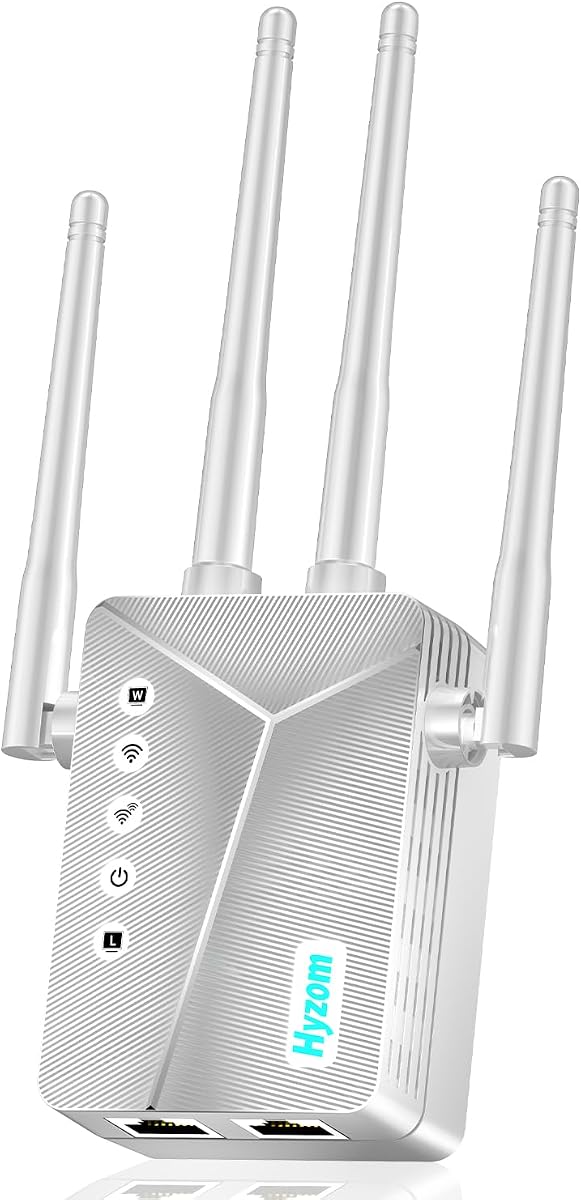
This booster offers dual Gigabit ports and wide range. It uses smart IC chip to manage traffic. Cooling vents prevent overheating during long use.
We may earn a commission when you buy through this link, at no additional cost to you.
It supports 5 working modes for flexibility. Dual Gigabit ports allow wired connections for multiple devices. The chip optimizes bandwidth distribution.
Range claims are optimistic but real performance is good. It supports 88+ devices which is impressive. Military-grade encryption protects data well.
Suitable for large multi-device homes. If you need stable speeds and security, this fits. Ensure your cables are Cat5e or higher for speed.
Having two wired ports means you can connect a desktop and TV simultaneously without relying on wireless bandwidth for both.
Dual-side vents keep the device cool during prolonged use, ensuring stable signal output even during peak usage times.
We may earn a commission when you buy through this link, at no additional cost to you.
This is a future-proof Wi-Fi 7 extender. It supports MLO for faster throughput and low latency. It offers massive bandwidth and speed potential.
We may earn a commission when you buy through this link, at no additional cost to you.
It connects up to 64 devices. The 2.5G port handles gigabit internet speeds well. Beamforming ensures reliable signal strength across the home.
It needs a compatible Wi-Fi 7 router to unlock full features. Without 6GHz support, it relies on 5GHz and 2.4GHz. Future-ready for new tech.
Best for early adopters needing high-speed wired ports. If you plan to upgrade your router soon, this fits well. Check router compatibility first.
MLO allows devices to use multiple frequency bands simultaneously, reducing latency and boosting speeds for gaming and streaming.
The 2.5 Gigabit Ethernet port ensures your wired devices can handle internet speeds exceeding 1Gbps without bottlenecks.
We may earn a commission when you buy through this link, at no additional cost to you.
This AX1800 model provides robust outdoor signal power. It uses six antennas for strong penetration. IP65 rating handles rain and dust effectively.
We may earn a commission when you buy through this link, at no additional cost to you.
It supports Repeater, Router, and AP modes. Setup takes just minutes with included adapters. It handles smart lights and cameras well.
IP65 is decent but not as robust as IP67 for heavy storms. Still effective for patios and garages. Installation requires proper cable routing.
Great for medium outdoor needs like yards. If you need to connect cameras and smart bulbs outside, this works well. Ensure adapter is placed indoors safely.
Six high-gain antennas boost signal strength significantly, allowing connection to devices across large yards and garages.
With vertical and horizontal mounting options, you can position the unit to best suit your garden or backyard layout.
We may earn a commission when you buy through this link, at no additional cost to you.
Choosing the right extender involves understanding your home layout, device count, and speed needs. Review these factors to find the perfect match.
Modern extender models use WiFi 6 or WiFi 7 standards. These offer better efficiency and higher throughput than older AC models. If your router supports WiFi 6, matching it ensures optimal speed.
Prioritize models with dual-band or tri-band capabilities. This separation reduces congestion and improves overall performance across multiple devices.
Look for models that specify square footage or meter coverage. High-gain antennas increase range by focusing signal direction. Ensure the rated range matches your home's size.
Consider signal strength through walls. Beamforming technology directs signals to devices rather than broadcasting blindly. This helps maintain strong connectivity in dead zones.
An Ethernet port allows wired connections for devices like consoles or PCs. Gigabit ports are essential if you need fast wired speeds. Without a port, all devices must rely on wireless.
Some extenders support AP mode via Ethernet. This turns a wired connection into a wireless hotspot. It is useful for expanding networks in basements or garages.
Modern smart homes have dozens of devices connected simultaneously. A good extender should handle 60+ connections without dropping signals. MU-MIMO technology helps manage traffic effectively.
Check reviews for real-world device counts. High device capacity ensures stable speeds even when multiple streams run at once. This is critical for families with many users.
Outdoor units need IP67 or IP65 ratings. IP67 provides full dust and water protection. IP65 handles rain but not full submersion. Check local weather conditions.
Look for protection against lightning and static. Some models include built-in surge protection for safety. This prevents damage during storms.
PoE support allows power via an Ethernet cable. This is ideal for outdoor spots without outlets. It simplifies installation by removing the need for power cords.
Note that the adapter must stay indoors if not waterproof. Verify the PoE standard compatibility. Active and passive options differ based on your setup needs.
Setup should be quick with WPS or guided apps. Avoid models requiring complex browser logins. A mobile app helps find the best signal location.
App features like firmware updates are vital for performance. Check if updates are automatic or manual. User-friendly interfaces save time during installation.
If you have a mesh system, check for EasyMesh support. This allows seamless roaming under one network name. Avoid models that create separate SSIDs unless you want distinct networks.
Mesh support ensures devices switch to the strongest signal automatically. This prevents dropped calls while moving. It improves overall user experience significantly.
Place the extender halfway between your router and the dead zone. Avoid corners or thick concrete walls. Ensure a stable power connection.
Run firmware updates via the provided app. This fixes bugs and improves security. Keep the device clean of dust for optimal cooling.
Regularly check signal strength. Reposition if speeds drop. Use apps to monitor connected devices and bandwidth usage.
Yes, high-gain antennas and advanced technologies like beamforming allow extenders to bridge gaps effectively. Performance depends on placement and physical obstacles.
Yes, outdoor units are durable enough for indoor use but may be bulky. Indoor units are often more compact and designed for standard wall outlets.
Wireless extenders typically halve bandwidth due to half-duplex operation. However, wired backhaul or Mesh systems minimize this loss significantly.
WiFi 6 extenders work with older routers but only at AC speeds. To unlock full speeds, pair with a WiFi 6 router or higher.
Many models include Gigabit ports. This allows connecting consoles or TVs directly. Check specs to confirm if Ethernet ports are included.
PoE allows data and power over one Ethernet cable. It is ideal for outdoor spots without outlets. Check adapter ratings before use.
The TP-Link AX3000 and WAVLINK outdoor units top our list for speed and durability. Budget buyers will find the AC1200 reliable for basic needs.
Prioritize range and weatherproofing if expanding outdoors. Match the WiFi standard with your router for best performance.
Check current pricing and availability before purchasing. Ensure you select a model that fits your specific coverage needs.