
GLOTRENDS 2-Pack M.2 SSD Heatsink
4.5Editor score
Fits all 2280 NVMe and SATA
Passive aluminum fins reduce heat
Tool-less installation with clasps
This guide compares the top low profile SSD heatsinks for PS5 and laptops to prevent overheating and ensure your NVMe drives maintain peak performance.
Keeping your NVMe SSD cool is essential for maintaining peak performance and preventing thermal throttling during heavy workloads. A low profile heatsink offers an effective solution for tight spaces like laptops and gaming consoles without adding bulk or requiring complex installation steps.
We evaluated ten leading low profile SSD heatsinks based on material quality, thermal conductivity, ease of installation, and real-world cooling performance. Our analysis focuses on products that fit standard 2280 drives while offering reliable heat dissipation through passive designs and high-quality thermal interfaces.
Each pick highlights key specifications, pros, and cons to help you choose the right cooling solution for your specific setup. Note that product availability and pricing can change frequently, so verify details on the manufacturer or retailer site before purchasing your final choice.
4.5Editor score

4.7Editor score

4.4Editor score
This side-by-side comparison outlines the key specifications and cooling capabilities of the top ten low profile heatsinks available for 2280 M.2 SSDs, helping you identify the best fit for your thermal management needs.



The be quiet! MC1 is a top-rated cooler designed to maintain peak read and write speeds for single and double sided 2280 M.2 SSD modules. With a 4.7 star rating, it stands out for its reliable thermal management and compact form factor suitable for tight spaces like gaming consoles.
We may earn a commission when you buy through this link, at no additional cost to you.
Its primary strength lies in its ability to enable lower temperatures which allows your drive to run at full performance for an extended timespan. The dimensions are specifically tuned for the PlayStation5 expansion slot ensuring your console remains quiet while your storage stays cool under heavy game loads.
While it offers excellent cooling for its size, the package does not include extra accessories like thermal pads or installation tools which might be expected at this price point. These trade-offs are acceptable given the brand reputation and targeted fit for standard M.2 slots and PS5 systems.
Gamers and PC enthusiasts seeking a quiet reliable solution for their M.2 storage should consider this heatsink for its consistent performance and space efficient design. It is a strong choice for anyone prioritizing stability and low noise over bundled installation extras.
The dimensions are specifically engineered to fit the PS5 expansion slot perfectly ensuring reliable cooling for your console storage upgrades.
Whether your drive has components on one side or both the MC1 provides efficient cooling without compromising stability or clearance.
We may earn a commission when you buy through this link, at no additional cost to you.
The GLOTRENDS 2-Pack is an affordable solution that delivers real cooling gains ranging from 5 to 20 degrees Celsius under sustained load. With a 4.5 star rating it offers passive aluminum fins that pull heat off the controller to keep your NVMe drives from throttling mid-transfer.
We may earn a commission when you buy through this link, at no additional cost to you.
Its main advantages include universal compatibility with every 2280 M.2 NVMe and SATA drive including those inside PS5 and PS5 Slim systems. Installation is tool-less using metal clasps or rubber bands which means you can secure the heatsink in under a minute without voiding warranties.
The product does note that it is not designed for laptops which limits its use to desktop builds and console expansions. This limitation is acceptable for desktop users who prioritize cost and simplicity over laptop specific form factors and thinner profiles.
If you need a simple effective and inexpensive way to cool two drives this kit provides excellent value and straightforward performance for most users. It is ideal for anyone wanting to secure their drive investment without complex mounting systems or fan noise.
The passive aluminum fins effectively cut peak temperatures preventing thermal throttling during large file transfers and game installs.
This heatsink works with any 2280 NVMe or SATA SSD including modern drives used in consoles and desktops alike.
We may earn a commission when you buy through this link, at no additional cost to you.
This premium graphene coated copper heatsink claims maximum thermal efficiency with conductivity far exceeding standard copper or aluminum solutions. With a 4.4 star rating it features a full-coverage design and professional air duct structure intended for laptops and narrow spaces like PS5 consoles.
We may earn a commission when you buy through this link, at no additional cost to you.
The standout feature is the graphene coating which offers thermal conductivity reaching 5300W/m K compared to 386W/m K for pure copper. The slanted slot design enhances airflow and provides an aesthetically pleasing look while the silicone pad helps fix the radiator securely without tools.
While highly efficient the higher price point and need for careful pad placement may deter budget users. These are acceptable trade-offs for users who demand top-tier thermal performance and visual appeal in compact builds and gaming systems.
If you want maximum heat dissipation in a sleek design for your laptop or console this graphene option offers the best material performance available. It is a top choice for enthusiasts seeking superior cooling efficiency and build quality.
Graphene coating reaches 5300W/m K conductivity significantly outperforming standard aluminum or copper radiators for heat transfer.
Professional air ducts and slanted slots increase contact area with air to dissipate heat quickly in narrow spaces.
We may earn a commission when you buy through this link, at no additional cost to you.
This heatsink is explicitly designed for the compact space of laptops with a minimum installation height of just 1.5mm. Rated at 4.6 stars it offers 100% copper construction and nano thermal pads that provide a 10 to 20 degree cooling effect to prevent overheating and throttling.
We may earn a commission when you buy through this link, at no additional cost to you.
The all copper design ensures maximum thermal conductivity while the unique silicone pads fit uneven surfaces common in laptop chassis. Two mounting methods using rubber rings and insulation stickers make it easy to secure the heatsink inside tight laptop enclosures without tools.
While effective for laptops its extreme slimness limits airflow surface area compared to bulkier desktop options. This is a necessary trade-off to maintain compatibility with thin notebooks and portable devices where space is at a premium.
Laptop users who struggle with SSD thermal throttling will find this copper solution effective for maintaining safe temperatures during intensive tasks. It is a solid pick for anyone prioritizing portability and reliable cooling in mobile computing environments.
A minimum height of 1.5mm allows installation in tight laptop spaces where standard heatsinks would not fit.
100% copper material delivers excellent thermal conductivity for rapid heat dissipation from the drive controller.
We may earn a commission when you buy through this link, at no additional cost to you.
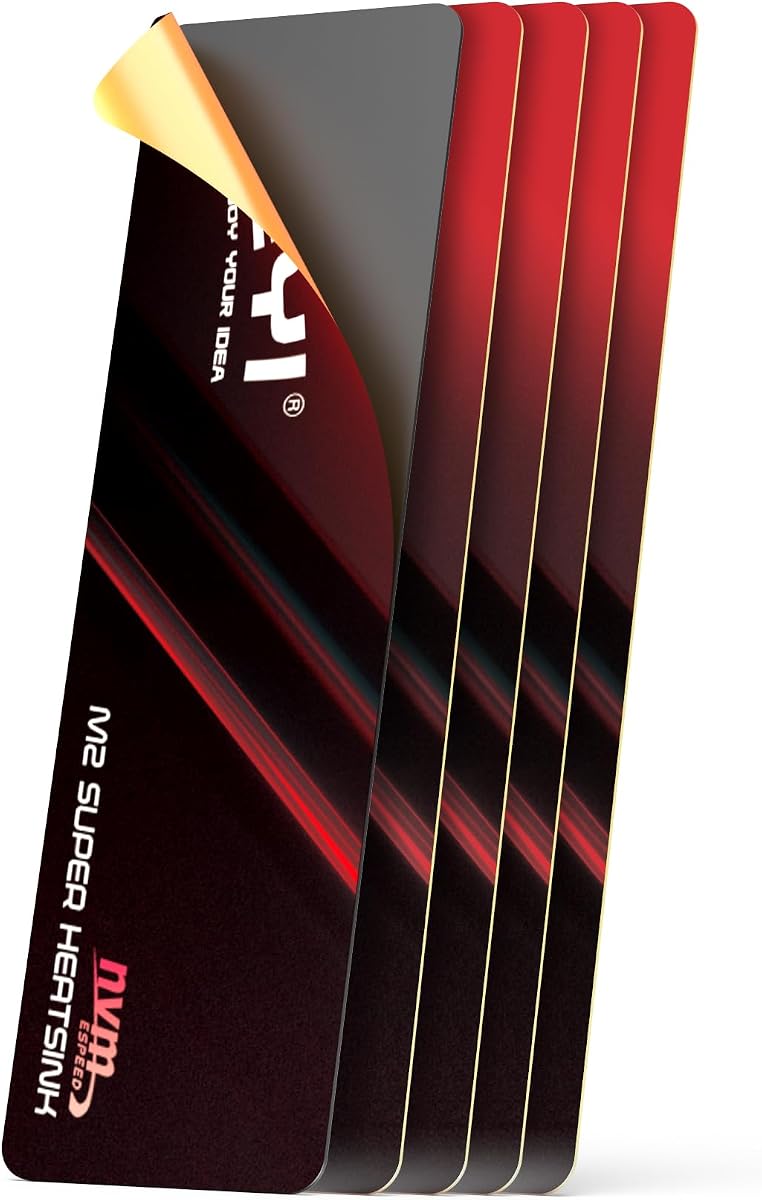
The JEYI heatsink uses a 0.5mm ultra-thin design that perfectly fits compact spaces like ultra-thin laptops and PS5 expansion slots. With a 4.4 star rating it utilizes graphene and copper foil for 1500W/mK conductivity cutting peak SSD temperatures by 25°C under load.
We may earn a commission when you buy through this link, at no additional cost to you.
Dual-sided cooling is possible by applying thermal pads to both sides of the drive doubling heat dissipation to prevent throttling. The adhesive is rated for high temperatures ensuring permanent bonding without fall-off though care is needed to avoid bending the thin film during peel and install.
Its extreme thinness sacrifices some surface area for airflow compared to finned metal blocks which can limit cooling in air restricted spots. This trade-off is acceptable for users who need the absolute thinnest profile for tight enclosures and compact builds.
If your priority is minimizing height while maintaining effective thermal management this graphene copper film offers the best ultra-thin solution available. It is ideal for laptop upgrades and compact systems where clearance is critical.
The 0.5mm thickness is ideal for ultra-thin laptops and consoles where even small heights create clearance issues.
Graphene and copper foil deliver ultra high thermal conductivity to rapidly move heat away from the SSD controller.
We may earn a commission when you buy through this link, at no additional cost to you.
This aluminum alloy heatsink features a double-sided clip design that provides stable installation for various SSD heights in PC and PS5 slots. Rated at 4.6 stars it includes low viscosity thermal pads and silver plating to eliminate static electricity while providing a 10 to 20 degree cooling effect.
We may earn a commission when you buy through this link, at no additional cost to you.
The anodic oxidation surface treatment protects against corrosion and gives a durable finish suitable for internal computer environments. It is designed to work well with single sided SSD modules offering reliable heat dissipation and straightforward installation using clips and pads.
While effective for standard setups it may not fit thicker double sided drives without risking clearance issues. This limitation is acceptable for users targeting compatible single sided drives where simple stable mounting is a priority.
PC and console builders looking for a reliable and affordable cooling solution for single sided drives will find this heatsink easy to install. It is a solid choice for those wanting consistent performance without complex mounting hardware.
The double-sided clip design ensures stable installation across various SSD heights while protecting your M.2 drive securely.
Silver plating helps eliminate static electricity while the anodic oxidation treatment protects against corrosion in internal systems.
We may earn a commission when you buy through this link, at no additional cost to you.
This pure copper heatsink measures 67x18x1.5mm and uses a groove design to increase surface area for rapid heat dissipation into the air. Rated 4.5 stars it includes a silicone based thermal pad and rubber rings for easy installation on laptops and desktop computers.
We may earn a commission when you buy through this link, at no additional cost to you.
The thermal conductivity of copper is much more efficient than aluminum alloys making this unit highly effective at releasing accumulated heat quickly. Its thin 1.5mm design ensures installation on most computers without interference while maintaining reliable data transfer speeds for your SSD.
The specific dimensions require checking space before purchase to avoid clearance issues especially in tight laptop chassis. This attention to fit is acceptable given the high performance of pure copper and the included accessories for secure mounting.
Users prioritizing material quality and effective cooling in laptops will find this copper solution offers reliable thermal management. It is a practical pick for those who value proven materials over fancy styling.
100% pure copper provides superior thermal conductivity compared to aluminum alloys for faster heat release into the air.
The groove design significantly increases contact area with air to improve heat exchange and lower drive temperatures.
We may earn a commission when you buy through this link, at no additional cost to you.
This graphene coated copper radiator offers high performance cooling with air duct design to increase contact area with air. Rated at 4.7 stars it features a slanted slot aesthetic and full coverage to dissipate heat quickly on 2280 NGFF SSDs for PS5 and laptops.
We may earn a commission when you buy through this link, at no additional cost to you.
The graphene material provides superior conductivity reaching 5300W/m K ensuring efficient heat transfer compared to standard metal radiators. The included thermal pad helps fix the radiator easily without tools protecting the particles of the SSD to extend its life effectively.
The higher price reflects the premium material and design which may not be necessary for all users. This trade-off is acceptable for those seeking maximum efficiency and a visually appealing installation in compact systems.
Enthusiasts who value both cooling performance and aesthetics will appreciate this graphene option for its effective heat exchange. It is a strong choice for users wanting top tier materials in their storage cooling setup.
Professional air duct design increases contact area with air to dissipate heat more quickly than standard flat surfaces.
The full coverage radiator protects SSD components effectively to prevent overheating and extend the drive's life.
We may earn a commission when you buy through this link, at no additional cost to you.
This 0.5mm pure copper heatsink provides a slim profile compatible with various laptops and desktop computers including PS5 SSD slots. With a 4.4 rating it uses exact dimensions to prevent misalignment and includes chemical polished silicone pads that resist oxidation and prevent short circuits.
We may earn a commission when you buy through this link, at no additional cost to you.
The package includes a screwdriver spudger and screws for easy secure installation ensuring your drive stays protected against heat and physical stress. The high quality copper releases accumulated heat into the air faster than aluminum alloy options for effective thermal management.
Because it is very thin it requires precise fit checks to avoid interference with surrounding components in narrow spaces. This is acceptable given the reliable copper performance and the comprehensive toolkit provided for installation.
If you need a slim precise copper cooling solution for laptops or compact builds this heatsink offers reliable protection and complete accessories. It is a practical choice for those who value precision fit and material quality.
Exact dimensions prevent installation misalignment and short circuits while providing reliable heat dissipation for your 2280 drive.
Includes screwdriver spudger and screws to make installation easy and secure without needing to find extra tools.
We may earn a commission when you buy through this link, at no additional cost to you.
The Micro Connectors heatsink offers a 5mm low profile height designed to work around tight spaces on motherboards or M.2 adapters. With a 4.6 rating it features cross-cut aluminum alloy fins for optimal heat dissipation and includes heat resistant silicone rings to secure the heatsink.
We may earn a commission when you buy through this link, at no additional cost to you.
Its low profile design ensures compatibility with PS5 M.2 NVME storage upgrades and standard PC builds where clearance is a concern. The installation is easy using thermal pads and rings which provide a stable fit without complex mounting hardware.
The fixed 5mm height may be too tall for very tight laptop compartments which limits its use to desktops and consoles. This limitation is acceptable for users targeting systems where 5mm clearance is available and reliability is key.
Desktop and console builders who need a simple reliable low profile cooling solution will find this heatsink effective for maintaining performance. It is a good choice for those prioritizing clearance and ease of install.
Cross-cut aluminum alloy fins provide optimal surface area for efficient heat dissipation during sustained SSD operation.
The 5mm low profile height is designed to work around tight spaces in motherboards and console expansion slots.
We may earn a commission when you buy through this link, at no additional cost to you.
Selecting the right low profile heatsink requires attention to dimensions materials and compatibility with your specific hardware setup.
Always check the available clearance above your M.2 slot before buying. Low profile heatsinks typically range from 0.5mm to 5mm in height so verify your laptop or console manual to avoid interference with nearby components or covers.
Measure your space accurately to ensure the heatsink will fit securely without obstructing airflow or other ports.
Pure copper offers the highest thermal conductivity followed by graphene aluminum and standard steel alloys. Copper is best for heat transfer while aluminum is lighter and often less expensive for passive cooling.
Select copper or graphene if your drive runs hot and aluminum for general cooling where weight and cost are priorities.
Most low profile heatsinks are designed for 2280 drives but some may not fit double sided SSDs or require specific spacing. Confirm whether your drive is single or double sided and check manufacturer notes for supported models.
Ensure your heatsink fits your specific drive layout to prevent installation issues or damage to sensitive components.
A good heatsink includes high quality thermal pads that bridge the gap between the drive and the metal. Look for silicone based pads that are flexible enough to accommodate uneven surfaces without damaging the drive.
Quality thermal pads improve heat transfer significantly so avoid cheap or too thin pads that compromise performance.
Many low profile models offer tool-less installation using rubber rings clips or adhesive pads to secure the heatsink. These methods are convenient and help avoid voiding drive warranties while ensuring a stable fit.
Choose a heatsink with an installation method that matches your comfort level and available tools for a quick setup.
Most low profile passive heatsinks claim temperature drops between 5 to 20 degrees Celsius under load. Real results depend on ambient airflow and workload intensity so manage expectations for sustained heavy use scenarios.
Select a heatsink with proven cooling gains to ensure your drive maintains peak speeds during demanding tasks.
Look for finishes like anodic oxidation or silver plating that protect against corrosion and static electricity in tight enclosures. Durable finishes ensure long term reliability especially in systems with high airflow or heat exposure.
Prioritize build quality over aesthetic features to maintain consistent performance and hardware protection over time.
Certain heatsinks are optimized for PS5 expansions or laptops with very tight internal spaces. Confirm device compatibility to ensure the heatsink meets specific dimensional requirements of your console or notebook model.
Match your heatsink choice to your specific device requirements for optimal fit and reliable cooling performance.
Before installation clean the SSD surface thoroughly to remove dust and oils that may block heat transfer. Peel the thermal pad carefully and align it precisely with the SSD controller to ensure full contact.
Secure the heatsink using the provided clips rings or adhesive ensuring it sits flat and stable. Avoid bending or flexing thin graphene or copper sheets as this can compromise structural integrity and contact.
Regularly inspect the pad and metal surface for dust buildup which can reduce cooling efficiency. Use compressed air or a soft brush to clean vents and fins without touching the sensitive drive contacts.
Most low profile heatsinks are designed for standard 2280 dimensions but may not fit double sided drives or those with large capacitors. Always check the product description for compatibility with your specific drive model and layout to ensure a secure fit.
Many low profile heatsinks are specifically optimized for PS5 expansion slots where clearance is critical. Verify the product notes confirm PS5 compatibility and check that the height does not exceed console internal limits before purchasing.
Typical passive low profile heatsinks provide a temperature reduction between 5 to 20 degrees under sustained load. Actual gains depend on ambient airflow and drive workload so results may vary by environment and usage intensity.
Most low profile models use tool-less designs with rubber rings clips or adhesive pads for quick installation. This avoids the need for screwdrivers and helps prevent voiding drive warranties while ensuring a secure fit.
Graphene materials offer higher theoretical thermal conductivity than copper but real-world gains depend on the full design and thermal interface. High quality copper heatsinks often provide reliable performance at a lower price while graphene options target premium builds.
Most manufacturers allow adding a heatsink if you use the supplied thermal pads and avoid permanent adhesives that damage the drive. Always review the specific warranty terms of your SSD brand before installing any third-party cooling accessory.
Check your SSD height and heatsink internal depth to choose the correct thermal pad thickness. A pad that is too thick will prevent contact while one that is too thin may not bridge the gap between controller and metal.
Most low profile heatsinks are designed to stay on during normal use but removal may be required for physical drive access. If your system allows firmware updates without removing the drive keep the heatsink installed to maintain cooling.
Choosing the right low profile heatsink ensures your SSD runs cooler and performs consistently without thermal throttling. Our top picks cover a range of budgets and form factors from budget friendly aluminum options to premium graphene copper solutions.
Prioritize accurate clearance measurements and material quality when selecting a heatsink to ensure a secure and effective fit. A solid installation will protect your drive investment and extend its reliable service life over time.
Always verify current availability and pricing before finalizing your purchase as these details can change frequently. With the right low profile heatsink you can keep your storage cool and your system running smoothly.