This guide compares the top ten affordable 2K HD webcams under fifty dollars to help you find the best camera for video calls streaming and online learning
As an Amazon Associate we earn from qualifying purchases. We may earn a commission when you buy through links on this page, at no additional cost to you. Read our affiliate disclosure.As an Amazon Associate we earn from qualifying purchases.Purchases through our links may earn us a commission, at no extra cost to you. Read our affiliate disclosure.
Finding a high-quality webcam that delivers sharp 2K resolution without breaking the bank can be challenging for many users. We have identified ten excellent options that balance performance clarity and value for remote work and entertainment needs.
Our team analyzed technical specifications user feedback and real-world performance metrics to compile this definitive list. Each product was evaluated on image quality audio clarity ease of use and additional features like privacy covers or autofocus capabilities.
Every pick in this guide highlights key strengths and potential limitations to help you make an informed decision. Prices and availability fluctuate frequently so please verify current details before finalizing your purchase to ensure you get the best deal available now.
Top 3 Picks for Best 2K Hd Webcam under 50
Best Budget
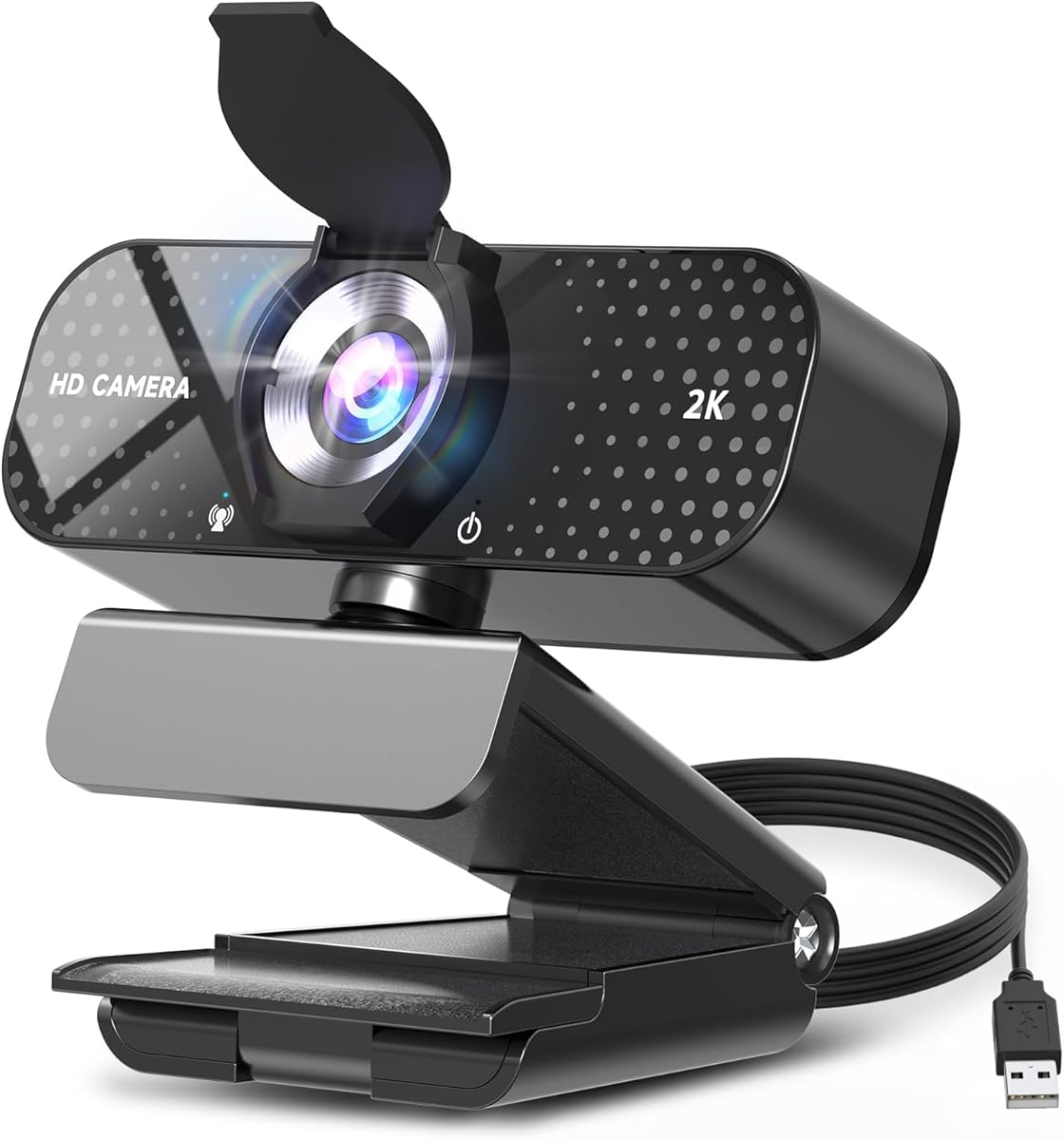
Hprosper 2K Webcam with Microphone Automatic Light Correction & Privacy Cover Wide Angle USB Camera for PC Laptop Mac Zoom Gaming Streaming Conference Room Video Conferencing
Top 10 Best 2K Hd Webcam under 50 in 2026 Compared
The following table provides a side-by-side comparison of all ten selected webcams highlighting their core specifications and unique selling points to help you quickly identify the model that best fits your specific setup and budget requirements.
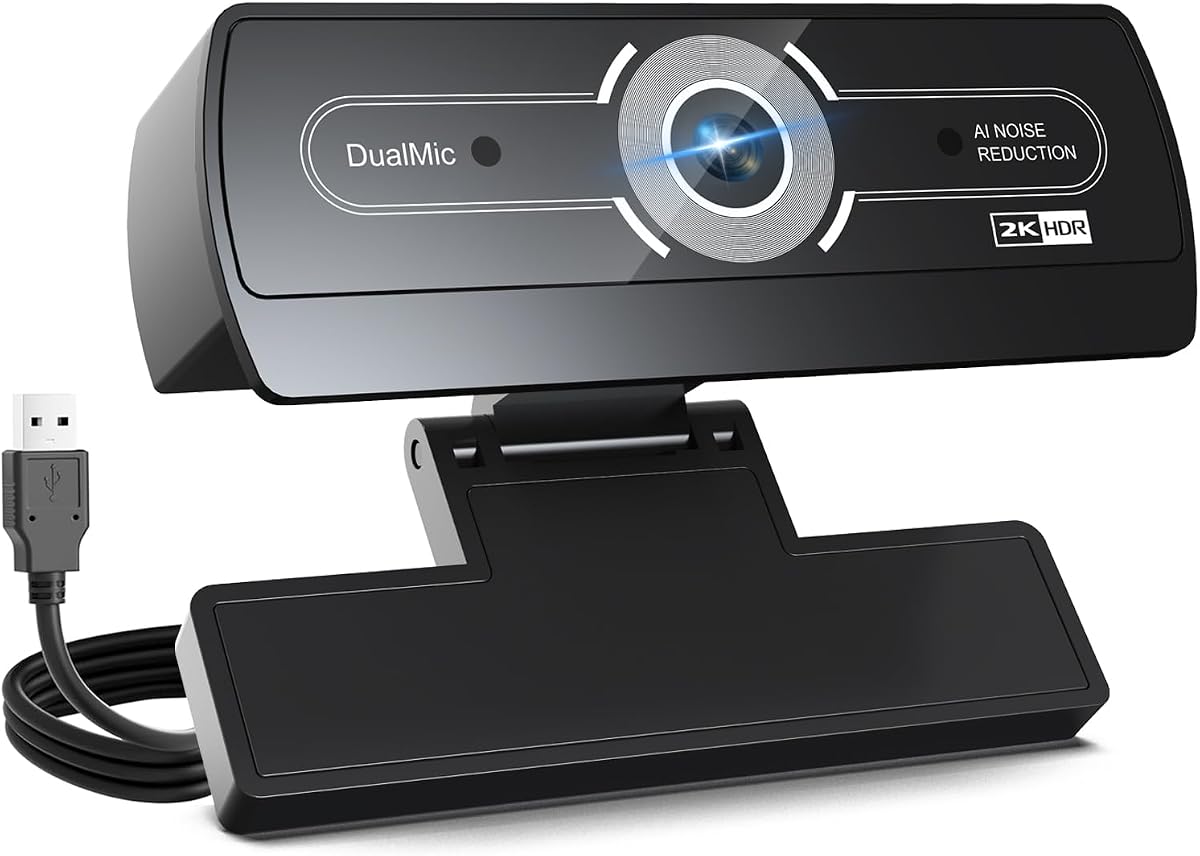
UGREEN 2K Webcam for PC Ultra HD 1080P Computer Webcam with Microphone
2K 30FPS Video
4MP CMOS Sensor
Dual Microphones
95° FOV
The UGREEN 2K Webcam stands out as our top recommendation due to its exceptional balance of image quality and usability at an affordable price point. It delivers crisp 2K video at 30 frames per second with reliable auto light correction that ensures you look professional in various lighting conditions.
Pros
Excellent 2K clarity
Effective noise reduction
Auto light adjustment
Privacy cover included
Universal compatibility
Cons
Fixed focus only
Limited zoom options
We may earn a commission when you buy through this link, at no additional cost to you.
Its dual built-in microphones capture audio clearly while minimizing background noise which is essential for virtual meetings and streaming sessions. The 95 degree field of view allows you to include more context in your video without distorting the edges significantly.
While it lacks autofocus which means you need to stay at a consistent distance for sharp images the fixed focus design reduces latency and hunting issues common in budget models. The included privacy cover provides physical security against unauthorized access.
This webcam is ideal for remote workers students and casual streamers who need reliable performance without complex setup. Plug-and-play compatibility with Windows Mac and Linux makes it accessible to almost everyone looking to upgrade from built-in laptop cameras.
Superior Image Clarity
The 4MP CMOS sensor captures detailed textures and natural colors that surpass standard 1080p cameras making every meeting feel more immersive and professional for all participants.
Enhanced Audio Quality
Integrated microphones reduce static and echo ensuring your voice comes through clearly even when there are other sounds happening around your workspace or home office.
Hprosper 2K Webcam with Microphone Automatic Light Correction & Privacy Cover Wide Angle USB Camera for PC Laptop Mac Zoom Gaming Streaming Conference Room Video Conferencing
1440p Resolution
Auto Light Correction
Wide Angle Lens
360° Rotation
For those seeking the most cost-effective way to get 2K resolution the Hprosper 2K Webcam offers compelling value without sacrificing essential features needed for daily video communication. It delivers 1440p quality that is significantly sharper than standard HD options available in this price range.
Pros
Very affordable price
Wide-angle view
Privacy cover included
360-degree rotation
Easy plug-and-play
Cons
Basic image sensor
Limited low-light performance
We may earn a commission when you buy through this link, at no additional cost to you.
Its automatic light correction feature adjusts brightness and color balance dynamically helping you look presentable even when natural light is scarce or uneven. The wide-angle lens captures more of your surroundings which is great for group calls or showing physical items.
Although the image quality may not match premium models in very dark environments it performs admirably in typical indoor settings. The physical privacy cover adds a layer of security that many users appreciate for peace of mind during non-working hours.
This camera is perfect for budget-conscious buyers who want better than basic quality for Zoom calls online classes or casual streaming. Its 360 degree rotation allows flexible positioning on monitors or desks to suit any ergonomic needs.
Cost-Effective Upgrade
Priced very competitively this webcam provides a significant upgrade over built-in laptop cameras without straining your finances for students or casual users needing reliable video.
Versatile Placement Options
Full rotation capability ensures you can adjust the angle easily to frame yourself correctly regardless of where your desk or monitor is positioned in the room.
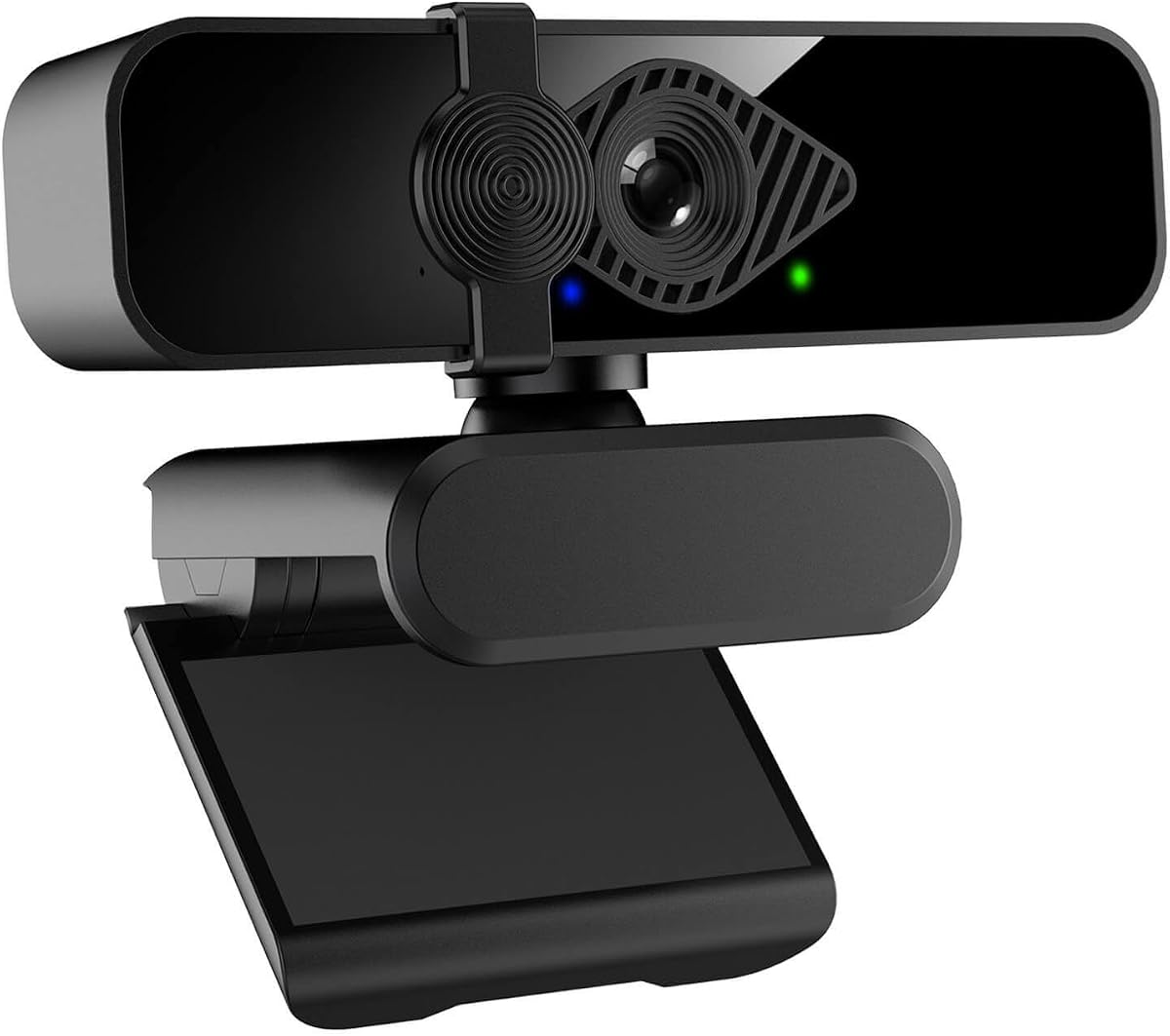
2K Webcam for PC Laptop PDAF Auto Focus Dual Noise-Canceling Mics
PDAF Autofocus
4MP CMOS Sensor
Dual Noise-Canceling Mics
360° Adjustable
The 2K Webcam with PDAF technology brings high-end autofocus capabilities to the affordable market ensuring sharp images even when you move around during presentations or casual chats. This model uses phase detection autofocus similar to professional cameras for instant locking on your face.
Pros
Fast phase detection focus
Professional audio quality
High resolution sensor
Flexible mounting clip
Supports up to 2m cable
Cons
Higher price within range
Requires consistent lighting
We may earn a commission when you buy through this link, at no additional cost to you.
Its dual microphones with dedicated noise-canceling chips filter out distractions like keyboard clicks or fan noise providing clear audio transmission without needing external gear. This is particularly useful for professionals presenting in shared home office environments.
The 6.6 foot cable offers ample reach to place the camera exactly where needed on monitors or tripods without restricting movement. The privacy cover provides hardware-level security to prevent unwanted access to your video feed at any time.
Ideal for streamers educators or remote professionals who need reliable performance and crisp visuals this camera justifies its price with superior focus speed and audio clarity. It eliminates the frustration of blurry footage during dynamic interactions.
Instant Autofocus Technology
PDAF ensures you remain sharp regardless of movement making it perfect for demonstrations or presentations where shifting positions is common during calls.
Professional Audio Setup
Dedicated noise-canceling chips deliver studio-quality sound that rivals standalone microphones reducing the need for additional hardware purchases.
TRAUSI 2K Full HD Webcam with Auto Light Correction Noise-Canceling Mic Privacy Cover and Wide Angle Lens Plug & Play USB Camera for Desktop/Laptop/Mac/PC Compatible with Teams/Zoom/Streaming
2K 30FPS Video
Noise-Reducing Mic
Auto Light Correction
Eco-Friendly Design
TRAUSI delivers a solid webcam experience with smooth 2K video at 30 frames per second ensuring fluid motion during live streams or video conferences. The auto light correction helps maintain consistent brightness levels regardless of how your room is lit.
Pros
Smooth video performance
Clear audio input
Brightens dark rooms
Sustainable materials
Wide-angle capture
Cons
Average build quality
No manual focus
We may earn a commission when you buy through this link, at no additional cost to you.
Its noise-reducing microphone captures your voice distinctly even in environments with some ambient noise making it suitable for calls from busy households or shared offices. The wide-angle lens helps you frame your workspace effectively without feeling cramped.
This model emphasizes eco-friendly design using sustainable materials in its construction which appeals to environmentally conscious buyers looking for functional tech. Plug-and-play functionality means you can start using it immediately without installing drivers.
If you need a reliable everyday camera for teaching gaming or business calls this option offers good value with essential features. It is a straightforward choice for users who prioritize ease of use and consistent performance over advanced settings.
Smooth Video Experience
Consistent frame rates prevent stuttering ensuring that your movements look natural and professional during virtual meetings or content creation sessions.
Eco-Conscious Choice
Using sustainable materials reduces environmental impact making it a thoughtful option for buyers who care about green technology in their workspace setup.
EMEET C100 2K Webcam for PC with Rotating Privacy Cover Mic & Metal Clip
2K 30FPS Video
Rotating Privacy Cover
Sturdy Metal Clip
Custom Software
EMEET C100 offers a secure and organized setup with a rotating privacy cover that protects the lens physically when not in use. Its metal clip provides a sturdy hold on monitors reducing wobble during active movement or typing.
Pros
Secure privacy shield
Durable metal mount
Software controls
Fixed focus stability
Anti-flicker support
Cons
Software requires install
Fixed focus distance
We may earn a commission when you buy through this link, at no additional cost to you.
The dedicated software allows adjustments to brightness exposure and saturation giving you more control over your image than typical basic webcams. Anti-flicker support ensures stable video under indoor fluorescent lighting without distracting banding.
This model avoids autofocus hunting by using fixed focus which keeps images stable for typical desk distances. This is beneficial for static meetings where constant shifting isn't required and stability is more important.
It works well for home office setups and online learning due to its reliable performance and secure design. The included integrated cable keeps your workspace tidy without dangling wires that might get caught during daily use.
Enhanced Privacy Security
The rotating privacy shutter ensures total physical privacy with one simple motion which is essential for users concerned about unauthorized access or hacking risks.
Customizable Settings
Software tools allow fine-tuning of exposure and color ensuring you always look your best regardless of challenging lighting conditions in your room.
2K Webcam for PC – 2K Ultra HD Computer Camera with PDAF Autofocus AI Noise-Canceling Mic USB Plug & Play 92° FOV & Auto Lighting Correction for Laptop & Desktop ( Social Streaming Video Call )
2560×1440 Resolution
PDAF Autofocus
AI Noise-Canceling Mic
92° Wide Angle
XOCLON provides a high-resolution experience with true 2560×1440 resolution ensuring fine details are captured clearly for professional presentations and content creation. The AI noise-canceling microphones focus specifically on your voice to eliminate background interference.
Pros
High resolution details
AI audio cleanup
Fast autofocus
Plug-and-play setup
Wide field of view
Cons
Shorter cable length
Less polished finish
We may earn a commission when you buy through this link, at no additional cost to you.
PDAF autofocus technology locks onto your face quickly ensuring sharp images even if you lean forward to show documents or move around your workspace. This adds a layer of flexibility that fixed-focus cameras cannot offer.
The 92 degree field of view is wide enough to include a friend or colleague without needing multiple cameras. It uses a 1.5 meter cable which may be shorter than others but works for most desk setups.
This is a great choice for tech-savvy users who want modern features like AI audio enhancement without spending too much. It bridges the gap between entry-level and professional models effectively for virtual collaboration.
AI Audio Enhancement
Advanced algorithms isolate your voice from keyboard noise or conversations allowing for clearer communication during busy workdays without external microphones.
True High Definition
Native 1440p capture ensures sharp text and fine details without interpolation making it ideal for document scanning or detailed product reviews.
2K Webcam for PC 85° View USB Computer Camera with Noise Canceling Microphone & Privacy Cover HD Web Cameras for Desktop Laptop Monitor Mac Streaming Gaming & Video Calling
2K 30FPS Video
85° Lens
360° Rotation
Extendable Base
The 2K Webcam with 85° view balances compact design with functional features ideal for smaller desks where space is limited. Its flexible tilt and full 360 degree rotation allow you to find the perfect angle quickly.
Pros
Compact design
Flexible rotation
Noise-canceling audio
Extendable base
Easy setup
Cons
Shorter cable
Average image quality
We may earn a commission when you buy through this link, at no additional cost to you.
Noise-canceling microphone ensures your voice remains clear and natural during calls without picking up ambient noise. The privacy cover provides a physical barrier to protect your data when the camera is not active.
The extendable base opens up to 180 degrees giving you stability on flat surfaces or clamping capability on screens. It works with USB 2.0 which is universally compatible with most older and newer computers.
This model suits casual users and gamers who need a versatile camera that doesn't clutter their workspace. Its plug-and-play nature means you can set it up in under a minute to start streaming or meeting.
Flexible Positioning
Full rotation and an extendable base allow unique angles for gaming or streaming making it adaptable for different creative needs.
Space Saving Design
Compact build fits easily on narrow monitor frames or small desks ensuring you maximize workspace area without sacrificing video quality.
2K Webcam for PC Mac Laptop with Microphone Full HD Web Cam for Streaming with Privacy Cover Sliders USB C Web Camera for Desktop Computer Monitor External Small Best Webcam For Microsoft Teams Gaming
High Pixel Density
Dual Noise Reduction
Detachable Privacy Cover
USB C Compatible
Designed with modern ports in mind this webcam supports USB-C directly making it ideal for newer laptops and tablets without needing extra adapters. Its high pixel density ensures sharp details capturing facial textures with lifelike precision.
Pros
USB-C native support
Detachable cover
Dual noise reduction
High image clarity
Minimalist design
Cons
Limited software tools
Basic focus options
We may earn a commission when you buy through this link, at no additional cost to you.
Dual noise reduction uses both hardware filters and AI software to clean up visual and audio noise simultaneously. This results in a pristine feed even in challenging lighting or noisy environments.
The detachable privacy cover offers practical security and protection against dust while allowing easy removal for cleaning. It is lightweight and sits neatly on screen frames without blocking displays.
This option is best for users with recent devices who want seamless connectivity and professional image quality. It is perfect for virtual meetings or gaming chats where looking and sounding clear is crucial for collaboration.
Modern Connectivity
USB-C compatibility removes the need for dongles ensuring a cleaner setup for newer MacBooks and laptops without extra cables cluttering your desk.
Visual and Audio Cleanup
Combined hardware and software filtering ensures both video and audio remain clean making it a strong choice for professional calls.
2K Webcam for PC with Microphone USB Camera Manual Focus Black
Manual Focus Ring
Gooseneck Stand
Noise-Canceling Mic
Document Camera Support
This unique webcam offers manual focus control giving you full power over sharpness which is helpful for specific use cases like product reviews or close-up shots. It includes a gooseneck stand for flexible positioning without rigid clamps.
Pros
Manual focus control
Flexible gooseneck
Document capture
Privacy cover included
Dual interface support
Cons
Requires manual setup
Gooseneck may be flimsy
We may earn a commission when you buy through this link, at no additional cost to you.
It features image flipping functionality ideal for scanning documents or showing hand-drawn illustrations during online teaching or collaborative sessions. The noise-canceling microphone filters ambient noise ensuring your explanations are clear.
Support for both USB 2.0 and 3.0 interfaces means it works across older and newer systems without compatibility issues. The physical privacy cover slides easily to block the lens when not in use for security.
Choose this if you need specific control over focus or require a versatile stand for document work. It is a niche but highly useful tool for educators or professionals who frequently present physical materials online.
Manual Focus Precision
Adjust focus manually for specific objects allowing sharper close-up detail that autofocus systems might miss during dynamic presentations.
Document Presentation Mode
Image flipping allows easy display of printed documents making it a great tool for teachers sharing worksheets or materials virtually.
2K Webcam for pc with Microphone Privacy Cover Slider Streaming Web cam for Mac Laptop USB External Computer Camera for Desktop Best Full Hd face cam for Video Conference Gaming Zoom Teams
Dual Noise Reduction
Privacy Cover Slider
Plug and Play
High Pixel Density
This webcam is tailored for streamers and video conferencing users needing consistent high-quality visuals without complex configurations. Its high pixel density ensures crisp images capturing fine details that make your stream look more professional.
Pros
Great for streaming
Dual noise reduction
High density pixels
Secure privacy slider
Universal compatibility
Cons
No manual controls
Basic mounting clip
We may earn a commission when you buy through this link, at no additional cost to you.
Dual noise reduction combines hardware filters and software to ensure clear audio and clean video even in less than ideal lighting. The privacy cover slider provides quick access to secure your camera feed when not broadcasting.
It supports plug-and-play functionality across Windows Mac and Linux systems making it easy to integrate into any workflow. The USB interface ensures stable data transmission required for smooth streaming sessions without dropped frames.
If you want a reliable camera for gaming chats or content creation at a budget-friendly price this is an excellent choice. It prioritizes consistent performance and user privacy for regular streamers.
Streaming Ready
Optimized for content creation this camera delivers smooth reliable performance for gaming streams and live interactions without technical interruptions.
Quick Privacy Access
The slider design allows instant blocking of the camera lens protecting your privacy seamlessly before and after broadcasting.
We may earn a commission when you buy through this link, at no additional cost to you.
Buying Guide – How to Choose the Best 2K Hd Webcam under 50
Selecting the right webcam involves evaluating several critical factors to ensure it meets your specific workflow and environment needs without overspending.
Image Resolution and Frame Rate
Resolution determines the clarity of your video output with 2K offering significantly sharper details than standard HD 1080p. Look for cameras that support at least 30 frames per second to ensure smooth motion during calls without stuttering or lag.
Higher resolution helps you appear more professional and ensures text or documents shown during meetings are readable. Always verify that your computer and internet connection can support 2K streaming to avoid performance bottlenecks.
Audio Quality and Microphone
Clear audio is just as important as video for effective communication. Look for webcams with built-in noise-canceling microphones that filter out background distractions like keyboard clicks or room echoes.
Dual mic setups often provide better sound capture and directionality than single mics. Ensure the microphone captures voices clearly from a reasonable distance if you move around during presentations.
Lighting and Auto Correction
Good lighting enhances video quality significantly. Choose webcams with automatic light correction that adjusts brightness and color balance to compensate for dim or uneven room lighting.
This feature helps you look your best without needing to adjust your physical lighting setup constantly. It is especially useful for home offices where natural light is inconsistent throughout the day.
Autofocus Versus Fixed Focus
Autofocus keeps you sharp even if you move during a call while fixed focus maintains a preset sharpness for a specific distance. Budget models often use fixed focus to reduce latency and cost.
If you tend to move around often during meetings consider a model with autofocus or PDAF technology. For static desk setups fixed focus is sufficient and often more reliable without hunting issues.
Privacy and Security Features
Physical privacy covers provide a guaranteed way to block the camera lens when not in use. This protects against malware or unauthorized access ensuring peace of mind for security-conscious users.
Look for sliding covers or built-in shutters that are easy to operate. Hardware-level privacy is more secure than relying on software toggles alone for personal protection.
Connectivity and Compatibility
Ensure the webcam is compatible with your operating system whether Windows Mac or Linux. Plug-and-play support means you do not need to install complex drivers to start using it.
Check cable length and connector types like USB-A or USB-C to ensure it fits your setup. A longer cable offers flexibility in positioning the camera away from your computer screen.
Field of View
Field of View (FOV) defines how much of your room the camera captures. Wider angles like 90 to 100 degrees allow you to include more background or other people easily.
Narrower angles are better for individual calls focused on your face without showing too much of your surroundings. Choose based on whether you need a personal or group perspective.
Durability and Build Quality
A sturdy clip ensures the camera stays in place without sliding or falling. Metal clips generally offer better stability than plastic mounts especially on thicker monitor frames.
Check reviews regarding long-term performance to ensure the device withstands daily use. A durable build protects your investment and ensures reliable performance over months of regular use.
How to Use and Care for Your 2K Hd Webcam under 50
Begin by connecting the webcam to an available USB port on your computer ensuring the cable is not twisted or bent. Most modern operating systems will recognize the device automatically within seconds without requiring extra drivers.
Position the camera at eye level for the most flattering angle by tilting the clip or using a stable surface. Ensure your background is clean and well-lit to maximize the camera's auto light correction capabilities.
Clean the lens regularly using a soft microfiber cloth to remove dust and smudges that could blur your image. Keep the privacy cover closed when not in use to protect the glass and ensure physical security.
Frequently Asked Questions
Can I use these webcams with Mac computers?
Yes most webcams in this list are compatible with macOS including older versions from 10.14 and newer. They use standard USB protocols that work seamlessly with Mac systems without requiring additional software installation.
Do I need a special software to use these webcams?
No these webcams are designed to be plug-and-play which means they work immediately after connecting to your computer. Most video conferencing apps will detect them automatically without needing dedicated drivers.
Is 2K resolution worth it over 1080p?
2K resolution provides sharper detail and clearer text which is useful for presentations or close-up work. While 1080p is sufficient for casual calls 2K offers a noticeable upgrade in image quality for professional needs.
How do I improve low-light video quality?
Use webcams with automatic light correction and position a lamp facing you to reduce shadows. Avoid backlighting such as sitting with a bright window behind you as this can wash out your image.
Are privacy covers included with all models?
Most models in this guide include a physical privacy cover or slider for security. Always check the product description to confirm the inclusion since a few basic models may require separate purchase.
What is the best field of view for meetings?
A field of view between 75 and 90 degrees is ideal for one-on-one meetings or small group calls. This range keeps the focus on you without cutting off your face or including too much of your background.
Do these webcams work on gaming consoles?
Most standard webcams work with consoles that support USB video capture such as PS5 or Xbox depending on firmware updates. However check console compatibility lists as some may require specific settings to enable external cameras.
How do I check if my computer supports 2K?
Check your computer's USB bandwidth and OS settings to ensure it supports high-resolution video input. Some older USB 2.0 ports may struggle with 2K streaming so USB 3.0 is recommended for best performance.
Final Thoughts on Choosing the Best 2K Hd Webcam under 50
We have reviewed ten exceptional webcams that offer sharp 2K resolution and essential features without exceeding fifty dollars. Each model provides distinct advantages ranging from autofocus flexibility to privacy features and compatibility options.
When making your final decision consider your primary usage whether it is for streaming education or office work. Prioritize features like noise-canceling microphones and light correction if you work in varied environments.
Prices and availability are subject to change so always verify current offers before buying. By choosing one of these reliable options you can ensure professional video quality that enhances your remote work experience.
This guide compares the top cable management solutions for organizing wires at home and office, featuring trays, clips, sleeves, and boxes to declutter your