
HP 17.3 Touchscreen HD+ Business Laptop
5.0Editor score
Intel Core i7-1355U processor
17.3-inch HD+ touchscreen display
32GB DDR4 RAM and 1TB SSD
This guide compares the top 10 laptops with keypad and touchscreen for productivity, focusing on performance specs, display quality, and value across brands.
Finding a laptop with keypad and touchscreen capabilities can transform how you work and interact with digital content. These devices combine traditional typing comfort with intuitive touch navigation for a versatile experience.
We evaluated ten real models based on processor power, memory capacity, storage speed, and screen responsiveness. Each entry was chosen to reflect current market options available for professional and student use cases.
Each pick shows key strengths and potential trade-offs to help you decide quickly. Prices and availability change frequently so verify details on the retailer page before finalizing your purchase decision today.
5.0Editor score

4.0Editor score

4.7Editor score
The following table offers a side-by-side comparison of all ten selected laptops highlighting their core specifications and key features for easy reference during your research phase.


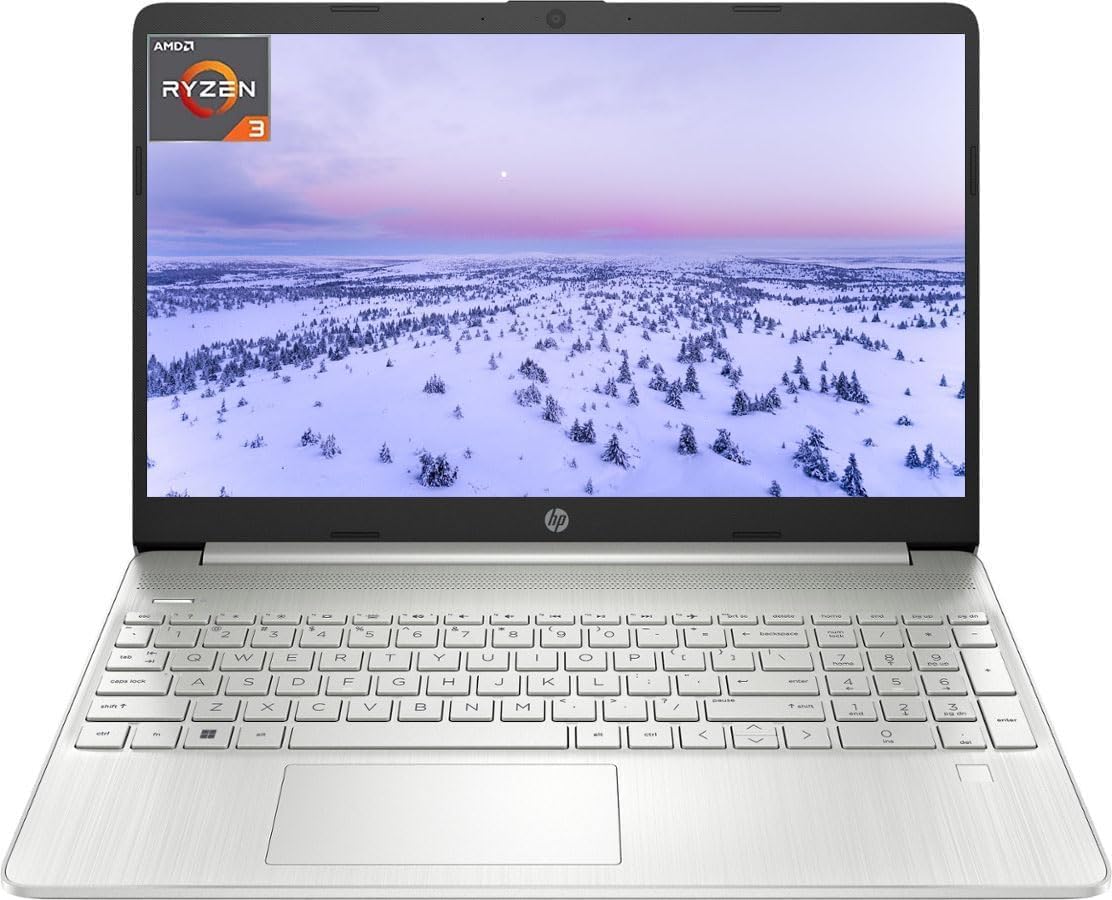

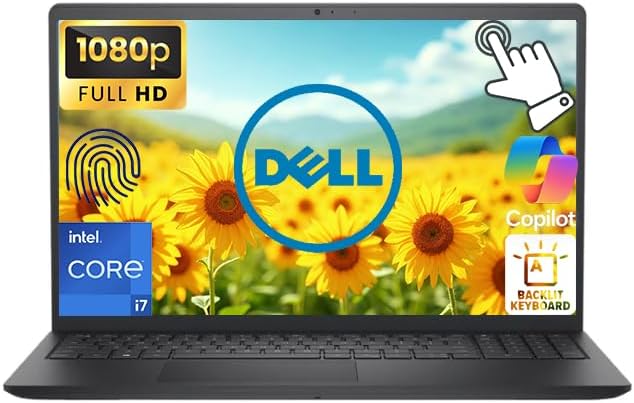


This HP model stands out for its robust configuration that supports heavy multitasking workflows efficiently. Its 32GB RAM ensures smooth operation even with many applications running simultaneously.
We may earn a commission when you buy through this link, at no additional cost to you.
The AMD Ryzen 7 processor delivers solid performance for daily productivity tasks and light creative work. Users benefit from fast boot times and quick application launches without noticeable lag.
While the laptop offers excellent specs its weight might be a consideration for frequent travelers. The build quality is sturdy but adds to the overall carry burden compared to lighter ultrabooks.
It is ideal for students and professionals needing reliability and speed in a single machine. The combination of power and storage makes it a strong choice for demanding office environments.
The generous RAM allocation allows seamless switching between documents apps and browser tabs without slowdowns.
The Full HD IPS panel provides clear visuals and accurate touch response for intuitive navigation.
We may earn a commission when you buy through this link, at no additional cost to you.
This HP business laptop offers a spacious 17.3-inch display that enhances visibility and productivity for users. The large screen real estate is perfect for working with multiple windows open side by side.
We may earn a commission when you buy through this link, at no additional cost to you.
Equipped with a powerful Intel Core i7 processor it handles demanding applications with ease. The advanced AI capabilities streamline workflows and ensure smooth operation during intensive tasks.
While the premium features come at a higher cost the value is evident in the hardware quality and performance. The device is built to withstand daily professional use with reliability and speed.
It is best suited for professionals who prioritize screen size and processing power over portability. The laptop excels in stationary work settings where the display size can be fully utilized.
The HD+ touchscreen provides vibrant visuals and ample space for detailed work and media consumption.
The Intel Core i7 processor ensures fast responsiveness and efficient handling of complex software.
We may earn a commission when you buy through this link, at no additional cost to you.
This Dell Inspiron model provides an accessible entry point for users seeking a touchscreen laptop with a numeric keypad. It balances essential features with a budget-friendly price tag effectively.
We may earn a commission when you buy through this link, at no additional cost to you.
The 10-Core Intel i5 processor offers reliable performance for everyday tasks like browsing and document editing. Users appreciate the responsive interface and quick access to their favorite applications.
While the memory and storage are modest they suit basic to moderate usage scenarios well. Those needing more space can consider external drives or cloud storage options to extend capacity.
It is an excellent choice for students or home users who need core functionality without overspending. The laptop delivers solid value for its price range and daily usability.
The combination of features at this price makes it a strong option for budget-conscious buyers.
Users get a full numeric keypad and touchscreen without sacrificing basic performance needs.
We may earn a commission when you buy through this link, at no additional cost to you.
This Dell Inspiron variant offers a practical setup for business users needing Windows 11 Pro out of the box. The 16GB RAM supports multitasking reasonably well for typical office applications.
We may earn a commission when you buy through this link, at no additional cost to you.
Storage is handled by a fast 1TB PCIe SSD which ensures quick data access and system responsiveness. Users benefit from ample space for files and projects without immediate upgrade needs.
The Express Charge feature is a welcome addition for users on the go needing quick battery recovery. However the older processor generation may limit future-proofing compared to newer models.
It serves well as a reliable workhorse for daily tasks where cost efficiency matters. The inclusion of Pro features makes it attractive for small business environments.
Windows 11 Pro provides enhanced security and management features ideal for professional use.
The PCIe SSD delivers swift load times for files and applications enhancing overall speed.
We may earn a commission when you buy through this link, at no additional cost to you.
This HP laptop brings a massive 17.3-inch display to the table offering expansive visuals for content. The inclusion of Microsoft 365 adds value for users needing productivity software immediately.
We may earn a commission when you buy through this link, at no additional cost to you.
The processor is designed for efficiency handling light tasks like web browsing and document work. Users find it suitable for casual use but may face limits with heavier multitasking.
Storage is somewhat restricted at 128GB requiring reliance on cloud services or external drives. Despite this the laptop remains portable and comfortable for home or school settings.
It is a good fit for those prioritizing screen size and software bundle over raw performance. The backlit keyboard and large keypad enhance usability in various lighting conditions.
Microsoft 365 personal premium apps are included to support productive workflows out of the box.
The 17.3-inch display provides extra room for viewing content and managing multiple windows.
We may earn a commission when you buy through this link, at no additional cost to you.
This HP 2023 model is designed for basic computing needs with a focus on simplicity and cost. It offers a touchscreen interface that adds convenience for navigation without extra cost.
We may earn a commission when you buy through this link, at no additional cost to you.
The Intel Core i3 processor is adequate for everyday tasks like email and web browsing. Performance remains stable for light usage but may slow with multiple heavy applications open.
The screen resolution is modest but sufficient for general viewing and text work. Users who require sharper visuals might find this limiting compared to Full HD panels.
It is a practical choice for secondary devices or students with minimal software demands. The numeric keypad ensures comfort during data entry tasks.
The touchscreen simplifies navigation and interaction for users of all skill levels.
The included numeric keypad supports efficient input for numbers and calculations.
We may earn a commission when you buy through this link, at no additional cost to you.
The HP OmniBook 3 stands out with a sharp 2K display that offers crisp visuals and detailed imagery. This quality enhances both work and entertainment experiences significantly.
We may earn a commission when you buy through this link, at no additional cost to you.
Powered by the Ryzen 5 40 processor it handles multitasking efficiently for daily needs. The 16GB RAM ensures smooth transitions between apps without performance bottlenecks.
While battery life is decent users may need frequent recharging during long sessions away from power. The lightweight design helps offset this by making it easy to carry around.
It is a stylish choice for those valuing screen quality and modern features. The inclusion of Windows 11 Pro adds business-friendly capabilities to the device.
The 2K IPS panel delivers superior clarity for text and media consumption.
Copilot key offers quick access to AI tools for streamlined task management.
We may earn a commission when you buy through this link, at no additional cost to you.
This Dell business laptop combines high processing power with security features for professional environments. The fingerprint reader ensures quick and secure access without typing passwords.
We may earn a commission when you buy through this link, at no additional cost to you.
The Intel Core i7-1355U processor delivers robust speed for complex applications. Users benefit from fast execution times and smooth performance during work hours.
While the price reflects the premium hardware it remains competitive in its class. The backlit keyboard aids typing in low-light environments comfortably.
It is an excellent choice for business users prioritizing security and speed. The full HD touchscreen enhances interaction with touch-sensitive applications.
The fingerprint reader provides convenient and secure authentication methods for users.
The high-end CPU supports demanding tasks and heavy multitasking efficiently.
We may earn a commission when you buy through this link, at no additional cost to you.
This Dell Inspiron configuration emphasizes memory and storage for heavy users and students. The 32GB RAM ensures that many programs can run simultaneously without slowdown.
We may earn a commission when you buy through this link, at no additional cost to you.
The processor is reliable for standard tasks but may not match newer generations in speed. However the high RAM compensates by allowing smoother workflow management.
Storage is ample for documents media and applications providing flexibility for various needs. The IPS display offers good viewing angles and color consistency for visual work.
It is a practical option for those needing high memory capacity in a laptop. The Windows 11 Pro OS adds extra control and security features.
The 32GB RAM supports running multiple demanding applications without lag or delay.
A 1TB SSD provides ample room for storing large files and datasets.
We may earn a commission when you buy through this link, at no additional cost to you.
This HP laptop delivers a balanced set of features for users on a strict budget. The octa-core processor provides enough power for smooth daily browsing and office work.
We may earn a commission when you buy through this link, at no additional cost to you.
WiFi 6 and Bluetooth 5.4 ensure modern connectivity speeds for stable internet access. Users appreciate the quick connection times and reliable wireless performance.
Memory and storage are standard for this tier meaning external solutions may be needed. The touchscreen offers intuitive control and navigation without requiring a mouse always.
It is a solid entry-level option for students and home users. The numeric keypad makes it versatile for data entry tasks efficiently.
WiFi 6 technology ensures fast and stable wireless connections for daily use.
The touchscreen adds convenience and speed to everyday navigation tasks.
We may earn a commission when you buy through this link, at no additional cost to you.
Selecting the right laptop requires evaluating several factors to match your workflow needs.
The processor is the engine of your laptop affecting speed and multitasking ability. Look for multi-core CPUs like i5 or i7 to handle demanding applications smoothly.
Choose a processor that matches your workload needs to ensure long-term usability.
Random Access Memory determines how many programs you can run simultaneously without lag. At least 16GB is recommended for professional multitasking and creative work.
Higher RAM ensures smoother performance when switching between many applications.
Solid State Drives offer much faster boot and file access compared to traditional hard drives. Aim for at least 256GB of SSD storage for comfortable file handling.
Fast storage keeps your system responsive and efficient during daily use.
A touchscreen should have high resolution and good brightness for accurate touch response. Look for Full HD or higher to ensure clear text and visuals.
Quality screens reduce eye strain during long work sessions.
Ensure the laptop includes a full numeric keypad for efficient data entry and budgeting. Models without a keypad can slow down workflows involving lots of numbers.
A dedicated keypad significantly improves productivity for financial or administrative tasks.
Windows 11 Pro provides additional security and management features compared to Home versions. Business users should verify the OS version before purchasing for compatibility.
The right OS ensures access to necessary software and security protocols.
For mobile work choose a laptop with at least 8 hours of real-world battery life. Check user reviews for accurate estimates beyond manufacturer claims.
Long battery life ensures uninterrupted work during travel or meetings.
Verify the presence of USB-C HDMI and other ports you need for peripherals. Wi-Fi 6 and Bluetooth 5.0 or higher ensure modern connection standards.
Adequate ports prevent the need for extra adapters and hubs constantly.
Always clean the touchscreen with a soft microfiber cloth to avoid scratches or damage. Avoid using harsh chemicals that could degrade the protective coating on the glass.
Regularly update the operating system and drivers to maintain security and performance levels. This ensures compatibility with new software and fixes potential vulnerabilities.
Use the laptop on a flat stable surface to prevent strain on the hinges and keyboard. Proper ventilation is essential to keep internal components from overheating during use.
A numeric keypad speeds up data entry tasks significantly for those working with numbers daily. For general browsing and writing it is less critical but still helpful for efficiency.
Touchscreens can consume slightly more power when used frequently but the impact is minimal. Modern laptops optimize battery usage well so overall life remains acceptable for most users.
Most modern touchscreens support styluses but compatibility depends on the specific technology used. Check the device specifications to confirm active or passive stylus support.
Windows 11 Pro offers enhanced security features and management tools for business environments. It also supports more RAM and advanced networking capabilities compared to Home.
For basic use 8GB is sufficient but 16GB or more is recommended for multitasking. Heavy users may benefit from 32GB to handle professional applications smoothly.
SSDs have no moving parts making them more durable than traditional hard drives during travel. They are resistant to shock and vibration which protects data better.
Screens between 15 and 16 inches balance visual space and portability effectively. Larger screens offer more room but add weight and bulk to the device.
Avoid leaving the laptop plugged in constantly and keep it in moderate temperatures. Using power saver modes when unplugged helps maintain battery health over time.
We have highlighted ten strong models balancing performance storage and display quality for users. The HP and Dell options lead in versatility for both work and education needs.
Prioritize processor speed and RAM capacity to ensure your device stays relevant longer. Choosing the right screen size also impacts comfort and productivity significantly.
Verify current prices and availability before purchasing as deals change frequently. This guide provides a reliable starting point for selecting a powerful touchscreen laptop.