
Lenovo V-Series V15 Business Laptop
4.2Editor score
AMD Ryzen 7 5825U Processor
40GB RAM and 1TB SSD
Numeric Keypad and RJ45 Port
Discover the top laptops with numpad for business and data entry. This guide compares ten models with dedicated keypads for efficient spreadsheet work.
Finding the right laptop with a dedicated numeric keypad is essential for professionals who handle spreadsheets, accounting, and data entry daily. A full-size numpad significantly boosts productivity by allowing quick access to numbers without relying on function keys or external accessories.
We have carefully selected ten top-rated models that feature integrated numeric keypads. Our comparison focuses on performance, display quality, connectivity options, and overall build quality to help you choose the best device for your specific workflow needs.
Each pick highlights specific strengths like processor power, memory capacity, and screen size. Remember that availability and pricing can change frequently so always check the latest details on the product pages before making your final purchase decision today.
4.2Editor score

4.8Editor score

4.1Editor score
Below is a side-by-side comparison of all ten laptops featuring numeric keypads. Review the specifications to find the right balance of performance and portability for your needs.




The HP 255 G10 Business Laptop stands out as a top contender for professionals seeking efficiency. It features a dedicated numeric keypad which is essential for data entry tasks. With strong performance and a clear display this model delivers reliable daily computing power.
We may earn a commission when you buy through this link, at no additional cost to you.
Its AMD Ryzen 3 7330U processor handles multitasking smoothly. The 16GB RAM ensures multiple browser tabs and applications run without lag. The 512GB SSD provides ample space for documents and fast boot times for your work sessions.
While the battery life is standard for this class it offers enough power for most workdays. The display has good viewing angles suitable for collaborative work. Some users might find the chassis less premium than metal options.
We recommend this laptop for small business owners and accountants who need a straightforward tool. The numeric keypad simplifies spreadsheet work significantly. Overall it offers a balanced mix of performance and usability.
The 16GB RAM allows you to run Excel and browsers simultaneously without slowdowns.
Windows 11 Pro includes enhanced security and remote desktop tools for business users.
We may earn a commission when you buy through this link, at no additional cost to you.
The Lenovo V-Series V15 offers premium specs for heavy workloads. Its 40GB RAM is rare in this category allowing for extreme multitasking. The 1TB SSD ensures you never run out of space for large files.
We may earn a commission when you buy through this link, at no additional cost to you.
Data entry professionals will appreciate the dedicated numeric keypad. The AMD Ryzen 7 processor handles complex calculations effortlessly. The inclusion of an RJ45 port adds stability for wired network connections.
This model is larger and heavier which reduces portability slightly. The price is higher but justified by the generous memory and storage. It is designed for stationary office use rather than travel.
Choose this if you need maximum power for engineering or financial modeling. The large memory ensures future-proofing for demanding applications. It remains a strong choice for power users.
40GB RAM lets you run virtual machines and heavy software concurrently.
The RJ45 port ensures stable internet for critical work without Wi-Fi drops.
We may earn a commission when you buy through this link, at no additional cost to you.
This HP model offers impressive specs for a budget-friendly price point. The AMD Ryzen 7 7730U processor delivers solid performance for office tasks. It includes a numeric keypad making it ideal for spreadsheet work.
We may earn a commission when you buy through this link, at no additional cost to you.
The 16GB RAM ensures smooth operation during daily use. The 512GB SSD provides quick access to your files. Windows 11 Pro adds value with enterprise-grade security features.
While the display is functional it is not as bright as premium models. The webcam is adequate for standard calls but lacks advanced features. It is a practical choice for cost-conscious buyers.
We recommend this for students or startups needing reliable hardware. The numeric keypad saves time on data entry tasks. It provides excellent value for the features included.
You get a Ryzen 7 processor and 16GB RAM for a very competitive price.
Windows 11 Pro ensures your data is protected with advanced security tools.
We may earn a commission when you buy through this link, at no additional cost to you.
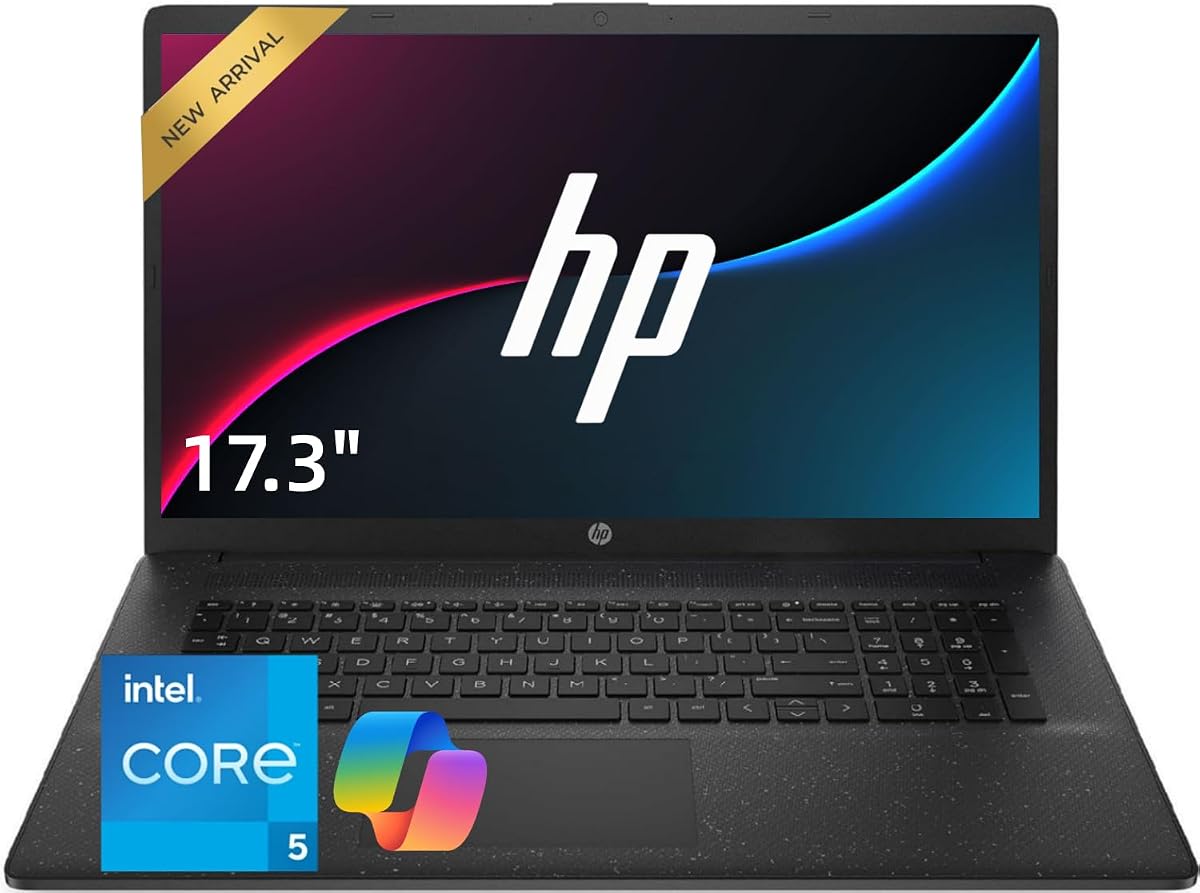
This laptop features a spacious 17.3 inch display perfect for multitasking. The large screen allows you to view multiple windows side by side easily. It includes a full-size keyboard with a numeric keypad for efficiency.
We may earn a commission when you buy through this link, at no additional cost to you.
The Intel Core 5 processor handles daily tasks efficiently. The 32GB RAM supports heavy workloads like data analysis. Storage is plentiful with a 1TB SSD for all your documents.
Portability is limited due to the large screen size. It is best suited for a desk environment. The lack of rating data suggests it is a newer model.
Ideal for accountants who need to see entire spreadsheets at once. The numeric keypad is fully functional for quick entry. Choose this for a desktop replacement experience.
The 17.3 inch screen provides ample room for complex spreadsheets.
With 32GB RAM and 1TB storage you can handle massive files easily.
We may earn a commission when you buy through this link, at no additional cost to you.
This Lenovo laptop utilizes the latest DDR5 RAM for faster data access. The 24GB capacity balances performance and cost effectively. It includes a numeric keypad which is vital for financial work.
We may earn a commission when you buy through this link, at no additional cost to you.
The 16 inch display offers more vertical space than standard screens. The Intel i5 processor handles daily multitasking smoothly. Boot times are fast thanks to the SSD storage.
Some users might wish for more USB ports. The webcam quality is basic for video conferencing. It remains a solid choice for modern computing needs.
We recommend this for professionals needing speed and efficiency. The DDR5 memory ensures future readiness. The numeric keypad simplifies daily data tasks.
DDR5 RAM provides significantly faster data transfer than DDR4 models.
The layout includes a numeric keypad for rapid number entry.
We may earn a commission when you buy through this link, at no additional cost to you.
This HP model offers strong privacy features with a physical camera shutter. The numeric keypad makes it suitable for accounting tasks. The large screen allows for comfortable document viewing.
We may earn a commission when you buy through this link, at no additional cost to you.
The 32GB RAM supports demanding workloads well. Intel Core 5 provides consistent performance for office apps. Storage is ample for years of documents and projects.
Portability is reduced due to the large chassis size. It is best used as a stationary workstation. The shutter adds a layer of hardware security.
We suggest this for home office workers valuing privacy. The keypad ensures efficient data entry. It provides a professional setup at home.
The privacy shutter physically blocks the camera for total privacy.
The 17.3 inch screen provides room for multiple open windows.
We may earn a commission when you buy through this link, at no additional cost to you.
As a 2026 edition this model offers updated components. The AMD Ryzen 5 CPU handles modern workloads efficiently. It features a numeric keypad for streamlined data entry tasks.
We may earn a commission when you buy through this link, at no additional cost to you.
The 16GB RAM ensures smooth daily performance. Long battery life allows for mobility without constant charging. Office 365 web access keeps you connected to your documents.
The 512GB SSD is standard but may need external storage for large archives. The weight might be an issue for daily commuting. It is a solid modern business choice.
We recommend this for those needing up-to-date hardware. The numeric keypad is essential for financial professionals. It balances performance with reasonable price.
The 2026 edition brings the latest Ryzen 5 processor capabilities.
Office 365 for Web ensures access to docs anywhere.
We may earn a commission when you buy through this link, at no additional cost to you.
This slim laptop offers a budget-friendly entry point with a numeric keypad. The AMD CPU provides basic performance for web tasks. The 10000mAh battery ensures extended use on the go.
We may earn a commission when you buy through this link, at no additional cost to you.
Storage starts at 256GB but is expandable to 1TB. The numeric keypad is essential for spreadsheet work. It remains lightweight for easy travel and commuting.
The 8GB RAM may limit heavy multitasking capabilities. Wi-Fi 5 is slower than modern Wi-Fi 6 standards. It suits basic home office needs well.
We suggest this for students or casual users. The keypad adds value at this price point. It is a practical tool for simple data entry.
The 10000mAh battery provides extended usage time.
It offers essential features like a numpad at a low cost.
We may earn a commission when you buy through this link, at no additional cost to you.
This portable laptop is light and easy to carry. It supports basic computing tasks efficiently. The IPS display offers decent color for the price.
We may earn a commission when you buy through this link, at no additional cost to you.
The Intel 5205U processor handles web browsing well. It runs Windows 11 for a modern interface. Storage is limited but expandable for needs.
The 6GB RAM is minimal for modern multitasking. It is not suitable for heavy software. It serves well for basic office work.
We recommend this for lightweight travel needs. It provides essential portability for students. Check specific numpad availability before buying.
Weighing just 3.6 lbs it is easy to move around.
You can add more storage to meet your needs.
We may earn a commission when you buy through this link, at no additional cost to you.
This HP laptop offers exceptional value with high memory and storage. The numeric keypad ensures efficient work with spreadsheets. It handles everyday tasks smoothly without lag.
We may earn a commission when you buy through this link, at no additional cost to you.
The 32GB RAM allows for excellent multitasking capabilities. The 1TB SSD provides fast access to files. Fast charge supports quick powerups for busy days.
The processor is lower end but sufficient for office work. It is not for heavy creative tasks. It balances performance well for the price.
We recommend this for users prioritizing memory capacity. The numpad makes it a strong business tool. It provides a balanced choice for productivity.
You get 32GB RAM which is rare at this price point.
The numeric keypad streamlines data entry significantly.
We may earn a commission when you buy through this link, at no additional cost to you.
Selecting the right laptop with a numeric keypad requires considering several factors. This guide helps you evaluate specs to match your professional needs.
The processor determines how fast your laptop runs. Look for AMD Ryzen 5 or Intel Core i5 and higher for smooth performance. This ensures your work is efficient without delays.
Choose a processor that matches your workload intensity.
RAM affects multitasking ability. At least 16GB is recommended for modern business tasks. Storage should be SSD for speed and capacity for your files.
Prioritize higher RAM for heavy spreadsheet work.
A clear screen reduces eye strain. Look for Full HD IPS panels for better viewing angles. Larger screens like 17 inch help with multiple windows.
Select a display size that fits your workflow.
Ensure the numeric keypad is included and well laid out. Check key travel for comfortable typing. A dedicated keypad is essential for accounting work.
Verify the keypad is separate from the main keys.
Ports like USB and HDMI are vital for accessories. Wi-Fi 6 ensures fast internet. Ethernet ports help if you prefer wired connections.
Check for necessary ports before buying.
Long battery life supports work away from outlets. Look for models that offer at least 8 hours. Fast charge helps in emergencies.
Consider your travel frequency when choosing.
Windows 11 Pro offers better security features. Ensure compatibility with your software. A secure OS is vital for business data.
Choose the OS version that fits your needs.
Weight matters if you travel often. A lighter model reduces strain. Balance screen size with weight for comfort.
Pick a size you can carry easily.
Always calibrate your numeric keypad by testing keys in Excel. Ensure the Num Lock key is active for proper function.
Keep the keys clean with a soft brush to remove dust. Regular cleaning prevents stuck keys over time.
Update drivers regularly to maintain keyboard performance. This ensures compatibility with your software applications.
Most laptops with a numeric keypad have a dedicated row on the right side. Some compact models share keys which is less ideal for data entry. Check specs for dedicated numeric keys.
A processor determines how fast your software responds. Higher cores help with complex calculations. For simple entry any modern CPU works well.
Windows 11 Pro offers enhanced security and remote desktop. It is useful for enterprise settings. For small business Home often suffices.
External USB numpads are available if your laptop lacks one. They work well but may be less integrated. Built-in ones are more convenient.
16GB RAM is standard for smooth multitasking. Higher amounts like 32GB help with large datasets. Aim for at least 16GB for efficiency.
Yes larger screens show more columns at once. 17 inch models reduce scrolling. Smaller screens may require more navigation.
Our top picks offer a range of options for different needs. The HP 255 G10 provides great value and features. The Lenovo V-Series V15 excels in performance.
Prioritize your specific workflow requirements when choosing. Consider memory and storage for long-term use. The right choice enhances your productivity significantly.
Prices and availability change frequently so always check current details. We hope this guide helps you find the ideal laptop. Make your selection with confidence today.